In 2026, AI auto-framing and noise suppression are no longer reserved for conference-room hardware. They now show up in desk-sized video bars and webcams, which changes what a good hybrid meeting setup costs. This guide pulls together our camera, speakerphone, microphone, and lighting research into one buying order.
Hybrid work means the same desk handles a solo call at 9, a table of people at noon, and a screen-share at 3. Your setup has to cover all three without a pile of cables. Everything below is based on spec sheets, manufacturer claims, and owner reports, not lab work of our own.
Quick Comparison
| Spec | Insta360 Link 2 | EMEET C980 PRO 4K Webcam | Poly Studio P15 Personal Video Bar | Logitech MeetUp Conference Camera | Anker PowerConf S3 Speakerphone | RØDE NT-USB Mini | BenQ ScreenBar Halo 2 |
|---|---|---|---|---|---|---|---|
| Rating | 9.0/10 | 8.2/10 | 9.0/10 | 8.5/10 | 8.4/10 | 8.8/10 | 8.6/10 |
| Price | $199.99as of Oct 24, 2026 | $89.99-$99.99as of Oct 24, 2026 | $106.27-$279.99as of Oct 24, 2026 | $254.95-$509.00as of Oct 24, 2026 | $84.99-$129.99as of Oct 24, 2026 | $99.75-$108.00as of Oct 24, 2026 | $169.99-$199.00as of Oct 24, 2026 |
| Sensor | 1/2-inch | — | — | — | — | — | — |
| Resolution | 4K | 4K | — | — | — | — | — |
| Tracking | AI auto-tracking gimbal | — | — | — | — | — | — |
| HDR | Yes | — | — | — | — | — | — |
| Microphone | AI noise-cancelling | Built-in | — | — | — | — | — |
| Field of View | — | 60°-98° adjustable | 90° diagonal | 120° | — | — | — |
| Speaker | — | Built-in | — | — | — | — | — |
| Video | — | — | Up to 4K | 4K | — | — | — |
| Microphones | — | — | 3-element beamforming array | 3 | 6 | — | — |
| Noise Reduction | — | — | NoiseBlockAI + AcousticFence | — | — | — | — |
| Connection | — | — | USB-A | USB | USB / Bluetooth | USB | — |
| Use Case | — | — | — | Small huddle rooms | Desk or small room audio | Solo desk calls | — |
| Battery | — | — | — | — | Up to 24 hours of call time | — | — |
| Type | — | — | — | — | — | USB condenser | Monitor light bar |
| Stand | — | — | — | — | — | Magnetic desk stand | — |
| Controller | — | — | — | — | — | — | Wireless |
| Lighting | — | — | — | — | — | — | Front light plus backlight |
| Mounting | — | — | — | — | — | — | Monitor clip |
| Check Price → | Check Price → | Check Price → | Check Price → | Check Price → | Check Price → | Check Price → |
Prices change daily — tap Check Price for the current Amazon price.
Step 1: Fix Your Audio Before Your Video
Colleagues forgive a soft image. They do not forgive echo, hiss, or a voice that cuts in and out. If you can only upgrade one thing, upgrade how you sound. A headset is the cheapest fix (see our headset roundup), and a bad-echo room is covered in our echo reduction guide.
Step 2: Pick One Camera Approach
Webcam on your monitor. The Insta360 Link 2 is the pick if you move around or want tracking. The EMEET C980 PRO is the budget option that also includes a mic and speaker. More options are in our webcam roundup.
Video bar. The Poly Studio P15 combines camera, directional mics, and speaker in one USB device. Owner reports praise how well it isolates your voice from desk noise. See the conference video bar roundup.
Room camera. If your home office doubles as a meeting space for two or three people, the Logitech MeetUp’s wide field of view is the better fit. Our guide to choosing a video conferencing camera explains the tradeoffs.
Step 3: Add Audio for the Room
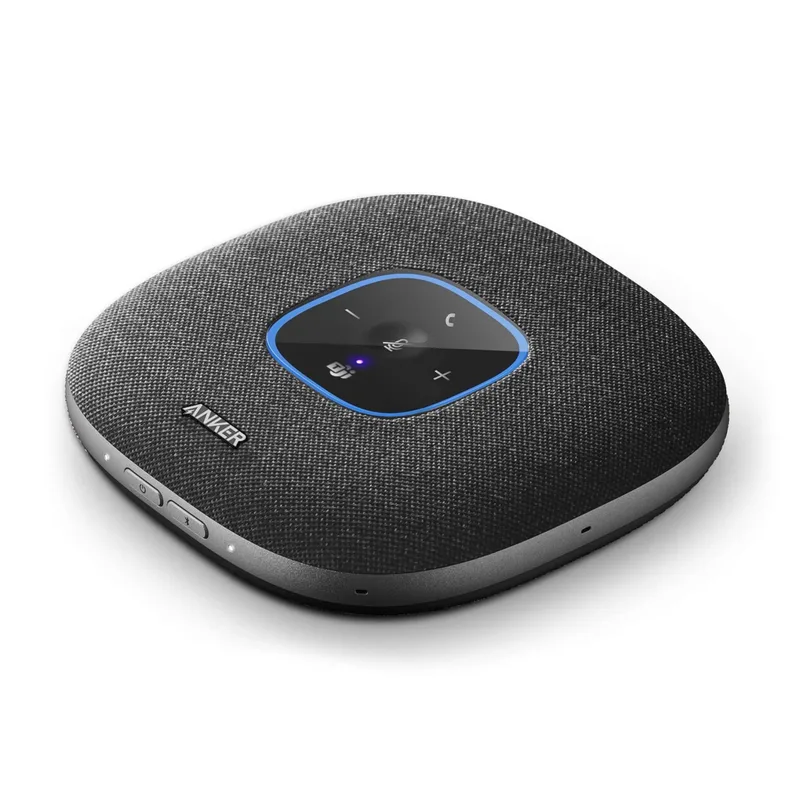
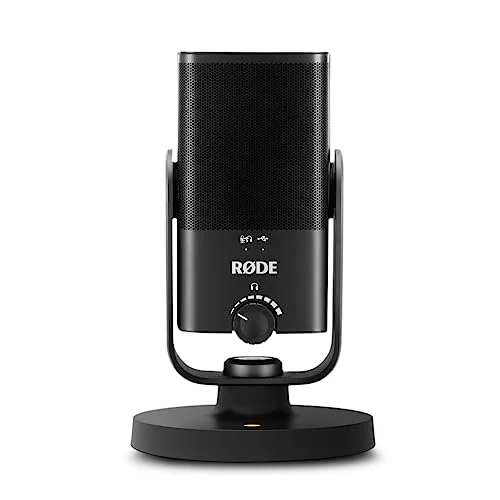
A solo desk can rely on the camera’s mic. A table of people cannot. The Anker PowerConf S3 adds a six-mic speakerphone, and our speakerphone roundup covers alternatives. If you mostly talk alone and want a fuller voice, the RØDE NT-USB Mini is a compact USB option. Skip it if you already bought a video bar, since two mics compete for the same job.
Step 4: Light Your Workspace
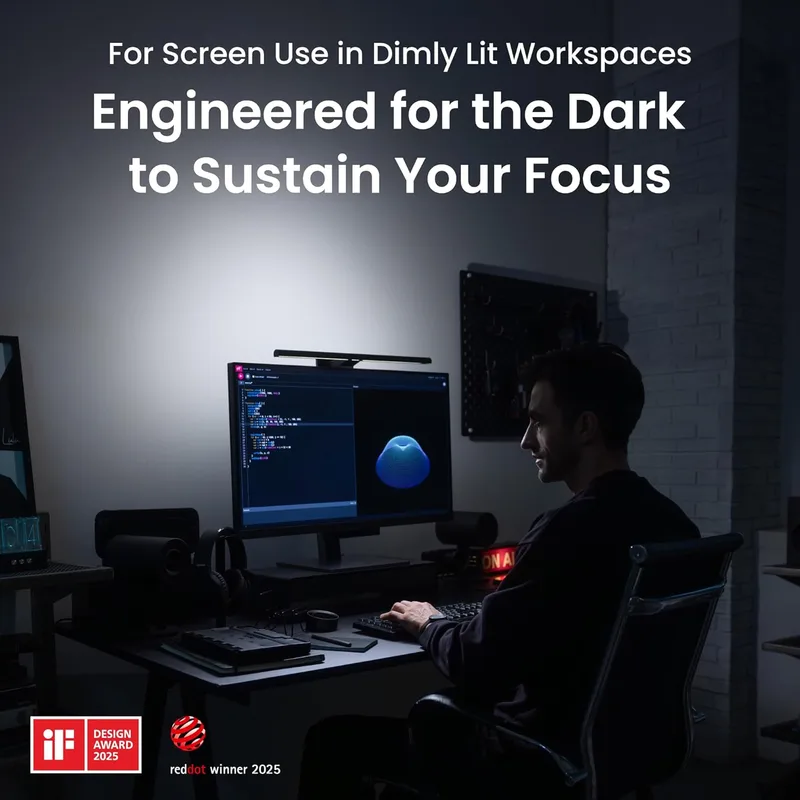
A bright window behind you turns you into a silhouette. Put the main light source in front of or beside you. The BenQ ScreenBar Halo 2 lights your desk without screen glare, but it lights the desk, not your face, so pair it with a lamp or see our monitor light bar roundup and ring light guide for face lighting.
The Picks
1. Insta360 Link 2 — Best Webcam
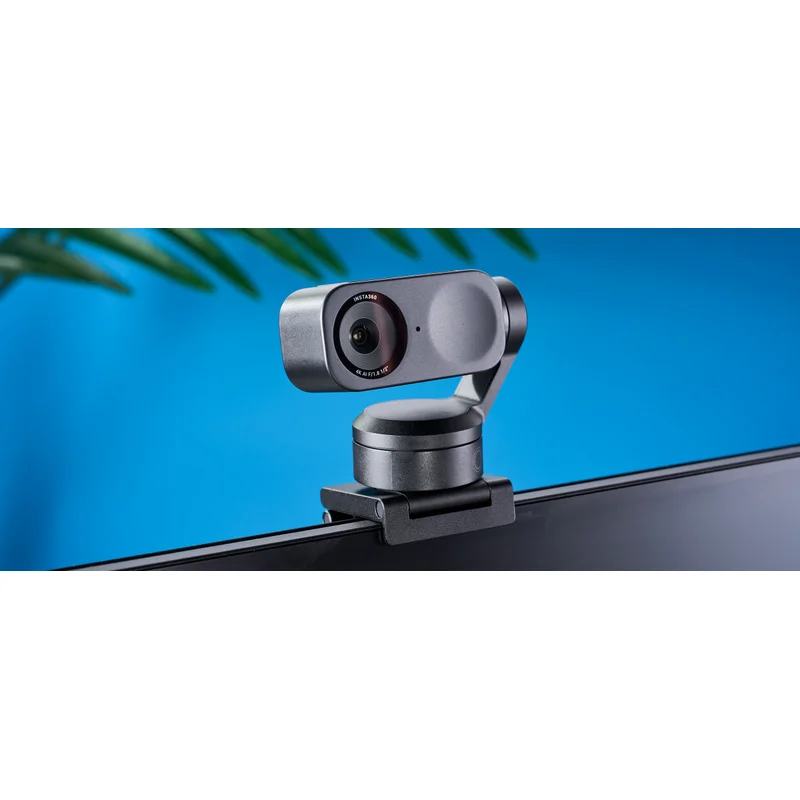
Insta360 Link 2
Pros
- Gimbal tracking follows you if you stand or lean away from the desk
- 1/2-inch sensor and HDR suit rooms with mixed window light
- Built-in AI noise-cancelling mic covers you if you have no headset
- Works as a plain USB webcam with no company software required for basic use
Cons
- Priciest webcam in this guide
- Gimbal adds bulk to the top of a monitor
This is the pick for hybrid workers who stand, pace, or share the frame. Gimbal tracking solves the most common complaint with fixed webcams: drift out of frame and you vanish.
2. EMEET C980 PRO 4K Webcam — Best Value All-in-One
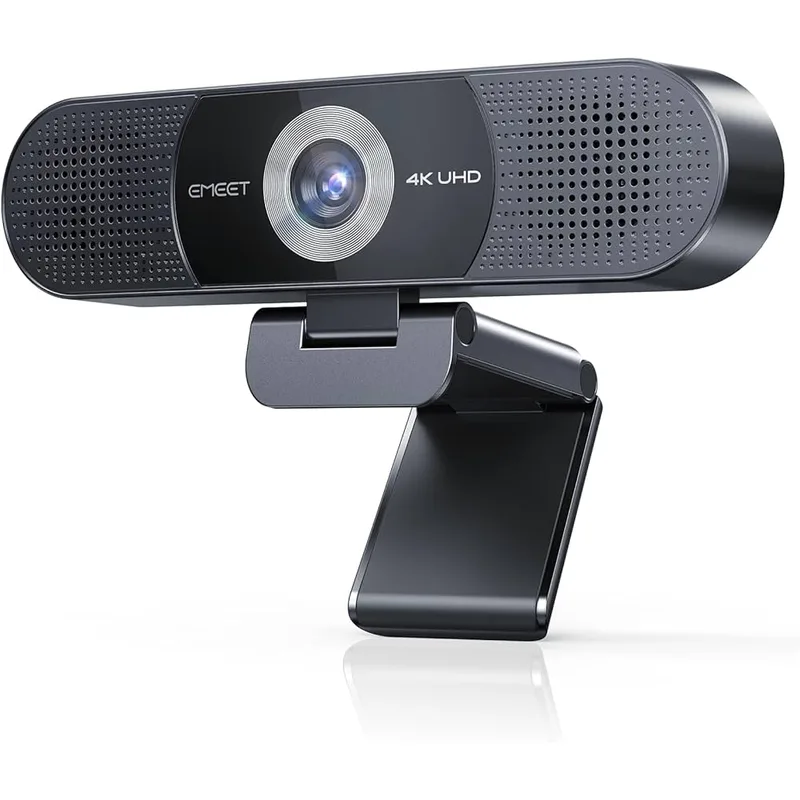
EMEET C980 PRO 4K Webcam
Pros
- Camera, mic, and speaker in one USB device keeps the desk clean
- Adjustable field of view lets you tighten to one person or widen for a second
- Priced well below the Poly and Logitech bars
- One cable simplifies hybrid hot-desk setups
Cons
- Built-in speaker is a personal-use speaker, not a room speaker
- No premium noise suppression compared to the Poly bar
If you want one device for camera, mic, and speaker without a large spend, this is the starting point. Expect personal-volume audio.
3. Poly Studio P15 Personal Video Bar — Best Video Bar
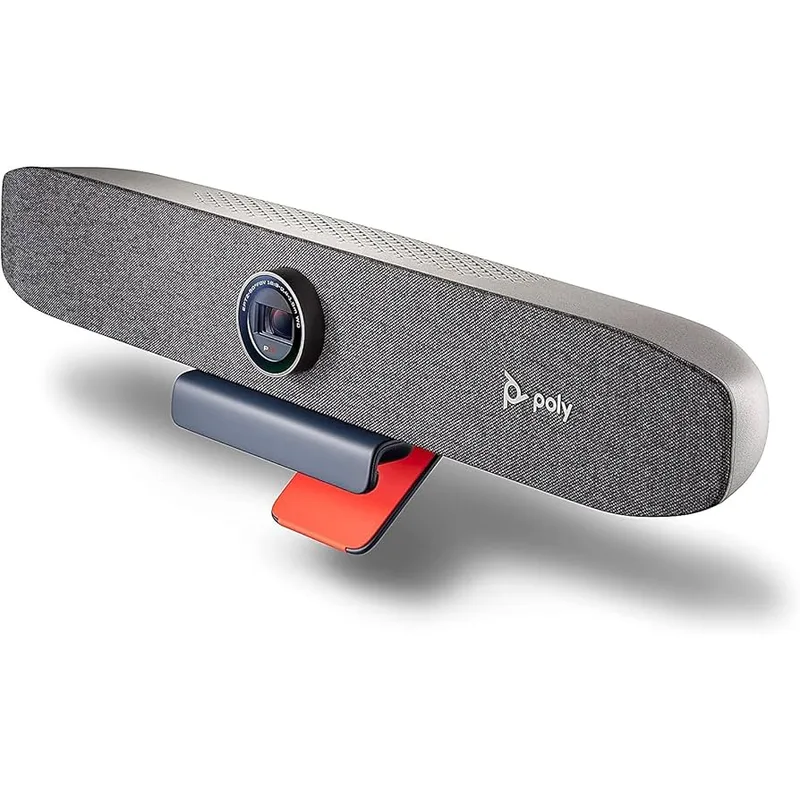
Poly Studio P15 Personal Video Bar
Pros
- AcousticFence limits mic pickup to your desk area
- NoiseBlockAI filters background noise while you speak
- Auto-framing keeps you centered when you move
- One USB cable for camera, mic, and speaker
Cons
- Wide bar needs a substantial monitor to sit on
- Speaker is tuned for personal listening distance
- Price swings widely, so check the button before you buy
The strongest all-in-one for a single desk, thanks to its noise handling. The price range is wide, so check the current price before you buy.
4. Logitech MeetUp Conference Camera — Best for Small Rooms
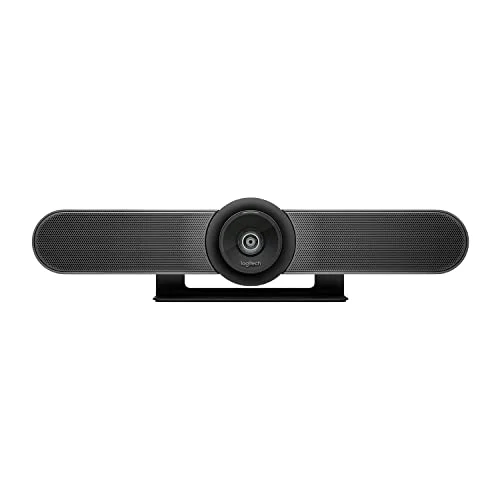
Logitech MeetUp Conference Camera
Pros
- 120° field of view fits two or three people in frame
- Built for shared spaces, so the speaker is louder than desk bars
- Works with the major meeting apps over plain USB
- Established product with a long track record in offices
Cons
- Overkill for a one-person desk
- Large and meant to sit on a shelf or wall mount
- Wide price range, so compare before buying
Buy this only if more than one person regularly sits in frame. For a solo desk, it is more camera than you need.
5. Anker PowerConf S3 Speakerphone — Best Speakerphone
Anker PowerConf S3 Speakerphone
Pros
- Six-mic array picks up people around a table
- Long battery life suits moving between desk and table
- Portable, so you can carry it to a hybrid day in the office
- Pairs with the camera you already own
Cons
- Does not add video
- Stock availability has been listed as limited
A portable audio add-on for table meetings, and it travels well on in-office days.
6. RØDE NT-USB Mini — Best Microphone
RØDE NT-USB Mini
Pros
- Studio-style condenser voice pickup for solo calls
- Plug-and-play USB with a compact footprint
- Magnetic desk stand keeps it stable and small
- Moves your voice quality up from any webcam mic
Cons
- Picks up room noise in an untreated room
- Adds a second desk device, so skip it if you own a video bar
A good choice for solo callers who want a fuller voice than a webcam mic offers and who have a reasonably quiet room.
7. BenQ ScreenBar Halo 2 — Best Lighting
BenQ ScreenBar Halo 2
Pros
- Lights the desk without glare on your screen
- Backlight reduces eye strain in a dim room
- Wireless controller adjusts brightness and color temperature
- Frees up desk space compared with a lamp
Cons
- Lights your desk, not your face, so it is not a ring light
- Expensive next to basic light bars
A desk-lighting upgrade that helps in dim rooms and saves desk space. Treat it as a complement to face lighting, not a substitute.
Buying Guide
- Match the gear to who is in the frame. One person needs a webcam or desk bar. Two or more need a wider lens and a speakerphone.
- Prefer one USB cable. Fewer devices mean fewer driver and audio-routing problems.
- Check app compatibility. Zoom and Teams certification appear on the spec sheets of the Poly and Logitech products.
- Don’t double up on mics. A video bar plus a USB microphone gives your meeting app two inputs to choose between, and the wrong one often gets picked.
- Budget in order: audio, camera, then lighting.
FAQ
Do I need a video bar if I already have a good webcam? Not usually. A video bar adds directional microphones and a speaker. If your webcam is fine and you wear a headset, you may not need one.
Is 4K necessary for video calls? Most meeting apps compress video heavily, so 4K sensors mainly help with cropping and framing, not sharper calls. Audio matters more.
What is the cheapest upgrade that makes the biggest difference? A headset or a decent microphone, followed by lighting that faces you.
Can one device cover a hybrid day in the office and at home? A portable speakerphone like the Anker PowerConf S3 travels easily. A video bar is better left at your home desk.
Conclusion
For most hybrid workers, the Poly Studio P15 is the top pick: one USB device handles camera, directional audio, and noise filtering. If you want tracking and the best image, choose the Insta360 Link 2. If budget matters most, start with the EMEET C980 PRO and add lighting later.
Detailed Reviews
Insta360 Link 2
Pros
- Gimbal tracking follows you if you stand or lean away from the desk
- 1/2-inch sensor and HDR suit rooms with mixed window light
- Built-in AI noise-cancelling mic covers you if you have no headset
- Works as a plain USB webcam with no company software required for basic use
Cons
- Priciest webcam in this guide
- Gimbal adds bulk to the top of a monitor
EMEET C980 PRO 4K Webcam
Pros
- Camera, mic, and speaker in one USB device keeps the desk clean
- Adjustable field of view lets you tighten to one person or widen for a second
- Priced well below the Poly and Logitech bars
- One cable simplifies hybrid hot-desk setups
Cons
- Built-in speaker is a personal-use speaker, not a room speaker
- No premium noise suppression compared to the Poly bar
Poly Studio P15 Personal Video Bar
Pros
- AcousticFence limits mic pickup to your desk area
- NoiseBlockAI filters background noise while you speak
- Auto-framing keeps you centered when you move
- One USB cable for camera, mic, and speaker
Cons
- Wide bar needs a substantial monitor to sit on
- Speaker is tuned for personal listening distance
- Price swings widely, so check the button before you buy
Logitech MeetUp Conference Camera
Pros
- 120° field of view fits two or three people in frame
- Built for shared spaces, so the speaker is louder than desk bars
- Works with the major meeting apps over plain USB
- Established product with a long track record in offices
Cons
- Overkill for a one-person desk
- Large and meant to sit on a shelf or wall mount
- Wide price range, so compare before buying
Anker PowerConf S3 Speakerphone
Pros
- Six-mic array picks up people around a table
- Long battery life suits moving between desk and table
- Portable, so you can carry it to a hybrid day in the office
- Pairs with the camera you already own
Cons
- Does not add video
- Stock availability has been listed as limited
RØDE NT-USB Mini
Pros
- Studio-style condenser voice pickup for solo calls
- Plug-and-play USB with a compact footprint
- Magnetic desk stand keeps it stable and small
- Moves your voice quality up from any webcam mic
Cons
- Picks up room noise in an untreated room
- Adds a second desk device, so skip it if you own a video bar
BenQ ScreenBar Halo 2
Pros
- Lights the desk without glare on your screen
- Backlight reduces eye strain in a dim room
- Wireless controller adjusts brightness and color temperature
- Frees up desk space compared with a lamp
Cons
- Lights your desk, not your face, so it is not a ring light
- Expensive next to basic light bars