Buying a UPS in 2026 comes down to the same two questions it always did: how many watts are you protecting, and how long do you need them to keep running? Get either wrong and you end up with a beeping box that trips on the first power-on, or a unit that dies in 90 seconds.
This guide walks through the sizing math and the features that matter, then maps each setup to a pick. It is based on spec sheets, manufacturer claims and owner feedback, not lab testing. For the full ranked list, see our best UPS battery backups.
Short version: protect the router, modem and NAS first. Add the desktop only if you need time to save work. A monitor can go dark with no harm.
Quick Comparison
| Spec | CyberPower CP1500PFCLCD | APC BX1500M | APC BR1500MS2 | CyberPower CP850PFCLCD | APC BE425M | Synology DS225+ |
|---|---|---|---|---|---|---|
| Rating | 9.0/10 | 8.8/10 | 8.6/10 | 8.3/10 | 7.8/10 | 9.0/10 |
| Price | $239.95as of Oct 18, 2026 | $169.99-$189.99as of Oct 18, 2026 | $259.99-$299.99as of Oct 18, 2026 | $169.95as of Oct 18, 2026 | $62.50as of Oct 18, 2026 | $364.99as of Oct 18, 2026 |
| Capacity | 1500VA / 1000W | 1500VA / 900W | 1500VA / 900W | 850VA / 510W | 425VA / 255W | — |
| Output | Pure sine wave (PFC compatible) | — | Pure sine wave | Pure sine wave (PFC compatible) | — | — |
| Outlets | 12 total | 10 (5 battery + surge, 5 surge-only) | — | 10 | 6 (3 battery-backed) | — |
| Warranty | 3-year, battery included | — | — | 3-year, battery included | 3-year, $75,000 equipment guarantee | 3 years |
| Runtime | — | 68 min at a 100W load | — | — | About 15 min at a 100W load | — |
| Battery | — | User-replaceable (APCRBC124) | — | — | — | — |
| Charging Ports | — | — | USB-C + USB-A | — | — | — |
| Certification | — | — | UL, Energy Star | — | — | — |
| Bays | — | — | — | — | — | 2-bay (diskless) |
| Network | — | — | — | — | — | 1x 2.5GbE + 1x 1GbE |
| Operating System | — | — | — | — | — | DiskStation Manager (DSM) |
| Check Price → | Check Price → | Check Price → | Check Price → | Check Price → | Check Price → |
Prices change daily — tap Check Price for the current Amazon price.
Step 1: Decide What Actually Needs Battery Power
A UPS does two jobs: it cleans up surges and brownouts, and it keeps gear alive when power cuts out. Not every device needs the second one.
- Needs battery: NAS drives mid-write, the router and modem (a dropped call is the usual cost), a desktop with unsaved work.
- Surge-only is fine: monitors, speakers, chargers, lamps.
- Keep off the UPS: laser printers. They pull a large surge while heating up and can overload a small unit.
Most UPS units split outlets into battery-backed and surge-only banks. Plan your plugs around that split before you buy.
Step 2: Add Up Watts, Not VA
The VA number on the box is not what limits you. The watt rating is. A 1500VA unit might be rated at 900W or 1000W, depending on the model.
- List each battery-backed device and its wattage from its power brick or spec sheet.
- Add them up.
- Keep that total under roughly 60-70% of the UPS wattage rating. This leaves headroom for startup surges and gives longer runtime.
If your total is a router, modem and a small NAS, even a compact unit handles it. If it includes a gaming or workstation PC with a big GPU, you need the 900W-1000W class.
Step 3: Check Runtime at Your Load
Headline runtime figures are measured at light loads. Runtime falls quickly as wattage climbs. From the manufacturer specs:
- The APC BX1500M is rated for 68 minutes at a 100W load, which covers a NAS, modem and router.
- The CyberPower CP1500PFCLCD gives about 10 minutes at half load and about 2.5 minutes at full load.
- The APC BE425M gives about 15 minutes at 100W.
For a PC, you need minutes to save and shut down. For a NAS, you want enough time to finish a write and power off cleanly. Many UPS models can signal a NAS or PC over USB to shut down automatically, which matters more than raw runtime.
Step 4: Pure Sine Wave vs Standby
Cheaper “standby” units output a stepped waveform on battery. Routers, modems and most simple electronics ignore this. Desktop PCs with active PFC power supplies can buzz, run hot or shut down on stepped output.
- Desktop PC or workstation: buy pure sine wave.
- Router, modem, NAS: standby is usually fine, though check your NAS maker’s guidance.
Step 5: Look at the Details That Affect Long-Term Cost
- Replaceable battery. A battery swap every 3-5 years costs less than a new unit. Check the replacement part number first.
- Warranty. Some units cover the battery for three years. Others cover only the electronics.
- Network dataline protection. Surges can arrive over Ethernet. Units with an Ethernet pass-through protect that path.
- Display. A readable LCD with load percentage helps you see whether you are close to the limit.
Picks by Setup
Desktop PC, Monitor and Networking Gear
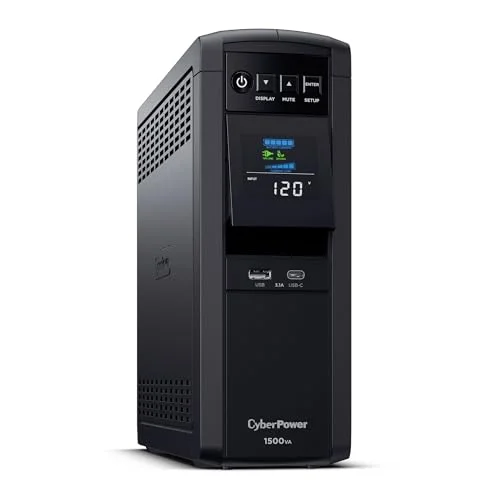
CyberPower CP1500PFCLCD
Pros
- Pure sine wave output suits active PFC power supplies in modern PCs
- 12 outlets leave room to split battery-backed and surge-only gear
- Tilting color LCD is readable from the floor
- Warranty covers the battery, not just the electronics
Cons
- Runtime drops to a few minutes at full load
- Mini-tower footprint needs floor or shelf space
- Costs more than APC's 1500VA models
The CyberPower CP1500PFCLCD is the safe default for a desktop. Pure sine wave output, 12 outlets and a warranty that includes the battery. Expect minutes of runtime at full load, not an extended outage ride-through.
NAS, Modem and Router
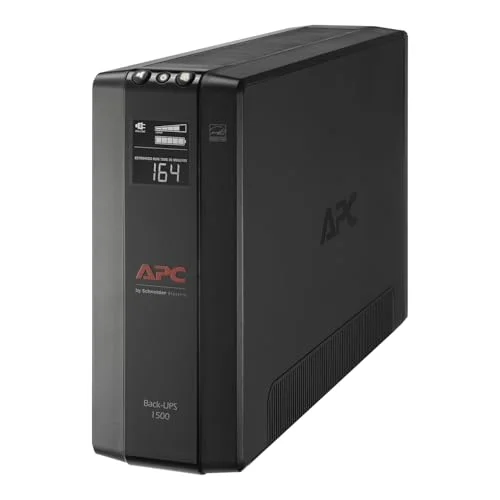
APC BX1500M
Pros
- 68 minutes at a 100W load covers a NAS, modem and router through most outages
- Network dataline protection guards the Ethernet jack
- Battery is user-replaceable
- Automatic voltage regulation handles brownouts without draining the battery
Cons
- Standby topology, not pure sine wave
- 900W ceiling is tight for a high-end workstation
- Large and heavy for a router closet
The APC BX1500M is the better fit when network gear and storage are the priority. Its 68 minutes at 100W is the longest low-load runtime in this guide, and its network dataline protection covers the Ethernet side.
Home Server or Always-On Box
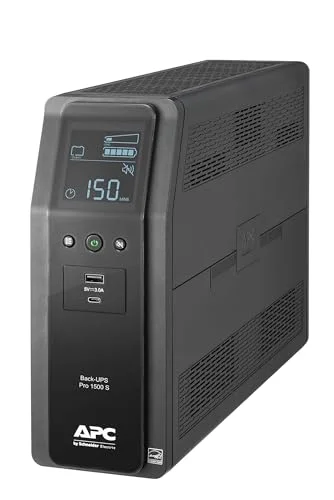
APC BR1500MS2
Pros
- Pure sine wave plus USB-C charging at this capacity
- Stronger surge and voltage regulation than APC's base Back-UPS line
- LCD shows battery health and load percentage
- Suits a server or NAS that runs around the clock
Cons
- Highest price in this guide
- Overkill if you only protect a router and modem
- Needs dedicated floor or shelf space
The APC BR1500MS2 pairs pure sine wave with stronger voltage regulation and USB-C charging. It makes sense if something runs 24/7 behind it. It does not make sense for a router alone.
Single Desktop on a Budget
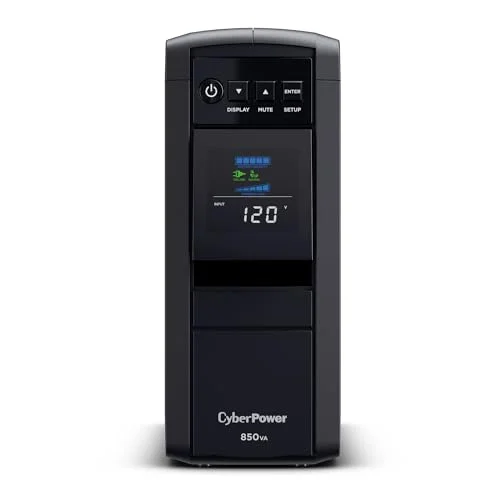
CyberPower CP850PFCLCD
Pros
- Pure sine wave at a lower capacity and price
- Mini-tower fits under most desks
- 10 outlets cover a PC, monitor and networking gear
- LCD status panel matches the bigger CyberPower
Cons
- 510W ceiling rules out a multi-monitor workstation
- Shorter runtime than the 1500VA models at any given load
- Same footprint as the larger CyberPower
The CyberPower CP850PFCLCD keeps pure sine wave in a smaller body. Its 510W ceiling suits one PC with modest hardware plus a modem and router, not a multi-monitor workstation.
Router and Modem Only
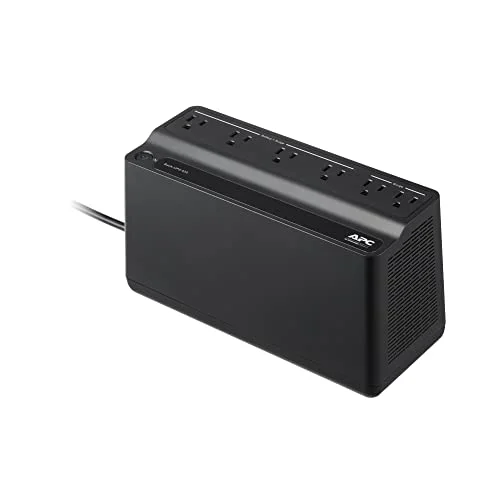
APC BE425M
Pros
- Cheapest useful option for a router and modem
- Compact and wall-mountable
- 15 minutes at 100W rides out short blips
- Same warranty tier as APC's pricier units
Cons
- 255W ceiling cannot run a desktop PC or a NAS with spinning drives
- Only 3 of 6 outlets are battery-backed
- Standby topology, not pure sine wave
The APC BE425M is built for the cheapest and most useful job: keeping the internet up through short blips. It cannot run a desktop or a NAS with spinning drives.
What to Put Behind It
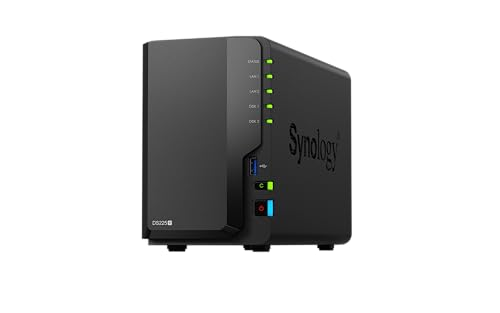
Synology DS225+
Pros
- DSM can shut down cleanly when a UPS signals low battery
- Active Backup for Business covers PCs and Macs
- Reuses NAS-rated drives you already own
- 2.5GbE port beats gigabit for large transfers
Cons
- Only 2GB of RAM out of the box
- Costs more than comparable Asustor 2-bay units
- Drives are sold separately
A NAS is the device a UPS protects best. The Synology DS225+ can shut down cleanly when the UPS reports low battery. For more on picking storage, see our NAS roundup and the Synology vs Asustor comparison.
Related Power and Network Reading
- Best power strips for a home office for the surge-only side of your desk
- Best routers for home office if the router is what you are protecting
- Best mesh WiFi systems for remote workers for multi-node setups that each need power
FAQ
Do I need a UPS if I have a surge protector? Yes, for anything that cannot take an abrupt power loss. A surge protector stops spikes but does nothing when power cuts out.
How many VA do I need? Work from watts. Add up your battery-backed devices and keep the total under about 60-70% of the UPS wattage rating.
Can I plug a laser printer into a UPS? Usually not on the battery side. Laser printers draw a large surge while heating, so put them on a surge-only outlet or skip the UPS.
How long does a UPS battery last? Most last about 3-5 years depending on how often they cycle. Check that the model has a replaceable battery pack.
Is pure sine wave worth the extra cost? For a desktop PC with an active PFC power supply, yes. For a router or modem, no.
Conclusion
Start with the watts, not the VA. For a desktop-plus-networking desk, the CyberPower CP1500PFCLCD is our top pick. If a NAS and router are the real priority, the APC BX1500M gives the longest runtime at low load. If only the internet has to stay up, the APC BE425M does it for the least money.
Detailed Reviews
CyberPower CP1500PFCLCD
Pros
- Pure sine wave output suits active PFC power supplies in modern PCs
- 12 outlets leave room to split battery-backed and surge-only gear
- Tilting color LCD is readable from the floor
- Warranty covers the battery, not just the electronics
Cons
- Runtime drops to a few minutes at full load
- Mini-tower footprint needs floor or shelf space
- Costs more than APC's 1500VA models
APC BX1500M
Pros
- 68 minutes at a 100W load covers a NAS, modem and router through most outages
- Network dataline protection guards the Ethernet jack
- Battery is user-replaceable
- Automatic voltage regulation handles brownouts without draining the battery
Cons
- Standby topology, not pure sine wave
- 900W ceiling is tight for a high-end workstation
- Large and heavy for a router closet
APC BR1500MS2
Pros
- Pure sine wave plus USB-C charging at this capacity
- Stronger surge and voltage regulation than APC's base Back-UPS line
- LCD shows battery health and load percentage
- Suits a server or NAS that runs around the clock
Cons
- Highest price in this guide
- Overkill if you only protect a router and modem
- Needs dedicated floor or shelf space
CyberPower CP850PFCLCD
Pros
- Pure sine wave at a lower capacity and price
- Mini-tower fits under most desks
- 10 outlets cover a PC, monitor and networking gear
- LCD status panel matches the bigger CyberPower
Cons
- 510W ceiling rules out a multi-monitor workstation
- Shorter runtime than the 1500VA models at any given load
- Same footprint as the larger CyberPower
APC BE425M
Pros
- Cheapest useful option for a router and modem
- Compact and wall-mountable
- 15 minutes at 100W rides out short blips
- Same warranty tier as APC's pricier units
Cons
- 255W ceiling cannot run a desktop PC or a NAS with spinning drives
- Only 3 of 6 outlets are battery-backed
- Standby topology, not pure sine wave
Synology DS225+
Pros
- DSM can shut down cleanly when a UPS signals low battery
- Active Backup for Business covers PCs and Macs
- Reuses NAS-rated drives you already own
- 2.5GbE port beats gigabit for large transfers
Cons
- Only 2GB of RAM out of the box
- Costs more than comparable Asustor 2-bay units
- Drives are sold separately