Disclosure: SetupRanked earns a commission on purchases made through links on this page at no extra cost to you.
Laptop microphones pick up everything — keyboard clicks, HVAC hum, the neighbor’s dog. Everyone on the call hears it. A dedicated speakerphone fixes this, and it also frees your hands. You can type, reference documents, walk across the room without tangling headset cables or cupping your hands near a mic.
The catch: a lot of speakerphones are designed for conference rooms seating twelve, and they perform worse at the 18-inch desk distance a remote worker actually uses them from. This guide covers the ones built for home office use — close proximity, frequent one-on-one calls, and the need to work cleanly with corporate laptop setups.
Quick pick: the Jabra Speak2 55 handles most home office scenarios better than anything else in this range. If $199 is more than you want to spend, the Poly Sync 20 at $89 delivers Teams certification and a 20-hour battery without meaningful compromises.
What Makes a Speakerphone Work for Remote Workers
Noise cancellation matters more than microphone count. A six-mic array with mediocre noise processing will still pick up keyboard noise and HVAC rumble alongside your voice. A four-mic array with beamforming and proper noise suppression isolates your voice and suppresses everything else. Look for beamforming or acoustic fence processing specifically — not just “noise cancellation” as a general feature claim.
USB connection is more reliable than Bluetooth for corporate laptops. A USB-connected speakerphone integrates at the driver level — the call answer, mute, and volume buttons on the device control your Teams or Zoom call directly. Bluetooth speakerphones require pairing and sometimes don’t register hardware button presses correctly on IT-managed machines. Most speakerphones in this guide offer both, with USB as the more dependable option for work.
Teams and Zoom certification matters in managed environments. IT-managed laptops sometimes restrict audio devices. Certified speakerphones pass a validation process ensuring mute sync, call answer/end, and volume control work as expected. Uncertified speakerphones may work fine or may need manual audio device selection depending on IT configuration.
Battery life determines flexibility. A speakerphone that must stay plugged in is less useful than one that moves from desk to kitchen to patio freely. The best models here offer 12–24 hours of call time per charge.
The 5 Best Speakerphones for Remote Work in 2026
1. Jabra Speak2 55 — Best Overall
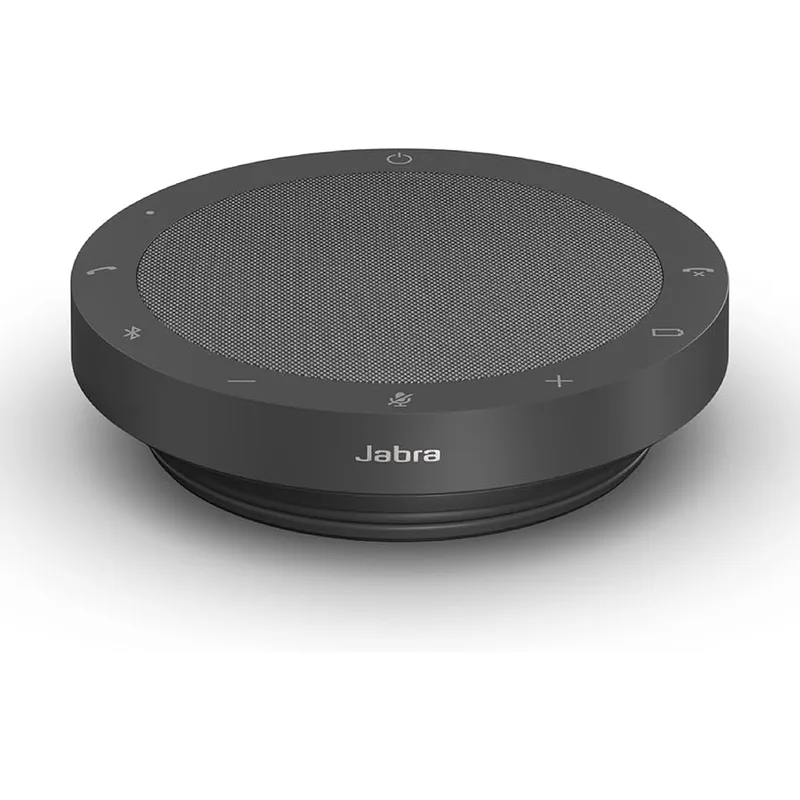
The Speak2 55 is where most remote workers should start their search. Its four beamforming microphones with active noise cancellation handle real home office conditions better than anything else at this price — keyboard typing, HVAC noise, and nearby conversations are suppressed without dulling the sound of your voice.
The standout feature over older Jabra models is Voice Level Normalization. With multiple people in the room, the Speak2 55 adjusts each voice to the same perceived volume. Nobody drops out because they leaned back in their chair or stepped slightly away from the device.
The USB dongle and Bluetooth 5.2 combination covers the common scenario where a corporate laptop has strict audio device policies. The dongle registers as a certified Teams device regardless of Bluetooth restrictions. The 12-hour battery handles a full workday, and the physical Teams button gives instant mute and call control without clicking in the app.
At $199, this is solid value for what you get. For remote workers who spend four or more hours daily on calls, the noise cancellation performance alone justifies it. For occasional callers, the Poly Sync 20 covers the need at less than half the price.
Who should buy this: Remote workers on corporate laptops, Teams/Zoom power users, home offices with ambient noise issues — shared living spaces, street-facing rooms, kitchens nearby.
Who should skip this: Occasional callers who just need something better than laptop audio. The Poly Sync 20 or Anker S3 handles that at lower cost.
2. Jabra Speak 750 UC — Best for Groups
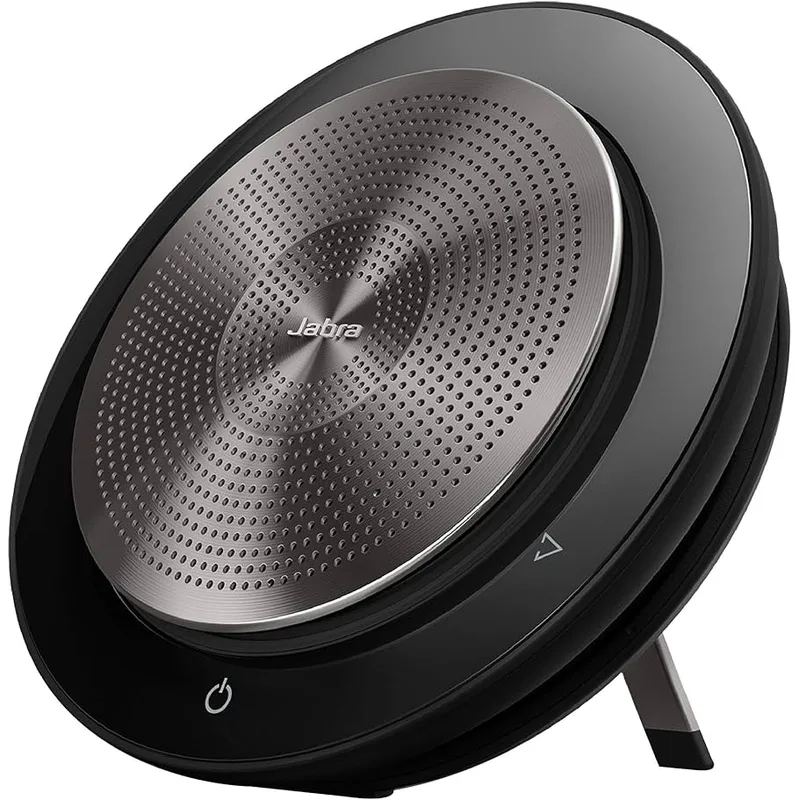
The Speak 750 UC is the right pick for remote workers who regularly host calls with more than four people in the room, or who need to cover a larger space than a typical desk setup allows.
Its standout feature: two units can be linked wirelessly. A home office with a long table or open-plan space where people sit several feet apart can use two Speak 750s as a single device — audio mixed and processed together. This is the same linkable design used in corporate conference rooms, scaled to a home setup. No other model here offers it.
The 15-hour battery outlasts the Speak2 55 by three hours and covers two full workdays between charges. Audio quality is slightly warmer and fuller than the Speak2 55, though the gap is less dramatic than the price difference suggests for solo remote workers.
The UC model (reviewed here) is certified for Zoom and Google Meet. A separate MS Teams version adds the physical Teams button. If your company runs Teams and you want native button integration, buy the Teams version.
Who should buy this: Remote workers hosting hybrid meetings with multiple in-room participants, home offices that double as actual meeting spaces, anyone who needs linkable coverage across a large room.
Who should skip this: Solo remote workers. The Speak2 55 covers daily calls at lower cost and with better noise cancellation.
3. Poly Sync 20 — Best Value
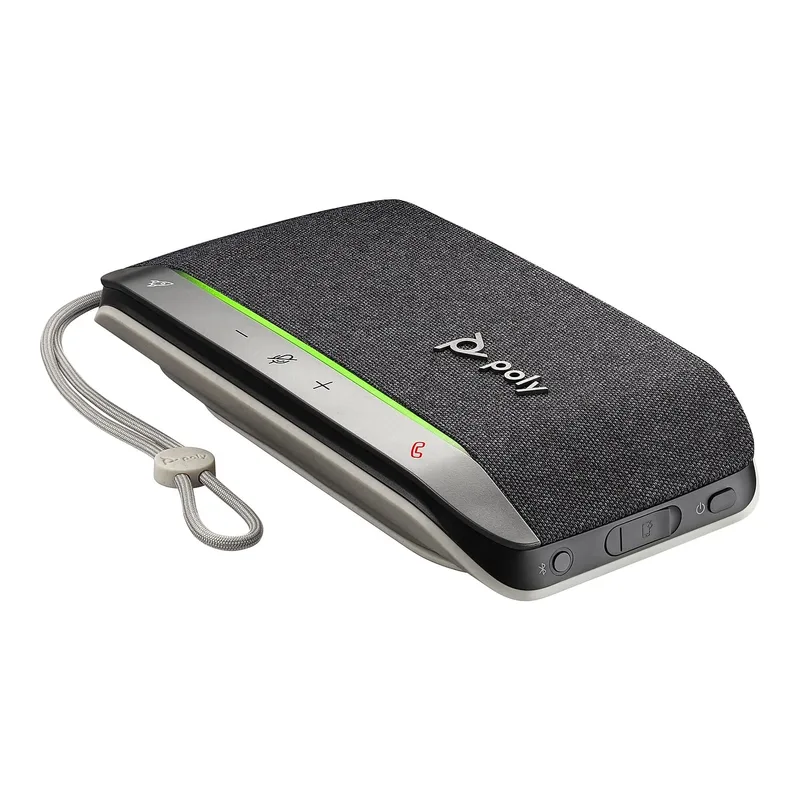
The strongest value in the certified speakerphone category. At $89, the Poly Sync 20 delivers both Microsoft Teams and Zoom certification, a 20-hour battery that outlasts everything else in this guide, and a form factor compact enough for a laptop bag.
Poly’s acoustic fence technology is what separates it from budget alternatives. It creates a virtual pickup boundary — voices within roughly three feet are captured clearly, while noise from beyond that range (TV in another room, kids playing nearby, street traffic) is attenuated. In a quiet dedicated home office this distinction matters less. In a shared living space with frequent interruptions, it matters considerably.
The 20-hour battery is the practical standout. Most remote workers charge once at the start of the week and don’t think about it again until Thursday or Friday. For a device that lives on a desk, that’s the right tradeoff — maximize runtime, minimize maintenance.
The limitation is microphone reach. Three microphones is a smaller array, and pickup drops off noticeably past arm’s length. For a solo remote worker at a desk, this isn’t a problem. For a room with multiple participants spread around a table, the Speak 750 or Speak2 55 performs better.
Who should buy this: Solo remote workers on a budget, frequent travelers who need a bag-friendly speakerphone, anyone who wants certified Teams/Zoom performance without paying Jabra prices.
Who should skip this: Anyone hosting regular in-person group calls — the three-mic pickup radius is too small for more than two people.
4. Anker PowerConf S3 — Best Budget
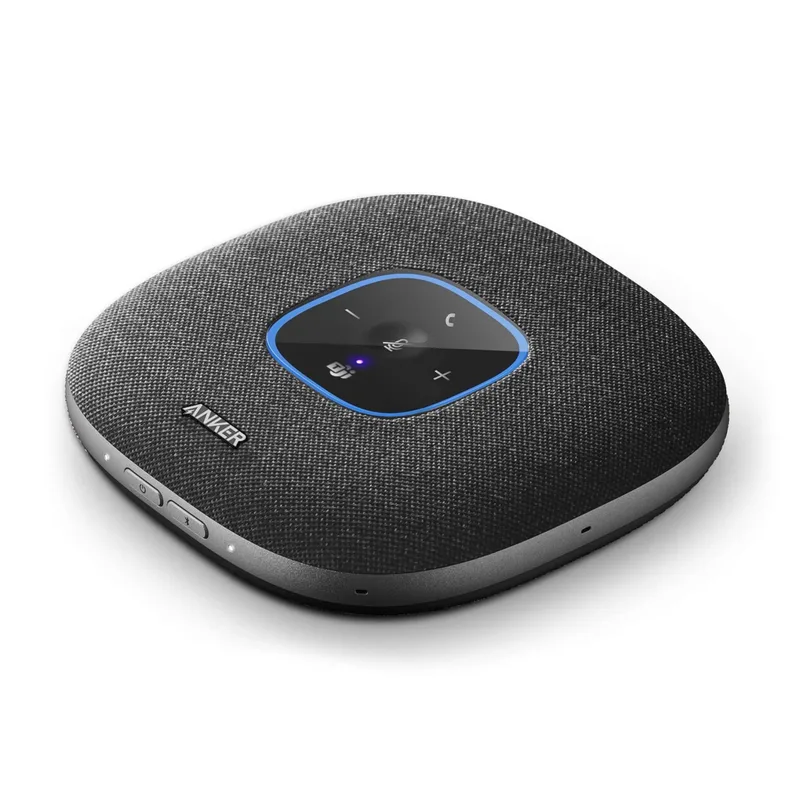
The PowerConf S3 is the call for anyone who wants a capable speakerphone under $100. Six microphones in a 360-degree array, 24-hour battery, USB-C connection, and an app for firmware updates and mic tuning — that’s a strong feature set at this price.
The six-mic count is genuinely impressive at $99. It covers more participants and a wider physical footprint than the Poly Sync 20, at $30 less. The AnkerWork companion app gives access to audio configuration that pricier speakerphones bake into fixed firmware. If your room is unusually reverberant or particularly noisy, the app lets you adjust microphone sensitivity and suppression level without replacing the device.
The caveats are worth understanding. The PowerConf S3 is not formally certified for Teams or Zoom — it works with both, but hardware buttons don’t sync as cleanly with call state as on certified devices. In corporate IT environments with strict audio device policies, it may not auto-register correctly. For remote workers on personal laptops or companies with permissive IT policies, this distinction rarely matters.
The 24-hour battery is the longest in this roundup. Even heavy users running four hours of calls daily will charge weekly rather than daily.
Who should buy this: Remote workers on personal laptops, budget-conscious buyers who don’t need IT certification, home offices with multiple people who need wider pickup coverage.
Who should skip this: Anyone on a corporate-managed machine with strict IT audio policies — go certified.
5. EMEET OfficeCore M2 — Best for Room Integration
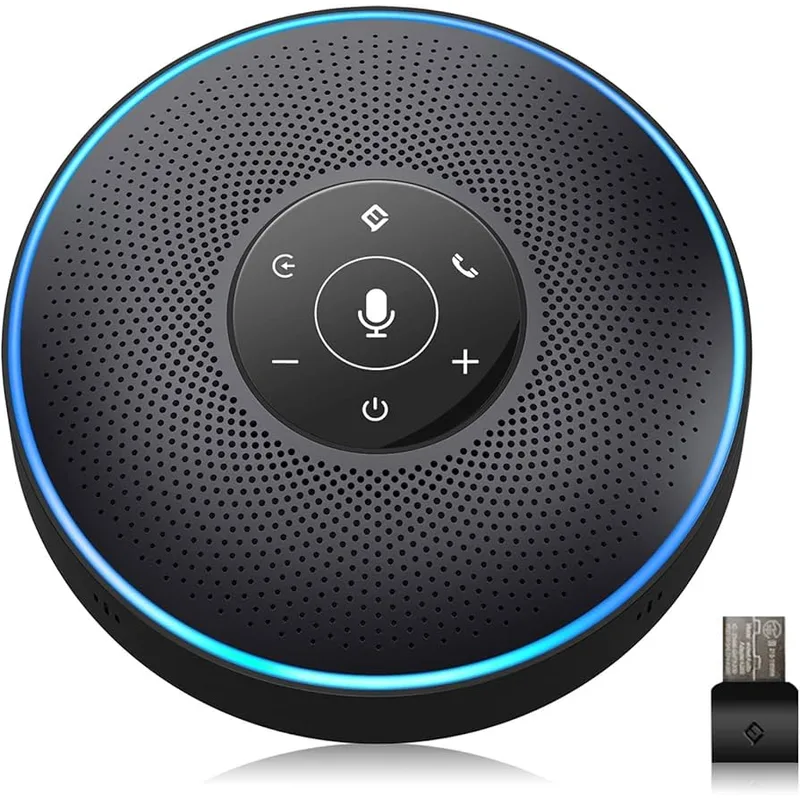
A specialized pick for remote workers who need to integrate their speakerphone into a room audio setup rather than use it standalone. The AUX input allows connection to an external speaker or room PA, and the AUX output can feed an amplifier — useful for home offices configured as proper meeting spaces with wall-mounted displays and dedicated room audio.
For straightforward home office use, the M2’s four AI microphones and 360-degree speaker coverage handle a room of four to eight people reliably. USB connection works immediately without drivers on Windows and macOS. Bluetooth pairing connects to a smartphone when the laptop isn’t the primary call device.
The limitation is age. The Skype for Business certification on the specs sheet is outdated. Teams and Zoom are what remote workers actually use, and the M2 isn’t formally certified for either. EMEET’s newer M2 Max and Luna models have better noise cancellation and current platform certifications at similar prices. The original M2 remains available at a slight discount, which is why it appears here — but if platform certification is important to your workflow, the M2 Max is the better buy.
Who should buy this: Home offices with AUX-connected room audio equipment, shared offices that need to feed external speakers or a PA system.
Who should skip this: Solo remote workers or anyone who needs clean Teams/Zoom certification — better options exist at the same or lower price.
Comparison Table
| Speakerphone | Mics | Battery | Connectivity | Teams Certified | Coverage | Price | Rating |
|---|---|---|---|---|---|---|---|
| Jabra Speak2 55 | 4 beamforming | 12 hrs | BT + USB dongle | Yes | 1–4 people | $154.99-$187.99 as of Oct 18, 2026 | 9.2 |
| Jabra Speak 750 UC | 4 omni | 15 hrs | BT + USB dongle | UC version | 1–6 people | $174.95-$329.99 as of Oct 18, 2026 | 8.9 |
| Poly Sync 20 | 3 acoustic fence | 20 hrs | BT + USB-A | Yes | Personal | $109.99 as of Oct 18, 2026 | 8.6 |
| Anker PowerConf S3 | 6 array | 24 hrs | BT + USB-C | Compatible | 1–8 people | $84.99-$129.99 as of Oct 18, 2026 | 8.4 |
| EMEET OfficeCore M2 | 4 AI | Wall power | BT + USB + AUX | No | 1–8 people | $168.99 as of Oct 18, 2026 | 8.2 |
Buying Guide: Choosing the Right Speakerphone
Solo worker or small group? If you’re the only person at the desk and the speakerphone is 18–24 inches away, nearly anything here works. One or two other people occasionally in the room — look for four or more microphones with beamforming. Regular groups of four or more — the Speak 750’s linkable design or the EMEET M2’s wider coverage is a better fit.
How noisy is your home office? A quiet, dedicated room with closed doors is forgiving — most speakerphones perform well. A room sharing walls with a kitchen, facing a street, or shared with children and pets demands aggressive noise cancellation. The Speak2 55’s beamforming and the Poly Sync 20’s acoustic fence are the strongest options for noisy environments.
Corporate laptop or personal machine? Corporate-managed laptops often enforce audio device policies. Microsoft Teams-certified speakerphones (Jabra and Poly) are less likely to hit compatibility issues in managed environments. The Anker PowerConf S3 may need manual audio device selection in Teams if IT blocks non-certified device auto-detection.
Do you travel for work? The Poly Sync 20 and Jabra Speak2 55 fit cleanly in a laptop bag. The Speak 750 and EMEET M2 are larger and intended to stay on the desk.
AUX integration needed? The EMEET M2 is the only model here with AUX in/out for connecting to room audio systems. If you have external speakers, a soundbar, or a PA system in your home office, it’s the only option that connects to them directly.
FAQ
Can I use a speakerphone for music?
Technically yes, but these devices are tuned for voice frequencies, not full-range music reproduction. The Speak 750 produces the most pleasant sound for casual listening in this roundup, but any of these will sound thin compared to even a basic Bluetooth speaker. Use them for calls; keep a separate speaker for music.
Will a speakerphone pick up my keyboard typing?
It depends on noise cancellation quality and the distance between keyboard and device. The Speak2 55’s beamforming handles moderate keyboard noise well — mechanical keyboard users sitting two feet away may still push some click noise through. Placing the speakerphone between you and your monitor (farther from the keyboard) helps. For very loud mechanical keyboards, a headset remains the cleanest solution.
Does my speakerphone need to be Teams-certified?
For most home office setups on personal laptops, no. A non-certified speakerphone works for audio input and output in Teams. Certification adds hardware button sync (physical mute button reflects in the Teams mute state), easier recognition by IT audio policies, and official support. On a corporate-managed machine with strict IT policies, certified is the safer option.
Speakerphone or headset — which should I use?
They serve different needs. A headset provides the best noise isolation — microphone directly at your mouth, speakers against your ears, ambient noise blocked in both directions. A speakerphone provides hands-free operation — you can type, reference papers, gesture, and move around without being tethered. Many remote workers own both: a headset for critical calls where isolation matters, a speakerphone for daily standups and casual meetings.
How far from the speakerphone can I sit and still be heard clearly?
The Poly Sync 20 with three microphones has reliable pickup to about two to three feet. The Speak2 55 and Speak 750 cover up to four feet consistently. The Anker PowerConf S3 and EMEET M2 claim up to six feet, though performance drops in noisy environments beyond four feet. For reliable audio on any of these, staying within three feet is the safe baseline.
Is the EMEET M2 still worth buying in 2026?
For most remote workers, no — newer options like the EMEET M2 Max offer better noise cancellation and current platform certifications at a similar price. The original M2 makes sense specifically if you need AUX connectivity for room audio integration, and even then the M2 Max is worth comparing. For straightforward home office calls, the Poly Sync 20 or Anker PowerConf S3 are better picks at lower or similar prices.
The Bottom Line
For remote workers who want the best-performing speakerphone without compromise, the Jabra Speak2 55 at $199 is the clear recommendation. Its beamforming noise cancellation, Teams certification, 12-hour battery, and Voice Level Normalization address real home office call problems better than anything else in this range.
Budget-conscious buyers who need Teams certification should look at the Poly Sync 20 at $89 — certified performance and an exceptional 20-hour battery at less than half the Jabra price. The battery alone justifies it for anyone tired of hunting for a charger before a full call day.
The Anker PowerConf S3 at $99 is the right call for personal laptops, non-corporate setups, or anyone who needs broader room coverage without the certification premium.
Any of these three will be a substantial upgrade over a laptop’s built-in microphone and speakers.
Detailed Reviews
Jabra Speak2 55
Pros
- Four beamforming microphones suppress keyboard typing, HVAC, and street noise without manual adjustment
- Voice Level Normalization equalizes all speakers to the same volume — no one sounds too quiet or too loud
- USB dongle + Bluetooth means it works with any laptop, even those with restrictive IT policies
- Physical Teams button for instant mute, call answer, and volume control without touching the computer
- 12-hour battery handles a full workday of calls without recharging
Cons
- Designed for 1–4 people; larger rooms need a bigger unit
- No 3.5mm audio jack for analog connection
- Premium price relative to speakerphones with similar mic counts
Jabra Speak 750 UC
Pros
- Two units can be linked wirelessly for coverage in large rooms or open-plan home offices
- 15-hour battery runs a full day and a half of calls between charges
- Full-range audio reproduction — participants sound warmer than on budget speakerphones
- Works with Cisco Webex, Teams, Zoom, and Google Meet without driver configuration
- Compact form factor for executive home offices where aesthetics matter
Cons
- Even at $299-$349, you're paying a premium for features most solo remote workers won't use daily
- MS Teams version sold separately — UC version reviewed here lacks the physical Teams button
- Older model with Bluetooth 5.0; newer Speak2 series has improved noise cancellation
Poly Sync 20
Pros
- 20-hour battery life leads the field — two full workdays of calls between charges
- Acoustic fence technology blocks out-of-room noise in shared living spaces
- Both USB and Bluetooth means it still works wired when the battery runs low
- Compact enough to fit in a laptop bag for coworking days or client visits
- Affordable certified Teams and Zoom speakerphone
Cons
- Three-mic array is smaller than competitors — voice pickup drops off noticeably beyond arm's reach
- Speaker output volume is lower than Jabra equivalents
- No companion app for firmware updates or audio tuning
Anker PowerConf S3
Pros
- Six-microphone 360-degree array covers more people than most competitors at this price
- 24-hour battery is the longest in this roundup — charge once a week even with heavy daily use
- USB-C connection provides direct call control without Bluetooth pairing
- AnkerWork app allows firmware updates, mic sensitivity tuning, and call statistics
- Price makes it practical to keep one at the desk and one in a bag
Cons
- Not formally certified for Microsoft Teams or Zoom — compatible but lacks the certified Teams button
- Noise cancellation is effective but not as refined as Jabra's beamforming
- Bluetooth reliability occasionally drops when multiple devices are simultaneously paired
EMEET OfficeCore M2
Pros
- AUX input and output allows integration with room PA systems or external speakers — no other model here offers this
- Four AI microphones with self-adaptive processing adjust automatically to room acoustics
- USB, Bluetooth, and AUX connectivity covers virtually every laptop and room audio configuration
- Works as a USB speakerphone without Bluetooth pairing — plug in and start talking
- Good value for small teams working in shared home offices
Cons
- Skype for Business certification is outdated; not formally certified for current Teams or Zoom
- Older design — newer M2 Max and Luna models have better noise cancellation at similar prices
- Bulkier than most competitors; less suitable for travel