Disclosure: SetupRanked earns a commission on purchases made through links on this page. This does not affect our recommendations.
Your headset is the one piece of gear that affects everyone on the other end of your calls — not just you. A poor microphone makes you sound muffled or distant. Bad isolation means your colleagues hear the dog, the washing machine, the street outside. And a headset that digs into your ears after two hours means you start avoiding calls.
This roundup focuses on five headsets built for remote work specifically: boom mics or focused arrays for call clarity, noise management for both listener and speaker, all-day comfort, and compatibility with Teams, Zoom, and Google Meet. For the all-day media listener who only takes occasional calls, see the best noise cancelling headphones for remote work.
Quick pick: The Jabra Evolve2 65 at $199 is the best all-around wireless work headset. The 37-hour battery, boom mic, and platform certifications cover everything a remote worker actually needs. For the noisiest home offices, step up to the Poly Voyager Focus 2 for proper ANC.
What to Look for in a Remote Work Headset
Microphone quality is the priority
For media, your monitor speakers or AirPods are fine. For calls, the microphone is the part that matters. A boom mic — the flexible arm that sits 1–2 inches from your mouth — delivers a much cleaner, more focused signal than any built-in microphone on the ear cup. Every dedicated work headset in this list uses a boom or focused array. The Bose QuietComfort is the exception, included because many remote workers split their time between calls and focused listening.
Two different types of noise cancellation
ANC on the ear cups reduces what you hear — ambient noise from your environment. Microphone noise cancellation reduces what your colleagues hear from your end. Both matter, but they’re separate features. The Jabra Evolve2 65 has mic noise cancellation and passive ear isolation. The Poly Voyager Focus 2 adds active cancellation for the listener too.
Battery life and wireless range
At 8 hours of daily use, the Jabra Evolve2 65 (37 hours) needs charging every 4–5 days. The Poly Voyager Focus 2 (19 hours with ANC active) needs charging every two days. Both cover a typical home at 98–164 feet. For workers who never leave the desk during calls, wired headsets avoid battery management entirely.
Platform certification
Teams and Zoom certification enables one-button call controls directly from the headset — answer, mute, hold, and end without touching your computer. If your organization runs on Teams, a certified headset is a genuine daily convenience.
Best Remote Work Headsets in 2026
1. Jabra Evolve2 65 — Editor’s Pick
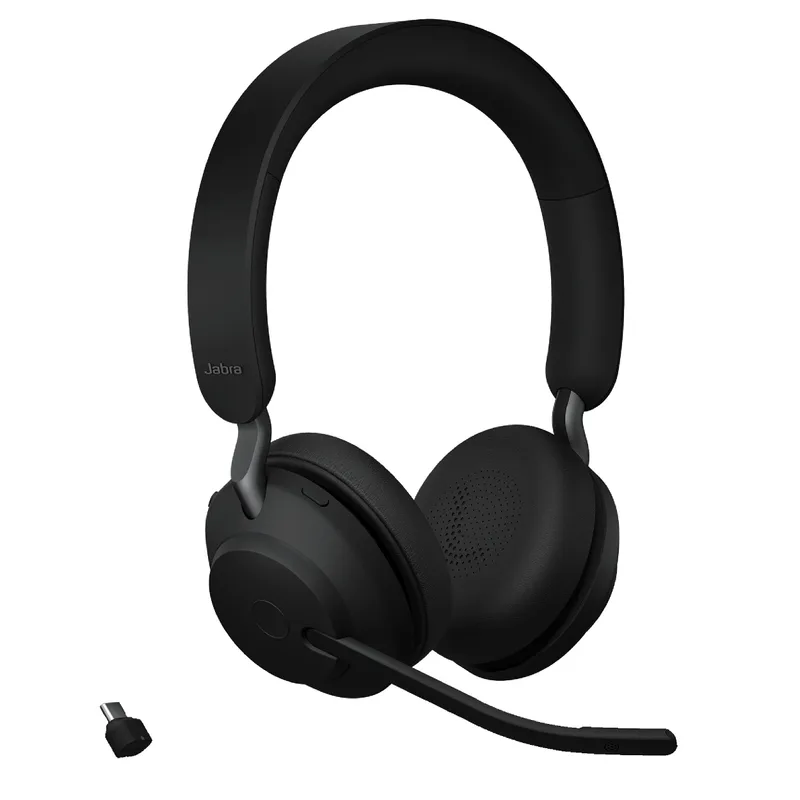
The Evolve2 65 is the benchmark for wireless business headsets at $199, making it a strong value pick in the wireless work headset category.
The 37-hour battery is the standout spec. At eight hours of use per day, you charge it once a week. For anyone who’s ever had a headset die mid-call, that reliability matters. The USB dongle (Link380a) connects to any USB port and handles pairing automatically — no Bluetooth stack required, no re-pairing after restarts.
The boom mic is tuned specifically for voice intelligibility on calls. Passive noise isolation from the memory foam ear cushions blocks most home office ambient noise without active processing. In most home environments — occasional background noise, standard HVAC — passive isolation is plenty. If you’re next to a construction site or in a consistently loud household, the Poly Voyager Focus 2 with active ANC is the right call.
Certified for Teams, Zoom, and Google Meet. Physical call control buttons. 175g — light enough to forget you’re wearing it after the first hour.
Who should buy this: Remote workers who are on calls 3+ hours daily and want wireless reliability without babysitting a battery.
Who should skip this: People working in consistently very loud spaces who need active noise cancellation on the ear cups.
2. Logitech Zone Wired 2 — Best Value
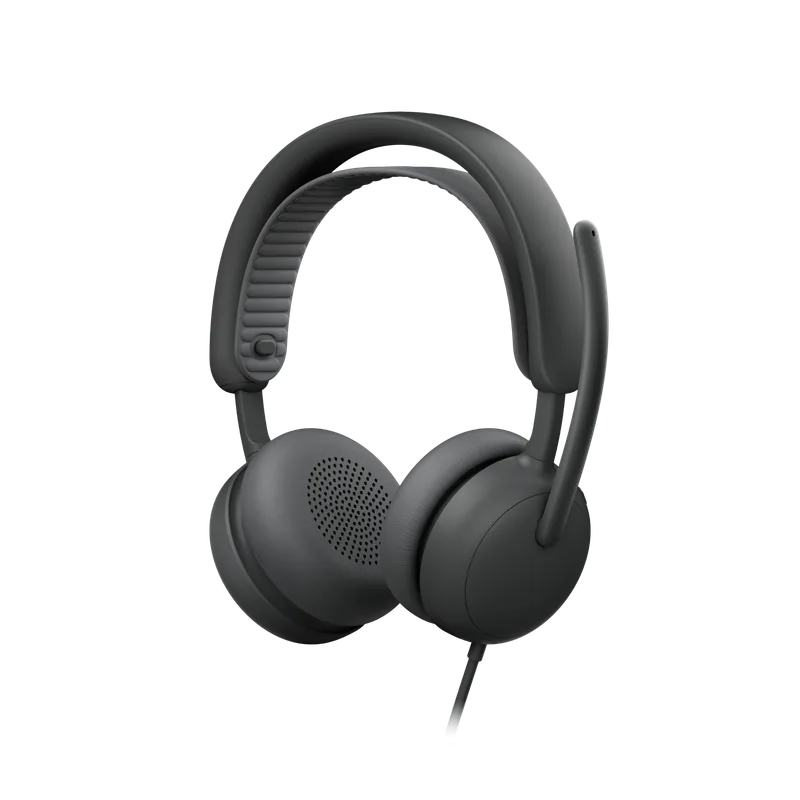
The Zone Wired 2 is the successor to the original Zone Wired, and the upgrade is substantial. The headline addition is Adaptive Hybrid ANC — actual active noise cancellation on the ear cups, not just a noise-cancelling microphone. The original Zone Wired had neither.
At $129, it’s a wired headset with ANC and a certified boom mic — a combination that used to cost significantly more. The USB-C connection is native on modern laptops; the USB-A adapter handles older machines. Teams certification works plug-and-play with one-button call controls.
The tradeoff is the cable. At $129, you’re in range of wireless options, and the cable genuinely limits freedom if you pace while thinking or step away from your desk mid-call. For remote workers who stay seated during meetings and want simple, reliable call quality without battery management, the Zone Wired 2 hits the right balance.
Who should buy this: Desk-bound remote workers who want ANC and a certified boom mic without charging anything.
Who should skip this: Anyone who regularly moves around their space during calls.
3. Poly Voyager Focus 2 — Best for Noisy Environments
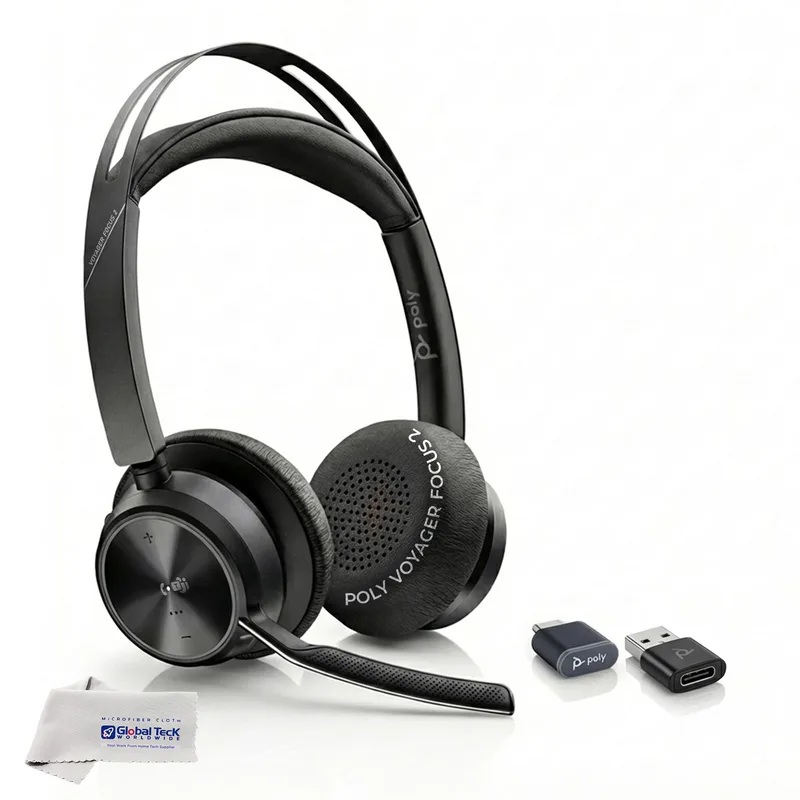
The Voyager Focus 2 is the right pick for the loudest home offices. The active noise cancellation is more aggressive than the passive isolation on the Jabra Evolve2 65 — it actually processes and cancels ambient noise rather than just relying on ear cup seal.
The 164-foot wireless range is the longest here. If you regularly walk to the kitchen, step outside briefly, or work in a large space, the Voyager Focus 2 covers ground the Jabra doesn’t. Teams and Zoom certification, one-touch meeting controls, and a boom mic with its own noise rejection round it out.
Battery life at 19 hours (ANC on) is the main limitation. That’s two-plus full workdays, which is workable, but it’s half the Jabra’s runtime. At 210g it’s the second-heaviest headset in this roundup — most people adapt after a few days, but if weight is sensitive, the Jabra is noticeably lighter.
Who should buy this: Remote workers in open apartments, busy households, or offices near noisy environments — anyone for whom passive isolation isn’t enough.
Who should skip this: People in quiet home offices who don’t need ANC and would benefit from the Jabra’s longer battery.
4. Bose QuietComfort 2026 — Best ANC
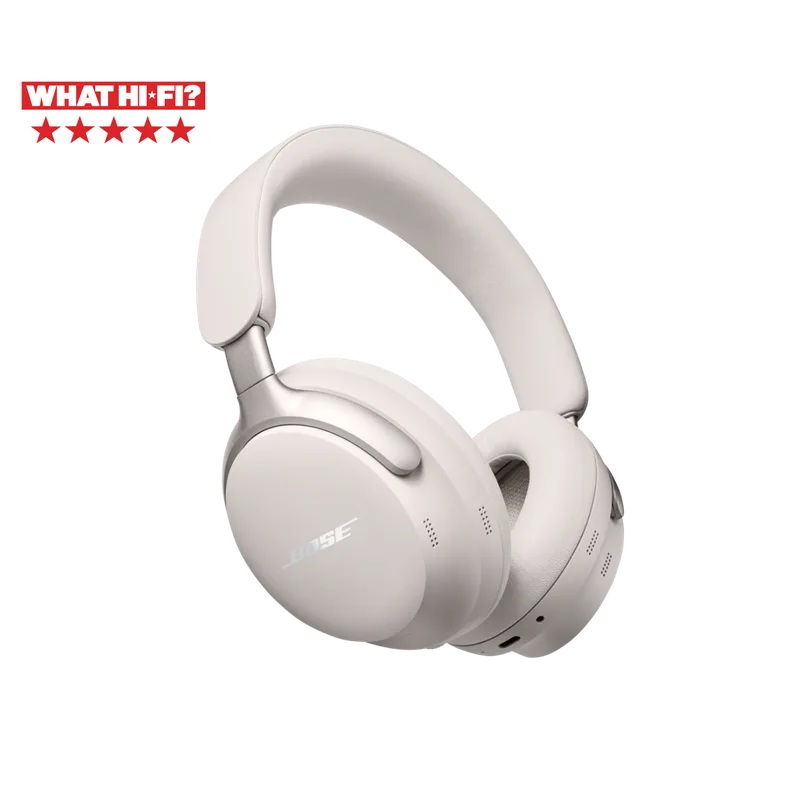
The Bose QuietComfort (2026 model) replaced the QC45 and carries the same DNA — best-in-class ANC, 24-hour battery, and memory foam comfort — with Bluetooth 5.3 and USB-C charging added. This is Bose’s current consumer flagship ANC headphone.
The distinction here matters: the QC is a consumer headphone first, work headset second. The built-in dual microphone array handles calls adequately, but it doesn’t match a boom mic for voice isolation. In quiet environments, callers won’t notice. In noisier rooms, the Jabra or Poly boom mics pull ahead in call clarity.
Where the QC excels is the ANC for the listener during focused work. Blocking home office noise during deep work sessions — writing, coding, reading — is what this headset does better than anything else here. If your workday is 30% calls and 70% focused work, the QC’s all-day comfort and listening quality are the right priorities.
The 238g weight is the heaviest here, but the pressure distribution and foam cushions make it more comfortable in practice than lighter headsets with tighter clamping.
Who should buy this: Remote workers who spend most of their day in focused work and take occasional calls, and want one headset for both.
Who should skip this: People on calls for most of their workday who need the best possible microphone performance.
5. Poly Blackwire 3325 — Best Budget
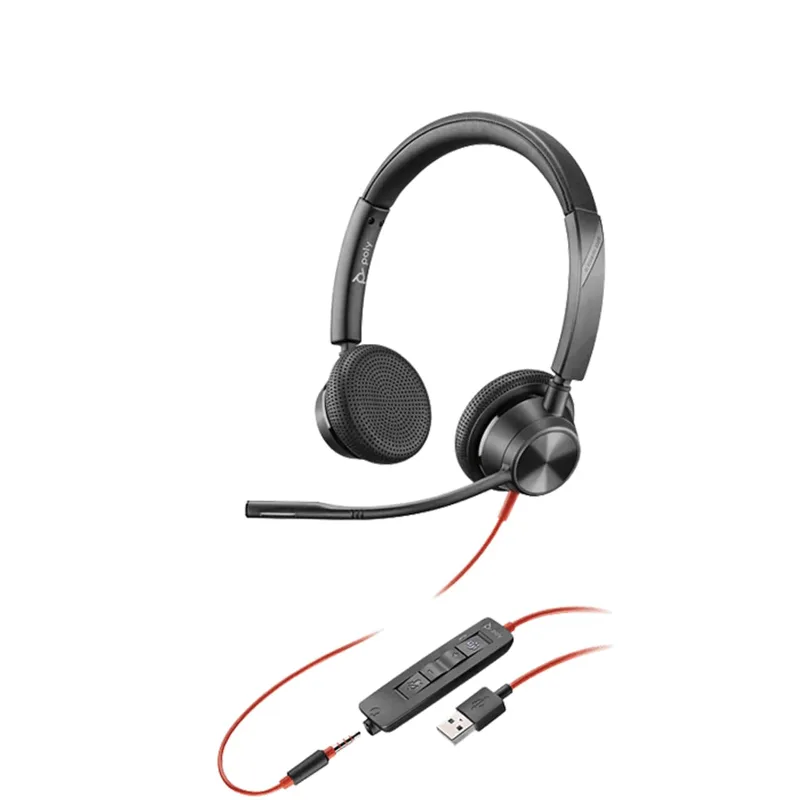
At $65, the Blackwire 3325 is the entry point for a Teams-certified work headset. The flexible boom mic, dual connectivity (USB-A and 3.5mm), and 133g weight check every essential box without extras.
The lightest headset in this roundup makes extended wear comfortable even with the simpler foam cushions. The flexible boom positions close to your mouth for clean voice capture on calls. Teams and Zoom certification works natively for call controls.
There’s no ANC, no wireless, and no frills. The build quality reflects the price. But for remote workers in quiet home environments who primarily use headsets for calls rather than focused listening, this covers the basics cleanly.
Who should buy this: Remote workers who want a reliable, certified work headset without spending more than necessary.
Who should skip this: Anyone working in a noisy environment or needing wireless freedom during calls.
Headset Comparison
| Headset | Type | ANC | Battery | Mic Type | Teams Certified | Price | Rating |
|---|---|---|---|---|---|---|---|
| Jabra Evolve2 65 | Wireless | Passive | 37 hours | Boom | Yes | $170.21 as of Oct 18, 2026 | 9.3 |
| Logitech Zone Wired 2 | Wired | Active | N/A | Boom | Yes | $83.19-$129.99 as of Oct 18, 2026 | 8.5 |
| Poly Voyager Focus 2 | Wireless | Active | 19 hours | Boom | Yes | $123.75-$159.98 as of Oct 18, 2026 | 8.9 |
| Bose QuietComfort 2026 | Wireless | Active | 24 hours | Built-in | No | $199 | 8.7 |
| Poly Blackwire 3325 | Wired | Passive | N/A | Boom | Yes | $115.91 as of Oct 18, 2026 | 8.1 |
Buying Guide: What to Prioritize
If you’re on calls most of the day, prioritize the boom mic and Teams certification. The Jabra Evolve2 65 and Poly Voyager Focus 2 are built for this. The Bose QC’s built-in mic works but isn’t optimized for heavy call use.
If your home office is consistently loud, active noise cancellation on the ear cups matters — both for your focus and for reducing listener fatigue on long calls. The Poly Voyager Focus 2 has the most aggressive ANC in this group.
If you move around during calls, wireless range is a real differentiator. The Voyager Focus 2 reaches 164 feet; the Jabra Evolve2 65 reaches 98 feet. Both cover a typical home.
If you stay at your desk and hate charging, a wired headset like the Zone Wired 2 or Blackwire 3325 eliminates battery management entirely while still delivering certified call quality and a boom mic.
If you do deep focus work alongside calls, the Bose QuietComfort 2026 offers the best combination of listening ANC and all-day comfort for the worker who’s more often in focused mode than meeting mode.
FAQ
Do I need active noise cancellation for remote work calls? ANC on the ear cups affects what you hear, not what your colleagues hear. For most home offices with typical background noise, the passive isolation on the Jabra Evolve2 65 is sufficient — the memory foam cushions seal well. If you’re next to a busy street, in a household with children, or near persistent mechanical noise, active ANC from the Poly Voyager Focus 2 or Bose QC is worth the step up.
Is a boom mic required for remote work calls? Not required, but strongly recommended for anyone on calls for more than an hour per day. Boom mics sit 1–2 inches from your mouth, delivering a much cleaner signal than a built-in microphone on the ear cup. On days with back-to-back meetings, the clarity difference reduces miscommunication and “can you repeat that” moments.
Can I use a gaming headset for remote work? Gaming headsets often have large boom mics and decent audio but aren’t optimized for call platforms. Most lack Teams or Zoom certification, which means no one-button call controls. Some are also bulkier and louder in audio tuning than work headsets. They work as a fallback but aren’t the right tool for professional call use.
How important is Microsoft Teams certification? If Teams is your primary platform, certification enables plug-and-play one-button call controls — answer, mute, hold, and end calls without touching your computer. It also ensures audio routing defaults correctly. If you use multiple platforms, the Jabra Evolve2 65 and Poly Voyager Focus 2 cover Teams, Zoom, and Meet simultaneously.
Wireless vs. wired: which is better for remote work? Depends on how you work. Wireless gives you freedom to move during calls — essential if you pace while thinking or step away from your desk. Wired eliminates battery management, works at full quality the moment you plug in, and is simpler overall. For workers who sit at one desk during calls, wired headsets like the Zone Wired 2 are completely practical. For anyone who moves, wireless wins.
How often does a wireless work headset need charging? At 8 hours of daily use: Jabra Evolve2 65 (37 hours) charges once every 4–5 days. Poly Voyager Focus 2 (19 hours with ANC active) charges every 2–2.5 days. Bose QuietComfort 2026 (24 hours) charges every 3 days. Leaving any of these on the charging stand each evening eliminates battery anxiety entirely.
Bottom Line
For most remote workers, the Jabra Evolve2 65 at $199 is the right answer. The battery life and microphone performance cover daily call use without complication.
For genuinely loud home offices, step up to the Poly Voyager Focus 2. The active ANC makes a real difference when passive isolation isn’t enough.
The Logitech Zone Wired 2 at $129 is the smart pick for desk-bound workers who want ANC and a certified boom mic without managing a battery. And the Poly Blackwire 3325 at $65 covers the essentials for anyone who just needs a reliable certified headset and nothing more.
Detailed Reviews
Jabra Evolve2 65
Pros
- 37-hour battery — nearly five full workdays between charges
- Certified for Microsoft Teams, Zoom, and Google Meet
- Boom mic tuned specifically for call clarity
- Wireless range covers a full home without dropouts
Cons
- Passive noise isolation only — no active noise cancellation
- USB dongle required for the wireless connection
- Premium pricing even at its current discounted rate
Logitech Zone Wired 2
Pros
- Adaptive Hybrid ANC on ear cups — big upgrade over the original Zone Wired
- USB-C native connection, USB-A adapter included for older machines
- Microsoft Teams certified for plug-and-play call controls
- No battery to charge — plug in and it works
Cons
- Wired-only limits movement during calls at this price point
- ANC doesn't match premium wireless options at higher price brackets
- Cable management required at a standing desk or multi-monitor setup
Poly Voyager Focus 2
Pros
- Active ANC blocks consistent background noise more effectively than passive isolation
- 164-foot wireless range — covers a full house during long calls
- One-touch meeting controls for Teams and Zoom
- Boom mic delivers strong voice separation in noisy home offices
Cons
- 19-hour battery with ANC active is noticeably shorter than the Jabra Evolve2 65
- Heavier than competitors at 210g — noticeable on long wear days
- USB-A dongle only, no direct Bluetooth pairing without it
Bose QuietComfort 2023
Pros
- Best-in-class ANC for blocking home office background noise during focus work
- 24-hour battery with USB-C charging handles a full workday
- Memory foam ear cushions and gentle clamping make it comfortable for 8+ hour days
- Bluetooth 5.3 pairs seamlessly across multiple devices
Cons
- Built-in mic array is decent but doesn't match a boom mic for call clarity
- No dedicated Teams or Zoom certification — call controls vary by platform
- Heaviest headset in this roundup at 238g
Poly Blackwire 3325
Pros
- Most affordable Teams-certified headset in this roundup
- Dual connectivity — USB-A for PC/Mac and 3.5mm for mobile devices
- Flexible boom mic positions close to your mouth for clean voice capture
- 133g is the lightest headset here — minimal fatigue during long days
Cons
- No active noise cancellation — you hear everything around you
- Wired-only, no freedom to move during calls
- Build quality reflects the entry-level price