Holiday shopping for 2026 is underway, and desk gear is one of the safest things to give anyone who works from home. The trick is picking something that fixes a daily annoyance instead of adding clutter: a dim face on video calls, a keyboard that cramps, a desk with one outlet too few.
Everything below costs under $100, split into three tiers so you can jump to your budget. Picks come from researching spec sheets and owner feedback, and every product was in stock on Amazon when we checked. Use the button on each card for the current price. Shopping smaller? Our desk-setup gifts under $50 guide covers different picks, and our gifts for remote workers guide goes higher.
Quick pick: The NuPhy Air96 V2 is the best gift here for someone who types all day. For a small stocking stuffer, grab the Kasa smart plug.
| Spec | UBeesize 10-Inch Selfie Ring Light with Tripod | Kasa Smart Plug Mini with Energy Monitoring (KP115) | Anker 2.4G Wireless Vertical Ergonomic Mouse | FIFINE K669B USB Microphone | TESSAN Surge Protector Power Strip, 10 ft | Jgstkcity 65W Desk Clamp Power Strip | NuPhy Air96 V2 Wireless Mechanical Keyboard | Roost V3 Laptop Stand | Logitech MX Keys Mini Wireless Keyboard |
|---|---|---|---|---|---|---|---|---|---|
| Rating | 7.5/10 | 8.0/10 | 7.5/10 | 8.0/10 | 7.5/10 | 8.0/10 | 8.5/10 | 8.5/10 | 8.5/10 |
| Price | $23.06as of Oct 11, 2026 | $10.39-$15.99as of Oct 11, 2026 | $29.99as of Oct 11, 2026 | $28.04as of Oct 11, 2026 | $29.99as of Oct 11, 2026 | $49.99as of Oct 11, 2026 | $69.00as of Oct 11, 2026 | $89.95as of Oct 11, 2026 | $78.98-$99.99as of Oct 11, 2026 |
| Diameter | 10 inches | — | — | — | — | — | — | — | — |
| Color modes | Warm / Natural / Cool | — | — | — | — | — | — | — | — |
| Brightness | 11 levels | — | — | — | — | — | — | — | — |
| Power | USB powered | — | 2x AA batteries | — | — | — | — | — | — |
| Max load | — | 15A / 1800W | — | — | — | — | — | — | — |
| WiFi | — | 2.4GHz | — | — | — | — | — | — | — |
| Energy monitoring | — | Yes | — | — | — | — | — | — | — |
| Hub required | — | No | — | — | — | — | — | — | — |
| Type | — | — | Vertical, right-handed | Cardioid condenser | — | — | — | — | — |
| Connection | — | — | 2.4GHz USB receiver | USB-A | — | — | Bluetooth 5.1, 2.4GHz, USB-C | — | Bluetooth + Logi Bolt |
| DPI | — | — | 800 / 1200 / 1600 | — | — | — | — | — | — |
| Stand | — | — | — | Tripod desktop stand | — | — | — | — | — |
| Compatibility | — | — | — | Mac, Windows, Linux | — | — | — | — | — |
| AC outlets | — | — | — | — | 9 | 3 | — | — | — |
| USB-C ports | — | — | — | — | 2 (PD 20W each) | 4 | — | — | — |
| Surge protection | — | — | — | — | 1050J | 1200J | — | — | — |
| Cord | — | — | — | — | Flat plug | — | — | — | — |
| Total USB-C output | — | — | — | — | — | 65W | — | — | — |
| Layout | — | — | — | — | — | — | 96% (100 keys) | — | Compact, no numpad |
| Profile | — | — | — | — | — | — | Low-profile mechanical | — | — |
| Battery | — | — | — | — | — | — | 4000mAh | — | USB-C rechargeable |
| Weight | — | — | — | — | — | — | — | 6 oz | — |
| Screen lift | — | — | — | — | — | — | — | 6.5 to 12.5 inches | — |
| Fits | — | — | — | — | — | — | — | 12 to 18-inch laptops | — |
| Adjustment | — | — | — | — | — | — | — | Stepless height | — |
| Devices | — | — | — | — | — | — | — | — | Up to 3 |
| Check Price → | Check Price → | Check Price → | Check Price → | Check Price → | Check Price → | Check Price → | Check Price → | Check Price → |
Prices change daily — tap Check Price for the current Amazon price.
Gifts Under $25
Small, low-risk presents that suit stockings and add-ons.
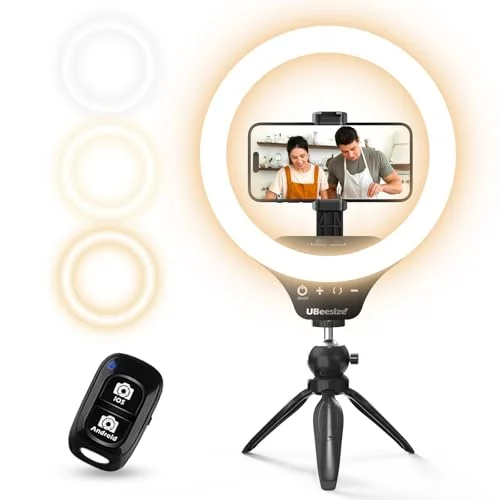
UBeesize 10-Inch Ring Light — Best Under $25
UBeesize 10-Inch Selfie Ring Light with Tripod
Pros
- Lights up a face on video calls in a dim room
- USB powered, so it runs from a laptop port or any charger
- Includes a tripod stand and phone holder
- Three color modes suit most room lighting
Cons
- 10-inch ring gives less even light than larger rings
- Stand and joints feel like budget plastic
- Limited output for bright rooms
A ring light is the cheapest fix for a dim webcam image. This one runs on USB power, comes with a tripod and phone holder, and has three color modes. It is small, so expect softer results than a big studio ring. For stronger options, see our ring light roundup.
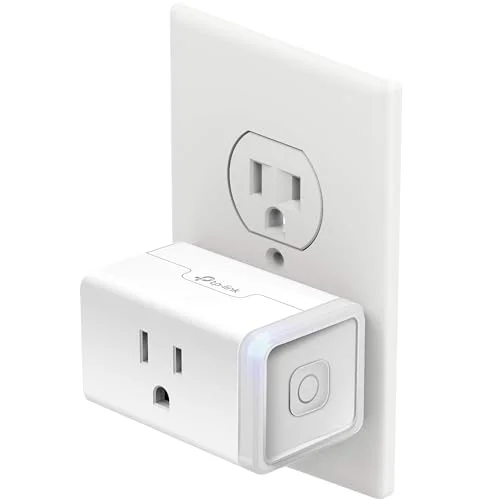
Kasa Smart Plug Mini (KP115) — Best Smart Home Gift
Kasa Smart Plug Mini with Energy Monitoring (KP115)
Pros
- Energy monitoring shows what a desk setup draws
- Slim body keeps the second outlet usable
- Schedules a lamp or fan without a hub
- Works with Alexa and Google Assistant
Cons
- Only useful to someone who will install the Kasa app
- Needs a 2.4GHz WiFi network for setup
- Does nothing for someone with no smart home habit
This plug schedules a lamp or fan and shows how much power a setup uses. Give it to someone already using a smart home app. Compare more in our smart plug guide.
Gifts Under $50
Spend a little more and you get gear that changes the workday.
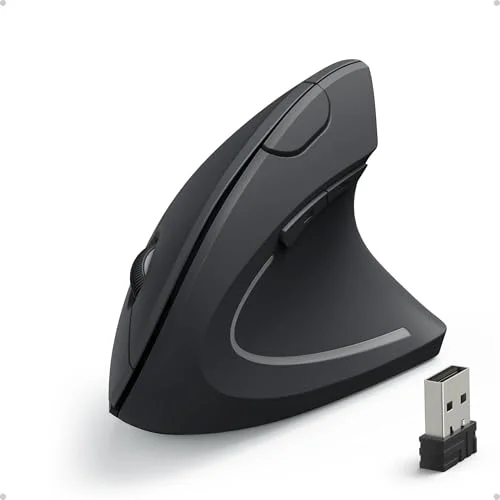
Anker 2.4G Vertical Ergonomic Mouse — Best Ergonomic Starter
Anker 2.4G Wireless Vertical Ergonomic Mouse
Pros
- Cheap way to try a vertical mouse
- Plug-and-play on Windows and macOS
- DPI button needs no software
- Long battery life on two AA cells
Cons
- Right-handed only
- 1600 DPI ceiling feels slow on 4K screens
- Uses a USB-A receiver, so USB-C-only laptops need an adapter
Vertical mice put the hand in a handshake position that eases wrist strain for some people. This one is a cheap way to try the idea, but it is right-handed only. Our ergonomic mouse roundup covers sturdier options.
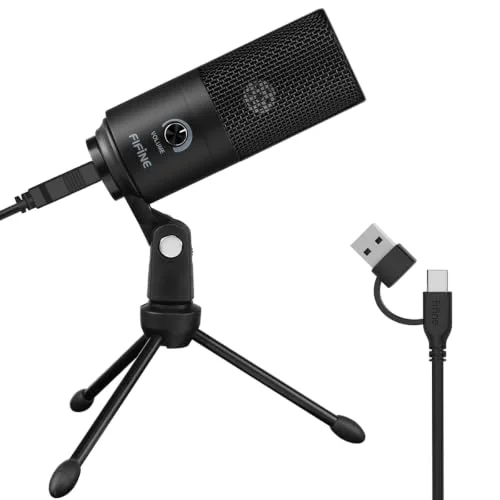
FIFINE K669B USB Microphone — Best Call Upgrade
FIFINE K669B USB Microphone
Pros
- Clearer than most laptop microphones on calls
- Plug-and-play with no drivers
- Volume knob on the body
- Metal body feels sturdier than the price suggests
Cons
- No headphone monitoring port
- Desk stand can pick up typing vibration
- USB-A connector may need an adapter on newer laptops
Built-in laptop mics pick up keyboard noise and room echo. A cardioid USB mic focuses on the voice in front of it and needs no drivers. See our budget USB microphone guide for alternatives.
TESSAN 9-Outlet Power Strip — Best Practical Gift
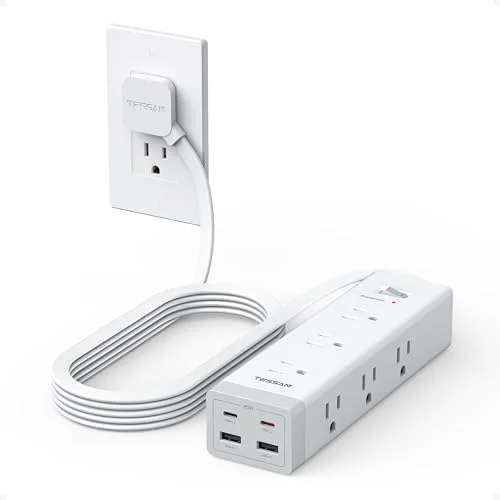
TESSAN Surge Protector Power Strip, 10 ft
Pros
- Nine outlets cover a full desk setup
- Flat plug sits flush against the wall
- Two USB-C ports charge phones
- Wall or desk mountable
Cons
- USB-C is phone-speed, not laptop-speed
- Lowest surge rating among desk strips we reviewed
- No clamp included
Nobody asks for a power strip, and everyone with a crowded desk uses one. Nine outlets and a flat plug help in tight spaces. The USB-C ports are phone-speed only, so this is not for charging a laptop.
Jgstkcity 65W Desk Clamp Power Strip — Best Desk Clamp
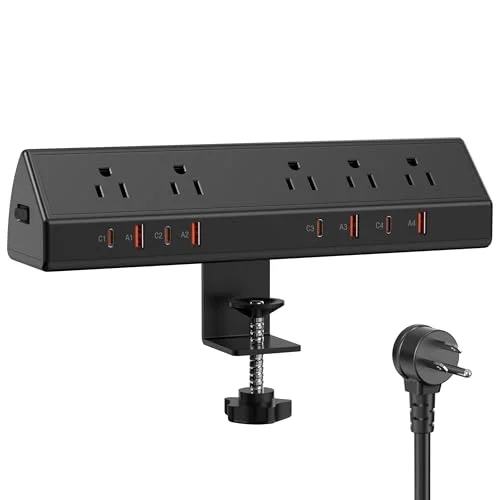
Jgstkcity 65W Desk Clamp Power Strip
Pros
- Clamps to the desk edge so cables stay up top
- Four USB-C ports for laptop, phone, and gear
- Widely spaced outlets fit bulky adapters
- ETL listed
Cons
- 65W USB-C output is shared across ports
- Only three AC outlets
- Clamp fits a limited desk-edge thickness
This one clamps to the desk edge, so cables stay on the desk instead of dropping to the floor. Four USB-C ports share 65W. Our desk power strip roundup compares the full field.
Gifts Under $100
The nicer end of the range: things a person might not buy themselves.
NuPhy Air96 V2 — Best Keyboard Gift
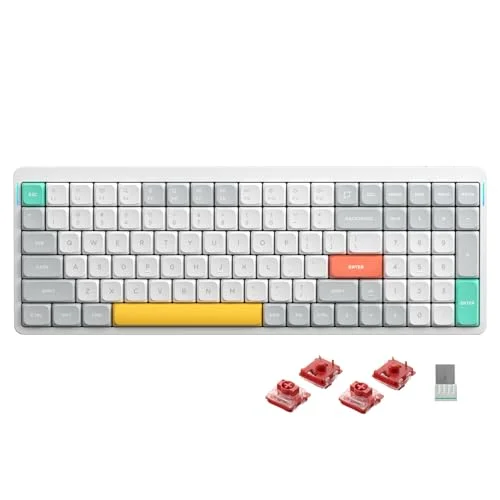
NuPhy Air96 V2 Wireless Mechanical Keyboard
Pros
- Full number column in a compact body
- Three connection modes
- Aluminum top frame feels premium
- Long battery life without RGB
Cons
- Low-profile keys feel different from tall mechanical boards
- Gift recipient may prefer different switches
- Software and remapping take some learning
A low-profile wireless mechanical board with a full number column, three connection modes, and an aluminum top frame. Typists who like a flat hand position tend to enjoy this style, but it differs from tall mechanical keyboards. See our wireless keyboard roundup for the full comparison.
Roost V3 Laptop Stand — Best Portable Stand
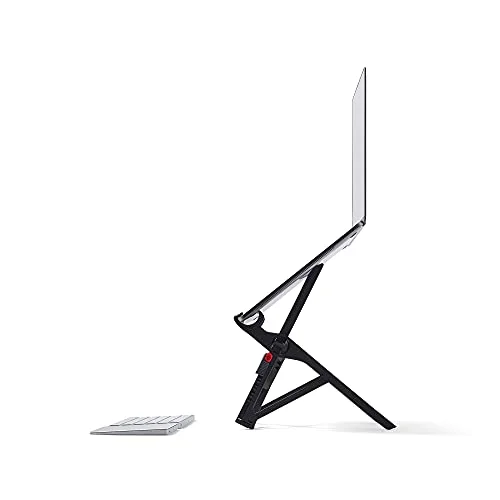
Roost V3 Laptop Stand
Pros
- Folds flat and weighs next to nothing
- Adjusts to any height from desk or standing desk
- Grips fit a wide range of laptops
- Quick to set up
Cons
- Plastic construction looks functional, not elegant
- No ports or hub
- Needs a separate keyboard and mouse to be comfortable
The Roost weighs 6 oz, folds flat, and lifts the screen toward eye level. It suits people who move between rooms or work from coworking spaces. Pair it with a separate keyboard and mouse. More options are in our laptop stand guide.
Logitech MX Keys Mini — Best Compact Typing
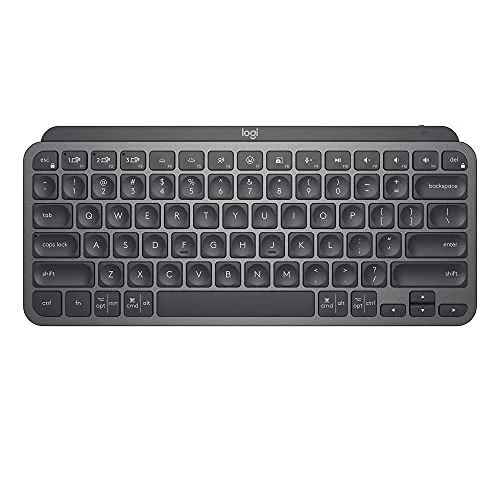
Logitech MX Keys Mini Wireless Keyboard
Pros
- Quiet low-profile typing feel
- Switches between three devices
- Backlight turns on as hands approach
- Small enough for a laptop bag
Cons
- No numpad
- Backlit battery life is measured in days, not months
- Pricier than most gift keyboards
A compact scissor-switch keyboard that pairs with up to three devices and fits in a laptop bag. The missing numpad is the main drawback, so skip it for spreadsheet-heavy recipients.
How We Picked These Gifts
We started with products already covered in our reviews, checked live Amazon listings, and dropped anything out of stock. Each pick had to work on day one, avoid heavy setup, and limit the compatibility traps that cause returns. We also avoided the picks in our under-$50 guide.
How to Split a Budget Across Several Gifts
Under $100 does not have to mean one present. A common approach is pairing one anchor gift with one small add-on. A keyboard or laptop stand makes a good anchor, and a smart plug or ring light rounds it out for a stocking. Two or three small gifts often land better than one mid-priced item the recipient did not ask for, because each solves a separate problem.
If the recipient already has the basics, look at what sits beside their desk. A power strip with USB-C ports replaces a tangle of wall chargers. A better microphone fixes the one thing coworkers complain about. A stand fixes posture. These are the quiet upgrades people rarely buy for themselves.
Gifts to Skip
Some desk gifts cause more returns than smiles. Avoid anything that depends on a specific laptop port you cannot confirm, such as USB-A-only accessories for a USB-C laptop, unless you are comfortable with an adapter. Skip keyboards if you do not know whether the person prefers tall or low-profile keys. And skip smart plugs for someone with no smart home app, since they will not set one up.
Which Gift Fits Which Person
- The all-day typist: the NuPhy Air96 V2 or Logitech MX Keys Mini.
- The person who moves around: the Roost V3 stand.
- The video-call heavy worker: the FIFINE microphone and UBeesize ring light, together.
- The person with a cluttered desk: either power strip.
- The person with sore wrists: the Anker vertical mouse as a low-risk trial.
Wrapping and Timing Tips
Most of these gifts are small boxes, which makes them easy to wrap and easy to ship. If you are buying for someone remote, send the item to them directly and check the return window in case the fit is wrong. For anything that needs setup, such as the smart plug or the microphone, a short note saying what it connects to saves the recipient a frustrating first evening.
Pairing also works well. A ring light and microphone make a video-call kit. A vertical mouse and laptop stand make a posture kit. A power strip and smart plug make a desk-tidy kit. Each pairing stays under the cap if you pick from the lower tiers, and the recipient gets a coherent set instead of unrelated gadgets.
What Changes After the Holidays
Desk gear tends to get used for years, so it pays to choose items that do not depend on a trend. Standard connections like USB and Bluetooth, simple batteries, and plain designs age better than novelty gadgets. Everything in this guide uses mainstream ports and apps, so it should keep working with the next laptop the recipient buys. Remember that stock and listings change, so confirm availability on the product card before you order.
A Note on Reviews and Ratings
The ratings on each card reflect our read of spec sheets, owner feedback, and how well each product fits its tier. They are not lab scores, and a lower rating does not mean a bad gift. A 7.5 here usually means a cheap, useful item with a clear limit, which is what you want from a stocking stuffer.
Buying Guide: How to Choose a Desk Gift
Match the gift to a real annoyance. Neck strain suggests a stand. Echoey calls suggest a microphone. A crowded desk suggests a power strip.
Check compatibility. The Anker mouse is right-handed, and the FIFINE mic and Anker mouse use USB-A, so a USB-C-only laptop needs an adapter.
Choose the typing gear carefully. Keyboards are personal. If you do not know their layout preference, the compact MX Keys Mini is the safer bet.
Avoid duplicates. Ask what they already own before buying a stand or keyboard.
FAQ
What is a good desk-setup gift under $100?
A keyboard or laptop stand is the strongest choice for most people. Smaller budgets can go to a smart plug or ring light.
What is a good stocking stuffer for a remote worker?
The Kasa smart plug and the UBeesize ring light fit in a stocking and need little explanation.
Are keyboards a safe gift?
Only if you know their preference. The MX Keys Mini is the safest, since it uses a familiar scissor-switch feel.
Do any of these need a specific laptop?
The Roost fits 12 to 18-inch laptops. The mouse and microphone use USB-A, so newer laptops may need an adapter.
Should I check prices before buying?
Yes. Amazon prices change often, so use the button on each card to see the current price.
Conclusion
For most people, the NuPhy Air96 V2 is the best desk-setup gift under $100. If you want something portable, the Roost V3 is the pick. For a small add-on, the Kasa smart plug is easy to give. For a smaller budget, see our under-$50 guide.
Detailed Reviews
UBeesize 10-Inch Selfie Ring Light with Tripod
Pros
- Lights up a face on video calls in a dim room
- USB powered, so it runs from a laptop port or any charger
- Includes a tripod stand and phone holder
- Three color modes suit most room lighting
Cons
- 10-inch ring gives less even light than larger rings
- Stand and joints feel like budget plastic
- Limited output for bright rooms
Kasa Smart Plug Mini with Energy Monitoring (KP115)
Pros
- Energy monitoring shows what a desk setup draws
- Slim body keeps the second outlet usable
- Schedules a lamp or fan without a hub
- Works with Alexa and Google Assistant
Cons
- Only useful to someone who will install the Kasa app
- Needs a 2.4GHz WiFi network for setup
- Does nothing for someone with no smart home habit
Anker 2.4G Wireless Vertical Ergonomic Mouse
Pros
- Cheap way to try a vertical mouse
- Plug-and-play on Windows and macOS
- DPI button needs no software
- Long battery life on two AA cells
Cons
- Right-handed only
- 1600 DPI ceiling feels slow on 4K screens
- Uses a USB-A receiver, so USB-C-only laptops need an adapter
FIFINE K669B USB Microphone
Pros
- Clearer than most laptop microphones on calls
- Plug-and-play with no drivers
- Volume knob on the body
- Metal body feels sturdier than the price suggests
Cons
- No headphone monitoring port
- Desk stand can pick up typing vibration
- USB-A connector may need an adapter on newer laptops
TESSAN Surge Protector Power Strip, 10 ft
Pros
- Nine outlets cover a full desk setup
- Flat plug sits flush against the wall
- Two USB-C ports charge phones
- Wall or desk mountable
Cons
- USB-C is phone-speed, not laptop-speed
- Lowest surge rating among desk strips we reviewed
- No clamp included
Jgstkcity 65W Desk Clamp Power Strip
Pros
- Clamps to the desk edge so cables stay up top
- Four USB-C ports for laptop, phone, and gear
- Widely spaced outlets fit bulky adapters
- ETL listed
Cons
- 65W USB-C output is shared across ports
- Only three AC outlets
- Clamp fits a limited desk-edge thickness
NuPhy Air96 V2 Wireless Mechanical Keyboard
Pros
- Full number column in a compact body
- Three connection modes
- Aluminum top frame feels premium
- Long battery life without RGB
Cons
- Low-profile keys feel different from tall mechanical boards
- Gift recipient may prefer different switches
- Software and remapping take some learning
Roost V3 Laptop Stand
Pros
- Folds flat and weighs next to nothing
- Adjusts to any height from desk or standing desk
- Grips fit a wide range of laptops
- Quick to set up
Cons
- Plastic construction looks functional, not elegant
- No ports or hub
- Needs a separate keyboard and mouse to be comfortable
Logitech MX Keys Mini Wireless Keyboard
Pros
- Quiet low-profile typing feel
- Switches between three devices
- Backlight turns on as hands approach
- Small enough for a laptop bag
Cons
- No numpad
- Backlit battery life is measured in days, not months
- Pricier than most gift keyboards