Shopping for the person whose desk revolves around a MacBook or Mac mini is mostly a ports-and-storage problem. Apple laptops ship with few ports and fixed internal storage, so the gifts that land are usually the ones that quietly fix that: a good hub, a fast cable, an external drive. The 2026 holiday season is a fine time to fix it, because the useful gear is mainstream and easy to find.
This guide splits picks by budget, so you can jump to the tier that fits. Everything here comes from researching spec sheets and owner feedback, and every product was in stock on Amazon when we checked. Use the button on each card for the current price. If the person already has the basics, our broader gifts for remote workers and desk-setup gifts under $50 guides cover different picks.
Quick pick: The Anker 8-in-1 hub is the safest gift for most Mac owners. For a stocking stuffer, the Cable Matters Thunderbolt 4 cable is a quiet winner.
| Spec | SABRENT USB-C Dual-Slot SD & microSD Card Reader (CR-CSDM) | VELCRO Brand ONE-WRAP Cable Ties, 100 Pack | Cable Matters Intel-Certified Braided Thunderbolt 4 Cable (1.6 ft) | Anker 8-in-1 USB-C Hub (555) | Satechi Slim Multiport Adapter V2 | UGREEN Nexode 25,000mAh 145W Power Bank | Logitech MX Vertical Wireless Mouse | Insta360 Link 2C 4K Webcam | Crucial X9 1TB Portable SSD |
|---|---|---|---|---|---|---|---|---|---|
| Rating | 7.5/10 | 7.0/10 | 8.0/10 | 8.0/10 | 8.0/10 | 8.0/10 | 8.0/10 | 8.5/10 | 8.0/10 |
| Price | $19.99as of Oct 11, 2026 | $15.89as of Oct 11, 2026 | $29.99as of Oct 11, 2026 | $49.99as of Oct 11, 2026 | $59.99as of Oct 11, 2026 | $79.99as of Oct 11, 2026 | $62.29-$74.99as of Oct 11, 2026 | $113.99-$119.99as of Oct 11, 2026 | $169.13as of Oct 11, 2026 |
| Slots | SD and microSD (UHS-II) | — | — | — | — | — | — | — | — |
| Connector | USB-C | — | — | USB-C | USB-C | — | — | — | — |
| Use case | Camera and drone card import | — | — | — | — | MacBook, phone, and tablet charging | — | — | — |
| Compatibility | Mac, Windows, iPad with USB-C | — | — | — | — | — | — | Mac and PC | — |
| Size | — | 8 in x 1/2 in | — | — | — | — | — | — | — |
| Count | — | 100 | — | — | — | — | — | — | — |
| Material | — | Reusable hook-and-loop | — | — | — | — | — | — | — |
| Color | — | Black | — | — | — | — | — | — | — |
| Standard | — | — | Thunderbolt 4 | — | — | — | — | — | — |
| Data speed | — | — | 40Gbps | — | — | — | — | — | — |
| Charging | — | — | Up to 240W | — | — | — | USB-C rechargeable | — | — |
| Length | — | — | 1.6 ft | — | — | — | — | — | — |
| Ports | — | — | — | 8-in-1 | — | 3 USB-C | — | — | — |
| Video | — | — | — | 4K@60Hz HDMI | 4K HDMI at 60Hz | — | — | — | — |
| Network | — | — | — | Gigabit Ethernet | — | — | — | — | — |
| Power delivery | — | — | — | — | 60W USB-C PD | — | — | — | — |
| Finish | — | — | — | — | Aluminum, matches Apple colors | — | — | — | — |
| Capacity | — | — | — | — | — | 25,000mAh | — | — | 1TB |
| Output | — | — | — | — | — | 145W max | — | — | — |
| Shape | — | — | — | — | — | — | Vertical, right-handed | — | — |
| Connection | — | — | — | — | — | — | Bluetooth or USB receiver | — | — |
| Design | — | — | — | — | — | — | Ergonomic grip | — | — |
| Resolution | — | — | — | — | — | — | — | 4K | — |
| Sensor | — | — | — | — | — | — | — | 1/2 inch | — |
| Features | — | — | — | — | — | — | — | Auto framing, HDR, AI noise reduction | — |
| Speed | — | — | — | — | — | — | — | — | Up to 1050MB/s |
| Interface | — | — | — | — | — | — | — | — | USB 3.2 USB-C |
| Type | — | — | — | — | — | — | — | — | Portable external SSD |
| Check Price → | Check Price → | Check Price → | Check Price → | Check Price → | Check Price → | Check Price → | Check Price → | Check Price → |
Prices change daily — tap Check Price for the current Amazon price.
Gifts Under $25
Small and low risk. These suit a stocking or an add-on to a larger present.
SABRENT USB-C Card Reader — Best Under $25
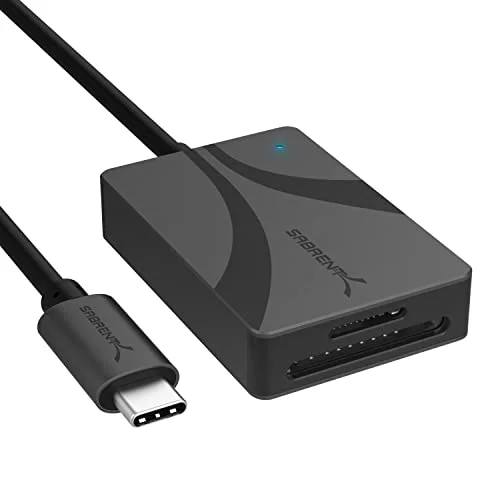
SABRENT USB-C Dual-Slot SD & microSD Card Reader (CR-CSDM)
Pros
- Native USB-C plug, so no adapter for a modern MacBook
- Reads SD and microSD cards in one small body
- Fills the gap on MacBooks that have no card slot
- Easy to explain as a gift
Cons
- Only useful to someone who shoots photos or video
- UHS-II speeds need a UHS-II card to matter
- Takes up a port on laptops with only two
Many current MacBooks have no SD slot, which is a nuisance for anyone who shoots photos, video, or drone footage. This reader has a native USB-C plug and takes SD and microSD cards, so there is no dongle chain. It only suits someone with a camera, so skip it otherwise.
VELCRO ONE-WRAP Cable Ties — Best Stocking Stuffer
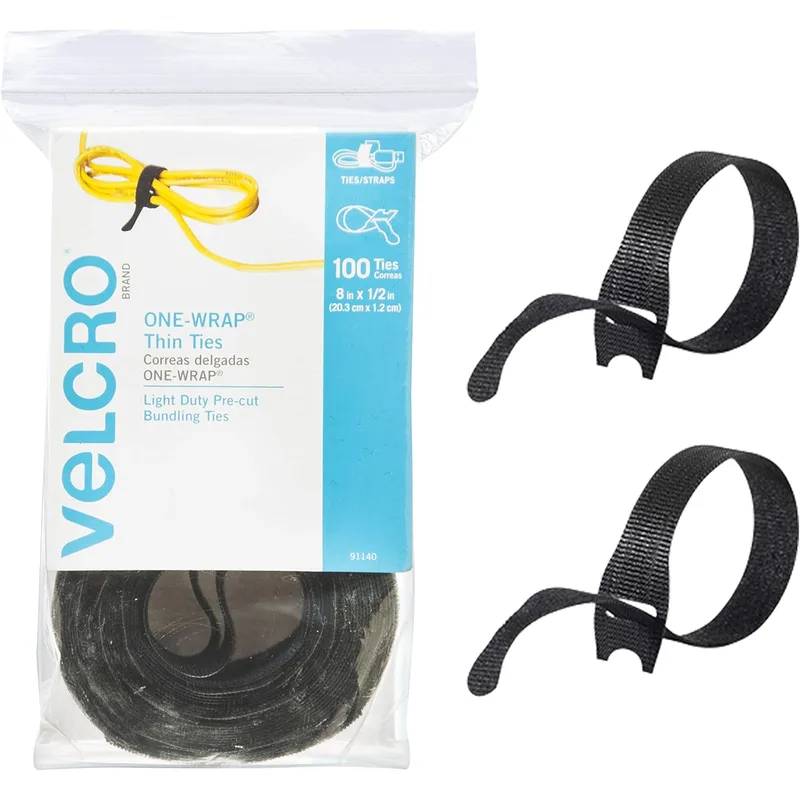
VELCRO Brand ONE-WRAP Cable Ties, 100 Pack
Pros
- Tames the charger, dock, and display cables behind a Mac desk
- Reusable, so cables can be re-routed later
- Cheap enough to pair with a bigger gift
- Nothing to install or pair
Cons
- Not exciting on its own
- A 100 pack is more than most desks need
- Cuts to length are not adjustable
A Mac setup tends to collect cables: charger, display, dock, drive. Reusable ties pull them into one bundle so the desk looks tidy. It is not a thrilling present, so pair it with something else. For fuller organization ideas, see our cable management guide.
Gifts Under $50
Here you start giving gear that changes how the desk works.
Cable Matters Thunderbolt 4 Cable — Best Cable Upgrade
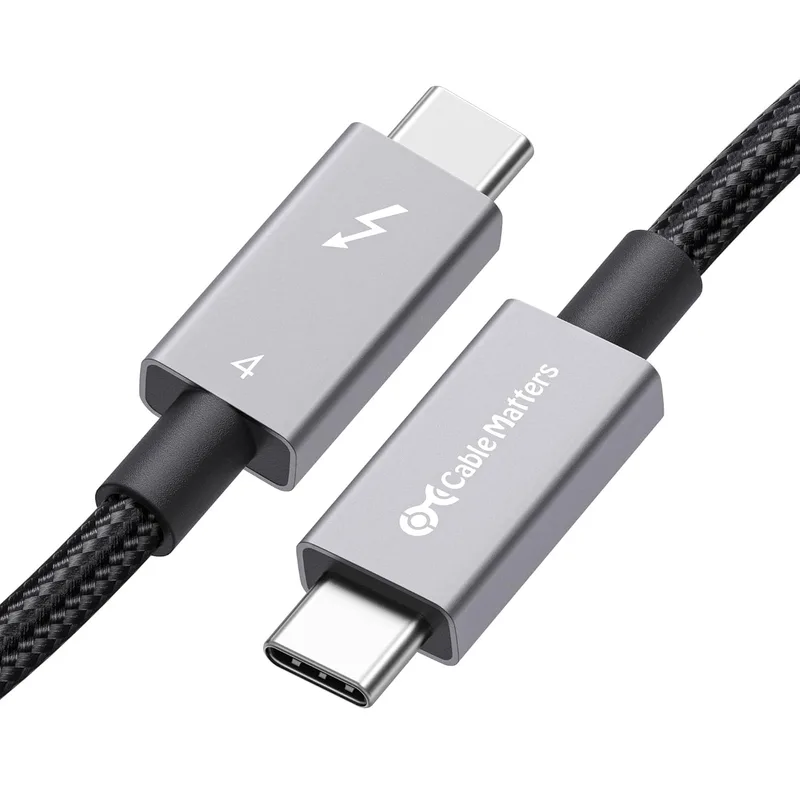
Cable Matters Intel-Certified Braided Thunderbolt 4 Cable (1.6 ft)
Pros
- Connects a MacBook to a dock, SSD, or display at full speed
- Braided jacket resists fraying
- Intel-certified, so it carries the full Thunderbolt 4 feature set
- A safe gift for anyone who owns a dock or fast drive
Cons
- Short length suits desks, not across-the-room runs
- Invisible gift if the recipient has no Thunderbolt gear
- A cheaper USB-C cable handles plain charging
The cable that ships in the box is often short and may not be rated for full-speed data. A Thunderbolt 4 cable connects a MacBook to a dock, display, or fast SSD at full speed. It only pays off for someone who owns that gear, so it suits a person with a dock. Our USB-C cable roundup compares more options.
Anker 8-in-1 USB-C Hub (555) — Best Hub Gift
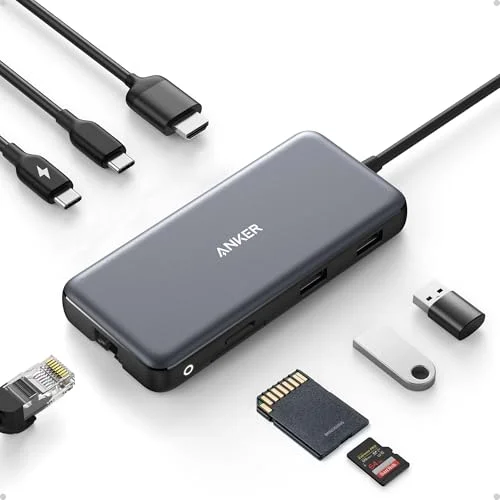
Anker 8-in-1 USB-C Hub (555)
Pros
- Adds HDMI, Ethernet, and USB-A to a port-starved MacBook
- 4K@60Hz output for an external monitor
- Ethernet helps on video calls when Wi-Fi is shaky
- A trusted brand and a familiar design
Cons
- Hangs off one cable, which can block the neighboring port
- Runs warm under heavy load, per owner reports
- A full dock suits heavier setups better
If the recipient plugs everything into a MacBook Air with two ports, this is the gift. It adds HDMI, Ethernet, and USB-A in one device. See our USB-C hubs for MacBook Air guide for the full field.
Gifts Under $100
The nicer tier: things people rarely buy for themselves.
Satechi Slim Multiport Adapter V2 — Best Looking Hub
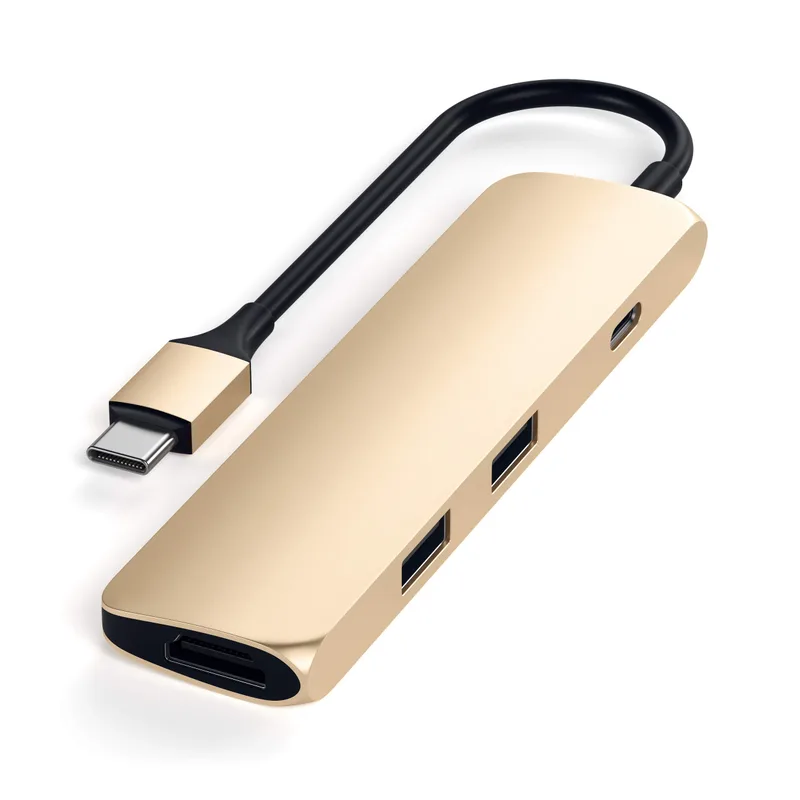
Satechi Slim Multiport Adapter V2
Pros
- Aluminum body matches a MacBook instead of clashing
- Passes through 60W so the laptop keeps charging
- 4K 60Hz HDMI for an external display
- Slim shape sits flush against the laptop
Cons
- Fewer ports than the Anker hub
- Gets warm when several ports are busy
- Pricier than similar hubs in plain plastic
Satechi builds around Apple’s look, so the aluminum body blends into a MacBook instead of standing out. It passes through charging and handles a 4K display. Choose this over the Anker hub for someone who cares how the setup looks. More comparisons sit in our MacBook multiport adapter roundup.
UGREEN Nexode 145W Power Bank — Best Travel Gift
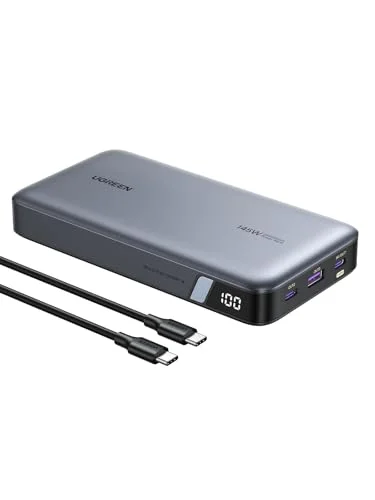
UGREEN Nexode 25,000mAh 145W Power Bank
Pros
- Enough output to charge a MacBook Pro-class laptop
- Three ports charge a laptop and phone together
- Useful for coworking trips and flights
- Reads as a thoughtful, practical gift
Cons
- Heavy for a bag accessory
- Airline rules cap battery size, so check before flying
- Charging a laptop and phone at once splits the output
Good for a person who works from cafes, coworking spaces, or planes. It has enough output to charge a laptop, and three ports mean a phone can charge at the same time. See our power bank roundup for lighter alternatives.
Logitech MX Vertical — Best Ergonomic Gift
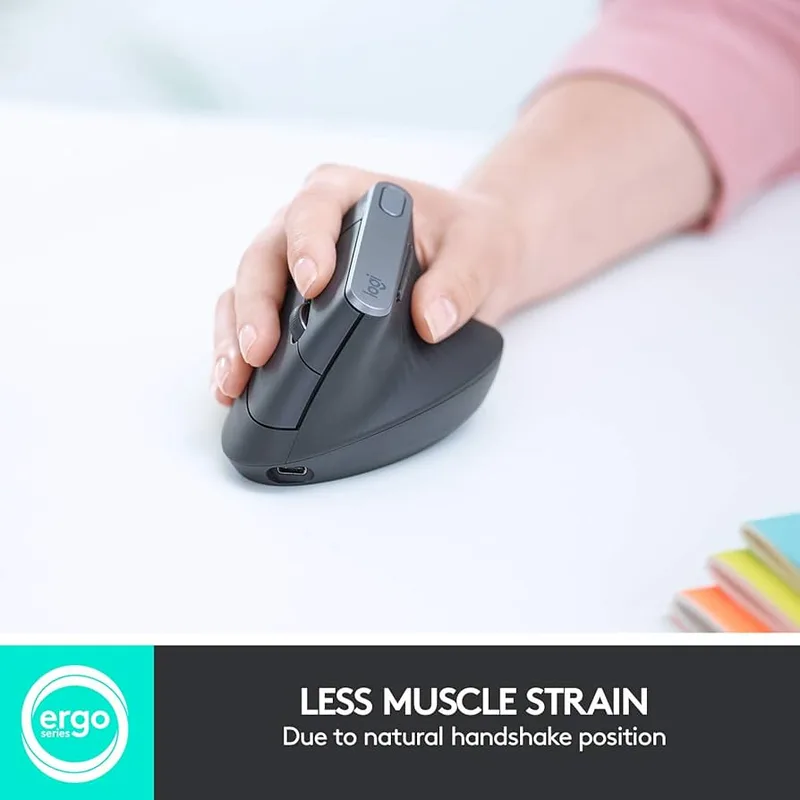
Logitech MX Vertical Wireless Mouse
Pros
- Handshake grip can ease wrist strain for some people
- Pairs with a Mac over Bluetooth, no dongle required
- Rechargeable over USB-C
- Brand with solid Mac support through Logi Options+
Cons
- Right-handed only
- Takes a few days to get used to
- Bulky for travel, unlike a compact mouse
A vertical mouse changes the hand position, which can help people with wrist aches. It pairs with a Mac over Bluetooth and charges over USB-C. It is right-handed only and takes some adjustment. Our vertical mouse guide covers left-handed and cheaper options.
Splurge Gifts
For the one person worth spending extra on.
Insta360 Link 2C — Best Splurge Webcam
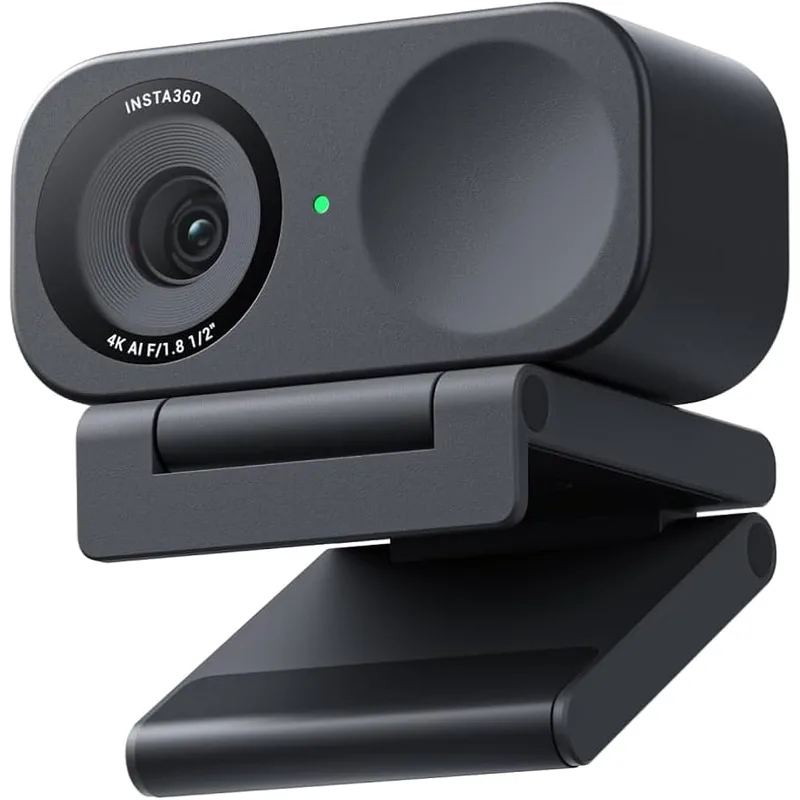
Insta360 Link 2C 4K Webcam
Pros
- Sharper than a built-in laptop camera on calls
- Auto framing keeps the speaker centered
- HDR helps in a room with a bright window
- Works with Mac apps as a standard USB camera
Cons
- A built-in MacBook camera is enough for casual calls
- Pricey if the recipient rarely goes on video
- Extra features rely on companion software
Built-in MacBook cameras are fine for casual calls, but a 4K webcam with auto framing is a visible step up for someone on camera daily. It works as a standard USB camera on a Mac. For other choices, read our webcams for Mac roundup.
Crucial X9 1TB Portable SSD — Best Splurge Storage
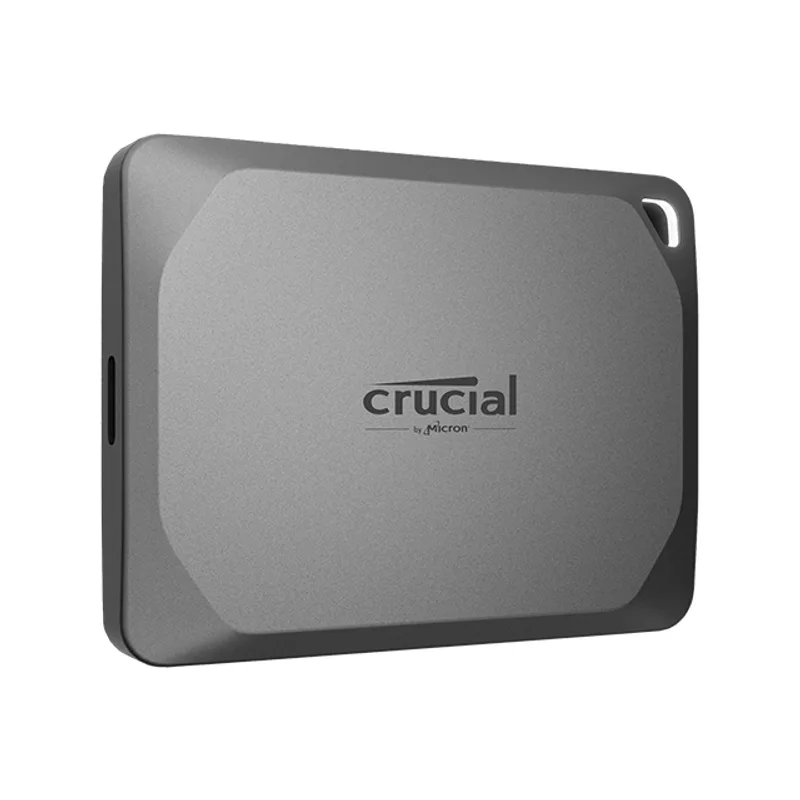
Crucial X9 1TB Portable SSD
Pros
- Cheap way to add storage to a MacBook with a fixed internal drive
- USB-C plug works without an adapter
- Small enough to carry in a pocket
- Fast enough for photo libraries and backups
Cons
- Speed is capped below Thunderbolt-class drives
- SSD pricing moves around, so check the card
- Needs formatting for Time Machine on first use
Mac storage is not upgradeable after purchase, so an external drive is often the cleanest fix. This one is compact, uses USB-C, and suits photo libraries and backups. It runs below Thunderbolt-class speeds, which most people will not notice. See our portable SSD guide for faster picks.
How to Combine These Into a Bigger Gift
One product rarely feels like a present. Pairing two items from different tiers turns a small purchase into a themed set, and keeps the total near the budget you picked.
- The dock-ready kit: the Anker or Satechi hub plus the Cable Matters cable. The hub adds the ports, and the cable gives a fast link to a drive or display.
- The creator kit: the SABRENT card reader plus the Crucial X9. Footage comes off the card and lands on a drive without a single adapter.
- The travel kit: the UGREEN power bank plus the VELCRO ties, which keep the charging cables from tangling in a bag.
- The call-ready kit: the Insta360 Link 2C plus the Anker hub, which adds the Ethernet port that steadies a shaky Wi-Fi connection.
Splitting a budget this way also protects you from a single miss. If the recipient already owns a hub, the card reader or the ties still get used.
Questions to Ask Before You Buy
You do not need to interrogate anyone. A quick look at their desk answers most of this.
Which Mac do they use? A MacBook Air with two ports gets the most from a hub. A Mac mini already has several ports, so a drive or webcam makes more sense. A MacBook Pro with an SD slot makes the card reader redundant.
Do they already have a dock? If a Thunderbolt dock sits on the desk, a hub is a downgrade. Buy the cable or the SSD instead.
Do they travel? A power bank and a compact hub earn their keep on the road. For someone who never leaves the desk, they sit in a drawer.
What do they complain about? Slow file copies point to an SSD. A grainy video image points to a webcam. A sore wrist points to the vertical mouse. Gifts that answer a spoken complaint rarely go unused.
Mac-Specific Things Worth Knowing
Newer Macs charge and move data over USB-C or Thunderbolt, and the two look identical, so a plain USB-C cable can limit a fast drive. That is the reason the Thunderbolt 4 cable is on this list. Also, external drives for a Mac usually need formatting the first time they are used, which Disk Utility handles in a couple of minutes. A short note in the box saves the recipient a confusing first evening. Finally, remember that a Mac only has so many ports, so a hub is useful, but a laptop with a built-in Thunderbolt dock may not need one. Our Thunderbolt 4 dock roundup is the next step for someone who needs more.
How We Picked These Gifts
We started with products in our existing reviews and checked live Amazon listings, dropping anything out of stock. Each pick had to work on day one with a Mac, avoid heavy setup, and sidestep compatibility traps that cause returns. We also avoided repeating picks from our other gift guides.
Which Gift Fits Which Person
- The MacBook Air user with two ports: the Anker hub or Satechi hub.
- The photographer or video shooter: the SABRENT card reader and Crucial X9 SSD.
- The traveler: the UGREEN Nexode power bank.
- The person with sore wrists: the Logitech MX Vertical.
- The daily video-call person: the Insta360 Link 2C.
- The person with a messy desk: the VELCRO ties and Thunderbolt cable.
Gifts to Skip
Avoid anything that depends on a port you cannot confirm. Older USB-A accessories need an adapter on a modern MacBook. Skip mice and keyboards if you do not know whether the person prefers left or right hands, or tall or flat keys. Also skip a webcam if the recipient already owns a monitor with a built-in camera. Our Mac monitor guide covers that display category.
Buying Guide: Gifting for a Mac Owner
Check the ports first. A MacBook Air has few ports, so hubs and docks solve the most common complaint. A Mac mini or a MacBook Pro has more.
Match the connector. Modern Macs use USB-C or Thunderbolt. A gift with a USB-A plug needs an adapter.
Mind the finish. Apple-style aluminum accessories look best next to the laptop, though plain black gear works fine.
Pair gifts. A hub plus a cable, or a drive plus a card reader, makes a coherent set at a modest cost.
FAQ
What is a good gift for someone with a MacBook?
A USB-C hub is the safest choice, since MacBooks have few ports. An external SSD helps if they run low on storage.
What is a good Mac stocking stuffer?
The SABRENT card reader and the VELCRO cable ties are small and low risk.
Do these gifts work with every Mac?
Most use USB-C, which suits recent MacBooks and Mac minis. Check the card for compatibility on each product.
Are hubs safe for MacBook ports?
Yes. A hub from a known brand is fine, though some run warm with many ports in use.
Should I check prices before buying?
Yes. Amazon prices change often, so use the button on each card to see the current price.
Conclusion
For most Mac owners, the Anker 8-in-1 USB-C hub is the best-value gift here. For someone who cares about looks, pick the Satechi Slim Multiport Adapter V2. For a small present, the Cable Matters Thunderbolt 4 cable is easy to give. For the one worth a splurge, the Insta360 Link 2C or Crucial X9 will get used for years.
Detailed Reviews
SABRENT USB-C Dual-Slot SD & microSD Card Reader (CR-CSDM)
Pros
- Native USB-C plug, so no adapter for a modern MacBook
- Reads SD and microSD cards in one small body
- Fills the gap on MacBooks that have no card slot
- Easy to explain as a gift
Cons
- Only useful to someone who shoots photos or video
- UHS-II speeds need a UHS-II card to matter
- Takes up a port on laptops with only two
VELCRO Brand ONE-WRAP Cable Ties, 100 Pack
Pros
- Tames the charger, dock, and display cables behind a Mac desk
- Reusable, so cables can be re-routed later
- Cheap enough to pair with a bigger gift
- Nothing to install or pair
Cons
- Not exciting on its own
- A 100 pack is more than most desks need
- Cuts to length are not adjustable
Cable Matters Intel-Certified Braided Thunderbolt 4 Cable (1.6 ft)
Pros
- Connects a MacBook to a dock, SSD, or display at full speed
- Braided jacket resists fraying
- Intel-certified, so it carries the full Thunderbolt 4 feature set
- A safe gift for anyone who owns a dock or fast drive
Cons
- Short length suits desks, not across-the-room runs
- Invisible gift if the recipient has no Thunderbolt gear
- A cheaper USB-C cable handles plain charging
Anker 8-in-1 USB-C Hub (555)
Pros
- Adds HDMI, Ethernet, and USB-A to a port-starved MacBook
- 4K@60Hz output for an external monitor
- Ethernet helps on video calls when Wi-Fi is shaky
- A trusted brand and a familiar design
Cons
- Hangs off one cable, which can block the neighboring port
- Runs warm under heavy load, per owner reports
- A full dock suits heavier setups better
Satechi Slim Multiport Adapter V2
Pros
- Aluminum body matches a MacBook instead of clashing
- Passes through 60W so the laptop keeps charging
- 4K 60Hz HDMI for an external display
- Slim shape sits flush against the laptop
Cons
- Fewer ports than the Anker hub
- Gets warm when several ports are busy
- Pricier than similar hubs in plain plastic
UGREEN Nexode 25,000mAh 145W Power Bank
Pros
- Enough output to charge a MacBook Pro-class laptop
- Three ports charge a laptop and phone together
- Useful for coworking trips and flights
- Reads as a thoughtful, practical gift
Cons
- Heavy for a bag accessory
- Airline rules cap battery size, so check before flying
- Charging a laptop and phone at once splits the output
Logitech MX Vertical Wireless Mouse
Pros
- Handshake grip can ease wrist strain for some people
- Pairs with a Mac over Bluetooth, no dongle required
- Rechargeable over USB-C
- Brand with solid Mac support through Logi Options+
Cons
- Right-handed only
- Takes a few days to get used to
- Bulky for travel, unlike a compact mouse
Insta360 Link 2C 4K Webcam
Pros
- Sharper than a built-in laptop camera on calls
- Auto framing keeps the speaker centered
- HDR helps in a room with a bright window
- Works with Mac apps as a standard USB camera
Cons
- A built-in MacBook camera is enough for casual calls
- Pricey if the recipient rarely goes on video
- Extra features rely on companion software
Crucial X9 1TB Portable SSD
Pros
- Cheap way to add storage to a MacBook with a fixed internal drive
- USB-C plug works without an adapter
- Small enough to carry in a pocket
- Fast enough for photo libraries and backups
Cons
- Speed is capped below Thunderbolt-class drives
- SSD pricing moves around, so check the card
- Needs formatting for Time Machine on first use