Your WiFi died in the middle of a client presentation. Not slow — dead. Or more likely, it was alive but your video froze, your audio cut out, and you spent 30 seconds looking confused while everyone else on the call heard a robot. That’s the actual problem with unstable home WiFi: it doesn’t fail predictably. It fails at the worst possible moment.
A mesh system solves this by distributing coverage across multiple nodes. Your device always connects to the closest, strongest one. No dead zones, no “ghost signal” where the router is technically visible but too far away to be useful. For most remote workers, the eero Pro 6E 3-pack is the right call — fast setup, WiFi 6E, reliable. If you want free QoS without a subscription, go Deco XE75 Pro instead.
What to Look for in a Mesh WiFi System
Dedicated backhaul. In a tri-band system, the 6GHz band handles node-to-node traffic exclusively. Your laptop and the satellite nodes aren’t competing for the same bandwidth. This is the most meaningful spec for call stability in large homes.
QoS controls. Quality of Service lets you mark your work laptop as high-priority. When someone else in the house starts a 4K stream or downloads a game, the router gives your Zoom call bandwidth first. Some systems offer this free; others lock it behind a subscription.
2.5G ethernet port. If your ISP delivers more than 1 Gbps, a 1G WAN port is the bottleneck. The Deco XE75 Pro has a 2.5G port. The Netgear Orbi has a 10G port. Most homes don’t need this yet, but it matters if you’re on a multi-gig plan.
Setup complexity. You don’t have IT support at home. The eero app walks you through placement and configuration in minutes. TP-Link’s Deco app takes a bit longer. If you’ve never configured a router, eero’s experience is noticeably smoother.
Automatic updates. Router vulnerabilities are found regularly. Systems that patch automatically don’t require you to remember to check firmware versions every few months.
The 5 Best Mesh WiFi Systems for Remote Workers
1. Amazon eero Pro 6E (3-pack) — Editor’s Pick
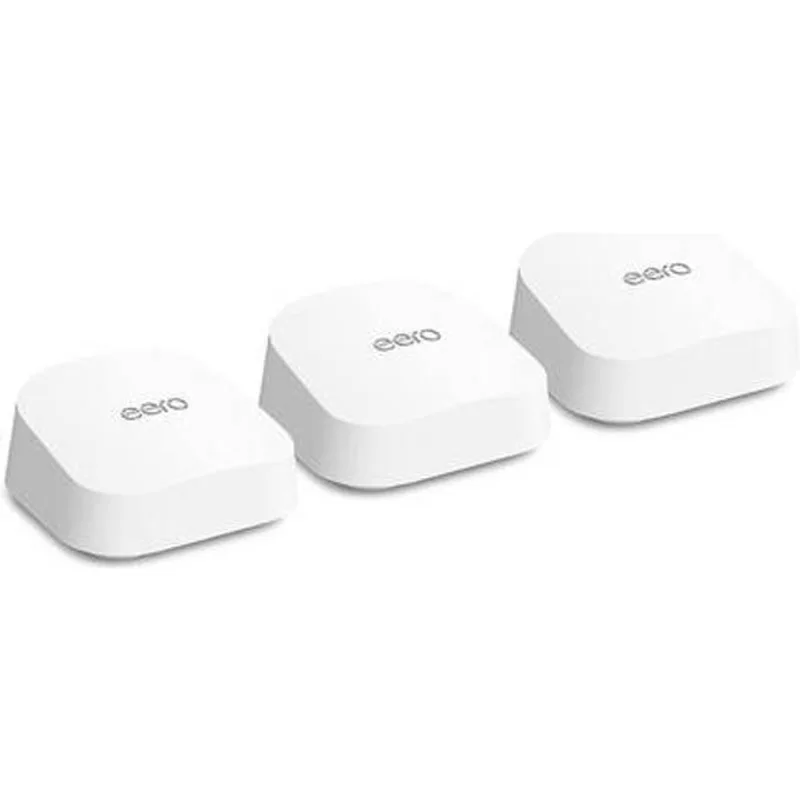
The eero Pro 6E sits at the top for one practical reason: you set it up and forget about it. The app-guided installation gets most people from unboxing to working network in under 10 minutes. No web interface, no channel configuration, no manual anything. For a remote worker who just needs networking to work without thinking about it, this matters.
Technically, the tri-band design uses the 6GHz band purely for backhaul — node-to-node traffic runs on its own dedicated channel, separate from your device traffic. This produces consistent speeds at satellite nodes even when other household devices are downloading or streaming in different rooms.
The TrueMesh routing algorithm continuously monitors signal quality across nodes. When you carry your laptop from the kitchen to the home office, the connection transfers to the nearest node without you noticing. No reconnecting, no dropped calls mid-movement.
eero handles firmware updates automatically. The optional eero Plus subscription ($9.99/month) adds content filtering, ad blocking, and advanced threat protection — useful for households with kids, mostly unnecessary for a solo home office. The core system works well without it.
At $199-$249 for a 3-pack covering 6,000 square feet, the eero Pro 6E makes the most sense for remote workers who want WiFi 6E performance without reading a networking manual to get there.
Who should buy this: Remote workers who want fast, reliable WiFi with minimal setup effort. Anyone who moves between rooms frequently. Households already using Alexa.
Who should skip this: People with multi-gigabit internet (no 2.5G port). Power users who want granular QoS without a subscription. Homes over 6,000 square feet where more nodes would be needed.
2. TP-Link Deco XE75 Pro (3-pack) — Best Value
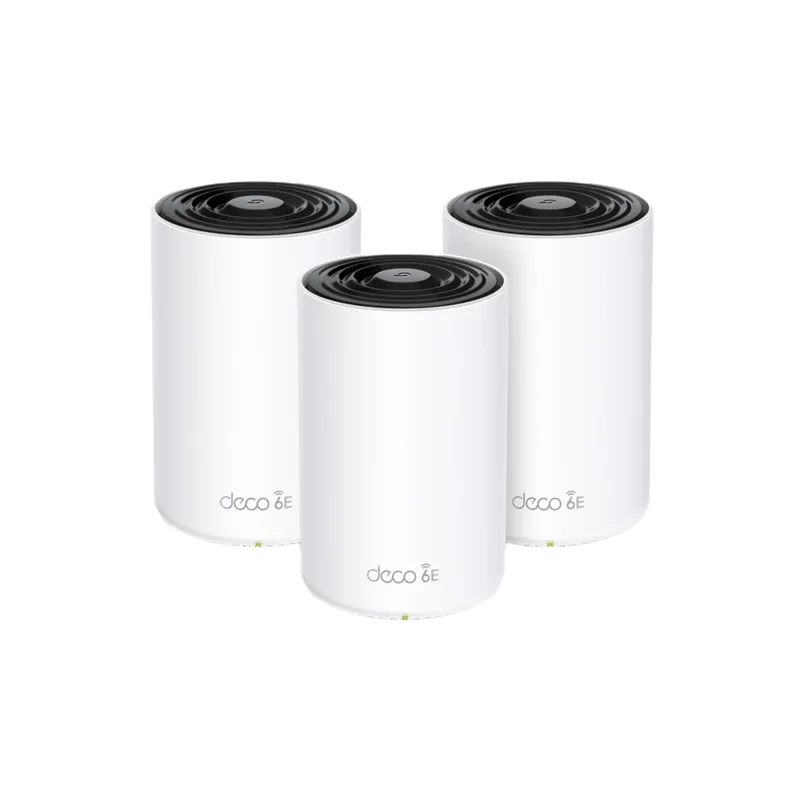
The Deco XE75 Pro comes in cheaper than the eero Pro 6E while covering 1,200 more square feet and adding a 2.5G WAN/LAN port. That’s a better deal on paper — and in practice, it mostly delivers.
The 2.5G port is the standout spec. As multi-gigabit ISP service expands in 2026, a 1G WAN port becomes a genuine bottleneck. The XE75 Pro handles up to 2.5 Gbps at entry, which future-proofs the investment as more ISPs offer 2G and 5G plans.
TP-Link’s HomeShield platform includes free basic QoS for device prioritization. Mark your work laptop as a high-priority device and the router allocates bandwidth accordingly — no subscription required for that feature. The paid HomeShield plan adds deeper parental controls and enhanced threat detection, but the baseline work prioritization is free.
The AI mesh routing adjusts proactively based on your household’s usage patterns, not just reactively when signal drops. If your work calls happen consistently between 9am and 5pm, the system learns this pattern and optimizes routing during those hours.
The Deco app does the job but doesn’t match eero’s clean experience. Expect a slightly longer setup process and a less intuitive interface. Not a dealbreaker, just worth knowing.
Who should buy this: Remote workers with multi-gigabit internet (or planning to upgrade). Anyone who wants free QoS without a subscription. Large homes where 7,200 square feet of coverage matters.
Who should skip this: People who prioritize setup simplicity above all else. Single-room apartments where the XE75 Pro’s coverage advantage is irrelevant.
3. Google Nest WiFi Pro (3-pack)

The Nest WiFi Pro has come down significantly in price, and at $249 it now competes directly with the eero Pro 6E instead of sitting in a separate tier. That price change matters.
The primary advantage here is Google ecosystem integration. If your household runs Google Meet, uses Chromecast, and your phones are Android, the Nest WiFi Pro manages network, smart home, and meeting infrastructure from a single app. The automatic prioritization recognizes active Google Meet and Zoom calls and allocates bandwidth accordingly — this works without any manual QoS configuration.
The 3-pack covers 6,600 square feet with WiFi 6E tri-band and dedicated 6GHz backhaul. Real-world performance is solid, though homes with thick walls or multiple floors should account for more aggressive coverage falloff than the spec suggests.
The main limitation is configuration depth. The Nest WiFi Pro doesn’t expose VLAN settings, advanced QoS rules, or detailed traffic logs. For the networking-curious, this is frustrating. For most remote workers who just want the connection to be stable during calls, it’s not a problem.
Who should buy this: Google Workspace users. Android households. People who manage their smart home through Google Home and want unified control. Anyone who finds the $249 price point compelling.
Who should skip this: Power users who want granular network control. Homes with multi-gigabit ISP service (no 2.5G port). Anyone who might switch from Google’s ecosystem.
4. Netgear Orbi RBK863S (3-pack) — Best Premium

At $1,099, the Orbi RBK863S is in a different category than everything else on this list. The price is genuinely high — you can buy three of the eero Pro 6E systems for less. But the specs that justify the premium are real.
The 10 Gig WAN port is the most significant differentiator. No other mesh system here includes a 10G port. As multi-gig ISP service expands, this future-proofs the investment further than even the TP-Link’s 2.5G port. In markets where 2.5G, 5G, or 10G ISP service is already available, this matters immediately.
The AX6000 aggregate across three bands produces strong throughput at satellite nodes even in large homes with challenging layouts. The dedicated 5GHz backhaul — while not as clean as the 6GHz backhaul in WiFi 6E systems — maintains good performance between the router and satellites at extended range.
Netgear Armor security (one year included) covers all connected devices with real-time threat detection. For households with a mix of IoT devices, smart home gadgets, and work equipment, this provides meaningful security coverage across the network.
Worth being direct: for most remote workers in average-sized homes on standard gigabit service, the Orbi RBK863S is overkill. The eero Pro 6E or Deco XE75 Pro will serve a typical work-from-home setup just as well at 25% of the price. The Orbi makes sense for large homes, multi-gig internet, or specific enterprise-adjacent requirements.
Who should buy this: Large homes (over 7,000 sq ft) where satellite coverage range is critical. Multi-gig internet subscribers. Users who need comprehensive device-level security across 50+ connected devices.
Who should skip this: Most remote workers. Anyone on standard gigabit service. Anyone who doesn’t want to pay $60-70/month equivalent for a piece of networking equipment.
5. eero 6+ (3-pack) — Best Budget
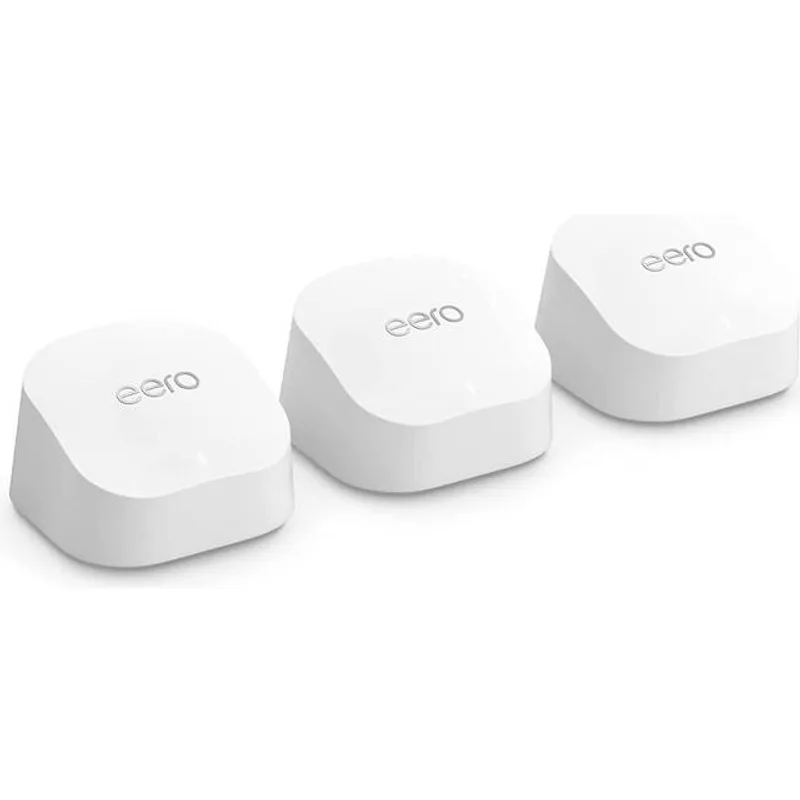
The eero 6+ is the budget entry in the eero lineup — now at $149-$199 for a 3-pack — making it the clearest recommendation for remote workers on a budget or in smaller homes who want a real mesh system without paying for WiFi 6E.
The dual-band architecture means the 5GHz band is shared between device connections and node-to-node backhaul. This is technically inferior to tri-band systems, but in a home with moderate device counts and standard internet use, the practical difference is minimal. Calls are stable, dead zones are eliminated, and the eero app keeps everything running automatically.
The built-in Zigbee hub handles Zigbee-based smart home devices — bulbs, sensors, locks — without needing a separate hub. For households already using Zigbee accessories, this removes one device from the setup.
At $149 for a 3-pack covering 4,500 square feet, the eero 6+ is the right choice for apartments, smaller homes, or anyone who just wants better WiFi than a single router provides. It won’t compete with WiFi 6E systems under heavy load, but for standard home office use — calls, video, downloads — it handles the job.
Who should buy this: Budget-conscious remote workers. Apartments and homes under 4,500 square feet. Anyone transitioning from a single router who wants a real improvement without a major investment.
Who should skip this: Large homes. Anyone with a dense device environment (30+ devices). Anyone on multi-gigabit internet.
Comparison Table
| System | Price | WiFi | Coverage | 2.5G+ Port | Backhaul | QoS |
|---|---|---|---|---|---|---|
| eero Pro 6E (3-pack) | $499.99 as of Oct 18, 2026 | WiFi 6E | 6,000 sq ft | No | 6GHz dedicated | Subscription |
| Deco XE75 Pro (3-pack) | $255.99-$399.99 as of Oct 18, 2026 | WiFi 6E | 7,200 sq ft | 2.5G | 6GHz dedicated | Free basic |
| Nest WiFi Pro (3-pack) | $251.31-$399.99 as of Oct 18, 2026 | WiFi 6E | 6,600 sq ft | No | 6GHz dedicated | Automatic |
| Orbi RBK863S (3-pack) | $495.00-$568.81 as of Oct 18, 2026 | WiFi 6 | 8,000 sq ft | 10G | 5GHz dedicated | Full built-in |
| eero 6+ (3-pack) | $299.99 as of Oct 18, 2026 | WiFi 6 | 4,500 sq ft | No | Shared 5GHz | Subscription |
Which Should You Buy?
Buy the eero Pro 6E for most home offices. Setup is fast, performance is reliable, and you won’t have to think about it again. The $199-$249 price point gives you WiFi 6E tri-band without the complexity of other systems.
Buy the Deco XE75 Pro if you have multi-gigabit internet or a large home. The 2.5G port and free QoS make it the better technical value at $259. Setup is a bit more involved, but the payoff is real.
Buy the Google Nest WiFi Pro at $249 if your household runs on Google. The Workspace and Meet integration works well, and the price has dropped significantly to make it genuinely competitive now.
Buy the Netgear Orbi RBK863S only if you have specific reasons — a very large home, 10G internet service, or enterprise-grade security requirements across a large device fleet. At $1,099, it’s hard to justify for standard remote work use.
Buy the eero 6+ if budget is the constraint. $149-$199 eliminates dead zones and improves call stability significantly over a single router. It’s the right starting point before upgrading to a WiFi 6E system later.
Frequently Asked Questions
Will a mesh system fix my dropped video calls?
If drops are caused by weak WiFi signal between your device and router, yes. If they’re caused by your ISP’s service, no. Test by connecting your laptop directly to the modem with an ethernet cable during a call. If the call is stable wired but drops wirelessly, a mesh system fixes it. If calls drop over ethernet too, the problem is upstream.
How many nodes do I need?
A rough guideline: one node per 1,500–2,000 square feet. A 3-pack works for most homes between 2,500 and 5,000 square feet. Thick walls, concrete construction, and multiple floors require denser node placement than square footage alone suggests. When in doubt, start with a 3-pack and add nodes if needed.
Should I connect mesh nodes with ethernet cables?
Wired backhaul — connecting nodes to each other via ethernet — is always better if you can run the cables. It eliminates the wireless backhaul bottleneck entirely and produces maximum throughput at each node. If running ethernet isn’t practical, wireless backhaul on tri-band systems performs well enough for standard home office use.
What is QoS and do I need it?
Quality of Service lets you assign priority to specific devices or traffic types. For remote workers, marking your work laptop as high-priority means your calls get bandwidth before a family member’s game download. If you live alone, QoS is mostly unnecessary. In multi-person households with heavy simultaneous network use, it makes a real difference during critical calls.
Is WiFi 6E worth the premium over WiFi 6?
For home office use, the main benefit is the dedicated 6GHz backhaul channel in tri-band systems, which keeps satellite node throughput consistent under load. If your home office is in the same room as your router, you likely won’t notice a practical difference. The gap shows up most in large homes where satellite nodes need to maintain throughput at range.
Can I mix eero Pro 6E and eero 6+ nodes in the same network?
Yes, eero nodes are cross-compatible. Some users run eero Pro 6E nodes in high-traffic areas and eero 6+ nodes in lower-priority zones to reduce cost. The network routes traffic intelligently regardless of node model. This is a practical way to expand coverage cost-effectively.
The Bottom Line
For most remote workers, the eero Pro 6E at $199-$249 solves the problem cleanly. WiFi 6E tri-band, dead-zone coverage for homes up to 6,000 square feet, and a setup process that doesn’t require any networking knowledge.
If you want free QoS and have multi-gigabit internet, the Deco XE75 Pro at $259 is the sharper technical value. If you’re on a tight budget, the eero 6+ at $149-$199 delivers real improvement over a single router at a fraction of the price.
The Google Nest WiFi Pro at $249 is worth considering for Google-centric households now that the price has dropped significantly. The Netgear Orbi RBK863S at $1,099 is excellent hardware priced for a narrow audience — buy it if you have specific requirements that nothing else on this list addresses.
Detailed Reviews
Amazon eero Pro 6E (3-pack)
Pros
- Setup takes under 10 minutes — app-guided from unboxing to working network
- Dedicated 6GHz backhaul keeps device traffic and node-to-node traffic separate
- TrueMesh routing automatically hands off devices as you move between rooms
- Works with Alexa for voice control and network status
- Automatic security updates — no manual firmware management needed
Cons
- Advanced QoS and content filtering require eero Plus subscription
- No ethernet backhaul — wired node-to-node not supported on this model
- Lower maximum throughput than the TP-Link at similar price
TP-Link Deco XE75 Pro (3-pack)
Pros
- 2.5G WAN/LAN port future-proofs against multi-gigabit ISP upgrades
- AI-driven mesh routing adjusts proactively based on your usage patterns
- Free basic QoS lets you prioritize your work laptop without a subscription
- More coverage (7,200 sq ft) than the eero Pro 6E at a lower price
- Strong throughput at range — consistent at satellite nodes far from router
Cons
- Advanced HomeShield security features require a paid subscription
- Deco app is functional but less polished than eero's interface
- Setup is slightly more involved than the eero experience
Google Nest WiFi Pro (3-pack)
Pros
- Natural fit for Google Workspace, Google Meet, and Android households
- Automatic prioritization recognizes active calls and allocates bandwidth
- Clean minimal design blends into home environments
- Google's security infrastructure handles automatic threat detection
- Now at $249, a significant price drop from when it first launched
Cons
- Limited advanced networking features compared to TP-Link or Netgear
- No 2.5G ethernet port — bottlenecks multi-gigabit ISP connections
- Google Home app exposes less granular control than competing apps
Netgear Orbi RBK863S (3-pack)
Pros
- 10 Gig internet port handles multi-gig ISP connections without any bottleneck
- Dedicated backhaul band maintains strong satellite-to-router throughput
- Comprehensive QoS with device-level traffic prioritization built-in
- Handles 100+ devices without performance degradation
- Netgear Armor security subscription (1 year included) covers all devices
Cons
- $1,099 is significantly more than the other options on this list
- WiFi 6 only — no 6GHz band like the WiFi 6E options above
- Armor security subscription required after first year for full protection
eero 6+ (3-pack)
Pros
- Most affordable path to a real mesh system — no dead zones at a low price
- Same eero app simplicity as the Pro 6E — setup is fast and painless
- WiFi 6 handles modern device loads with better efficiency than WiFi 5
- Built-in Zigbee hub for smart home device support
- Compact design fits anywhere without looking like networking equipment
Cons
- Dual-band only — shared backhaul means more interference under heavy load
- Lower maximum throughput than any tri-band option
- No 2.5G port — limited to 1 Gbps WAN input