| Spec | Synology DS225+ | Asustor Drivestor 2 Pro Gen2 (AS3302T v2) | Asustor Lockerstor 2 Gen2 (AS6702T) | Synology DS223 |
|---|---|---|---|---|
| Rating | 9.0/10 | 8.0/10 | 8.0/10 | 7.5/10 |
| Price | $364.99as of Oct 18, 2026 | $282.99as of Oct 18, 2026 | $483.99as of Oct 18, 2026 | $255.83-$286.59as of Oct 18, 2026 |
| Bays | 2-bay (diskless) | 2-bay (diskless) | 2-bay (diskless) | 2-bay (diskless) |
| CPU | Intel Celeron J4125 quad-core 2.0GHz | Realtek RTD1619B quad-core 1.7GHz | Intel Celeron quad-core 2.0GHz | Realtek RTD1619B quad-core 1.7GHz |
| RAM | 2GB DDR4 (expandable to 6GB) | 2GB DDR4 | 4GB DDR4 (expandable to 16GB) | 2GB DDR4 |
| Network | 1x 2.5GbE + 1x 1GbE | 1x 2.5GbE | 2x 2.5GbE | 1x 1GbE |
| Operating System | DiskStation Manager (DSM) | ADM | ADM | DiskStation Manager (DSM) |
| Warranty | 3 years | — | — | 3 years |
| Storage Support | — | 3.5in SATA HDD, 2.5in SATA HDD/SSD | — | — |
| M.2 Slots | — | — | 4x NVMe | — |
| Check Price → | Check Price → | Check Price → | Check Price → |
Prices change daily — tap Check Price for the current Amazon price.
Prices on 2-bay NAS boxes have drifted up through 2026, and the cheapest decent options now sit within $100 of each other. That makes the brand decision matter more than the spec sheet. We already compared Synology and QNAP, but Asustor is the budget-friendly alternative that comparison left out, and it has been getting steady attention for its value-focused Drivestor line.
This comparison is based on spec sheets, published reviews, and owner feedback, not our own bench time. It covers four 2-bay models: the Synology DS225+ and DS223 against the Asustor Drivestor 2 Pro Gen2 and Lockerstor 2 Gen2. All four are diskless, so budget separately for two NAS-rated drives.
The short version: Synology sells the better software, and Asustor sells more hardware per dollar. Which one wins depends on whether you want to manage a NAS or just have one.
Software: DSM vs ADM
This is the real gap between the brands.
Synology DSM is the reason people pay the premium. Setup is guided, the interface is consistent, and the first-party apps are good. Synology Photos handles a self-hosted photo library with facial recognition and mobile sync. Synology Drive works like a private Dropbox with desktop sync on Windows and macOS. Active Backup for Business backs up PCs, Macs, and VMs without per-device licensing. A first-time NAS owner can have scheduled backups running in an afternoon.
Asustor ADM covers the same basic jobs: SMB file sharing, scheduled backup, snapshots, and remote access through EZ Connect, which avoids manual port forwarding. It also supports Docker and a growing app catalog. The interface is functional but less refined, the documentation is thinner, and community answers are harder to find when something breaks. Reviewers who have used both consistently describe DSM as the more polished experience, and that matches the broader consensus among owners.
If you have never run a NAS, that polish is worth real money. If you are comfortable with networking and can read a forum thread, ADM does the job.
Hardware: Where Asustor Pulls Ahead
On paper, Asustor wins at every price point.
The Drivestor 2 Pro Gen2 includes a 2.5GbE port at a price roughly $80 under the DS225+, which also has 2.5GbE. The Lockerstor 2 Gen2 goes much further: an Intel CPU, 4GB of RAM expandable to 16GB, dual 2.5GbE, and four M.2 NVMe slots. The DS225+ offers 2GB of RAM, a single 2.5GbE port plus a gigabit port, and no M.2 slots.
Synology’s older ARM-based DS223 is the weakest hardware here: 1GbE only. At its price, it is hard to recommend over the Drivestor 2 Pro unless DSM is non-negotiable.
For a home office that stores documents, runs nightly laptop backups, and shares a few folders, none of this hardware gap shows up in daily use. It matters if you run Plex with transcoding, Docker containers, or virtual machines, or if several people hit the box at once.
Synology DS225+: The Pick for Most Home Offices
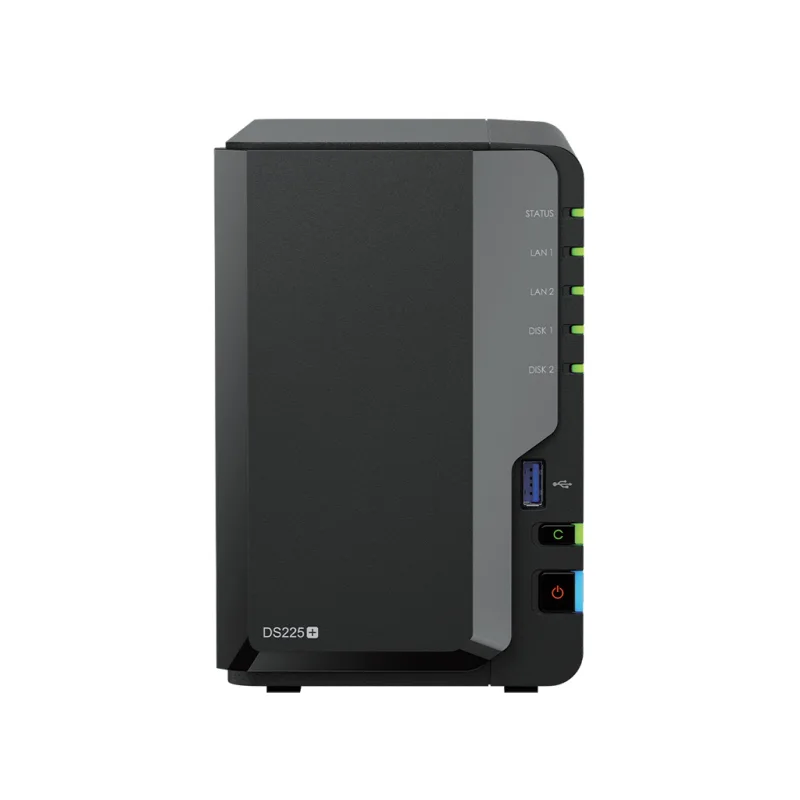
The DS225+ is the safest 2-bay NAS for a remote worker who wants backups and file access to just work. Its Celeron J4125 is not impressive in 2026, and Synology only ships 2GB of RAM. The upside is that DSM does not need much to feel responsive for office workloads.
Third-party drive support was a sore point for Synology, but recent DSM releases removed the restrictions, so WD Red Plus, Seagate IronWolf, and Toshiba N300 drives work without warnings. See our NAS roundup for drive guidance and more models.
Buy this if you want the easiest setup and the best first-party apps. Skip this if you plan to run Docker alongside heavy file workloads.
Asustor Drivestor 2 Pro Gen2: The Value Pick
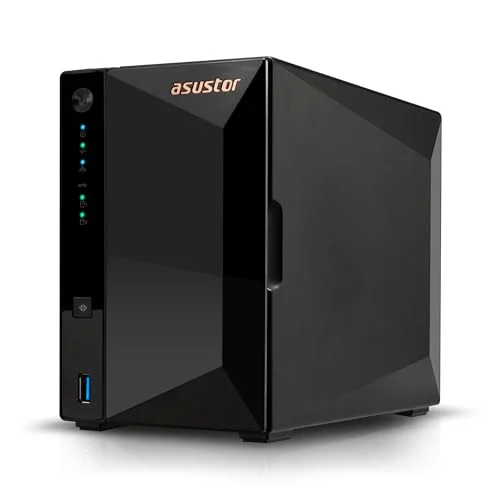
The Drivestor 2 Pro Gen2 is the model to beat on price. A quad-core 1.7GHz ARM chip, 2GB of RAM, and a 2.5GbE port cost about $80 less than the DS225+. A single network port is the main trade-off, since there is no link aggregation or network failover.
For file serving and scheduled backups, it is plenty. Owners who push it into Plex transcoding or Docker alongside backup jobs will run into the 2GB memory limit.
Buy this if you are comfortable with a less polished interface and want the lowest price with 2.5GbE. Skip this if you want a second network port.
Asustor Lockerstor 2 Gen2: The Hardware Pick
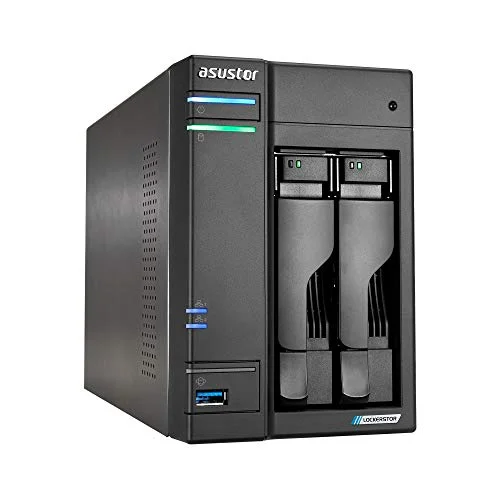
The Lockerstor 2 Gen2 is the only model here built for people who will tinker. Four M.2 NVMe slots let you add SSD caching or build a flash pool for active projects, and dual 2.5GbE ports give you link aggregation. With RAM expandable to 16GB, it can host a few containers without choking.
At $483.99 it costs about $120 more than the DS225+. That money buys real capability, but a typical home office will not use it. If you need that headroom, this beats the DS225+ on hardware. If you do not, you are paying for idle silicon.
Buy this if you run Plex, Docker, or want NVMe caching. Skip this if your NAS is mainly a backup target.
Synology DS223: Cheapest Way Into DSM
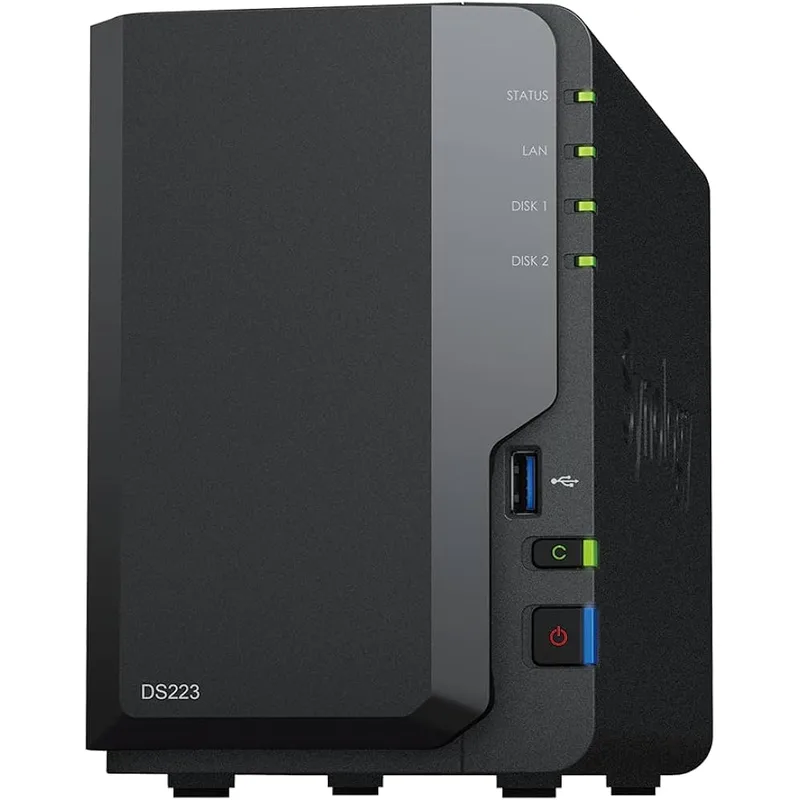
The DS223 is the budget way into Synology’s software. The ARM hardware is quiet and efficient, and DSM runs well on it for backups and shared folders. The 1GbE port tops out around 110 MB/s, which is fine for documents and cloud-style remote access but slow for moving big video files locally.
Because its price sits so close to the Drivestor 2 Pro, which has 2.5GbE, the DS223 only makes sense if you specifically want DSM on a tight budget.
Buy this if DSM matters more than speed. Skip this if you move multi-gigabyte files regularly.
What the Real Cost Looks Like
The sticker price is only part of it. Every model here ships empty, so a 2-bay setup needs two NAS-rated drives, and a pair of 4TB drives adds a few hundred dollars on top of the enclosure. That makes the $80 gap between the DS225+ and the Drivestor 2 Pro a smaller share of the total than it looks, which is a point in Synology’s favor if you were on the fence. It also means the Lockerstor 2 Gen2 is a bigger commitment than its price suggests once you add NVMe sticks to use those four M.2 slots.
Plan for a UPS, a spare drive or an external backup target, and a 2.5GbE switch if your router lacks the port. Counting those, the choice is rarely about $80. It is about whether you want to spend your time managing the box or using it.
Head-to-Head
- Ease of use: Synology wins clearly.
- App ecosystem: Synology wins, with better first-party photo, drive, and backup apps.
- Raw hardware per dollar: Asustor wins at every tier.
- Expandability: The Lockerstor 2 Gen2 wins with RAM to 16GB and four M.2 slots.
- Community and documentation: Synology wins, which matters when you are troubleshooting alone.
- Entry price: The Drivestor 2 Pro Gen2 wins.
Buying Guide
Match the NAS to the workload. File sharing, backup, and a photo library need very little hardware. Plex transcoding, Docker, and VMs need more RAM and a faster CPU.
Check your network. A 2.5GbE port only pays off if your router or switch has a 2.5GbE port too. Otherwise you are limited to gigabit speeds. Our Ethernet switch guide covers affordable multi-gig options.
Buy NAS-rated drives. Drives built for 24/7 operation are the smaller part of the cost and the larger part of the reliability. RAID 1 mirrors your data across two drives so one can fail without data loss, but it is not a backup. Keep a separate copy offsite or in the cloud.
Protect it from power loss. A NAS that loses power mid-write can corrupt data. A small UPS is cheap insurance.
FAQ
Is Asustor as reliable as Synology? Both brands make mainstream NAS hardware that owners run for years. Synology has the larger user base and more troubleshooting resources, which makes problems easier to solve. Reliability depends heavily on the drives you install and your power protection.
Is the Synology premium worth it? For beginners, usually yes. DSM and its first-party apps remove the learning curve. For technical users who want RAM, ports, and NVMe slots, Asustor delivers more hardware for the money.
Do I need 2.5GbE on a home office NAS? Not for documents and cloud-style access, because your internet connection is the limit. It helps when backing up large laptops or moving big media files over a wired network with a 2.5GbE switch or router.
Can I use my existing hard drives? Yes, on all four models. They are diskless and accept standard 3.5in and 2.5in SATA drives. NAS-rated drives are the better long-term choice.
Which is better for Plex? The Lockerstor 2 Gen2, thanks to its Intel CPU and expandable RAM. The Drivestor 2 Pro and DS223 can serve media but are limited for transcoding.
Conclusion
The Synology DS225+ is the top pick for most home offices. It costs more than its Asustor rivals, but DSM saves hours of setup and the first-party apps are the best in the category. If your NAS is a backup target and file share, the software is what you are paying for.
The Asustor Drivestor 2 Pro Gen2 is the pick if budget matters and you can live with a rougher interface and one network port. The Lockerstor 2 Gen2 is for tinkerers who will use its RAM and NVMe slots. Skip the DS223 unless DSM on a tight budget is the whole point.
Detailed Reviews
Synology DS225+
Pros
- DSM is the easiest NAS operating system to learn, with a clean layout and guided setup
- Synology Photos and Synology Drive work out of the box with no extra configuration
- Active Backup for Business covers PCs, Macs, and VMs without per-device license fees
- Third-party NAS-rated drives are supported, so you can reuse drives you already own
Cons
- Only 2GB of RAM out of the box, which limits Docker and other heavy apps
- The Celeron J4125 is dated and struggles with 4K transcoding
- Costs more than the Asustor 2-bay options for weaker raw hardware
Asustor Drivestor 2 Pro Gen2 (AS3302T v2)
Pros
- Roughly $80 less than the DS225+ with a 2.5GbE port included
- ADM covers file sharing, backup, and remote access without a subscription
- Quad-core ARM chip is plenty for file serving and scheduled backups
- Low power draw suits an always-on box under a desk
Cons
- Single network port, so there is no second port for failover or link aggregation
- ADM has a smaller app ecosystem and community than DSM
- 2GB of RAM is a ceiling for Plex transcoding or Docker alongside backups
Asustor Lockerstor 2 Gen2 (AS6702T)
Pros
- Four M.2 NVMe slots allow SSD caching or a fast flash storage pool
- Dual 2.5GbE ports support link aggregation and failover
- 4GB of RAM, expandable to 16GB, handles Docker containers and Plex
- Intel CPU and HDMI output cover media server and light server duty
Cons
- About $120 more than the DS225+ and $200 more than the Drivestor 2 Pro
- ADM is less polished than DSM for non-technical users
- More hardware than a document-and-backup office needs
Synology DS223
Pros
- Cheapest way into DSM and the full Synology app suite
- Efficient ARM hardware is quiet and sips power
- Enough performance for backups, shared folders, and a photo library
- Same 3-year warranty as pricier Synology models
Cons
- 1GbE only, so large local transfers top out around 110 MB/s
- No upgradeable RAM and no 2.5GbE
- Price is close to the Asustor Drivestor 2 Pro, which has 2.5GbE