Affiliate disclosure: SetupRanked earns a commission on qualifying purchases made through links on this page. This does not affect our editorial rankings.
Remote work runs on internet connectivity. A dropped video call mid-presentation, a frozen screen during a client demo, or a VPN that refuses to connect from a coffee shop — every one of these failures traces back to the network. And for most remote workers, the network starts with the router sitting in a corner gathering dust since it came from the internet provider years ago.
Provider-supplied routers are built to minimum specifications at minimum cost. They lack the features remote workers actually need: QoS traffic prioritization, capable VPN server support, and the capacity to handle a full household’s devices without degrading the performance of work applications.
This guide covers five routers evaluated specifically for home office use — not gaming benchmarks, not enthusiast networking metrics.
Quick pick: The Asus RT-AX86U Pro is the best single-unit router for most remote workers. If you’re in a larger home with dead zones, the TP-Link Deco XE75 Pro 2-pack is the right call. On a tight budget, the TP-Link Archer AX21 handles the basics at a price that’s hard to argue with.
What Remote Workers Need From a Router
QoS (Quality of Service): This is the most important feature for remote workers. QoS lets the router prioritize specific types of traffic — video calls, VoIP, video conferencing — over lower-priority traffic like streaming and downloads. When a household member starts a 4K stream at the same time you join a client call, QoS ensures your call traffic gets bandwidth priority.
VPN server support: A router with a built-in VPN server lets you connect securely to your home network from anywhere. This enables access to locally stored files, devices on your home network, and a trusted exit point for your internet traffic when working from coffee shops or hotels.
MU-MIMO and beamforming: MU-MIMO allows the router to communicate with multiple devices simultaneously rather than sequentially. Beamforming focuses the WiFi signal toward connected devices rather than broadcasting in all directions. Together, these features maintain performance when multiple devices are active.
Upload speed for video calls: Upload speed — not download speed — determines video call quality. Zoom at 1080p requires approximately 3.8 Mbps upload. Multiple simultaneous calls or a household with several video conferencing users need sufficient upload bandwidth from the ISP, with a router that does not create the bottleneck.
Wired connection as an option: A wired Ethernet connection to your workstation eliminates WiFi variability completely. For critical calls or work that cannot tolerate any latency spikes, running a cable from the router to the desk is the single most effective reliability improvement available.
1. Asus RT-AX86U Pro — Editor’s Pick
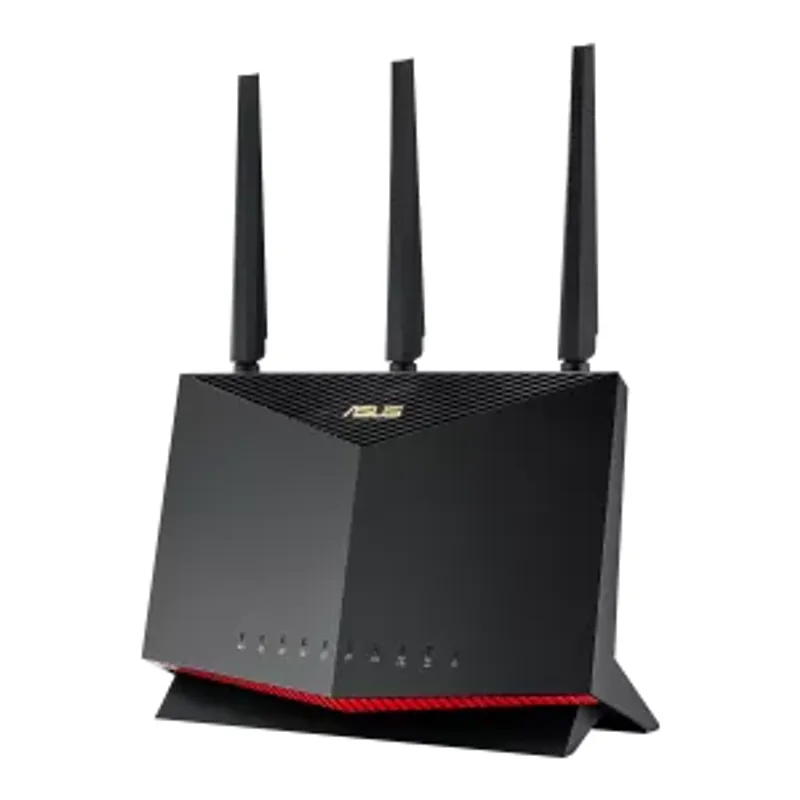
The RT-AX86U Pro is the best single-unit router for home office use in 2026. Its Adaptive QoS system is among the most capable in the class — it categorizes and prioritizes traffic in real time, ensuring video calls get bandwidth when competition from other household activity exists.
The built-in VPN server supports both OpenVPN and WireGuard. WireGuard is the current standard for VPN performance: it is faster than OpenVPN, uses less CPU on both the router and client device, and maintains lower latency during connection. Remote workers who travel and need secure network access benefit from having this configured on their home router.
AiMesh compatibility means the RT-AX86U Pro can serve as the primary node in an Asus mesh network, with additional nodes added as the coverage needs of the home expand. The 2.5G WAN port accommodates ISP plans delivering more than 1 Gbps.
AiProtection Pro provides subscription-free network security — malicious site blocking, intrusion detection, and infected device quarantine — without the recurring fees that some competitors charge for equivalent features. The trade-off is the gaming-oriented external antenna design, which does not blend into a minimal home office aesthetic. Setup also requires more time than simpler routers — the ASUS interface is powerful but not beginner-friendly.
Who should buy this: Remote workers who want the best combination of QoS, VPN capability, and future-proof connectivity in a single router.
Who should skip this: Anyone who wants a low-profile router or needs mesh coverage across multiple floors.
2. TP-Link Archer AX21 — Best Budget
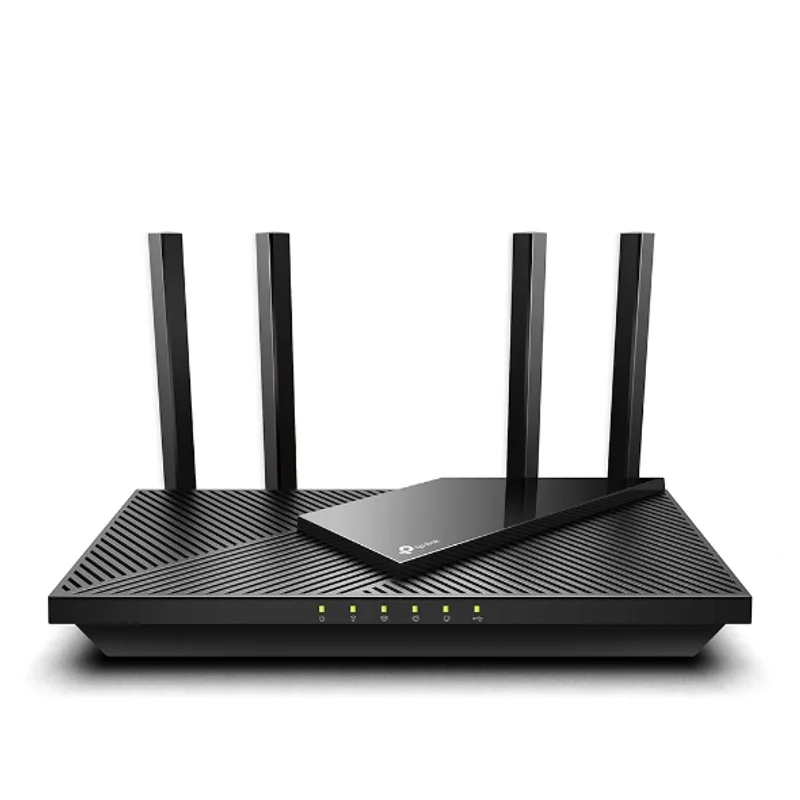
The Archer AX21 brings WiFi 6 to the most accessible price point in the category. It delivers the core WiFi 6 improvements — faster maximum speeds, better handling of multiple simultaneous devices, and improved efficiency — without the premium features of more expensive routers.
For remote workers in smaller homes or apartments where coverage is not a concern, the AX21 handles the basics reliably. It supports four simultaneous device streams and includes basic QoS functionality. Setup through the Tether app is straightforward and does not require networking knowledge.
The primary limitation is VPN capability. The AX21 supports VPN passthrough — meaning VPN clients on connected devices work through the router — but does not function as a VPN server itself. Remote workers who need to access their home network from outside need to add a separate VPN service or a VPN-capable device to the network. There’s also no 2.5G port, so wired connections top out at 1 Gbps regardless of your ISP plan.
Who should buy this: Budget-conscious remote workers in smaller spaces who want WiFi 6 without complexity or premium pricing.
Who should skip this: Anyone who needs a built-in VPN server, works from a home larger than 1,500 sq ft, or has a multi-gigabit ISP connection.
3. Netgear Nighthawk RAX54S — Best Mid-Range
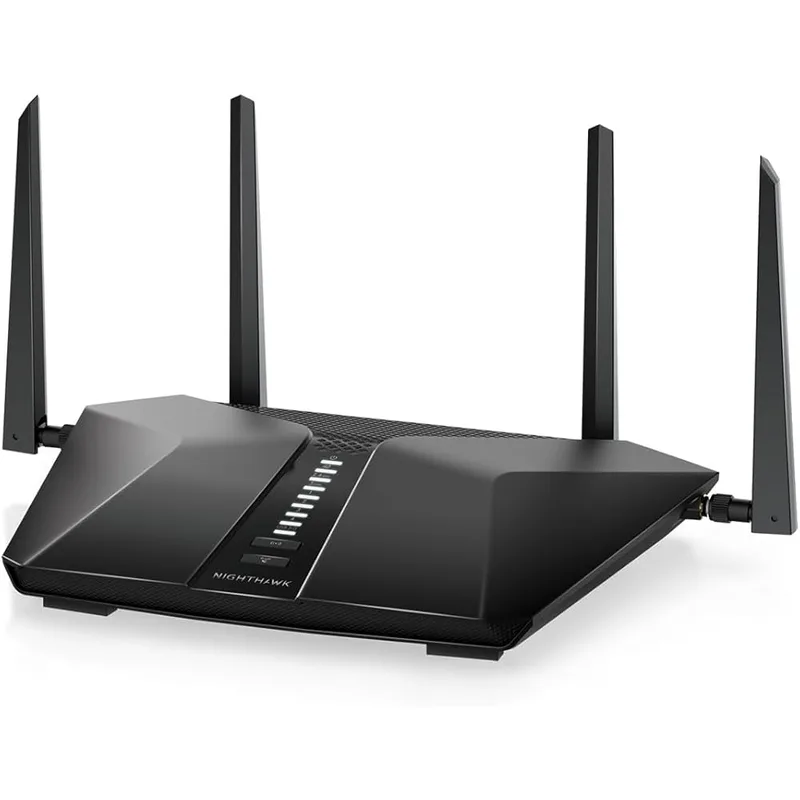
The RAX54S occupies the mid-range of the WiFi 6 market effectively. Its 6-stream dual-band design handles more simultaneous devices than entry-level routers while staying well under the cost of premium options.
Dynamic QoS is the standout feature. The Nighthawk identifies and prioritizes video streaming and video call traffic automatically, without manual configuration. For remote workers who want QoS benefits without setting up traffic rules, this works well out of the box.
The included 1-year Netgear Armor subscription provides network-level security including real-time threat blocking, device vulnerability monitoring, and parental controls. After the first year, Armor renews at a recurring cost — worth considering in the total cost of ownership. The management app and router interface also feel older compared to the cleaner TP-Link Tether experience.
The router lacks a 2.5G port, limiting wired connection speed to 1 Gbps regardless of ISP plan speed. For most current internet plans this is not a constraint, but it limits future headroom.
Who should buy this: Remote workers who want solid mid-range performance with automatic QoS and included security without spending premium router prices.
Who should skip this: Anyone who wants a 2.5G wired connection, prefers a modern app experience, or wants a mesh-capable system.
4. TP-Link Deco XE75 Pro (2-Pack) — Best for Large Homes
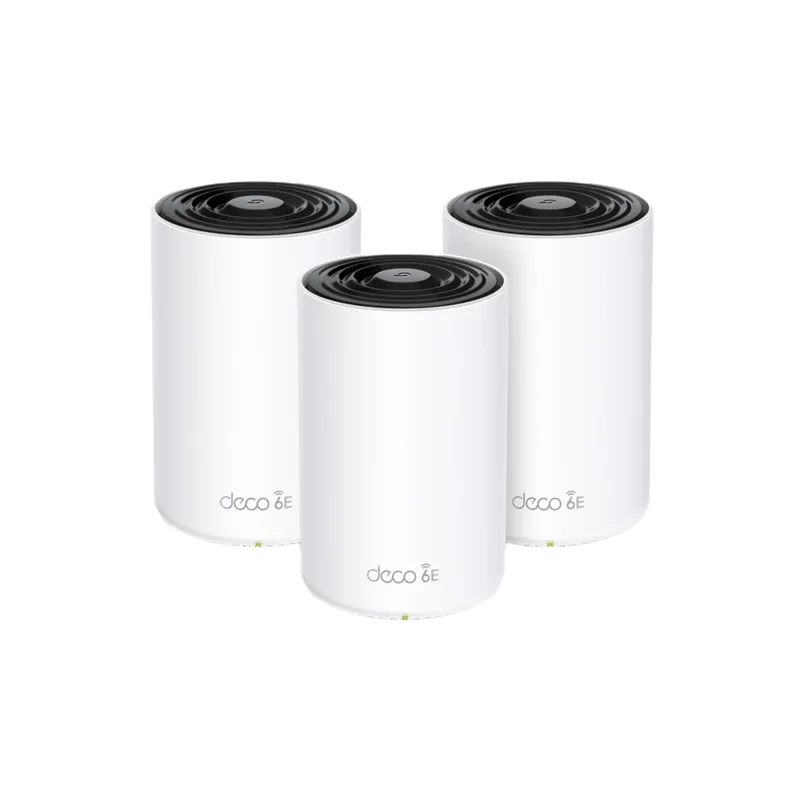
The Deco XE75 Pro is the right answer when a single router cannot cover the entire home. As a 2-pack mesh system, two nodes cover up to 5,500 square feet with consistent WiFi 6E performance throughout.
WiFi 6E adds a 6GHz band to the standard 2.4GHz and 5GHz bands of WiFi 6. The 6GHz band has substantially less interference than the crowded 5GHz band — fewer neighboring networks operate in this range, and the spectrum is newer. Work devices that support 6GHz will experience lower latency and more consistent throughput on a WiFi 6E network.
Each Deco XE75 Pro node includes a 2.5G WAN/LAN port, and the mesh backhaul uses a dedicated wireless channel to communicate between nodes without consuming the bandwidth available to client devices. AI mesh management assigns devices to the most appropriate node automatically.
The practical consideration: WiFi 6E benefits require a device with a 6GHz WiFi adapter. Most laptops purchased before 2026 do not include 6GHz support. Check the WiFi specification of your primary work laptop before prioritizing WiFi 6E. The HomeCare Pro security subscription also becomes a paid expense after the trial period ends.
Who should buy this: Remote workers in larger homes or multi-floor spaces where a single router cannot provide reliable coverage throughout.
Who should skip this: Anyone in a smaller home or apartment — the 2-pack price premium is only justified by genuine coverage problems.
5. TP-Link Archer BE230 — Best WiFi 7
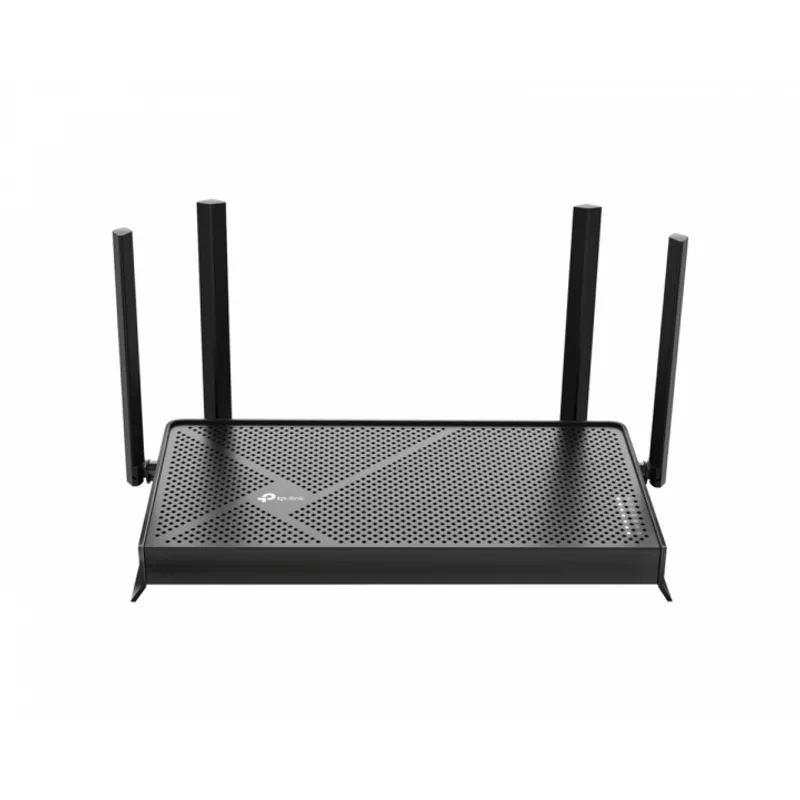
The Archer BE230 is the entry point into WiFi 7 at a price that makes the upgrade accessible. WiFi 7 (802.11be) introduces Multi-Link Operation (MLO), which allows a single device to connect across multiple frequency bands simultaneously. For video calls, MLO reduces latency by providing redundant paths for data — if one band experiences interference, the other maintains the connection without interruption.
Two 2.5G ports provide future-proofed wired connectivity. WireGuard VPN support is included, which is the fastest VPN protocol available and a meaningful upgrade over the OpenVPN implementation in older routers. This undercuts most WiFi 7 competition significantly on price.
The honest assessment for 2026 is that WiFi 7 client devices are still a minority. Most laptops, phones, and tablets in circulation today are WiFi 6 or WiFi 6E devices. The BE230’s WiFi 7 features are fully realized only with WiFi 7 client devices. For a user purchasing a new router alongside a new laptop today, the BE230 is forward-looking and worthwhile. For someone with an existing device ecosystem, the performance difference over a capable WiFi 6 router is smaller. Coverage maxes out at 2,000 sq ft — single-floor homes only.
Who should buy this: Remote workers purchasing a new router who want several years of device upgrade runway, and those who value WireGuard VPN at an accessible price.
Who should skip this: Anyone in a home larger than 2,000 sq ft, or those whose current devices are all WiFi 6.
Comparison Table
| Router | WiFi Standard | Max Speed | Coverage | VPN Support | Rating |
|---|---|---|---|---|---|
| Asus RT-AX86U Pro | WiFi 6 | AX5700 | 3,000 sq ft | Server + Client | 9.2/10 |
| TP-Link Deco XE75 Pro | WiFi 6E | AXE5400 | 5,500 sq ft | Passthrough | 9.0/10 |
| TP-Link Archer BE230 | WiFi 7 | BE3600 | 2,000 sq ft | Server (WireGuard) | 8.8/10 |
| Netgear Nighthawk RAX54S | WiFi 6 | AX5400 | 2,500 sq ft | Server (OpenVPN) | 8.7/10 |
| TP-Link Archer AX21 | WiFi 6 | AX1800 | 1,500 sq ft | Passthrough only | 8.2/10 |
Buying Guide: Networking for Remote Work
Prioritize your upload speed. Internet plans are marketed around download speed. For remote work, upload speed is what determines video call quality. A symmetric fiber connection is ideal. If asymmetric, ensure your upload speed is at least 5-10 Mbps per person making video calls simultaneously.
Router placement matters. WiFi signal weakens with distance and degrades through walls, especially concrete, brick, and metal. Place the router as centrally as possible relative to your workspace. If your home office is far from the router’s ideal central location, a mesh system or a wired connection to your office is worth the effort.
Wired over WiFi for critical work. An Ethernet cable between the router and your primary work computer eliminates WiFi variability entirely. Latency drops, packet loss disappears, and bandwidth becomes predictable. Modern desks can route cables discreetly, and USB-C to Ethernet adapters handle laptops without a built-in port.
Channel selection and band steering. Routers operating on the 2.4GHz band in congested environments — apartment buildings with many networks — experience interference. The 5GHz band has more channels and less congestion. All routers on this list support both bands; manually assigning work devices to 5GHz can improve stability.
QoS configuration. The routers here with strong QoS (the Asus and Netgear) work best when you tell them what to prioritize. Spend five minutes in the router interface labeling your work devices and setting video call traffic as high priority. It is a one-time configuration that pays off every time a household member downloads a large file during your calls.
FAQ
Do I need WiFi 6 for video calls?
WiFi 6 is not required for video calls, but it provides meaningful benefits for homes with many connected devices. The key WiFi 6 improvement for remote workers is OFDMA, which allows the router to serve multiple devices simultaneously rather than in rapid succession. In a household with streaming, gaming, and video calls happening at the same time, WiFi 6 maintains more consistent performance for each device.
What internet speed do I need for remote work?
For a single user: 25 Mbps download and 10 Mbps upload is functional. 100 Mbps symmetric is comfortable. For households with multiple simultaneous video calls or heavy streaming alongside work: 200+ Mbps with at least 20 Mbps upload per calling device. The router does not change what your ISP provides — it manages what you have.
Does router placement matter for video call quality?
Significantly. A router in a closet at one end of a house will deliver degraded performance at the opposite end. For remote workers whose office is far from the router, relocating the router, adding a mesh node, or running a wired Ethernet connection to the office provides more improvement than upgrading the router itself.
Should I use wired or WiFi for video calls?
Wired Ethernet is consistently better for video calls. It eliminates the variable conditions that degrade WiFi connections: interference from neighboring networks, signal attenuation through walls, and the scheduling overhead of managing wireless spectrum. If your desk setup allows it, a wired connection removes an entire category of potential problems.
What is QoS and do I need it as a remote worker?
QoS (Quality of Service) is a router feature that prioritizes certain types of network traffic over others. For a remote worker sharing a network with household members who stream, game, or download large files, QoS ensures that video call packets get bandwidth priority during congestion. Without QoS, video calls compete for bandwidth equally with everything else, and congestion during calls shows up as pixelation, freezing, or dropped connections.
Is WiFi 7 worth buying in 2026?
For most people with existing devices, not yet. WiFi 7’s biggest benefits — MLO and higher throughput — require WiFi 7-capable client devices, which are still a minority in 2026. The exception is if you are buying a new router and plan to use it for five or more years, or if you are also purchasing a new WiFi 7-capable laptop. The TP-Link Archer BE230 makes the upgrade cost low enough to justify on that basis.
Conclusion
The Asus RT-AX86U Pro is the best home office router for most remote workers. The combination of Adaptive QoS for call prioritization, WireGuard VPN server, AiMesh expandability, and subscription-free security covers every practical need at a fair price.
Larger homes with dead zones need the TP-Link Deco XE75 Pro 2-pack — mesh coverage and WiFi 6E in one system. Anyone on a strict budget gets solid WiFi 6 reliability from the TP-Link Archer AX21 without paying for features they don’t need. And the TP-Link Archer BE230 makes WiFi 7 accessible enough that future-proofing your network no longer requires a premium purchase.
Detailed Reviews
Asus RT-AX86U Pro
Pros
- Adaptive QoS can prioritize video call traffic over everything else on the network
- Built-in WireGuard VPN server for secure access to home network from outside
- 2.5G port supports future-proofed wired connection speeds
- AiMesh compatible for expanding coverage with additional Asus nodes
Cons
- Gaming router aesthetic with external antennas is not minimalist-friendly
- AiProtection Pro security features are subscription-free but require account creation
- ASUS router interface can overwhelm less technical users during initial setup
TP-Link Archer AX21
Pros
- WiFi 6 at the most accessible price point available
- OneMesh compatibility for adding TP-Link extenders to expand coverage
- Works with Alexa for voice network management
- Simple setup via Tether app for non-technical users
Cons
- AX1800 speed ceiling limits performance with many simultaneous high-bandwidth users
- VPN passthrough only — no built-in VPN server capability
- No 2.5G port limits maximum wired connection speed to 1 Gbps
Netgear Nighthawk RAX54S
Pros
- Dynamic QoS identifies and prioritizes video streaming and call traffic automatically
- 6-stream design handles more concurrent devices without bandwidth degradation
- 1-year Netgear Armor security subscription included
- Strong mid-range performance at a price between budget and premium
Cons
- Netgear Armor renews at additional cost after the first year
- No 2.5G port — top wired speed is limited to 1 Gbps
- App and interface feel dated compared to TP-Link Tether and ASUS AiMesh apps
TP-Link Deco XE75 Pro
Pros
- WiFi 6E 6GHz band provides a dedicated fast lane with minimal interference for work devices
- 2-pack mesh design eliminates dead zones in larger homes or multi-floor offices
- 2.5G port for high-speed wired connections to a desk or NAS
- AI-driven mesh automatically optimizes device assignment across bands
Cons
- WiFi 6E benefits require a device with a 6GHz-capable WiFi adapter
- Higher price than single-unit routers — justified only if coverage is a real problem
- HomeCare Pro security features require a paid subscription after the trial period
TP-Link Archer BE230
Pros
- WiFi 7 at entry-level pricing brings future-proofed connectivity at an accessible cost
- Multi-Link Operation reduces latency by using multiple bands simultaneously
- Two 2.5G ports for high-speed wired connections
- WireGuard VPN support for fast, secure remote access to home network
Cons
- WiFi 7 client device ecosystem is still maturing in 2026
- Lower maximum throughput than higher-end WiFi 7 routers
- Limited range — not the right pick for homes over 2,000 sq ft