Our other mesh guides focus on the premium tier: WiFi 6E and WiFi 7 systems that run well past $300. That leaves a gap. Most home offices don’t need a flagship. They need a stable connection for video calls in the back bedroom, and WiFi 6 handles that fine in 2026. This roundup covers the budget tier, based on spec sheets, owner feedback, and current Amazon pricing.
The short version: the TP-Link Deco X55 is the pick for most people. It covers a lot of floor space, puts three Ethernet ports on every unit, and costs well under the ceiling. The eero 6+ is the one to buy if you’d rather not think about networking at all.
Quick Picks
| Spec | TP-Link Deco X55 AX3000 WiFi 6 Mesh System (3-Pack) | TP-Link Deco XE75 AXE5400 Tri-Band WiFi 6E Mesh System (3-Pack) | Amazon eero 6+ Mesh WiFi System (3-Pack) | TP-Link Deco X20 AX1800 WiFi 6 Mesh System (3-Pack) | TP-Link Deco XE75 AXE5400 Tri-Band WiFi 6E Mesh System (2-Pack) |
|---|---|---|---|---|---|
| Rating | 9.0/10 | 9.0/10 | 8.5/10 | 8.0/10 | 8.5/10 |
| Price | $116.11-$169.99as of Oct 18, 2026 | $195.38-$229.99as of Oct 18, 2026 | $299.99as of Oct 18, 2026 | $140.86-$169.99as of Oct 18, 2026 | $136.49-$199.99as of Oct 18, 2026 |
| Standard | WiFi 6, dual-band AX3000 | WiFi 6E, tri-band AXE5400 | WiFi 6, dual-band | WiFi 6, dual-band AX1800 | WiFi 6E, tri-band AXE5400 |
| Coverage | Up to 6,500 sq ft (3-pack) | Up to 7,200 sq ft (3-pack) | Up to 4,500 sq ft (3-pack) | Up to 5,800 sq ft (3-pack) | — |
| Ethernet | 3 Gigabit ports per unit | — | — | 2 Gigabit ports per unit | — |
| Devices | Up to 150 | Up to 200 | — | Up to 100 | — |
| Backhaul | — | Dedicated 6GHz band | — | — | Dedicated 6GHz band |
| Speed tier | — | — | Gigabit internet plans | — | — |
| Smart home | — | — | Built-in Zigbee hub | — | — |
| Nodes | — | — | — | — | 2 |
| Setup | — | — | — | — | TP-Link Deco app |
| Check Price → | Check Price → | Check Price → | Check Price → | Check Price → |
Prices change daily — tap Check Price for the current Amazon price.
The Picks
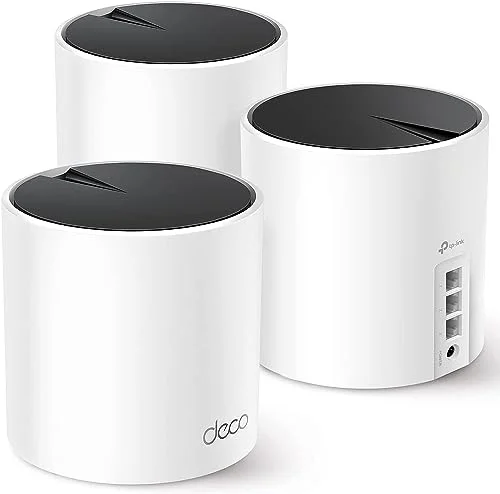
TP-Link Deco X55 AX3000 WiFi 6 Mesh System (3-Pack)
Pros
- Three Gigabit Ethernet ports on each unit, enough to wire a desktop, a dock, and a printer
- Large coverage claim for a three-pack at this price tier
- Free basic HomeShield tools, including device prioritization
- Lowest cost per square foot of coverage on this list
Cons
- Dual-band, so the 5GHz band is shared between wireless backhaul and your devices
- The Deco app is less polished than eero's
- Gigabit ports only, with no 2.5G option
The Deco X55 is the value leader. A three-pack is rated for up to 6,500 square feet, and each unit has three Gigabit Ethernet ports. That second detail matters for a home office more than the coverage number. You can wire your desktop or dock straight into a node and take WiFi out of the equation for the device that matters most.
The tradeoff is the dual-band design. The 5GHz band does double duty for your devices and for node-to-node traffic, so a crowded household can see slowdowns at the far nodes. If your nodes can be placed within a room or two of each other, you’ll rarely notice. The app is serviceable but not as slick as eero’s.
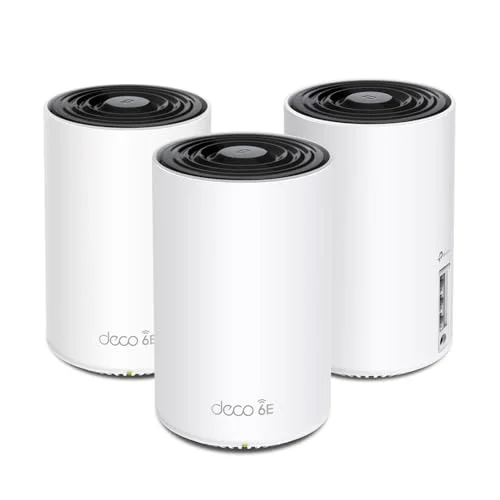
TP-Link Deco XE75 AXE5400 Tri-Band WiFi 6E Mesh System (3-Pack)
Pros
- Tri-band design with a 6GHz band that can carry node-to-node traffic
- Biggest coverage claim of the group
- Still comes in under the $300 line despite the 6E upgrade
- Free basic HomeShield tools
Cons
- Technically WiFi 6E, so it only counts here because the price fits
- 6GHz range is shorter through walls than 5GHz
- Costs more than the X55 for a speed gain most home offices won't notice
The XE75 is the stretch pick. It is WiFi 6E, not plain WiFi 6, but it drops under the $300 line, and the tri-band design gives the nodes a 6GHz band for talking to each other. That is the spec that helps most when the house is busy. Your laptop gets the full 5GHz band while the backhaul runs separately.
The catch is that 6GHz signal doesn’t travel through walls as well as 5GHz. In a small or open-plan home it’s an upgrade. If you plan to compare it against pricier systems, our mesh WiFi roundup for remote workers covers the premium tier.
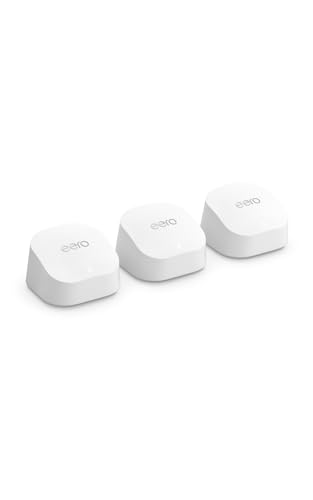
Amazon eero 6+ Mesh WiFi System (3-Pack)
Pros
- App-guided setup that suits anyone without a networking background
- Automatic firmware updates with no subscription needed for the core system
- Built-in smart home hub removes one gadget from the desk
- Works with Alexa routines
Cons
- Highest price on the list, right at the $300 ceiling
- Less coverage than the Deco systems
- Advanced security and filtering features sit behind the optional eero Plus subscription
The eero 6+ is for people who want WiFi that works without reading a manual. The app walks you through placement, updates install automatically, and the core features don’t need a subscription. It also has a built-in Zigbee smart home hub, which helps if you already own Zigbee bulbs or sensors.
It sits at the top of this budget group on price and has the smallest coverage claim, so it is the least efficient buy on paper. It earns its spot on setup experience. Our eero Pro 6E vs Netgear Orbi comparison shows how it stacks up against bigger systems in the same family.

TP-Link Deco X20 AX1800 WiFi 6 Mesh System (3-Pack)
Pros
- Cheapest way to get a three-node WiFi 6 mesh
- Plenty of coverage for a typical home
- Same Deco app and HomeShield basics as the pricier models
- Two Ethernet ports per unit for wiring a desk
Cons
- AX1800 speeds are the lowest here and can feel limited on fast plans
- Dual-band with shared wireless backhaul
- Amazon listed stock as scarce when checked, so availability may vary
The Deco X20 is the cheapest route to a three-node WiFi 6 mesh. The AX1800 rating is the lowest speed tier here, and the dual-band design shares its 5GHz band for backhaul. For a home office on a typical cable or fiber plan used mostly for calls and cloud apps, it is plenty. If you pay for a fast plan and want to use all of it, step up to the X55.
Amazon showed limited stock when we checked prices, so don’t count on it staying available.
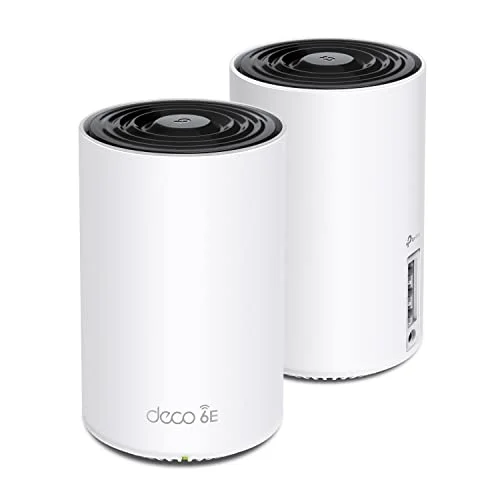
TP-Link Deco XE75 AXE5400 Tri-Band WiFi 6E Mesh System (2-Pack)
Pros
- Tri-band design in a two-node kit sized for apartments and small houses
- Lower entry price than the three-pack
- Dedicated backhaul keeps the second node from competing with your devices
- Easy to add a third unit later
Cons
- Two nodes cover less than the three-packs above
- Same shorter 6GHz wall penetration as the three-pack
- Not worth it if a single router already covers your space
If you live in an apartment or a smaller house, a three-node kit is more than you need. The two-pack XE75 gives you the tri-band design with one fewer node, and you can add a third unit later if a dead spot shows up. It is the right size for two or three rooms, not a whole sprawling house.
Before you buy, confirm that one good router can’t already do the job. Our best routers for home office guide covers single-router options.
WiFi 6 Mesh Buying Guide
Dual-Band or Tri-Band
Dual-band systems share the 5GHz band between your devices and the link between nodes. Tri-band systems add a third band that can carry node-to-node traffic. Tri-band costs more, but it holds up better when many devices are online. For a one- or two-person office, dual-band is usually enough.
Wired Backhaul Beats Everything
If your house has Ethernet runs, connect the nodes with cable. Wired backhaul takes the mesh link off the radio entirely and makes cheap dual-band systems perform far better. Ethernet ports on each node are worth checking before you buy.
Match the Speed to Your Plan
AX1800 and AX3000 are combined radio ratings, not what a single device will see. For a gigabit plan or less, any system here is fine. Anyone with a multi-gig plan should look at the pricier tier, since all of these use Gigabit ports.
Coverage Numbers Are Best Case
Manufacturer square-footage claims assume open space. Brick, concrete, and multiple floors cut real coverage. Plan on placing nodes with one wall between them and the area they serve, not at the extreme edge of the rating.
Check Your Router First
Your ISP’s gateway may already offer WiFi. If you only have one dead room, our WiFi extender roundup is a cheaper fix, and our guide on optimizing WiFi speed for working from home covers placement and channel tweaks that cost nothing.
Node Placement for a Home Office
Most mesh complaints trace back to bad placement rather than bad hardware. Put the main unit near your modem, then place the second node roughly halfway between it and the room that needs coverage. A node in a far corner with a weak link to the main unit gives you a strong signal that goes nowhere. If the home office is the problem room, put a node in or next to it and wire your desktop into that node.
Keep nodes off the floor and away from metal shelves, microwaves, and big TVs. A shelf at chest height in an open room does more than any setting in the app.
Setup Differences Between the Apps
The eero app and the Deco app both handle setup from a phone, but they differ in feel. eero keeps the options short and hides most advanced controls. Deco gives you more toggles, including device prioritization, which lets you mark your work laptop as a high-priority device so a game download in another room doesn’t hurt your calls. If you like to adjust things, Deco suits you. If you want to plug in and leave it, eero does.
What Budget Mesh Gives Up
At this price you give up multi-gig ports, 10G uplinks, and the deeper network controls found on prosumer systems. You also give up a bit of reliability under heavy load, since dual-band units share a radio for backhaul. None of that matters much for calls, email, and cloud documents. It starts to matter if several people stream 4K video while you work. In that case a wired backhaul, or the tri-band XE75, is worth the extra spend.
Security and Updates
Check that your system still gets firmware updates, since an unpatched router is a risk for anyone working from home. All the systems here support the manufacturers’ automatic update options. Turn them on during setup, change the default admin password, and use a separate guest network for visitors and smart home gadgets so they stay off the network your work laptop uses. For more on keeping a work connection safe, see our VPN router roundup.
FAQ
Is WiFi 6 still worth buying in 2026?
Yes, for most home offices. WiFi 7 systems have more features, but WiFi 6 handles video calls, cloud apps, and streaming without trouble, and the price difference is large. Buy WiFi 7 if you have a multi-gig plan or lots of compatible devices.
Do I need a three-pack?
Not always. Two nodes cover most apartments and smaller homes. Three nodes make sense for larger or multi-story houses, or when you want a node near the home office.
Can I use a mesh system with my ISP’s modem?
Yes. Put your ISP gateway in bridge mode, or connect the mesh router to the gateway and let it handle routing. Check your ISP’s instructions, since the steps differ by provider.
Which system is best for video calls?
The tri-band XE75 has the strongest architecture on paper. For a typical home, the X55 with a wired connection to your desk performs just as well and costs less.
Do these systems need a subscription?
No. All of them work for core networking without a subscription. Extra security and filtering features are optional add-ons.
The Bottom Line
The TP-Link Deco X55 is the best WiFi 6 mesh system under $300 for most remote workers. It has the most ports per node and good coverage at a low price. Choose the eero 6+ if setup simplicity matters more than value, the Deco X20 if you want the cheapest three-node kit, and the XE75 if you want tri-band and a bit of headroom.
Detailed Reviews
TP-Link Deco X55 AX3000 WiFi 6 Mesh System (3-Pack)
Pros
- Three Gigabit Ethernet ports on each unit, enough to wire a desktop, a dock, and a printer
- Large coverage claim for a three-pack at this price tier
- Free basic HomeShield tools, including device prioritization
- Lowest cost per square foot of coverage on this list
Cons
- Dual-band, so the 5GHz band is shared between wireless backhaul and your devices
- The Deco app is less polished than eero's
- Gigabit ports only, with no 2.5G option
TP-Link Deco XE75 AXE5400 Tri-Band WiFi 6E Mesh System (3-Pack)
Pros
- Tri-band design with a 6GHz band that can carry node-to-node traffic
- Biggest coverage claim of the group
- Still comes in under the $300 line despite the 6E upgrade
- Free basic HomeShield tools
Cons
- Technically WiFi 6E, so it only counts here because the price fits
- 6GHz range is shorter through walls than 5GHz
- Costs more than the X55 for a speed gain most home offices won't notice
Amazon eero 6+ Mesh WiFi System (3-Pack)
Pros
- App-guided setup that suits anyone without a networking background
- Automatic firmware updates with no subscription needed for the core system
- Built-in smart home hub removes one gadget from the desk
- Works with Alexa routines
Cons
- Highest price on the list, right at the $300 ceiling
- Less coverage than the Deco systems
- Advanced security and filtering features sit behind the optional eero Plus subscription
TP-Link Deco X20 AX1800 WiFi 6 Mesh System (3-Pack)
Pros
- Cheapest way to get a three-node WiFi 6 mesh
- Plenty of coverage for a typical home
- Same Deco app and HomeShield basics as the pricier models
- Two Ethernet ports per unit for wiring a desk
Cons
- AX1800 speeds are the lowest here and can feel limited on fast plans
- Dual-band with shared wireless backhaul
- Amazon listed stock as scarce when checked, so availability may vary
TP-Link Deco XE75 AXE5400 Tri-Band WiFi 6E Mesh System (2-Pack)
Pros
- Tri-band design in a two-node kit sized for apartments and small houses
- Lower entry price than the three-pack
- Dedicated backhaul keeps the second node from competing with your devices
- Easy to add a third unit later
Cons
- Two nodes cover less than the three-packs above
- Same shorter 6GHz wall penetration as the three-pack
- Not worth it if a single router already covers your space