| Spec | Synology DS225+ | QNAP TS-264 | Synology DS425+ | QNAP TS-464 |
|---|---|---|---|---|
| Rating | 9.0/10 | 8.8/10 | 8.8/10 | 8.7/10 |
| Price | $364.99as of Oct 18, 2026 | $413.93-$465.46as of Oct 18, 2026 | $550.05-$579.99as of Oct 18, 2026 | Unavailable |
| Bays | 2-bay (diskless) | 2-bay (diskless) | 4-bay (diskless) | 4-bay (diskless) |
| CPU | Intel Celeron J4125 quad-core 2.0GHz | Intel Celeron N5095 quad-core up to 2.9GHz | Intel Celeron J4125 quad-core 2.0GHz | Intel Celeron N5095 quad-core up to 2.9GHz |
| RAM | 2GB DDR4 (expandable to 6GB) | 8GB DDR4 (expandable to 16GB) | 2GB DDR4 (expandable to 6GB) | 8GB DDR4 (expandable to 16GB) |
| Network | 1x 2.5GbE + 1x 1GbE | 2x 2.5GbE (port trunking to 5Gb/s) | 1x 2.5GbE + 1x 1GbE | 2x 2.5GbE (port trunking to 5Gb/s) |
| USB | 2x USB 3.2 Gen 1 | — | 2x USB 3.2 Gen 1 + 1x USB 2.0 | — |
| Max Capacity | 108TB raw | 40TB raw | 216TB raw | 96TB raw (12TB drives) |
| Power (active) | 16.98W | — | — | — |
| Warranty | 3 years | 2 years | 3 years | 2 years |
| M.2 Slots | — | 2x PCIe NVMe (SSD cache) | — | 2x PCIe NVMe (SSD cache) |
| PCIe | — | 1x PCIe 3.0 expansion | — | 1x PCIe 3.0 expansion |
| Check Price → | Check Price → | Check Price → | Check Price → |
Prices change daily — tap Check Price for the current Amazon price.
Affiliate disclosure: SetupRanked earns a commission on qualifying purchases made through links on this page. This does not affect our editorial rankings.
QNAP raised prices. That’s the headline in 2026. The TS-264 now runs $459–$489 — up from where it launched, and a $120+ premium over the Synology DS225+ at $329–$349. The TS-464 hits $549–$649, while the DS425+ sits at $519–$549. If you were counting on QNAP to deliver more hardware for the same money, that math no longer holds.
What hasn’t changed: the core question these two brands answer differently. Synology builds the easiest NAS software in the category. QNAP builds the most capable hardware at a given bay count. Synology also reversed its controversial drive restriction policy with DSM 7.3 in October 2025, removing the last legitimate complaint against the platform.
This comparison covers four models — Synology DS225+ and DS425+ against QNAP TS-264 and TS-464 — with specific guidance on which makes sense for your actual use case.
Quick Comparison
| Model | Bays | CPU | RAM | Network | Price | Rating |
|---|---|---|---|---|---|---|
| Synology DS225+ | 2 | J4125 2.0GHz | 2GB (6GB max) | 2.5GbE + 1GbE | $364.99 as of Oct 18, 2026 | 9.0 |
| QNAP TS-264 | 2 | N5095 2.9GHz | 8GB (16GB max) | 2x 2.5GbE | $413.93-$465.46 as of Oct 18, 2026 | 8.8 |
| Synology DS425+ | 4 | J4125 2.0GHz | 2GB (6GB max) | 2.5GbE + 1GbE | $550.05-$579.99 as of Oct 18, 2026 | 8.8 |
| QNAP TS-464 | 4 | N5095 2.9GHz | 8GB (16GB max) | 2x 2.5GbE | Unavailable | 8.7 |
Brand Philosophy: Different Priorities
Synology builds for the mainstream. DSM (DiskStation Manager) is the best NAS operating system for users who have never run one before. Clean interface, useful built-in apps, guided setup. Backup configuration takes minutes. Synology charges a software premium — the hardware inside a DS225+ is not exceptional for the price, but the platform around it is. DSM 8.0 is expected later in 2026, which should be a meaningful upgrade for existing owners.
QNAP builds for the technical user. QTS exposes significantly more configuration options and hardware capabilities — 8GB of RAM, dual M.2 NVMe slots, PCIe expansion, dual 2.5GbE. These are real advantages. The catch is that QNAP now charges $120–$160 more than Synology at each tier. The hardware advantage is genuine. Whether it justifies the premium depends on what you plan to run.
The choice almost always comes down to: what will you actually do with this thing?
Synology DS225+ — Best 2-Bay NAS for Most Home Office Workers
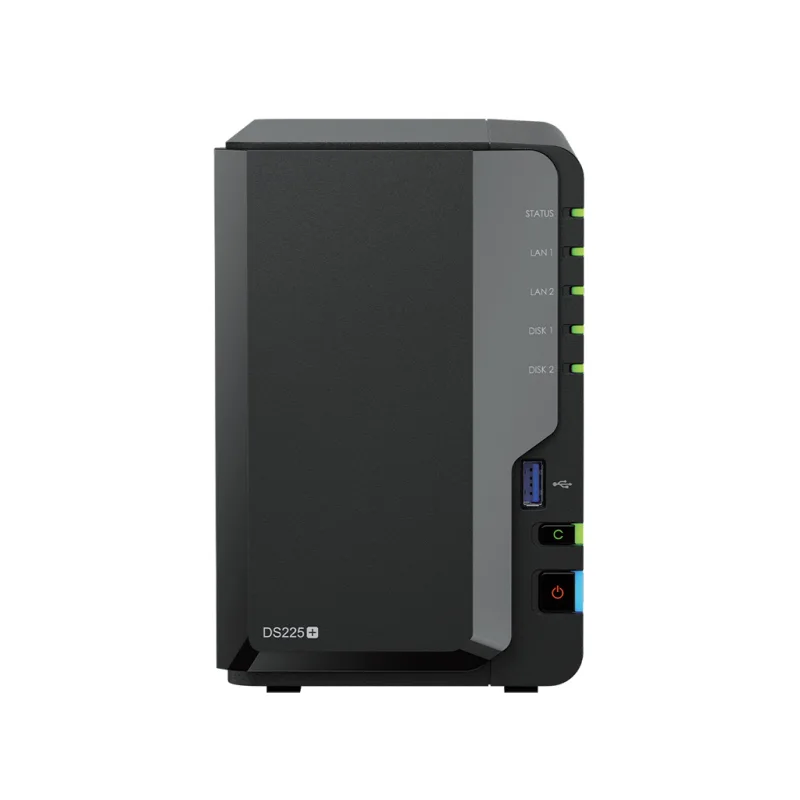
The DS225+ updated the DS224+ with one meaningful hardware change: a 2.5GbE port replacing the second 1GbE. Backups and large file transfers between a NAS and a modern laptop run noticeably faster at 2.5Gb/s. Everything else is essentially the same platform as its predecessor.
The Intel Celeron J4125 handles file serving, backup, and light multimedia without complaints. Push it toward 4K HDR transcoding for remote Plex playback, and the QNAP TS-264’s N5095 will outrun it. If Plex transcoding is a regular use case, that gap is real.
Where the DS225+ dominates is software. Synology Photos is the best self-hosted photo library app available — facial recognition, album organization, mobile sync, no subscription fee. Synology Drive functions like a self-hosted Google Drive with desktop sync on Windows and macOS. Active Backup for Business covers unlimited PCs and VMs without per-device licensing fees. None of these require configuration expertise.
DSM 7.3 resolved Synology’s biggest complaint. Third-party SATA drives — WD Red Plus, Seagate IronWolf, Toshiba N300 — are now fully supported without warnings or degraded functionality. Buy diskless, add whatever NAS-rated drives you already own or find on sale.
At $329–$349, this is the most straightforward and affordable entry point in the category.
Buy this if: You want private cloud backup, shared file access, and a photo library without needing to learn NAS administration.
Skip this if: You plan to run Docker containers alongside heavy file workloads, or 4K Plex transcoding is a daily use case.
QNAP TS-264 — More Hardware, Real Premium
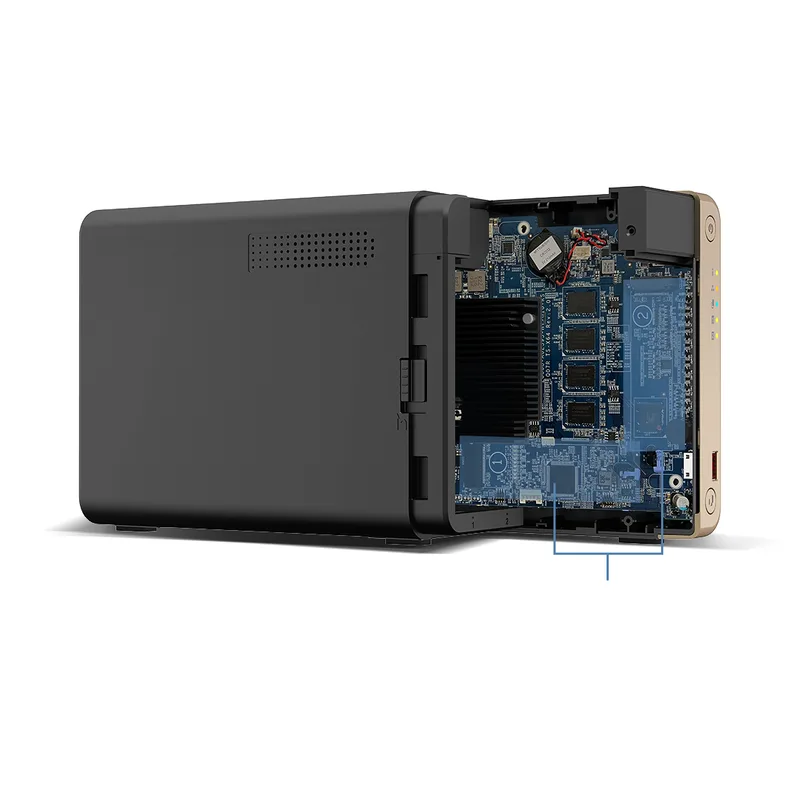
The TS-264 ships with hardware the DS225+ doesn’t offer: 8GB DDR4, dual M.2 NVMe slots for SSD caching, one PCIe 3.0 expansion slot, and dual 2.5GbE with port trunking. The N5095 processor runs up to 2.9GHz — faster than the J4125 for transcoding and concurrent container workloads.
Run Docker containers in Container Station, and you have 8GB of available RAM rather than the 2GB ceiling of the DS225+. Run a VPN server, a home automation stack, and Plex simultaneously — the TS-264 handles it where the DS225+ gets congested. The PCIe slot enables 10GbE networking via an add-in card. No Synology consumer NAS at this price tier matches that expansion path.
The trade-off is real: at $459–$489, the TS-264 runs $120–$140 more than the DS225+. Same bay count, same enclosure size. You’re paying for hardware overhead — and if you’re running a standard file server and backup target, you’ll never use it. QTS is also more complex than DSM. Setup takes longer, app navigation requires more searching, and terminology assumes more technical baseline.
Buy this if: You run Docker containers, want 4K Plex transcoding headroom, or plan to add 10GbE later via PCIe.
Skip this if: You want a plug-and-play backup box. The DS225+ does that better and costs $120 less.
Synology DS425+ — Four Bays, Best Value 4-Bay
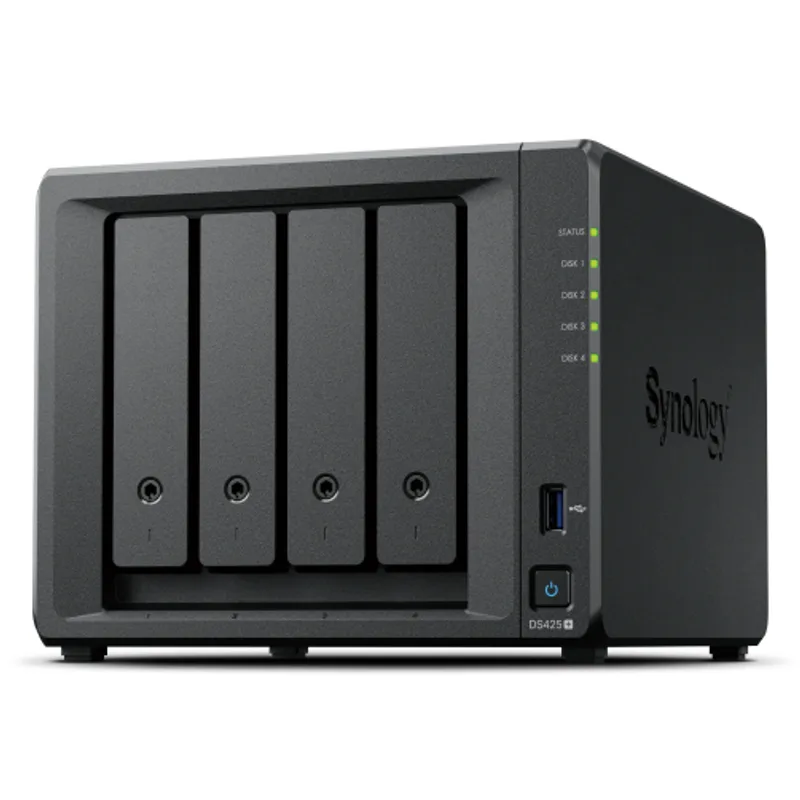
The DS425+ puts four bays into the DSM platform. The processor (J4125) and RAM (2GB) are identical to the DS225+. The upgrade is storage strategy, not processing power.
Four bays enable RAID 5 or RAID 6, which changes the redundancy math. RAID 5 with four drives gives 75% usable capacity with single-drive fault tolerance. RAID 6 tolerates two simultaneous drive failures. For a home office storing irreplaceable project files, financial records, or years of client work, that redundancy is worth more than performance overhead.
Synology’s Hybrid RAID (SHR) handles mixed-size drive configurations that standard RAID manages poorly. Put two 4TB drives and two 8TB drives in — SHR creates a clean redundant volume without the capacity waste RAID 5 produces in mixed configurations.
The 3-year warranty is the standout. QNAP’s TS-464 covers only 2 years. For a device storing critical data, the extra year at no additional cost matters — and at $519–$549, the DS425+ is priced below the TS-464.
Buy this if: You need RAID redundancy, more than 20TB of usable storage, and want the Synology platform without paying the QNAP price premium.
Skip this if: You run Docker containers or need faster transcoding — the J4125 processor and 2GB RAM limitations are identical to the DS225+.
QNAP TS-464 — Most Capable 4-Bay, Highest Price
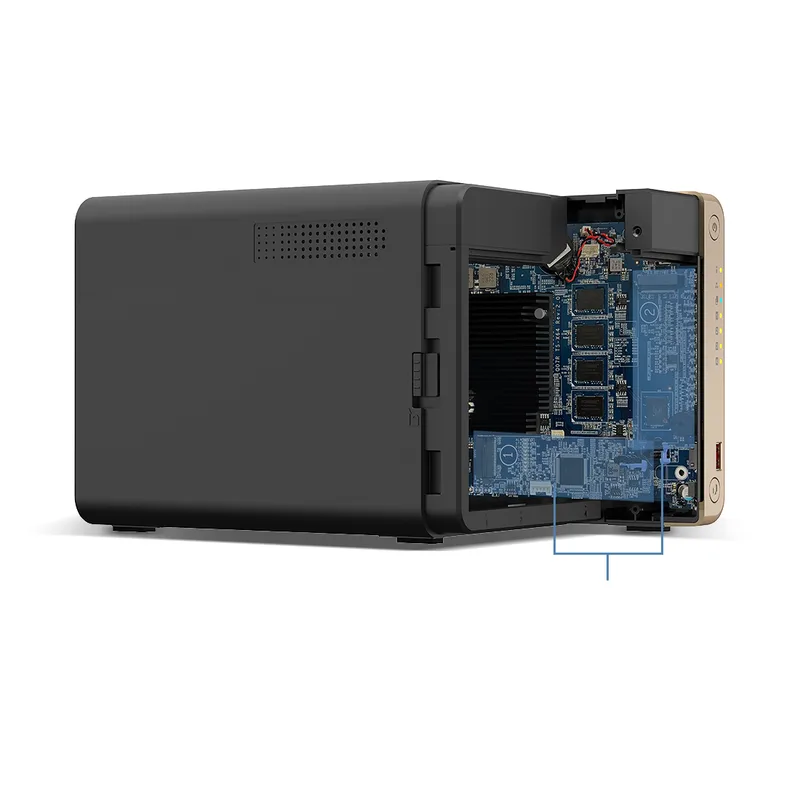
The TS-464 carries the same hardware advantage to 4 bays: N5095 processor, 8GB RAM, dual M.2 NVMe slots, PCIe expansion, dual 2.5GbE with port trunking. For a demanding workload — 4K Plex, multiple Docker containers, simultaneous multi-user file access — the TS-464 handles what pushes the DS425+ to its limits.
SSD caching via the M.2 slots accelerates sequential reads practically. Container Station supports both Docker and Kubernetes, opening the door to self-hosted stacks (Nextcloud, Home Assistant, Bitwarden) that the DS425+ can technically run but with considerably less headroom. The PCIe slot enables 10GbE expansion — a path no Synology consumer model in this range offers.
The cost is higher than it used to be. At $549–$649, the TS-464 now runs $30–$100 more than the DS425+ depending on where you buy. That’s a narrower gap than the 2-bay tier, but the DS425+ still undercuts it. QNAP’s security posture is also improved — QTS now enforces strong passwords and 2FA at setup, and patch cadence has tightened since the Deadbolt ransomware incidents. Synology’s track record remains slightly cleaner, but the gap is narrower than it was.
Buy this if: You’re building a serious home lab — 4K Plex, multiple Docker stacks, and 10GbE expansion on the roadmap.
Skip this if: You want 4-bay storage for backup and file access. The DS425+ is cheaper, has a longer warranty, and DSM is easier to manage.
Head-to-Head: Key Categories
Ease of Use
Synology wins clearly. DSM 7.3 is the standard for NAS setup ease. Initial configuration takes under 20 minutes. PC backup is guided and direct. QTS has improved but every task requires more steps and more decision-making.
Hardware Per Dollar
Mixed. QNAP has better specs — but you pay $120–$160 more at each tier now. If you need Docker, transcoding, or NVMe caching, QNAP is worth the premium. If you’re running a file server and backup target, the hardware advantage doesn’t translate into better outcomes.
Software Ecosystem
Synology wins. Photos, Drive, and Active Backup are polished, actively maintained, and work out of the box. QNAP’s App Center has more titles but variable quality and maintenance frequency.
Docker and Container Performance
QNAP wins. 8GB RAM vs 2GB makes a practical difference for container workloads. Container Station is purpose-built for Docker and Kubernetes. Synology’s Container Manager works, but the hardware ceiling on base models limits concurrent performance.
Backup Reliability
Draw. Both platforms handle PC backup, Time Machine, and cloud sync to Backblaze B2 and similar providers. Active Backup has no per-device fees. QNAP’s Hybrid Backup Sync covers more cloud providers out of the box.
Security and Firmware
Synology wins slightly. Cleaner security advisory history, faster patch cadence, longer track record. Both platforms now require strong passwords and 2FA at setup.
Warranty
Synology wins. 3-year standard coverage vs QNAP’s 2-year. At current pricing where QNAP already costs more, the shorter warranty adds insult to injury for anyone considering price-to-value.
Buying Guide
Buy Synology (DS225+ or DS425+) if:
- You want a NAS that works without IT expertise — DSM is the clear leader here
- Synology Photos matters — no competing self-hosted photo app in this category matches it
- Multiple PCs and Macs need backup — Active Backup covers unlimited devices without per-device fees
- You want the longer warranty (3 years) at a lower price
- Power efficiency matters — the DS225+ uses under 17W during active use
Buy QNAP (TS-264 or TS-464) if:
- You want to run Docker containers, VMs, or a self-hosted app stack
- 4K Plex transcoding is a regular use case — the N5095 handles it more reliably
- M.2 NVMe SSD caching for faster sequential performance is a priority
- 10GbE expansion is on your roadmap — only QNAP offers PCIe in this price range
- You’re comfortable with QTS complexity and the $120–$150 price premium is justified by your workload
2-bay vs 4-bay:
- 2-bay: Start here with RAID 1 for mirrored redundancy. Simpler and cheaper to populate.
- 4-bay: Right for RAID 5/6 fault tolerance, or if you need more than 20TB of usable storage.
On hard drives: Use NAS-rated drives. Seagate IronWolf and WD Red Plus are the standard choices in 4TB, 6TB, 8TB, and larger capacities — both work on Synology and QNAP without issue. For a 2-bay home office setup, two 4TB IronWolf drives in RAID 1 is the practical starting point.
FAQ
Does Synology still lock you into Synology-branded drives in 2026?
No. Synology reversed that policy with DSM 7.3 (October 2025). All Plus, Value, and J series NAS devices now support third-party SATA drives without warnings or restricted functionality. WD Red Plus, Seagate IronWolf, and similar NAS-rated drives work normally. Synology-certified drives remain an option but are no longer required.
Which NAS is easier to set up for someone who has never used one?
Synology. The DS225+ setup wizard walks through network configuration, RAID selection, and user accounts in plain language. DSM maps closely to how non-technical users think about file organization. QTS assumes more baseline networking and storage knowledge — if you just want files backed up and accessible remotely, start with Synology.
Can I run Plex on either of these?
Yes, both support Plex Media Server. The QNAP TS-264 and TS-464 (N5095 processor) handle 4K-to-1080p software transcoding more reliably than the Synology models (J4125 processor). If your Plex clients support direct play — Apple TV 4K, Nvidia Shield — transcoding matters less. If clients require transcoding, QNAP is the better choice.
Is QNAP safe after the ransomware incidents?
QNAP substantially improved security practices after the Deadbolt ransomware attacks of 2021–2022. Current QTS versions require strong passwords and 2FA at setup, default ports are hardened, and patch frequency has tightened. Synology’s security track record remains cleaner. For either brand: keep the NAS off the public internet, enable the built-in firewall, and keep firmware current — those steps eliminate the vast majority of home office risk.
Should I wait for DSM 8?
Synology has indicated DSM 8.0 is coming later in 2026. It’s expected to bring a significant UI overhaul and new features. Existing DS225+ and DS425+ owners will receive the upgrade — there’s no hardware reason to wait. If you’re ready to buy now, go ahead.
What hard drives should I use?
Seagate IronWolf and WD Red Plus are the two standard lines. Both are available in 4TB–20TB capacities on Amazon and work on both brands without issue. Two 4TB IronWolf drives in RAID 1 is a practical 2-bay starting point — 4TB of protected storage at a reasonable cost.
Conclusion: Which Brand Wins in 2026?
For most home office remote workers, Synology is the better choice. The DS225+ at $329–$349 is the most accessible and well-supported entry point in the category. DSM is easier to set up and manage, the backup and photo apps are polished, and with DSM 7.3’s reversal on third-party drives, there’s no longer a legitimate reason to avoid the platform. The DS425+ extends that case to 4-bay storage at $519–$549 with a 3-year warranty — and it undercuts the QNAP TS-464 on price.
QNAP earns the win for technical users who know what they’re buying. The TS-264 and TS-464 have genuinely better hardware — more RAM, faster processors, NVMe caching, PCIe expandability. If you run Docker containers, need 4K Plex transcoding headroom, or plan to expand to 10GbE, the premium is justified. If your workload is file serving and backup, you’re paying $120–$160 for hardware you won’t stress.
The pricing dynamic shifted. QNAP was previously the “better hardware for the same money” brand. That’s no longer true. You’re paying a real premium now, and Synology’s software and warranty advantages look stronger for it.
Top picks: Synology DS225+ for most home office workers. QNAP TS-264 for technical users who need Docker and transcoding headroom. Synology DS425+ for 4-bay storage at the best value price.
Detailed Reviews
Synology DS225+
Pros
- DSM is the easiest NAS operating system for beginners — clean UI, logical app layout
- DSM 7.3 reversed the controversial HDD restrictions — third-party drives now fully supported
- Synology Photos and Drive apps are genuinely excellent and work out of the box
- Active Backup for Business covers PCs, Macs, and VMs without per-device licensing fees
- Extremely efficient — under 17W during active use, under 7W in drive hibernation
Cons
- Less processing power than QNAP — slower for heavy 4K transcoding workloads
- Only 2GB RAM out of the box (6GB max) — limits concurrent app performance
- Weaker hardware upgrade path compared to QNAP's M.2 + PCIe expansion
QNAP TS-264
Pros
- 8GB RAM standard vs Synology's 2GB — handles Docker containers and VMs without choking
- Two M.2 NVMe slots enable SSD caching for dramatically faster sequential reads
- PCIe expansion adds 10GbE networking or additional storage controllers
- Faster N5095 processor handles 4K transcoding and concurrent heavy workloads better
- Dual 2.5GbE with port trunking gives up to 5Gb/s aggregate throughput
Cons
- $120-$140 more expensive than the DS225+ for the same 2-bay form factor
- QTS is feature-rich but noticeably more complex than DSM for NAS newcomers
- 2-year warranty vs Synology's 3-year standard coverage
Synology DS425+
Pros
- Four bays support RAID 5/6 for true redundancy with usable capacity
- Same DSM software as DS225+ — familiar interface scales smoothly to more storage
- 3-year warranty is the longest in this comparison
- Supports Synology expansion units (DX517) to grow beyond 4 bays
- Active Backup for Business handles unlimited PCs and VMs as your team grows
Cons
- Same J4125 processor as DS225+ — not faster, just more bays
- Only 2GB RAM limits performance when running multiple apps and high-traffic shares
- 1x 2.5GbE + 1x 1GbE is less network bandwidth than QNAP's dual 2.5GbE
QNAP TS-464
Pros
- 8GB RAM + N5095 processor handles 4K Plex transcoding, VMs, and Docker simultaneously
- Dual 2.5GbE with port trunking benefits multi-user environments and large file transfers
- SSD caching via M.2 NVMe dramatically accelerates random read performance
- QNAP Container Station runs Docker and Kubernetes for advanced home lab setups
- PCIe slot supports 10GbE expansion — no Synology consumer model in this range offers that
Cons
- At $549-$649, costs more than the Synology DS425+ for a comparable 4-bay tier
- QTS complexity is a barrier for users who want a plug-and-play file server
- 2-year warranty vs Synology's 3-year standard coverage