| Spec | Apple MacBook Pro 14 M5 (16GB/512GB) | Dell XPS 16 (2026) | Apple MacBook Pro 14 M5 (24GB/1TB) |
|---|---|---|---|
| Rating | 9.3/10 | 8.4/10 | 9.5/10 |
| Price | $1439.10-$1999.00as of Oct 11, 2026 | $1,749-$2,199 | Unavailable |
| Processor | Apple M5, 10-core CPU (4P+6E) | Intel Core Ultra 7 355 (Panther Lake, Series 3) | Apple M5, 10-core CPU (4P+6E) |
| GPU | 10-core integrated GPU | Intel Arc B390 integrated (no discrete GPU) | 10-core integrated GPU |
| RAM | 16GB unified memory | 32GB LPDDR5X | 24GB unified memory |
| Storage | 512GB SSD | 1TB NVMe SSD | 1TB SSD |
| Display | 14.2" Liquid Retina XDR, 3024×1964, 1600 nits peak | 16.0" WUXGA IPS 120Hz (3.2K OLED touch available higher up) | 14.2" Liquid Retina XDR, 3024×1964, 1600 nits peak |
| Battery | 22 hours (Apple video streaming estimate) | 70Wh — rated ~12 hours, closer to 8 hours in mixed real-world use | 22 hours (Apple video streaming estimate) |
| Weight | 3.5 lbs (1.55 kg) | 3.75 lbs (1.7 kg) | 3.5 lbs (1.55 kg) |
| Ports | 3× Thunderbolt 4, MagSafe 3, HDMI 2.1, SDXC, headphone | 3× Thunderbolt 4 (USB4, 40Gbps), headphone jack — no USB-A | 3× Thunderbolt 4, MagSafe 3, HDMI 2.1, SDXC, headphone |
| Webcam | 12MP Center Stage | 8MP, 4K capture | 12MP Center Stage |
| OS | macOS Sequoia | Windows 11 Home | macOS Sequoia |
| Check Price → | Check Price → | Check Price → |
Prices change daily — tap Check Price for the current Amazon price.
Dell killed the “XPS 15” name. At CES 2026 the company revived the XPS line after skipping it entirely in 2025, and the 16-inch flagship that replaced the old XPS 15 9530 now ships as the XPS 16 (2026) — a full pound lighter, built on Intel’s new Panther Lake chips, and priced from $1,749. If you’re still searching for “Dell XPS 15 vs MacBook Pro,” the XPS 15 is what you want to compare against; it’s just wearing a new name now. Apple’s side of this matchup hasn’t moved as much — the 14-inch MacBook Pro M5 that launched in October 2025 is still the current model, unchanged since Apple’s March 2026 M5 Pro/Max update added higher-tier chips above it.
This comparison sets the 16-inch Dell against two configurations of the 14-inch MacBook Pro, because the real decision here isn’t Windows vs macOS in the abstract — it’s whether the bigger screen is worth the extra weight and the trip to Dell.com instead of Amazon.
Quick Comparison
| Spec | Apple MacBook Pro 14 M5 (16GB/512GB) | Dell XPS 16 (2026) | Apple MacBook Pro 14 M5 (24GB/1TB) |
|---|---|---|---|
| Rating | 9.3/10 | 8.4/10 | 9.5/10 |
| Price | $1439.10-$1999.00as of Oct 11, 2026 | $1,749-$2,199 | Unavailable |
| Processor | Apple M5, 10-core CPU (4P+6E) | Intel Core Ultra 7 355 (Panther Lake, Series 3) | Apple M5, 10-core CPU (4P+6E) |
| GPU | 10-core integrated GPU | Intel Arc B390 integrated (no discrete GPU) | 10-core integrated GPU |
| RAM | 16GB unified memory | 32GB LPDDR5X | 24GB unified memory |
| Storage | 512GB SSD | 1TB NVMe SSD | 1TB SSD |
| Display | 14.2" Liquid Retina XDR, 3024×1964, 1600 nits peak | 16.0" WUXGA IPS 120Hz (3.2K OLED touch available higher up) | 14.2" Liquid Retina XDR, 3024×1964, 1600 nits peak |
| Battery | 22 hours (Apple video streaming estimate) | 70Wh — rated ~12 hours, closer to 8 hours in mixed real-world use | 22 hours (Apple video streaming estimate) |
| Weight | 3.5 lbs (1.55 kg) | 3.75 lbs (1.7 kg) | 3.5 lbs (1.55 kg) |
| Ports | 3× Thunderbolt 4, MagSafe 3, HDMI 2.1, SDXC, headphone | 3× Thunderbolt 4 (USB4, 40Gbps), headphone jack — no USB-A | 3× Thunderbolt 4, MagSafe 3, HDMI 2.1, SDXC, headphone |
| Webcam | 12MP Center Stage | 8MP, 4K capture | 12MP Center Stage |
| OS | macOS Sequoia | Windows 11 Home | macOS Sequoia |
| Check Price → | Check Price at Dell | Check Price → |
Prices change daily — tap Check Price for the current Amazon price.
Apple MacBook Pro 14 M5 (16GB/512GB) — Smallest and Most Portable
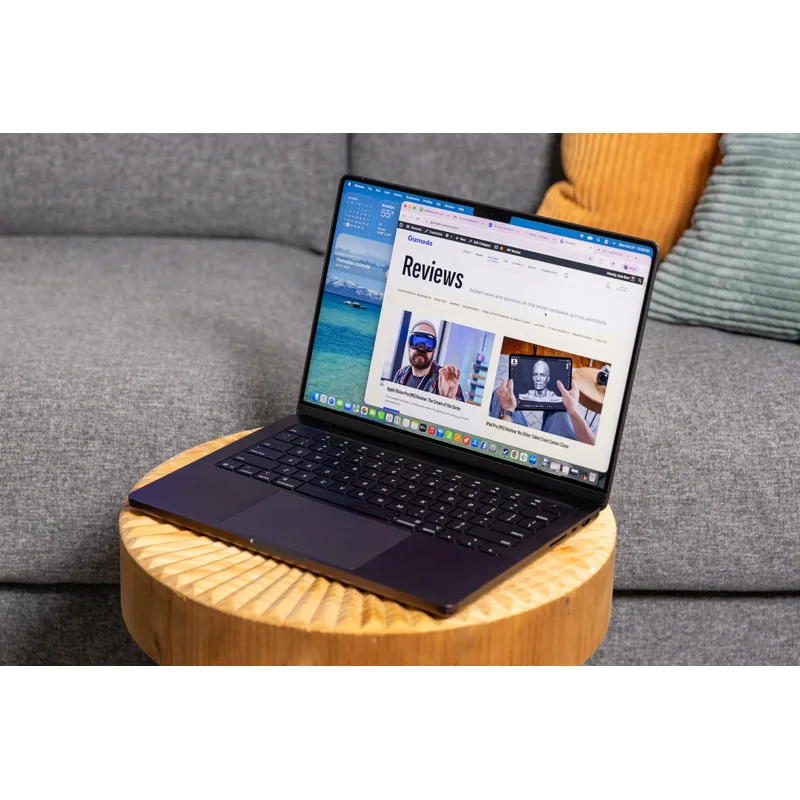
Apple MacBook Pro 14 M5 (16GB/512GB)
Pros
- Smallest, lightest machine in this comparison at 3.5 lbs — easiest to carry daily if you don't need a bigger canvas
- 12MP Center Stage webcam beats every built-in camera on a Windows laptop at this price, XPS 16 included
- Three Thunderbolt 4 ports plus HDMI, SDXC, and MagSafe cover a full desk setup without a dock
- M5's performance-per-watt keeps fans quiet and battery draining slowly under normal remote-work loads
- Apple Intelligence and macOS integration matter if the rest of your workflow already lives on Apple hardware
Cons
- 14.2-inch screen feels cramped next to the XPS 16 for spreadsheet-heavy or multi-pane coding work
- 16GB unified memory is shared between CPU and GPU — heavier multitasking hits limits sooner than on paper
- No USB-A port — older peripherals need an adapter
The base MacBook Pro 14 M5 is still the easiest laptop to live with day to day. At 3.5 lbs with a 22-hour battery estimate (14-16 hours in real mixed use), it disappears into a bag without becoming a burden, and the M5 chip handles video calls, browser tabs, and typical office work without the fan spinning up.
The webcam is the standout feature nobody else in this comparison matches. The 12MP Center Stage camera automatically reframes as you move and produces noticeably better video on Zoom and Teams than either the Dell’s 8MP sensor or any external webcam most remote workers would bother adding. Combined with three Thunderbolt 4 ports, HDMI 2.1, SDXC, and MagSafe, it’s a complete desk setup with zero dongles.
The tradeoff against the XPS 16 is screen space. 14.2 inches is comfortable for email, calls, and single-app focus work, but it’s a smaller canvas than the Dell’s 16-inch panel for anyone regularly working across multiple windows.
Best for: Remote workers who prioritize portability and video call quality over screen real estate, and who don’t have a hard Windows requirement.
Dell XPS 16 (2026) — Most Screen, Windows Required
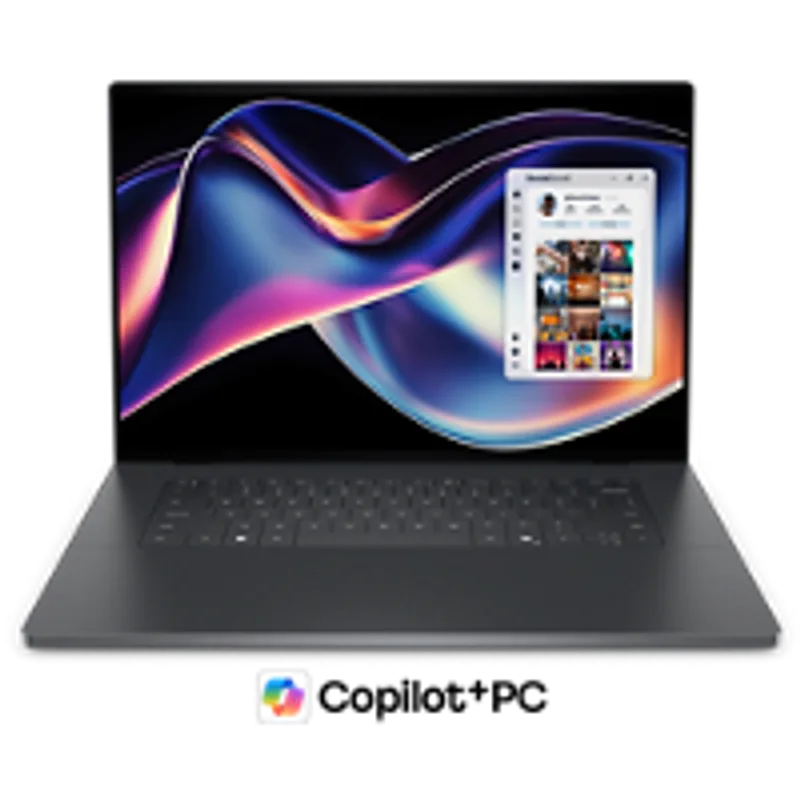
Dell XPS 16 (2026)
Pros
- 16-inch panel gives real extra working space over any 14-inch laptop — noticeable for spreadsheets, side-by-side docs, and multi-window coding
- 8MP webcam captures sharp 4K video, a clear step up from the 1080p cameras on most Windows laptops
- All three ports run full Thunderbolt 4 / USB4 bandwidth — no mixed fast/slow USB-C ports to remember
- Panther Lake efficiency plus a 70Wh battery gets a full workday of mixed use without hunting for an outlet
- Windows 11 keeps you on enterprise software, ERP tools, and peripherals that don't have a native macOS build
Cons
- Heaviest laptop in this comparison — 3.75 lbs is noticeable after the MacBook Pro's 3.5 lbs on travel days
- No discrete GPU — Intel Arc B390 handles everyday work fine but isn't built for heavy video rendering
- Sold direct from Dell.com only — no Amazon listing for the current-generation model as of September 2026
- No USB-A anywhere on the chassis, so a dock or hub isn't optional if you connect older peripherals
The XPS 16 is the laptop the old XPS 15 crowd should actually be looking at. Dell rebuilt it around Panther Lake silicon, dropped nearly half a pound versus the outgoing XPS 15 9530, and added Wi-Fi 7 across the board. The base Core Ultra 7 355 configuration handles compiling code, running local AI tools, and juggling dozens of browser tabs without thermal throttling, and every port is full-bandwidth Thunderbolt 4 — no mixing fast and slow USB-C like cheaper Windows laptops still do.
The 16-inch display is the actual reason to pick this over the MacBook Pro. For spreadsheet-heavy work, side-by-side document review, or coding with multiple panes open, the extra 1.8 inches diagonal is a real, daily difference that a bigger external monitor at home doesn’t help with when you’re working from a hotel room or a client’s office.
Two practical catches. First, the current-generation XPS 16 is sold only through Dell.com — it hasn’t reached Amazon as of September 2026, so there’s no Prime shipping or Amazon return process. Second, there’s no discrete GPU option; the integrated Intel Arc B390 is fine for everyday remote work but not built for heavy video encoding.
Best for: Windows-committed remote workers who spend real time in spreadsheets, IDEs, or multi-window layouts and want the extra screen more than they want the lightest possible bag.
Apple MacBook Pro 14 M5 (24GB/1TB) — For Heavier Workloads
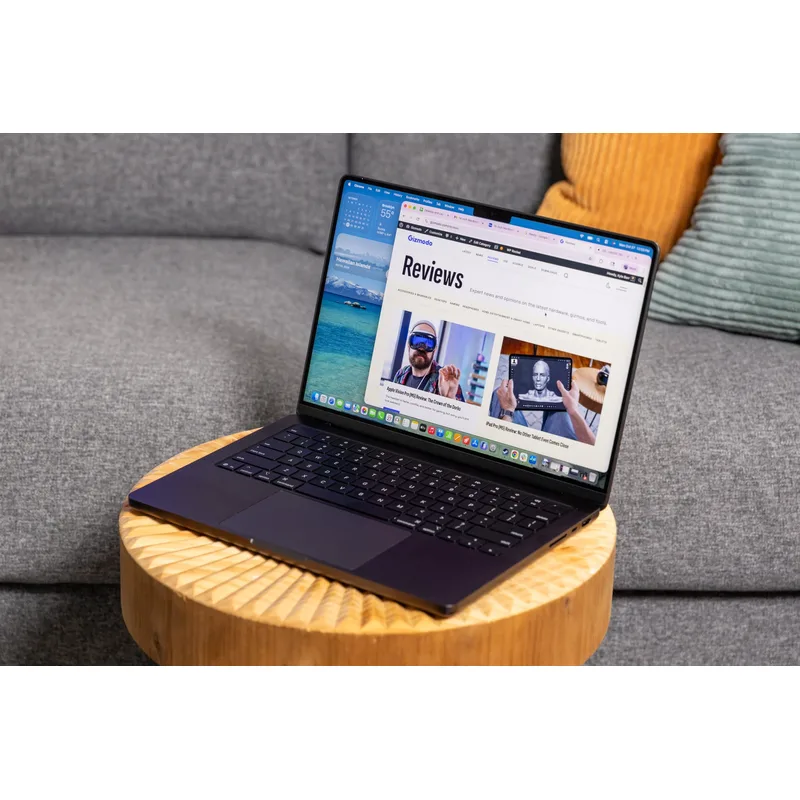
Apple MacBook Pro 14 M5 (24GB/1TB)
Pros
- 24GB unified memory absorbs Docker containers, big browser sessions, and creative apps running at once without slowdown
- 1TB SSD removes the storage pressure that hits the base 512GB model within a year or two of project files
- Same 22-hour battery estimate as the 16GB model — no efficiency penalty for the extra memory
- Keeps every MacBook Pro 14 advantage — webcam, ports, weight — while removing the memory ceiling
Cons
- $325-$475 premium over the base 16GB model for most remote workers who won't notice the difference day to day
- Still a 14.2-inch screen — the memory bump doesn't solve the screen-space limitation the XPS 16 addresses
- No USB-A port, same as the base configuration
This is the 16GB MacBook Pro’s memory ceiling removed. RAM is soldered on Apple Silicon, so the 24GB configuration is the only way to buy headroom rather than add it later. For remote workers running development environments, multiple VMs, or creative software alongside the usual Slack-and-Zoom load, the extra memory avoids the point where the base model starts swapping.
Everything else that makes the 14-inch MacBook Pro good — the webcam, the port selection, the 3.5 lb weight — carries over unchanged, and the battery estimate doesn’t drop despite the extra memory. What it doesn’t fix is the screen-size gap against the XPS 16; if that’s your actual complaint about the base model, more RAM won’t address it.
Best for: Developers and remote workers with genuinely memory-heavy workflows who plan to keep the machine three-plus years and want to avoid hitting a ceiling.
Head-to-Head: What Actually Decides This
Screen size vs. portability
The XPS 16’s 16-inch display is the single biggest functional difference in this comparison — a real advantage for spreadsheet and multi-window work. The MacBook Pro 14 wins on portability, at a quarter-pound less and a smaller footprint in a bag.
Battery
Both are strong. The MacBook Pro’s 22-hour estimate translates to roughly 14-16 hours of real mixed use. The XPS 16’s 70Wh battery is rated near 12 hours and lands closer to 8 in practice — solid for a 16-inch Windows laptop, but behind the MacBook Pro.
Webcam
MacBook Pro, clearly. The 12MP Center Stage camera is better than the XPS 16’s 8MP sensor, which is itself already ahead of most Windows competitors.
Ports
Close. Both rely on Thunderbolt 4/USB4, but the MacBook Pro adds HDMI, an SD card slot, and MagSafe on top of three Thunderbolt ports — genuinely more flexible for a desk setup without a dock.
Buying experience
The MacBook Pro ships through Amazon with standard Prime shipping and returns. The current XPS 16 is Dell.com only, which means a longer return window process if something’s wrong out of the box.
Resale and long-term value
MacBooks historically hold resale value better than Windows laptops of comparable age — a three-year-old MacBook Pro typically retains a noticeably higher percentage of its original price than a comparable Dell on the secondhand market. That’s a real factor if you upgrade every few years and sell the old machine to offset the cost of the new one. The XPS 16’s advantage runs the other way: Dell’s business-class support and parts availability make it easier to keep running (and repair) well past the point where most consumer laptops get retired.
Buying Guide: Which One to Get
Buy the MacBook Pro 14 M5 (16GB) if:
- Portability and battery life matter more than screen size
- Video call quality from the built-in camera is a priority
- You’re already in the Apple ecosystem
Buy the Dell XPS 16 (2026) if:
- Windows is non-negotiable for your job
- You regularly work across multiple windows or spreadsheets and want the extra screen space
- You’re comfortable ordering direct from Dell instead of Amazon
Buy the MacBook Pro 14 M5 (24GB/1TB) if:
- You run development environments, VMs, or creative software alongside normal remote work apps
- You plan to keep the machine 3+ years and want to avoid a memory ceiling
FAQ
Is the Dell XPS 15 still available in 2026?
Not as a current model. Dell discontinued the XPS 15 9530 and replaced the 16-inch tier of its lineup with the XPS 16 (2026), announced at CES 2026. If you’re comparing against “the Dell XPS 15,” the XPS 16 is its direct successor — lighter, on newer Panther Lake silicon, with Wi-Fi 7 standard.
Can I buy the Dell XPS 16 (2026) on Amazon?
Not yet as of September 2026. It’s sold exclusively through Dell.com. If you specifically need Amazon Prime shipping or returns, that’s a real factor to weigh against the larger screen.
Does the extra RAM in the 24GB MacBook Pro matter for typical remote work?
For email, Slack, video calls, and a browser with 20-30 tabs, not much — the 16GB base model handles that fine. The 24GB model matters once you’re running Docker containers, multiple VMs, or professional creative software simultaneously.
Which laptop is better for a dual-monitor home office setup?
Both handle it. The MacBook Pro 14 supports one external display via HDMI plus more over Thunderbolt 4, while the XPS 16’s three Thunderbolt 4 ports drive external displays at full bandwidth too. Neither needs a dock just to add a monitor, though a dock still helps if you want to plug in one cable for power, display, and peripherals together.
Is the Intel Arc B390 in the XPS 16 good enough for video editing?
For light editing and everyday creative work, yes. For heavier video rendering or GPU-accelerated workloads, neither laptop in this comparison has a discrete GPU — you’d need a different machine entirely.
Conclusion
For most remote workers, the MacBook Pro 14 M5 (16GB) remains the easiest overall recommendation — best battery, best webcam, and the most complete port selection without a dock, all in the lightest package here at $1,724.
If screen space is your actual complaint about 14-inch laptops and Windows is required, the Dell XPS 16 (2026) is the direct, improved successor to the old XPS 15 — just be ready to buy from Dell.com rather than Amazon.
For memory-heavy workflows, step up to the MacBook Pro 14 M5 (24GB/1TB) at $2,049 — same portability and battery as the base model, with room for real multitasking.
Detailed Reviews
Apple MacBook Pro 14 M5 (16GB/512GB)
Pros
- Smallest, lightest machine in this comparison at 3.5 lbs — easiest to carry daily if you don't need a bigger canvas
- 12MP Center Stage webcam beats every built-in camera on a Windows laptop at this price, XPS 16 included
- Three Thunderbolt 4 ports plus HDMI, SDXC, and MagSafe cover a full desk setup without a dock
- M5's performance-per-watt keeps fans quiet and battery draining slowly under normal remote-work loads
- Apple Intelligence and macOS integration matter if the rest of your workflow already lives on Apple hardware
Cons
- 14.2-inch screen feels cramped next to the XPS 16 for spreadsheet-heavy or multi-pane coding work
- 16GB unified memory is shared between CPU and GPU — heavier multitasking hits limits sooner than on paper
- No USB-A port — older peripherals need an adapter
Dell XPS 16 (2026)
Pros
- 16-inch panel gives real extra working space over any 14-inch laptop — noticeable for spreadsheets, side-by-side docs, and multi-window coding
- 8MP webcam captures sharp 4K video, a clear step up from the 1080p cameras on most Windows laptops
- All three ports run full Thunderbolt 4 / USB4 bandwidth — no mixed fast/slow USB-C ports to remember
- Panther Lake efficiency plus a 70Wh battery gets a full workday of mixed use without hunting for an outlet
- Windows 11 keeps you on enterprise software, ERP tools, and peripherals that don't have a native macOS build
Cons
- Heaviest laptop in this comparison — 3.75 lbs is noticeable after the MacBook Pro's 3.5 lbs on travel days
- No discrete GPU — Intel Arc B390 handles everyday work fine but isn't built for heavy video rendering
- Sold direct from Dell.com only — no Amazon listing for the current-generation model as of September 2026
- No USB-A anywhere on the chassis, so a dock or hub isn't optional if you connect older peripherals
Apple MacBook Pro 14 M5 (24GB/1TB)
Pros
- 24GB unified memory absorbs Docker containers, big browser sessions, and creative apps running at once without slowdown
- 1TB SSD removes the storage pressure that hits the base 512GB model within a year or two of project files
- Same 22-hour battery estimate as the 16GB model — no efficiency penalty for the extra memory
- Keeps every MacBook Pro 14 advantage — webcam, ports, weight — while removing the memory ceiling
Cons
- $325-$475 premium over the base 16GB model for most remote workers who won't notice the difference day to day
- Still a 14.2-inch screen — the memory bump doesn't solve the screen-space limitation the XPS 16 addresses
- No USB-A port, same as the base configuration