Holiday shopping for 2026 is starting, and a desk-setup gift is one of the easiest wins for anyone who works from a laptop. The person on your list already has the big stuff. What they usually lack is the small upgrade that fixes a daily annoyance: a laptop that sits too low, a desk covered in cables, a lamp they have to get up to switch off.
Everything here costs under $50, and the guide is split into two tiers so you can go straight to your number. Picks come from researching spec sheets and reading owner feedback, not from a lab. Prices change often, so use the button on each card to see the current price. Already shopping for a bigger budget? Our broader guide to gifts for remote workers goes up to splurge level, and we cover different picks here to avoid repeating it.
Quick pick: For most people, the OMOTON Laptop Stand is the safest useful gift. For a tidy-minded recipient, grab the JOTO cable sleeves as a stocking stuffer.
| Spec | JOTO 4-Pack Cable Management Sleeves | KTRIO Large Gaming Mouse Pad Desk Mat | Tapo P125M Matter Smart Plug | Sabrent 4-Port USB 3.0 Hub with Power Switches (HB-UM43) | OMOTON Laptop Stand | Mophie 3-in-1 Travel Charger with MagSafe | Laptop Cooling Pad with 4 Fans (KLIM Wind) | Rain Design mStand Laptop Stand | Kasa Smart Plug Mini 15A (EP25P4, 4-Pack) |
|---|---|---|---|---|---|---|---|---|---|
| Rating | 7.5/10 | 7.5/10 | 8.0/10 | 7.5/10 | 8.0/10 | 8.0/10 | 7.5/10 | 8.5/10 | 8.0/10 |
| Price | $9.99as of Oct 11, 2026 | $12.99as of Oct 11, 2026 | $11.99as of Oct 11, 2026 | $14.95as of Oct 11, 2026 | $16.99as of Oct 11, 2026 | $25.00as of Oct 11, 2026 | $27.97as of Oct 11, 2026 | $34.00-$39.90as of Oct 11, 2026 | $41.99as of Oct 11, 2026 |
| Pack | 4 sleeves | — | — | — | — | — | — | — | 4 plugs |
| Length | 19-20 inches | — | — | — | — | — | — | — | — |
| Color | Black | Black | — | — | — | — | — | — | — |
| Style | Wrap-around | — | — | — | — | — | — | Fixed-angle stand | — |
| Size | — | 31.5 x 11.8 inches | — | — | — | — | — | — | — |
| Use | — | Keyboard and mouse surface | — | — | — | — | PC and console stand | — | — |
| Format | — | XL desk mat | — | — | — | — | — | — | — |
| Standard | — | — | Matter compatible | — | — | — | — | — | — |
| Rating | — | — | 15A / 1800W max | — | — | — | — | — | 15A |
| Control | — | — | App and voice assistants | — | — | — | — | — | — |
| Form | — | — | Mini plug | — | — | Portable travel hub | — | — | — |
| Ports | — | — | — | 4x USB 3.0 | — | — | — | — | — |
| Feature | — | — | — | Individual power switches | — | — | — | — | — |
| Model | — | — | — | HB-UM43 | — | — | — | — | EP25P4 |
| Connection | — | — | — | USB-A | — | — | USB powered | — | — |
| Material | — | — | — | — | Aluminum | — | — | Aluminum | — |
| Finish | — | — | — | — | Silver | — | — | Silver | — |
| Design | — | — | — | — | Detachable | — | — | — | — |
| Fit | — | — | — | — | MacBook Air/Pro, Dell, HP | — | — | — | — |
| Type | — | — | — | — | — | 3-in-1 wireless charger | — | — | — |
| Compatibility | — | — | — | — | — | MagSafe iPhone, plus a watch and earbuds | — | — | — |
| Brand | — | — | — | — | — | Mophie | — | — | — |
| Fans | — | — | — | — | — | — | 4 | — | — |
| Speed | — | — | — | — | — | — | 1200 RPM | — | — |
| Storage | — | — | — | — | — | — | — | Open space below for a keyboard | — |
| Platform | — | — | — | — | — | — | — | — | Apple HomeKit supported |
| Check Price → | Check Price → | Check Price → | Check Price → | Check Price → | Check Price → | Check Price → | Check Price → | Check Price → |
Prices change daily — tap Check Price for the current Amazon price.
Gifts Under $25
These are stocking stuffers or add-ons. None of them needs a compatibility check, with one exception noted below.
JOTO 4-Pack Cable Management Sleeves — Best Stocking Stuffer
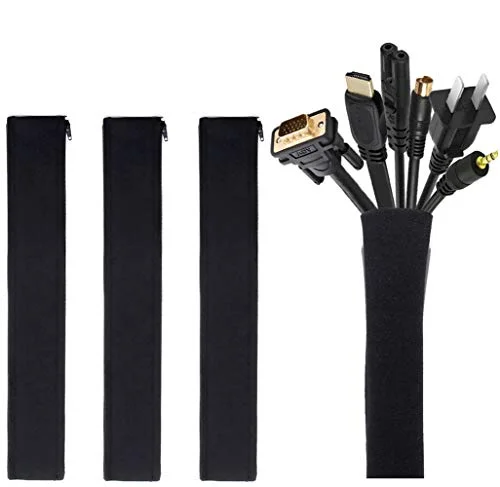
JOTO 4-Pack Cable Management Sleeves
Pros
- Wrap-around design lets you bundle cables without unplugging anything
- Cheap enough to give as an add-on
- Hides the spaghetti behind a desk or TV stand
- No compatibility questions
Cons
- Fabric sleeves are not a fix for a badly planned cable run
- Only suits bundles that fit the sleeve diameter
Most desks hide a nest of cables behind them. Wrap-around sleeves bundle them into one clean line without unplugging anything. It is not glamorous, but it is the sort of gift people notice every day. For more ideas, see our cable management guide.
KTRIO Large Gaming Mouse Pad Desk Mat — Best Under $15
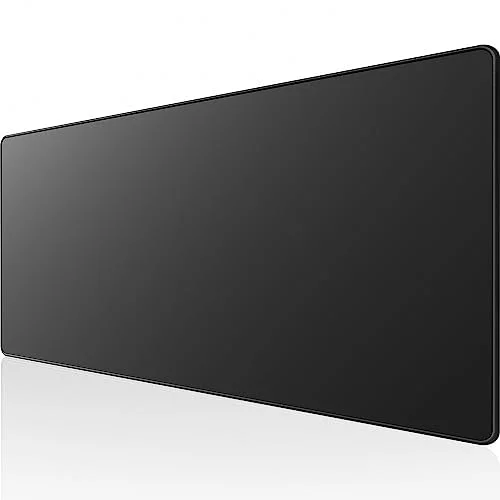
KTRIO Large Gaming Mouse Pad Desk Mat
Pros
- Big enough for a full-size keyboard and a mouse
- Gives a bare desk a finished look
- Low price makes it an easy add-on gift
- Works for any keyboard or mouse
Cons
- Not wide enough to cover a large desk
- Cloth surface needs occasional cleaning
A large mat makes a desk look finished and gives the mouse a smooth, consistent surface. This one is sized for a keyboard and mouse, not a whole desk. Our desk mat roundup has more choices, including felt options.
Tapo P125M Matter Smart Plug — Best Smart Home Gift
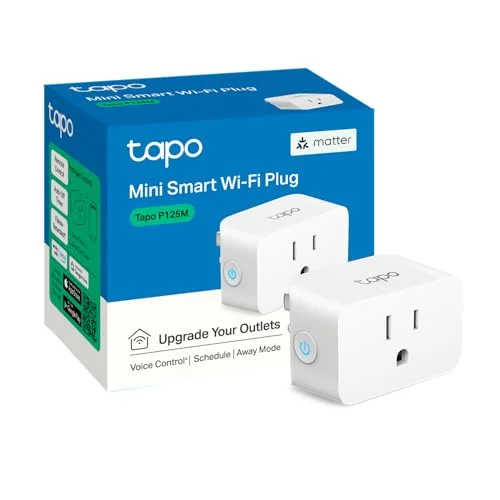
Tapo P125M Matter Smart Plug
Pros
- Matter support works across the major smart home platforms
- Schedules a lamp or fan on and off from the phone
- Compact enough to leave two plugs side by side on a wall outlet
- Inexpensive enough to give in a pair
Cons
- Only useful if the recipient has a smart home app or assistant
- Needs a 2.4GHz WiFi network for setup
A smart plug turns any lamp, fan, or space heater into something you can schedule. The Matter support means it should work with the major smart home platforms. Only give this to someone who already uses a smart home app or voice assistant. Compare more models in our smart plug guide.
Sabrent 4-Port USB 3.0 Hub with Power Switches — Best Practical Gift
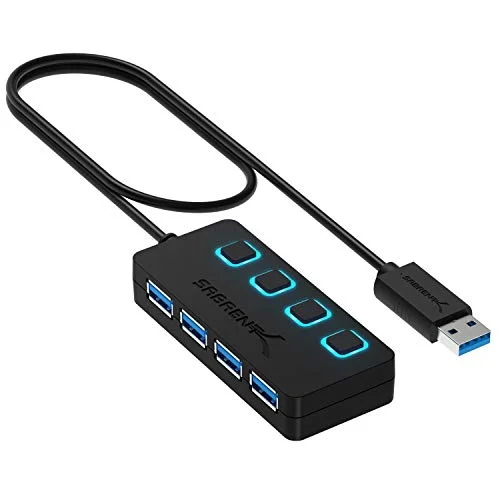
Sabrent 4-Port USB 3.0 Hub with Power Switches (HB-UM43)
Pros
- Individual switches turn off single devices without unplugging
- Adds four USB 3.0 ports from one laptop port
- Simple, no software or drivers
- Handy for desks with too few ports
Cons
- USB-A connector means USB-C-only laptops need an adapter
- Not designed for charging high-power devices
Thin laptops have few ports. This hub adds four USB-A ports, and the individual power switches let you turn off a single device without unplugging it. Check that the recipient’s laptop has a USB-A port, since USB-C-only models need an adapter. Our USB hub roundup covers USB-C options.
OMOTON Laptop Stand — Best Ergonomic Gift
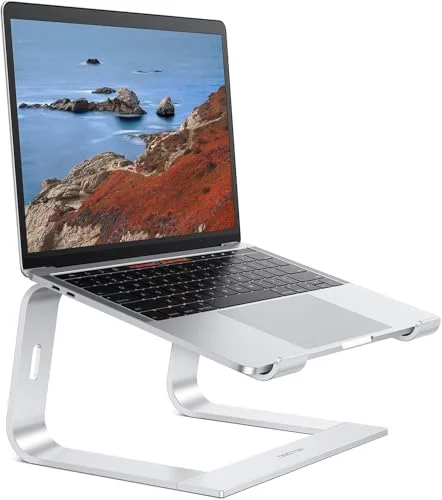
OMOTON Laptop Stand
Pros
- Raises the laptop screen toward eye level
- Detachable design is easy to pack and store
- Fits a wide range of laptop models
- Pairs well with a separate keyboard and mouse
Cons
- Needs a separate keyboard and mouse to be comfortable
- Fixed angle options are limited versus adjustable stands
Laptop screens sit too low for long days, and the neck pays for it. A stand lifts the display toward eye level, which is the first step toward better posture. It works best with a separate keyboard and mouse. See the laptop stand guide for the full field.
Gifts Under $50
Spending a bit more buys gear that changes how the workday feels: cleaner charging, a cooler laptop, a nicer stand.
Mophie 3-in-1 Travel Charger with MagSafe — Best for iPhone Users
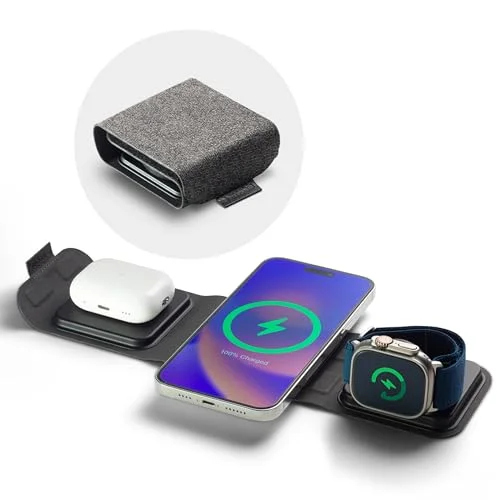
Mophie 3-in-1 Travel Charger with MagSafe
Pros
- Charges a phone and two accessories from one spot
- Portable enough for travel and desk use
- Clears a tangle of separate chargers
- Good fit for iPhone owners already using MagSafe
Cons
- Android users get little value from the MagSafe layout
- Needs a wall adapter to run at full speed
For someone with an iPhone, a watch, and earbuds, one charging spot replaces three cables. It travels well too. It is a poor fit for Android users, so confirm the phone first. Our wireless charger roundup compares other options.
KLIM Wind Laptop Cooling Pad — Best for Hot Laptops
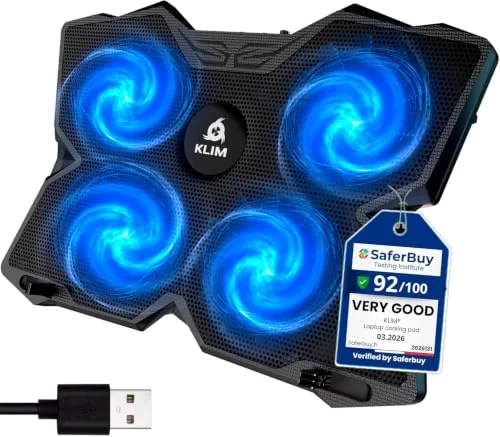
Laptop Cooling Pad with 4 Fans (KLIM Wind)
Pros
- Four fans move air under a laptop that runs warm
- Doubles as an angled stand for typing
- USB powered, no separate adapter
- Useful for long video call days
Cons
- Fans add some noise
- Uses up a USB port on a laptop that may have few
If the recipient’s laptop runs warm on video calls, a four-fan cooling pad is a practical present. It also tilts the laptop for typing. Expect some fan noise. More picks are in our cooling pad guide.
Rain Design mStand Laptop Stand — Best Premium-Feel Gift
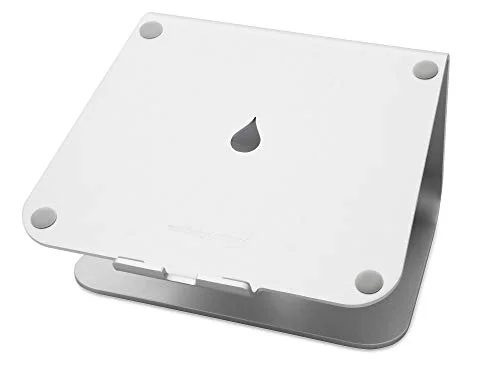
Rain Design mStand Laptop Stand
Pros
- Solid metal build looks right on a good desk
- Frees up space under the stand for a keyboard or notepad
- Raises the screen for better posture
- A long-standing design with a loyal following
Cons
- Fixed height and angle, so no adjusting
- Stock can run thin on Amazon
The mStand is a long-running aluminum design that looks at home on a nice desk, and the space below holds a keyboard or notebook. It is fixed-angle, so it suits people who already know where they want the screen. Stock can run thin, so check the card.
Kasa Smart Plug Mini 15A (4-Pack) — Best Multi-Pack
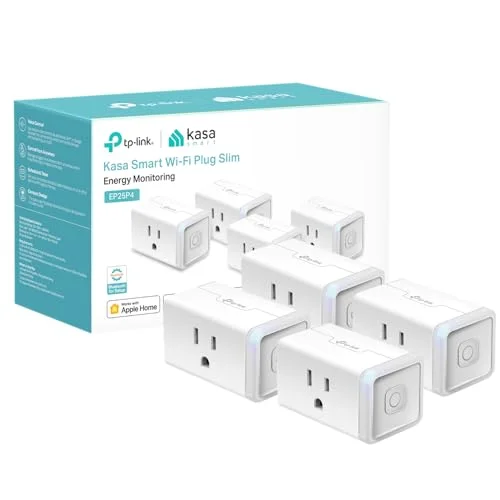
Kasa Smart Plug Mini 15A (EP25P4, 4-Pack)
Pros
- Four plugs cover a lamp, fan, monitor and chargers
- HomeKit support helps Apple households
- Per-plug cost is lower than buying singles
- Easy gift for someone building a smart home
Cons
- Overkill if the recipient wants just one plug
- Requires the Kasa app or a supported platform
A four-pack covers a lamp, a fan, and a few chargers, and the per-plug cost is lower than buying singles. It supports Apple HomeKit, which makes it a good match for Apple households.
How We Picked These Gifts
We started from products already covered in our reviews, then dropped anything that was out of stock when we checked Amazon. Each pick had to be useful on day one, need minimal setup, and avoid the common gift-return problems like compatibility and sizing. We also left out the products from our broader remote-work gift guide so you get fresh ideas.
Buying Guide: How to Choose a Desk Gift
Match the gift to a real annoyance. Watch where the person struggles: a cluttered desk calls for cable sleeves, a hot laptop calls for a cooling pad, and a sore neck calls for a stand.
Check compatibility first. The Mophie charger assumes an iPhone, and the Sabrent hub assumes a USB-A port. Smart plugs assume a smart home app.
Think about the desk they already have. Small desks suit stands and sleeves. A wide desk can take a bigger mat.
Choose gifts without upkeep. Items that need no setup, accounts, or batteries are the safest bets for someone you do not shop for often.
FAQ
What is a good desk-setup gift under $50?
A laptop stand, cable sleeves, or a smart plug are all useful and need little setup. The OMOTON stand is a safe default for anyone who works on a laptop.
What is the best stocking stuffer for a remote worker?
Cable management sleeves or a desk mat are cheap, useful, and need no compatibility check.
Are smart plugs a good gift?
Yes, if the recipient already uses a smart home app or voice assistant. If they do not, skip them.
Do I need to know the recipient’s laptop to buy these?
Not for most picks. Check that the laptop has a USB-A port before the Sabrent hub, and that the phone is an iPhone before the Mophie charger.
Should I check prices before buying?
Yes. Amazon prices move often, so use the button on each card to see the current price.
Conclusion
For most people, the OMOTON Laptop Stand is the best desk-setup gift under $50: it fixes posture, needs no setup, and suits most laptops. If you want a smaller present, the JOTO cable sleeves are an easy add-on, and the Mophie 3-in-1 charger is the best pick for iPhone households. If your budget is bigger, check our gifts for remote workers guide.
Detailed Reviews
JOTO 4-Pack Cable Management Sleeves
Pros
- Wrap-around design lets you bundle cables without unplugging anything
- Cheap enough to give as an add-on
- Hides the spaghetti behind a desk or TV stand
- No compatibility questions
Cons
- Fabric sleeves are not a fix for a badly planned cable run
- Only suits bundles that fit the sleeve diameter
KTRIO Large Gaming Mouse Pad Desk Mat
Pros
- Big enough for a full-size keyboard and a mouse
- Gives a bare desk a finished look
- Low price makes it an easy add-on gift
- Works for any keyboard or mouse
Cons
- Not wide enough to cover a large desk
- Cloth surface needs occasional cleaning
Tapo P125M Matter Smart Plug
Pros
- Matter support works across the major smart home platforms
- Schedules a lamp or fan on and off from the phone
- Compact enough to leave two plugs side by side on a wall outlet
- Inexpensive enough to give in a pair
Cons
- Only useful if the recipient has a smart home app or assistant
- Needs a 2.4GHz WiFi network for setup
Sabrent 4-Port USB 3.0 Hub with Power Switches (HB-UM43)
Pros
- Individual switches turn off single devices without unplugging
- Adds four USB 3.0 ports from one laptop port
- Simple, no software or drivers
- Handy for desks with too few ports
Cons
- USB-A connector means USB-C-only laptops need an adapter
- Not designed for charging high-power devices
OMOTON Laptop Stand
Pros
- Raises the laptop screen toward eye level
- Detachable design is easy to pack and store
- Fits a wide range of laptop models
- Pairs well with a separate keyboard and mouse
Cons
- Needs a separate keyboard and mouse to be comfortable
- Fixed angle options are limited versus adjustable stands
Mophie 3-in-1 Travel Charger with MagSafe
Pros
- Charges a phone and two accessories from one spot
- Portable enough for travel and desk use
- Clears a tangle of separate chargers
- Good fit for iPhone owners already using MagSafe
Cons
- Android users get little value from the MagSafe layout
- Needs a wall adapter to run at full speed
Laptop Cooling Pad with 4 Fans (KLIM Wind)
Pros
- Four fans move air under a laptop that runs warm
- Doubles as an angled stand for typing
- USB powered, no separate adapter
- Useful for long video call days
Cons
- Fans add some noise
- Uses up a USB port on a laptop that may have few
Rain Design mStand Laptop Stand
Pros
- Solid metal build looks right on a good desk
- Frees up space under the stand for a keyboard or notepad
- Raises the screen for better posture
- A long-standing design with a loyal following
Cons
- Fixed height and angle, so no adjusting
- Stock can run thin on Amazon
Kasa Smart Plug Mini 15A (EP25P4, 4-Pack)
Pros
- Four plugs cover a lamp, fan, monitor and chargers
- HomeKit support helps Apple households
- Per-plug cost is lower than buying singles
- Easy gift for someone building a smart home
Cons
- Overkill if the recipient wants just one plug
- Requires the Kasa app or a supported platform