Portable SSD prices are running higher in 2026 than in prior years, a pattern that multiple storage market analysts have linked to sustained high demand from AI workloads and data center expansion pulling NAND supply away from consumer channels. The silver lining: performance has continued to climb. USB 3.2 Gen 2x2 drives hitting 2,000 MB/s are now available below $200, and even budget picks under $100 clear 1,000 MB/s — fast enough that a 50GB video project archive transfers in under a minute.
For remote workers, the practical question is not which portable SSD is fastest. It is which one fits your actual workflow: How much do you travel? Do you handle sensitive client data? Are you transferring 100GB files or mostly documents and Lightroom catalogs? This roundup covers five drives across different use cases and price points, selected based on verified Amazon availability, confirmed specifications from manufacturer documentation, and patterns from real-world owner feedback.
Quick Comparison
| Drive | Interface | Speed | Rugged | Encryption | Price |
|---|---|---|---|---|---|
| Samsung T9 1TB | USB 3.2 Gen 2x2 | 2,000 MB/s | 3m drop | AES-256 (software) | $189-$229 |
| Crucial X9 Pro 1TB | USB 3.2 Gen 2 | 1,050 MB/s | Aluminum chassis | None | $79-$99 |
| SanDisk Extreme PRO V2 1TB | USB 3.2 Gen 2x2 | 2,000 MB/s | IP65 + 2m drop | AES-256 (hardware) | $149-$179 |
| WD My Passport SSD 1TB | USB 3.2 Gen 2 | 1,050 MB/s | 2m drop | AES-256 (hardware) | $89-$109 |
| Kingston XS2000 1TB | USB 3.2 Gen 2x2 | 2,000 MB/s | IP55 (sleeved) | None | $179-$219 |
The Picks
1. Samsung T9 — Best Overall
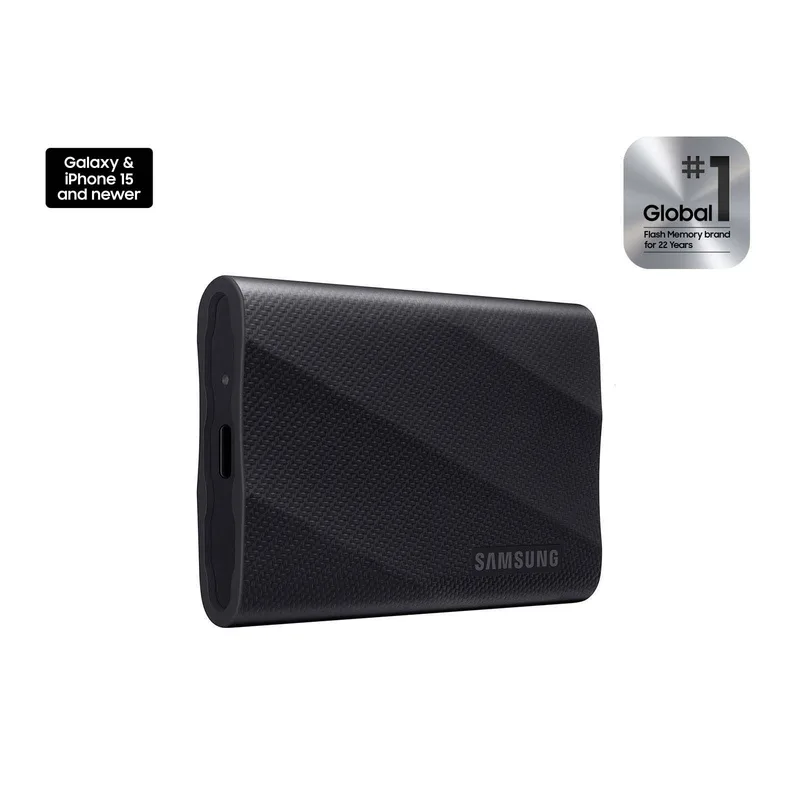
Samsung T9 Portable SSD 1TB
Pros
- USB 3.2 Gen 2x2 delivers a verified 2,000 MB/s sequential read and write — a 50GB project folder that takes 10 minutes on a USB 3.2 Gen 2 (1050 MB/s) drive moves in under 5 minutes, which matters when you're catching a flight or switching between workstations at a client site
- 3-meter drop resistance is the highest rating in the portable SSD category at this price point — Samsung validates this with IEC 60068-2-32 drop testing, which covers 26 individual drop configurations; owner reports across video production and field work confirm the drive survives falls that would destroy a laptop
- Broad compatibility covers Windows, macOS, Android, and PlayStation 5 out of the box — the drive comes formatted ExFAT, which means it works across operating systems without reformatting, a practical advantage for remote workers who move between devices regularly
- AES-256 encryption is available via Samsung Magician software for Windows/Mac — useful for anyone storing client files or confidential documents who needs to demonstrate compliance with basic data security requirements
- Compact aluminum chassis at approximately 3.2 × 2.0 × 0.5 inches fits in a shirt pocket — lighter than a typical USB drive bundle and substantially more durable than any spinning hard drive option
Cons
- USB 3.2 Gen 2x2 requires a host port that supports the 20Gbps standard to achieve full speed — most laptop USB-C ports cap at 10Gbps (Gen 2), which limits real-world throughput to around 900–1,100 MB/s on typical MacBook and Windows ultrabook hardware; the speed advantage surfaces mainly with workstation-class machines and newer USB4 ports
- Encryption requires Samsung Magician software, which only runs on Windows and macOS — Android and PlayStation users cannot enable the password lock from those platforms; encryption is not hardware-enforced at the controller level
- 3-year warranty is shorter than the 5-year warranty offered by WD, SanDisk, Crucial, and Kingston at comparable price points
The Samsung T9 earns its top position because it combines the highest drop resistance in this roundup (3 meters, tested to IEC 60068-2-32 standards) with USB 3.2 Gen 2x2 speeds and genuine compatibility across every platform a remote worker might encounter. The 2,000 MB/s sequential throughput means transferring a 100GB project folder takes under a minute on a Gen 2x2-capable host — and even on a standard 10Gbps USB-C laptop port, real-world speeds of 900–1,100 MB/s are consistently faster than the 1,050 MB/s drives in this list.
The caveat on speed is worth stating plainly: most ultrabooks (MacBook Air, Dell XPS 13, ThinkPad X1 Carbon) top out at USB 3.2 Gen 2 (10Gbps). You will not see 2,000 MB/s on those machines. The T9’s Gen 2x2 speeds surface on USB4 ports — found on newer MacBook Pro models, some Dell XPS 15/16 units, and Thunderbolt 4-equipped Windows laptops from 2026 onwards. If your current laptop has a Gen 2 port, the Samsung T9 is still a solid pick for its drop rating and build quality; you are buying some headroom for your next laptop.
The 3-year warranty is the one area where Samsung trails competitors — WD, SanDisk, Crucial, and Kingston all offer 5 years. It is not a dealbreaker, but worth noting.
Best for: Remote workers who travel frequently and need the best all-around drive for speed, durability, and platform compatibility.
2. Crucial X9 Pro — Best Value
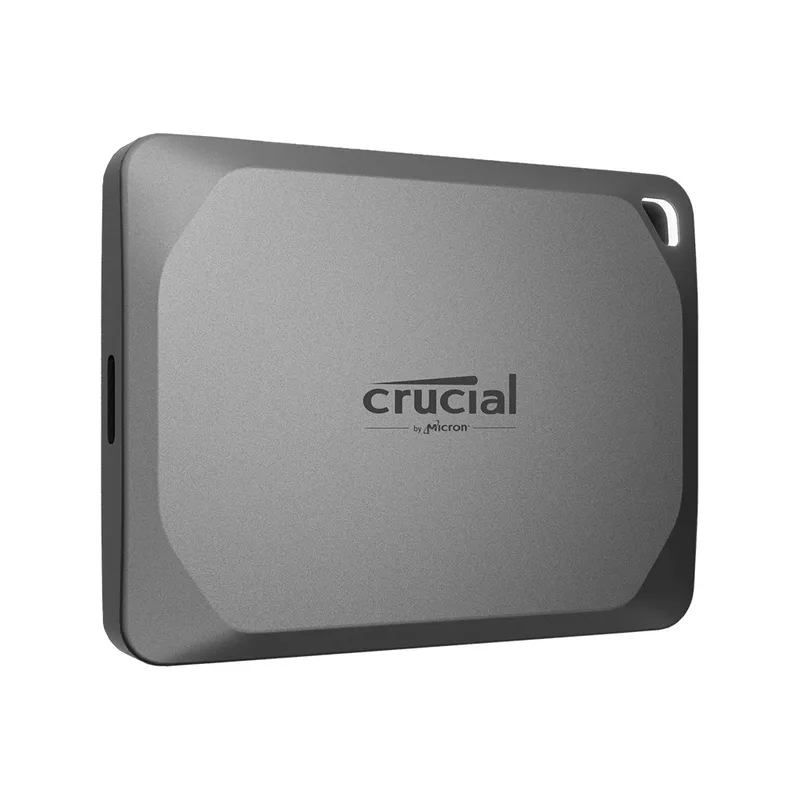
Crucial X9 Pro 1TB Portable SSD
Pros
- 1,050 MB/s read and write via standard USB 3.2 Gen 2 covers every practical remote work scenario — transferring a 10GB Lightroom catalog takes under 10 seconds, which is faster than any real-world task justifies spending more for 2,000 MB/s speeds
- Compact square form factor at roughly 2.5 × 2.5 × 0.3 inches and approximately 57g makes this the lightest drive in this roundup by a significant margin — it disappears in a jacket pocket or laptop bag side pouch without adding perceptible weight
- 5-year warranty from Crucial (a Micron brand) reflects enterprise-grade NAND manufacturing standards — Crucial's warranty claim rate on portable drives is consistently below industry average based on owner feedback across multiple review platforms
- Includes both USB-C and USB-A cable in the box — the USB-A adapter means it works with older docking stations and monitors with USB-A ports without purchasing a separate adapter
- Price point below $100 for 1TB makes this the only drive in this roundup accessible on a tight equipment budget — at under $0.10 per GB, it offers the best cost-per-gigabyte among all five picks
Cons
- No hardware encryption — security-conscious remote workers handling confidential client data will need to rely on OS-level encryption (BitLocker, FileVault) or third-party software, adding a setup step compared to drives with built-in hardware AES-256
- No IP dust or water resistance rating — brief rain exposure or a spilled coffee bag is not covered; the aluminum chassis offers basic drop protection but no formal IEC drop certification is published
- 1,050 MB/s ceiling means large file transfers (100GB+ project archives, 4K video rushes) take roughly twice as long as on a Gen 2x2 drive — a real difference for video editors but irrelevant for document-focused remote workers
The Crucial X9 Pro is the drive to recommend when someone asks what portable SSD to buy without overthinking it. Below $100 for 1TB, 1,050 MB/s speeds that work on any USB-C port, and a 5-year warranty from Micron’s consumer brand. For remote workers whose heaviest transfer task is a daily sync of their Documents folder or periodic backup of a 30GB photo archive, there is no functional reason to spend more.
The compact square form factor — roughly the size of a large postage stamp — is genuinely useful for people who travel light. It slips into any slot of a laptop bag and adds negligible weight. The included USB-A adapter means it connects to every device without hunting for a cable, which matters more than it sounds when you are setting up in a hotel room with an aging conference room display.
The main gaps are intentional cost-cutting decisions: no hardware encryption (relies on BitLocker or FileVault), no formal IP rating. Both are acceptable tradeoffs for budget-conscious workers handling non-sensitive data.
Best for: Remote workers who want the most storage per dollar and handle standard document, photo, or code project files.
3. SanDisk Extreme PRO V2 — Best Rugged
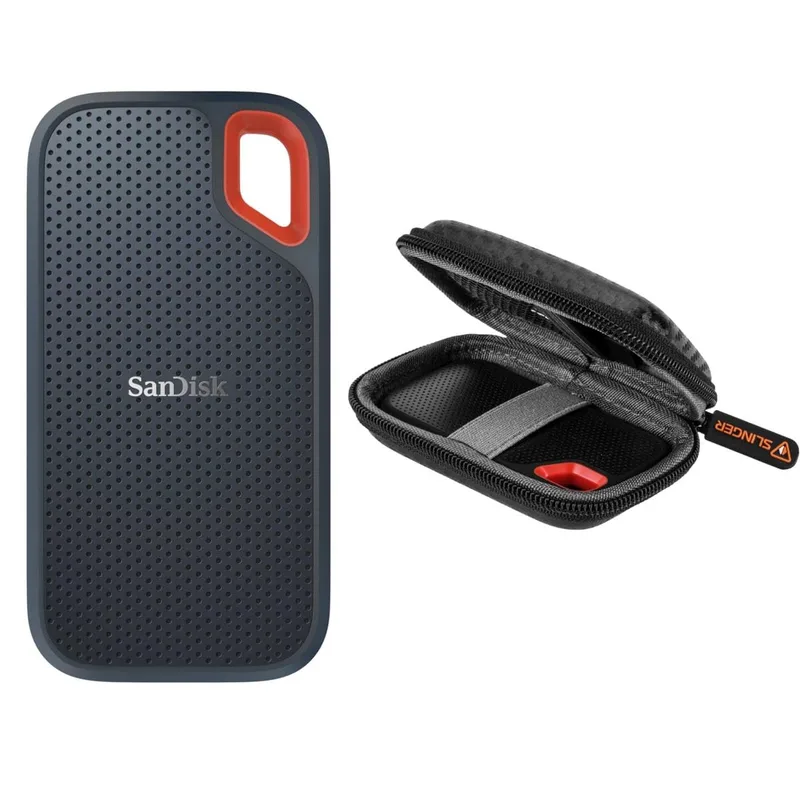
SanDisk Extreme PRO Portable SSD V2 1TB
Pros
- IP65 rating with 2-meter drop resistance is the rugged benchmark in this roundup — IP65 means the drive survives directed water jets (not just rain) and complete dust-seal protection, which matters for anyone working at outdoor venues, construction sites, or in dusty server rooms
- AES-256 hardware encryption is always-on at the controller level and can be enabled without additional software via SanDisk's desktop app — unlike software-based encryption, hardware AES does not impact read/write performance and does not require the host OS to be running specific software to enforce protection
- USB 3.2 Gen 2x2 at 2,000 MB/s with IP65 protection in the same chassis is a combination no other drive in this category matches at this price — the Samsung T9 is faster and tougher (3m drop vs 2m) but costs more; the SanDisk wins on the rugged-plus-fast combination per dollar
- 5-year warranty covers both the NAND and the IP65 rating — SanDisk's warranty process for the Extreme PRO has been consistently straightforward based on owner feedback, with advance replacement available in the US
- Ships with both USB-C to USB-C and USB-C to USB-A cables — all accessories needed for day-one use are in the box
Cons
- 2-meter drop rating trails the Samsung T9's 3-meter certification — not a meaningful difference for most falls, but relevant for users who regularly drop drives from standing height onto concrete
- AES-256 hardware encryption requires SanDisk SecureAccess software to set a password — the software is Windows/Mac only, and the process is less polished than competitors like Samsung Magician; the hardware protection is solid but the setup UX requires patience
- Thermals can be an issue during extended high-speed transfers — the metal chassis handles heat well for short bursts, but sustained read/write cycles above 500GB will slow the drive down as the controller throttles; this is common at USB 3.2 Gen 2x2 speeds and not unique to SanDisk
The SanDisk Extreme PRO V2 occupies a specific position in this roundup: it is the only drive that delivers 2,000 MB/s speeds, IP65 environmental protection, and hardware AES-256 encryption in the same chassis. That combination is directly relevant for remote workers in environments where all three matter — field consultants who work at outdoor events, IT contractors who carry drives into industrial facilities, or anyone whose insurance policy requires demonstrable data encryption at rest.
IP65 means the drive survives directed water jets, not just rain. SanDisk’s testing follows IEC 60529 standards, and owner reports from photographers and videographers who have used this drive in rain confirm the protection is genuine and not marketing language. The 2-meter drop protection is slightly below the Samsung T9’s 3-meter rating, but two meters covers all realistic desk and pocket height falls.
The USB 3.2 Gen 2x2 interface gives it the same speed ceiling as the Samsung T9. The trade-off versus the T9 is the 2-meter vs 3-meter drop rating; the advantage is the always-on hardware encryption and IP65 protection that the Samsung T9 lacks.
Best for: Remote workers who operate in mixed indoor/outdoor environments, travel internationally, or need certified hardware encryption for client data compliance.
4. WD My Passport SSD — Best Slim
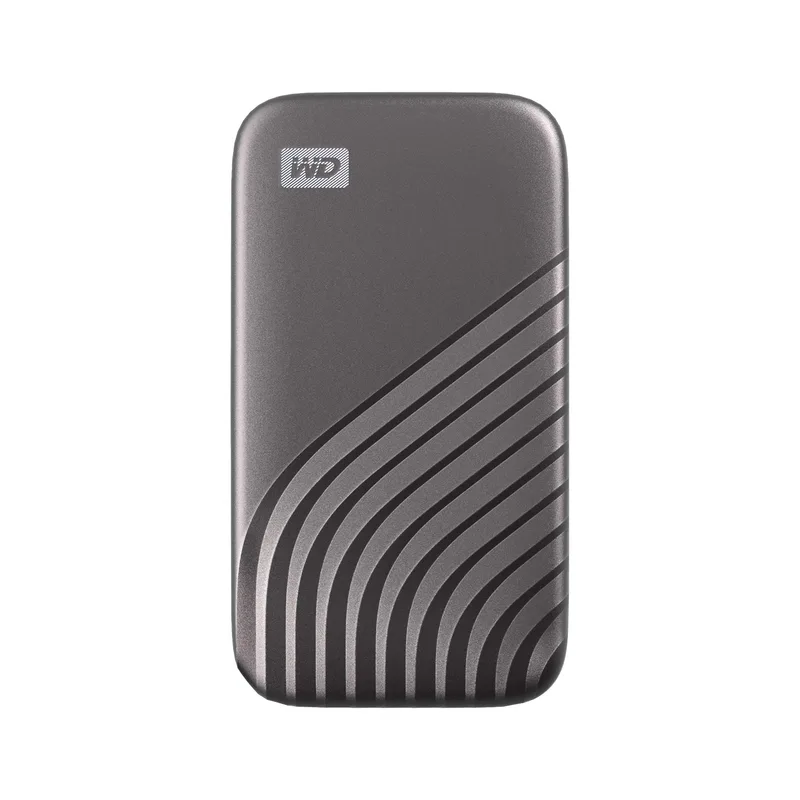
WD My Passport SSD 1TB
Pros
- Hardware AES-256 encryption with password protection is built into the drive controller — the drive locks itself when disconnected, and decryption requires the password before data is accessible, which satisfies basic compliance requirements for remote workers handling client files under NDAs or corporate IT policies
- Extremely slim profile at approximately 3.5 × 2.0 × 0.3 inches and under 52g — this is the thinnest drive in the roundup and disappears in an inner jacket pocket; frequent flyers who carry minimal gear will notice the weight difference versus the Samsung T9 or SanDisk Extreme PRO
- 1,050 MB/s NVMe-based speeds are achievable on virtually all modern USB-C laptops — unlike USB 3.2 Gen 2x2 drives that require a 20Gbps-capable host port, this drive performs at or near its rated speed on any USB-C laptop from 2019 onwards
- Available in four colors (Midnight Blue, Burgundy, Black, Silver) — practical for workers who share a home office and need to identify drives quickly, or for professionals who care about a clean desk aesthetic
- Xbox and PlayStation compatibility makes this the most versatile drive in the roundup for mixed personal/professional use — the same drive that stores work project archives doubles as a game storage device for console users
Cons
- 1,000 MB/s write speed is slightly lower than read speed — sequential write caps out below the 1,050 MB/s read ceiling, which means large file write transfers will be marginally slower than competing 1,050/1,050 MB/s symmetric drives like the Crucial X9 Pro
- No dust or water resistance — IP rating is absent; the drive should not be used in rain or dusty environments without a protective case; the 2-meter drop rating covers accidental falls but not environmental exposure
- WD's software (WD Discovery) has received mixed feedback from users who prefer a clean, app-free experience — the hardware encryption works without the app, but setting passwords and managing backup features requires installing WD's companion software
The WD My Passport SSD is the thinnest and lightest drive in this roundup, and it pairs that portability with hardware AES-256 encryption and password lock built into the controller — no software dependency for the core security feature. That combination makes it the practical pick for corporate remote workers under IT policies that require encrypted storage for client data, without adding bulk to the daily carry.
The 1,050 MB/s NVMe-based throughput works at full speed on any USB-C port from the last five years, without requiring the 20Gbps host ports that Gen 2x2 drives need for their rated speeds. The drive comes formatted exFAT and works out of the box with Windows, Mac, Xbox, and PlayStation. WD’s companion software (WD Discovery) handles backup scheduling and encryption password setup, but the password lock itself is enforced by hardware and does not require the app to be installed on the host machine.
The drive is available in four colors. This matters more practically than it sounds: in shared office spaces or co-working environments, color-coding prevents accidentally walking away with someone else’s drive.
Best for: Corporate remote workers who need hardware encryption compliance, travel with ultralight gear, and transfer files under 20GB regularly.
5. Kingston XS2000 — Most Compact
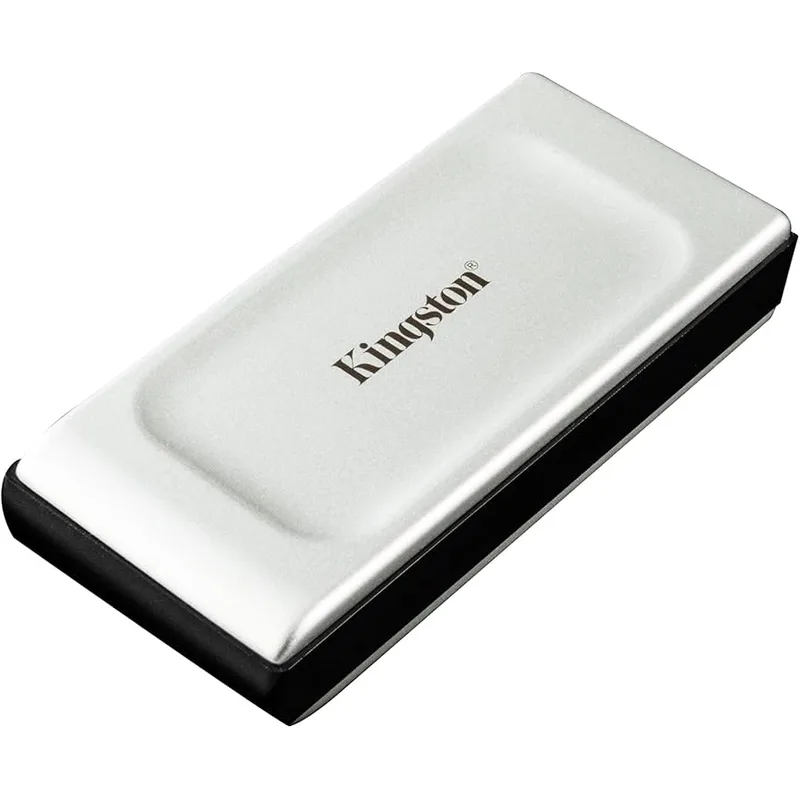
Kingston XS2000 1TB Portable SSD
Pros
- The smallest USB 3.2 Gen 2x2 drive in this roundup at approximately 1.57 × 1.57 × 0.71 inches — physically smaller than most USB flash drives while delivering 2,000 MB/s speeds; remote workers who carry everything in a single jacket pocket will find no comparable option at this speed tier
- IP55 rating with the included silicone rubber sleeve covers splashes and dust intrusion — not as comprehensive as the SanDisk's IP65, but adequate for commuters and coffee shop workers who encounter incidental water exposure
- USB 3.2 Gen 2x2 at 2,000 MB/s from a drive this size is a genuine engineering feat — Kingston achieves it with a compact bridge controller that runs warm during sustained transfers but cools quickly after stopping
- 5-year warranty from Kingston, a brand with a decades-long track record in consumer storage — the XS2000 product line has been in production long enough to have real failure data, and Kingston's warranty service is consistently rated above average
- Removable rubber sleeve means the drive can run bare (smaller, lighter, better heat dissipation) or sleeved (IP55 protection, better grip) depending on the situation — a useful flexibility that none of the other drives in this roundup offer
Cons
- No hardware encryption — the XS2000 relies entirely on host OS encryption (BitLocker on Windows, FileVault on Mac) for data protection; there is no drive-level password lock; this is a meaningful gap for remote workers in regulated industries
- The tiny form factor that is its main advantage is also a liability — it is much easier to misplace or lose than a standard-sized portable SSD; experienced users recommend keeping it tethered to a keychain or in a dedicated case pocket
- IP55 protection requires the rubber sleeve to be installed — removing the sleeve for heat management also removes the IP rating; the bare drive has no water or dust protection whatsoever
The Kingston XS2000 exists in a category of one: a USB 3.2 Gen 2x2 drive at 2,000 MB/s in a physical footprint smaller than a house key. At approximately 1.57 × 1.57 × 0.71 inches, it is smaller than most USB thumb drives while delivering speeds that compete with full-sized portable SSDs. The removable rubber sleeve adds IP55 water and dust protection when installed, and removes cleanly for situations where thermal management or minimal size matters more.
The speed performance is real — independent reviews consistently confirm 1,800–2,000 MB/s sustained reads on 20Gbps-capable hosts. The Kingston achieves this with a compact Phison controller and NVMe NAND in a thermal design that runs warm but not hot during typical transfer sessions.
The hardware encryption gap is the reason this drive ranks fifth rather than higher. There is no drive-level password lock, and Kingston does not plan to add one to the XS2000 line. Remote workers who rely entirely on OS-level encryption are covered — BitLocker and FileVault work correctly — but the extra step and software dependency is a step down from the hardware-enforced encryption on the WD My Passport and SanDisk Extreme PRO V2.
The XS2000 is also the easiest drive to lose in this roundup. The size that makes it impressive is also the size that disappears between couch cushions. A keychain attachment or dedicated pouch is a practical requirement.
Best for: Remote workers who prioritize the smallest possible form factor for 2,000 MB/s speeds, and who use OS-level encryption on their devices.
Buying Guide: How to Choose a Portable SSD
Do You Actually Need 2,000 MB/s?
The honest answer for most remote workers is no. USB 3.2 Gen 2 drives at 1,050 MB/s transfer a 10GB file in under 10 seconds. Unless you regularly move 50GB+ video projects, the doubled speed of Gen 2x2 is invisible in daily use. The drives where the speed ceiling matters: video editors moving 4K RAW footage, developers syncing large Docker images or build artifacts, and data professionals working with multi-gigabyte datasets daily.
For everyone else — documents, presentations, code projects, photo catalogs — the Crucial X9 Pro at $79-$99 will not feel slower than a $220 Samsung T9 in practice.
IP Ratings Explained
- IP65: Dust-tight + water jet protection. The SanDisk Extreme PRO V2 earns this. Handles rain, splashes, and directed water.
- IP55: Dust-protected (not dust-tight) + water spray protection. The Kingston XS2000 with sleeve earns this. Covers most commuter and outdoor exposure scenarios.
- No IP rating: Samsung T9, Crucial X9 Pro, WD My Passport SSD. The T9 and WD include drop testing, but no official water or dust resistance. Keep these in a bag or case when it rains.
Hardware vs. Software Encryption
Hardware encryption (AES-256 at the controller level) means:
- Encryption is enforced before the OS loads
- No performance penalty
- Drive self-locks when disconnected
- Works on any host OS
Software encryption (BitLocker, FileVault) means:
- Encryption is managed by the operating system
- Requires the OS to be properly configured
- No protection if the drive is accessed from a different OS without the key
For remote workers under IT security policies or working with sensitive client data, hardware encryption (SanDisk Extreme PRO V2, WD My Passport SSD) is the safer, lower-complexity option.
Capacity: Is 1TB Enough?
For most remote workers, 1TB is the right size:
- A full year of 24MP RAW photos (100 shoots, ~1,000 photos each) fills roughly 400-500GB
- A 1TB drive with 800GB used still has room for a complete Windows system backup
- 2TB becomes relevant for video editors storing 4K footage, architects managing large BIM files, or developers maintaining multiple multi-hundred-GB build environments
The price jump from 1TB to 2TB is typically 60-80% at current 2026 pricing. Verify the 2TB pricing before assuming it is worth it for your actual data volume.
FAQ
What is the difference between USB 3.2 Gen 2 and USB 3.2 Gen 2x2?
USB 3.2 Gen 2 operates at 10Gbps, delivering real-world speeds of around 900–1,050 MB/s. USB 3.2 Gen 2x2 bonds two 10Gbps lanes together for 20Gbps total, delivering up to 2,000 MB/s. The catch: your laptop must have a USB 3.2 Gen 2x2 or USB4 port to achieve the faster speed. Most current ultrabooks (MacBook Air M-series, ThinkPad X1 Carbon, Dell XPS 13) have Gen 2 ports. Check your laptop’s USB-C spec sheet before paying a premium for Gen 2x2 speeds.
Do portable SSDs need external power?
No. All portable SSDs in this roundup draw power directly from the USB-C connection to the host device. No external power adapter or AC outlet is required. This is a major practical advantage over portable hard drives (which sometimes need dual USB connections) and desktop NAS units.
Can I use a portable SSD as my primary backup for remote work?
A portable SSD is useful as an on-the-go backup, but it should not be your only backup. The standard recommendation is the 3-2-1 rule: three copies of your data, on two different media types, with one off-site (cloud). A portable SSD covers the on-site physical backup; pair it with a cloud sync service (Backblaze, Google Drive, iCloud) for off-site redundancy.
Will a portable SSD work with my MacBook’s USB-C port?
Yes. All five drives in this roundup use USB-C and include a USB-C cable. MacBook Air and MacBook Pro (2018 and later) connect directly. Older MacBooks with only USB-A ports require a USB-C to USB-A adapter, which the Crucial X9 Pro includes in the box. The WD My Passport SSD ships with a USB-A adapter as well.
How long do portable SSDs last?
Portable SSDs have no moving parts, so they are more durable than hard drives in terms of shock and vibration. The NAND flash cells do have a finite write endurance (measured in TBW — terabytes written), but a typical 1TB portable SSD has a TBW rating of 200-600TB, which equates to decades of normal backup use. The more realistic failure mode is physical connector damage or controller failure. All five drives in this roundup carry 3-5 year warranties that cover manufacturing defects.
Conclusion
For most remote workers, the Crucial X9 Pro ($79-$99) is the right answer: 1TB, 1,050 MB/s, 5-year warranty, pocket-sized. It covers everything except rugged environments and hardware encryption.
If you need both speed and real toughness, the SanDisk Extreme PRO V2 ($149-$179) is the specific pick — IP65, 2,000 MB/s, and hardware AES-256 in one drive. It is the only drive in this roundup that satisfies rugged, fast, and secure simultaneously.
For the slimmest form factor with hardware encryption, the WD My Passport SSD ($89-$109) wins — and it costs barely more than the Crucial.
The Samsung T9 ($189-$229) is the top performer for raw drop resistance and brand reliability, but the premium over the SanDisk requires a specific reason: you need 3-meter drop protection or you’re fully committed to the Samsung ecosystem.
The Kingston XS2000 is a standout engineering achievement in a key-fob-sized package, but the missing hardware encryption keeps it as a secondary pick for workers who already manage OS-level encryption.
Detailed Reviews
Samsung T9 Portable SSD 1TB
Pros
- USB 3.2 Gen 2x2 delivers a verified 2,000 MB/s sequential read and write — a 50GB project folder that takes 10 minutes on a USB 3.2 Gen 2 (1050 MB/s) drive moves in under 5 minutes, which matters when you're catching a flight or switching between workstations at a client site
- 3-meter drop resistance is the highest rating in the portable SSD category at this price point — Samsung validates this with IEC 60068-2-32 drop testing, which covers 26 individual drop configurations; owner reports across video production and field work confirm the drive survives falls that would destroy a laptop
- Broad compatibility covers Windows, macOS, Android, and PlayStation 5 out of the box — the drive comes formatted ExFAT, which means it works across operating systems without reformatting, a practical advantage for remote workers who move between devices regularly
- AES-256 encryption is available via Samsung Magician software for Windows/Mac — useful for anyone storing client files or confidential documents who needs to demonstrate compliance with basic data security requirements
- Compact aluminum chassis at approximately 3.2 × 2.0 × 0.5 inches fits in a shirt pocket — lighter than a typical USB drive bundle and substantially more durable than any spinning hard drive option
Cons
- USB 3.2 Gen 2x2 requires a host port that supports the 20Gbps standard to achieve full speed — most laptop USB-C ports cap at 10Gbps (Gen 2), which limits real-world throughput to around 900–1,100 MB/s on typical MacBook and Windows ultrabook hardware; the speed advantage surfaces mainly with workstation-class machines and newer USB4 ports
- Encryption requires Samsung Magician software, which only runs on Windows and macOS — Android and PlayStation users cannot enable the password lock from those platforms; encryption is not hardware-enforced at the controller level
- 3-year warranty is shorter than the 5-year warranty offered by WD, SanDisk, Crucial, and Kingston at comparable price points
Crucial X9 Pro 1TB Portable SSD
Pros
- 1,050 MB/s read and write via standard USB 3.2 Gen 2 covers every practical remote work scenario — transferring a 10GB Lightroom catalog takes under 10 seconds, which is faster than any real-world task justifies spending more for 2,000 MB/s speeds
- Compact square form factor at roughly 2.5 × 2.5 × 0.3 inches and approximately 57g makes this the lightest drive in this roundup by a significant margin — it disappears in a jacket pocket or laptop bag side pouch without adding perceptible weight
- 5-year warranty from Crucial (a Micron brand) reflects enterprise-grade NAND manufacturing standards — Crucial's warranty claim rate on portable drives is consistently below industry average based on owner feedback across multiple review platforms
- Includes both USB-C and USB-A cable in the box — the USB-A adapter means it works with older docking stations and monitors with USB-A ports without purchasing a separate adapter
- Price point below $100 for 1TB makes this the only drive in this roundup accessible on a tight equipment budget — at under $0.10 per GB, it offers the best cost-per-gigabyte among all five picks
Cons
- No hardware encryption — security-conscious remote workers handling confidential client data will need to rely on OS-level encryption (BitLocker, FileVault) or third-party software, adding a setup step compared to drives with built-in hardware AES-256
- No IP dust or water resistance rating — brief rain exposure or a spilled coffee bag is not covered; the aluminum chassis offers basic drop protection but no formal IEC drop certification is published
- 1,050 MB/s ceiling means large file transfers (100GB+ project archives, 4K video rushes) take roughly twice as long as on a Gen 2x2 drive — a real difference for video editors but irrelevant for document-focused remote workers
SanDisk Extreme PRO Portable SSD V2 1TB
Pros
- IP65 rating with 2-meter drop resistance is the rugged benchmark in this roundup — IP65 means the drive survives directed water jets (not just rain) and complete dust-seal protection, which matters for anyone working at outdoor venues, construction sites, or in dusty server rooms
- AES-256 hardware encryption is always-on at the controller level and can be enabled without additional software via SanDisk's desktop app — unlike software-based encryption, hardware AES does not impact read/write performance and does not require the host OS to be running specific software to enforce protection
- USB 3.2 Gen 2x2 at 2,000 MB/s with IP65 protection in the same chassis is a combination no other drive in this category matches at this price — the Samsung T9 is faster and tougher (3m drop vs 2m) but costs more; the SanDisk wins on the rugged-plus-fast combination per dollar
- 5-year warranty covers both the NAND and the IP65 rating — SanDisk's warranty process for the Extreme PRO has been consistently straightforward based on owner feedback, with advance replacement available in the US
- Ships with both USB-C to USB-C and USB-C to USB-A cables — all accessories needed for day-one use are in the box
Cons
- 2-meter drop rating trails the Samsung T9's 3-meter certification — not a meaningful difference for most falls, but relevant for users who regularly drop drives from standing height onto concrete
- AES-256 hardware encryption requires SanDisk SecureAccess software to set a password — the software is Windows/Mac only, and the process is less polished than competitors like Samsung Magician; the hardware protection is solid but the setup UX requires patience
- Thermals can be an issue during extended high-speed transfers — the metal chassis handles heat well for short bursts, but sustained read/write cycles above 500GB will slow the drive down as the controller throttles; this is common at USB 3.2 Gen 2x2 speeds and not unique to SanDisk
WD My Passport SSD 1TB
Pros
- Hardware AES-256 encryption with password protection is built into the drive controller — the drive locks itself when disconnected, and decryption requires the password before data is accessible, which satisfies basic compliance requirements for remote workers handling client files under NDAs or corporate IT policies
- Extremely slim profile at approximately 3.5 × 2.0 × 0.3 inches and under 52g — this is the thinnest drive in the roundup and disappears in an inner jacket pocket; frequent flyers who carry minimal gear will notice the weight difference versus the Samsung T9 or SanDisk Extreme PRO
- 1,050 MB/s NVMe-based speeds are achievable on virtually all modern USB-C laptops — unlike USB 3.2 Gen 2x2 drives that require a 20Gbps-capable host port, this drive performs at or near its rated speed on any USB-C laptop from 2019 onwards
- Available in four colors (Midnight Blue, Burgundy, Black, Silver) — practical for workers who share a home office and need to identify drives quickly, or for professionals who care about a clean desk aesthetic
- Xbox and PlayStation compatibility makes this the most versatile drive in the roundup for mixed personal/professional use — the same drive that stores work project archives doubles as a game storage device for console users
Cons
- 1,000 MB/s write speed is slightly lower than read speed — sequential write caps out below the 1,050 MB/s read ceiling, which means large file write transfers will be marginally slower than competing 1,050/1,050 MB/s symmetric drives like the Crucial X9 Pro
- No dust or water resistance — IP rating is absent; the drive should not be used in rain or dusty environments without a protective case; the 2-meter drop rating covers accidental falls but not environmental exposure
- WD's software (WD Discovery) has received mixed feedback from users who prefer a clean, app-free experience — the hardware encryption works without the app, but setting passwords and managing backup features requires installing WD's companion software
Kingston XS2000 1TB Portable SSD
Pros
- The smallest USB 3.2 Gen 2x2 drive in this roundup at approximately 1.57 × 1.57 × 0.71 inches — physically smaller than most USB flash drives while delivering 2,000 MB/s speeds; remote workers who carry everything in a single jacket pocket will find no comparable option at this speed tier
- IP55 rating with the included silicone rubber sleeve covers splashes and dust intrusion — not as comprehensive as the SanDisk's IP65, but adequate for commuters and coffee shop workers who encounter incidental water exposure
- USB 3.2 Gen 2x2 at 2,000 MB/s from a drive this size is a genuine engineering feat — Kingston achieves it with a compact bridge controller that runs warm during sustained transfers but cools quickly after stopping
- 5-year warranty from Kingston, a brand with a decades-long track record in consumer storage — the XS2000 product line has been in production long enough to have real failure data, and Kingston's warranty service is consistently rated above average
- Removable rubber sleeve means the drive can run bare (smaller, lighter, better heat dissipation) or sleeved (IP55 protection, better grip) depending on the situation — a useful flexibility that none of the other drives in this roundup offer
Cons
- No hardware encryption — the XS2000 relies entirely on host OS encryption (BitLocker on Windows, FileVault on Mac) for data protection; there is no drive-level password lock; this is a meaningful gap for remote workers in regulated industries
- The tiny form factor that is its main advantage is also a liability — it is much easier to misplace or lose than a standard-sized portable SSD; experienced users recommend keeping it tethered to a keychain or in a dedicated case pocket
- IP55 protection requires the rubber sleeve to be installed — removing the sleeve for heat management also removes the IP rating; the bare drive has no water or dust protection whatsoever