Gift season 2026 is about to start, and the person who works from home is one of the hardest people to shop for. They already own a laptop, a chair, and a pile of cables. The best gifts are small upgrades they would never buy for themselves: a better desk surface, a cleaner call setup, a mouse that is easier on the wrist.
This guide is organized by budget so you can go straight to your number. Every pick below was chosen by researching spec sheets and reading owner feedback, and each one solves a specific daily annoyance rather than adding clutter. Check the current price on each card before you buy, since listings change.
Quick pick: For a safe, useful gift at almost any budget, go with the Logitech Lift vertical mouse. For a small gift, the Twelve South Curve SE laptop stand is hard to beat.
| Spec | TONOR TC-777 USB Podcast Microphone | Nordik Large Felt Desk Mat (35 x 17 in) | Twelve South Curve SE Laptop Stand | InnoGear Microphone Boom Arm | Apple MagSafe Charger (2 m) | Logitech Lift Vertical Ergonomic Mouse | Anker 553 USB-C Hub (8-in-1) | Baseus Blade 100W Laptop Power Bank (20,000mAh) | Logitech MX Master 4 Wireless Mouse | Logitech Zone Wired 2 Noise Canceling Headset |
|---|---|---|---|---|---|---|---|---|---|---|
| Rating | 8.0/10 | 8.2/10 | 8.4/10 | 8.0/10 | 8.3/10 | 8.7/10 | 8.5/10 | 8.1/10 | 9.3/10 | 8.8/10 |
| Price | $11.99-$19.99as of Oct 11, 2026 | $20.62-$24.97as of Oct 11, 2026 | $16.99as of Oct 11, 2026 | $37.99as of Oct 11, 2026 | $34.20-$39.99as of Oct 11, 2026 | $48.74-$74.24as of Oct 11, 2026 | $83.14as of Oct 11, 2026 | $59.99-$89.99as of Oct 11, 2026 | $106.35-$118.00as of Oct 11, 2026 | $84.49-$129.99as of Oct 11, 2026 |
| Pickup | Cardioid condenser | — | — | — | — | — | — | — | — | — |
| Connection | USB plug-and-play | — | — | — | — | Bluetooth and Logi Bolt | — | — | Bluetooth and Logi Bolt | Wired USB |
| Mount | Desktop stand with pop filter | — | — | Clamp | — | — | — | — | — | — |
| Compatibility | Windows, Mac, PS4 | — | — | — | iPhone with MagSafe | — | — | — | — | — |
| Material | — | Felt | Aluminum | — | — | — | — | — | — | — |
| Size | — | 35 x 17 inches | — | — | — | — | — | — | — | — |
| Color | — | Charcoal | — | — | — | Graphite | — | — | Graphite | Black |
| Use | — | Keyboard and mouse surface | — | — | — | — | — | Laptops, phones, tablets | — | Office calls |
| Finish | — | — | Silver | — | — | — | — | — | — | — |
| Design | — | — | Open ergonomic curve | — | — | Vertical, 57-degree angle | — | — | Ergonomic sculpted shape | — |
| Fit | — | — | Laptops and MacBooks | Blue Yeti and similar mics | — | — | USB-C laptops | — | — | — |
| Type | — | — | — | Desk-clamp boom arm | Magnetic wireless charger | — | USB-C hub | — | — | — |
| Cable | — | — | — | Built-in cable management | 2 meter | — | — | — | — | — |
| Standard | — | — | — | — | Fast-charging capable | — | — | — | — | — |
| Hand | — | — | — | — | — | Right-handed, small to medium | — | — | — | — |
| Ports | — | — | — | — | — | — | 8-in-1 | — | — | — |
| Charging | — | — | — | — | — | — | 100W USB-C power delivery | — | — | — |
| Capacity | — | — | — | — | — | — | — | 20,000mAh | — | — |
| Output | — | — | — | — | — | — | — | 100W | — | — |
| Form | — | — | — | — | — | — | — | Slim blade shape | — | — |
| Feedback | — | — | — | — | — | — | — | — | Haptic feedback | — |
| Noise | — | — | — | — | — | — | — | — | — | Adaptive hybrid noise canceling |
| Check Price → | Check Price → | Check Price → | Check Price → | Check Price → | Check Price → | Check Price → | Check Price → | Check Price → | Check Price → |
Prices change daily — tap Check Price for the current Amazon price.
Gifts Under $25
Small, practical, and no sizing or compatibility questions. These work as stocking stuffers or add-ons to a bigger gift. If you want more ideas at this level, our list of remote work gadgets under $100 covers a different set of picks.
TONOR TC-777 USB Podcast Microphone — Best Stocking Stuffer
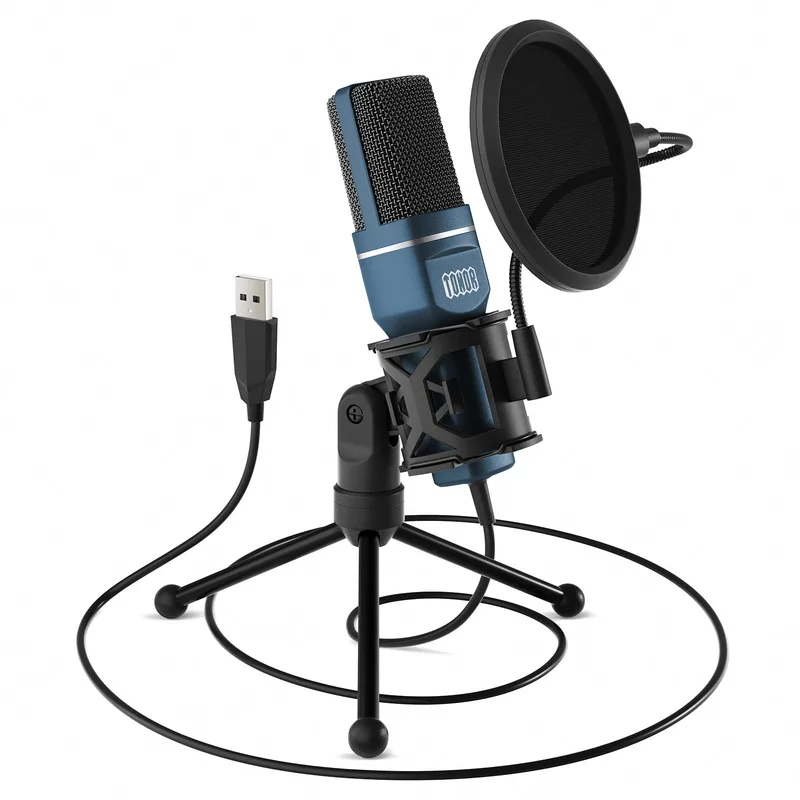
TONOR TC-777 USB Podcast Microphone
Pros
- Plug-and-play USB means nothing to install or configure
- Cardioid pattern focuses on the speaker's voice and reduces room noise
- Pop filter and desktop stand come in the box
- Clear upgrade over a laptop's built-in mic for calls
Cons
- Plastic build and no gain knob or headphone jack
- Not a match for studio-grade USB mics for recording
A laptop’s built-in mic makes everyone sound like they are in a tunnel. A USB mic is the cheapest fix, and this one needs no setup. Owners looking for a first step up from laptop audio will find it hard to argue with at this level.
Nordik Large Felt Desk Mat (35 x 17 in) — Best Desk Upgrade
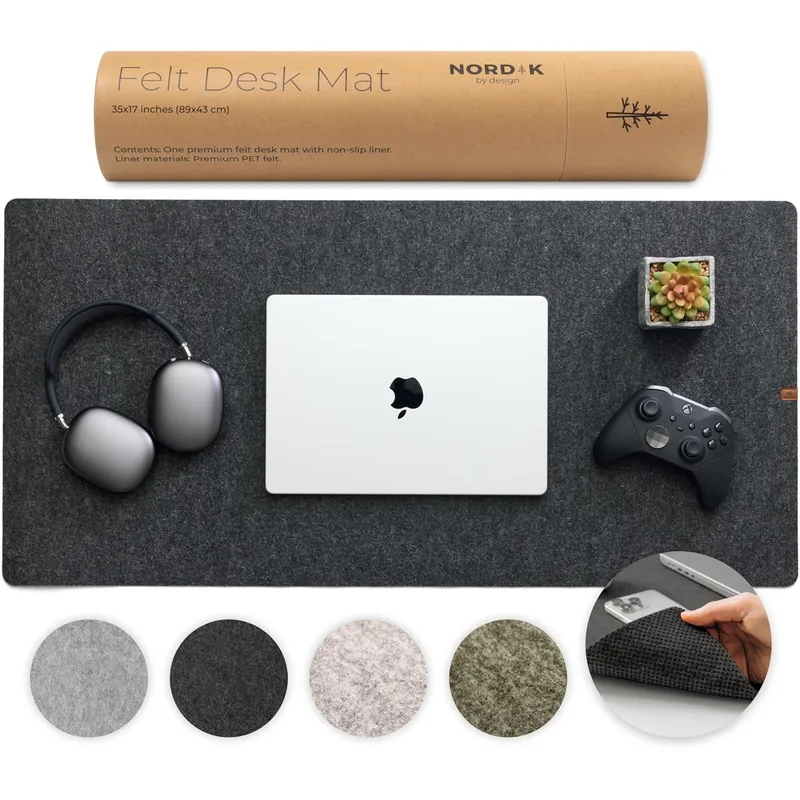
Nordik Large Felt Desk Mat (35 x 17 in)
Pros
- Instantly makes a bare desk look finished
- Large enough for a full keyboard and mouse
- Felt surface is quiet under typing and mouse movement
- Easy gift: no compatibility questions
Cons
- Felt can pick up crumbs and lint and needs occasional cleaning
- Too small for very large desks or ultrawide setups
A desk mat is one of those things nobody buys for themselves. It covers scratches, quiets keyboard and mouse noise, and ties the desk together. See our desk mat roundup for more options.
Twelve South Curve SE Laptop Stand — Best Budget Gift
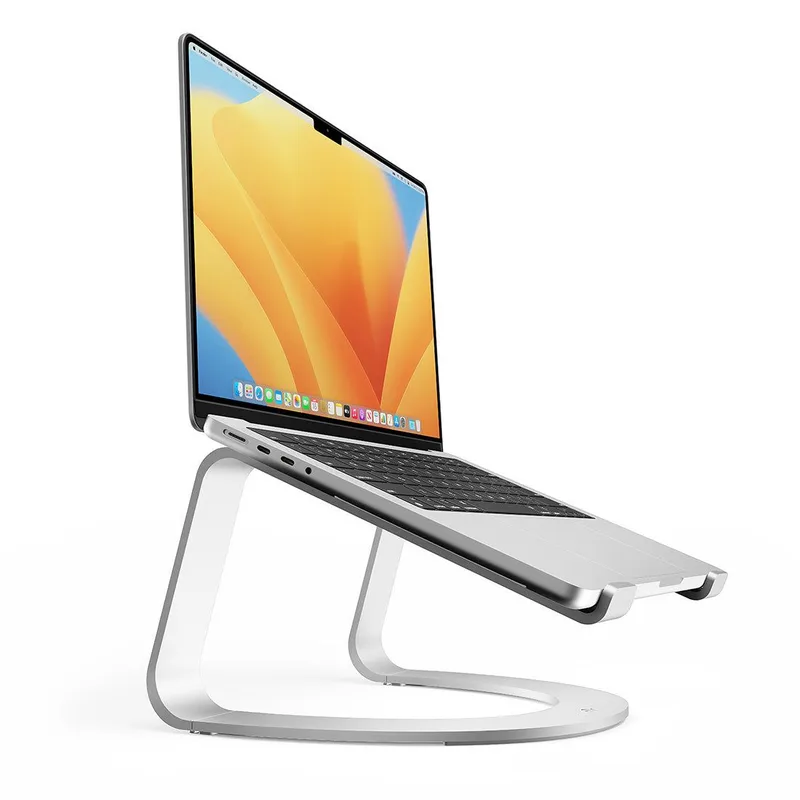
Twelve South Curve SE Laptop Stand
Pros
- Raises the laptop screen toward eye level
- Minimal aluminum design looks good on any desk
- Open design lets air move around the laptop
Cons
- Fixed angle with no height adjustment
- Needs a separate keyboard and mouse to be comfortable
Laptop screens sit too low for long days. A stand raises the display toward eye level, which is the first step toward better posture. It is meant to be paired with a separate keyboard and mouse. More options are in our laptop stand guide.
Gifts Under $50
The middle tier is where gifts start to change how a workday feels. A tidy audio setup and a clean charging spot are both easy wins. If the recipient records or takes lots of calls, see our guide to budget USB microphones and desktop boom arms.
InnoGear Microphone Boom Arm — Best for Podcasters
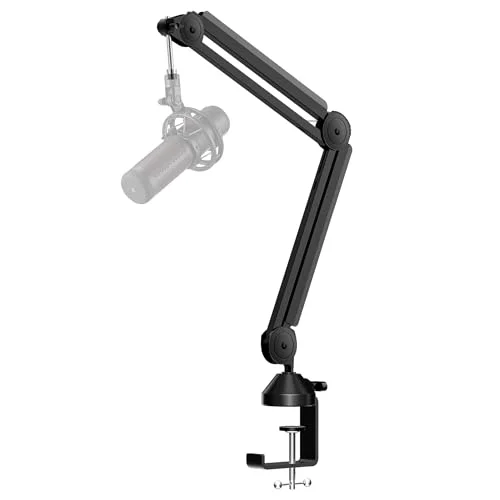
InnoGear Microphone Boom Arm
Pros
- Frees up desk space by lifting the mic off the desk
- Cable management keeps wiring tidy
- Swings the mic out of the way when not in use
- Works with popular USB mics
Cons
- Spring arms can sag under heavier microphones
- Needs a desk edge that accepts a clamp
If the recipient already has a USB mic, a boom arm is the upgrade that clears the desk and puts the mic near their mouth. It is a good match for podcasters and anyone on calls all day.
Apple MagSafe Charger (2 m) — Best for iPhone Users
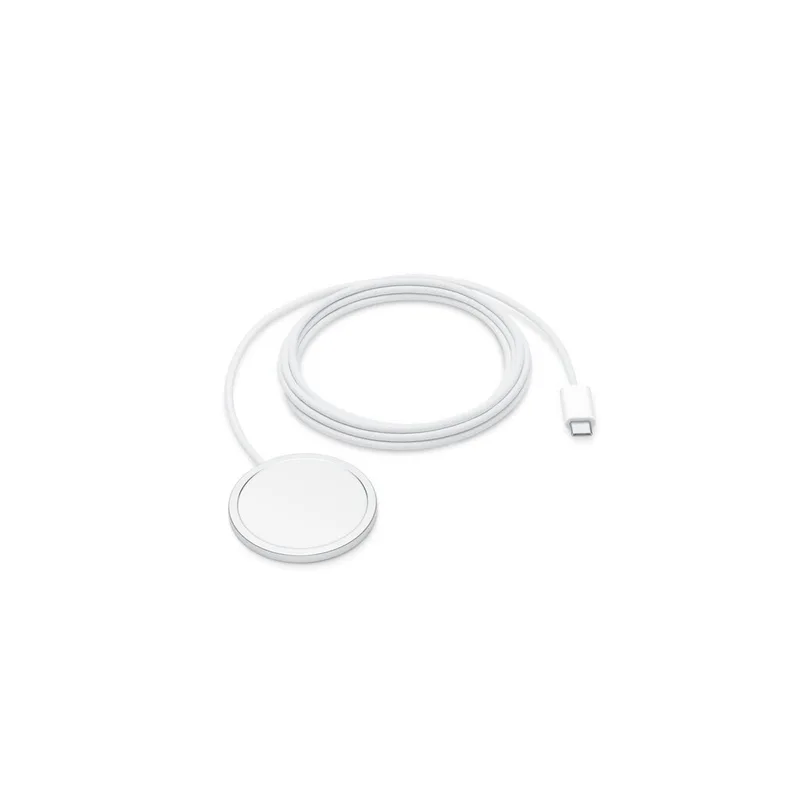
Apple MagSafe Charger (2 m)
Pros
- Magnet snaps on and aligns the phone every time
- Long 2 m cable reaches from a wall outlet to a desk
- Clean, simple design from Apple
- Keeps the phone visible for call and calendar alerts
Cons
- Only useful for iPhone owners, so check what they carry
- Charges one device and needs a separate power adapter
For iPhone owners, a magnetic charger on the desk means the phone is always topped up and visible. It is a simple gift, as long as you know they carry an iPhone with MagSafe.
Gifts Under $100
This is the sweet spot for a real gift: ergonomic and travel gear people use every day. For more on the first pick, our roundup of ergonomic mice for remote work compares the field, and our USB-C power bank guide covers more portable power.
Logitech Lift Vertical Ergonomic Mouse — Best Ergonomic Gift
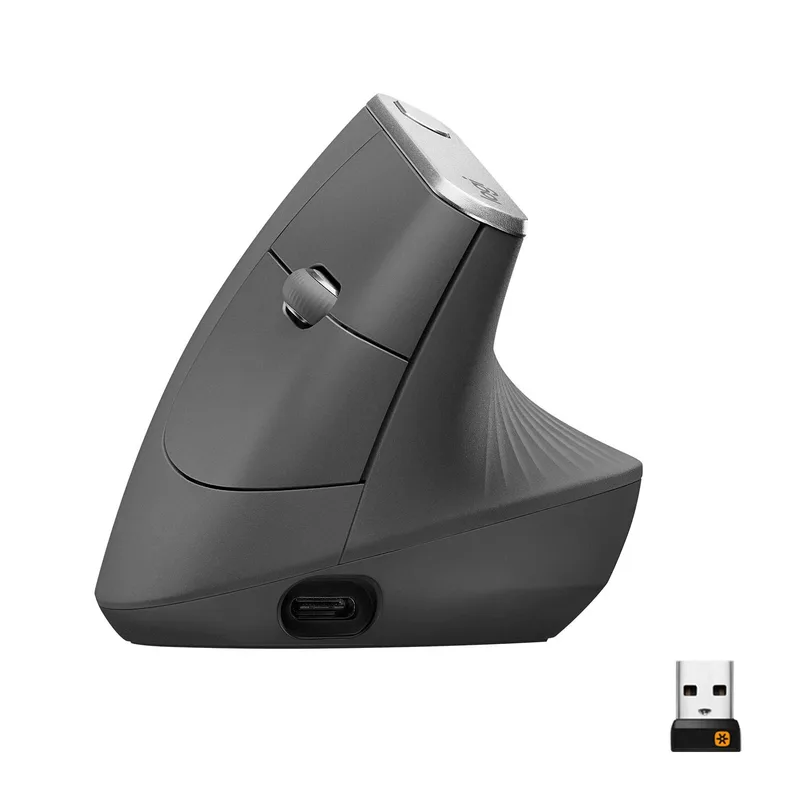
Logitech Lift Vertical Ergonomic Mouse
Pros
- Vertical grip keeps the wrist in a handshake position
- Quiet clicks suit shared spaces and calls
- Connects over Bluetooth or the Logi Bolt receiver
- Sized for smaller hands, where many ergonomic mice run large
Cons
- Not sized for large hands
- Takes a few days to adjust to the vertical grip
The vertical shape keeps the forearm in a neutral position, which is why it is a go-to for people with wrist strain. It suits smaller to medium hands, so it is worth checking the recipient’s grip.
Anker 553 USB-C Hub (8-in-1) — Best Laptop Add-On
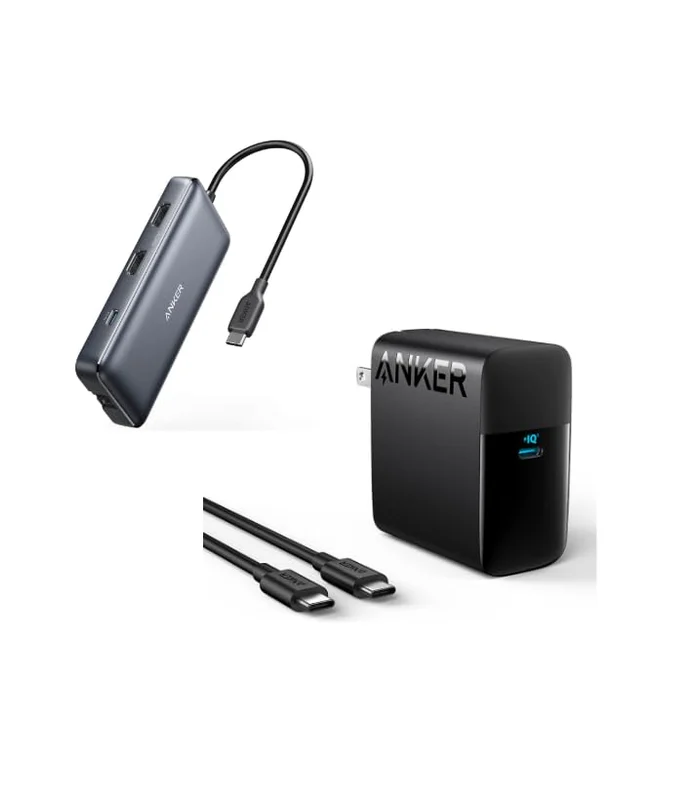
Anker 553 USB-C Hub (8-in-1)
Pros
- Adds extra ports so a thin laptop can connect to a monitor and accessories
- Passes through 100W charging
- One hub replaces a drawer of adapters
- Compact enough to travel with
Cons
- Needs a USB-C laptop
- Check the recipient's port needs before buying
Thin laptops come with very few ports. A hub fixes that with one cable and passes power through at 100W. Confirm the recipient has a USB-C laptop before buying.
Baseus Blade 100W Laptop Power Bank (20,000mAh) — Best for Travelers
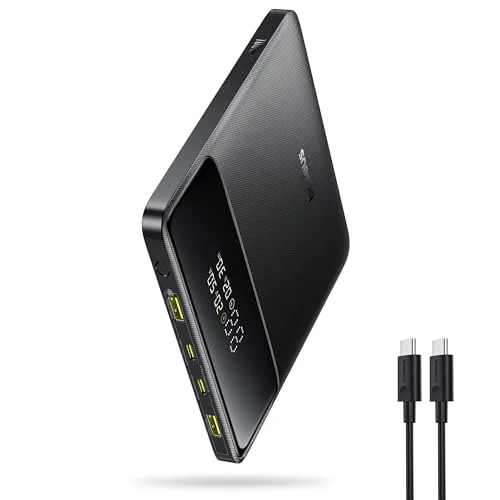
Baseus Blade 100W Laptop Power Bank (20,000mAh)
Pros
- 100W output can charge a laptop away from an outlet
- Slim shape slides into a laptop bag
- Useful for travel days and working from cafes
- Charges phones and tablets too
Cons
- Heavy for its size at this capacity
- Check airline carry-on rules for large batteries
A laptop-ready power bank is a gift for the person who works from cafes, trains, and airports. The slim shape is easy to pack, and the 100W output is enough for many laptops.
Splurge Picks
Two picks for someone who deserves the good stuff. Both are things heavy computer users rarely buy for themselves. If the headset is the right fit, see how it stacks up in our best headsets for remote work roundup.
Logitech MX Master 4 Wireless Mouse — Splurge Pick
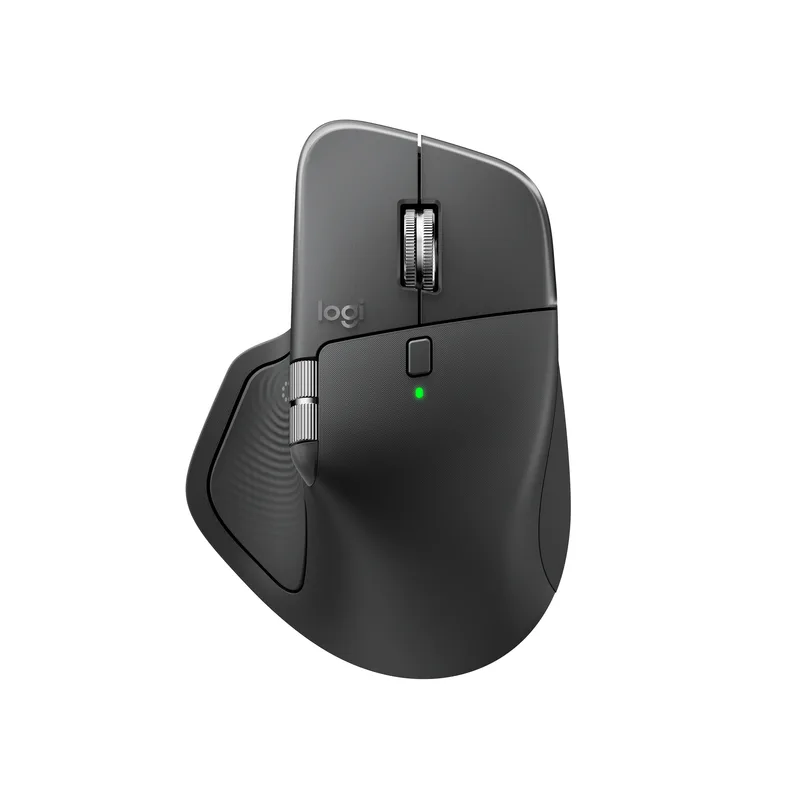
Logitech MX Master 4 Wireless Mouse
Pros
- Flagship mouse for people who spend all day on a computer
- Haptic feedback adds a new layer of response
- Multi-device connectivity switches between computers
- Sculpted shape supports the hand for long sessions
Cons
- Premium pricing for a mouse
- Sculpted shape is built for larger right hands
This is the mouse for the person who already owns everything. It is built around comfort and speed for all-day use, with multi-device switching for people who juggle a laptop and desktop.
Logitech Zone Wired 2 Noise Canceling Headset — Best Headset Splurge
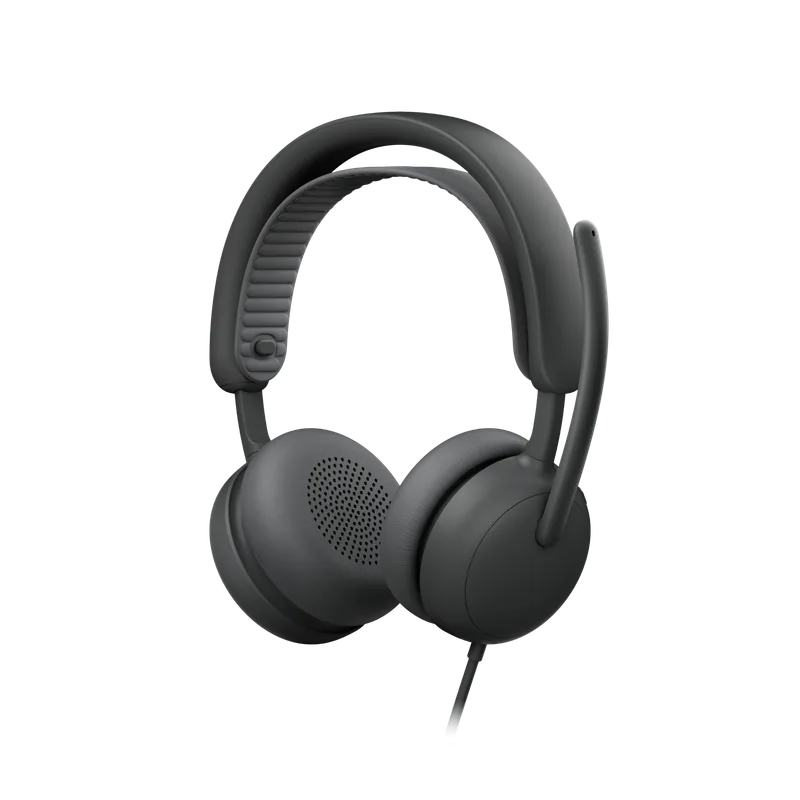
Logitech Zone Wired 2 Noise Canceling Headset
Pros
- Noise canceling helps in busy or shared homes
- Wired connection means no battery to charge before a meeting
- Designed for office calls and meetings
- Works with common meeting platforms
Cons
- Wired, so less freedom to walk around
- Over-ear design can get warm in long sessions
A wired headset avoids battery anxiety and pairing problems. Noise canceling helps in busy homes, and the design is aimed at office calls rather than music.
How We Picked These Gifts
We did not buy and use every item here. Each pick was chosen by researching spec sheets, reading owner feedback, and checking that the product is in stock on Amazon today. We looked for gifts that meet four rules: they solve a daily problem, they work without a long setup, they come from brands with a track record, and they are easy to return or exchange if the fit is wrong.
We also kept the list balanced. A gift guide made of ten mice would be useless, so the picks span desk surface, posture, audio, power, and ergonomics. Where we already cover a category in depth, the section links to that guide so you can compare more options before you buy.
Pairing Ideas That Work Well
Gifts get better in pairs. A few combinations that make sense together:
- Posture bundle: the laptop stand plus the vertical mouse gives a laptop user a more comfortable working position.
- Call upgrade: the USB microphone plus the boom arm turns a basic mic into a proper desk setup.
- Travel kit: the USB-C hub plus the laptop power bank covers a person who works away from home.
- Desk refresh: the desk mat plus the MagSafe charger tidies up the surface they look at every day.
Buying Guide: How to Choose a Gift for a Remote Worker
Fix a daily annoyance
The best gift removes friction from something they do every day: typing, clicking, joining calls, charging. Ask what they complain about, then match it.
Check what they already use
Look at their laptop ports, phone, and desk before buying. A USB-C hub only helps a USB-C laptop, and a MagSafe charger only helps an iPhone.
Avoid gifts that need setup help
A plug-and-play item like a mic or desk mat is easier to give than something that needs configuring. Save the complex gear for people who ask for it.
Keep the receipt option open
Ergonomic gear is personal. A mouse or keyboard that fits one hand may not fit another, so keep a return option available.
Treat prices as live
Prices and stock change often around the holidays. Use the buttons on each card to see what a listing costs today.
FAQ
What is a good gift for someone who works from home? Something that makes their daily setup easier: a mouse, laptop stand, desk mat, or audio gear. These are items most people use every day but rarely buy for themselves.
What is a good small gift for a remote worker? The first tier above is built for this. A laptop stand, desk mat, or USB microphone is useful without being a big spend.
Are ergonomic gifts a good idea? Yes, if you know their hand size and setup. A vertical mouse or sculpted mouse suits people who spend long hours at a computer, but expect an adjustment period.
Should I buy tech the recipient might already own? Check first. A quick look at their desk or a casual question avoids duplicates. A desk mat or boom arm is less likely to be a repeat than a mouse or headset.
How do I pick a gift if I do not know their setup? Stick with items that work for almost anyone: a desk mat, a laptop stand, or a USB microphone. Avoid anything tied to a specific phone, port, or hand size unless you have confirmed it. If you are unsure, a quick message to their partner or a coworker usually settles it.
Conclusion
For most people, the Logitech Lift Vertical Mouse is the best all-around gift: useful daily, easy to use, and easy on the wrist. On a small budget, the Twelve South Curve SE stand is a great pick. If you want to splurge, the Logitech MX Master 4 is the one for someone who lives in front of a computer. Whatever you choose, confirm the current price and stock on the card before you buy.
Detailed Reviews
TONOR TC-777 USB Podcast Microphone
Pros
- Plug-and-play USB means nothing to install or configure
- Cardioid pattern focuses on the speaker's voice and reduces room noise
- Pop filter and desktop stand come in the box
- Clear upgrade over a laptop's built-in mic for calls
Cons
- Plastic build and no gain knob or headphone jack
- Not a match for studio-grade USB mics for recording
Nordik Large Felt Desk Mat (35 x 17 in)
Pros
- Instantly makes a bare desk look finished
- Large enough for a full keyboard and mouse
- Felt surface is quiet under typing and mouse movement
- Easy gift: no compatibility questions
Cons
- Felt can pick up crumbs and lint and needs occasional cleaning
- Too small for very large desks or ultrawide setups
Twelve South Curve SE Laptop Stand
Pros
- Raises the laptop screen toward eye level
- Minimal aluminum design looks good on any desk
- Open design lets air move around the laptop
Cons
- Fixed angle with no height adjustment
- Needs a separate keyboard and mouse to be comfortable
InnoGear Microphone Boom Arm
Pros
- Frees up desk space by lifting the mic off the desk
- Cable management keeps wiring tidy
- Swings the mic out of the way when not in use
- Works with popular USB mics
Cons
- Spring arms can sag under heavier microphones
- Needs a desk edge that accepts a clamp
Apple MagSafe Charger (2 m)
Pros
- Magnet snaps on and aligns the phone every time
- Long 2 m cable reaches from a wall outlet to a desk
- Clean, simple design from Apple
- Keeps the phone visible for call and calendar alerts
Cons
- Only useful for iPhone owners, so check what they carry
- Charges one device and needs a separate power adapter
Logitech Lift Vertical Ergonomic Mouse
Pros
- Vertical grip keeps the wrist in a handshake position
- Quiet clicks suit shared spaces and calls
- Connects over Bluetooth or the Logi Bolt receiver
- Sized for smaller hands, where many ergonomic mice run large
Cons
- Not sized for large hands
- Takes a few days to adjust to the vertical grip
Anker 553 USB-C Hub (8-in-1)
Pros
- Adds extra ports so a thin laptop can connect to a monitor and accessories
- Passes through 100W charging
- One hub replaces a drawer of adapters
- Compact enough to travel with
Cons
- Needs a USB-C laptop
- Check the recipient's port needs before buying
Baseus Blade 100W Laptop Power Bank (20,000mAh)
Pros
- 100W output can charge a laptop away from an outlet
- Slim shape slides into a laptop bag
- Useful for travel days and working from cafes
- Charges phones and tablets too
Cons
- Heavy for its size at this capacity
- Check airline carry-on rules for large batteries
Logitech MX Master 4 Wireless Mouse
Pros
- Flagship mouse for people who spend all day on a computer
- Haptic feedback adds a new layer of response
- Multi-device connectivity switches between computers
- Sculpted shape supports the hand for long sessions
Cons
- Premium pricing for a mouse
- Sculpted shape is built for larger right hands
Logitech Zone Wired 2 Noise Canceling Headset
Pros
- Noise canceling helps in busy or shared homes
- Wired connection means no battery to charge before a meeting
- Designed for office calls and meetings
- Works with common meeting platforms
Cons
- Wired, so less freedom to walk around
- Over-ear design can get warm in long sessions