Programmers are easy to shop for once you stop buying them gadgets. Keyboard makers keep pushing the category forward in 2026: Keychron launched its wireless Q Ultra series, and NuPhy and Corsair both showed new boards at CES. Still, most developers spend all day on the same few things: a keyboard, a screen, a charger, and a cable. Small upgrades to those are the gifts that get used.
This guide is organized by budget. Each pick was chosen by researching spec sheets and reading owner feedback, and the card on each product shows the current Amazon price.
Quick pick: the NuPhy Air75 V2 is the best all-round keyboard gift. For a bigger budget, go with the Keychron Q5 Pro.
| Spec | UGREEN 240W USB4 40Gbps USB-C Cable (3.3 ft) | Apple 240W USB-C Woven Charge Cable (2 m) | TESSAN Desk Clamp Power Strip (6 ft, 2100J) | Anker 9-in-1 Desktop Charger (100W, 300J surge) | NuPhy Air75 V2 Wireless Mechanical Keyboard | Quntis Monitor Light Bar with Remote | Anker Prime 140W 6-in-1 Charging Station | Keychron Q5 Pro 96% Wireless Mechanical Keyboard | BenQ ScreenBar Halo 2 LED Monitor Light Bar |
|---|---|---|---|---|---|---|---|---|---|
| Rating | 8.0/10 | 7.8/10 | 8.1/10 | 8.2/10 | 8.8/10 | 8.4/10 | 8.3/10 | 9.2/10 | 9.0/10 |
| Price | $19.79-$21.99as of Oct 11, 2026 | $24.00as of Oct 11, 2026 | $29.99as of Oct 11, 2026 | $39.99as of Oct 11, 2026 | $59.00as of Oct 11, 2026 | $66.49-$69.99as of Oct 11, 2026 | $40.00-$79.99as of Oct 11, 2026 | $146.29-$164.99as of Oct 11, 2026 | $199.00as of Oct 11, 2026 |
| Length | 3.3 ft | 2 m | — | — | — | — | — | — | — |
| Power | Up to 240W | Up to 240W | — | — | — | — | — | — | — |
| Data | 40Gbps USB4 / Thunderbolt-compatible | — | — | — | — | — | — | — | — |
| Connectors | USB-C to USB-C | USB-C to USB-C | — | — | — | — | — | — | — |
| Build | — | Woven | — | — | — | — | — | — | — |
| Cord | — | — | 6 ft | — | — | — | — | — | — |
| Surge Protection | — | — | 2100J | 300J | — | — | — | — | — |
| Mount | — | — | Desk edge clamp | — | — | — | — | — | — |
| Color | — | — | Gray | — | — | — | — | — | — |
| Output | — | — | — | 100W total | — | — | 140W | — | — |
| Format | — | — | — | 9-in-1 desktop strip | — | — | 6-in-1 power strip | — | — |
| Brand | — | — | — | Anker | NuPhy | Quntis | Anker | — | BenQ |
| Layout | — | — | — | — | 75% | — | — | 96% | — |
| Connection | — | — | — | — | Wireless, Bluetooth | — | — | Wireless | — |
| Profile | — | — | — | — | Low-profile mechanical | — | — | — | — |
| Type | — | — | — | — | — | Monitor-mounted light bar | — | — | Monitor light bar |
| Control | — | — | — | — | — | Remote | — | — | Wireless controller |
| Fit | — | — | — | — | — | Curved and flat monitors | — | — | — |
| Ports | — | — | — | — | — | — | Multiple USB-C | — | — |
| Body | — | — | — | — | — | — | — | Full aluminum | — |
| Firmware | — | — | — | — | — | — | — | QMK/VIA programmable | — |
| Lighting | — | — | — | — | — | — | — | — | Backlight included |
| Check Price → | Check Price → | Check Price → | Check Price → | Check Price → | Check Price → | Check Price → | Check Price → | Check Price → |
Prices change daily — tap Check Price for the current Amazon price.
Gifts Under $25
Cables are the stocking stuffer developers actually use. For more options, see our guide to USB-C cables for the home office.
UGREEN 240W USB4 Cable — Best Stocking Stuffer
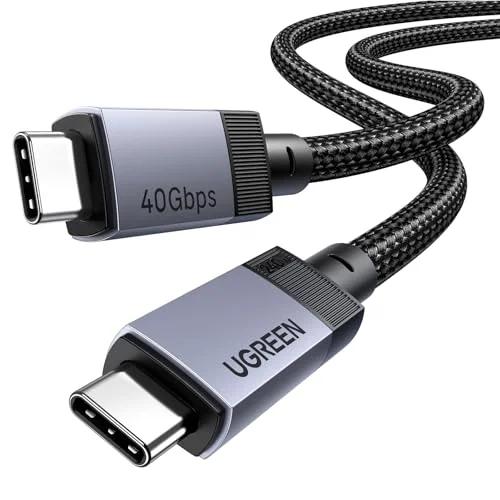
UGREEN 240W USB4 40Gbps USB-C Cable (3.3 ft)
Pros
- One cable covers charging, external SSDs, and a docked monitor
- Rated for 240W, so it will not bottleneck a laptop charger
- 40Gbps data suits fast external drives
- Cheap enough to gift in a pair
Cons
- Short length will not reach a far wall outlet
- Looks like any other cable, so the gift is practical, not exciting
- Cannot tell its rating at a glance once it is out of the box
A good cable does three jobs: charging a laptop, feeding an external SSD, and running a docked monitor. This one is cheap enough to give in a pair.
Apple 240W USB-C Woven Cable — Best Cable Upgrade
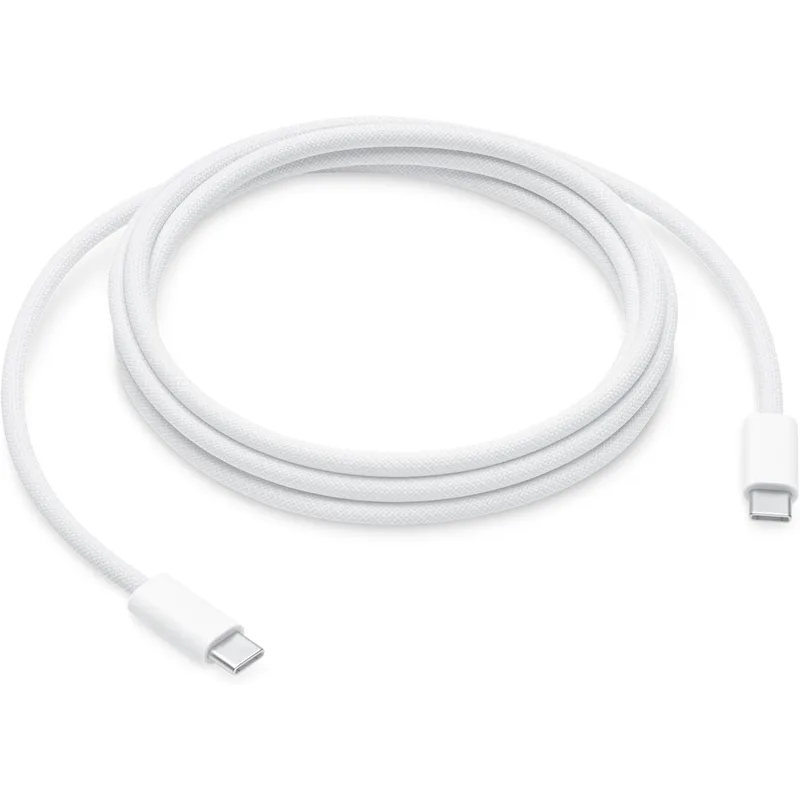
Apple 240W USB-C Woven Charge Cable (2 m)
Pros
- Two meters reaches from a wall outlet to a desk without strain
- Woven jacket holds up better than thin stock cables
- Handles high-wattage laptop charging
- Works with phones, tablets, and laptops
Cons
- Charge cable, not meant for fast data transfer
- Costs more than third-party cables of similar rating
- Easy to already own one
The two-meter length is the selling point. It reaches the wall without pulling on the laptop port.
Gifts Under $50
Power is the unglamorous fix. A tidy desk starts with a place to plug things in. See our desk power strip roundup for more choices.
TESSAN Desk Clamp Power Strip — Best Desk Fix
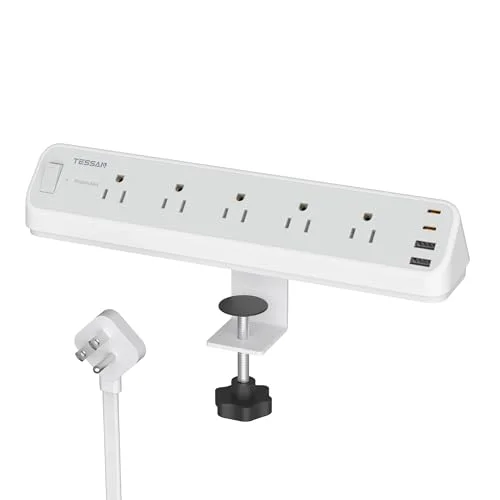
TESSAN Desk Clamp Power Strip (6 ft, 2100J)
Pros
- Clamps to the desk edge so plugs stay reachable
- Surge protection suits a PC, monitors, and chargers
- Frees the floor and the outlet behind the desk
- A fix for a problem most people live with
Cons
- Needs a desk edge that fits the clamp
- Bulky next to a slim desk
- Check the outlet and USB mix against what the recipient plugs in
Clamping a strip to the desk edge puts every plug within reach and gets cables off the floor.
Anker 9-in-1 Desktop Charger — Best Power Gift
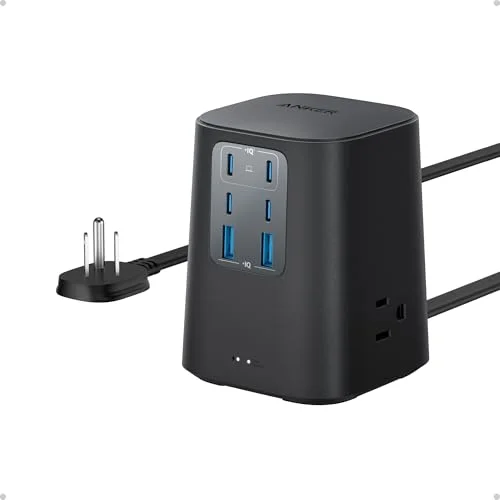
Anker 9-in-1 Desktop Charger (100W, 300J surge)
Pros
- Charges a laptop, phone, and accessories from one block
- Surge protection on the strip
- Compact enough for a crowded desk
- Brand with solid owner feedback on chargers
Cons
- 100W is shared across ports, so it will not max out everything at once
- Cord length limits placement
- Overlaps with a standard power strip
Laptop, phone, and accessories charge from one block. It suits the person with a pile of chargers.
Gifts Under $100
This is where the best gifts for programmers live. If you want a wider look at keyboards, see our mechanical keyboard roundup.
NuPhy Air75 V2 — Best Keyboard Gift
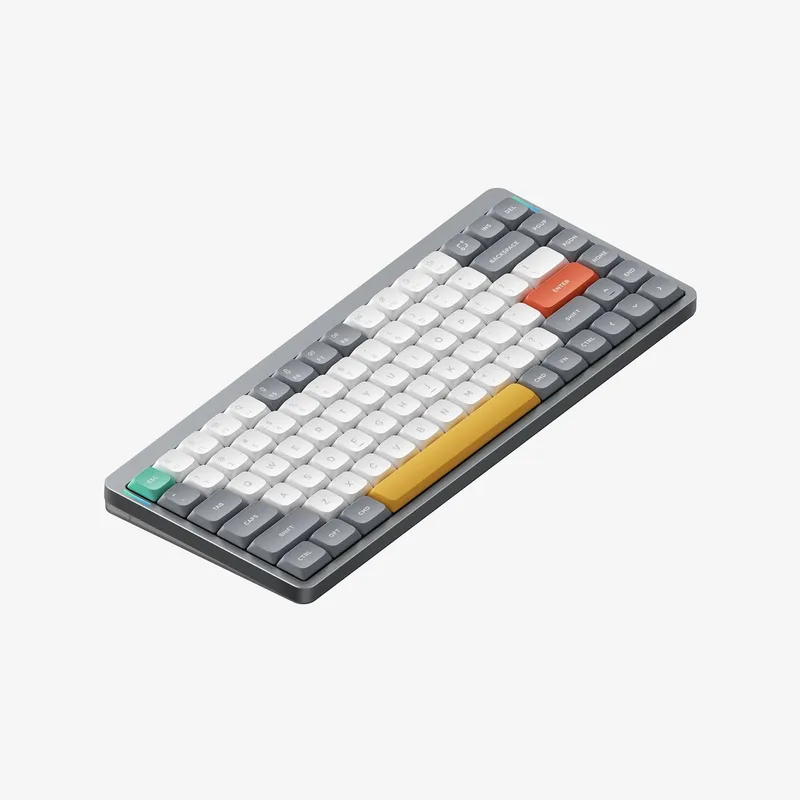
NuPhy Air75 V2 Wireless Mechanical Keyboard
Pros
- 75% layout keeps arrow keys and function row on a small footprint
- Wireless and portable, so it works at the desk or in a bag
- Low-profile switches suit long typing sessions
- Priced well below most enthusiast keyboards
Cons
- Stock is limited, so the listing can change quickly
- Switch feel is personal and may not match the recipient's taste
- No numpad
A 75% layout keeps arrow keys and the function row, which developers use constantly, and drops the numpad. It is wireless and slim enough to carry.
Quntis Monitor Light Bar — Best Desk Lighting
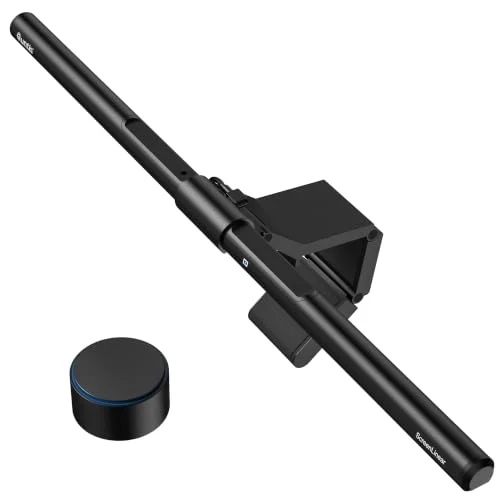
Quntis Monitor Light Bar with Remote
Pros
- Lights the desk without adding glare on the screen
- Sits on the monitor, so it takes no desk space
- Remote lets the user adjust without reaching
- Fits curved and flat monitors
Cons
- Needs a monitor with room on top
- Cable routing is a small chore
- Less polished than the premium BenQ bars
A light bar lights the desk without washing out the screen. It is useful for anyone who codes late. Our monitor light bar guide compares more models.
Anker Prime 140W 6-in-1 Charging Station — Best Travel Power
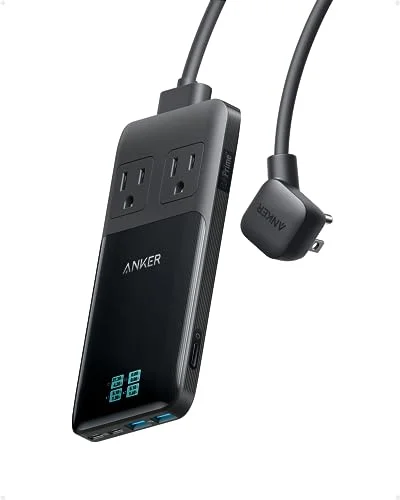
Anker Prime 140W 6-in-1 Charging Station
Pros
- 140W output is enough for many laptops
- Compact enough to travel with
- Multiple ports charge a laptop and phone together
- Useful at the desk and on the road
Cons
- Price is in the upper part of the tier
- Total power is shared across ports
- Check the laptop's charging requirement first
For the developer who works in cafes and airports, one compact strip can charge a laptop and a phone together.
Splurge Picks
For the programmer who already owns the basics.
Keychron Q5 Pro — Best Keyboard Splurge
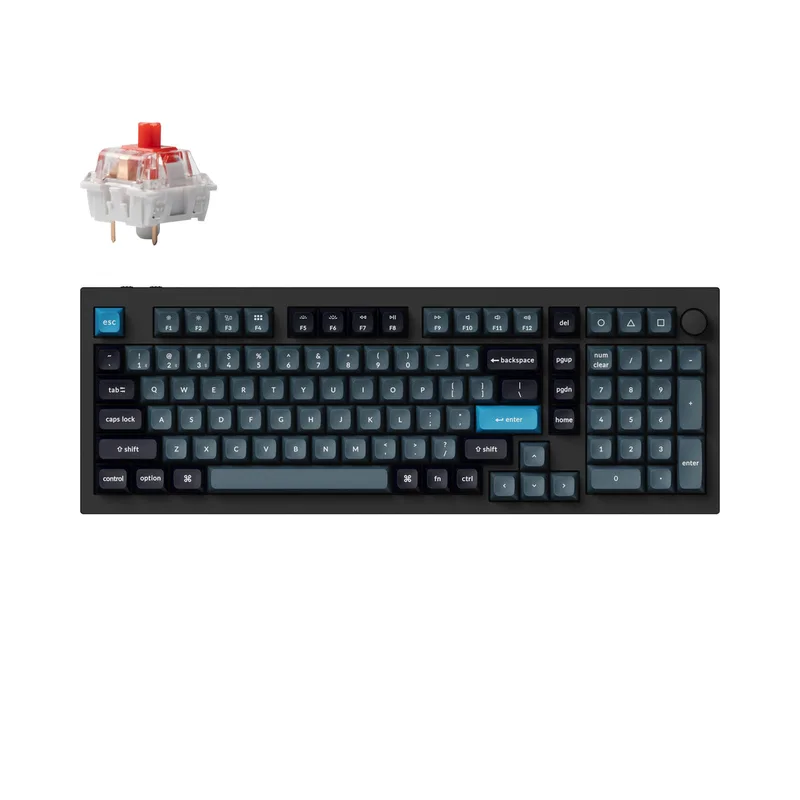
Keychron Q5 Pro 96% Wireless Mechanical Keyboard
Pros
- QMK/VIA support lets a programmer remap every key
- Full aluminum body feels solid
- 96% layout keeps the numpad in a compact footprint
- Wireless for switching between devices
Cons
- Heavy and not meant for travel
- Price is high for a keyboard
- Customization takes some setup
QMK/VIA support means every key can be remapped, which suits people who like to tune their tools. It is a full aluminum board and not a travel keyboard.
BenQ ScreenBar Halo 2 — Best Lighting Splurge

BenQ ScreenBar Halo 2 LED Monitor Light Bar
Pros
- Wireless controller adjusts brightness and color
- Backlight reduces contrast between screen and wall
- Designed to light the desk without screen glare
- A premium upgrade most people skip buying for themselves
Cons
- Expensive for a lamp
- Needs a compatible monitor top
- Only matters if they work in a dim room
A premium monitor light that most people skip buying for themselves. It is best for someone who works in a dim room. If they also need a better screen, our 4K monitors for programming guide is the next stop. For non-programmer gifts, see our remote worker gift guide.
How We Picked These Gifts
We did not buy and use every item. Each pick was chosen by researching spec sheets, reviewing owner feedback, and checking that the product is in stock on Amazon today. We avoided repeating the picks in our remote worker gift guide and looked for gifts that fix a daily annoyance.
Why These Picks Suit Developers
Programming is long stretches of typing, reading, and context switching. That makes the keyboard, the screen, and the physical comfort of the desk matter more than any gadget. The picks above lean on that idea: input, lighting, power, and connectivity.
Keyboards get the most attention because they are the tool a developer touches the most. A 75% board like the NuPhy keeps the arrow keys and function row close, which matters when navigating code and using debugger shortcuts. A programmable board like the Keychron lets the owner remap layers, set macros, and tune key behavior to their editor. If the recipient already has a keyboard they love, skip that category and go for lighting or power.
Lighting is the sleeper category. Many developers work late or in a dim room, and a monitor light bar lights the desk without lighting up the screen. It is a gift few people buy for themselves, which is exactly why it works.
Power and cables are the least exciting gifts and often the most appreciated. A laptop that charges slowly because of a weak cable, or a desk with one outlet and five chargers, is a daily annoyance. Fixing it costs little and the benefit shows up every day.
Pairing Ideas That Work Well
- Desk refresh: the clamp power strip plus the light bar clears cables and improves the workspace in one go.
- Mobile developer: the Anker Prime charging station plus a 240W cable covers a person who codes away from home.
- Keyboard upgrade: a mechanical keyboard plus a desk power fix makes a complete setup gift.
What to Avoid
Avoid gifts that depend on details you do not know. Do not guess at switch type, laptop port, or screen size. If you are unsure, pick lighting, cables, or power gear, which fit almost any setup. Skip novelty gifts that sit on a shelf; developers tend to prefer something they will touch every day.
How to Decide Between Tiers
The tiers are a budget guide, not a quality ladder. A cable in the first tier can be more useful day to day than a pricey gadget in the last. Start with the recipient’s biggest daily annoyance, then pick the tier that fits your budget.
If the recipient works from a desk at home, power and lighting gifts tend to land well because home setups are rarely tidy. If they split time between home and an office, the portable picks, like the compact charging station and the wireless keyboard, travel with them. If they are a keyboard enthusiast, the splurge board is the safest bet, since they will already have opinions and a board like the Keychron gives them room to tune it.
For a team or a group gift, a simple approach works: pool money for one splurge item and add a small stocking stuffer from the first tier. Programmers on a team often share the same pain points, such as messy desks, weak chargers, and dim rooms, so the same fix helps several people at once.
A Note on Compatibility
Check three details before ordering. First, the laptop’s charging port and wattage: a USB-C charger or cable should meet or beat what the laptop asks for. Second, the operating system: wireless keyboards usually work with Windows, macOS, and Linux, but key labels and shortcuts can differ. Third, desk space: a clamp power strip needs an edge that fits, and a monitor light bar needs room on top of the screen. A quick look at the recipient’s desk in a photo or video call is often enough.
Buying Guide: Gifts for Programmers
Check their keyboard habits
Layout and switch feel are personal. A 75% board suits people who want arrow keys without a numpad, while a 96% board keeps one.
Match the port and power needs
Look at the laptop’s charger before buying power gear. Confirm it uses USB-C before buying a cable or charger.
Prefer gifts that remove friction
Programmers often have a good setup but poor power and lighting. Those are easy wins.
Treat prices as live
Prices and stock change often in the holiday season. Use the button on each card.
FAQ
What is a good gift for a programmer? A keyboard, desk lighting, or a good cable. These are items they use all day.
What should I get a programmer on a small budget? A quality USB-C cable or a desk clamp power strip. Both are practical and need no setup.
Is a mechanical keyboard a good gift for a developer? Yes, but switch feel is personal. A well-reviewed wireless board is a safer bet than a niche build.
Do programmers need special keyboards? No, but many prefer a compact layout with a good typing feel. A 75% or 96% board is a safe starting point.
Should I buy a programmer a monitor? Only if you know their setup. Lighting and keyboards are safer gifts.
Conclusion
For most developers, the NuPhy Air75 V2 is the best gift: useful every day and priced well. For a splurge, the Keychron Q5 Pro is the pick. On a small budget, a good cable goes a long way. Check the current price and stock on each card before you buy.
Detailed Reviews
UGREEN 240W USB4 40Gbps USB-C Cable (3.3 ft)
Pros
- One cable covers charging, external SSDs, and a docked monitor
- Rated for 240W, so it will not bottleneck a laptop charger
- 40Gbps data suits fast external drives
- Cheap enough to gift in a pair
Cons
- Short length will not reach a far wall outlet
- Looks like any other cable, so the gift is practical, not exciting
- Cannot tell its rating at a glance once it is out of the box
Apple 240W USB-C Woven Charge Cable (2 m)
Pros
- Two meters reaches from a wall outlet to a desk without strain
- Woven jacket holds up better than thin stock cables
- Handles high-wattage laptop charging
- Works with phones, tablets, and laptops
Cons
- Charge cable, not meant for fast data transfer
- Costs more than third-party cables of similar rating
- Easy to already own one
TESSAN Desk Clamp Power Strip (6 ft, 2100J)
Pros
- Clamps to the desk edge so plugs stay reachable
- Surge protection suits a PC, monitors, and chargers
- Frees the floor and the outlet behind the desk
- A fix for a problem most people live with
Cons
- Needs a desk edge that fits the clamp
- Bulky next to a slim desk
- Check the outlet and USB mix against what the recipient plugs in
Anker 9-in-1 Desktop Charger (100W, 300J surge)
Pros
- Charges a laptop, phone, and accessories from one block
- Surge protection on the strip
- Compact enough for a crowded desk
- Brand with solid owner feedback on chargers
Cons
- 100W is shared across ports, so it will not max out everything at once
- Cord length limits placement
- Overlaps with a standard power strip
NuPhy Air75 V2 Wireless Mechanical Keyboard
Pros
- 75% layout keeps arrow keys and function row on a small footprint
- Wireless and portable, so it works at the desk or in a bag
- Low-profile switches suit long typing sessions
- Priced well below most enthusiast keyboards
Cons
- Stock is limited, so the listing can change quickly
- Switch feel is personal and may not match the recipient's taste
- No numpad
Quntis Monitor Light Bar with Remote
Pros
- Lights the desk without adding glare on the screen
- Sits on the monitor, so it takes no desk space
- Remote lets the user adjust without reaching
- Fits curved and flat monitors
Cons
- Needs a monitor with room on top
- Cable routing is a small chore
- Less polished than the premium BenQ bars
Anker Prime 140W 6-in-1 Charging Station
Pros
- 140W output is enough for many laptops
- Compact enough to travel with
- Multiple ports charge a laptop and phone together
- Useful at the desk and on the road
Cons
- Price is in the upper part of the tier
- Total power is shared across ports
- Check the laptop's charging requirement first
Keychron Q5 Pro 96% Wireless Mechanical Keyboard
Pros
- QMK/VIA support lets a programmer remap every key
- Full aluminum body feels solid
- 96% layout keeps the numpad in a compact footprint
- Wireless for switching between devices
Cons
- Heavy and not meant for travel
- Price is high for a keyboard
- Customization takes some setup
BenQ ScreenBar Halo 2 LED Monitor Light Bar
Pros
- Wireless controller adjusts brightness and color
- Backlight reduces contrast between screen and wall
- Designed to light the desk without screen glare
- A premium upgrade most people skip buying for themselves
Cons
- Expensive for a lamp
- Needs a compatible monitor top
- Only matters if they work in a dim room