| Spec | CalDigit TS4 | Kensington SD5700T Thunderbolt 4 Dock | Amazon Basics Thunderbolt 4 Pro Docking Station | Anker 568 USB4 Docking Station | Plugable UD-4VPD USB4 Docking Station |
|---|---|---|---|---|---|
| Rating | 9.0/10 | 8.0/10 | 7.0/10 | 8.0/10 | 8.0/10 |
| Price | $379.99as of Oct 18, 2026 | $175.00-$239.97as of Oct 18, 2026 | Unavailable | Unavailable | Unavailable |
| Connectivity | Thunderbolt 4 (40Gbps) | Thunderbolt 4 (40Gbps) | Thunderbolt 4 (40Gbps) | USB4 Gen 2x2 (40Gbps) | USB4 Gen 2x2 (40Gbps) |
| Total Ports | 18 | 11 | — | 11 | 11 |
| Laptop Charging | 98W | 90W | 96W | 100W | 100W |
| Ethernet | 2.5 GbE | Gigabit | 2.5 GbE | Gigabit | 2.5 GbE |
| Display Outputs | 3x Thunderbolt 4 (2 active simultaneously) | Dual 4K@60Hz | — | 2x DisplayPort 1.4 + 1x HDMI 2.0 | 2x HDMI 2.1 |
| Max Resolution | 2x 6K@60Hz or 1x 8K@30Hz | — | — | Triple 4K@60Hz or Single 8K@30Hz | Dual 4K@120Hz or Single 8K@60Hz |
| USB-C Data Ports | 3x 10 Gbps | — | — | 2x 10 Gbps (30W each) | 1x 10 Gbps (20W front) |
| USB-A Data Ports | 5x 10 Gbps + 1x 5 Gbps | — | — | 4x 10 Gbps | 3x 10 Gbps + 1x 5 Gbps |
| SD Card Reader | UHS-II | UHS-II SD 4.0 | — | — | Dual (SD + microSD) |
| Warranty | 3 years | 3 years | — | — | — |
| Thunderbolt Ports | — | 4x Thunderbolt 4 | 2x Thunderbolt 4 | — | — |
| Platform Support | — | Windows and macOS | — | Windows only | — |
| HDMI | — | — | 1x HDMI 2.1 (8K@30Hz) | — | — |
| USB-A Ports | — | — | 3x USB-A 3.1 | — | — |
| Dimensions | — | — | 7.86 x 2.95 x 1.23 in | — | — |
| Display Support | — | — | Dual 4K@60Hz | — | — |
| Power Adapter | — | — | — | 180W included | — |
| Audio | — | — | — | — | 3.5mm combo jack |
| Check Price → | Check Price → | Check Price → | Check Price → | Check Price → |
Prices change daily — tap Check Price for the current Amazon price.
The USB4 certification question matters more in 2026 than it did two years ago. Thunderbolt 5 hardware has started reaching consumer laptops, squeezing Thunderbolt 4 into a new position: no longer the premium standard, but the mature, well-supported middle ground. Meanwhile, USB4 Gen 2x2 docks have matured enough that the compatibility gaps of 2023 and 2024 have closed significantly — especially for AMD and Qualcomm laptop users who were left out of the Thunderbolt ecosystem entirely.
The question facing remote workers right now: is a Thunderbolt 4 dock still worth the certification premium, or has USB4 become good enough to skip it?
Short answer: it depends on your laptop and your use case. This comparison covers both standards in depth, then reviews the best docks in each camp so you can make an informed call.
| Spec | CalDigit TS4 | Kensington SD5700T Thunderbolt 4 Dock | Amazon Basics Thunderbolt 4 Pro Docking Station | Anker 568 USB4 Docking Station | Plugable UD-4VPD USB4 Docking Station |
|---|---|---|---|---|---|
| Rating | 9.0/10 | 8.0/10 | 7.0/10 | 8.0/10 | 8.0/10 |
| Price | $379.99as of Oct 18, 2026 | $175.00-$239.97as of Oct 18, 2026 | Unavailable | Unavailable | Unavailable |
| Connectivity | Thunderbolt 4 (40Gbps) | Thunderbolt 4 (40Gbps) | Thunderbolt 4 (40Gbps) | USB4 Gen 2x2 (40Gbps) | USB4 Gen 2x2 (40Gbps) |
| Total Ports | 18 | 11 | — | 11 | 11 |
| Laptop Charging | 98W | 90W | 96W | 100W | 100W |
| Ethernet | 2.5 GbE | Gigabit | 2.5 GbE | Gigabit | 2.5 GbE |
| Display Outputs | 3x Thunderbolt 4 (2 active simultaneously) | Dual 4K@60Hz | — | 2x DisplayPort 1.4 + 1x HDMI 2.0 | 2x HDMI 2.1 |
| Max Resolution | 2x 6K@60Hz or 1x 8K@30Hz | — | — | Triple 4K@60Hz or Single 8K@30Hz | Dual 4K@120Hz or Single 8K@60Hz |
| USB-C Data Ports | 3x 10 Gbps | — | — | 2x 10 Gbps (30W each) | 1x 10 Gbps (20W front) |
| USB-A Data Ports | 5x 10 Gbps + 1x 5 Gbps | — | — | 4x 10 Gbps | 3x 10 Gbps + 1x 5 Gbps |
| SD Card Reader | UHS-II | UHS-II SD 4.0 | — | — | Dual (SD + microSD) |
| Warranty | 3 years | 3 years | — | — | — |
| Thunderbolt Ports | — | 4x Thunderbolt 4 | 2x Thunderbolt 4 | — | — |
| Platform Support | — | Windows and macOS | — | Windows only | — |
| HDMI | — | — | 1x HDMI 2.1 (8K@30Hz) | — | — |
| USB-A Ports | — | — | 3x USB-A 3.1 | — | — |
| Dimensions | — | — | 7.86 x 2.95 x 1.23 in | — | — |
| Display Support | — | — | Dual 4K@60Hz | — | — |
| Power Adapter | — | — | — | 180W included | — |
| Audio | — | — | — | — | 3.5mm combo jack |
| Check Price → | Check Price → | Check Price → | Check Price → | Check Price → |
Prices change daily — tap Check Price for the current Amazon price.
The Standards Explained
Thunderbolt 4
Thunderbolt 4 is Intel’s fourth-generation implementation of the Thunderbolt protocol. Every certified TB4 dock must deliver 40Gbps bandwidth, support dual 4K@60Hz displays, include at least one downstream TB4 port for daisy-chaining, and provide a minimum 15W of bus power. The Intel certification is mandatory — not optional.
What that mandatory certification means in practice: there’s no guessing. A TB4-certified dock delivers its full 40Gbps consistently. It supports daisy-chaining Thunderbolt peripherals. It works with every Mac with a Thunderbolt port. The spec doesn’t allow manufacturers to cut corners on the headline features.
TB4 docks also carry mandatory DP 1.4 support with Display Stream Compression (DSC), which enables dual 4K displays without bandwidth bottlenecking. Every TB4 dock with two display outputs delivers stable dual 4K because the spec enforces it.
USB4 Gen 2x2 (40Gbps)
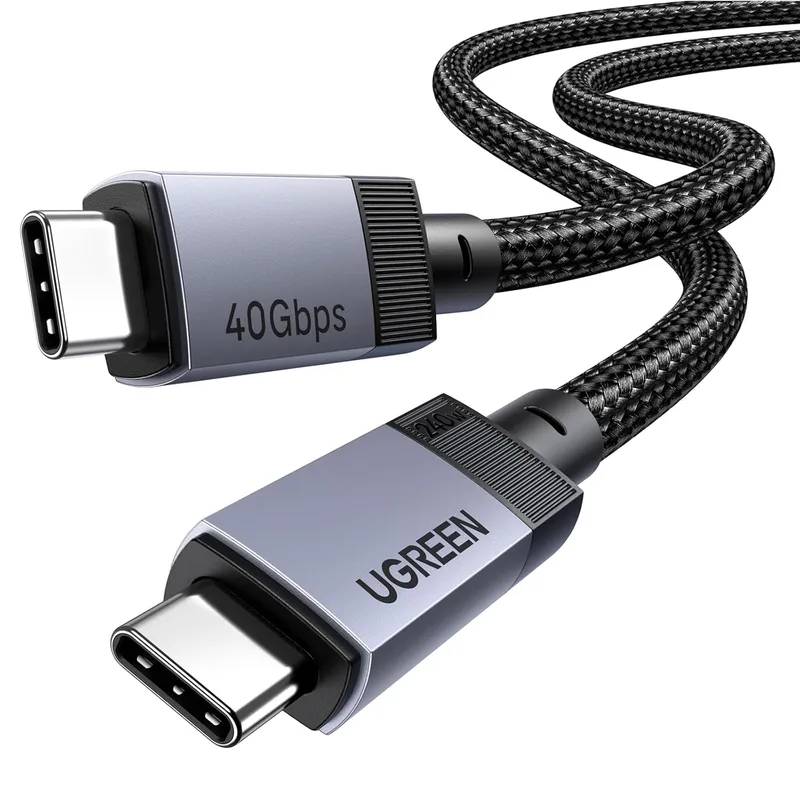
USB4 is a flexible standard based on the same Thunderbolt 3 architecture that Intel open-sourced in 2019. It supports up to 40Gbps — identical to Thunderbolt 4 in raw bandwidth — but the key difference is that USB4 makes most features optional.
A USB4 dock can legally advertise “40Gbps” while shipping with only 20Gbps on specific ports, no multi-display output guarantee, and no daisy-chaining. That variation is why early USB4 docks from 2022 and 2023 had a mixed reputation. The better USB4 docks of 2026 — including the Anker 568 and Plugable UD-4VPD reviewed here — implement the full 40Gbps feature set properly and deliver stable dual or triple 4K output.
USB4’s advantage: it isn’t tied to Intel hardware. AMD Ryzen laptops, Qualcomm Snapdragon X laptops, and modern Windows machines all support USB4 natively. TB4 requires Intel’s Thunderbolt controller, which many non-Intel laptops simply don’t have.
Head-to-Head: What Actually Differs
| Feature | Thunderbolt 4 | USB4 Gen 2x2 |
|---|---|---|
| Max bandwidth | 40 Gbps (guaranteed) | 40 Gbps (if implemented) |
| Dual 4K support | Guaranteed (DSC mandatory) | Depends on dock firmware |
| Daisy-chaining | Mandatory (1 downstream TB4 port) | Not supported |
| Mac compatibility | Yes (all Thunderbolt Macs) | Varies by dock |
| AMD laptop support | Only on AMD laptops with TB4 controller | Yes, all USB4 laptops |
| Certification | Intel mandatory | Self-declared by manufacturer |
| Price premium | Typically $50-$150 more | Lower entry cost |
The daisy-chain difference
This is the TB4 feature most remote workers overlook until they need it. A single TB4 port can chain up to six Thunderbolt devices in sequence — an external SSD, a dock, an eGPU, a TB4 hub — all from one cable. USB4 docks don’t support Thunderbolt daisy-chaining. Every device needs its own cable to the laptop.
For most setups with a dock plus a few standard peripherals, this distinction doesn’t matter. For anyone running an external GPU alongside a dock, or cascading multiple TB devices, TB4 is the better foundation.
Mac compatibility
Every Mac with a Thunderbolt port (USB-C form factor) works with certified TB4 docks at full speed. USB4 dock compatibility on Mac is hit-or-miss. The Plugable UD-4VPD works with Thunderbolt Macs because it negotiates the Thunderbolt tunnel; the Anker 568 explicitly doesn’t support MacBook at all. Always verify Mac compatibility for any USB4 dock before purchasing.
Best Thunderbolt 4 Docks
CalDigit TS4
Pros
- 18 ports leaves nothing off the desk — audio, SD, storage, and networking all covered
- 2.5 GbE ethernet handles multi-gig NAS transfers and future ISP plans
- 98W charging keeps MacBook Pro 16-inch and large Windows laptops topped up under load
- Full Mac compatibility including M-series chips across all configurations
- Three-year warranty is the longest coverage in the Thunderbolt dock category
Cons
- $299-$349 street price is a premium over USB4 alternatives with similar display specs
- No native HDMI or DisplayPort — older monitors need a TB4-to-HDMI adapter
- Runs warm under sustained heavy load with NAS and dual displays active simultaneously
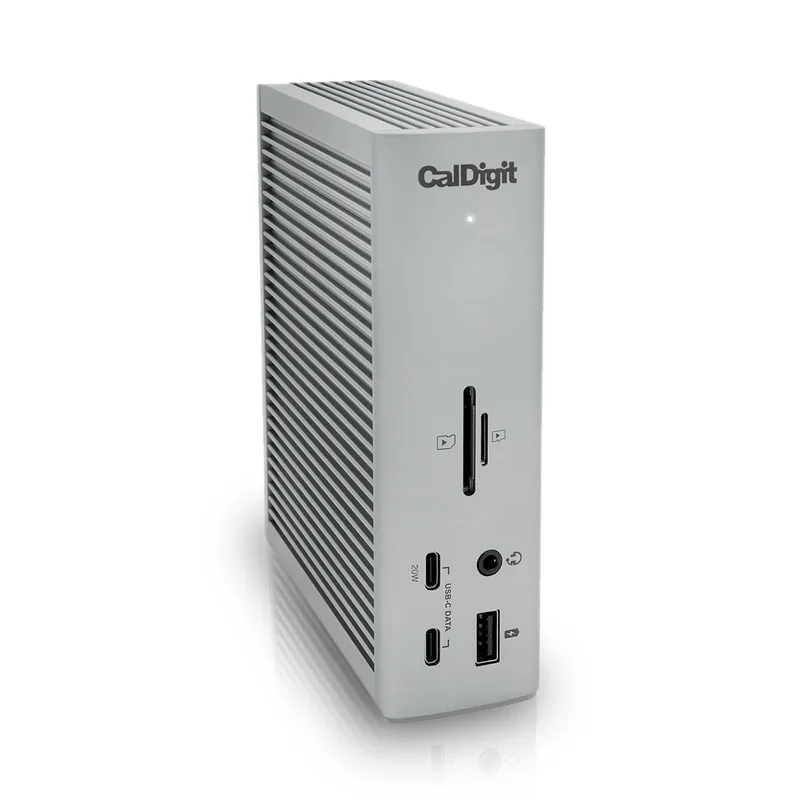
The CalDigit TS4 remains the reference standard for Thunderbolt 4 docking. Eighteen ports covers everything — the reason reviewers keep recommending it isn’t the spec sheet, it’s the fact that nothing gets left behind. Audio engineers get a front-facing 3.5mm jack. Photographers get UHS-II SD. Video editors get 10Gbps storage ports. Network-attached storage users get 2.5 GbE ethernet.
The key spec that justifies the $299-$349 price against USB4 competition is the 2.5 GbE ethernet. Most USB4 docks cap at gigabit. If you’re pushing files to a NAS or working on a gigabit-plus internet plan, that matters. The three-year warranty also pads the value calculation; competing docks often offer 18 months to two years.
One honest limitation: the TS4 has no native HDMI or DisplayPort output. Display connectivity comes through the Thunderbolt 4 ports. Most modern monitors with USB-C/TB4 input are covered, but older monitors with only HDMI or DisplayPort need a TB4-to-display adapter. Factor that in if you’re running legacy screens.
Kensington SD5700T Thunderbolt 4 Dock
Pros
- Four Thunderbolt 4 ports — one upstream plus three downstream for daisy-chaining peripherals
- UHS-II SD 4.0 reader handles full-speed memory cards from mirrorless cameras
- Full Windows and Mac compatibility certified out of the box
- Competitive $199-$249 street price positions it well against USB4 alternatives
- Compact form factor fits on crowded desks without dominating the workspace
Cons
- Only gigabit ethernet — the CalDigit TS4 offers 2.5 GbE for similar money
- 90W charging falls short for MacBook Pro 16-inch under sustained loads
- Fewer total ports (11) limits simultaneous peripheral count compared to TS4
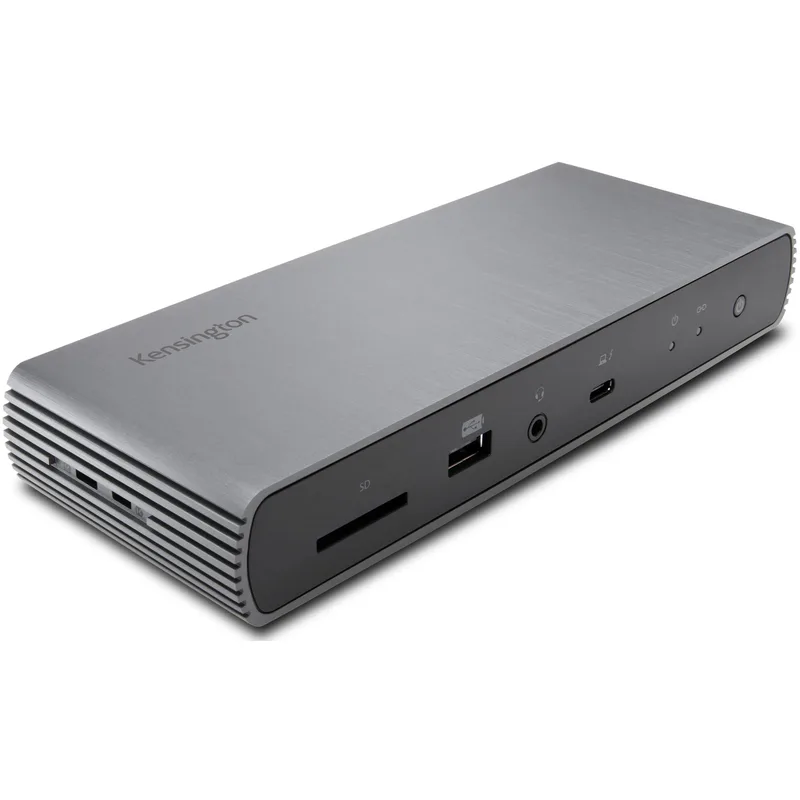
The Kensington SD5700T makes a compelling case for TB4 at a lower entry price. Four Thunderbolt 4 ports — one upstream and three downstream — gives it the best daisy-chain flexibility in this comparison. Run a TB4 SSD, a TB4 hub, and a downstream display all from the dock without running additional cables to the laptop.
The UHS-II SD 4.0 reader stands out on a mid-range dock. It handles the fastest SD cards from mirrorless cameras and cinema cameras at full speed, which matters for content creators who are also managing remote work workflows.
The trade-offs versus the CalDigit TS4 are clear: gigabit instead of 2.5 GbE ethernet, 90W instead of 98W charging, and 11 ports instead of 18. For users who don’t need 2.5 GbE or extreme port density, the $199-$249 Kensington gets you certified TB4 with Mac compatibility and daisy-chaining at a meaningful discount.
Amazon Basics Thunderbolt 4 Pro Docking Station
Pros
- Genuinely certified Thunderbolt 4 at a price that undercuts most USB4 docks
- 2.5 GbE ethernet at this price point is rare and genuinely useful for NAS users
- 96W power delivery charges most laptops including MacBook Pro 14-inch at full speed
- Native HDMI 2.1 port supports 8K display without adapters
- Compact horizontal design fits discreetly behind a monitor
Cons
- Only 3 USB-A ports — power users will run out of connections quickly
- Build quality reflects the budget price; feels less premium than CalDigit or Kensington
- Limited port variety means no SD card reader or audio jack included
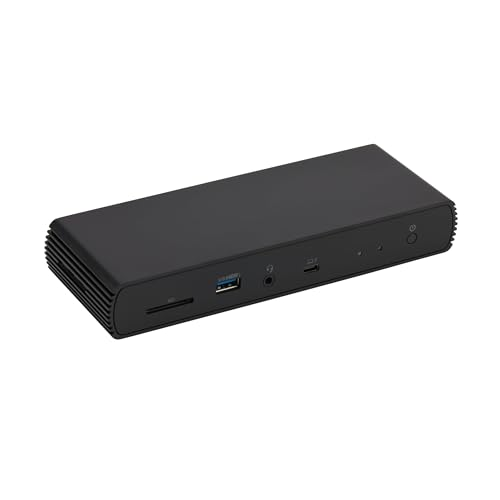
The Amazon Basics Thunderbolt 4 Pro Docking Station is the most surprising entry in this comparison. It’s genuinely Thunderbolt 4 certified — not USB4 wearing a TB4 label — and it often sells for $70-$89. That’s $100-$150 less than comparable USB4 docks from name-brand manufacturers.
The spec set is limited: two TB4 ports, one HDMI 2.1, three USB-A, and Ethernet. No SD card, no audio jack, no front-facing USB-C. But for a remote worker who only needs two display outputs, a few USB-A ports for keyboard and mouse, and ethernet — this dock delivers all of that with full TB4 certification and 2.5 GbE networking.
Mac users benefit most here. A $70-$89 dock that carries full TB4 certification and works with every Apple laptop is a genuinely unusual value. The catch is the limited port count and basic build quality; heavy users will outgrow it quickly, but it suits anyone running a clean two-monitor desk without heavy storage workflows.
Best USB4 Docks
Anker 568 USB4 Docking Station
Pros
- Triple display support (HDMI + dual DisplayPort) at a price TB4 docks rarely match
- 100W laptop charging with 180W power brick handles high-wattage workstations
- Four 10Gbps USB-A ports keep fast external drives connected without bottlenecks
- USB4 upstream means broad compatibility across Intel, AMD, and Qualcomm laptops
- Reliable 40Gbps throughput verified by third-party reviewers under real-world load
Cons
- Not compatible with MacBook — Mac users must look elsewhere
- No SD card reader or audio jack on an 11-port dock is a notable omission
- Gigabit ethernet only — no 2.5 GbE upgrade like on the Amazon Basics TB4 dock
- USB4 lacks daisy-chaining; every Thunderbolt peripheral needs its own port
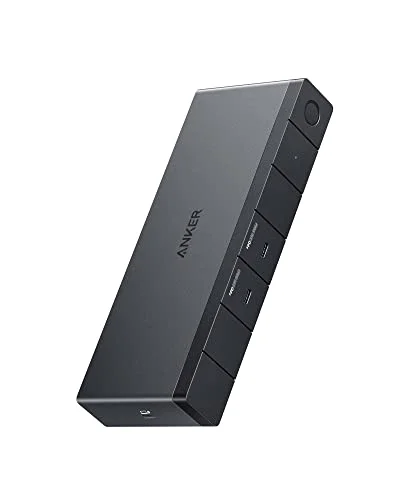
The Anker 568 USB4 is the dock that made USB4 worth taking seriously. Triple display support — two DisplayPort 1.4 outputs plus HDMI 2.0 — exceeds what most TB4 docks in this price range deliver. Four 10Gbps USB-A ports handle fast external drives without the bottleneck that plagues cheaper docks. The 180W power brick charges laptops at 100W while keeping all the peripherals alive.
The USB4 implementation here is the full 40Gbps Gen 2x2 spec, properly implemented. Owner feedback across forums confirms stable triple 4K output with consistent bandwidth under load — not the variable behavior that characterized early USB4 products.
The hard limitation to state clearly: the Anker 568 does not work with MacBook. Anker’s own documentation confirms Windows 10 and later only. If you’re on a Mac or planning to switch, this dock doesn’t apply to you. For Windows users on AMD or Intel laptops, it’s the strongest USB4 value in this comparison.
Plugable UD-4VPD USB4 Docking Station
Pros
- 2.5 GbE ethernet on a USB4 dock is genuinely rare and worth the attention
- Works with Mac, Windows, and Thunderbolt laptops — no platform lock-in
- Dual 4K@120Hz via HDMI 2.1 benefits gaming and high-refresh-rate monitor owners
- Dual SD card readers suit photographers and video editors working on location
- Front-facing USB-C port with 20W output keeps phones and tablets topped up
Cons
- Dual HDMI 2.1 means no DisplayPort — monitors with only DP need an adapter
- USB4 cannot daisy-chain to downstream Thunderbolt devices natively
- 3x USB-A at 10Gbps is fine but fewer than the Anker 568's four high-speed ports
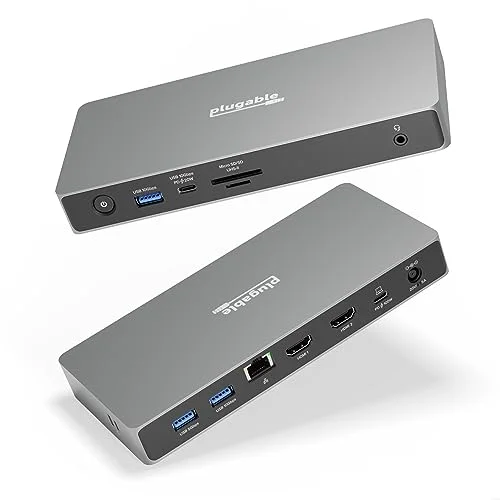
The Plugable UD-4VPD solves the Mac compatibility problem that the Anker 568 doesn’t address. It negotiates the Thunderbolt tunnel over USB4, making it compatible with Mac, Windows, and any laptop with a Thunderbolt or USB4 port. This cross-platform flexibility is the reason it earns a spot here despite the Anker 568’s stronger raw display specs.
Two HDMI 2.1 outputs deliver dual 4K@120Hz — notably higher than the 60Hz ceiling of most TB4 docks at this price. That’s useful for anyone pairing the dock with high-refresh-rate monitors for video work or supplemental gaming after hours. The 2.5 GbE ethernet is genuinely rare on a USB4 dock and brings it to parity with the Amazon Basics TB4 dock on networking.
The dual SD card reader slot (full SD + microSD) covers photographers and videographers working across card formats. The front-facing USB-C port with 20W output handles phones and tablets without dedicating a full hub port. For a remote worker who isn’t locked to Windows, the Plugable UD-4VPD delivers the most complete feature set in the USB4 category.
Buying Guide: TB4 or USB4?
Choose Thunderbolt 4 if:
You have a Mac. Every certified TB4 dock works with every Thunderbolt Mac. USB4 dock compatibility varies by product and requires verification — the Plugable UD-4VPD is an exception, but most USB4 docks aren’t.
You use Thunderbolt peripherals. External SSDs using Thunderbolt 3/4, eGPUs, and TB-based audio interfaces all benefit from the guaranteed daisy-chain support in every certified TB4 dock. USB4 docks can’t pass Thunderbolt protocol downstream.
You want guaranteed dual 4K. TB4 certification mandates DP 1.4 with DSC, which means stable dual 4K output. With USB4 docks, you need to verify display support on a per-product basis — the good ones deliver it, but the spec doesn’t require it.
You’re buying a budget dock. The Amazon Basics TB4 Pro at $70-$89 is certified TB4 and undercuts most USB4 alternatives. If port count isn’t a concern, the certification premium has effectively disappeared at the low end.
Choose USB4 if:
You have an AMD or Qualcomm laptop without Thunderbolt. If your laptop doesn’t have a Thunderbolt controller, you need a USB4 dock. TB4 docks may work in a limited USB-C mode, but you won’t get full 40Gbps performance.
You need triple display support at a mid-range price. The Anker 568 supports three simultaneous external monitors. Most TB4 docks at the same price support two. If triple display is the goal on a Windows laptop, USB4 wins on value.
You want 2.5 GbE on a budget. The Plugable UD-4VPD includes 2.5 GbE ethernet at a price where TB4 docks typically offer only gigabit. The exception is the Amazon Basics dock, which includes 2.5 GbE on the TB4 side too.
FAQ
Does a Thunderbolt 4 dock work on USB4 laptops? Yes, but with limitations. TB4 docks connect over USB4 but negotiate reduced features — often falling back to USB 3.2 speeds and single display output. You’ll lose the full 40Gbps bandwidth and multi-display capability the dock is certified for. A USB4 dock designed for USB4 laptops will perform better on those machines.
Can a USB4 dock work with a MacBook? Some can. The Plugable UD-4VPD explicitly supports Thunderbolt laptops including Mac by tunneling TB protocol over USB4. The Anker 568 does not. Check the manufacturer’s Mac compatibility statement before purchasing any USB4 dock for Apple hardware.
Is Thunderbolt 5 worth waiting for in 2026? Thunderbolt 5 offers 80Gbps (120Gbps in bandwidth boost mode) and supports triple 4K@144Hz displays or dual 8K displays. TB5 laptops and docks are shipping in 2026, but the price premium is significant and the use case requires specific hardware (high-refresh 4K monitors, high-speed external storage above 3GB/s). For most remote work setups running two standard 4K monitors, TB4 or USB4 delivers everything needed today.
What’s the real bandwidth difference between TB4 and USB4? At the 40Gbps tier, the raw bandwidth is identical. TB4’s advantage is certification — every TB4 dock guarantees the full 40Gbps. USB4 docks can ship at 20Gbps and still carry the USB4 label. The Anker 568 and Plugable UD-4VPD reviewed here implement full 40Gbps correctly, but always verify with third-party review data before purchasing an unknown USB4 dock.
Do USB4 docks support daisy-chaining? No. USB4 docks cannot pass Thunderbolt protocol downstream. Each Thunderbolt device needs its own cable to the laptop or a TB4 dock. If you’re chaining an external SSD to a dock to an eGPU, you need a certified TB4 dock with at least one downstream Thunderbolt port.
Verdict
The certification premium for Thunderbolt 4 has compressed significantly in 2026. The Amazon Basics TB4 Pro proves you can buy a properly certified TB4 dock for less than most USB4 alternatives, which flips the traditional value argument.
For Mac users and anyone using Thunderbolt peripherals, TB4 is still the correct choice — the CalDigit TS4 if you need maximum ports and 2.5 GbE, the Kensington SD5700T if you want daisy-chaining at a mid-range price.
For Windows users on AMD or Qualcomm hardware, the Anker 568 USB4 delivers the best value with triple display support. For cross-platform workers who need USB4 with Mac support, the Plugable UD-4VPD is the pick.
The certification question has a clear answer: it matters for Mac users and TB peripheral owners. For Windows-only setups, a well-reviewed USB4 dock from a reputable manufacturer delivers equivalent real-world performance at a lower price.
Detailed Reviews
CalDigit TS4
Pros
- 18 ports leaves nothing off the desk — audio, SD, storage, and networking all covered
- 2.5 GbE ethernet handles multi-gig NAS transfers and future ISP plans
- 98W charging keeps MacBook Pro 16-inch and large Windows laptops topped up under load
- Full Mac compatibility including M-series chips across all configurations
- Three-year warranty is the longest coverage in the Thunderbolt dock category
Cons
- $299-$349 street price is a premium over USB4 alternatives with similar display specs
- No native HDMI or DisplayPort — older monitors need a TB4-to-HDMI adapter
- Runs warm under sustained heavy load with NAS and dual displays active simultaneously
Kensington SD5700T Thunderbolt 4 Dock
Pros
- Four Thunderbolt 4 ports — one upstream plus three downstream for daisy-chaining peripherals
- UHS-II SD 4.0 reader handles full-speed memory cards from mirrorless cameras
- Full Windows and Mac compatibility certified out of the box
- Competitive $199-$249 street price positions it well against USB4 alternatives
- Compact form factor fits on crowded desks without dominating the workspace
Cons
- Only gigabit ethernet — the CalDigit TS4 offers 2.5 GbE for similar money
- 90W charging falls short for MacBook Pro 16-inch under sustained loads
- Fewer total ports (11) limits simultaneous peripheral count compared to TS4
Amazon Basics Thunderbolt 4 Pro Docking Station
Pros
- Genuinely certified Thunderbolt 4 at a price that undercuts most USB4 docks
- 2.5 GbE ethernet at this price point is rare and genuinely useful for NAS users
- 96W power delivery charges most laptops including MacBook Pro 14-inch at full speed
- Native HDMI 2.1 port supports 8K display without adapters
- Compact horizontal design fits discreetly behind a monitor
Cons
- Only 3 USB-A ports — power users will run out of connections quickly
- Build quality reflects the budget price; feels less premium than CalDigit or Kensington
- Limited port variety means no SD card reader or audio jack included
Anker 568 USB4 Docking Station
Pros
- Triple display support (HDMI + dual DisplayPort) at a price TB4 docks rarely match
- 100W laptop charging with 180W power brick handles high-wattage workstations
- Four 10Gbps USB-A ports keep fast external drives connected without bottlenecks
- USB4 upstream means broad compatibility across Intel, AMD, and Qualcomm laptops
- Reliable 40Gbps throughput verified by third-party reviewers under real-world load
Cons
- Not compatible with MacBook — Mac users must look elsewhere
- No SD card reader or audio jack on an 11-port dock is a notable omission
- Gigabit ethernet only — no 2.5 GbE upgrade like on the Amazon Basics TB4 dock
- USB4 lacks daisy-chaining; every Thunderbolt peripheral needs its own port
Plugable UD-4VPD USB4 Docking Station
Pros
- 2.5 GbE ethernet on a USB4 dock is genuinely rare and worth the attention
- Works with Mac, Windows, and Thunderbolt laptops — no platform lock-in
- Dual 4K@120Hz via HDMI 2.1 benefits gaming and high-refresh-rate monitor owners
- Dual SD card readers suit photographers and video editors working on location
- Front-facing USB-C port with 20W output keeps phones and tablets topped up
Cons
- Dual HDMI 2.1 means no DisplayPort — monitors with only DP need an adapter
- USB4 cannot daisy-chain to downstream Thunderbolt devices natively
- 3x USB-A at 10Gbps is fine but fewer than the Anker 568's four high-speed ports