The Logitech MX Anywhere 3S is still on sale in October 2026, with retailer listings from this summer showing it in stock, and the Amazon listing I checked today is in stock too. I found no 2026 recall or firmware problem, so there’s no breaking-news angle here. It’s a steady product, and the question is whether the compact size is worth the price. This review is built from the spec sheet, manufacturer claims, and owner feedback, not bench work.
It’s the small sibling of our MX Master 3S review. Think laptop bag, coffee-shop table, and cramped desks.
Quick Comparison
| Spec | Logitech MX Anywhere 3S | Logitech M720 Triathlon | Logitech Pebble Mouse 2 M350s |
|---|---|---|---|
| Rating | 9.0/10 | 8.0/10 | 7.5/10 |
| Price | $57.76-$69.99as of Oct 21, 2026 | $31.30-$34.95as of Oct 21, 2026 | $15.04-$22.95as of Oct 21, 2026 |
| Sensor | 8,000 DPI Darkfield, works on glass | — | — |
| Connectivity | Bluetooth + Logi Bolt receiver | Bluetooth + Unifying receiver | Bluetooth |
| Battery Life | Up to 70 days (manufacturer claim) | — | — |
| Weight | 99 g | — | — |
| Dimensions | 100.5 x 65 x 34.4 mm | — | — |
| Buttons | 6, with MagSpeed scroll wheel | 8 programmable | Quiet clicks |
| Devices | — | Pairs with up to 3 | — |
| Battery | — | AA battery, long rated life | AA battery |
| Size | — | Full-size | — |
| Design | — | — | Slim, low profile |
| Check Price → | Check Price → | Check Price → |
Prices change daily — tap Check Price for the current Amazon price.
Logitech MX Anywhere 3S: In Depth
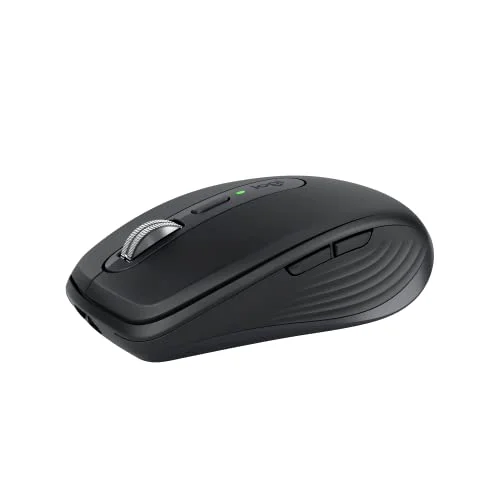
Logitech MX Anywhere 3S
Pros
- Darkfield sensor tracks on glass tables and glossy surfaces where cheaper mice fail
- Rated 70 days per charge, with a one-minute quick charge giving about three hours
- Quiet clicks and near-silent scroll suit shared rooms and calls
- Pairs with multiple computers and works with Logi Options+ Flow
Cons
- Small shell may cramp large hands during a full workday
- Costs several times more than a basic travel mouse
- Rechargeable internal battery cannot be swapped for AAs on the road
Sensor
The upgrade over the older Anywhere 3 is an 8,000 DPI sensor that Logitech says tracks on virtually any surface, including glass. If you work from rented desks or glossy tables, that matters more than the DPI number.
Battery
Logitech rates it at up to 70 days on a full charge, and a one-minute quick charge gives about three hours. Real life will land lower depending on use, but charging a few times a quarter is the realistic expectation.
Clicks and Scroll
The buttons are quieter than the previous generation, and the MagSpeed wheel is close to silent. That helps on calls when your mic is open. Owners often praise this, though a few find the scroll wheel too light.
Size
At 99 g and about 100 mm long, it’s made for pockets. Large hands will want a bigger shell. If wrist comfort is your main concern, skip it and read our best ergonomic mice or vertical mice for wrist pain roundups.
The Alternatives
Logitech M720 Triathlon
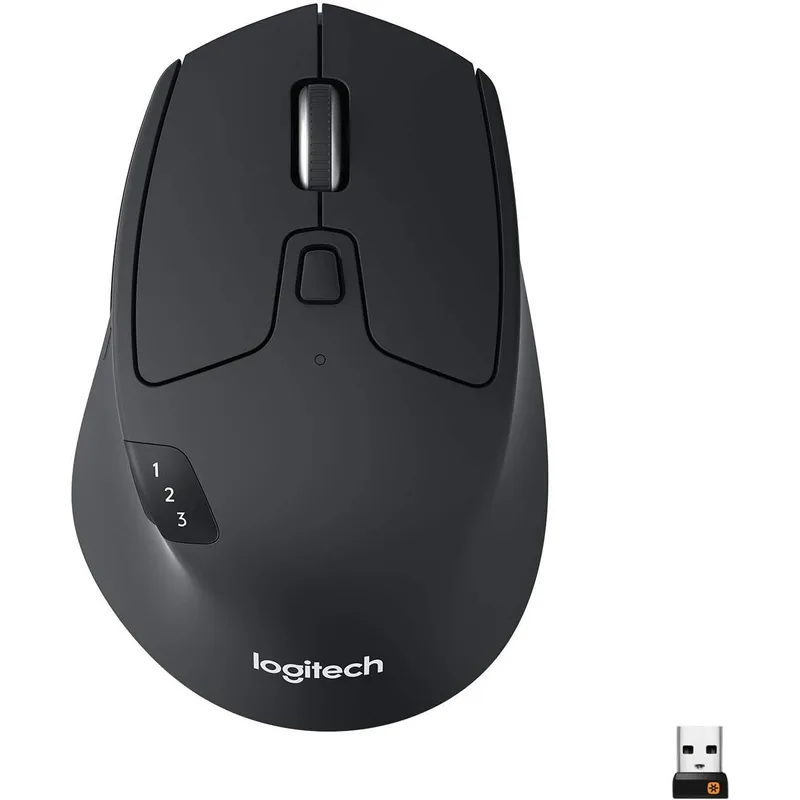
Logitech M720 Triathlon
Pros
- Full-size shape is more comfortable for larger hands
- Switches between three paired computers with a button
- Costs roughly half the Anywhere 3S
- Takes a standard AA battery, easy to replace
Cons
- Too bulky to toss in a small laptop sleeve
- Standard optical sensor, no glass tracking
- Clicks and scroll are louder
The M720 is the pick if the mouse lives on a desk. It’s full-size, switches between three computers, and costs about half as much. It’s too big for a slim bag.
Logitech Pebble Mouse 2 M350s
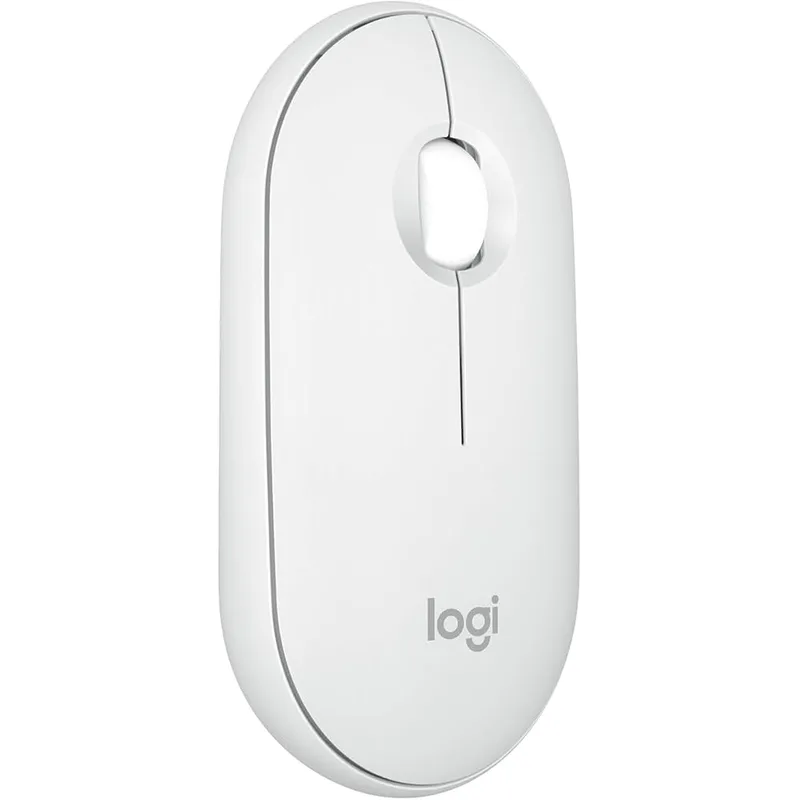
Logitech Pebble Mouse 2 M350s
Pros
- Lowest price of the three
- Slim, light, and easy to carry
- Quiet clicks
- Uses a standard AA battery
Cons
- Bluetooth only, so no receiver for older machines
- Basic scroll wheel with fewer buttons
- Low profile feels flat for long sessions
The Pebble 2 is the cheap, quiet, slim option. It gives up the glass-tracking sensor and the receiver, but for light travel use it’s hard to argue with.
Buying Guide: What to Check in a Compact Mouse
- Sensor. Glass and glossy tables need an advanced sensor. Plain optical mice skip or drift.
- Connection. Bluetooth alone is fine for modern laptops. A receiver helps with older or locked-down work machines.
- Battery type. Rechargeable is convenient. AA is easier to swap on a long trip.
- Size. Hand length over about 19 cm usually means a compact mouse gets tiring.
- Noise. Quiet clicks matter if you take calls with an open mic.
Pair it with a laptop stand or portable monitor for a travel setup.
FAQ
Does the MX Anywhere 3S work on glass?
Logitech says its Darkfield sensor tracks on glass of 4 mm or thicker. Owner reports are generally positive.
How long does the battery last?
Up to 70 days per charge by Logitech’s rating. A one-minute charge gives about three hours.
Can it connect to multiple computers?
Yes. It supports Bluetooth and the Logi Bolt receiver, and Logi Options+ Flow can move between computers.
Is it better than the MX Master 3S?
It’s smaller and cheaper. The Master is more comfortable for long desk sessions.
Is it good for left-handed users?
The shape is largely symmetrical, but check the listing for button placement before buying.
Conclusion
The MX Anywhere 3S is the best compact mouse for people who work in different places: quiet, glass-friendly, and long-lasting. For a fixed desk, the M720 Triathlon is cheaper and more comfortable. For the lowest price, take the Pebble 2.
Detailed Reviews
Logitech MX Anywhere 3S
Pros
- Darkfield sensor tracks on glass tables and glossy surfaces where cheaper mice fail
- Rated 70 days per charge, with a one-minute quick charge giving about three hours
- Quiet clicks and near-silent scroll suit shared rooms and calls
- Pairs with multiple computers and works with Logi Options+ Flow
Cons
- Small shell may cramp large hands during a full workday
- Costs several times more than a basic travel mouse
- Rechargeable internal battery cannot be swapped for AAs on the road
Logitech M720 Triathlon
Pros
- Full-size shape is more comfortable for larger hands
- Switches between three paired computers with a button
- Costs roughly half the Anywhere 3S
- Takes a standard AA battery, easy to replace
Cons
- Too bulky to toss in a small laptop sleeve
- Standard optical sensor, no glass tracking
- Clicks and scroll are louder
Logitech Pebble Mouse 2 M350s
Pros
- Lowest price of the three
- Slim, light, and easy to carry
- Quiet clicks
- Uses a standard AA battery
Cons
- Bluetooth only, so no receiver for older machines
- Basic scroll wheel with fewer buttons
- Low profile feels flat for long sessions