Affiliate disclosure: SetupRanked earns a commission from qualifying Amazon purchases at no extra cost to you.
Synology announced DSM 7.4 at Computex 2026 in June, and the DS923+ is confirmed on the update list. The release — expected mid-June through mid-August 2026 — adds AI-assisted backup scheduling, improved object recognition in Synology Photos, and tighter integration with Synology’s C2 cloud service. For a NAS now in its fourth year of production, landing a major OS update says something about Synology’s support model.
That support longevity is one of the clearest arguments for the DS923+ right now. The hardware — AMD Ryzen R1600, ECC RAM, dual NVMe slots, PCIe expansion, 4 SATA bays — remains competitive. The software has only grown stronger. DSM is still the best NAS operating system for home office use, and the DS923+ is the platform most people should build on if budget allows.
This review covers the DS923+ in depth, plus recommended drives and a RAM upgrade for completing the build.
Complete Build at a Glance
| Component | Product | Price | Purpose |
|---|---|---|---|
| NAS Enclosure | Synology DS923+ (diskless) | Unavailable | 4-bay storage controller + DSM software |
| Storage Drive (×4) | Seagate IronWolf 4TB | $189.97 as of Oct 18, 2026 | RAID 5 array, ~12TB usable |
| RAM Upgrade | Synology 16GB DDR4 ECC | $1154.33 as of Oct 18, 2026 | Docker, VMs, multi-user access |
| Spec | Synology DS923+ 4-Bay NAS | Seagate IronWolf 4TB NAS HDD | Synology 16GB DDR4 ECC RAM (D4ES03-16G) |
|---|---|---|---|
| Rating | 8.8/10 | 8.5/10 | 8.2/10 |
| Price | Unavailable | $189.97as of Oct 18, 2026 | $1154.33as of Oct 18, 2026 |
| CPU | AMD Ryzen R1600 dual-core, 2.6GHz (boost 3.1GHz) | — | — |
| RAM | 4GB DDR4 ECC (expandable to 32GB) | — | — |
| Drive Bays | 4x SATA 3.5"/2.5" (HDD/SSD) | — | — |
| NVMe Cache | 2x M.2 2280 NVMe SSD slots | — | — |
| Networking | 2x 1GbE RJ-45 + PCIe 3.0 slot for 10GbE | — | — |
| USB | 2x USB 3.2 Gen 1 Type-A | — | — |
| Dimensions | 166 x 199 x 223 mm | — | — |
| OS | DiskStation Manager (DSM) 7.2+ | — | — |
| Max Raw Storage | 72TB with four 18TB drives | — | — |
| Capacity | — | 4TB | 16GB |
| RPM | — | 5900 RPM | — |
| Interface | — | SATA 6Gb/s | — |
| Cache | — | 64MB | — |
| Form Factor | — | 3.5-inch | — |
| Workload Rating | — | 180TB/year | — |
| MTBF | — | 1 million hours | — |
| Warranty | — | 3 years | — |
| Type | — | — | DDR4 ECC Unbuffered SODIMM |
| Speed | — | — | 2666MHz |
| Standard | — | — | PC4-21300 |
| Slots Required | — | — | 1 of 2 available |
| Max System RAM | — | — | 32GB (2x 16GB) |
| Compatible Models | — | — | DS923+, DS723+, DS1522+ |
| Check Price → | Check Price → | Check Price → |
Prices change daily — tap Check Price for the current Amazon price.
Who This NAS Is For
The DS923+ is aimed at remote workers and small business owners who need reliable local storage with professional-grade data protection — without hiring an IT administrator to run it.
Home office backup: Active Backup for Business can back up Windows and macOS machines across a local network with no per-seat licensing. For someone with 2–5 computers, a NAS running this service is more capable and more reliable than cloud-only backup solutions.
Tiered backup (local + offsite): Hyper Backup lets you schedule encrypted incremental backups from the DS923+ to Backblaze B2, Amazon S3, Google Drive, or Synology C2. The DS923+ handles local backup automatically, then replicates offsite — the two-layer strategy that actually survives drive failure, ransomware, and fire.
File server and media streaming: The DS923+ handles Plex and Jellyfin well for direct-play scenarios. Hardware transcoding is absent — the Ryzen R1600 lacks a hardware-accelerated iGPU — so clients requiring HEVC transcode hit the CPU. For collections played on Apple TVs, Shields, or modern smart TVs that handle direct-play, this is not an issue in practice.
Docker and lightweight self-hosting: The R1600’s 4 threads handle 3–5 Docker containers simultaneously without strain. Vaultwarden, Home Assistant, Nextcloud, and Gitea are all realistic concurrent workloads on 8–16GB RAM. Heavier configurations with 10+ containers or active databases need the full 32GB RAM build.
If you need a Plex transcoding box as the primary use case, a different NAS with hardware transcoding (QNAP units with Intel Quick Sync) serves that task better. For everything else on this list, the DS923+ is the right tool.
Synology DS923+ 4-Bay NAS
Synology DS923+ 4-Bay NAS
Pros
- DSM is the most polished NAS operating system available — setup takes under 30 minutes from unboxing
- ECC memory support at 4-bay pricing is rare and protects against silent data corruption from RAM errors
- PCIe 3.0 slot accepts Synology's 10GbE adapter for an 8x network throughput jump without replacing the unit
- Dual M.2 NVMe slots add SSD read/write caching for dramatically faster random I/O on spinning drives
- Active Backup for Business and Hyper Backup included at no extra license cost — covers local and cloud backup
- DSM 7.4 (announced Computex 2026) is confirmed for the DS923+ with AI-assisted backup and enhanced Photos
Cons
- No hardware transcoding — Plex clients that can't direct-play will stress the Ryzen R1600 CPU noticeably
- Strict Synology drive compatibility list limits you to approved HDDs and SSDs
- Base 4GB RAM is adequate for file serving but requires upgrade for Docker, VMs, or simultaneous users
- Higher entry price than QNAP and TerraMaster 4-bay competitors at equivalent raw specs
Hardware and Build
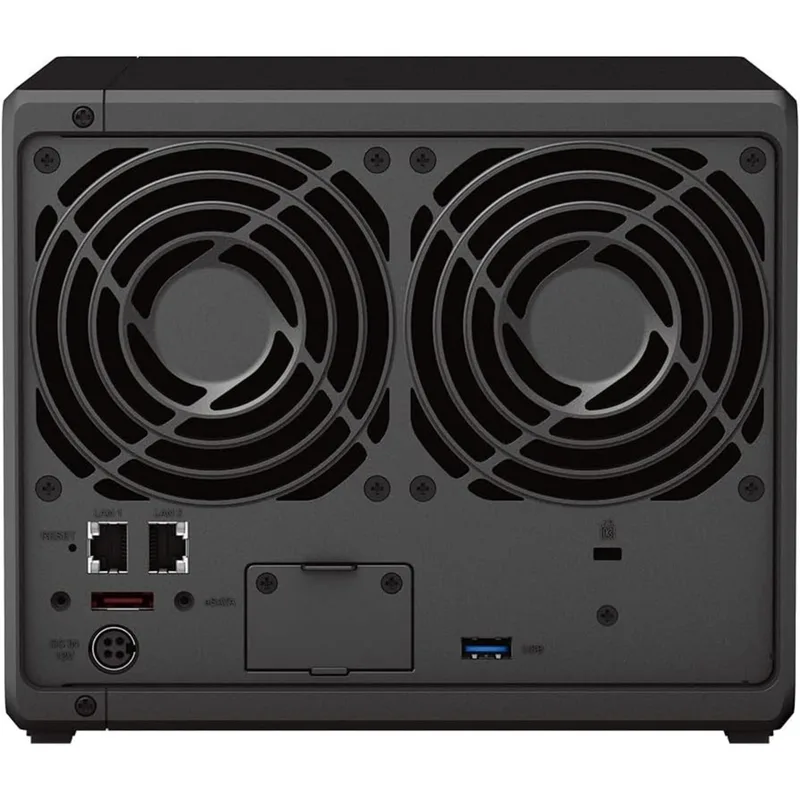
The DS923+ is a tower NAS measuring 166 x 199 x 223 mm and weighing 2.24 kg diskless. The plastic chassis is lighter than comparable QNAP units, but the tool-less 3.5-inch drive trays are solid and installation is clean. A 92mm rear fan keeps noise low — Synology rates it at around 19–20 dB at idle, which is quiet enough for an office desk or nearby closet. Under sustained write loads with spinning drives, noise moves into the mid-20s dB range.
Front panel access is minimal: two USB 3.2 ports, a power button, and status LEDs per drive bay. There’s no LCD or front panel controls, which keeps the design simple and appropriate for a device that’s managed entirely through DSM’s web interface.
CPU and Raw Performance
The AMD Ryzen R1600 is a dual-core, 4-thread processor at 2.6GHz base and 3.1GHz boost. It’s built for NAS workloads, not compute-heavy tasks. Independent benchmarks and owner reports show the DS923+ sustaining around 246 MB/s sequential read over 10GbE (with a PCIe card) — close to the theoretical ceiling of a 10GbE link with large sequential files.
For the scenarios that matter in a home office — automated nightly backups, Time Machine runs, SMB file transfers, Docker containers at idle — the R1600 is not the limiting factor. Drive speed and network speed are the actual constraints for most users running 1GbE.
DSM Software
The software is what justifies the DS923+‘s price premium over cheaper NAS hardware. DiskStation Manager is a full web-based operating system that runs on the NAS and is accessible from any browser on the local network (or remotely via QuickConnect or Tailscale).
Active Backup for Business: Agentless backup for Windows PCs and macOS machines. Backs up entire machines including system state. Restore to dissimilar hardware is supported. No per-device license fee in the home tier (up to 5 devices).
Hyper Backup: Scheduled encrypted backups from the NAS to 20+ cloud targets. Incremental deduplication means only changed data blocks upload after the initial backup. Versioning lets you restore files or entire backups from any point in history.
Storage Manager: Handles RAID configuration through a wizard — SHR (Synology Hybrid RAID), RAID 1, RAID 5, RAID 6. SHR is the recommended default for mixed drive sizes: it’s RAID 5-equivalent with flexible capacity calculations for drives of different capacities.
Package Center: One-click install for Plex Media Server, Container Manager (Docker), Virtual Machine Manager, Surveillance Station (2-camera free tier), Note Station, and 100+ additional packages. Most are free with DSM.
DSM 7.4 (mid-2026): Based on Synology’s Computex 2026 announcement, DSM 7.4 adds AI-assisted backup scheduling, improved object and face recognition in Synology Photos, and deeper C2 cloud integration. The DS923+ is listed as a supported model.
Drive Bays and Compatibility
The DS923+ has four SATA bays accepting 3.5-inch or 2.5-inch drives. Synology maintains a compatibility list accessible through DSM’s Storage Manager — using an unlisted drive won’t break the NAS, but Synology’s technical support notes that non-compatible drives may affect warranty coverage for storage issues.
The two M.2 2280 NVMe slots do not contribute to storage capacity — they’re exclusively for SSD caching via DSM, which accelerates random read and write I/O on spinning hard drives. For a home backup NAS where workloads are sequential, caching adds less value than for a production file server with many concurrent users.
Network and Expansion
The two 1GbE ports can be link-aggregated for 2Gbps with a compatible managed switch. The PCIe 3.0 slot (half-height, x2 interface) accepts Synology’s E10G22-T1 10GbE adapter ($80–$100 additional) for a substantial throughput jump. On 10GbE, the DS923+ pushes files over the network at speeds approaching the drive array’s limit rather than the network limit.
Recommended Pairing: Seagate IronWolf 4TB NAS HDD
Seagate IronWolf 4TB NAS HDD
Pros
- On Synology's official HDD compatibility list for the DS923+
- IronWolf Health Management integrates with DSM for real-time drive health monitoring
- 180TB/year workload rating handles continuous NAS access without issues
- Consistent reliability in owner reports across large NAS deployments
- Competitive price-per-TB for NAS-rated storage
Cons
- 5900 RPM is slower than 7200 RPM enterprise drives for sustained sequential write workloads
- No included data recovery service — that's IronWolf Pro territory
- 64MB cache is lower than newer IronWolf Pro and WD Red Pro models
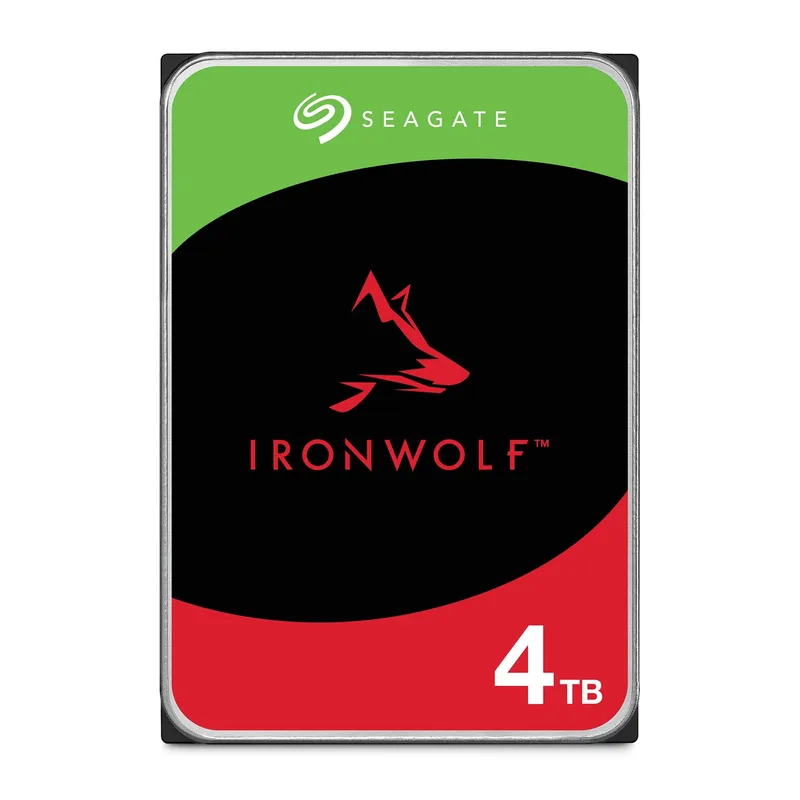
For a standard home office DS923+ build, four Seagate IronWolf 4TB drives in SHR (RAID 5 equivalent) yields approximately 12TB of usable storage with single-drive fault tolerance. At $89–$109 per drive, that’s a $356–$436 drive cost on top of the NAS — making the complete system $955–$1,135 for a ready-to-use 12TB network backup appliance.
The IronWolf is purpose-built for NAS environments. The 5900 RPM spindle speed is lower than the IronWolf Pro’s 7200 RPM, which produces lower sustained sequential write throughput — relevant if you’re regularly moving large video files. For backup jobs and file serving, which are the primary use cases for a home office NAS, the speed difference is not meaningful in daily operation.
IronWolf Health Management integrates directly with DSM’s Storage Manager. The integration surfaces drive diagnostics — temperature history, error counts, reallocated sector counts, predictive failure warnings — without requiring separate software. For drives holding important data, this visibility is useful.
Alternative drives: WD Red Plus 4TB is a comparable CMR NAS drive and is also on Synology’s DS923+ compatibility list. Both are solid choices. Check the Synology HDD Compatibility List before purchasing drives not mentioned here — the list is maintained at synology.com and updated regularly.
Optional Upgrade: Synology 16GB DDR4 ECC RAM
Synology 16GB DDR4 ECC RAM (D4ES03-16G)
Pros
- Official Synology module guarantees full ECC functionality and system stability
- Preserves complete product warranty — third-party RAM can affect Synology support coverage
- Simple installation takes under 5 minutes with no tools required
- Brings total system RAM to 20GB (4GB stock + 16GB upgrade)
Cons
- Costs more than compatible third-party ECC SODIMM alternatives
- Sold as individual sticks — reaching max 32GB requires purchasing two separately
- Available mainly through Synology's own store and select resellers
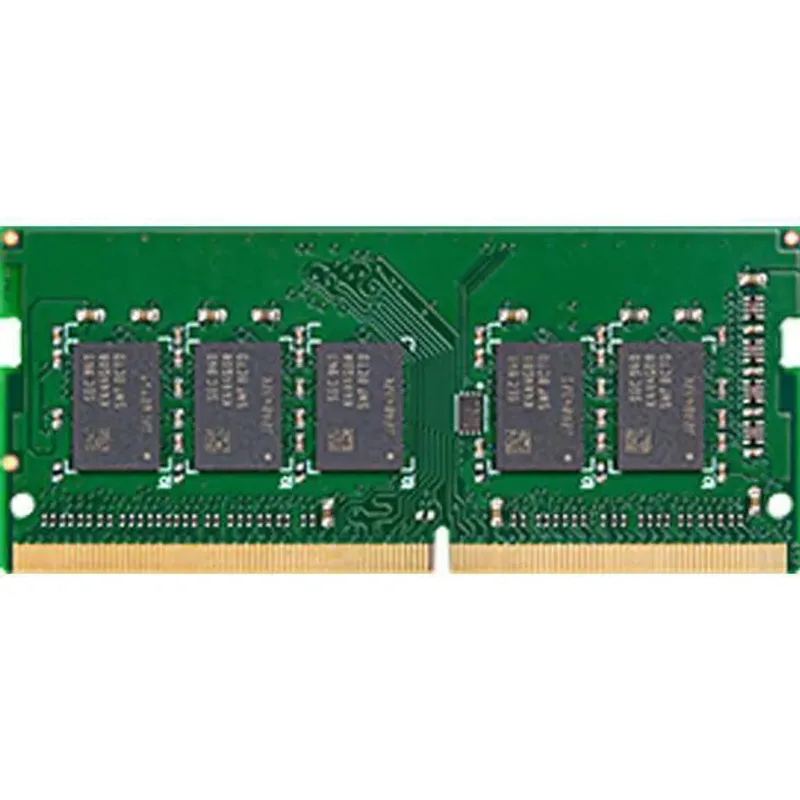
The DS923+ ships with 4GB DDR4 ECC RAM soldered — the upgrade slot accepts one additional SODIMM. Adding Synology’s official 16GB D4ES03-16G brings total RAM to 20GB.
The base 4GB handles:
- SMB/NFS file sharing with 1–2 concurrent users
- Hyper Backup and Active Backup running scheduled background jobs
- 1–2 lightweight Docker containers
For workloads that need more:
- Plex with transcoding: memory usage spikes under concurrent streams
- Nextcloud: database and file indexing scale with active users and library size
- 5+ Docker containers: each container’s footprint adds up
- Virtual Machine Manager: each VM requires dedicated RAM allocation
At 20GB total RAM, the DS923+ handles most realistic home office NAS workloads without constraint. Reaching the 32GB maximum requires two 16GB sticks.
Synology’s official module costs more than third-party ECC SODIMMs (OWC and A-Tech make compatible options). The tradeoff: Synology’s support documentation notes that non-certified memory can affect warranty coverage. For a device whose job is protecting data you care about, that distinction matters.
Buying Guide
Budget the full system, not just the NAS. The DS923+ diskless is $599–$699. Add drives: four IronWolf 4TBs at $89–$109 each totals $356–$436. Complete system: $955–$1,135 for 12TB usable RAID 5. That’s the real cost for a ready-to-use home office NAS.
RAID is not backup. RAID 5 protects against a single drive failing — it does not protect against fire, theft, ransomware, or accidentally deleting files and not noticing for weeks. A proper setup uses the DS923+ as Tier 1 (local RAID) and Hyper Backup to a cloud target as Tier 2 (offsite). Both software tools are included at no extra cost with DSM.
10GbE is worth considering. Over 1GbE, the DS923+ maxes out around 115 MB/s — fast for backup but slow for editing large files directly from the NAS. Adding the Synology E10G22-T1 PCIe adapter and a 10GbE switch port pushes speeds to 600–800+ MB/s, which transforms the device from backup appliance to usable network storage for video and photo workflows.
DS923+ vs DS723+: The DS723+ is a 2-bay NAS using the same Ryzen R1600 CPU. It costs $300–$350 less for a complete build but caps at 2 drives. If you’re backing up 1–3 computers and don’t have a large media library, the DS723+ may be the right scale.
DS923+ vs DS1522+: The DS1522+ has 5 bays, more PCIe bandwidth, and a higher price (~$799–$899 diskless). For most home office users, 4 bays at 4–18TB per drive provides more than enough room for years of growth. The 5th bay and extra bandwidth don’t justify the additional cost unless you’re filling drives quickly.
Frequently Asked Questions
Does the DS923+ support 18TB and 20TB drives?
Yes. Synology’s compatibility list confirms support for drives up to 20TB from approved manufacturers. With four 18TB drives, maximum raw storage is 72TB. In SHR (RAID 5 equivalent), usable capacity is approximately 54TB — three of the four drives’ worth of space.
Can the DS923+ replace Time Machine for Mac backup?
Yes. DSM’s File Services has a built-in Time Machine support option — you create a shared folder, set a size limit, enable Time Machine access, and your Mac sees it as a network Time Machine volume. Active Backup for Business covers Windows machines on the same NAS simultaneously. Mixed Mac/Windows households run from one device without additional configuration.
Does the DS923+ work without an internet connection?
All core local functions — file server, Time Machine, SMB/NFS shares, DLNA, Docker containers — work entirely offline on the local network. QuickConnect for external access and Hyper Backup to cloud targets require internet connectivity, but the NAS operates fully on a local-only network.
Can I run Tailscale or a VPN directly on the DS923+?
Yes to both. Tailscale is available as an official package in the Synology Package Center — install it, log in, and the DS923+ joins your Tailscale network accessible from anywhere without port forwarding. For a self-hosted VPN, VPN Server (with OpenVPN and WireGuard options) runs directly on the DS923+ under DSM.
How long will Synology support the DS923+ with updates?
The DS923+ is listed under active support on Synology’s product status page, and DSM 7.4 announced at Computex 2026 is confirmed for the model. Synology typically supports NAS hardware for 5–7 years post-launch. With 5–7 years of typical Synology hardware support from launch date, the DS923+ should receive updates through at least 2027–2028.
Conclusion
The Synology DS923+ is the right mid-range NAS for most home office users in 2026. The Ryzen R1600 handles everything except Plex transcoding reliably. ECC RAM and a PCIe upgrade slot give the hardware a professional foundation that cheaper 4-bay alternatives skip. And DSM — confirmed for DSM 7.4 later this year — remains in a different category from competing NAS operating systems for software quality and app depth.
The one real limitation is Plex transcoding. If your primary use case is streaming HEVC files to clients that can’t direct-play, this NAS will struggle under concurrent stream load. QNAP’s Intel-based models with Quick Sync handle that scenario better.
For backup, file serving, Docker, remote access, and cloud sync — the core home office NAS use cases — the DS923+ covers every scenario. With DSM 7.4 arriving later in 2026, it’s a platform with confirmed forward momentum.
Recommended build: DS923+ ($599–$699) + 4x Seagate IronWolf 4TB ($89–$109 each) in SHR for ~12TB usable. Add the 16GB Synology RAM upgrade for Docker or VM workloads. Add Synology’s E10G22-T1 10GbE card if you move large files frequently.
Detailed Reviews
Synology DS923+ 4-Bay NAS
Pros
- DSM is the most polished NAS operating system available — setup takes under 30 minutes from unboxing
- ECC memory support at 4-bay pricing is rare and protects against silent data corruption from RAM errors
- PCIe 3.0 slot accepts Synology's 10GbE adapter for an 8x network throughput jump without replacing the unit
- Dual M.2 NVMe slots add SSD read/write caching for dramatically faster random I/O on spinning drives
- Active Backup for Business and Hyper Backup included at no extra license cost — covers local and cloud backup
- DSM 7.4 (announced Computex 2026) is confirmed for the DS923+ with AI-assisted backup and enhanced Photos
Cons
- No hardware transcoding — Plex clients that can't direct-play will stress the Ryzen R1600 CPU noticeably
- Strict Synology drive compatibility list limits you to approved HDDs and SSDs
- Base 4GB RAM is adequate for file serving but requires upgrade for Docker, VMs, or simultaneous users
- Higher entry price than QNAP and TerraMaster 4-bay competitors at equivalent raw specs
Seagate IronWolf 4TB NAS HDD
Pros
- On Synology's official HDD compatibility list for the DS923+
- IronWolf Health Management integrates with DSM for real-time drive health monitoring
- 180TB/year workload rating handles continuous NAS access without issues
- Consistent reliability in owner reports across large NAS deployments
- Competitive price-per-TB for NAS-rated storage
Cons
- 5900 RPM is slower than 7200 RPM enterprise drives for sustained sequential write workloads
- No included data recovery service — that's IronWolf Pro territory
- 64MB cache is lower than newer IronWolf Pro and WD Red Pro models
Synology 16GB DDR4 ECC RAM (D4ES03-16G)
Pros
- Official Synology module guarantees full ECC functionality and system stability
- Preserves complete product warranty — third-party RAM can affect Synology support coverage
- Simple installation takes under 5 minutes with no tools required
- Brings total system RAM to 20GB (4GB stock + 16GB upgrade)
Cons
- Costs more than compatible third-party ECC SODIMM alternatives
- Sold as individual sticks — reaching max 32GB requires purchasing two separately
- Available mainly through Synology's own store and select resellers