| Spec | TP-Link Archer BE550 Pro | TP-Link Archer BE550 | Netgear Nighthawk RS700S | TP-Link Archer AX55 | Netgear Nighthawk RAX70 |
|---|---|---|---|---|---|
| Rating | 9.0/10 | 8.0/10 | 8.0/10 | 7.0/10 | 7.0/10 |
| Price | $183.99-$299.99as of Oct 18, 2026 | $162.49-$239.00as of Oct 18, 2026 | $383.36-$599.00as of Oct 18, 2026 | $107.33as of Oct 18, 2026 | $64.95-$327.44as of Oct 18, 2026 |
| WiFi Standard | WiFi 7 (BE9700) Tri-Band | WiFi 7 (BE9300) Tri-Band | WiFi 7 (BE19000) Tri-Band | WiFi 6 (AX3000) Dual-Band | WiFi 6 (AX6600) Tri-Band |
| Max Speed | 9.7 Gbps combined | 9.3 Gbps combined | 19 Gbps combined | 3 Gbps combined | 6.6 Gbps combined |
| WAN Port | 1x 10G | 2.5G | 1x 10G + 1x 2.5G | 1x Gigabit | 1x 2.5G |
| LAN Ports | 4x 2.5G + USB 3.0 | 4x 2.5G | 4x 1G + 1x 2.5G | 4x Gigabit | 4x Gigabit |
| Coverage | Up to 3,000 sq ft | Up to 2,000 sq ft | Up to 3,500 sq ft | Up to 2,500 sq ft | Up to 2,500 sq ft |
| Security | HomeShield (free + Pro tier) | HomeShield (free tier) | NETGEAR Armor (1 year included, $100/yr after) | HomeShield (free tier) | NETGEAR Armor (30-day trial) |
| Mesh Support | EasyMesh compatible | — | — | — | — |
| Warranty | 2 years | 2 years | 1 year | 2 years | 1 year |
| Antennas | — | 6 internal | — | 4 external | 8 external |
| Antenna Count | — | — | 8 | — | — |
| Check Price → | Check Price → | Check Price → | Check Price → | Check Price → |
Prices change daily — tap Check Price for the current Amazon price.
Two brands dominate the sub-$300 consumer router market: TP-Link and Netgear. At CES 2026, TP-Link debuted Aireal — an AI-powered networking assistant that merges router management with smart home intelligence. Meanwhile, the two brands are in active litigation after TP-Link sued Netgear for allegedly amplifying US government security concerns to poach customers. If you’re buying a router for a home office today, the brand choice matters more than it used to.
This comparison covers the brands directly — firmware cadence, app quality, security posture, and what you actually get at each price tier. Then it recommends the best specific model from each brand depending on your setup and budget.
| Spec | TP-Link Archer BE550 Pro | TP-Link Archer BE550 | Netgear Nighthawk RS700S | TP-Link Archer AX55 | Netgear Nighthawk RAX70 |
|---|---|---|---|---|---|
| Rating | 9.0/10 | 8.0/10 | 8.0/10 | 7.0/10 | 7.0/10 |
| Price | $183.99-$299.99as of Oct 18, 2026 | $162.49-$239.00as of Oct 18, 2026 | $383.36-$599.00as of Oct 18, 2026 | $107.33as of Oct 18, 2026 | $64.95-$327.44as of Oct 18, 2026 |
| WiFi Standard | WiFi 7 (BE9700) Tri-Band | WiFi 7 (BE9300) Tri-Band | WiFi 7 (BE19000) Tri-Band | WiFi 6 (AX3000) Dual-Band | WiFi 6 (AX6600) Tri-Band |
| Max Speed | 9.7 Gbps combined | 9.3 Gbps combined | 19 Gbps combined | 3 Gbps combined | 6.6 Gbps combined |
| WAN Port | 1x 10G | 2.5G | 1x 10G + 1x 2.5G | 1x Gigabit | 1x 2.5G |
| LAN Ports | 4x 2.5G + USB 3.0 | 4x 2.5G | 4x 1G + 1x 2.5G | 4x Gigabit | 4x Gigabit |
| Coverage | Up to 3,000 sq ft | Up to 2,000 sq ft | Up to 3,500 sq ft | Up to 2,500 sq ft | Up to 2,500 sq ft |
| Security | HomeShield (free + Pro tier) | HomeShield (free tier) | NETGEAR Armor (1 year included, $100/yr after) | HomeShield (free tier) | NETGEAR Armor (30-day trial) |
| Mesh Support | EasyMesh compatible | — | — | — | — |
| Warranty | 2 years | 2 years | 1 year | 2 years | 1 year |
| Antennas | — | 6 internal | — | 4 external | 8 external |
| Antenna Count | — | — | 8 | — | — |
| Check Price → | Check Price → | Check Price → | Check Price → | Check Price → |
Prices change daily — tap Check Price for the current Amazon price.
The Core Difference Between the Brands
TP-Link prioritizes value. Their routers consistently offer more ports, more features, and better price-per-gigabit than Netgear at equivalent tiers. The Archer BE550 delivers WiFi 7 tri-band performance with all-2.5G wired ports for around $149–$199 — a configuration Netgear cannot match below $500.
Netgear prioritizes premium hardware and third-party security integration. The Nighthawk line features Armor by Bitdefender — a genuinely capable threat detection system that TP-Link’s HomeShield doesn’t match in depth. Netgear’s high-end RS700S is a serious piece of hardware; the problem is the price gap between it and Netgear’s mid-range options is enormous.
App and Firmware Comparison
TP-Link Tether App: Tether handles both Archer routers and Deco mesh nodes from one app. Setup is fast, QoS controls are accessible without technical knowledge, and the app reliably pushes firmware updates. The main friction: some configurations push you toward creating a TP-Link account for cloud features, though local-only operation still works.
Netgear Nighthawk App: The Nighthawk app has a stronger reputation for remote management. ReadyCLOUD allows access to USB storage from anywhere, and the speed test integration runs Ookla from within the app. That said, user reviews through early 2026 note the interface has grown cluttered and firmware update history is harder to track than it should be.
Firmware update cadence: TP-Link pushes more frequent security patches. Archer models from 2023 onward have received consistent updates into 2026. Netgear’s update cadence varies more by model — popular Nighthawk models get regular updates, but older hardware in the lineup receives patches less reliably.
Security: What You Actually Need to Know
The TP-Link security debate centers on a 2024 US Congressional investigation into alleged ties between TP-Link and the Chinese government. No backdoors were documented. As of August 2026, TP-Link equipment remains widely available in the US and is sold by major retailers including Amazon, Best Buy, and Walmart. TP-Link has publicly committed to US-based support and engineering review of their firmware.
Netgear’s NETGEAR Armor (powered by Bitdefender) adds a legitimate security layer. It scans connected devices for known vulnerabilities, blocks malicious domains in real time, and generates threat reports. The catch: it’s free for one year then $100/year. TP-Link’s HomeShield free tier covers basic parental controls and some threat detection; the paid Pro tier adds device-level controls and detailed logging.
For most home offices, the base security of either brand is adequate. If you’re handling sensitive client data or running a home network with many IoT devices, Netgear Armor’s depth is worth considering — factor in the $100/year subscription when comparing sticker prices.
Price Tiers Head-to-Head
| Tier | TP-Link | Netgear |
|---|---|---|
| Budget WiFi 6 | Archer AX55 ($65–$80) | RAX70 ($119–$149) |
| Mid WiFi 7 | Archer BE550 ($149–$199) | No equivalent |
| Premium WiFi 7 | Archer BE550 Pro ($199–$229) | RS700S ($599–$699) |
The mid-range gap is Netgear’s biggest weakness for home office buyers. Between the RAX70 at ~$130 and the RS700S at $600+, there’s no Netgear WiFi 7 router at a reasonable price. TP-Link owns that entire $150–$499 bracket.
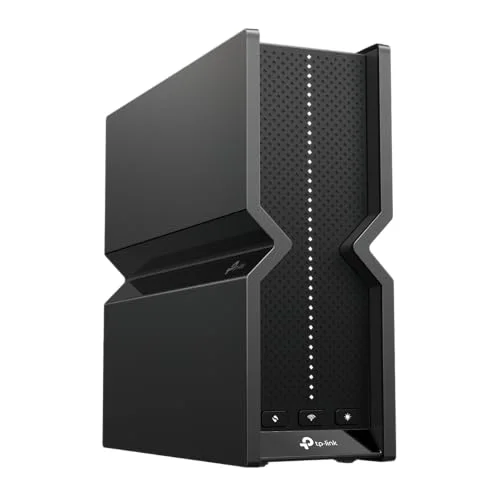
TP-Link Archer BE550 Pro
Pros
- 10G WAN port future-proofs the connection for multi-gig fiber plans
- All 2.5G LAN ports — rare at this price, eliminates the NAS bandwidth bottleneck
- MLO (Multi-Link Operation) delivers noticeably lower latency on WiFi 7 clients
- EasyMesh lets you add Deco nodes if coverage needs to expand later
- HomeShield free tier includes parental controls and basic intrusion detection
Cons
- Advanced HomeShield features (device isolation, detailed threat logs) require a paid subscription
- No external antennas — cannot upgrade or adjust antenna orientation
- Setup app occasionally requires a TP-Link account even for local-only configurations
The BE550 Pro is the better version of TP-Link’s already-strong BE550. The 10G WAN port is the key upgrade — if your ISP delivers 2.5G or multi-gig fiber, you won’t leave speed on the table. The four 2.5G LAN ports mean a NAS or workstation can actually saturate a fast connection without a separate switch. MLO (Multi-Link Operation) is a WiFi 7 feature that bonds the 5GHz and 6GHz bands for lower latency — it’s genuinely noticeable on compatible clients during video calls and large file transfers.
At $199–$229, this is significantly cheaper than Netgear’s only comparable WiFi 7 option. The tradeoff is the ongoing HomeShield subscription if you want advanced security features — though the free tier covers most home office use cases.
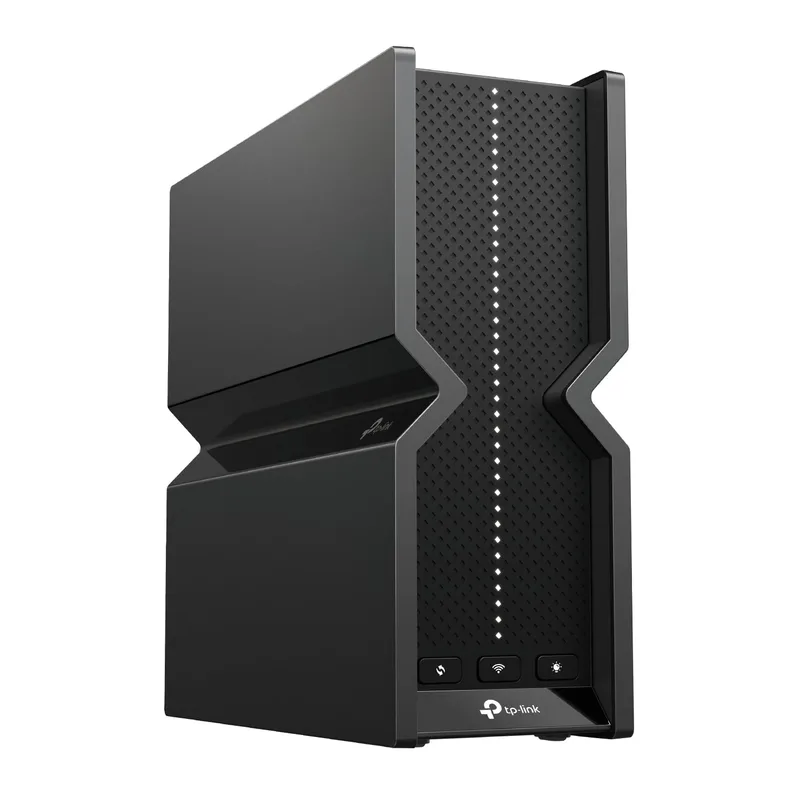
TP-Link Archer BE550
Pros
- All-2.5G port setup handles multi-gig ISP speeds without the 10G price premium
- WiFi 7 tri-band with 6GHz support for the latest laptops and phones
- Stable firmware — owner reports consistently praise TP-Link's update cadence
- VPN server and client built in (OpenVPN and WireGuard)
- Best-value WiFi 7 router with full 2.5G wired connectivity
Cons
- 2,000 sq ft coverage rating is conservative — larger homes may need a mesh node
- No USB port on base BE550 (upgraded in the Pro model)
- HomeShield security features behind a paywall for advanced controls
The Archer BE550 is the go-to for anyone upgrading to WiFi 7 without overspending. It lacks the 10G WAN of the Pro model but otherwise delivers the same WiFi 7 tri-band experience — 6GHz band, full 2.5G wired ports, EasyMesh support, and VPN server/client built in. Owner reports on Amazon consistently praise the setup experience and firmware stability. For a 1,500–2,000 sq ft home office with a gigabit ISP plan, this router doesn’t leave anything on the table.
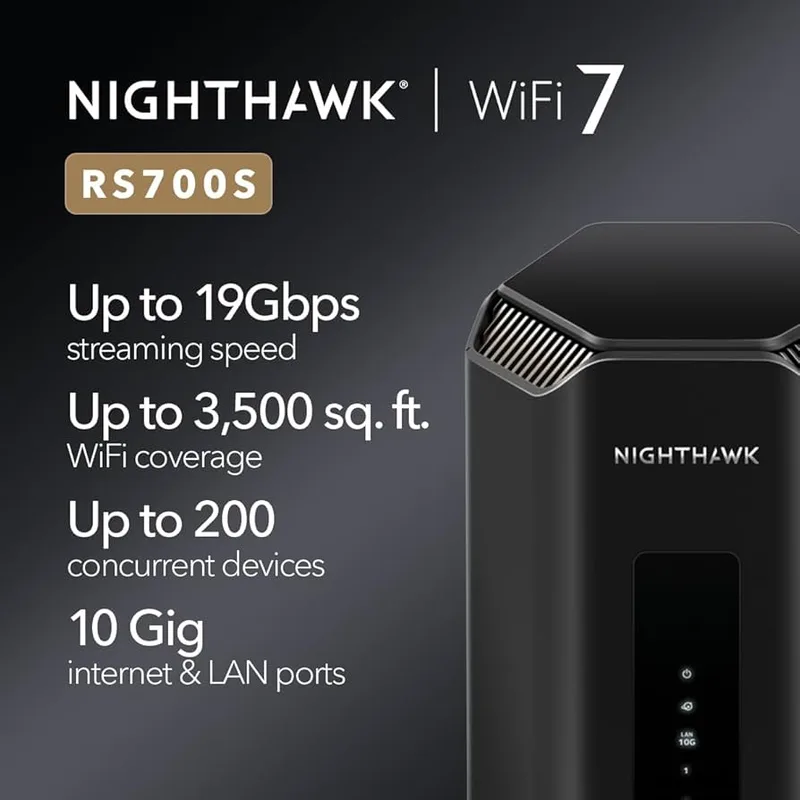
Netgear Nighthawk RS700S
Pros
- BE19000 speeds — fastest consumer WiFi 7 router available from either brand
- 10G WAN plus 2.5G WAN port covers any current ISP plan including multi-gig fiber
- NETGEAR Armor powered by Bitdefender delivers enterprise-grade threat detection
- 3,500 sq ft coverage with 8 high-gain antennas for demanding large-home setups
- NETGEAR's ReadyCLOUD and ReadySHARE allow remote storage access via USB
Cons
- $599–$699 price is hard to justify over TP-Link's WiFi 7 options at half the cost
- NETGEAR Armor is $100/year after the first year — a recurring cost TP-Link avoids
- LAN ports are only 1G on four of five ports — the 2.5G port is the lone exception
- Larger physical footprint with external antennas takes up significant desk or shelf space
The RS700S is Netgear’s best consumer router, and the hardware specs are genuinely impressive: BE19000 speeds, a 10G WAN, and Bitdefender-backed security included for the first year. The problem is the price. At $599–$699, it costs 3x the TP-Link BE550 Pro and delivers roughly comparable real-world performance in a home office environment. The RS700S makes sense for a large home (3,000+ sq ft), a demanding client workload with multiple NAS connections, or a buyer who prioritizes enterprise-grade security monitoring and doesn’t want to think about it. For most setups, TP-Link’s WiFi 7 options deliver better value.
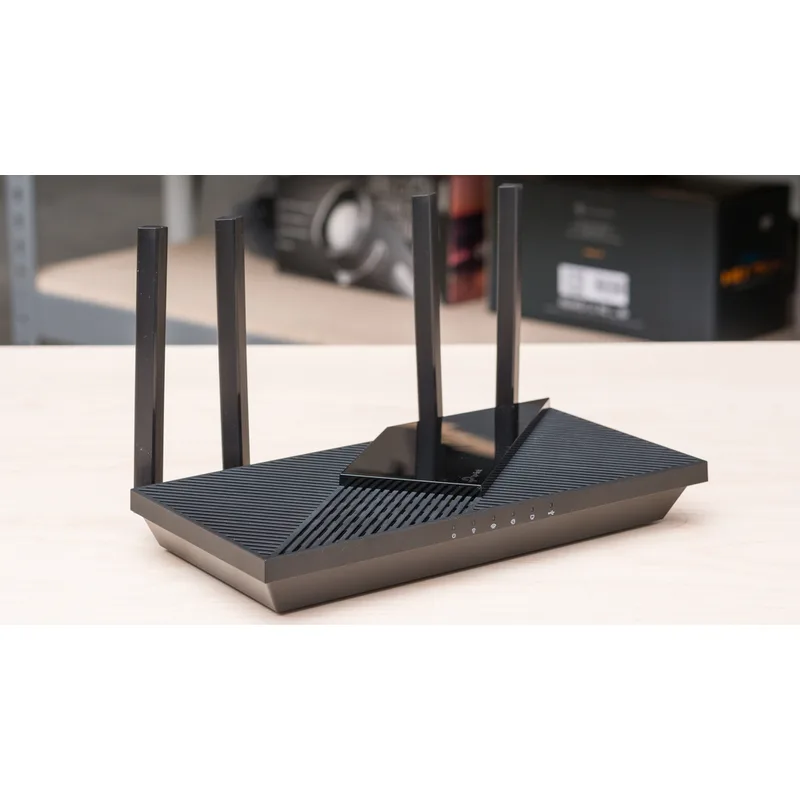
TP-Link Archer AX55
Pros
- Best price-per-performance WiFi 6 router under $80 from any major brand
- OFDMA and MU-MIMO handle 20+ simultaneous video calls and cloud uploads
- Four external antennas with beamforming perform above what the spec sheet suggests
- Zero subscription required — full router functionality without ongoing fees
- Tether app setup takes under 10 minutes including ISP configuration
Cons
- Gigabit-only ports cap wired speeds at 1G — insufficient for multi-gig ISP plans
- No 6GHz band — WiFi 6 not WiFi 7, so older tech compared to BE-series
- 2.4GHz band congestion in dense apartment environments still affects performance
The Archer AX55 is the right choice for renters, secondary offices, or anyone who needs solid WiFi 6 without paying for WiFi 7 features they won’t use. AX3000 dual-band covers most 1–2 bedroom apartment setups, and OFDMA handling means video calls stay stable even with phones, tablets, and streaming devices competing for bandwidth. The Tether app is the easiest router setup experience from either brand. One important note: gigabit WAN only — don’t buy this if your ISP plan exceeds 1Gbps.
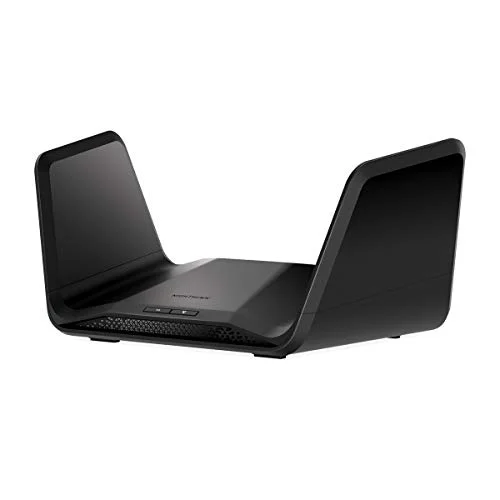
Netgear Nighthawk RAX70
Pros
- Tri-band design dedicates one 5GHz band as a backhaul — cleaner wireless performance than dual-band
- 2.5G WAN port handles gigabit-plus fiber plans without a wired bottleneck
- Eight high-gain external antennas outperform internal-antenna competitors at range
- DynamicQoS prioritizes video call and VoIP traffic automatically
- Nighthawk app allows remote management and parental control without a recurring fee
Cons
- LAN ports are gigabit only — the 2.5G advantage only applies to the WAN side
- Netgear Armor expires after 30 days and costs $100/year to renew
- Nighthawk app reviews have been inconsistent; some owner reports mention UI bugs
- Larger and heavier than TP-Link equivalents — harder to tuck away
The RAX70 is Netgear’s best value play. Tri-band WiFi 6 with a dedicated backhaul band, a 2.5G WAN port, and eight external antennas that genuinely help in larger homes. DynamicQoS traffic prioritization works well for video calls without manual configuration. The 30-day Armor trial gives you a taste of the security monitoring, though committing to $100/year is a hard sell compared to TP-Link’s free HomeShield tier. At $119–$149, the RAX70 is the router to consider if you prefer Netgear’s ecosystem or need the brand for corporate compatibility reasons.
Buying Guide: Which Brand Is Right for You?
Choose TP-Link if:
- You want WiFi 7 without paying a premium — the BE550 and BE550 Pro have no Netgear competition at their price points
- Your home office is under 2,500 sq ft and you’re on a standard gigabit plan
- You want VPN server support without third-party firmware
- Subscription fees are a dealbreaker — HomeShield’s free tier covers most needs
Choose Netgear if:
- Security monitoring is a priority and you’re comfortable paying $100/year for Armor
- You need a very large coverage area (3,000+ sq ft) and want a single router
- Your organization has standardized on Netgear and IT support expects Nighthawk firmware
- You’re buying the RS700S specifically — it’s a premium product that justifies its price for the right buyer
Consider neither brand if you’re in a multi-floor home with thick walls — in that case, a mesh system like Eero Pro or TP-Link Deco will outperform any single router regardless of brand.
FAQ
Is TP-Link still safe to buy in 2026? Yes. Despite the 2024 Congressional investigation, no backdoors or security vulnerabilities were documented in TP-Link consumer firmware. TP-Link is still sold at major US retailers and remains the top-selling router brand in North America by volume. If security monitoring depth is a priority, pair a TP-Link router with a separate firewall appliance for maximum control.
Does Netgear still make budget routers worth buying? At the budget tier, TP-Link’s Archer AX55 outperforms Netgear’s equivalent options on price. The RAX70 at $119–$149 is Netgear’s most accessible value play, but for the same money you can get a TP-Link WiFi 7 router during a sale. Netgear’s value proposition is strongest at the high end.
What is WiFi 7 and do I need it for home office work? WiFi 7 (802.11be) adds Multi-Link Operation, 320 MHz channels, and 4K-QAM encoding. For a typical home office with a gigabit ISP plan, WiFi 6 handles the workload fine. WiFi 7 becomes meaningful if you have a multi-gig ISP plan, multiple people video conferencing simultaneously, or you’re doing large file transfers to a local NAS.
Which router has better mesh support? TP-Link’s EasyMesh system allows Archer and Deco devices to work together in a mesh network — an advantage Netgear doesn’t offer across its product lines. Netgear Orbi is a separate mesh system, not compatible with Nighthawk routers. If you want a mesh-expandable setup, TP-Link has a structural advantage.
Do I need to pay for NETGEAR Armor? Not necessarily. The first year is included with most Nighthawk routers. After that, $100/year buys you Bitdefender threat scanning across all connected devices. If you have multiple IoT devices (smart plugs, cameras, thermostats) on your home network, Armor is worth considering. For a small home office with a handful of known devices, your ISP’s default security plus a router firewall is adequate.
Verdict: TP-Link Wins on Value, Netgear Wins on Premium Hardware
For home office use in 2026, TP-Link is the better choice for most buyers. The Archer BE550 Pro at $199–$229 is the strongest home office router at its price point from either brand — WiFi 7, 10G WAN, all-2.5G LAN ports, and VPN built in. Netgear cannot match that feature set below $600.
Netgear’s case is real at the premium end. The RS700S is a better router than the BE550 Pro in raw hardware terms — faster, with longer range and more sophisticated security. But for a home office that isn’t running a small business out of a 4,000 sq ft compound, the extra $400 doesn’t meaningfully improve your workday.
Best overall pick: TP-Link Archer BE550 Pro — best WiFi 7 value from either brand.
Best budget pick: TP-Link Archer AX55 — reliable WiFi 6 at the lowest price from a major brand.
Best if you want Netgear: Netgear Nighthawk RAX70 — Netgear’s best value, with tri-band WiFi 6 and a 2.5G WAN port.
Detailed Reviews
TP-Link Archer BE550 Pro
Pros
- 10G WAN port future-proofs the connection for multi-gig fiber plans
- All 2.5G LAN ports — rare at this price, eliminates the NAS bandwidth bottleneck
- MLO (Multi-Link Operation) delivers noticeably lower latency on WiFi 7 clients
- EasyMesh lets you add Deco nodes if coverage needs to expand later
- HomeShield free tier includes parental controls and basic intrusion detection
Cons
- Advanced HomeShield features (device isolation, detailed threat logs) require a paid subscription
- No external antennas — cannot upgrade or adjust antenna orientation
- Setup app occasionally requires a TP-Link account even for local-only configurations
TP-Link Archer BE550
Pros
- All-2.5G port setup handles multi-gig ISP speeds without the 10G price premium
- WiFi 7 tri-band with 6GHz support for the latest laptops and phones
- Stable firmware — owner reports consistently praise TP-Link's update cadence
- VPN server and client built in (OpenVPN and WireGuard)
- Best-value WiFi 7 router with full 2.5G wired connectivity
Cons
- 2,000 sq ft coverage rating is conservative — larger homes may need a mesh node
- No USB port on base BE550 (upgraded in the Pro model)
- HomeShield security features behind a paywall for advanced controls
Netgear Nighthawk RS700S
Pros
- BE19000 speeds — fastest consumer WiFi 7 router available from either brand
- 10G WAN plus 2.5G WAN port covers any current ISP plan including multi-gig fiber
- NETGEAR Armor powered by Bitdefender delivers enterprise-grade threat detection
- 3,500 sq ft coverage with 8 high-gain antennas for demanding large-home setups
- NETGEAR's ReadyCLOUD and ReadySHARE allow remote storage access via USB
Cons
- $599–$699 price is hard to justify over TP-Link's WiFi 7 options at half the cost
- NETGEAR Armor is $100/year after the first year — a recurring cost TP-Link avoids
- LAN ports are only 1G on four of five ports — the 2.5G port is the lone exception
- Larger physical footprint with external antennas takes up significant desk or shelf space
TP-Link Archer AX55
Pros
- Best price-per-performance WiFi 6 router under $80 from any major brand
- OFDMA and MU-MIMO handle 20+ simultaneous video calls and cloud uploads
- Four external antennas with beamforming perform above what the spec sheet suggests
- Zero subscription required — full router functionality without ongoing fees
- Tether app setup takes under 10 minutes including ISP configuration
Cons
- Gigabit-only ports cap wired speeds at 1G — insufficient for multi-gig ISP plans
- No 6GHz band — WiFi 6 not WiFi 7, so older tech compared to BE-series
- 2.4GHz band congestion in dense apartment environments still affects performance
Netgear Nighthawk RAX70
Pros
- Tri-band design dedicates one 5GHz band as a backhaul — cleaner wireless performance than dual-band
- 2.5G WAN port handles gigabit-plus fiber plans without a wired bottleneck
- Eight high-gain external antennas outperform internal-antenna competitors at range
- DynamicQoS prioritizes video call and VoIP traffic automatically
- Nighthawk app allows remote management and parental control without a recurring fee
Cons
- LAN ports are gigabit only — the 2.5G advantage only applies to the WAN side
- Netgear Armor expires after 30 days and costs $100/year to renew
- Nighthawk app reviews have been inconsistent; some owner reports mention UI bugs
- Larger and heavier than TP-Link equivalents — harder to tuck away