Enterprise IT teams in 2026 have largely moved toward SASE and Zero Trust architecture — replacing the traditional VPN with cloud-based identity-aware access controls. But that shift is driven by large organizations managing hundreds of endpoints. For remote workers managing their own security on personal or BYOD devices, a VPN remains the most practical and accessible tool for protecting data on public networks and maintaining baseline privacy.
This guide covers why VPNs matter for remote workers specifically, what to look for, how to set one up on every major platform, and which services perform best in 2026.
Why Remote Workers Need a VPN
The risks that a VPN addresses are specific to how remote workers actually operate:
Public WiFi attacks. Coffee shops, airports, coworking spaces, and hotel networks are prime targets for man-in-the-middle attacks. An attacker on the same network can intercept unencrypted traffic. A VPN encrypts all traffic between your device and the VPN server, rendering intercepted packets unreadable.
ISP monitoring. Without a VPN, your internet service provider can log and sell your browsing data. This is particularly relevant for workers using home internet who want basic privacy from their ISP.
Geographic content access. Some work tools, databases, or research resources are region-restricted. A VPN with servers in the required country provides the access IP needed.
Corporate resource access. Many companies require employees to VPN into the corporate network to access internal systems, file shares, or databases. This is separate from a personal VPN — your employer will typically provide the client and credentials.
Privacy from the network operator. In a shared office building or coworking space, the network administrator can see which sites you visit. A VPN prevents this.
Corporate VPN vs Personal VPN
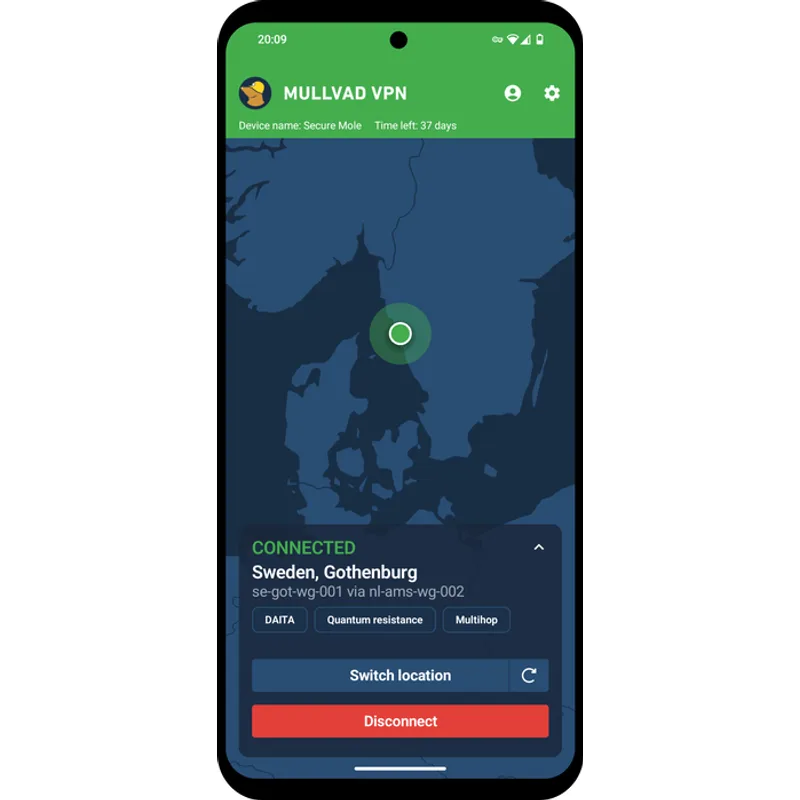
These are two distinct tools that serve different purposes:
| Corporate VPN | Personal VPN | |
|---|---|---|
| Purpose | Access internal company systems | Encrypt personal traffic, protect privacy |
| Who provides it | Your employer’s IT department | You subscribe to a service |
| Examples | Cisco AnyConnect, GlobalProtect | NordVPN, ExpressVPN, Surfshark |
| Cost to you | Free (employer-provided) | $2–$10/month |
| What it protects | Company network access | Your personal traffic and privacy |
If your employer provides a corporate VPN, use it for work systems. You can still run a personal VPN on the same device for personal browsing — most VPN clients handle this with split tunneling. Corporate VPN traffic goes through your employer’s tunnel; personal traffic goes through your own.
What to Look For in a Work VPN
Protocol. WireGuard-based protocols (NordLynx, WireGuard native) are the current performance standard. OpenVPN is the established reliable alternative. Avoid services that only offer IKEv2 or PPTP — these are older with fewer advantages for remote work scenarios.
Audited no-logs policy. Any VPN can claim a no-logs policy. Look for services that have published independent third-party audits. NordVPN, ExpressVPN, Surfshark, ProtonVPN, and Mullvad have all undergone multiple third-party audits as of 2026.
Kill switch. A kill switch cuts your internet connection if the VPN drops unexpectedly. Without one, a dropped VPN silently exposes your real IP and unencrypted traffic. This feature is mandatory for any serious remote work use.
Simultaneous connections. Most workers need VPN coverage on at least 3 devices: laptop, phone, and tablet. Some services limit you to 5–8 devices; others (Surfshark) allow unlimited.
Ease of use. A VPN you won’t actually use provides zero protection. The best services offer one-click connect, auto-connect on public WiFi, and apps that don’t require technical configuration to get started.
Top VPN Services for Remote Workers in 2026
| Spec | NordVPN | ExpressVPN | Surfshark | ProtonVPN | Mullvad VPN |
|---|---|---|---|---|---|
| Rating | 9.2/10 | 8.8/10 | 8.5/10 | 8.6/10 | 8.1/10 |
| Price | $3.39/mo | $6.25/mo | $1.99/mo | $9.99/mo | $5.50/mo |
| Servers | 6,400+ | 3,000+ | 3,200+ | — | — |
| Countries | 111 | 105 | 100 | 112 | 41 |
| Simultaneous Connections | 10 | 8 | Unlimited | 10 | 5 |
| Encryption | AES-256 | AES-256 | AES-256 | AES-256 | AES-256 / ChaCha20 |
| Protocol | NordLynx (WireGuard) | Lightway | WireGuard / OpenVPN | WireGuard / OpenVPN / Stealth | WireGuard / OpenVPN |
| No-Logs Policy | Yes (audited) | Yes (audited) | Yes (audited) | Yes (audited) | Yes (audited) |
| Kill Switch | Yes | Yes | Yes | — | — |
| Free Tier | — | — | — | Yes (3 locations) | — |
| Jurisdiction | — | — | — | Switzerland | — |
| Account Required | — | — | — | — | No email needed |
| Payment | — | — | — | — | Cash / crypto accepted |
| Get NordVPN | Get ExpressVPN | Get Surfshark | Get ProtonVPN | Get Mullvad |
Prices change daily — tap Check Price for the current Amazon price.
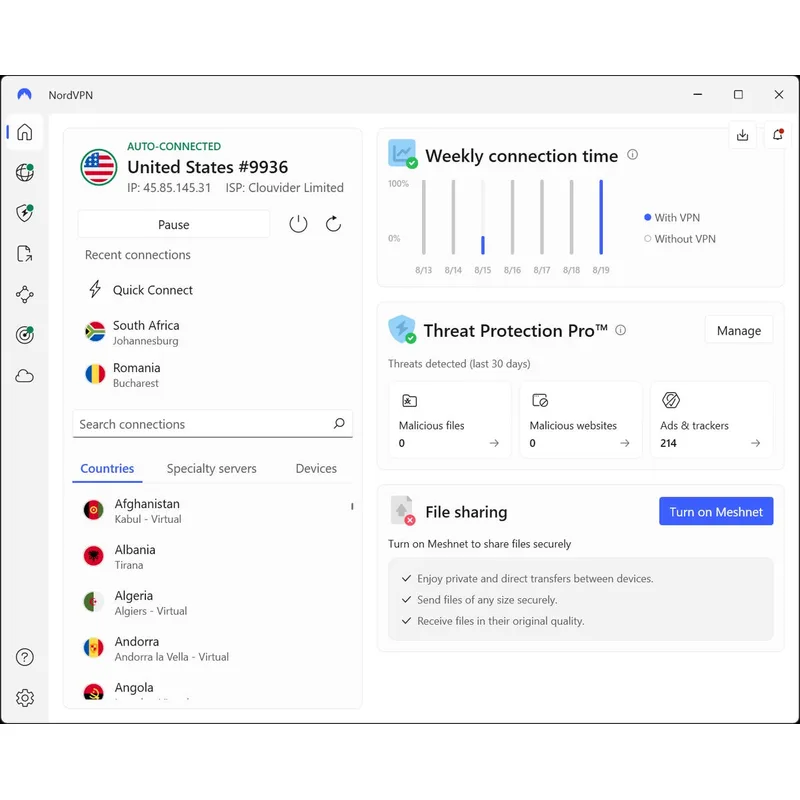
NordVPN
Pros
- NordLynx protocol (built on WireGuard) delivers consistently fast connections — independent comparisons place NordVPN among the fastest commercial services available in 2026
- No-logs policy independently audited multiple times, providing verified privacy assurance rather than marketing claims alone
- 10 simultaneous connections covers a typical remote worker's laptop, phone, tablet, and home router on a single subscription
- Threat Protection Pro blocks ads, trackers, and malware domains at the DNS level — a practical security layer beyond encryption
- Kill switch cuts internet automatically if the VPN drops, preventing accidental IP exposure on public networks
Cons
- Best pricing requires a 2-year commitment — month-to-month pricing runs $12.99/mo, significantly higher than the promotional 2-year rate
- Split tunneling on desktop requires manual configuration and is less intuitive than the mobile implementation
- Owned by Nord Security, a company headquartered in Panama — privacy-focused users who prefer European or Swiss jurisdiction should consider ProtonVPN
NordVPN is the practical choice for most remote workers. The NordLynx protocol delivers fast speeds without significant connection overhead, which matters for video calls and cloud file transfers. The 2-year pricing at $3.39/mo is hard to beat for the feature set. Setup takes under two minutes on any platform: download the app, log in, hit connect.
The Threat Protection feature adds meaningful value beyond VPN basics — it functions as a DNS-level ad and malware blocker that works even when the VPN tunnel itself is not active. For workers switching frequently between trusted and untrusted networks, it provides a consistent baseline of protection.
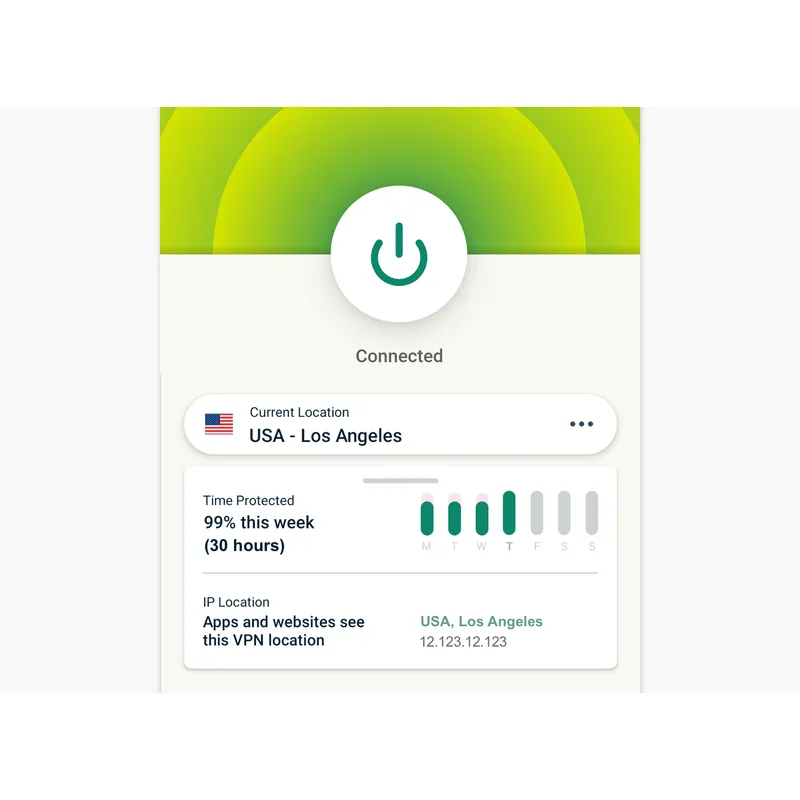
ExpressVPN
Pros
- Lightway protocol is ExpressVPN's proprietary open-source VPN protocol — designed for faster connection and reconnection speeds than OpenVPN
- Router app supports DD-WRT, Tomato, and Asus Merlin firmware — enables whole-home VPN coverage without per-device setup
- RAM-only server infrastructure means no data persists through a power cycle — verified through independent security audits
- MediaStreamer Smart DNS enables VPN-like access on devices without native VPN app support, including smart TVs and gaming consoles
Cons
- Higher price than NordVPN and Surfshark at the annual plan level — $6.25/mo versus $3.39/mo for NordVPN on a 2-year plan
- 8 simultaneous connections is the lowest device limit among services reviewed here
- Renewal pricing typically increases after the promotional first year — read the terms before committing
ExpressVPN’s primary advantage is consistent performance across a wide range of server locations. The Lightway protocol handles connection drops and mobile network switches faster than WireGuard implementations on unstable connections, which benefits workers who frequently move between networks.
The router app support is a genuine differentiator. Workers who want whole-home VPN protection — covering smart TVs, IoT devices, and any guest using the home network — can install ExpressVPN directly on a compatible router and route all traffic through it without installing anything on individual devices.
Surfshark
Pros
- Unlimited simultaneous connections — the only major VPN service that covers every device in a household or small team on one plan
- $1.99/mo on the 2-year Starter plan is the lowest price among audited commercial VPN services
- CleanWeb feature blocks ads, trackers, and malware domains at no additional cost — included in the base Starter plan
- MultiHop double-VPN routing sends traffic through two servers for additional privacy, available on all plans
Cons
- Best pricing requires a 2-year commitment — monthly pricing jumps to $15.45/mo
- Surfshark and NordVPN share the same parent company (Nord Security) — relevant for users who want diversified corporate ownership across their privacy tools
- Streaming performance on some servers is inconsistent compared to ExpressVPN, based on user reports
Surfshark’s unlimited device policy is its defining feature. Teams, couples sharing a subscription, or workers with many devices don’t need to manage connection limits. At $1.99/mo on the 2-year Starter plan, it costs less than a coffee per month.
The One and One+ tiers add antivirus software, data breach monitoring, and identity protection tools. For workers who want a consolidated security bundle rather than separate subscriptions, the Surfshark One tier at $2.29/mo represents strong value.
ProtonVPN
Pros
- Swiss jurisdiction means ProtonVPN operates under Swiss privacy law, outside the Five Eyes and Fourteen Eyes surveillance alliances
- Full client apps are open-source and independently audited — the code is available for public review, not just the privacy policy
- Stealth protocol obfuscates VPN traffic to bypass restrictive networks that block standard VPN connections — useful on corporate or hotel networks
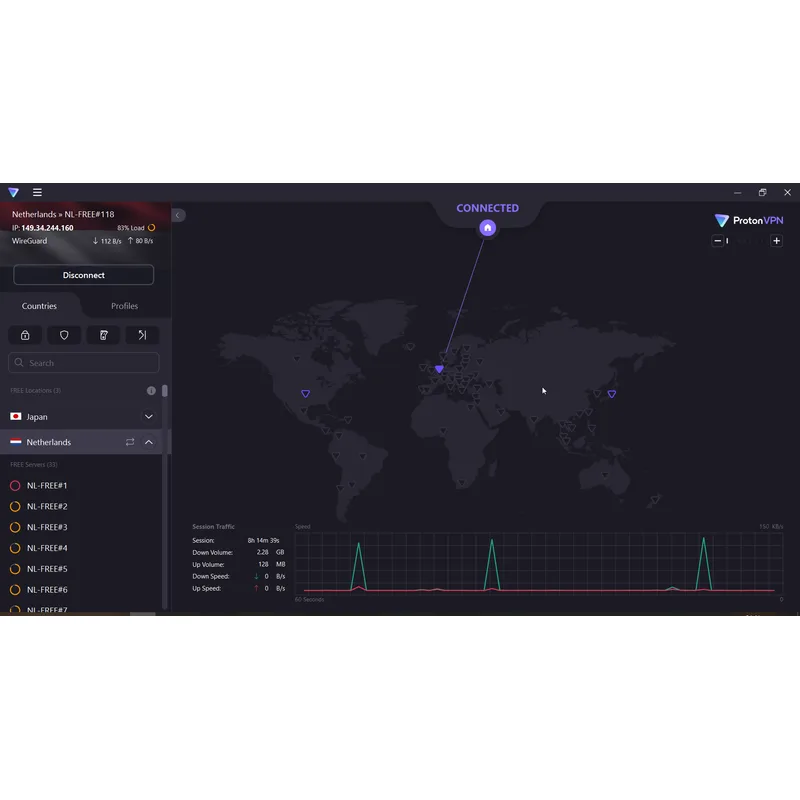
- Free tier with no speed cap, no data limit, and no ads — the only major VPN with a genuinely usable free plan, limited to 3 server locations
Cons
- $9.99/mo monthly rate is the highest of the services listed — annual plans reduce the effective rate significantly but require commitment
- Free tier is limited to 3 server locations, adequate for basic privacy but not for location-specific access or performance optimization
- Stealth protocol is available on fewer platforms than WireGuard — advanced protocol options on macOS require manual configuration
ProtonVPN is the privacy specialist. Its Swiss jurisdiction matters: Swiss law provides strong data protection guarantees, and the country is not part of intelligence-sharing agreements that cover US-based or EU-based companies. The open-source clients and multiple independent audits back up the no-logs claims with verifiable evidence rather than marketing language.
The free tier is genuinely useful — not a stripped trial but a real free plan limited to three server locations. Workers evaluating VPNs can use it without a credit card before deciding to pay.
Mullvad VPN
Pros
- Account creation requires no email address — Mullvad issues an anonymous account number with no linkable personal information
- Flat €5/month (approximately $5.50) with no long-term commitment required — the price is the same for one month or twelve
- Cash and cryptocurrency payment options available — enables genuinely anonymous purchasing for users who need maximum privacy
- DAITA (Defense Against AI-guided Traffic Analysis) technology guards against advanced traffic pattern analysis, a feature not available from most competitors
Cons
- Available in 41 countries — the smallest geographic coverage of the services reviewed, which can limit options for travelers or location-specific connections
- No router app and limited streaming support — Mullvad is optimized for privacy rather than media access
- 5 simultaneous connections is the lowest device limit among paid services reviewed here
Mullvad exists for users who want to minimize the personal information associated with their VPN account. No email address required, no username tied to payment, and cash or cryptocurrency accepted. The flat €5/month with no commitment means you can pay for one month to test it and cancel without penalty.
DAITA (Defense Against AI-guided Traffic Analysis) is a unique technical feature not found in other services reviewed here — it adds traffic pattern obfuscation against advanced analysis. Most remote workers won’t need it, but security researchers and journalists working on sensitive material will find it valuable.
How to Set Up a VPN on Windows
Step 1: Download your VPN provider’s Windows app from their website (not a third-party source).
Step 2: Install and launch. Log in with your account credentials.
Step 3: Enable these settings before your first connection:
- Auto-connect on startup — ensures protection before you open a browser
- Kill switch — prevents traffic leaking if the VPN drops
- Auto-connect on untrusted WiFi — triggers VPN automatically on public networks
Step 4: Select a server. For most work tasks, connect to the fastest available server in your country for best performance. For accessing geo-restricted content or corporate resources in a specific region, select that region manually.
Step 5 (optional): Configure split tunneling to exclude specific apps from the VPN tunnel. This is useful if you want your corporate VPN and personal VPN running simultaneously — route personal browser traffic through your VPN while letting your work VPN handle corporate application traffic.
How to Set Up a VPN on macOS
Step 1: Download the macOS app from your provider’s website. macOS requires granting a network extension permission on first launch — this is normal and required for VPN functionality.
Step 2: Grant the network extension permission in System Settings → Privacy & Security when prompted.
Step 3: Enable the kill switch and auto-connect settings. On macOS, these are in the VPN app’s Preferences or Settings menu.
Step 4: If you use a corporate VPN alongside a personal one, configure split tunneling or check with your IT department about routing rules. Running two VPN tunnels simultaneously is supported but may require configuration.
Note for Apple Silicon Macs: All major VPN apps listed here have native Apple Silicon builds in 2026. Avoid Rosetta 2 versions if offered — download the native ARM build for better performance and battery life.
How to Set Up a VPN on iOS and Android
VPN setup on mobile is simpler than on desktop:
iOS:
- Download the VPN app from the App Store
- Log in and tap Connect
- Accept the VPN configuration profile when prompted
- Enable “Auto-connect on WiFi” in the app settings for automatic protection on public networks
Android:
- Download from Google Play
- Log in and connect
- Most Android VPN apps have an “Always-on VPN” toggle in Android settings (Settings → Network & Internet → VPN) — enable this to ensure the VPN is always active
Battery note: WireGuard-based VPNs have meaningfully lower battery impact than OpenVPN. If you notice significant battery drain with a VPN on mobile, switch to WireGuard in the protocol settings if your provider allows it.
VPN Buying Guide for Remote Workers
For solo remote workers on a budget: Surfshark Starter at $1.99/mo (2-year) gives solid protection without overpaying. Upgrade to NordVPN if you want faster speeds and a more polished desktop app.
For privacy-conscious workers: ProtonVPN’s Swiss jurisdiction and open-source clients provide the strongest verified privacy guarantees. The free tier is a legitimate way to start.
For workers who travel frequently: ExpressVPN’s router support and MediaStreamer feature handle the edge cases that come with frequent travel — hotel TVs, network restrictions, inconsistent connections.
For teams or households: Surfshark’s unlimited device policy eliminates the math of how many connections you’re using. One subscription, everyone covered.
For maximum anonymity: Mullvad with cryptocurrency payment and no email signup minimizes account metadata. No equivalent option exists among the other services reviewed here.
One thing that doesn’t matter much: Server count. You will connect to one server at a time. The difference between 900 servers and 6,400 servers is irrelevant for daily use — what matters is whether there are servers near you with good performance.
FAQ
Do I need a VPN if I only work from home? If you work exclusively from a trusted home network with no public WiFi use, a VPN is less critical but still useful for ISP privacy. The primary risk a VPN addresses is public network attacks, so the risk calculus changes if you never use public WiFi. That said, ISP tracking is a real and documented practice — a VPN that costs $3/mo for privacy peace of mind is reasonable even for home-only workers.
Will a VPN slow down my internet? Modern WireGuard-based VPNs introduce minimal overhead on fast connections. Owner reports and independent comparisons show that NordVPN’s NordLynx protocol in particular has negligible speed impact on most residential connections. You may see a 5–15% speed reduction on slower connections or distant servers, but on a 100+ Mbps connection the practical impact on video calls and cloud work is undetectable.
Can my employer see what I do on a personal VPN? On your personal device connected to your home network, your employer cannot see your traffic when using a personal VPN. If you’re connecting through a corporate VPN for work access, your employer can see traffic on that VPN tunnel. Keep work and personal browsing on separate connections (split tunneling or separate devices) if this matters.
Is a free VPN safe for remote work? Most free VPNs monetize through data collection and resale — the opposite of what a VPN is supposed to do. The one meaningful exception is ProtonVPN’s free tier, which is funded by paid subscribers and has an independently audited no-logs policy. Other free VPN services should be avoided for any serious work use.
Do I need a VPN if I use HTTPS everywhere? HTTPS encrypts the content of your connections but not the metadata — your ISP and network operators can still see which domains you visit, when, and for how long. A VPN encrypts the metadata layer as well, hiding the destination of your traffic from network-level observers. For most remote workers, this distinction matters primarily on public networks.
Conclusion
For most remote workers, NordVPN is the right call: audited no-logs policy, fast WireGuard-based connections, 10 devices, and the best price-to-quality ratio at $3.39/mo on the 2-year plan. Setup takes two minutes and requires no technical knowledge.
If privacy is your priority over price, ProtonVPN is the stronger choice — Swiss jurisdiction, open-source apps, and a free tier that lets you verify the product before paying.
If you’re covering a whole household or team, Surfshark’s unlimited device policy and $1.99/mo pricing is difficult to argue against.
Whatever you choose, enable the kill switch and auto-connect on public WiFi. A VPN configured but not running provides zero protection — the goal is a setup you don’t have to think about.
Detailed Reviews
NordVPN
Pros
- NordLynx protocol (built on WireGuard) delivers consistently fast connections — independent comparisons place NordVPN among the fastest commercial services available in 2026
- No-logs policy independently audited multiple times, providing verified privacy assurance rather than marketing claims alone
- 10 simultaneous connections covers a typical remote worker's laptop, phone, tablet, and home router on a single subscription
- Threat Protection Pro blocks ads, trackers, and malware domains at the DNS level — a practical security layer beyond encryption
- Kill switch cuts internet automatically if the VPN drops, preventing accidental IP exposure on public networks
Cons
- Best pricing requires a 2-year commitment — month-to-month pricing runs $12.99/mo, significantly higher than the promotional 2-year rate
- Split tunneling on desktop requires manual configuration and is less intuitive than the mobile implementation
- Owned by Nord Security, a company headquartered in Panama — privacy-focused users who prefer European or Swiss jurisdiction should consider ProtonVPN
ExpressVPN
Pros
- Lightway protocol is ExpressVPN's proprietary open-source VPN protocol — designed for faster connection and reconnection speeds than OpenVPN
- Router app supports DD-WRT, Tomato, and Asus Merlin firmware — enables whole-home VPN coverage without per-device setup
- RAM-only server infrastructure means no data persists through a power cycle — verified through independent security audits
- MediaStreamer Smart DNS enables VPN-like access on devices without native VPN app support, including smart TVs and gaming consoles
Cons
- Higher price than NordVPN and Surfshark at the annual plan level — $6.25/mo versus $3.39/mo for NordVPN on a 2-year plan
- 8 simultaneous connections is the lowest device limit among services reviewed here
- Renewal pricing typically increases after the promotional first year — read the terms before committing
Surfshark
Pros
- Unlimited simultaneous connections — the only major VPN service that covers every device in a household or small team on one plan
- $1.99/mo on the 2-year Starter plan is the lowest price among audited commercial VPN services
- CleanWeb feature blocks ads, trackers, and malware domains at no additional cost — included in the base Starter plan
- MultiHop double-VPN routing sends traffic through two servers for additional privacy, available on all plans
Cons
- Best pricing requires a 2-year commitment — monthly pricing jumps to $15.45/mo
- Surfshark and NordVPN share the same parent company (Nord Security) — relevant for users who want diversified corporate ownership across their privacy tools
- Streaming performance on some servers is inconsistent compared to ExpressVPN, based on user reports
ProtonVPN
Pros
- Swiss jurisdiction means ProtonVPN operates under Swiss privacy law, outside the Five Eyes and Fourteen Eyes surveillance alliances
- Full client apps are open-source and independently audited — the code is available for public review, not just the privacy policy
- Stealth protocol obfuscates VPN traffic to bypass restrictive networks that block standard VPN connections — useful on corporate or hotel networks
- Free tier with no speed cap, no data limit, and no ads — the only major VPN with a genuinely usable free plan, limited to 3 server locations
Cons
- $9.99/mo monthly rate is the highest of the services listed — annual plans reduce the effective rate significantly but require commitment
- Free tier is limited to 3 server locations, adequate for basic privacy but not for location-specific access or performance optimization
- Stealth protocol is available on fewer platforms than WireGuard — advanced protocol options on macOS require manual configuration
Mullvad VPN
Pros
- Account creation requires no email address — Mullvad issues an anonymous account number with no linkable personal information
- Flat €5/month (approximately $5.50) with no long-term commitment required — the price is the same for one month or twelve
- Cash and cryptocurrency payment options available — enables genuinely anonymous purchasing for users who need maximum privacy
- DAITA (Defense Against AI-guided Traffic Analysis) technology guards against advanced traffic pattern analysis, a feature not available from most competitors
Cons
- Available in 41 countries — the smallest geographic coverage of the services reviewed, which can limit options for travelers or location-specific connections
- No router app and limited streaming support — Mullvad is optimized for privacy rather than media access
- 5 simultaneous connections is the lowest device limit among paid services reviewed here