Black Friday 2026 lands on November 27, and the home office aisle is where a lot of people wait for a promotion before buying. This guide is a watch list, not a deals page: it names the kinds of gear that commonly get promotions and the picks worth price-checking, sorted by budget so you can jump to yours.
We do not quote sale prices or predict discounts, because they change by the hour. Every pick below was in stock on Amazon when we checked, and the button on each card shows the live price. If a number looks better than the usual price, buy it. If not, skip it, because a sale on the wrong product is not a bargain. For gift-oriented picks, see our gifts for remote workers and desk-setup gifts under $100 guides, which cover different products.
Quick pick: If you only watch one product, make it the Logitech C920x for a cheap call upgrade, or the TP-Link Deco BE23 if your Wi-Fi is the weak link.
| Spec | Logitech Pebble Mouse 2 M350s | TP-Link TL-SG108 8-Port Gigabit Switch | UGREEN Revodok 7-in-1 USB-C Hub | VIVO 16-Inch Aluminum Monitor Riser | Logitech C920x HD Pro Webcam | JLab Talk USB Microphone | Elgato Facecam 4K | TP-Link Deco BE23 Wi-Fi 7 Mesh (2-Pack) |
|---|---|---|---|---|---|---|---|---|
| Rating | 8.5/10 | 8.5/10 | 8.5/10 | 8.0/10 | 8.5/10 | 8.5/10 | 8.5/10 | 8.5/10 |
| Price | $18.98as of Nov 22, 2026 | $16.98as of Nov 22, 2026 | $25.98as of Nov 22, 2026 | $48.99as of Nov 22, 2026 | $50.04-$54.99as of Nov 22, 2026 | $49.99as of Nov 22, 2026 | $151.99-$159.99as of Nov 22, 2026 | $147.19as of Nov 22, 2026 |
| Connection | Bluetooth 5.1 + Logi Bolt receiver | — | — | — | USB-A | USB-C | Integrated USB-C | — |
| Devices | Easy-Switch, up to 3 | — | — | — | — | — | — | — |
| Battery | 1x AA, up to 18 months | — | — | — | — | — | — | — |
| Compatibility | Windows, macOS, ChromeOS, iPadOS | — | — | — | — | — | — | — |
| Ports | — | 8x Gigabit Ethernet | — | — | — | — | — | 2x 2.5G per unit |
| Switching capacity | — | 16 Gbps | — | — | — | — | — | — |
| Management | — | Unmanaged, plug and play | — | — | — | — | — | — |
| Cooling | — | Fanless, silent | — | — | — | — | — | — |
| Video | — | — | 1x HDMI, 4K@60Hz | — | — | — | — | — |
| Power pass-through | — | — | 100W | — | — | — | — | — |
| Network | — | — | Gigabit Ethernet | — | — | — | — | — |
| Card readers | — | — | SD + microSD | — | — | — | — | — |
| Width | — | — | — | 16 inches | — | — | — | — |
| Material | — | — | — | Solid aluminum | — | — | — | — |
| Height | — | — | — | 2.2 inches | — | — | — | — |
| Weight capacity | — | — | — | 44 lbs | — | — | — | — |
| Resolution | — | — | — | — | 1080p at 30fps | — | 4K at 60fps | — |
| Microphones | — | — | — | — | Dual stereo | — | — | — |
| Field of view | — | — | — | — | 78 degrees | — | 90 degrees | — |
| Type | — | — | — | — | — | Multi-pattern condenser | — | — |
| Polar patterns | — | — | — | — | — | Cardioid, omnidirectional, stereo, bidirectional | — | — |
| Controls | — | — | — | — | — | Volume, gain, quick mute | — | — |
| Sensor | — | — | — | — | — | — | Sony STARVIS 2 | — |
| Standard | — | — | — | — | — | — | — | Wi-Fi 7 (BE3600) |
| Bands | — | — | — | — | — | — | — | Dual-band |
| Coverage | — | — | — | — | — | — | — | Up to 4,500 sq. ft. (2-pack) |
| Check Price → | Check Price → | Check Price → | Check Price → | Check Price → | Check Price → | Check Price → | Check Price → |
Prices change daily — tap Check Price for the current Amazon price.
Which Categories Are Worth Waiting For
Retailers tend to run promotions on monitors, webcams, mesh Wi-Fi, USB hubs, and storage during Black Friday week. Small accessories often move too, but a discount on a $15 item saves little. Furniture and big-ticket items are worth watching, though stock can thin out fast. Our guides to 4K monitors under $300 and mesh Wi-Fi systems are good starting points if you plan to shop those categories.
Watch List Under $25
Cheap items that make good add-ons to a bigger order.
Logitech Pebble Mouse 2 M350s — Best Under $25

Logitech Pebble Mouse 2 M350s
Pros
- Slim enough to drop in a laptop bag
- Quiet clicks suit video calls and shared rooms
- Pairs with three devices and switches with one button
- Bluetooth works with no USB receiver on most laptops
Cons
- Low profile feels small for large hands
- Not a replacement for an ergonomic mouse
- Basic scroll wheel with no side buttons
A slim Bluetooth mouse with quiet clicks that pairs with three devices. It is a travel and backup mouse more than a daily driver for long sessions. If wrist strain is the issue, read our vertical mouse guide.
TP-Link TL-SG108 Gigabit Switch — Best Practical Pick
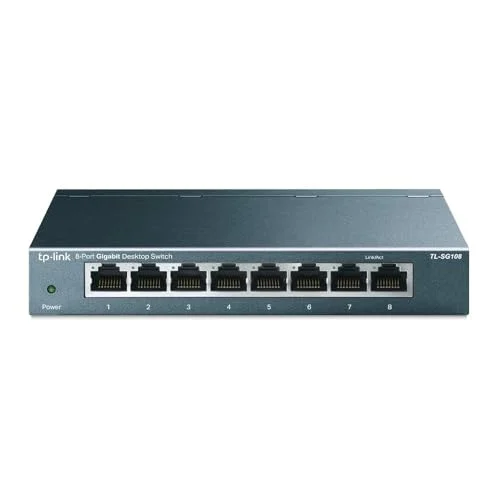
TP-Link TL-SG108 8-Port Gigabit Switch
Pros
- Turns one wall jack into eight wired connections
- Fanless, so it adds no desk noise
- No setup: plug in the cables and it works
- Metal case with desktop or wall mounting
Cons
- Unmanaged, so no VLANs or traffic prioritization
- Gigabit only, no 2.5G ports
- Needs an outlet for its power adapter
If a desk has a PC, a docking station, and a printer all wanting a wired connection, this switch fixes it for little money. See our Ethernet switch roundup for 2.5G and managed options.
Watch List Under $50
UGREEN Revodok 7-in-1 USB-C Hub — Best Hub Under $50
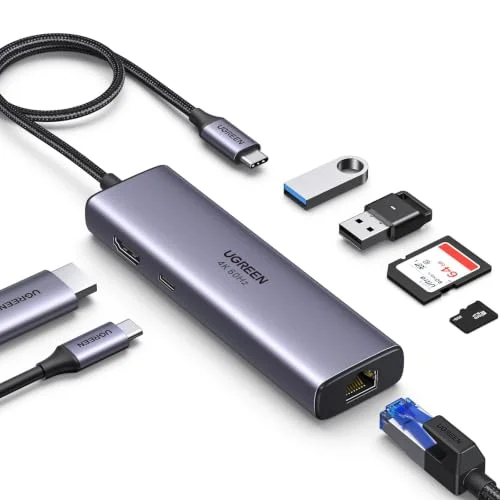
UGREEN Revodok 7-in-1 USB-C Hub
Pros
- HDMI, Ethernet, USB-A, and card readers in one dongle
- 100W pass-through keeps a laptop charging
- Aluminum body suits a laptop bag
- Fixes the port shortage on thin laptops
Cons
- USB data ports top out at 5Gbps
- Single HDMI output, so no dual-monitor setups
- Less brand support infrastructure than Anker
One dongle for HDMI, Ethernet, card readers, and USB ports, plus 100W pass-through charging. It suits a thin laptop. Compare it against others in our USB-C hub guide.
VIVO 16-Inch Aluminum Monitor Riser — Best Desk Upgrade
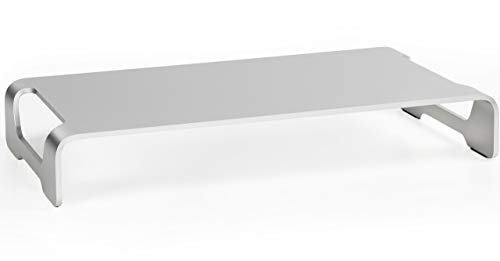
VIVO 16-Inch Aluminum Monitor Riser
Pros
- Raises a low screen toward eye level
- Solid aluminum with no flex under a heavy monitor
- Compact footprint fits small desks
- Space under the riser fits a keyboard
Cons
- Single-monitor width only
- Fixed height, with a modest lift
- No built-in storage or drawer
A low aluminum riser that lifts a monitor toward eye level and leaves room for a keyboard underneath. Fixed height and single-monitor width, so check your screen size first. More choices are in our monitor stand roundup.
Watch List Under $100
Logitech C920x HD Pro Webcam — Best Webcam Under $100
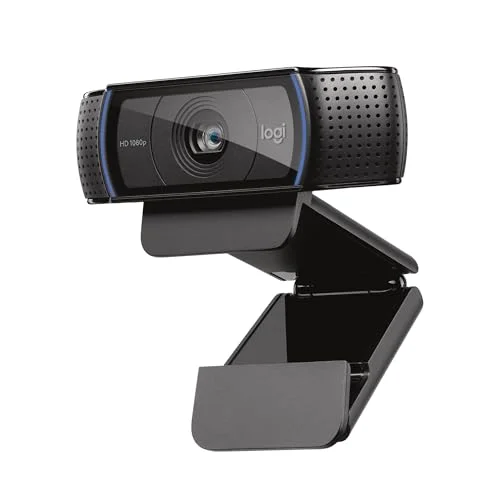
Logitech C920x HD Pro Webcam
Pros
- Sharper than most built-in laptop cameras
- Dual microphones cover casual calls
- Plug and play on Windows, macOS, and ChromeOS
- Clip mount fits monitors and laptops
Cons
- 1080p at 30fps is dated next to 4K webcams
- USB-A cable needs an adapter on some laptops
- Low-light performance is only average
The C920x is a long-running 1080p webcam that is a clear step up from most laptop cameras. It is not the sharpest option anymore, but it is easy to set up. For newer models, see our webcam roundup.
JLab Talk USB Microphone — Best Mic Under $100
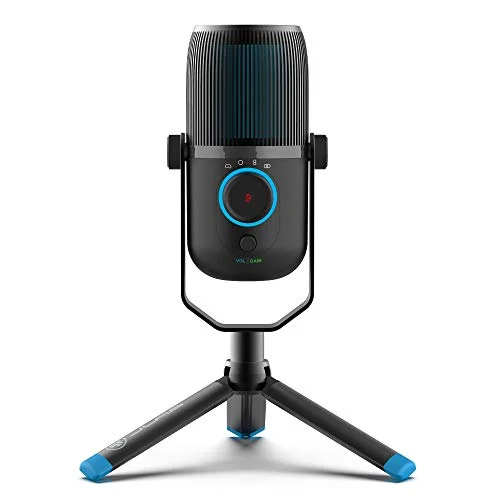
JLab Talk USB Microphone
Pros
- Four pickup patterns cover solo calls and group meetings
- USB-C connection needs no adapter on modern laptops
- Quick-mute button with a status light
- Works on Mac, Windows, and Linux
Cons
- Stock was listed as limited when we checked
- Desk stand picks up typing vibration
- Larger than a clip-on lavalier
Four pickup patterns and a mute button make it flexible for solo calls or a group around one desk. Stock was listed as limited when we checked. Cheaper options are in our budget USB microphone guide.
Splurge Watch List
Bigger purchases where waiting for a promotion makes sense, as long as you only buy if the live price is right.
Elgato Facecam 4K — Best Webcam Splurge
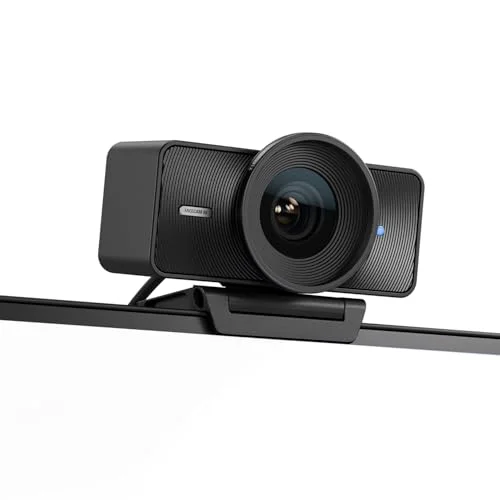
Elgato Facecam 4K
Pros
- True 4K at 60fps for recording and streaming
- Camera Hub gives manual control over exposure and focus
- Standard 49mm filter thread for add-ons
- Works on Mac and Windows
Cons
- No built-in microphone
- Needs Camera Hub setup for the best image
- Cable is attached and not replaceable
A 4K60 webcam with manual controls. It is overkill for basic calls and has no microphone, so it fits recording and streaming better. Our 4K webcam roundup compares it with the rest of the class.
TP-Link Deco BE23 Wi-Fi 7 Mesh (2-Pack) — Best Network Upgrade
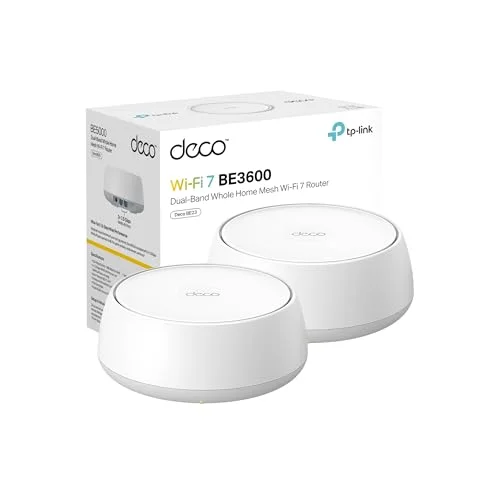
TP-Link Deco BE23 Wi-Fi 7 Mesh (2-Pack)
Pros
- Two nodes cover a multi-room home
- 2.5G ports allow wired backhaul between nodes
- Wi-Fi 7 with Multi-Link Operation for newer devices
- Simple setup in the Tether app
Cons
- Dual-band, not tri-band, so wireless backhaul shares airtime
- Giftee needs a modem and a willingness to swap routers
- Some features depend on the TP-Link app
Two Wi-Fi 7 nodes with 2.5G ports for wired backhaul. It helps most in homes where one router leaves dead zones. It is dual-band, so run an Ethernet cable between nodes if you can.
How to Shop Black Friday Without Overspending
- Decide what you need first. Make a short list of what is missing from your desk before the sales start.
- Check the live price. Use the card buttons and compare with the price from a week earlier if you have it.
- Confirm compatibility. Check ports (USB-C, HDMI, USB-A) and your operating system before buying.
- Check stock. Limited-stock items can disappear, so have a backup pick.
- Skip junk deals. A discount on a product you did not need is still money spent.
FAQ
Is Black Friday the best time to buy home office gear?
For monitors, webcams, mesh Wi-Fi, and storage, it is often a good time, but not always. Compare against the price you have seen over the past few weeks.
Should I wait for Black Friday or buy now?
If something you need is broken or missing, buy it now. For upgrades, waiting is fine as long as you do not mind the risk of low stock.
Do Black Friday prices differ across the weekend?
They can. Some retailers start early and extend through Cyber Monday, so the price you see may change. Check the live price before you buy.
How do I check whether a deal is real?
Compare the price against what you saw before the sale, read recent owner reviews, and check whether a newer model is about to replace it.
What is worth skipping?
Anything you would not buy at the usual price, and older models when a successor has launched.
Our Take
Make a short list, shop for the gear that fixes a daily annoyance, and ignore the rest. The Logitech C920x is our pick for most video-call workers, and the TP-Link Deco BE23 is the upgrade to watch if Wi-Fi is the weak point.
Detailed Reviews
Logitech Pebble Mouse 2 M350s
Pros
- Slim enough to drop in a laptop bag
- Quiet clicks suit video calls and shared rooms
- Pairs with three devices and switches with one button
- Bluetooth works with no USB receiver on most laptops
Cons
- Low profile feels small for large hands
- Not a replacement for an ergonomic mouse
- Basic scroll wheel with no side buttons
TP-Link TL-SG108 8-Port Gigabit Switch
Pros
- Turns one wall jack into eight wired connections
- Fanless, so it adds no desk noise
- No setup: plug in the cables and it works
- Metal case with desktop or wall mounting
Cons
- Unmanaged, so no VLANs or traffic prioritization
- Gigabit only, no 2.5G ports
- Needs an outlet for its power adapter
UGREEN Revodok 7-in-1 USB-C Hub
Pros
- HDMI, Ethernet, USB-A, and card readers in one dongle
- 100W pass-through keeps a laptop charging
- Aluminum body suits a laptop bag
- Fixes the port shortage on thin laptops
Cons
- USB data ports top out at 5Gbps
- Single HDMI output, so no dual-monitor setups
- Less brand support infrastructure than Anker
VIVO 16-Inch Aluminum Monitor Riser
Pros
- Raises a low screen toward eye level
- Solid aluminum with no flex under a heavy monitor
- Compact footprint fits small desks
- Space under the riser fits a keyboard
Cons
- Single-monitor width only
- Fixed height, with a modest lift
- No built-in storage or drawer
Logitech C920x HD Pro Webcam
Pros
- Sharper than most built-in laptop cameras
- Dual microphones cover casual calls
- Plug and play on Windows, macOS, and ChromeOS
- Clip mount fits monitors and laptops
Cons
- 1080p at 30fps is dated next to 4K webcams
- USB-A cable needs an adapter on some laptops
- Low-light performance is only average
JLab Talk USB Microphone
Pros
- Four pickup patterns cover solo calls and group meetings
- USB-C connection needs no adapter on modern laptops
- Quick-mute button with a status light
- Works on Mac, Windows, and Linux
Cons
- Stock was listed as limited when we checked
- Desk stand picks up typing vibration
- Larger than a clip-on lavalier
Elgato Facecam 4K
Pros
- True 4K at 60fps for recording and streaming
- Camera Hub gives manual control over exposure and focus
- Standard 49mm filter thread for add-ons
- Works on Mac and Windows
Cons
- No built-in microphone
- Needs Camera Hub setup for the best image
- Cable is attached and not replaceable
TP-Link Deco BE23 Wi-Fi 7 Mesh (2-Pack)
Pros
- Two nodes cover a multi-room home
- 2.5G ports allow wired backhaul between nodes
- Wi-Fi 7 with Multi-Link Operation for newer devices
- Simple setup in the Tether app
Cons
- Dual-band, not tri-band, so wireless backhaul shares airtime
- Giftee needs a modem and a willingness to swap routers
- Some features depend on the TP-Link app