| Spec | Apple MacBook Pro 14 M5 (16GB/512GB) | Apple MacBook Pro 14 M5 (24GB/1TB) | Dell XPS 14 (2026, Panther Lake) | Dell XPS 14 9440 OLED (2025) |
|---|---|---|---|---|
| Rating | 9.3/10 | 9.5/10 | 8.8/10 | 8.6/10 |
| Price | Unavailable | Unavailable | $1,599-$3,299 | Unavailable |
| Processor | Apple M5, 10-core CPU (4P+6E) | Apple M5, 10-core CPU (4P+6E) | Intel Core Ultra X7 358H (Panther Lake) or Ultra 5 325 | Intel Core Ultra 7 165H, 16-core |
| GPU | 10-core integrated GPU | 10-core integrated GPU | Intel Arc integrated graphics (no discrete GPU option) | NVIDIA GeForce RTX 4050 6GB (dedicated) |
| RAM | 16GB unified memory | 24GB unified memory | 16GB–64GB LPDDR5X | 16GB LPDDR5X |
| Storage | 512GB SSD | 1TB SSD | 512GB–4TB SSD | 1TB PCIe SSD |
| Display | 14.2" Liquid Retina XDR, 3024×1964, 1600 nits peak | 14.2" Liquid Retina XDR, 3024×1964, 1600 nits peak | 14.5" 2K LCD (up to 27h) or 2.8K Tandem OLED (1800 nit peak) | 14.5" 3.2K OLED 120Hz touchscreen |
| Battery | 22 hours (Apple video streaming estimate) | 22 hours (Apple video streaming estimate) | Up to 27 hours (LCD), 13-15 hours (OLED) | ~10 hours mixed use |
| Weight | 3.5 lbs (1.55 kg) | 3.5 lbs (1.55 kg) | 3.0 lbs (1.36 kg) — lightest in this comparison | ~3.7 lbs (1.68 kg) |
| Ports | 3× Thunderbolt 4, MagSafe 3, HDMI 2.1, SDXC, headphone | 3× Thunderbolt 4, MagSafe 3, HDMI 2.1, SDXC, headphone | 2× USB4 40Gbps, 1× USB-C 3.2, SDXC, headphone | 2× Thunderbolt 4, 1× USB-C 3.2, SDXC (no USB-A) |
| Webcam | 12MP Center Stage | 12MP Center Stage | 1080p FHD | 720p |
| OS | macOS Sequoia | macOS Sequoia | Windows 11 | Windows 11 |
| Check Price → | Check Price → | Check Price → | Check Price → |
Prices change daily — tap Check Price for the current Amazon price.
Disclosure: SetupRanked earns a commission on qualifying purchases made through links on this page at no extra cost to you.
Dell unveiled the XPS 14 (2026) at CES in January with Intel’s new Panther Lake processors, reigniting the premium Windows vs macOS laptop debate. The 2026 XPS 14 addressed two years of user complaints: physical function keys are back, the etched trackpad with tactile borders returned, and battery life on the LCD variant claims up to 27 hours — a direct shot at Apple. Meanwhile, Apple’s M5 MacBook Pro (released late 2025) continues to set the standard for power-efficient laptops in its class.
Both brands now start their 14-inch flagships at nearly the same entry price. Both claim exceptional battery life. The choice between them has never been tighter — or more dependent on factors that specs sheets don’t capture.
This comparison covers four specific configurations: two MacBook Pro 14 M5 variants and two Dell XPS 14 options, from $1,599 to around $1,900. Note: Apple also released M5 Pro and M5 Max MacBook Pro models in March 2026 starting at $2,199 — those are higher-tier chips outside this price range.
Quick Comparison
| Model | Processor | RAM | Battery | Weight | Price |
|---|---|---|---|---|---|
| MacBook Pro 14 M5 (16GB) | Apple M5 | 16GB | 22h | 3.5 lbs | Unavailable |
| MacBook Pro 14 M5 (24GB/1TB) | Apple M5 | 24GB | 22h | 3.5 lbs | Unavailable |
| Dell XPS 14 (2026 LCD) | Core Ultra X7 358H | 16GB+ | Up to 27h | 3.0 lbs | $1,599–$3,299 |
| Dell XPS 14 9440 OLED | Core Ultra 7 165H | 16GB | ~10h | 3.7 lbs | Unavailable |
Apple MacBook Pro 14 M5 (16GB) — The Default Choice
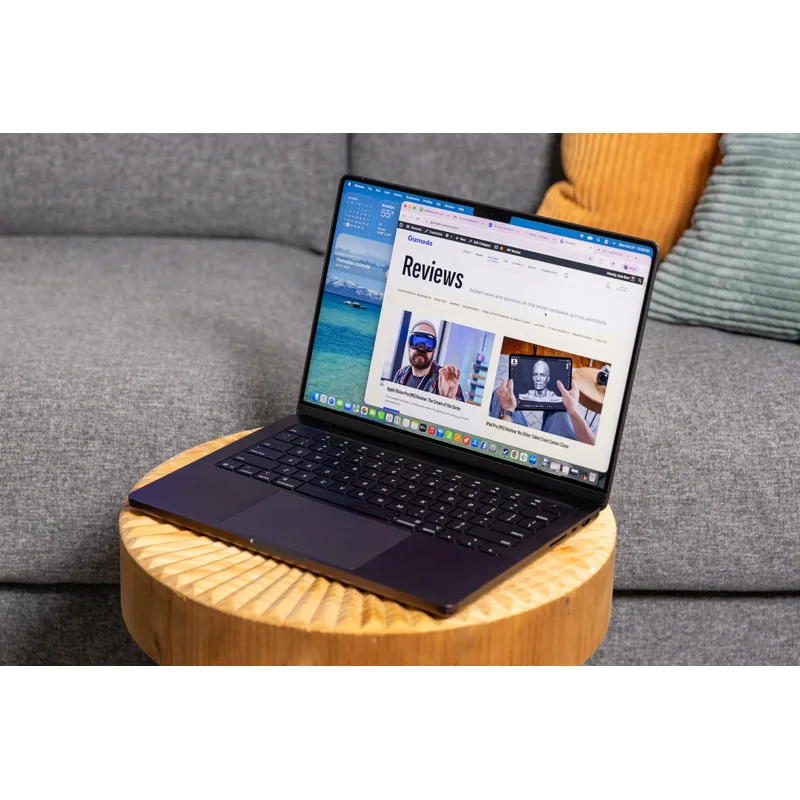
For remote workers with no strong Windows dependency, the MacBook Pro 14 M5 remains the benchmark. The M5 chip delivers consistent performance across CPU and GPU workloads without the throttling issues that still affect Windows laptops under sustained load. Browsing a hundred tabs while on a video call while exporting a document — the M5 handles this without the fan spinning up or performance dipping.
The 22-hour battery estimate is based on video streaming, which is typically more favorable than real-world mixed productivity use. In practice, 14-16 hours of actual work is realistic, which still covers two full workdays between charges. That matters when traveling, working from cafes, or working in locations where outlets are inconvenient.
The 12MP Center Stage webcam is in a different class from anything else in this price range. On Zoom and Teams calls, the image quality and automatic subject tracking are noticeably better than dedicated webcams most remote workers add to their desks.
The one legitimate concern at the base configuration is 16GB of unified memory. Apple’s unified memory architecture is more efficient than traditional RAM setups, but remote workers running multiple large applications simultaneously may hit constraints. For email, Slack, Zoom, and a browser with 20-30 tabs, 16GB is fine. For software development with Docker containers running, video editing, or heavy data work, the 24GB model is the better investment.
Best for: Remote workers in the Apple ecosystem, frequent travelers, Zoom-heavy work, and anyone who primarily uses macOS-native tools like Final Cut, Logic Pro, or Xcode.
Apple MacBook Pro 14 M5 (24GB/1TB) — The Smarter Configuration
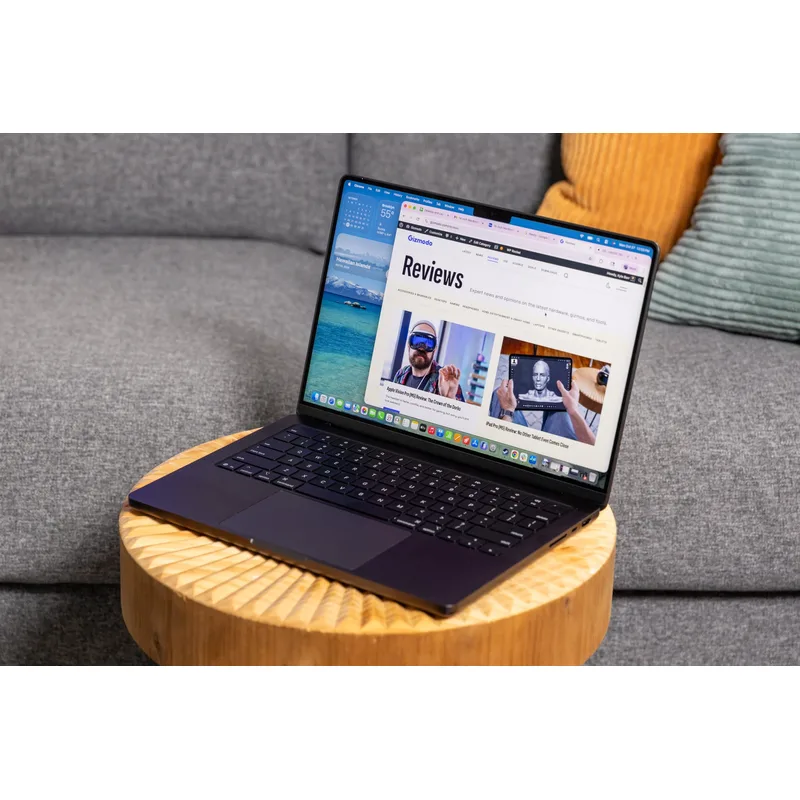
The jump from 16GB to 24GB unified memory, combined with a 1TB SSD, addresses the two most common complaints about the base MacBook Pro 14. RAM is soldered on Apple Silicon — you cannot upgrade it after purchase. Paying the premium at purchase is the only option.
For remote workers managing large creative projects, running development environments, or frequently juggling multiple virtual machines, the 24GB configuration removes a ceiling that the 16GB model hits in professional workflows. The 1TB SSD also provides meaningful breathing room — with project files, software installs, and local backups, 512GB fills faster than expected.
The battery life is identical to the base model, which confirms that the memory upgrade carries no thermal or efficiency penalty. The same 22-hour estimate applies, with real-world numbers matching the base configuration.
At $1,749-$1,899 (Apple’s list price dropped to $1,899 in early 2026 and Amazon frequently discounts below that), this is still a premium purchase. The value case depends on how long you plan to keep the machine. A 24GB MacBook Pro bought now will handle workloads four or five years from now that a 16GB model may struggle with.
Best for: Software developers, content creators, and remote workers managing data-heavy projects who plan to keep the machine 3+ years.
Dell XPS 14 (2026, Panther Lake) — The Most Interesting Windows Option
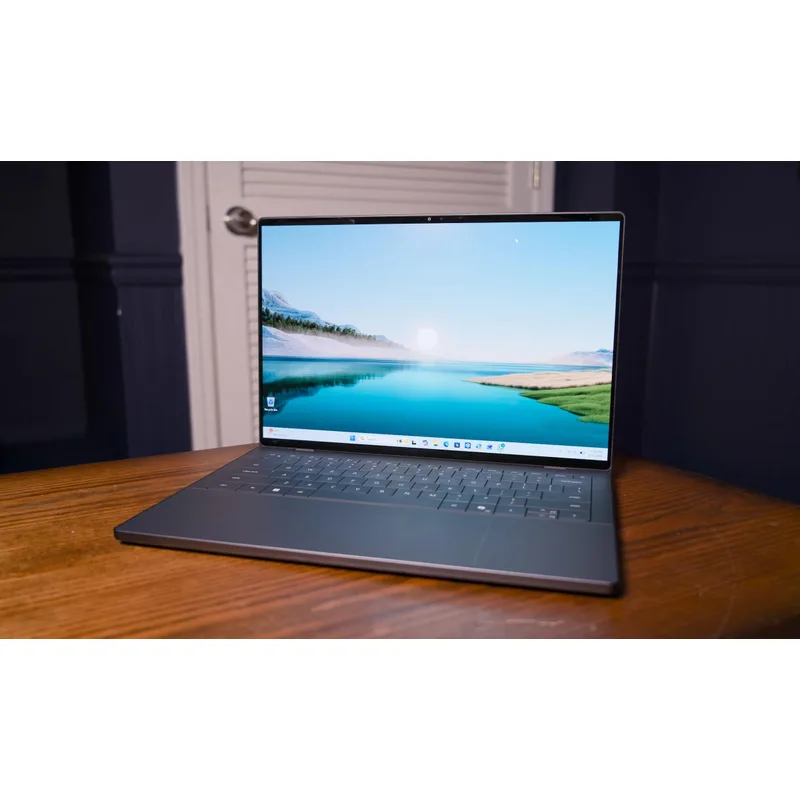
The 2026 XPS 14 is the first Intel Panther Lake laptop through a full review cycle, and the early results are encouraging. Tom’s Guide, NotebookCheck, and Tom’s Hardware reviews all note that the Panther Lake Core Ultra X7 358H delivers meaningful efficiency improvements over the previous generation — the 27-hour battery estimate on the LCD configuration is credible under mixed-productivity conditions.
The 2026 redesign corrected the XPS 14’s most criticized issues. The function row is back — actual physical keys, not a touch bar equivalent. The trackpad has tactile borders again. The result is a laptop that feels like it responds to user feedback rather than chasing design trends.
The 2.8K Tandem OLED display option — 1800-nit peak brightness — is the best screen available on a Windows laptop at this size. For remote workers who do color-critical work on Windows, this display is a genuine differentiator. The tradeoff is battery: the OLED drops to 13-15 hours, which narrows the gap with the MacBook Pro significantly.
The notable omission is discrete graphics. The 2026 XPS 14 ships with Intel Arc integrated graphics only — no RTX 4050 option. For remote workers who need GPU acceleration for video rendering, data processing, or AI inference tools on Windows, the XPS 14 9440 OLED with RTX 4050 is the better choice.
Availability remains Dell.com direct. As of April 2026, Amazon availability has not materialized — purchasing still requires ordering directly from Dell.
Best for: Windows users who travel frequently and want the lightest premium option, or those who want current-generation Intel silicon in a refined chassis.
Dell XPS 14 9440 OLED (2025) — Best Display, Shortest Battery
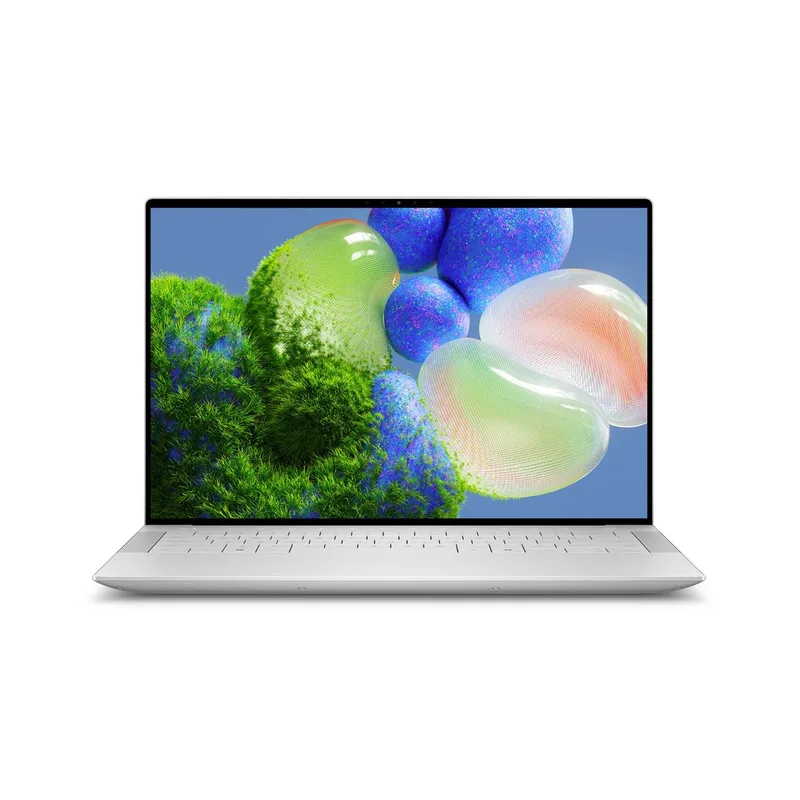
The 9440 OLED remains a relevant option in early 2026, particularly as the 2026 XPS 14 ships without discrete graphics. The RTX 4050 is the differentiator: it handles video editing, light 3D work, and GPU-accelerated AI tools that the MacBook Pro M5’s integrated GPU competes with adequately but does not always exceed.
The 3.2K OLED 120Hz touchscreen at 14.5 inches is outstanding for visual work. Color accuracy, contrast, and response are all excellent. This is the display choice for creative professionals who need color accuracy on Windows.
The weakness is battery. Roughly 10 hours of mixed use is functional for office work with outlet access, but it is the shortest battery in this comparison by a significant margin. Remote workers who regularly work without power access will notice the constraint.
With the 2026 XPS 14 now available, the 9440 OLED is entering a natural price-drop window. At current Amazon prices in the $1,699-$1,899 range, the value case is reasonable for GPU-dependent workloads.
Best for: Windows users with GPU workloads — video editors, developers running local AI models, or anyone who values the RTX 4050 and can accept the battery trade-off.
Head-to-Head: Key Categories
Battery Life
MacBook Pro M5 wins overall. 22 hours of video streaming translates to 14-16 hours of mixed productivity work — reliable for full travel days. The 2026 XPS 14 LCD claims up to 27 hours and reviews confirm strong efficiency, making it competitive with the MacBook on battery. However, the XPS 14 9440 OLED at ~10 hours is not competitive with either.
Performance
Apple M5 is the efficiency leader; Intel wins on discrete GPU. For CPU and integrated GPU workloads — coding, communication, typical office work — the M5’s performance-per-watt advantage means it sustains performance longer without throttling under continuous load. For workloads requiring a discrete GPU (video rendering, 3D, AI inference), the XPS 14 9440 OLED with RTX 4050 pulls ahead.
Display
Draw at the top end. The MacBook Pro 14’s Liquid Retina XDR at 1600 nits peak and the XPS 14 2026’s 2.8K Tandem OLED at 1800 nits are both reference-quality panels. The 9440’s 3.2K OLED is excellent for Windows. For pure display quality, all three premium options are comparable.
Ports
MacBook Pro wins. Three Thunderbolt 4 ports, HDMI 2.1, SDXC, MagSafe, and a headphone jack means the MacBook Pro handles a full desk setup without any adapters. The XPS 14 2026’s port selection is narrower — two USB4 and one USB-C — and the 9440 lacks USB-A entirely. Both Dell options require dongles for legacy peripherals.
Webcam
MacBook Pro wins clearly. The 12MP Center Stage webcam is measurably better for video calls. The XPS 14 9440’s 720p camera was below par when it launched and is a notable gap at this price in 2026. The 2026 XPS 14 ships with a 1080p camera, which is adequate but doesn’t match Apple’s implementation.
Ecosystem and Software
Depends on your workflow. macOS is a superior environment for iPhone integration, the Apple app ecosystem, and media production tools. Windows 11 provides access to a broader software library, better enterprise compatibility in many organizations, and tools that have no macOS equivalent. Ecosystem lock-in is real in both directions — this is the most important decision factor, and specs don’t resolve it.
Buying Guide: Which Laptop Is Right for You?
Buy the MacBook Pro 14 M5 (16GB) if:
- You primarily use macOS apps and the Apple ecosystem
- Battery life is a top priority and you dislike carrying a charger
- Video call quality from the built-in webcam matters
- You don’t need discrete graphics
Buy the MacBook Pro 14 M5 (24GB/1TB) if:
- You run development environments, handle large files, or do creative production work
- You plan to keep the laptop 3-4 years and want to avoid memory bottlenecks
- The $150-$300 premium over the base model is a reasonable investment over the machine’s lifespan
Buy the Dell XPS 14 (2026) if:
- Windows is non-negotiable for your workflow
- Weight matters — 3.0 lbs vs 3.5 lbs is noticeable over a travel week
- You want current-generation Intel Panther Lake silicon
- Battery life on the LCD configuration is a priority
Buy the Dell XPS 14 9440 OLED if:
- You need discrete GPU for video editing, rendering, or AI inference tools
- Display quality for color work is the top priority
- You have regular access to power outlets and battery range is less critical
FAQ
Does the MacBook Pro M5 run Windows software?
Not natively. Apple Silicon Macs run macOS, and Windows apps require either a web-based version, a virtual machine (Parallels charges $100/year), or CrossOver for compatible Windows applications. For remote workers who need specific Windows-only enterprise software or ERP systems, a Windows laptop is the simpler choice.
Is the Dell XPS 14 2026 available on Amazon?
As of April 2026, the 2026 XPS 14 (Panther Lake, DA14260) remains a Dell.com exclusive — Amazon availability has not yet materialized. The previous-generation XPS 14 9440 is available on Amazon now if you need it shipped today.
How does 16GB of Apple unified memory compare to 16GB of regular RAM?
Apple’s unified memory is shared between CPU and GPU from a single high-bandwidth pool, which means it’s used more efficiently than traditional RAM setups where GPU and CPU have separate allocations. In practice, 16GB of Apple unified memory handles workloads that a 16GB Windows laptop with integrated graphics might struggle with. However, unified memory is still shared — running GPU-intensive tasks alongside heavy CPU workloads will compete for the same pool.
Which is better for video calls: Dell XPS or MacBook Pro?
The MacBook Pro 14 M5’s 12MP Center Stage webcam is significantly better for video calls than any webcam in the XPS line. Center Stage automatically keeps you centered in the frame during movement. If video call quality is important for your remote work, the MacBook Pro has a clear advantage here without adding an external webcam.
Can I use a MacBook Pro with a dual-monitor setup?
Yes. The MacBook Pro 14 M5 supports one external display via HDMI 2.1 (up to 8K) and additional displays via Thunderbolt 4. The three Thunderbolt 4 ports plus HDMI mean you can run two external monitors and still have ports available for peripherals. This port selection is one of the MacBook Pro 14’s strongest practical advantages over comparable Windows laptops.
Conclusion
For most remote workers in 2026, the MacBook Pro 14 M5 (16GB) is the default recommendation. The battery life, webcam quality, port selection, and sustained performance under load represent the best combination of remote work priorities at $1,399-$1,599.
If you plan to keep the machine 3-4 years and your work involves heavy multitasking, invest in the 24GB/1TB configuration — currently available from $1,749 on Amazon, with the list price at $1,899. The RAM ceiling matters in long-term ownership.
For Windows users, the 2026 Dell XPS 14 is the most compelling XPS in years — lighter than the MacBook Pro, Panther Lake efficiency is competitive, and the physical function keys are back. Available direct from Dell.com starting at $1,599. If you need a dedicated GPU, step down to the XPS 14 9440 OLED on Amazon, but accept the ~10-hour battery trade-off.
Detailed Reviews
Apple MacBook Pro 14 M5 (16GB/512GB)
Pros
- 22-hour battery life leads the category — full work days without hunting for an outlet
- Liquid Retina XDR display with 1600 nits peak brightness and P3 wide color is reference quality
- 12MP Center Stage webcam is the best built-in camera on any laptop in this price range
- Three Thunderbolt 4 ports plus HDMI, SDXC, and MagSafe — no dongles needed for typical desk setups
- Apple Intelligence features work natively with macOS, Final Cut Pro, and the broader Apple ecosystem
Cons
- 16GB is shared between CPU and GPU — memory-intensive workloads can hit limits faster than Windows equivalents
- No USB-A port — older peripherals require an adapter
- macOS software library is narrower than Windows for niche enterprise tools
Apple MacBook Pro 14 M5 (24GB/1TB)
Pros
- 24GB unified memory handles simultaneous video calls, browser tabs, and development tools without slowdown
- 1TB SSD removes storage pressure for remote workers who carry large project files
- Same class-leading battery life as the 16GB model — no compromise for more RAM
- Faster SSD reads than the 512GB base configuration
- Better long-term value — RAM is soldered and cannot be upgraded later
Cons
- Premium over the 16GB model is $150-$300 more depending on retailer and current deals
- For typical remote work (email, Slack, Zoom, docs), 24GB rarely shows measurable difference
- No USB-A port — same limitation as the base model
Dell XPS 14 (2026, Panther Lake)
Pros
- Lightest laptop in this comparison at 3.0 lbs — noticeable on travel days
- 2.8K Tandem OLED option delivers 1800-nit peak brightness — the most vivid display in this roundup
- Physical function keys returned in the 2026 redesign (removed in 2024) — meaningful improvement for power users
- Up to 27-hour battery life on the LCD configuration — matches and exceeds MacBook Pro claims
- Intel Core Ultra Panther Lake architecture announced at CES 2026 — current-generation silicon
Cons
- No discrete GPU option — the 9440 OLED with RTX 4050 is the better pick for GPU-heavy tasks
- OLED battery life drops to 13-15 hours — significantly less than the LCD variant
- Available direct from Dell.com only — not sold on Amazon at launch
Dell XPS 14 9440 OLED (2025)
Pros
- 3.2K OLED 120Hz touchscreen is among the best laptop displays available on Windows
- RTX 4050 dedicated GPU handles video editing, light 3D rendering, and AI workloads
- Full Thunderbolt 4 ecosystem support for docks, external displays, fast storage
- Now discounted below MSRP as the 2026 model ships — solid value window
Cons
- Battery life of ~10 hours is the shortest in this comparison by a wide margin
- 720p webcam is notably behind the MacBook Pro's 12MP Center Stage at this price
- 16GB RAM is not upgradable — tight for professional multitasking workloads
- Intel Core Ultra 7 165H is a 2025 chip — the 2026 XPS 14 Panther Lake is the current generation