Google’s smart display lineup is in a holding pattern this year. The Nest Hub Max was pulled from official sale in 2025, a Gemini-powered replacement is still just a promise, and the 2nd Gen Nest Hub is now the only Nest display Google sells new. That squeeze shows up on Amazon too — Nest Hub pricing on some listings is now running well above Google’s own official list price as stock thins out. None of that has slowed Amazon’s Echo Show lineup, which keeps adding camera, widget, and smart-home-hub upgrades aimed at the same desk-side job remote workers actually want: a glanceable calendar and a fast way into a video call without opening a laptop.
A smart display earns desk space by doing two things a monitor and phone don’t do well together — showing your day at a glance from across the room, and joining a call hands-free while your laptop stays focused on actual work. Which one is right depends heavily on which meeting platform your team lives in and how you feel about a camera sitting on your desk all day.
Quick pick: For most home offices, the Amazon Echo Show 8 covers calendar widgets, Zoom calling, and smart home control at the best price-to-feature ratio here. Teams-only shops should skip straight to the Lenovo ThinkSmart View, which joins meetings without touching a PC. Anyone who doesn’t want a camera on their desk at all should get the Google Nest Hub (2nd Gen).
Quick Picks
| Spec | Amazon Echo Show 8 (3rd Gen) | Lenovo ThinkSmart View for Microsoft Teams | Amazon Echo Show 15 with Tilt Stand | Google Nest Hub (2nd Gen) | Amazon Echo Show 5 (3rd Gen) |
|---|---|---|---|---|---|
| Rating | 9.2/10 | 8.6/10 | 8.5/10 | 8.3/10 | 8.0/10 |
| Price | $123.24-$149.99as of Oct 18, 2026 | $183.67as of Oct 18, 2026 | $382.98as of Oct 18, 2026 | $189.99as of Oct 18, 2026 | $99.99as of Oct 18, 2026 |
| Screen | 8-inch HD touchscreen, 1280x800 | 8-inch HD IPS touchscreen | 15.6-inch Full HD touchscreen, 1920x1080 | 7-inch LCD touchscreen | 5.5-inch touchscreen, 960x480 |
| Camera | 13MP with auto-framing | 5MP wide-angle | 5MP with auto-framing | None — audio and Soli radar only | 2MP with physical camera-off slider |
| Assistant | Alexa, Designed for Alexa+ | — | Alexa with multi-user recognition | Google Assistant | Alexa |
| Smart Home Hub | Built-in Zigbee, Thread, Matter | — | — | — | — |
| Video Calling | Alexa Calling, Zoom for Home | — | — | — | — |
| Platform | — | Microsoft Teams certified, standalone | — | — | — |
| Connectivity | — | Wi-Fi, no PC tethering required | — | Wi-Fi, Google Calendar integration | — |
| Power | — | AC-powered only, no battery | — | — | — |
| Widgets | — | — | 20+ customizable tiles for calendar, to-do, photos | — | — |
| Mount | — | — | Included tilt stand, up to 30-degree tilt for desk use | — | — |
| Sleep Sensing | — | — | — | Built-in Motion Sense radar | — |
| Speaker | — | — | — | — | 1.7-inch full-range driver, 2x bass vs. prior gen |
| Footprint | — | — | — | — | 5.8 x 3.4 inches (147 x 91mm) |
| Check Price → | Check Price → | Check Price → | Check Price → | Check Price → |
Prices change daily — tap Check Price for the current Amazon price.
1. Amazon Echo Show 8 (3rd Gen) — Editor’s Pick
Amazon Echo Show 8 (3rd Gen)
Pros
- Centered 13MP camera with auto-framing keeps you in frame on Zoom and Alexa calls without adjusting the stand
- Built-in Zigbee and Thread hub controls smart home devices directly, no separate hub required
- Spatial audio and room-adaptive sound tuning is noticeably fuller than the prior generation
- Calendar, weather, and routine widgets are glanceable from across a desk
Cons
- Alexa-only assistant — no Microsoft Teams support, a dealbreaker for offices standardized on Teams
- Fixed camera field of view with only a mic/camera mute switch, no physical lens cover
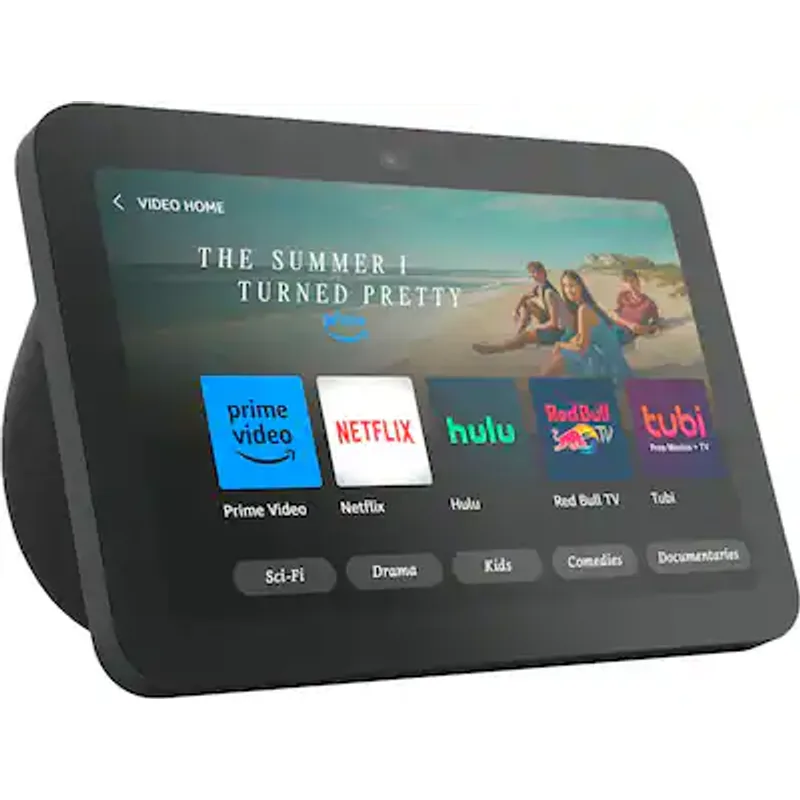
The Echo Show 8 earns the top spot because it handles both halves of the desk-side job well: the widget-based calendar and routine screen for planning your day, and a centered 13MP camera with auto-framing that keeps you in frame on Zoom for Home calls without babysitting the angle. Amazon added Zoom support directly to the Echo Show line, so “Alexa, join my Zoom meeting” pulls a scheduled call up straight from a connected calendar.
The built-in Zigbee and Thread radios mean it doubles as a smart home hub, controlling lights, plugs, and sensors without a separate bridge — useful if your office already has a few Matter or Zigbee devices scattered around. Spatial audio and room-adaptive sound tuning are a real step up from the previous generation, enough that it’s a reasonable desk speaker on its own for podcasts or music between meetings.
The tradeoff is ecosystem lock-in: this is an Alexa device first, and there’s no Microsoft Teams support at all. For an office standardized on Teams, the Echo Show 8’s calendar widgets are still useful, but the video-call half of the pitch doesn’t apply. For everyone else — Zoom users, Google Meet via browser cast, or teams that just want a calendar and voice assistant on the desk — this is the one to buy.
2. Lenovo ThinkSmart View for Microsoft Teams — Best for Video Calls
Lenovo ThinkSmart View for Microsoft Teams
Pros
- Purpose-built, Teams-certified device joins scheduled meetings without opening a laptop
- Standalone Wi-Fi connection keeps calls off your PC entirely, useful when your laptop is already juggling other apps
- Touchscreen interface mirrors the familiar Teams calendar and chat layout
- Compact desk footprint at about 1kg with no PC tethering required
Cons
- Locked to Microsoft Teams — cannot join Zoom, Google Meet, or Alexa calls
- Must stay plugged in at all times; there's no battery backup
- Corporate accounts often need IT to provision it as a Teams device before Channels and Chats show up
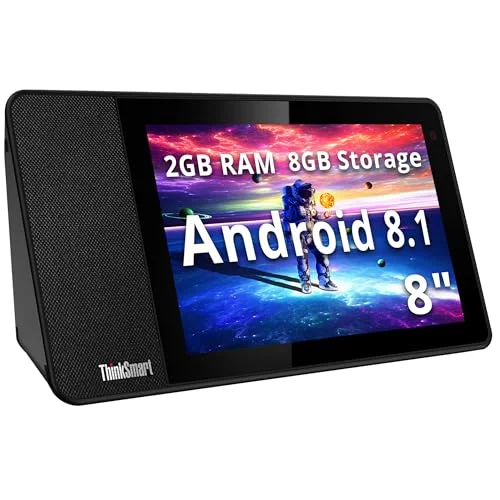
None of the Echo or Nest displays here run Microsoft Teams natively, which is where the ThinkSmart View fills a real gap. It’s a Teams-certified standalone device — an 8-inch touchscreen with a 5MP camera that connects over Wi-Fi and joins scheduled Teams meetings directly from its own calendar view, no laptop required.
That standalone connection is the actual selling point for a home office: your PC’s CPU, RAM, and battery stay free of the video call entirely, which matters if you’re also running a resource-heavy IDE, editing software, or a second monitor off the same machine during meetings. At roughly 1kg, it sits on a desk without needing a mount or a lot of clearance, and there’s no tangle of cables running back to a computer.
The catch is total platform lock-in — it can’t join a Zoom call, a Google Meet, or an Alexa call, so this only makes sense if your job runs on Teams specifically. It also needs to stay plugged in permanently since there’s no battery, and corporate IT sometimes has to provision it as a managed Teams device before Channels and Chats become visible, which can be a hurdle if you’re setting it up solo. For a Teams-first home office, though, nothing else on this list matches it.
3. Amazon Echo Show 15 with Tilt Stand — Best for Calendar & Family Organization
Amazon Echo Show 15 with Tilt Stand
Pros
- Widget grid turns the display into a genuine shared calendar and to-do hub, not just a speaker with a screen
- Largest screen in this roundup makes calendar entries and call participants readable from across a desk
- Included tilt stand converts the wall-mount-focused Show 15 into a legitimate desk display
- Multi-user recognition surfaces each person's own calendar and reminders automatically
Cons
- Audio quality trails the smaller Echo Show 10 and dedicated speakers — treat it as a screen first, speaker second
- Widgets can't be resized, so the grid stays fixed even if you only use two or three regularly
- Bulkiest option here, needing real desk depth even with the tilt stand attached
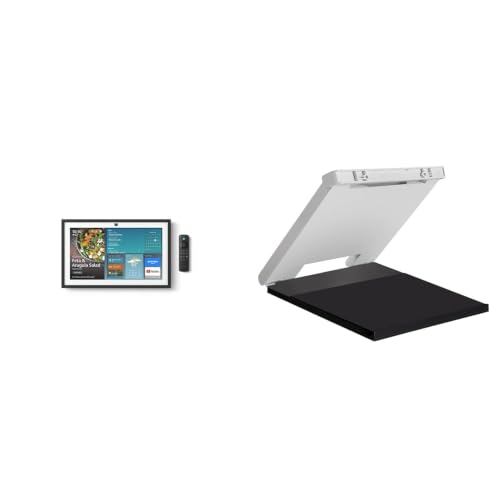
The Show 15’s 15.6-inch screen is what unlocked Amazon’s widget system in the first place — a grid of tiles for a shared family calendar, to-do and shopping lists, a photo gallery, and quick access to music and podcasts, all visible at a glance without touching the screen. Multi-user recognition shows each person’s own calendar and reminders automatically, which is the closest any device in this roundup gets to a genuine household organization hub rather than a personal desk gadget.
Because the Show 15 was designed primarily as a wall-mounted device, the included tilt stand matters more than it sounds — it’s what makes this a realistic desk pick instead of something you’d need to drill into drywall to use. The stand tilts up to 30 degrees, enough to make the screen readable from a normal seated position.
Audio is the acknowledged weak point — reviewers consistently note it trails the smaller Echo Show 10 and any dedicated speaker, so treat this as a screen first and a speaker a distant second. The widget tiles also can’t be resized, so the layout stays fixed whether you use two widgets regularly or eight. It’s also the largest and heaviest display here, needing genuine desk depth even mounted on its stand. For a home office that doubles as a family command center, it’s still the clearest fit.
4. Google Nest Hub (2nd Gen) — Best for Privacy (No Camera)
Google Nest Hub (2nd Gen)
Pros
- No camera at all — meaningful for anyone uneasy about a lens pointed at their desk all day
- Deep Google Calendar and Google Workspace integration for remote workers already on Gmail and Calendar
- Soli radar sleep-tracking is a genuinely unique feature not on any Echo or Lenovo display
- Compact 7-inch footprint fits a corner of a desk without dominating it
Cons
- No camera also means no video calling at all — Zoom, Meet, and Teams all require a different device
- Deeper Sleep Sensing reports increasingly point toward a Fitbit Premium subscription requirement
- Amazon listing pricing has been running well above Google's own official list price as retail stock thins out
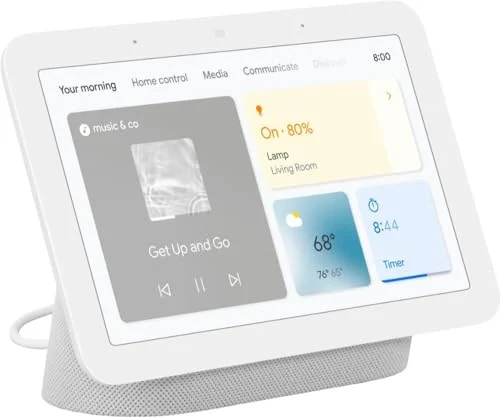
Every other display in this roundup has a camera pointed at your desk. The Nest Hub doesn’t — it relies entirely on its screen, speaker, and a Soli radar sensor for gesture and sleep tracking, with no lens to worry about during calls you’re not on or footage you never wanted captured in the first place. For anyone who’s hesitated to put a webcam-equipped smart display on a desk, that’s the whole pitch.
It pairs well with a Google-first workflow: Google Calendar entries surface directly on the home screen, and voice commands through Google Assistant handle scheduling and reminders without a companion app detour. The Soli radar’s sleep-tracking, meant for a nightstand rather than a desk, is a genuinely unique feature that nothing else here offers, in case it ends up on a bedside table after the desk trial.
The obvious tradeoff is that no camera also means no video calling whatsoever — this is a calendar and voice-assistant display only, and Zoom, Meet, or Teams calls all need a different device entirely. Deeper Sleep Sensing analysis is also increasingly gated behind a Fitbit Premium subscription. Worth flagging for buyers: live Amazon pricing on this listing has been running well above Google’s own official list price as retail stock has thinned out following Google’s broader smart display lineup slowdown — check Google’s own store if the Amazon price looks high the day you’re buying.
5. Amazon Echo Show 5 (3rd Gen) — Best Budget
Amazon Echo Show 5 (3rd Gen)
Pros
- Smallest footprint in this roundup, fits a corner of even the tightest desk
- Physical camera-off privacy slider is a hardware cutoff, not just a software toggle
- Meaningfully improved bass and clearer sound over the previous generation
- Lowest price of any display in this roundup, an easy add-on rather than a big purchase
Cons
- Screen is too small and low-resolution for comfortable video calls beyond quick check-ins
- Owner reports describe occasional software lag and the device interrupting itself mid-command
- No Zoom support at this screen size — video calling is effectively Alexa-to-Alexa
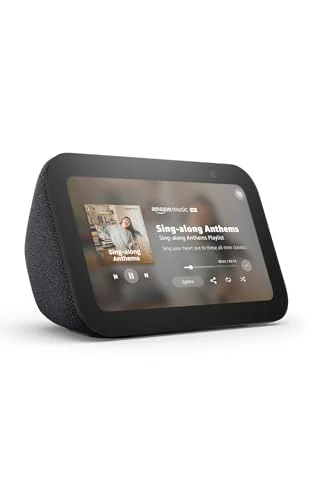
At under $60, the Echo Show 5 is the cheapest way to get a calendar and voice assistant onto a desk, and the smallest footprint here by a wide margin — it fits a corner of even the most cramped setup without competing with a monitor for space. A physical camera-off slider covers the 2MP lens completely, a hardware-level privacy cutoff rather than a software toggle buried in a menu.
Sound quality punches above the price point — Amazon doubled the bass response over the prior generation, and the 1.7-inch driver handles voice and podcasts clearly for a device this size. For simple jobs — checking the day’s calendar, setting a timer, controlling smart plugs — it does everything the bigger displays do at a fraction of the cost.
The small, low-resolution screen is the real limitation: it’s fine for a glance at the weather or a calendar entry, but Zoom-style video calling isn’t practical on a 5.5-inch panel, and it isn’t offered here the way it is on the Show 8. Owner reports also describe occasional software lag, including the device abruptly stopping mid-command. For a secondary desk display or a first smart display on a tight budget, it’s still the easiest entry point.
Buying Guide: How to Pick a Smart Display for Your Desk
Match the Display to Your Meeting Platform First
This is the single biggest factor. Echo Show devices run Zoom for Home and Alexa Calling but not Microsoft Teams. The Lenovo ThinkSmart View runs Teams exclusively and nothing else. The Google Nest Hub doesn’t do video calling at all. Buying based on screen size or price before checking platform support is the most common mistake — confirm your team’s primary meeting tool before choosing.
Camera vs. No Camera Is a Real Tradeoff
A camera enables video calling but means a lens sits on your desk permanently, even with software mute controls. If that’s a dealbreaker, the Google Nest Hub is the only camera-free option here, or an Echo Show with the physical camera-off slider engaged when you’re not on a call.
Screen Size Sets the Calendar’s Usefulness
A 5.5-inch Echo Show 5 shows a day’s agenda at a glance but crowds fast with more than a couple of entries. The 8-inch Echo Show 8 and Lenovo ThinkSmart View comfortably show a week view. The 15.6-inch Echo Show 15 is the only one built for the multi-widget dashboard layout — calendar, to-do list, and photos on screen simultaneously.
Dedicated Business Hardware Beats Consumer Devices for One Job
If your entire workday runs through one platform — Teams, specifically — a certified device like the ThinkSmart View that does that one job without touching your PC’s resources is a better fit than a general-purpose consumer smart display trying to cover calendar, smart home, and calls all at once.
Check Live Stock and Pricing Before You Buy
Smart display stock and pricing move more than most desk gear — Google’s Nest Hub pricing has drifted noticeably above list price on some listings as the lineup winds down, and older Echo Show variants come and go. Confirm current price and availability on the listing before ordering rather than trusting a bookmark from a few months back.
FAQ
Can an Echo Show join a Microsoft Teams meeting? No. Echo Show devices support Zoom for Home and Alexa-to-Alexa calling, but not Microsoft Teams. For a Teams-first office, the Lenovo ThinkSmart View is the dedicated option.
Does the Google Nest Hub support video calls? No — the Nest Hub (2nd Gen) has no camera at all, so it can’t make or receive video calls on any platform. It’s a calendar, voice assistant, and sleep-tracking display only.
Is the Echo Show 15 worth it over the Echo Show 8 for a single person’s desk? Usually not, unless the widget dashboard and shared-household calendar features specifically matter to you. The Echo Show 8 covers the same core calendar-and-calls job in a smaller footprint for less money.
Can I use the Lenovo ThinkSmart View without connecting it to my work PC? Yes — that’s the point. It connects to Wi-Fi directly and joins Teams meetings as a standalone device, without any PC tethering.
Why does the Google Nest Hub cost more on Amazon than Google’s own list price? Live Amazon pricing on that listing has been running above Google’s own list price as retail stock has thinned out following the broader slowdown in Google’s smart display lineup. Check Google’s own store for comparison before buying on Amazon if the listed price looks inflated.
Conclusion
The Amazon Echo Show 8 is the strongest all-around pick — a centered auto-framing camera for Zoom calls, useful calendar widgets, and a built-in smart home hub, all at a reasonable price. Teams-only offices should go straight to the Lenovo ThinkSmart View instead, since none of the consumer displays here run Teams at all. Families or anyone managing a shared household calendar gets more out of the widget-heavy Echo Show 15, and anyone unwilling to put a camera on their desk should get the Google Nest Hub, understanding that video calling is off the table entirely. On a tight budget, the Echo Show 5 covers the basics for under $60. Whichever you pick, confirm which meeting platform it actually supports before you buy — that matters more than screen size or price for how useful it ends up being on your desk.
Detailed Reviews
Amazon Echo Show 8 (3rd Gen)
Pros
- Centered 13MP camera with auto-framing keeps you in frame on Zoom and Alexa calls without adjusting the stand
- Built-in Zigbee and Thread hub controls smart home devices directly, no separate hub required
- Spatial audio and room-adaptive sound tuning is noticeably fuller than the prior generation
- Calendar, weather, and routine widgets are glanceable from across a desk
Cons
- Alexa-only assistant — no Microsoft Teams support, a dealbreaker for offices standardized on Teams
- Fixed camera field of view with only a mic/camera mute switch, no physical lens cover
Lenovo ThinkSmart View for Microsoft Teams
Pros
- Purpose-built, Teams-certified device joins scheduled meetings without opening a laptop
- Standalone Wi-Fi connection keeps calls off your PC entirely, useful when your laptop is already juggling other apps
- Touchscreen interface mirrors the familiar Teams calendar and chat layout
- Compact desk footprint at about 1kg with no PC tethering required
Cons
- Locked to Microsoft Teams — cannot join Zoom, Google Meet, or Alexa calls
- Must stay plugged in at all times; there's no battery backup
- Corporate accounts often need IT to provision it as a Teams device before Channels and Chats show up
Amazon Echo Show 15 with Tilt Stand
Pros
- Widget grid turns the display into a genuine shared calendar and to-do hub, not just a speaker with a screen
- Largest screen in this roundup makes calendar entries and call participants readable from across a desk
- Included tilt stand converts the wall-mount-focused Show 15 into a legitimate desk display
- Multi-user recognition surfaces each person's own calendar and reminders automatically
Cons
- Audio quality trails the smaller Echo Show 10 and dedicated speakers — treat it as a screen first, speaker second
- Widgets can't be resized, so the grid stays fixed even if you only use two or three regularly
- Bulkiest option here, needing real desk depth even with the tilt stand attached
Google Nest Hub (2nd Gen)
Pros
- No camera at all — meaningful for anyone uneasy about a lens pointed at their desk all day
- Deep Google Calendar and Google Workspace integration for remote workers already on Gmail and Calendar
- Soli radar sleep-tracking is a genuinely unique feature not on any Echo or Lenovo display
- Compact 7-inch footprint fits a corner of a desk without dominating it
Cons
- No camera also means no video calling at all — Zoom, Meet, and Teams all require a different device
- Deeper Sleep Sensing reports increasingly point toward a Fitbit Premium subscription requirement
- Amazon listing pricing has been running well above Google's own official list price as retail stock thins out
Amazon Echo Show 5 (3rd Gen)
Pros
- Smallest footprint in this roundup, fits a corner of even the tightest desk
- Physical camera-off privacy slider is a hardware cutoff, not just a software toggle
- Meaningfully improved bass and clearer sound over the previous generation
- Lowest price of any display in this roundup, an easy add-on rather than a big purchase
Cons
- Screen is too small and low-resolution for comfortable video calls beyond quick check-ins
- Owner reports describe occasional software lag and the device interrupting itself mid-command
- No Zoom support at this screen size — video calling is effectively Alexa-to-Alexa