More remote work now happens from studio and one-bedroom apartments than dedicated home offices, and the gear market has started to catch up. Cable management is getting an actual design pass in 2026 instead of being an afterthought — woven and cord-hiding options are showing up in mainstream retail rather than staying a niche Pinterest project. The bigger shift, though, is in how people are solving the space problem itself: instead of buying smaller versions of office furniture, the smarter setups skip footprint-heavy gear entirely — wall-mounted arms instead of monitor stands, portable panels instead of a second full-size display, desks that fold flat when the workday ends.
This guide covers eight products built around one constraint: minimizing permanent floor and desk footprint without cutting corners on the actual work experience. Every pick here either mounts, folds, or stores flat when it’s not in use.
Quick Picks
| Spec | Lamicall Adjustable Laptop Stand | ARZOPA A1 15.6-Inch Portable Monitor | VIVO Single Monitor Wall Mount | Logitech MX Keys Mini | Logitech MX Anywhere 3S | WOHOMO 31.5-Inch Folding Desk | Anker 6-in-1 USB-C Hub with Ethernet | JOTO 4-Pack Cable Management Sleeve |
|---|---|---|---|---|---|---|---|---|
| Rating | 8.3/10 | 8.6/10 | 8.0/10 | 8.9/10 | 8.7/10 | 7.8/10 | 8.2/10 | 7.9/10 |
| Price | $37.99as of Oct 18, 2026 | Unavailable | $18.19-$19.99as of Oct 18, 2026 | $81.16-$99.99as of Oct 18, 2026 | $53.09-$69.99as of Oct 18, 2026 | $53.99as of Oct 18, 2026 | $27.99-$39.99as of Oct 18, 2026 | Unavailable |
| Material | Aluminum alloy | — | — | — | — | — | — | Neoprene with zippered closure |
| Laptop Size Range | 10-17.3 inches | — | — | — | — | — | — | — |
| Weight | 2.29 lb | 1.60 lb | — | — | — | 14.96 lb | — | — |
| Folding | Flat-folds for storage or travel | — | — | — | — | — | — | — |
| Grip | Anti-skid silicone pads on base and contact surface | — | — | — | — | — | — | — |
| Screen Size | — | 15.6 inches | — | — | — | — | — | — |
| Resolution | — | 1920x1080 FHD | — | — | — | — | — | — |
| Panel | — | IPS, 300 nits, 1200:1 contrast, 60Hz | — | — | — | — | — | — |
| Thickness | — | 0.36 inches | — | — | — | — | — | — |
| Ports | — | 2x USB-C, 1x Mini HDMI | — | — | — | — | 1x 4K HDMI, 1x Gigabit Ethernet, 1x USB-C PD, 2x USB-A, 1x USB-C data | — |
| Screen Compatibility | — | — | 17-32 inches, VESA 75x75/100x100mm | — | — | — | — | — |
| Weight Capacity | — | — | 17.6 lb | — | — | 200 lb | — | — |
| Wall Clearance | — | — | 2 inches | — | — | — | — | — |
| Height Adjustment | — | — | 6.3 inches, tool-less | — | — | — | — | — |
| Articulation | — | — | +10° to -10° tilt, 20° swivel, 360° rotation | — | — | — | — | — |
| Mounting | — | — | Wood stud or drywall anchors | — | — | — | — | — |
| Layout | — | — | — | Compact, no number pad | — | — | — | — |
| Connectivity | — | — | — | Bluetooth + Logi Bolt USB receiver, pairs 3 devices | Bluetooth + USB-C Logi Bolt receiver | — | — | — |
| Backlighting | — | — | — | Proximity-sensing, adjustable | — | — | — | — |
| Battery | — | — | — | USB-C rechargeable, up to 10 days backlit / 5 months without | USB-C rechargeable, up to 70 days | — | — | — |
| Compatibility | — | — | — | Windows, macOS, iOS, Linux, Android | — | — | — | — |
| Sensor | — | — | — | — | 8K DPI, any-surface tracking including glass | — | — | — |
| Scroll Wheel | — | — | — | — | MagSpeed electromagnetic, click and free-spin modes | — | — | — |
| Size | — | — | — | — | 2.4 x 4.0 x 1.4 inches | — | Palm-sized, single cable to laptop | — |
| Unfolded Dimensions | — | — | — | — | — | 31.5"W x 15.75"D x 29.52"H | — | — |
| Folded Dimensions | — | — | — | — | — | 31.5"W x 2.76"D x 29.52"H | — | — |
| Assembly | — | — | — | — | — | Tool-free fold with nylon buckle mechanism | — | — |
| Power Delivery | — | — | — | — | — | — | Up to 65W pass-through charging | — |
| HDMI Output | — | — | — | — | — | — | 4K@30Hz | — |
| Pack Size | — | — | — | — | — | — | — | 4 sleeves |
| Length | — | — | — | — | — | — | — | 19-20 inches each |
| Included | — | — | — | — | — | — | — | 10 cable ties |
| Capacity | — | — | — | — | — | — | — | Up to 8-10 cables per sleeve |
| Check Price → | Check Price → | Check Price → | Check Price → | Check Price → | Check Price → | Check Price → | Check Price → |
Prices change daily — tap Check Price for the current Amazon price.
Screen Setup: Laptop Stand + Portable Monitor Beats a Second Full-Size Monitor
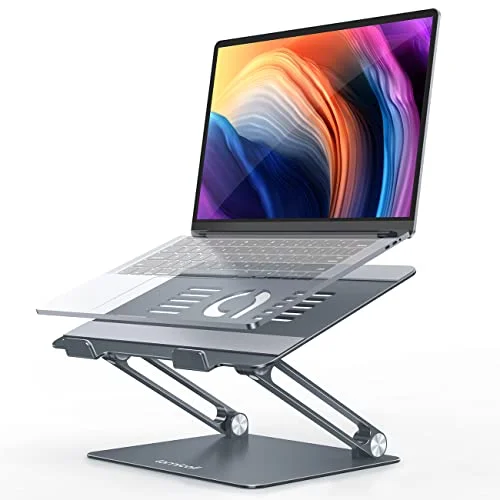
A 27-inch monitor and stand claims roughly a square foot of permanent desk space before you’ve plugged in anything else. In a small apartment, that’s often the difference between a workable desk and one you can’t also eat dinner at. The alternative that gives up almost nothing in practice: a laptop stand that raises your existing screen to eye level, paired with a portable monitor that lies flat when you don’t need dual screens.
Lamicall Adjustable Laptop Stand
Pros
- Folds flat to roughly the thickness of a laptop lid, so it slides into a bag pocket or a drawer instead of needing its own permanent spot on a small desk
- Aluminum build at 2.29 lb raises a 10-17.3 inch laptop to eye level without adding meaningful weight to a bag that already carries the laptop itself
- Anti-skid silicone pads on both the base and the laptop-contact surface keep the laptop from sliding during typing without a separate desk mat
Cons
- Requires an external keyboard and mouse once the laptop is raised — it's a stand, not a complete ergonomic setup on its own
- No built-in cable routing, so a mouse dongle or charging cable still needs its own path across the desk
The Lamicall stand solves the single biggest ergonomic problem in a small setup — a laptop screen sitting too low, forcing a neck angle that gets painful over a full workday — without taking up permanent space. It folds flat enough to store in a drawer or bag pocket, and at 2.29 lb it’s light enough to move between rooms if your “desk” changes based on time of day.
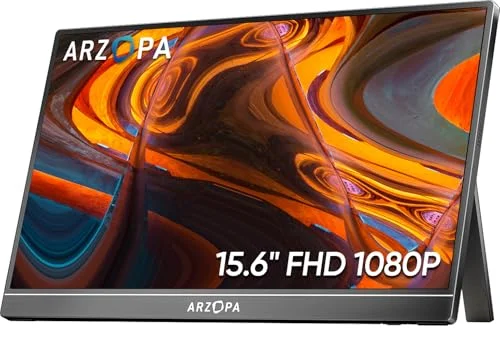
ARZOPA A1 15.6-Inch Portable Monitor
Pros
- 0.36-inch thickness and 1.60 lb weight mean it stores flat behind a laptop or in a drawer when not in use — a real second screen without a permanent footprint
- A single USB-C cable carries both video and power from most modern laptops, cutting the cable count in a room already tight on outlets
- The folding kickstand cover doubles as a stand, so no separate mounting hardware is needed on a desk with no room to spare
Cons
- No internal battery — it stays tethered to a powered USB-C port or the included adapter, unlike some rival portable monitors with a battery built in
- 300 nits and a 60Hz panel are fine for documents and video calls but fall short of a dedicated desktop monitor for color-critical or fast-motion work
The ARZOPA A1 is the second screen for anyone who wants dual-monitor productivity without dual-monitor furniture. At 0.36 inches thick, it stores behind a laptop, in a closet, or on a shelf when you don’t need it — and comes back out for the days you’re juggling a video call, a document, and a spreadsheet at once. One USB-C cable handles both video and power on most modern laptops, so adding a second screen doesn’t mean adding a second power brick to the outlet situation.
Wall-Mounted Monitor Arm: Skip the Desk Footprint Entirely
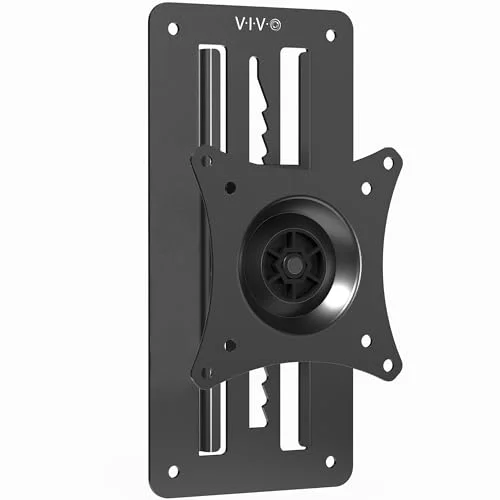
If your apartment allows wall mounting — check your lease first — a wall-mounted arm removes a monitor’s footprint from the desk completely. The screen floats off the wall instead of anchoring to a stand, which matters most on desks that are really shelves, folding tables, or repurposed furniture that wasn’t built to support monitor weight.
VIVO Single Monitor Wall Mount
Pros
- Mounting the monitor on the wall instead of a desk stand frees the entire desk surface in a room where the desk doubles as a dining table or craft table after hours
- 6.3 inches of tool-less height adjustment lets one mount serve both a standing and a seated position without redrilling
- 17.6 lb weight capacity covers the large majority of 17-32 inch monitors, including most budget and mid-range panels
Cons
- Requires drilling into a wall stud, which isn't an option in every rental — check the lease before buying
- Only 2 inches of wall clearance and 20° of swivel, less flexible than a desk-clamp arm for reaching across a room
The VIVO wall mount handles 17-32 inch monitors up to 17.6 lb, which covers the large majority of monitors people actually buy for a home setup. The 6.3 inches of tool-less height adjustment means the same mount works at a low folding desk or a standing kitchen counter — no redrilling required to switch between them. Installation goes into a wall stud, so confirm with your landlord or lease terms before buying if you’re renting.
Compact Keyboard and Mouse: Sized for the Desk You Actually Have
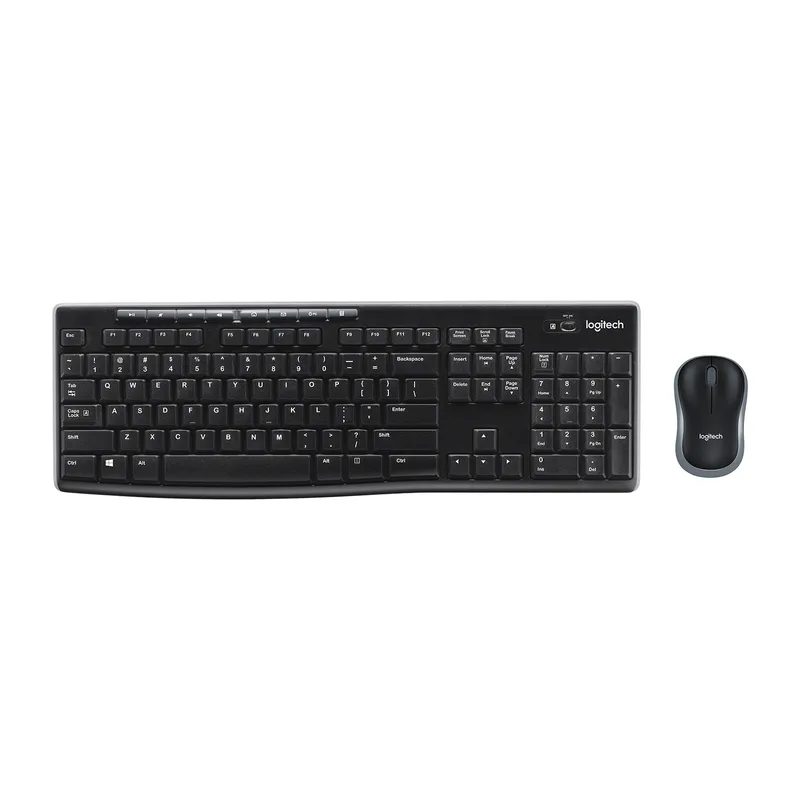
A full-size mechanical keyboard with a number pad eats several extra inches of desk width that matter more on a 24-inch folding table than a 60-inch office desk. Dropping to a compact keyboard and mouse pair reclaims that space without giving up build quality or battery life.
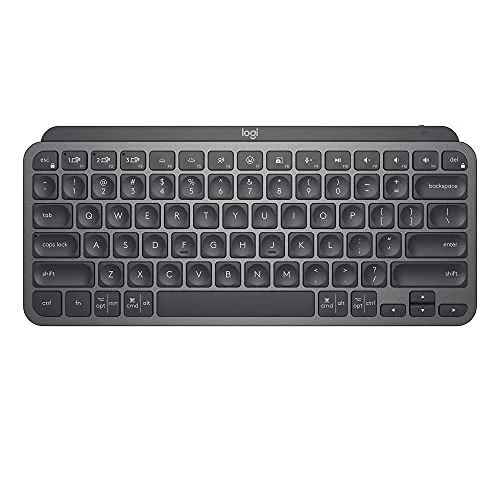
Logitech MX Keys Mini
Pros
- Dropping the number pad shrinks the footprint enough to leave room for a mouse on a desk that's really a nightstand or a fold-down shelf
- Pairs with up to three devices over Bluetooth and switches between them with one key press — useful when a laptop and a phone share the same small desk
- USB-C rechargeable battery rated for months of use with backlighting off means one less cable to route in a room already short on outlets
Cons
- No numeric keypad, which matters if spreadsheet data entry is a regular part of the job
- Battery life with backlighting on drops to about 10 days versus roughly 5 months with it off
The MX Keys Mini’s missing number pad is the entire point here — the shorter body leaves room for a mouse on desks where a full-size board would crowd out everything else. Pairing with up to three Bluetooth devices and switching between them with one keypress is useful if a laptop and a phone or tablet are sharing the same small surface.
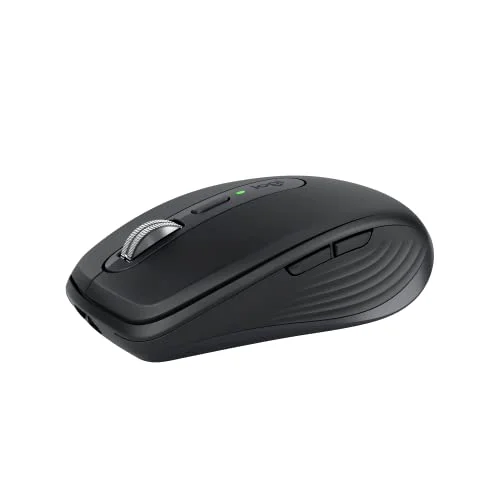
Logitech MX Anywhere 3S
Pros
- Any-surface tracking works directly on a glass tabletop or a tray table, which matters when the desk isn't really a desk
- The compact 2.4 x 4.0 inch body travels easily between a couch, a kitchen table, and a desk without feeling built for a bigger workspace
- The MagSpeed scroll wheel switches between click and free-spin modes automatically, useful for scrolling long documents on a small screen
Cons
- The smaller body is less comfortable than a full-size mouse for anyone working multi-hour sessions with a palm grip
- 70-day battery life is strong on paper but drops faster with heavy scroll wheel and side-button use
The MX Anywhere 3S earns its name in a small apartment: any-surface tracking means it works directly on a glass tabletop, a tray, or a bed desk — surfaces that trip up mice built for a traditional mousepad. At 2.4 x 4.0 inches, it’s small enough to toss in a bag if your workspace moves between the couch and an actual desk during the day.
The Desk Itself: Folding When You Need It, Gone When You Don’t
Sometimes the constraint isn’t the gear on the desk — it’s that there’s no permanent room for a desk at all. A folding desk that collapses to a few inches deep solves that directly.
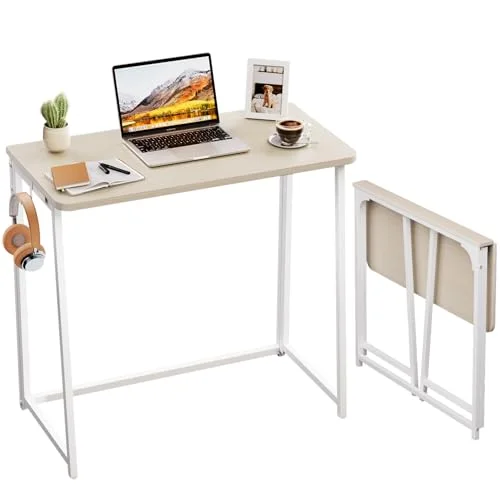
WOHOMO 31.5-Inch Folding Desk
Pros
- Folds down to 2.76 inches deep, thin enough to slide behind a couch, a door, or under a bed — the desk only exists when it's actually in use
- 200 lb weight capacity handles a monitor, laptop, and desk accessories without the wobble common in folding furniture at this price
- No tools required to fold or unfold, so it can move rooms — bedroom to living room — in the time it takes to make coffee
Cons
- 15.75 inches of depth is tight for a full keyboard, mouse, and laptop stand together — a wall-mounted arm or portable monitor buys more usable space than desk depth does
- Particleboard-and-frame construction doesn't match the rigidity of a steel-frame desk under sustained heavy typing
The WOHOMO desk folds to 2.76 inches deep, thin enough to store behind a couch, a door, or under a bed. Unfolded, it holds 200 lb — enough for a laptop, the ARZOPA monitor, and the rest of a compact setup without the wobble that cheaper folding furniture is known for. The tradeoff is depth: 15.75 inches is workable for a laptop and a compact keyboard and mouse, but tight if you’re also trying to fit a full-size keyboard and a laptop stand side by side. That’s exactly the scenario where the wall-mounted arm or portable monitor above buys back usable surface area instead of desk depth.
One Cable, Not Five: A Compact Hub for Everything Else
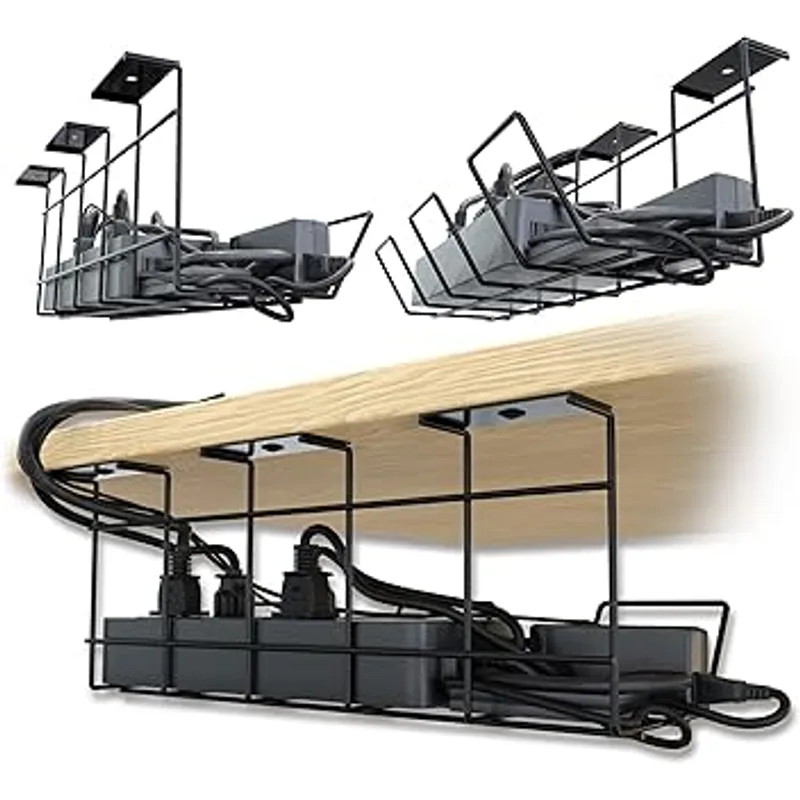
Every device in this guide connects through USB-C or HDMI, and in a small apartment, a pile of individual dongles takes up as much visual and physical space as the gear they’re plugged into.
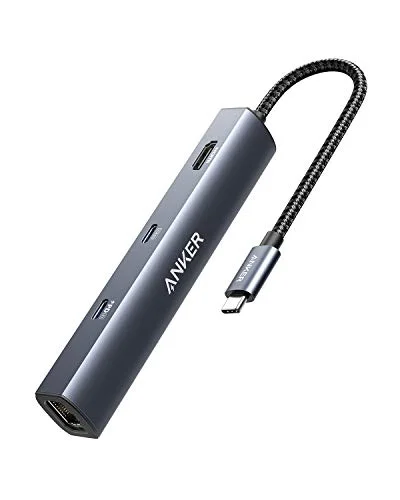
Anker 6-in-1 USB-C Hub with Ethernet
Pros
- One cable replaces a tangle of individual dongles — HDMI, Ethernet, extra USB-A ports, and laptop charging all route through a single compact hub
- The Gigabit Ethernet port matters in apartment buildings where shared or older Wi-Fi doesn't reach every room reliably
- 65W pass-through charging keeps the laptop topped off through the same cable, cutting one more charger from a crowded power strip
Cons
- 4K output is capped at 30Hz, noticeably less smooth than 60Hz for anyone connecting a monitor for video editing or fast-motion content
- Runs warm under sustained high-bandwidth use, such as large file transfers over Ethernet while also driving an external display
The Anker hub condenses HDMI output, a Gigabit Ethernet port, two USB-A ports, and 65W laptop charging into one palm-sized unit connected by a single cable. The Ethernet port is worth calling out specifically for apartment living — shared building Wi-Fi or a router that has to cover multiple units doesn’t always reach a corner desk reliably, and a wired connection sidesteps that entirely.
Making the Cables Disappear
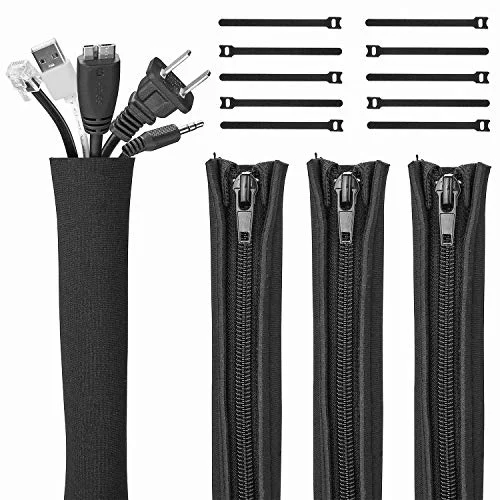
JOTO 4-Pack Cable Management Sleeve
Pros
- Bundles monitor, hub, and charging cables into one neoprene sleeve instead of a visible tangle — matters more in a studio where the desk is visible from the bed or couch
- Zippered design allows adding or removing a cable without unwrapping the whole bundle when the setup changes
- Four sleeves cover a full desk's worth of cabling — monitor, hub, desk lamp, charger — for under $20
Cons
- Doesn't work for cables that need to stay accessible for daily unplugging, like a laptop charger that travels with the laptop
- Neoprene shows dust over time and needs an occasional wipe-down to stay looking clean on an open shelf
In a one-room apartment, the desk is visible from the bed, the couch, and often the kitchen — there’s no separate office to close a door on. A neoprene cable sleeve bundles monitor, hub, and charging cables into one manageable strand instead of a visible tangle. It’s a five-dollar-per-cable-run fix for what’s otherwise the most visually cluttered part of a small setup.
Buying Guide: What Actually Matters in a Small Space
Prioritize gear that stores flat or mounts, not gear that’s just smaller. A mini version of a full-size monitor stand still claims permanent desk space. A wall mount or a monitor that folds to under half an inch thick removes the footprint question entirely — that’s a bigger space win than shaving a few inches off a product’s dimensions.
Check your lease before wall-mounting anything. The VIVO mount above requires anchoring into a wall stud. Some leases prohibit this or require patching on move-out; know the rule before you buy, not after you’ve drilled.
Weight matters if your setup moves. If your desk changes based on time of day — a folding table in the morning, a kitchen counter in the evening — every product’s weight becomes a daily consideration, not a one-time spec. The lightest picks here (the ARZOPA monitor at 1.60 lb, the Lamicall stand at 2.29 lb) are the ones built for that kind of setup.
One hub beats several dongles. Beyond the desk-clutter argument, fewer individual adapters means fewer small parts to lose in a space where “lost in the couch cushions” is a real risk.
Match desk depth to what you’re actually putting on it. A 15.75-inch-deep folding desk works fine for a laptop and compact peripherals. It gets tight fast if you’re also trying to fit a laptop stand, a keyboard, a mouse, and a portable monitor stand side by side — plan the layout before buying the desk, not after.
FAQ
Do I need a full standing desk in a small apartment?
Not necessarily. A wall-mounted monitor arm combined with a folding desk gets most of the ergonomic benefit — screen at eye level, flexible height — without the footprint or cost of a full electric standing desk. A standing desk is worth it if you’re standing for hours daily; for occasional height changes, the mount-and-fold combination above covers it for a fraction of the price and space.
Will a portable monitor actually replace a second full-size display?
For video calls, reference documents, and general multitasking, yes — a 15.6-inch portable monitor at 1080p handles the same workflow a second monitor would. It falls short for color-critical work like photo editing or for extended high-motion content, where the ARZOPA’s 300-nit brightness and 60Hz refresh rate are noticeably behind a dedicated desktop monitor.
Can I wall-mount a monitor in a rental apartment?
Often yes, but confirm with your lease first. Wall mounts like the VIVO above anchor into a stud, which means drilling holes that need patching on move-out in most leases. If your lease prohibits wall modifications, a clamp-style desk arm is the fallback — it claims a small amount of desk edge instead of the wall, but skips the drilling question entirely.
Is a compact keyboard worth the tradeoff of losing the number pad?
If you regularly enter numeric data — accounting, data entry, spreadsheet-heavy work — the missing number pad is a real productivity cost, and a full-size keyboard is worth the extra desk width. For most other remote work, the space saved on a small desk outweighs the occasional inconvenience of reaching for the number row instead.
What’s the single best upgrade if I can only buy one thing from this list?
The laptop stand. Raising a laptop screen to eye level fixes the most common ergonomic problem in a small setup — neck strain from looking down at a low screen — for under $30, and it’s the one item here that pairs with literally everything else on this list without any compatibility question.
Conclusion
The Lamicall laptop stand is the best starting point for almost any small-apartment setup — it’s the cheapest fix for the most common ergonomic problem, and it takes up no permanent space. From there, prioritize based on what your room actually lacks: the ARZOPA portable monitor or the VIVO wall mount if you need a second screen without a second footprint, the WOHOMO folding desk if there’s no room for a desk at all, and the compact Logitech keyboard and mouse if your surface is narrower than a standard desk. The Anker hub and JOTO cable sleeve round out the setup by cutting down on the visible clutter that stands out most in a room with no separate office to hide it in.
Detailed Reviews
Lamicall Adjustable Laptop Stand
Pros
- Folds flat to roughly the thickness of a laptop lid, so it slides into a bag pocket or a drawer instead of needing its own permanent spot on a small desk
- Aluminum build at 2.29 lb raises a 10-17.3 inch laptop to eye level without adding meaningful weight to a bag that already carries the laptop itself
- Anti-skid silicone pads on both the base and the laptop-contact surface keep the laptop from sliding during typing without a separate desk mat
Cons
- Requires an external keyboard and mouse once the laptop is raised — it's a stand, not a complete ergonomic setup on its own
- No built-in cable routing, so a mouse dongle or charging cable still needs its own path across the desk
ARZOPA A1 15.6-Inch Portable Monitor
Pros
- 0.36-inch thickness and 1.60 lb weight mean it stores flat behind a laptop or in a drawer when not in use — a real second screen without a permanent footprint
- A single USB-C cable carries both video and power from most modern laptops, cutting the cable count in a room already tight on outlets
- The folding kickstand cover doubles as a stand, so no separate mounting hardware is needed on a desk with no room to spare
Cons
- No internal battery — it stays tethered to a powered USB-C port or the included adapter, unlike some rival portable monitors with a battery built in
- 300 nits and a 60Hz panel are fine for documents and video calls but fall short of a dedicated desktop monitor for color-critical or fast-motion work
VIVO Single Monitor Wall Mount
Pros
- Mounting the monitor on the wall instead of a desk stand frees the entire desk surface in a room where the desk doubles as a dining table or craft table after hours
- 6.3 inches of tool-less height adjustment lets one mount serve both a standing and a seated position without redrilling
- 17.6 lb weight capacity covers the large majority of 17-32 inch monitors, including most budget and mid-range panels
Cons
- Requires drilling into a wall stud, which isn't an option in every rental — check the lease before buying
- Only 2 inches of wall clearance and 20° of swivel, less flexible than a desk-clamp arm for reaching across a room
Logitech MX Keys Mini
Pros
- Dropping the number pad shrinks the footprint enough to leave room for a mouse on a desk that's really a nightstand or a fold-down shelf
- Pairs with up to three devices over Bluetooth and switches between them with one key press — useful when a laptop and a phone share the same small desk
- USB-C rechargeable battery rated for months of use with backlighting off means one less cable to route in a room already short on outlets
Cons
- No numeric keypad, which matters if spreadsheet data entry is a regular part of the job
- Battery life with backlighting on drops to about 10 days versus roughly 5 months with it off
Logitech MX Anywhere 3S
Pros
- Any-surface tracking works directly on a glass tabletop or a tray table, which matters when the desk isn't really a desk
- The compact 2.4 x 4.0 inch body travels easily between a couch, a kitchen table, and a desk without feeling built for a bigger workspace
- The MagSpeed scroll wheel switches between click and free-spin modes automatically, useful for scrolling long documents on a small screen
Cons
- The smaller body is less comfortable than a full-size mouse for anyone working multi-hour sessions with a palm grip
- 70-day battery life is strong on paper but drops faster with heavy scroll wheel and side-button use
WOHOMO 31.5-Inch Folding Desk
Pros
- Folds down to 2.76 inches deep, thin enough to slide behind a couch, a door, or under a bed — the desk only exists when it's actually in use
- 200 lb weight capacity handles a monitor, laptop, and desk accessories without the wobble common in folding furniture at this price
- No tools required to fold or unfold, so it can move rooms — bedroom to living room — in the time it takes to make coffee
Cons
- 15.75 inches of depth is tight for a full keyboard, mouse, and laptop stand together — a wall-mounted arm or portable monitor buys more usable space than desk depth does
- Particleboard-and-frame construction doesn't match the rigidity of a steel-frame desk under sustained heavy typing
Anker 6-in-1 USB-C Hub with Ethernet
Pros
- One cable replaces a tangle of individual dongles — HDMI, Ethernet, extra USB-A ports, and laptop charging all route through a single compact hub
- The Gigabit Ethernet port matters in apartment buildings where shared or older Wi-Fi doesn't reach every room reliably
- 65W pass-through charging keeps the laptop topped off through the same cable, cutting one more charger from a crowded power strip
Cons
- 4K output is capped at 30Hz, noticeably less smooth than 60Hz for anyone connecting a monitor for video editing or fast-motion content
- Runs warm under sustained high-bandwidth use, such as large file transfers over Ethernet while also driving an external display
JOTO 4-Pack Cable Management Sleeve
Pros
- Bundles monitor, hub, and charging cables into one neoprene sleeve instead of a visible tangle — matters more in a studio where the desk is visible from the bed or couch
- Zippered design allows adding or removing a cable without unwrapping the whole bundle when the setup changes
- Four sleeves cover a full desk's worth of cabling — monitor, hub, desk lamp, charger — for under $20
Cons
- Doesn't work for cables that need to stay accessible for daily unplugging, like a laptop charger that travels with the laptop
- Neoprene shows dust over time and needs an occasional wipe-down to stay looking clean on an open shelf