Desk upgrades in 2026 are trending toward two things that don’t cost much: fixing the light hitting your face on calls, and getting cable clutter out of frame. Reviewers pushing BenQ’s ScreenBar line keep making the same point — it’s a genuinely different product from a desk lamp with marketing, not just another light. And the ergonomics advice making the rounds this year is blunt: a lumbar cushion and a footrest solve most of what a new $800 chair would, for under $70 combined.
None of the six picks below cost more than $110, and most are well under $50. Each one fixes a specific annoyance — bad video call lighting, a sore lower back, a floor full of loose cables, a laptop that charges slow because your hub can’t keep up — rather than being a vague “nice to have.” Buy the ones that match a problem you actually have.
Quickest answer: The BenQ ScreenBar ($109) is the single highest-impact upgrade if your video calls look flat or your desk lamp glares into the screen. The Everlasting Comfort Lumbar Pillow ($39.99) is the cheapest fix for a chair that’s wrecking your back. The Govee Smart Plug ($11.68) is the lowest-risk buy on the list if you just want to try automating your desk.
Quick Comparison
| Upgrade | Price | Best For | Rating |
|---|---|---|---|
| BenQ ScreenBar | $109.00 as of Oct 18, 2026 | Video call and desk lighting | 9.0/10 |
| Everlasting Comfort Lumbar Pillow | $39.99 as of Oct 18, 2026 | Back pain from a desk chair | 8.8/10 |
| Anker 553 USB-C Hub (8-in-1) | Unavailable | Multi-device docking | 8.7/10 |
| HUANUO Adjustable Footrest | $29.99-$35.99 as of Oct 18, 2026 | Leg fatigue and circulation | 8.3/10 |
| Bluelounge CableBox Set | $45.32 as of Oct 18, 2026 | Hiding a power strip and cables | 8.2/10 |
| Govee Smart Plug | $12.99 as of Oct 18, 2026 | Automating desk power | 7.9/10 |
The 6 Best Home Office Upgrades Under $200
1. BenQ ScreenBar — Editor’s Pick
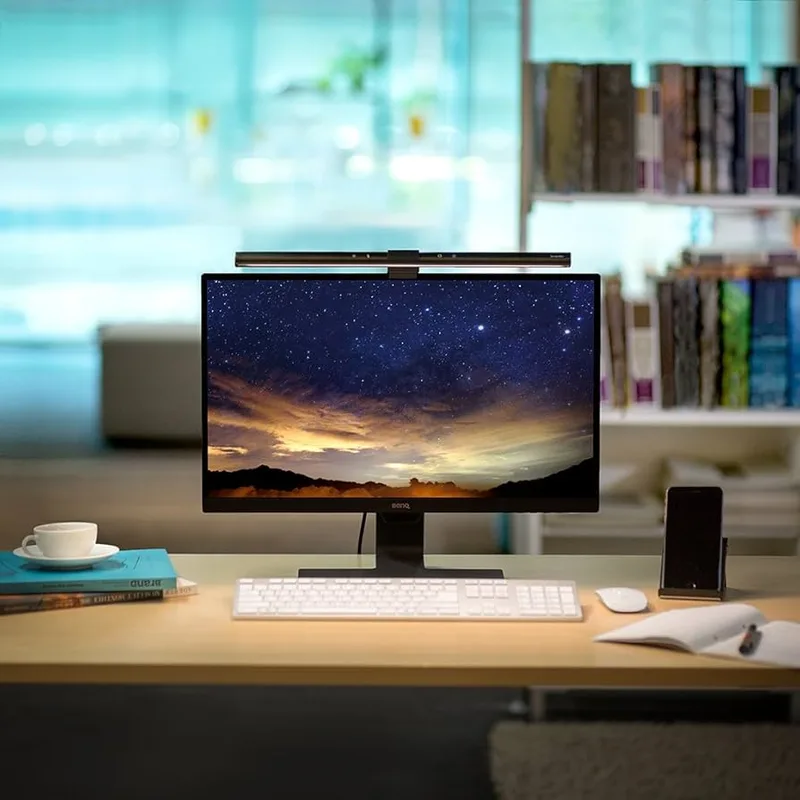
The ScreenBar earns the top spot because it fixes a problem most people don’t realize they have until it’s gone: bad lighting that makes every video call look worse than it needs to. It clips onto the top of a monitor, points down at the desk instead of into the camera, and adjusts brightness automatically with an ambient light sensor so you’re not fiddling with settings mid-call.
The asymmetric optical design is the detail that matters — it lights the keyboard and desk surface without throwing any glare back at the screen, which is the exact failure mode of a regular desk lamp pointed anywhere near a monitor. The desktop dial makes color temperature and brightness a one-handed adjustment instead of digging through an app.
The clip needs a monitor bezel it can actually grip, so extremely thick curved-panel monitors are worth checking before buying. At $109, it’s the priciest single item on this list, but it’s the one upgrade here that changes how you look on every call going forward.
2. Everlasting Comfort Lumbar Support Pillow — Best Ergonomic Fix
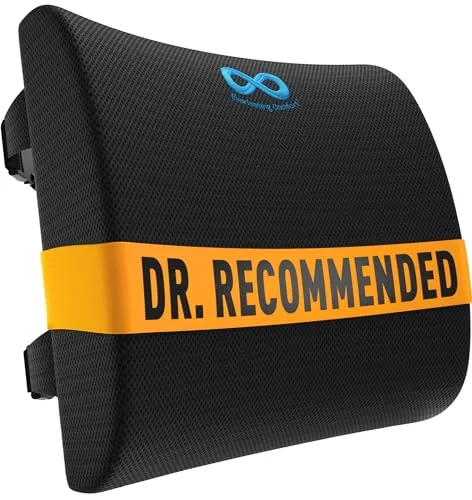
Most of what a $500-plus ergonomic chair fixes comes down to one thing: lower back support. This cushion straps directly to almost any desk chair and does that job for $39.99. The memory foam holds its shape through a full workday instead of packing down flat by lunchtime, and the mesh cover comes off for washing — a detail budget cushions often skip.
It doesn’t touch seat cushioning or armrest height, so it’s not a full ergonomics fix on its own. But if lower back pain is the specific complaint, this solves it before a full chair replacement is worth considering. The straps work on most chair backs, though very slick synthetic fabric can let them slip loose over time.
3. Anker 553 USB-C Hub (8-in-1) — Best for Multi-Device Desks
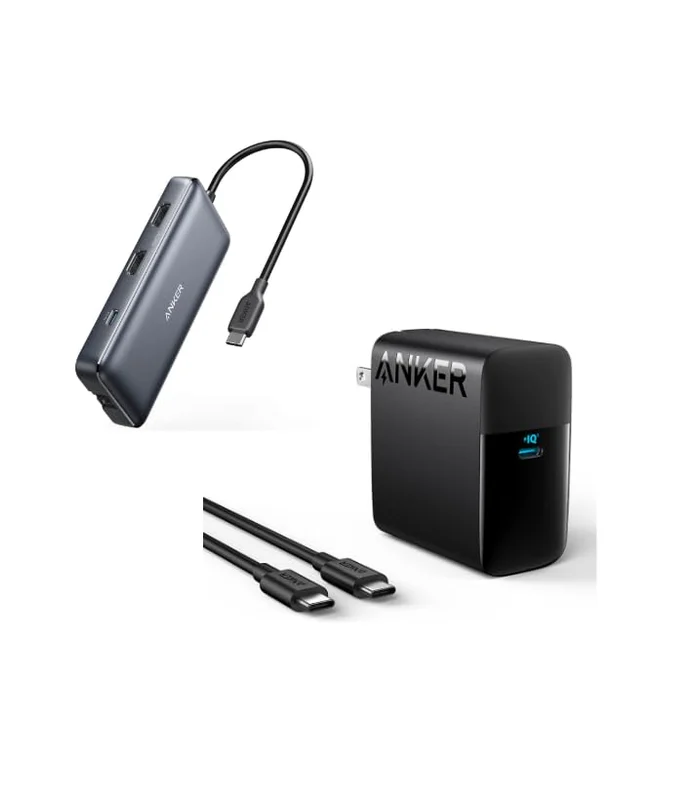
A laptop with two USB-C ports and nothing else runs out of connections fast. The Anker 553 solves that with one cable: 4K@60Hz HDMI out, two USB-A ports, a second USB-C data port, and an SD/microSD reader, all while passing through up to 100W of charging so the hub doesn’t slow down how fast your laptop charges.
It’s compact enough to travel in a bag, which matters for hybrid workers switching between a home desk and an office dock. The tradeoff is a single HDMI port — anyone running dual external monitors needs a different hub or a second adapter — and it runs warm under sustained heavy data transfer. For a laptop with too few ports and a $200 budget ceiling, it’s the highest-utility single purchase on this list.
4. HUANUO Adjustable Under Desk Footrest — Best for Circulation
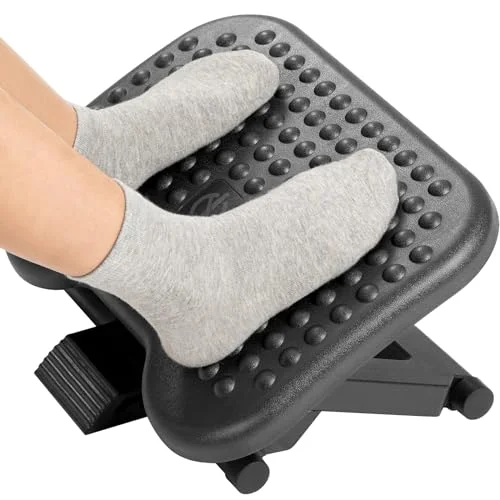
Feet that don’t fully reach the floor, or that stay locked in one position for hours, are a quieter source of fatigue than a bad chair. The HUANUO footrest tilts up to 30 degrees across three height settings, so your foot position can actually change through the day instead of staying static, and the textured roller surface gives a light massage effect during calls.
At $26 to $36, it’s one of the cheapest fixes on this list, and it arrives pre-assembled — no tools required. The tradeoff is floor space: it needs enough clearance under the desk that very compact setups may not have room for it, and the foam surface will compress somewhat over a couple years of daily use.
5. Bluelounge CableBox Set — Best Cable Cleanup
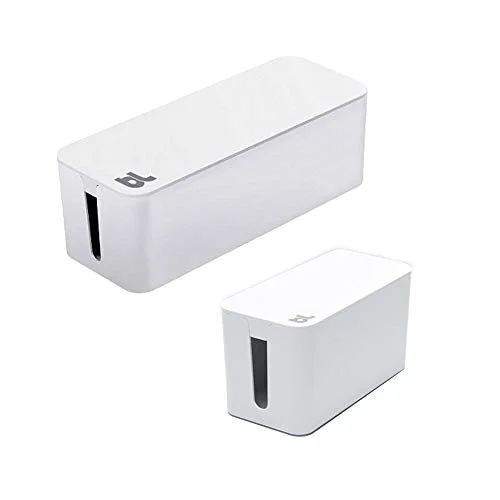
A power strip with six chargers plugged into it is one of the fastest ways to make a home office look unfinished, especially on camera. This two-box CableBox set hides the main power strip in the larger enclosure and keeps a separate cluster of small adapters in the mini box, both with a snap-on lid and openings on each end to route cables in and out cleanly.
It’s freestanding, so renters and anyone who doesn’t want to drill into a desk can set it up in minutes. The one real limit is size — a power strip has to physically fit inside the large box, so measure before buying if your strip has an unusually long body or wide plug heads.
6. Govee Smart Plug — Best Budget Buy
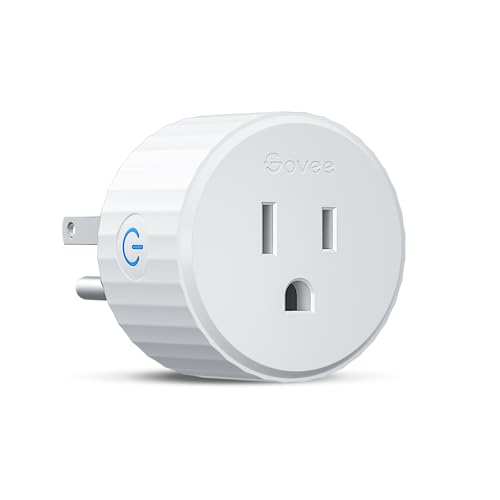
At under $12, this is the lowest-commitment way to try automating a home office. Plug in a desk lamp, monitor, or hub, set a schedule in the Govee Home app, and gear powers down automatically at the end of the workday instead of staying on overnight. No smart home hub is required — it connects straight to 2.4GHz WiFi.
It works with Alexa and Google Assistant but skips Apple HomeKit and energy monitoring, both of which pricier smart plugs include. For the price, it’s a reasonable way to find out if scheduling your desk gear is actually useful before spending more on a plug with more features.
Buying Guide: Picking Upgrades That Are Worth It
Fix a specific problem, not a vague one. Every upgrade on this list solves something concrete — bad lighting, a sore back, too few ports, cable clutter, no automation. Skip anything marketed as a general “must-have” that doesn’t map to an actual daily annoyance.
Lighting and ergonomics deliver the most noticeable daily improvement per dollar. A monitor light bar and a lumbar cushion both change something you interact with every single hour of the workday, which is why they rank above accessories used less constantly.
Check compatibility before buying a hub. Port count, HDMI version, and power delivery wattage vary a lot between hubs at similar prices. Match the hub to your specific laptop and monitor setup, not just the port count on the box.
Cable management pays off before anything else if your desk is visibly messy on camera. A tangled power strip undercuts the effect of every other upgrade on this list if it’s still visible in frame.
Smart plugs are worth the small cost even without energy monitoring. The core benefit — gear that powers down on a schedule without you remembering to do it — doesn’t require the more expensive feature set.
Frequently Asked Questions
Do I need to buy all six of these upgrades?
No. Each one solves a different, specific problem. Buy the one or two that match the annoyance you actually have — a dim video call, a sore back, too few ports — rather than treating this as a shopping checklist.
Is a monitor light bar really better than a desk lamp for video calls?
Yes, for camera-facing lighting specifically. A light bar clips above the monitor and points down at the desk, lighting your face evenly without glaring into the screen or camera the way a lamp placed anywhere near the monitor tends to. Regular desk lamps are fine for reading, not for how you look on a call.
Will a lumbar pillow actually replace the need for a new office chair?
For lower back pain specifically, often yes. Most of what a pricier ergonomic chair fixes over a basic chair comes down to lumbar support, which a strap-on cushion addresses directly. It won’t fix a broken seat pan, worn-out gas lift, or missing armrest adjustment — those need a chair upgrade.
Why does the Anker hub only have one HDMI port?
It’s built around a single external monitor setup, which covers most home offices. Multi-monitor setups need either a hub built specifically for dual displays or a second single-port adapter, both of which cost more than this general-purpose hub.
Is a $12 smart plug worth it if it doesn’t have energy monitoring?
Yes, if scheduling is the feature you actually want. Energy monitoring is useful for deciding what to automate next, but the core value — gear turning off automatically at a set time — works identically with or without it.
Bottom Line
If you only buy one thing from this list, make it the BenQ ScreenBar — at $109, it’s the upgrade that changes how you look and work every single day, not just occasionally. For anyone dealing with back pain from a desk chair, the Everlasting Comfort Lumbar Pillow at $39.99 is the cheapest real fix available. And if you just want a low-risk way to start automating your desk, the Govee Smart Plug at $11.68 is as close to zero-risk as this list gets.
Detailed Reviews
BenQ ScreenBar LED Monitor Light Bar
Pros
- Auto-dimming ambient sensor keeps brightness right without manual adjustment
- Asymmetric optical design lights the desk without any glare hitting the screen or camera
- Frees up desk space compared to a traditional desk lamp
- Desktop dial makes color temperature and brightness changes a one-handed adjustment
- Noticeably improves how you look on video calls compared to overhead room lighting
Cons
- Clip mechanism needs a monitor bezel thin enough to grip — ultra-thick curved panels may not fit
- No backlight option for bias lighting behind the monitor
- Higher price than basic desk lamps that don't address glare
Everlasting Comfort Lumbar Support Pillow
Pros
- Solves most of what a $500+ ergonomic chair upgrade would fix, at a fraction of the cost
- Memory foam holds its shape through a full workday instead of flattening out
- Straps fit almost any desk chair without tools or hardware
- Washable mesh cover matters for a cushion used daily
- Works in a car seat too, not just the desk chair
Cons
- Doesn't help seat cushioning or armrest height — lower back support only
- Too firm for some users in the first week of daily use
- Strap adjustment can loosen on chairs with a slick backrest fabric
Anker 553 USB-C Hub (8-in-1)
Pros
- 100W passthrough charging means the hub doesn't eat into your laptop's charging speed
- Single-cable connection replaces a monitor cable, card reader, and multiple dongles
- Compact enough to keep in a bag for hybrid workers who move between office and home
- SD/microSD reader built in is genuinely useful for anyone offloading photos or footage
- Aluminum-topped housing dissipates heat better than plastic hubs at this price
Cons
- Single HDMI port caps you at one external display without a second adapter
- Gets warm under sustained high-bandwidth data transfer
- Not a full docking station — no Ethernet port
HUANUO Adjustable Under Desk Footrest
Pros
- Tilting platform lets you shift foot position through the day instead of staying static
- Textured roller surface doubles as light foot massage during calls
- Multiple height settings accommodate different desk and chair combinations
- Arrives pre-assembled — no tools, no instructions to follow
- Genuinely reduces leg fatigue for anyone whose feet don't fully reach the floor
Cons
- Takes up under-desk floor space that some smaller setups can't spare
- Foam surface compresses over a couple years of daily use
- Not adjustable enough for very tall or very short users at the extremes
Bluelounge CableBox (Large + Mini Set)
Pros
- Hides a full power strip and its cable mess completely out of sight
- Two-box set separates the main power strip from a tangle of small chargers and adapters
- Freestanding design works for renters — nothing to drill or mount
- Openings on both ends route cables in and out without forcing them through a gap
- Visibly cleans up the floor or desk area in a five-minute setup
Cons
- Power strip must fit within the large box's interior dimensions
- Enclosed design can trap heat with several high-wattage chargers running at once
- White finish shows dust more than a darker cable box would
Govee Smart Plug
Pros
- Cheapest genuinely useful automation buy on this list, under $12
- Schedule desk lamps, monitors, or a hub to power down automatically at end of day
- No smart home hub required — connects straight to WiFi
- Group control lets you toggle multiple desk plugs from one app screen
- Works with both Alexa and Google Assistant for voice control
Cons
- 2.4GHz WiFi only — won't connect to 5GHz-only networks
- No Apple HomeKit support
- No energy monitoring, unlike pricier smart plugs