Market researchers tracking the HDMI switch category point to the same driver behind 2026’s growth: more remote workers are running a laptop, a game console, and a streaming box into a single monitor or TV, and hybrid work has made multi-device desks the norm rather than the exception. That’s shown up in the hardware, too — HDMI 2.1 support with 8K@60Hz and 4K@120Hz passthrough has trickled down from premium switches into budget models, and several current listings now call out compatibility with the newest game consoles alongside the usual streaming boxes and laptops.
A good HDMI switch solves a problem most home offices eventually hit: too many sources, not enough ports on the monitor or TV. The picks below cover the full range, from a $8 two-way switch to a 5-port model built for a desk running a monitor, a dock, and multiple consoles at once.
Quick Picks
| Spec | OREI 8K 4-Port HDMI 2.1 Switch | UGREEN 8K HDMI Switch 5 in 1 Out | Kinivo 501BN 5-Port HDMI Switch | avedio links HDMI 2.1 Switch 3 in 1 Out | GANA Aluminum Bidirectional HDMI Switcher |
|---|---|---|---|---|---|
| Rating | 9.0/10 | 8.6/10 | 8.3/10 | 7.7/10 | 7.2/10 |
| Price | $35.99-$44.99as of Oct 18, 2026 | $54.99-$69.99as of Oct 18, 2026 | $38.99-$59.99as of Oct 18, 2026 | $29.99as of Oct 18, 2026 | $10.99as of Oct 18, 2026 |
| Ports | 4 in / 1 out | 5 in / 1 out | 5 in / 1 out | 3 in / 1 out | 2-way (2-in/1-out or 1-in/2-out) |
| Max Resolution | 8K@60Hz / 4K@120Hz | 8K@60Hz / 4K@240Hz | 4K@30Hz | 8K@60Hz / 4K@120Hz | 4K@60Hz |
| HDMI Standard | 2.1 (48Gbps) | — | — | 2.1 (48Gbps) | — |
| Switching | Auto-detect or IR remote | IR remote (manual) | Auto-detect + IR remote | Manual button | Manual button, LED indicator |
| HDR | HDR10, Dolby Vision, HLG | HDR10+, Dolby | — | — | — |
| Warranty | 1 year | — | — | — | — |
| Bandwidth | — | 40Gbps | 18Gbps | — | — |
| Build | — | Aluminum housing | Aluminum shell | Aluminum alloy | Aluminum shell |
| HDCP | — | — | 2.2 | — | — |
| Included | — | — | — | Short HDMI cable | — |
| Power | — | — | — | — | Bus-powered (no adapter) |
| Check Price → | Check Price → | Check Price → | Check Price → | Check Price → |
Prices change daily — tap Check Price for the current Amazon price.
The Picks
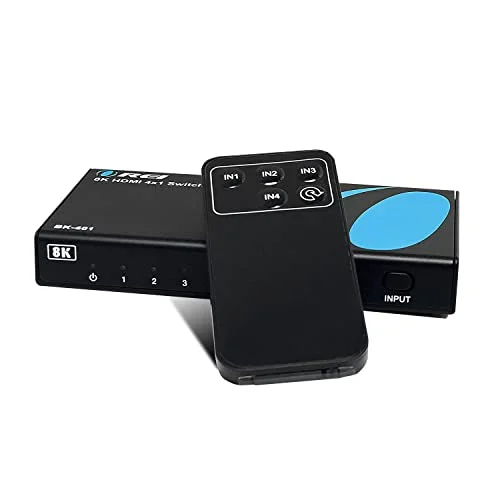
OREI 8K 4-Port HDMI 2.1 Switch
Pros
- True HDMI 2.1 bandwidth (48Gbps) passes 8K@60Hz or 4K@120Hz without downgrading the signal, unlike switches that only claim 2.1 support on the box
- IR remote plus front-panel button covers both auto and manual switching, so it works whether or not a connected source signals CEC properly
- Four inputs is enough for a monitor, a game console, a streaming box, and a laptop dock without running out of ports
- Rated 4.4 out of 5 stars across 200+ owner reviews on Amazon, with few complaints about signal dropouts
- Backed by a 1-year OREI warranty and US-based support
Cons
- Four ports is the ceiling — a desk running five or more sources needs the 5-port UGREEN or Kinivo instead
- Auto-switching quality depends on how well each connected source implements HDMI CEC, so behavior can vary by device
- No built-in audio extraction on this model; OREI sells a separate eARC variant for that
The OREI 8K 4-Port HDMI 2.1 Switch is the pick if you want a switch that just works without thinking about it. It’s genuinely built to the HDMI 2.1 spec — 48Gbps of bandwidth that actually passes 8K@60Hz or 4K@120Hz rather than a “2.1” label slapped on hardware that can’t sustain it — and it gives you both an IR remote and auto-switching, so it adapts to however your sources behave.
Four ports cover the common desk setup: a monitor or TV as the output, with a laptop dock, a game console, and a streaming box as inputs. If your setup runs more than four sources, step up to the UGREEN or Kinivo below.
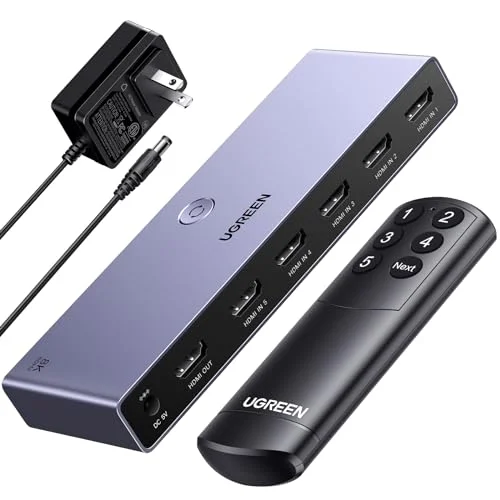
UGREEN 8K HDMI Switch 5 in 1 Out
Pros
- Five inputs is the most in this roundup at this price, enough for a monitor, TV, two consoles, and a laptop simultaneously
- Aluminum housing dissipates heat better than the plastic shells on cheaper switches, which matters for HDMI 2.1's higher power draw
- 40Gbps of bandwidth headroom supports 8K@60Hz and 4K@240Hz for high-refresh gaming monitors
- Rated 4.3 out of 5 stars across more than 4,600 Amazon reviews — the largest review base of any product in this roundup
Cons
- No automatic input detection — switching is manual only via the included remote or front button
- Requires an external power adapter that has to stay plugged in; it won't run passively off the HDMI bus
- Amazon's listed spec sheet caps input/output cable length to guarantee full bandwidth, so very long cable runs may need a signal booster
The UGREEN 8K HDMI Switch is the one to buy if four ports isn’t enough. Five inputs cover a monitor, a TV, two consoles, and a laptop simultaneously, and the 40Gbps of bandwidth headroom means it won’t bottleneck a high-refresh gaming monitor running 4K@240Hz or an 8K@60Hz television.
The tradeoff is that this model skips auto-switching entirely — you’re pressing a remote button or the front panel switch every time you change sources. For a desk where the active source changes constantly through the day, that’s a real difference from the OREI’s auto-detect. For a setup where sources change once or twice a day, it’s a non-issue.
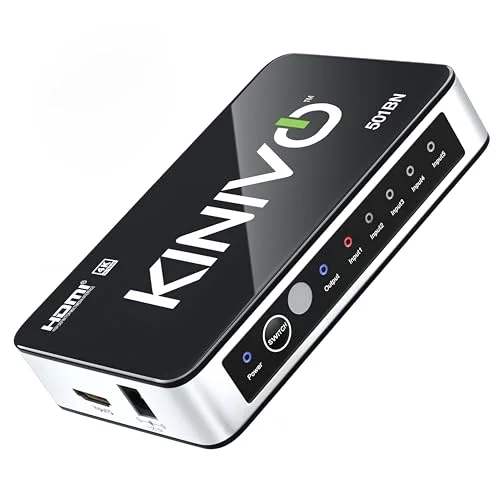
Kinivo 501BN 5-Port HDMI Switch
Pros
- One of the longest production histories in this category, with a track record of owners running it for years without failure
- Auto-detects whichever source just became active in most setups, so you rarely need to touch the remote
- Owners consistently report no added input lag, which matters for gaming consoles running through the switch
- Compact aluminum shell and IR remote plus a front-panel button for manual override
Cons
- Caps out at 4K@30Hz — not built for 4K@120Hz or 8K sources that newer consoles and GPUs can output
- Devices that keep their HDMI port active during sleep (some streaming boxes) can block auto-switching from working correctly
- The only way to power it off is to unplug it — there's no standby switch
The Kinivo 501BN has been sold in some form for over a decade, and the current version keeps the two things that made it a longtime favorite: reliable auto-switching and zero reported input lag. Owners who game through it report the switch adds nothing you’d notice, which matters more for a console setup than raw resolution numbers.
The real limitation is resolution — 4K@30Hz, not the 4K@120Hz or 8K that newer consoles and GPUs can push. If your sources are capped at 4K@30 or lower anyway (most streaming boxes, older consoles, standard laptops), that ceiling doesn’t cost you anything. If you’re running a current-gen console at 4K@120, look at the OREI or avedio links instead.
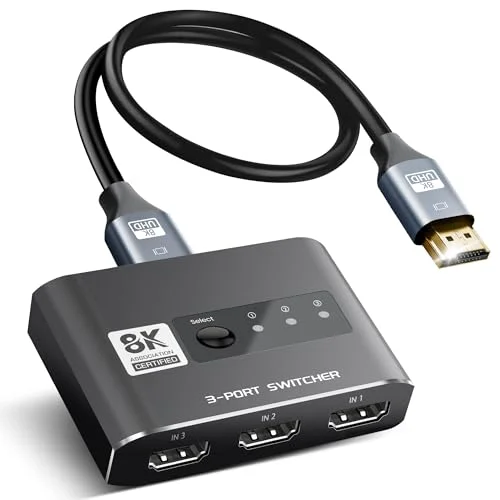
avedio links HDMI 2.1 Switch 3 in 1 Out
Pros
- Small footprint fits on a crowded desk or tucks behind a monitor without needing its own shelf space
- Full HDMI 2.1 bandwidth (48Gbps) supports 8K@60Hz and 4K@120Hz despite the low price, unusual for a 3-port switch this cheap
- Ships with a short HDMI cable included, so it's ready to use without buying an extra cable
- Aluminum alloy shell helps with heat dissipation compared to plastic-bodied competitors
Cons
- Manual switching only — no auto-detect and no remote on this model, so you're reaching over to press the button
- A portion of owner reviews mention audio dropouts when paired with certain AVR or soundbar combinations
- Three ports is tight if you're running more than a laptop, a console, and a streaming device
The avedio links 3-in-1 switch is the pick for a tight desk that doesn’t have room for a 4- or 5-port unit. It’s small, comes with its own short HDMI cable, and — unusually for a switch this cheap — actually supports full HDMI 2.1 bandwidth for 8K@60Hz and 4K@120Hz.
The catch is that switching is manual only; there’s no remote and no auto-detect, so you’re reaching over to press the button on the unit itself every time you change sources. A subset of owner reviews also mention audio dropouts with specific AVR or soundbar setups, so if your audio runs through a separate receiver rather than direct to the display, it’s worth checking your exact gear against recent reviews before buying.
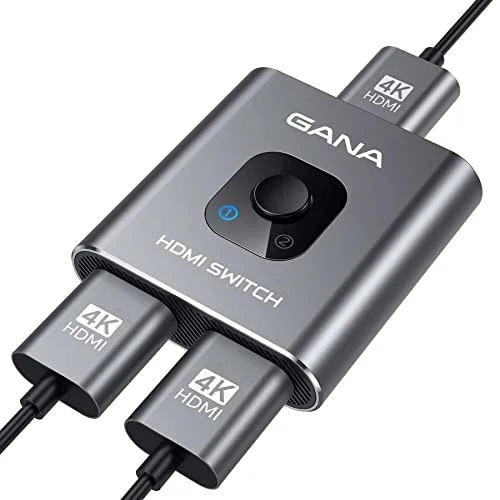
GANA Aluminum Bidirectional HDMI Switcher
Pros
- Cheapest reliable option in this roundup by a wide margin — under $10 for a two-way switch
- Bidirectional design works as either two sources into one display, or one source split to two displays, without buying a separate splitter
- Bus-powered off the HDMI connection itself, so there's no separate power brick to plug in
- Aluminum shell keeps it cool and it sets up with zero configuration
Cons
- Tops out at 4K@60Hz with no HDMI 2.1 features like VRR, so it's not built for next-gen consoles or high-refresh monitors
- Some owners report a source not reconnecting cleanly after being unplugged and replugged, requiring a manual switch toggle
- Picture issues have been reported on longer HDMI cable runs, so keep cable lengths short with this one
The GANA bidirectional switch is the entry point if you just need to add one more port without spending real money. At under $10, it’s the cheapest reliable option here, and the bidirectional design is genuinely useful — it works as a standard 2-in/1-out switch, or flips to 1-in/2-out to mirror one source to two displays, without needing a separate splitter.
It’s bus-powered off the HDMI connection, so there’s no brick to plug in, but that also means it doesn’t have the muscle for HDMI 2.1 features — this one tops out at 4K@60Hz. Some owners report a source not reconnecting cleanly after being unplugged, and keeping cable runs short helps avoid the picture issues a few reviews mention on longer cables.
Buying Guide: What to Look for in an HDMI Switch
Auto-switching vs. manual
Auto-switching detects which input just became active and switches to it automatically, using the HDMI CEC signal each source sends. The OREI and Kinivo both do this reliably. It’s convenient, but it depends on your specific source device implementing CEC correctly — some streaming boxes keep signaling “active” even in sleep mode, which can confuse auto-switching regardless of which switch you buy. If you’d rather not troubleshoot that, a manual switch with a remote (UGREEN) or a front-panel button (avedio links, GANA) is more predictable, just less hands-off.
Match the switch’s HDMI version to your actual sources
A switch labeled “8K” or “HDMI 2.1” isn’t useful if none of your sources output above 4K@60Hz — you’re paying for bandwidth you won’t use. Check what your highest-resolution source actually outputs (a current-gen console, a high-refresh gaming monitor, or a GPU running 4K@120) before paying the premium for full HDMI 2.1 hardware like the OREI or UGREEN. If everything you own tops out at 4K@30 or 4K@60, the Kinivo or GANA cover it for less money.
Port count: buy for what you actually have, plus one
Count your current sources — laptop dock, game console, streaming box, second console, cable box — and buy a switch with at least one spare port. Outgrowing a switch and needing to buy a second one is the most common reason people end up daisy-chaining switches, which adds a hop of latency and another point of failure.
Power source
Bus-powered switches (the GANA here) draw power from the HDMI connection itself, so there’s no adapter to plug in — convenient, but it caps how much bandwidth and how many ports the switch can support. Every switch with 4 or more ports, or with full HDMI 2.1 bandwidth, needs its own power adapter that stays plugged in continuously.
Cable quality matters more at higher bandwidths
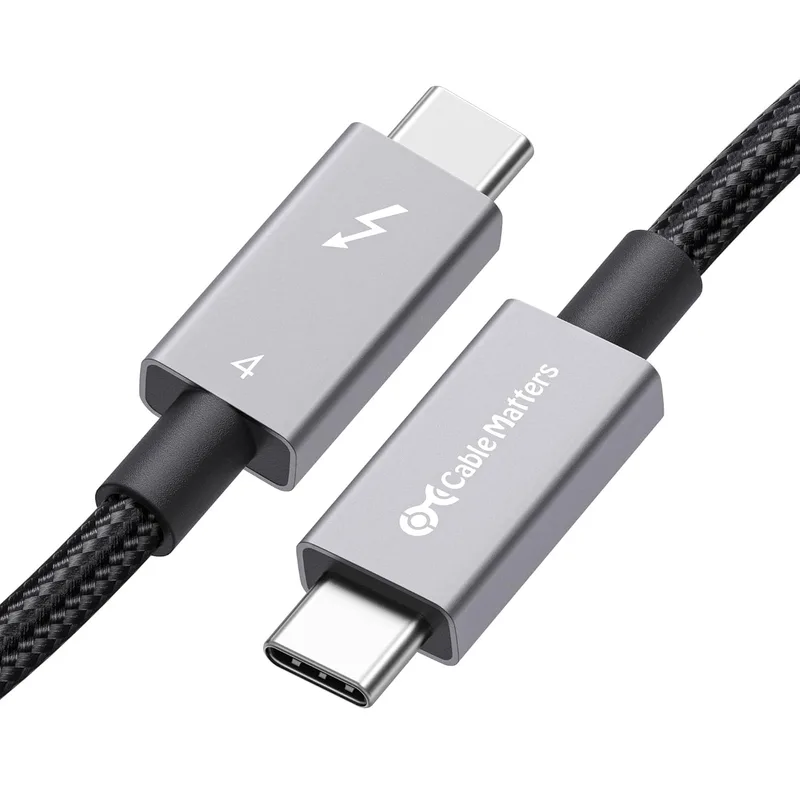
An HDMI 2.1 switch running 8K@60Hz or 4K@120Hz needs certified Ultra High Speed HDMI cables to actually deliver that bandwidth — an old HDMI cable pulled from a drawer may bottleneck the signal or cause dropouts even with the right switch. If you’re buying a switch for its 8K or 4K@120 specs, budget for matching cables too.
Frequently Asked Questions
Q: Does an HDMI switch add input lag for gaming? A: A well-built switch like the Kinivo or OREI adds effectively none — owners report no noticeable lag through either. Very cheap, unbranded switches with low-quality chipsets are more likely to introduce a frame or two of delay, which is one reason to stick with an established brand for a setup that includes a game console.
Q: Can I use an HDMI switch to send one source to two monitors? A: Only a bidirectional switch like the GANA pick here supports that — flip it to 1-in/2-out mode to mirror one source to two displays. Standard switches (OREI, UGREEN, Kinivo, avedio links) are one-way: multiple sources into a single output, not the reverse.
Q: Why does my switch show a blank screen when I change inputs? A: This is almost always an HDCP handshake delay — the switch and the new source need a moment to re-negotiate the copy-protection handshake before the picture appears, typically 1-3 seconds. If it takes longer than that consistently, try a different HDMI port on the source device or a shorter cable before assuming the switch is faulty.
Q: Do I need an HDMI 2.1 switch, or is HDMI 2.0 enough? A: HDMI 2.0 (18Gbps) handles 4K@60Hz cleanly, which covers most laptops, streaming boxes, and older consoles. HDMI 2.1 (48Gbps) is only necessary if a source outputs 4K@120Hz, 8K, or variable refresh rate — mainly current-gen consoles and high-end gaming monitors. Buying 2.1 hardware for 2.0-level sources doesn’t hurt anything, it’s just an unnecessary premium.
Q: Will a switch work with a laptop dock or USB-C monitor setup? A: Yes, as long as the dock or monitor outputs a standard HDMI signal — all five switches here accept any HDMI 1.4-and-up source, including laptop docks. If your dock only has DisplayPort or USB-C outputs, you’ll need an adapter to HDMI before the switch, or use a switch with a USB-C input directly.
The Bottom Line
The OREI 8K 4-Port HDMI 2.1 Switch is the best all-around pick — genuine HDMI 2.1 bandwidth, both auto and remote switching, and four ports for around $40. If your desk runs five or more sources, the UGREEN 8K HDMI Switch covers it with room to spare, at the cost of manual-only switching. Gamers who care about zero added lag over raw resolution should look at the Kinivo 501BN’s proven auto-switching instead. For a cramped desk, the avedio links 3-in-1 packs full 2.1 bandwidth into a small footprint, and if you just need one extra port without spending real money, the GANA bidirectional switch does the job for under $10.
Detailed Reviews
OREI 8K 4-Port HDMI 2.1 Switch
Pros
- True HDMI 2.1 bandwidth (48Gbps) passes 8K@60Hz or 4K@120Hz without downgrading the signal, unlike switches that only claim 2.1 support on the box
- IR remote plus front-panel button covers both auto and manual switching, so it works whether or not a connected source signals CEC properly
- Four inputs is enough for a monitor, a game console, a streaming box, and a laptop dock without running out of ports
- Rated 4.4 out of 5 stars across 200+ owner reviews on Amazon, with few complaints about signal dropouts
- Backed by a 1-year OREI warranty and US-based support
Cons
- Four ports is the ceiling — a desk running five or more sources needs the 5-port UGREEN or Kinivo instead
- Auto-switching quality depends on how well each connected source implements HDMI CEC, so behavior can vary by device
- No built-in audio extraction on this model; OREI sells a separate eARC variant for that
UGREEN 8K HDMI Switch 5 in 1 Out
Pros
- Five inputs is the most in this roundup at this price, enough for a monitor, TV, two consoles, and a laptop simultaneously
- Aluminum housing dissipates heat better than the plastic shells on cheaper switches, which matters for HDMI 2.1's higher power draw
- 40Gbps of bandwidth headroom supports 8K@60Hz and 4K@240Hz for high-refresh gaming monitors
- Rated 4.3 out of 5 stars across more than 4,600 Amazon reviews — the largest review base of any product in this roundup
Cons
- No automatic input detection — switching is manual only via the included remote or front button
- Requires an external power adapter that has to stay plugged in; it won't run passively off the HDMI bus
- Amazon's listed spec sheet caps input/output cable length to guarantee full bandwidth, so very long cable runs may need a signal booster
Kinivo 501BN 5-Port HDMI Switch
Pros
- One of the longest production histories in this category, with a track record of owners running it for years without failure
- Auto-detects whichever source just became active in most setups, so you rarely need to touch the remote
- Owners consistently report no added input lag, which matters for gaming consoles running through the switch
- Compact aluminum shell and IR remote plus a front-panel button for manual override
Cons
- Caps out at 4K@30Hz — not built for 4K@120Hz or 8K sources that newer consoles and GPUs can output
- Devices that keep their HDMI port active during sleep (some streaming boxes) can block auto-switching from working correctly
- The only way to power it off is to unplug it — there's no standby switch
avedio links HDMI 2.1 Switch 3 in 1 Out
Pros
- Small footprint fits on a crowded desk or tucks behind a monitor without needing its own shelf space
- Full HDMI 2.1 bandwidth (48Gbps) supports 8K@60Hz and 4K@120Hz despite the low price, unusual for a 3-port switch this cheap
- Ships with a short HDMI cable included, so it's ready to use without buying an extra cable
- Aluminum alloy shell helps with heat dissipation compared to plastic-bodied competitors
Cons
- Manual switching only — no auto-detect and no remote on this model, so you're reaching over to press the button
- A portion of owner reviews mention audio dropouts when paired with certain AVR or soundbar combinations
- Three ports is tight if you're running more than a laptop, a console, and a streaming device
GANA Aluminum Bidirectional HDMI Switcher
Pros
- Cheapest reliable option in this roundup by a wide margin — under $10 for a two-way switch
- Bidirectional design works as either two sources into one display, or one source split to two displays, without buying a separate splitter
- Bus-powered off the HDMI connection itself, so there's no separate power brick to plug in
- Aluminum shell keeps it cool and it sets up with zero configuration
Cons
- Tops out at 4K@60Hz with no HDMI 2.1 features like VRR, so it's not built for next-gen consoles or high-refresh monitors
- Some owners report a source not reconnecting cleanly after being unplugged and replugged, requiring a manual switch toggle
- Picture issues have been reported on longer HDMI cable runs, so keep cable lengths short with this one