Spring tension calibration is the detail showing up most in 2026 boom arm discussions — it’s the variable that decides whether an arm holds a mic exactly where you put it or slowly sags over the course of a call. Rode’s PSA1+ still leads that conversation this year on the strength of its parallelogram spring redesign, while budget arms from InnoGear and Samson remain the go-to recommendation for anyone mounting a USB mic without spending three figures.
A boom arm is one of the cheapest upgrades you can make to a home studio setup. It gets a microphone off the desk and out of the way of your keyboard, kills the thump and bump noise a desk stand picks up, and frees up space for a second monitor or notebook. The five arms below cover the full range remote workers actually shop in — from a $38 USB-mic mount to a $140 broadcast-grade arm built for a dynamic mic and daily use.
Quick Picks
| Spec | Rode PSA1+ | Elgato Wave Mic Arm LP | Gator Frameworks Deluxe Desk-Mounted Boom Arm | Samson MBA38 | InnoGear Microphone Boom Arm |
|---|---|---|---|---|---|
| Rating | 9.2/10 | 8.8/10 | 8.3/10 | 8.0/10 | 7.6/10 |
| Price | $139.99as of Oct 11, 2026 | $99.99as of Oct 11, 2026 | $79.99-$81.70as of Oct 11, 2026 | $41.47-$59.99as of Oct 11, 2026 | $37.99as of Oct 11, 2026 |
| Max Horizontal Reach | 37in (940mm) | — | — | — | — |
| Max Vertical Reach | 34in (860mm) | — | — | — | — |
| Weight Capacity | 0.2-2.7 lbs (94g-1.2kg) | 4.4 lbs (2kg) | 4.4 lbs (2kg) | 5 lbs (2.3kg) | 4.4 lbs (2kg) |
| Mounting | Desk clamp or threaded desk insert | — | — | — | — |
| Cable Routing | Integrated USB/XLR channel | — | — | — | — |
| Horizontal Reach | — | 29.1in (740mm) | — | — | — |
| Rotation | — | 360° horizontal, 90° vertical | — | — | 360° base, 135° extension, 180° shaft |
| Cable Management | — | Magnetic channel covers | — | — | Enclosed channel with rubber cover |
| Max Reach | — | — | 32.25in (820mm) | 38in horizontal/vertical | 32.3in horizontal / 30.9in vertical |
| Cable | — | — | Integrated 10 ft XLR (non-removable) | — | — |
| Mount | — | — | Desk clamp, fits surfaces up to 2.17in thick | C-clamp or permanent flange mount | — |
| Threading | — | — | — | Standard 5/8in-27 mic clip | — |
| Check Price → | Check Price → | Check Price → | Check Price → | Check Price → |
Prices change daily — tap Check Price for the current Amazon price.
The Picks
Rode PSA1+
Pros
- Parallelogram spring design holds a mic exactly where you set it with none of the sag cheaper arms develop
- Fully dampened internal springs stay silent — no creak when you reposition it mid-call
- Ships with both a desk clamp and a threaded desk-insert mount, plus a quick-release mic adapter
- Setup runs about three minutes from box to mounted microphone
Cons
- Costs roughly 2-3x more than the budget picks in this lineup
- Neoprene cable sleeves attract dust and need occasional wiping down
- 2.7 lb weight ceiling suits dynamic mics like the SM7B but is tight for heavier condensers with a shockmount attached
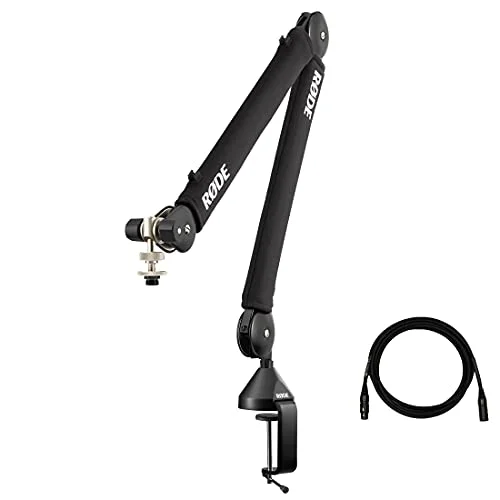
The PSA1+ is the arm to buy if you’re serious about your setup and don’t want to think about it again. Rode’s parallelogram spring design is the reason it keeps showing up at the top of 2026 comparisons — it holds a mic in place with none of the slow droop cheaper spring arms develop after a few months of daily adjustment. The internal springs are fully dampened too, so you don’t hear a creak every time you swing the mic into position before a call.
It ships with both a desk clamp and a threaded desk-insert mount, plus a quick-release mic adapter that makes swapping microphones fast. Owner reports consistently describe setup as a three-minute job from box to mounted mic. The tradeoff is price — at roughly $140 it costs more than double some of the picks below — and the neoprene cable sleeves do attract dust that needs the occasional wipe-down. For a dynamic broadcast mic like the SM7B, though, it’s the arm most remote podcasters and streamers settle on and stop shopping.
Elgato Wave Mic Arm LP
Pros
- Sits below shoulder height so it stays out of frame on webcam calls and stream overlays
- All-metal, anti-torsion build holds a mic in place once properly tensioned
- Magnetic cable channels hide XLR or USB runs without threading cable through the arm itself
- Included thread adapters cover most third-party mic mounts
Cons
- Desk clamp is wide and bulky, which can conflict with desks that have a raised back lip
- No XLR cable included, unlike the Rode and Gator picks
- Street price swings between roughly $80-$100 depending on color and bundle
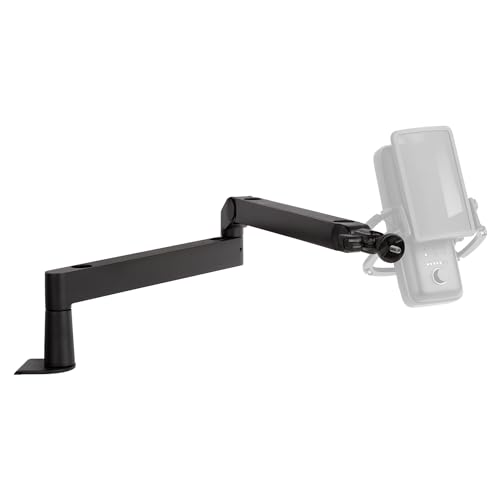
Elgato’s Wave Mic Arm LP is built for exactly one problem: boom arms that block the top of your webcam frame. The “LP” stands for low-profile, and it delivers — the arm sits below shoulder height so it stays out of frame during video calls and stream overlays instead of cutting across the top third of the shot.
The all-metal, anti-torsion build holds position once properly tensioned, and the magnetic cable channels hide XLR or USB runs without threading cable through the arm’s internal channel like most competitors require. The catch is the clamp: it’s wide enough that it can conflict with desks that have a raised back lip or monitor riser. It also doesn’t include a cable, so budget for that separately if you’re not reusing one you already own.
Gator Frameworks Deluxe Desk-Mounted Boom Arm
Pros
- Built-in 10-foot XLR cable routed through the arm means one less cable running across the desk
- Spring-loaded arm adjusts one-handed and holds position under a full-size dynamic mic
- Full 360° rotation with noticeably quiet movement
- Lowest price of any arm here that ships with an integrated cable
Cons
- The XLR cable is molded into the arm — if it fails, the whole arm needs replacing, not just a cable
- Some owners report the clamp bracket cracking if over-tightened
- Build feels less premium than the Rode or Elgato picks up close
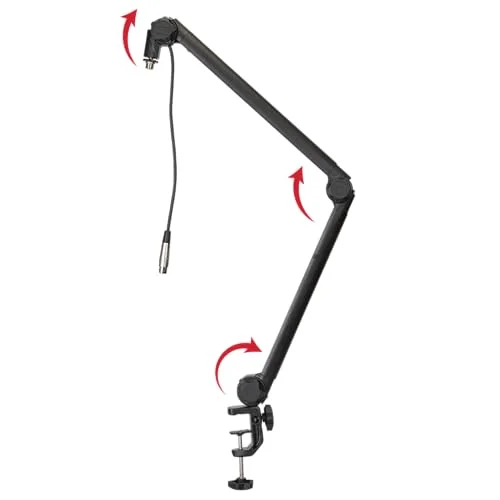
Gator’s Deluxe Desk-Mounted arm is the value pick because it’s the only one in this lineup that bundles an integrated cable into a sub-$70 price. The 10-foot XLR cable routes directly through the arm, so there’s one less cable crossing your desk to a mixer or interface. The spring-loaded design adjusts one-handed and holds a full-size dynamic mic without drifting.
The compromise is that the cable is molded into the arm rather than removable — if the cable ever fails, you’re replacing the whole arm, not swapping a cord. A handful of owners also report the clamp bracket cracking under heavy tightening, so snug it down by feel rather than cranking it as far as it’ll go.
Samson MBA38
Pros
- Longest reach in this lineup at 38in, useful for larger desks or corner setups
- Steel construction stays put without springing back after positioning
- Higher 5 lb weight rating handles heavier dynamic mics with a shockmount attached
- Straightforward C-clamp or permanent flange mounting options
Cons
- No retention or tension adjustment, so very light mics can drift over time
- No enclosed cable management channel — XLR runs exposed along the arm
- No cable or shockmount included in the box
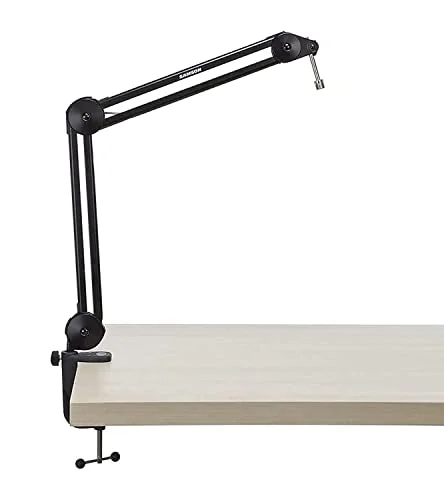
The MBA38 is the arm for anyone whose desk setup needs real reach. At 38in of horizontal and vertical travel, it out-reaches every other arm here by a meaningful margin — useful for corner desks, wider monitor arrays, or mounting the mic further from a loud keyboard. The steel construction stays exactly where you leave it, and the 5 lb weight rating gives it headroom for a heavier dynamic mic with a shockmount attached.
What it skips is refinement: there’s no tension adjustment dial, so a very light mic can drift out of position over weeks of use, and cable runs sit exposed along the arm rather than tucked into a channel. It also ships bare — no cable, no shockmount — so factor those into the total cost if you don’t already own them.
InnoGear Microphone Boom Arm
Pros
- Lowest price in this roundup by a wide margin
- Enclosed spring and cable housing looks tidier on camera than most budget arms
- Rated for common USB mics including Blue Yeti, HyperX QuadCast, and Fifine models
- Over 20,000 Amazon ratings averaging around 4.5 stars — well-proven for the price
Cons
- Springs squeak audibly when new, which is a problem for live recording
- Thin-gauge steel lacks the premium feel of pricier arms
- Not rated for heavier mics like the Shure SM7B over extended daily use
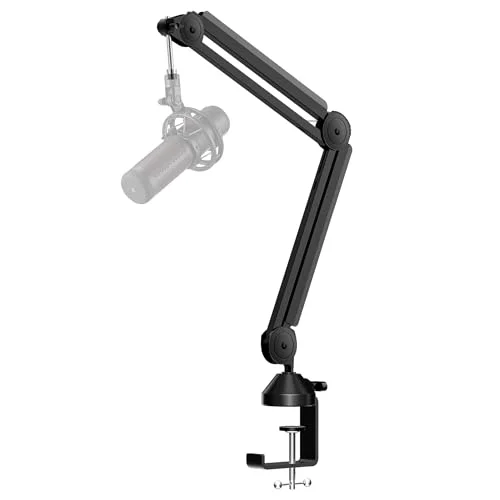
InnoGear’s arm is the one to buy if you’re mounting a USB mic like a Blue Yeti, HyperX QuadCast, or Fifine and don’t want to spend more than lunch money on the mount. At under $40 it’s the cheapest arm in this roundup, and the enclosed spring and cable housing genuinely looks tidier on camera than most budget arms at this price. With over 20,000 Amazon ratings averaging around 4.5 stars, it’s also one of the more proven picks in the budget tier.
The compromises show up quickly if you push it, though. The springs squeak audibly out of the box — a dealbreaker if you’re recording live audio rather than gaming or streaming casually — and the steel is thin-gauge compared to the Gator or Samson arms. It’s also not built for a heavier mic like the SM7B over months of daily use. Treat it as the right call for a light USB mic and a tight budget, not a long-term broadcast setup.
Boom Arm Buying Guide
Reach Matters More Than the Spec Sheet Suggests
Measure your desk before shopping. A 29in arm like the Elgato Wave is plenty for a standard single-monitor desk, but a wider dual-monitor or corner setup benefits from the 37-38in reach of the Rode PSA1+ or Samson MBA38. Buying more reach than you need just means more arm swinging into your peripheral vision.
Weight Capacity Needs to Match Your Mic, Not Just the Base Weight
Check the mic manufacturer’s weight spec, then add the shockmount if you’re using one — a Shure SM7B alone is close to 1 lb, but with a shockmount and pop filter attached, the effective load climbs. Every arm in this roundup lists a weight ceiling; staying comfortably under it is what keeps an arm from slowly sagging over time.
Spring Tension Is the Detail That Determines Long-Term Reliability
This is the recurring theme in 2026 owner feedback across the category: an arm that’s properly spring-balanced for its rated load stays exactly where you put it, while an under-sprung arm droops within weeks. The Rode PSA1+‘s parallelogram spring redesign exists specifically to solve this; budget arms without tension adjustment, like the Samson MBA38, are more prone to drift with lighter mics.
Cable Management Is a Real Feature, Not a Nice-to-Have
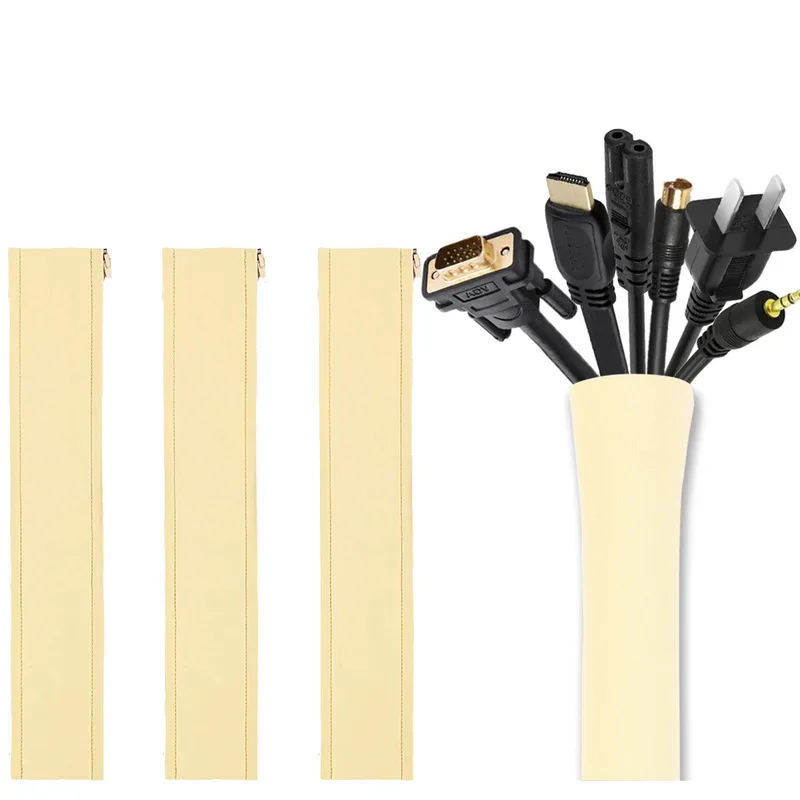
An arm with a hidden or integrated cable channel — like the Gator’s built-in XLR run or Elgato’s magnetic covers — keeps a boom arm from turning into a visible cable tangle on camera. If you’re on video calls regularly or streaming, this matters more than it sounds like it should.
Clamp Type and Desk Compatibility
Most arms in this roundup use a C-clamp that grips the edge of a desk up to roughly 2-2.5in thick. If your desk has a raised back lip, a monitor riser, or an unusually thick edge, check the clamp’s maximum opening before ordering — the Elgato’s wide clamp in particular can run into desks with limited overhang.
A standing desk with a slim, clamp-friendly edge makes any of these arms easier to mount than a desk with a thick apron or integrated cable tray.
FAQ
Q: Do I need a boom arm if I already have a desk mic stand? A: Not strictly, but a boom arm frees up desk space, gets the mic out of the way of a keyboard, and reduces the vibration noise a desk stand picks up when you type. If desk space or typing noise is a problem, a boom arm is worth the upgrade.
Q: Will any boom arm work with any microphone? A: Check the thread size and weight rating first. Most arms use a standard 5/8in-27 thread with an adapter down to 3/8in, which covers the vast majority of USB and XLR mics. The weight rating matters more — a mic plus shockmount that exceeds the arm’s rated capacity will sag or fail to hold position.
Q: Does a more expensive boom arm actually sound different? A: No — a boom arm doesn’t affect audio quality directly. What it affects is stability and vibration isolation. A well-sprung arm with a shockmount reduces desk thumps and keyboard vibration reaching the mic, which does improve recorded audio indirectly.
Q: Can I mount a boom arm without clamping to my desk? A: Most arms in this roundup ship with both a clamp and a through-hole/threaded desk-insert option, including the Rode PSA1+. A threaded mount requires drilling a hole in the desk, which isn’t reversible, so it’s worth checking before committing to a rented or shared desk.
Q: How much should I budget for a boom arm as part of a streaming setup? A: Anywhere from $38 to $140 depending on build quality and reach, based on the range in this roundup. Pair it with a decent XLR interface or USB mic and a ring light for calls, and a full audio/video upgrade still comes in well under $300.
The Bottom Line
The Rode PSA1+ is the boom arm most remote workers should buy if a mic is a daily-use piece of gear — the spring design and build quality mean you mount it once and stop thinking about it. If a low profile that stays out of webcam frame matters more, the Elgato Wave Mic Arm LP is the better fit. And if you’re mounting a USB mic on a budget, the InnoGear arm or the reach-focused Samson MBA38 both get the job done without the premium price tag.
Whichever one you pick, the upgrade from a desk stand is immediate — more desk space, quieter typing pickup, and a mic that stays exactly where you positioned it.
Detailed Reviews
Rode PSA1+
Pros
- Parallelogram spring design holds a mic exactly where you set it with none of the sag cheaper arms develop
- Fully dampened internal springs stay silent — no creak when you reposition it mid-call
- Ships with both a desk clamp and a threaded desk-insert mount, plus a quick-release mic adapter
- Setup runs about three minutes from box to mounted microphone
Cons
- Costs roughly 2-3x more than the budget picks in this lineup
- Neoprene cable sleeves attract dust and need occasional wiping down
- 2.7 lb weight ceiling suits dynamic mics like the SM7B but is tight for heavier condensers with a shockmount attached
Elgato Wave Mic Arm LP
Pros
- Sits below shoulder height so it stays out of frame on webcam calls and stream overlays
- All-metal, anti-torsion build holds a mic in place once properly tensioned
- Magnetic cable channels hide XLR or USB runs without threading cable through the arm itself
- Included thread adapters cover most third-party mic mounts
Cons
- Desk clamp is wide and bulky, which can conflict with desks that have a raised back lip
- No XLR cable included, unlike the Rode and Gator picks
- Street price swings between roughly $80-$100 depending on color and bundle
Gator Frameworks Deluxe Desk-Mounted Boom Arm
Pros
- Built-in 10-foot XLR cable routed through the arm means one less cable running across the desk
- Spring-loaded arm adjusts one-handed and holds position under a full-size dynamic mic
- Full 360° rotation with noticeably quiet movement
- Lowest price of any arm here that ships with an integrated cable
Cons
- The XLR cable is molded into the arm — if it fails, the whole arm needs replacing, not just a cable
- Some owners report the clamp bracket cracking if over-tightened
- Build feels less premium than the Rode or Elgato picks up close
Samson MBA38
Pros
- Longest reach in this lineup at 38in, useful for larger desks or corner setups
- Steel construction stays put without springing back after positioning
- Higher 5 lb weight rating handles heavier dynamic mics with a shockmount attached
- Straightforward C-clamp or permanent flange mounting options
Cons
- No retention or tension adjustment, so very light mics can drift over time
- No enclosed cable management channel — XLR runs exposed along the arm
- No cable or shockmount included in the box
InnoGear Microphone Boom Arm
Pros
- Lowest price in this roundup by a wide margin
- Enclosed spring and cable housing looks tidier on camera than most budget arms
- Rated for common USB mics including Blue Yeti, HyperX QuadCast, and Fifine models
- Over 20,000 Amazon ratings averaging around 4.5 stars — well-proven for the price
Cons
- Springs squeak audibly when new, which is a problem for live recording
- Thin-gauge steel lacks the premium feel of pricier arms
- Not rated for heavier mics like the Shure SM7B over extended daily use