Desk gadget trends in 2026 are splitting two ways: cheap, disposable tech nobody needs, and a smaller set of genuinely useful upgrades — Qi2 wireless charging, Matter-certified smart plugs, and monitor light bars with real color accuracy — that solve an actual daily annoyance. Belkin, Anker, and a handful of others have pushed Qi2’s 15W magnetic charging standard into sub-$100 territory this year, which is part of why a folding charging stand now tops this list instead of a single charging pad.
None of the seven picks below cost more than $70. All of them fix something specific: a phone that never charges fast enough, a desk lamp left running until midnight, a monitor that leaves your face half-lit on calls, a cable box under your desk that looks like a rat’s nest. Buy the ones that match your actual annoyance — you don’t need all seven.
Quickest answer: The Anker MagGo 3-in-1 ($59.99) is the best single gadget upgrade if you’re an iPhone user. The Kasa KP115 smart plug ($8.79) is the cheapest genuinely useful automation buy on this list. If your video calls look dim, the Quntis Monitor Light Bar PRO+ ($66.49) fixes that for less than half what BenQ charges.
Quick Comparison
| Gadget | Price | Best For | Rating |
|---|---|---|---|
| Anker MagGo 3-in-1 | $71.49-$109.99 as of Oct 11, 2026 | iPhone + AirPods + Watch charging | 9.1/10 |
| Kasa Smart Plug Mini (KP115) | $10.39-$15.99 as of Oct 11, 2026 | Automating desk power on/off | 9.1/10 |
| Quntis Monitor Light Bar PRO+ | $66.49-$69.99 as of Oct 11, 2026 | Video call lighting | 8.0/10 |
| UGREEN 240W USB-C Cable | $19.79-$21.99 as of Oct 11, 2026 | Fast charging + data + video | 9.0/10 |
| JOTO Cable Sleeves (4-Pack) | $9.99 as of Oct 11, 2026 | Cable management | 8.6/10 |
| OMOTON Laptop Stand | $16.99 as of Oct 11, 2026 | Portable laptop ergonomics | 7.8/10 |
| Sabrent 4-Port USB Hub | $14.95 as of Oct 11, 2026 | Adding USB-A ports cheaply | 7.9/10 |
The 7 Best Remote Work Gadgets Under $100
1. Anker MagGo 3-in-1 Charging Station — Editor’s Pick
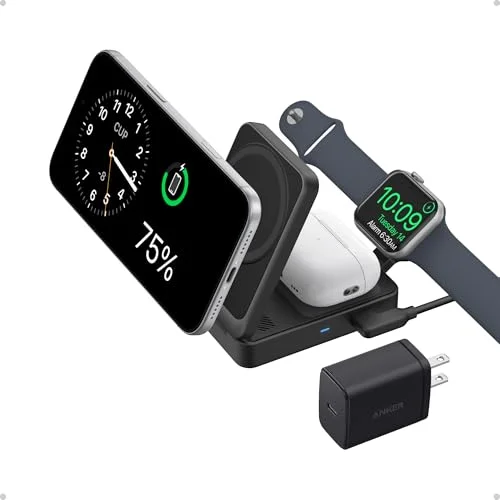
The MagGo earns the top spot because it’s the rare gadget that’s genuinely faster and more convenient than what most people already have on their desk. Qi2’s 15W magnetic charging snaps an iPhone into position without fumbling for cable alignment, and the stand charges AirPods and an Apple Watch at the same time, off one USB-C cable.
It folds flat, so it doubles as a travel charger — you’re not buying a second device for trips. The included 40W USB-C adapter is enough to top off a laptop in a pinch, though it’s not meant to be your primary laptop charger.
Android phones drop to standard 10W Qi speeds rather than the full 15W Qi2 rate, so the MagGo is a stronger pick for iPhone-first desks. At $59.99, it’s the priciest item on this list, but it replaces three separate chargers.
2. Kasa Smart Plug Mini (KP115) — Best Automation
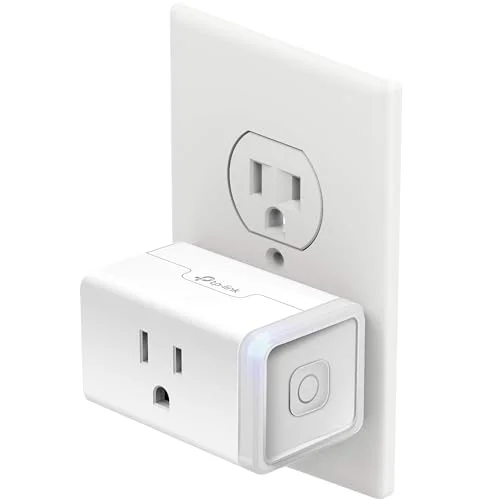
At under $13, the KP115 is the cheapest way to put your desk equipment on a schedule. Set work hours once, and the monitor, desk lamp, or USB hub powers down automatically when you sign off — a physical end-of-day signal that a to-do list reminder doesn’t give you.
Energy monitoring is the standout feature at this price. It shows exactly how many watts your desk equipment draws at idle, which makes the case for adding more gear to the schedule. The slim form factor doesn’t block the second outlet on a duplex plug, a detail cheaper smart plugs often get wrong.
The only real gap is Apple HomeKit — the KP115 supports Alexa and Google Assistant only. For HomeKit households, look at a Matter-certified plug instead.
3. Quntis Monitor Light Bar PRO+ — Best for Video Calls
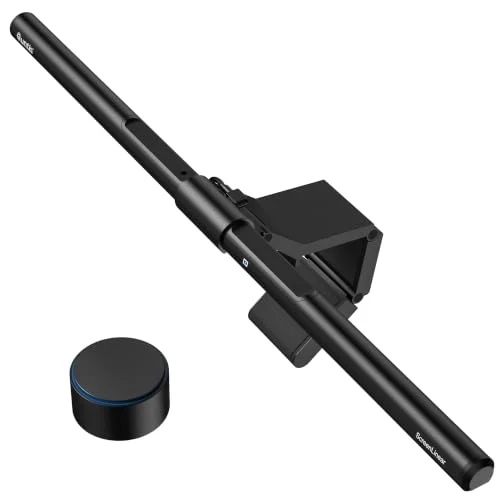
A light source clipped above your monitor and aimed down at your face does more for video call quality than any webcam upgrade. The Quntis PRO+ delivers CRI 95 color accuracy and auto-dimming that track closely with BenQ’s ScreenBar lineup, at roughly half the price.
The wireless remote runs on AA batteries rather than a rechargeable cell, which means no cable running across your desk and no forgetting to charge it. A wide clip range fits both thin laptop lids and thick curved monitor bezels, and it works on curved displays without the flat-panel restriction some competitors have.
Build quality is the tradeoff — the plastic housing and clip feel less premium than BenQ’s metal construction, and there’s no backlight option for bias lighting behind the monitor. For remote workers whose calls happen in a dim room, it’s still the best value fix on this list.
4. UGREEN 240W USB-C Cable — Best Cable Upgrade
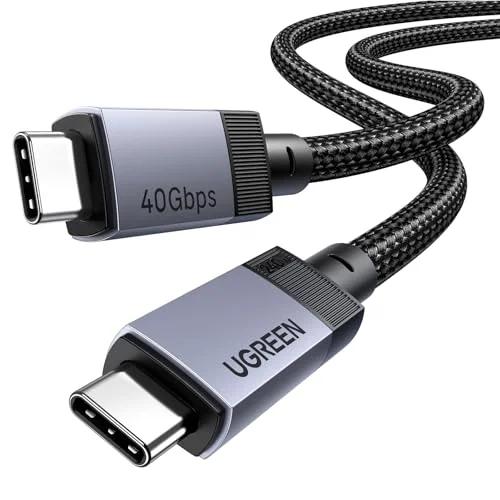
A single cable that does 40Gbps data, 8K video, and 240W charging replaces three separate cables most desks currently have tangled together. The UGREEN cable includes a proper e-marker chip, which is what actually enables 240W operation — a lot of cheap cables claim high wattage without the hardware to back it up.
It’s not Intel-certified Thunderbolt 4, so a small number of picky TB4 docks may not unlock full functionality with it. For everything else — charging a laptop while driving a 4K monitor and moving files off an external SSD — it handles all three simultaneously. At under $22, it’s a low-cost way to cut desk clutter down to one cable.
5. JOTO Cable Management Sleeves — Best Budget
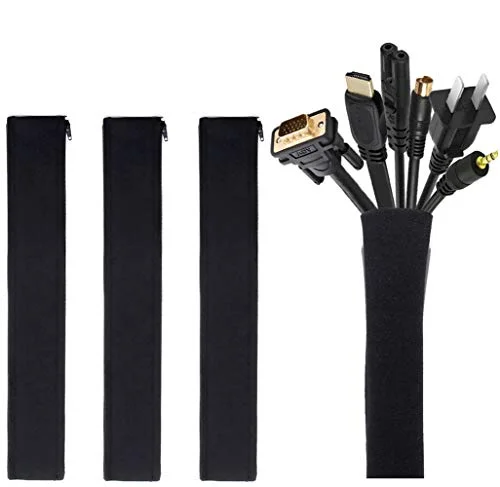
Four neoprene sleeves for $9.99 is the cheapest fix for the tangle of cables under most desks. No tools, no drilling — zip your cables into a sleeve and route it along the desk edge. The zipper design means you can add or remove a cable later without redoing the whole setup.
It’s not a complete solution on its own — you’ll want adhesive clips to hold the sleeves in place against the desk or wall — but as a first step toward a cleaner desk, nothing on this list is cheaper or easier to install.
6. OMOTON Laptop Stand — Best for Portability
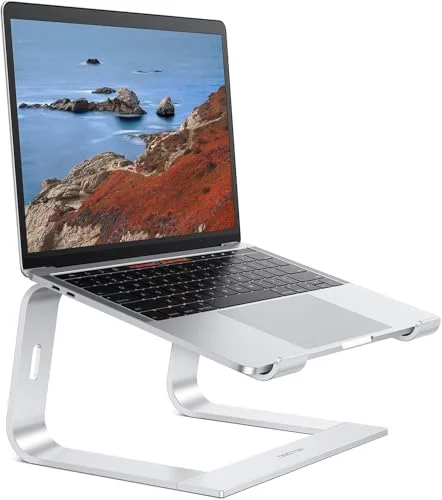
At $15.29, the OMOTON is an aluminum stand that packs flat via detachable arms, making it the pick for anyone who moves between a home desk and a coffee shop or office. The open three-arm frame lets air reach the laptop’s bottom vents, which matters for thermal throttling during longer work sessions, and silicone pads keep the laptop from sliding while typing.
The angle is fixed — there’s no height adjustment — so it’s a one-position stand. If that position doesn’t match your desk height, it won’t work for you the way an adjustable stand would. For occasional travel and basic desk ergonomics, it’s the cheapest metal stand worth buying.
7. Sabrent 4-Port USB Hub — Best Port Expander
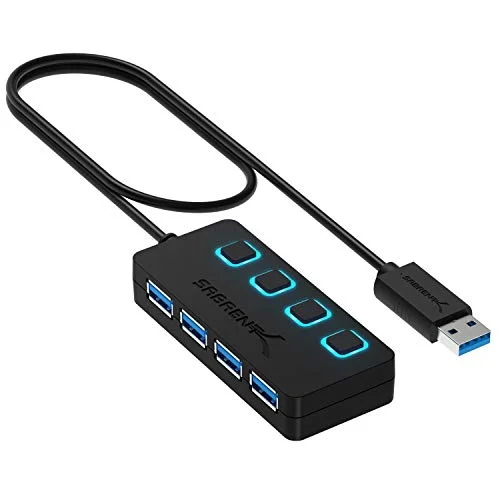
Sometimes the fix is this simple: your laptop or dock ran out of USB-A ports, and you need four more for under $15. The Sabrent hub adds them with individual on/off switches per port, so you can disable a device without unplugging it.
It’s bus-powered, so total current across all four ports is capped at 900mA — fine for a mouse, keyboard, and webcam, not enough to run power-hungry peripherals. There’s no USB-C, no video output, no Ethernet. It’s a narrow tool that does one job cheaply.
Buying Guide: How to Pick Remote Work Gadgets That Are Actually Worth It
Solve a specific annoyance, not a hypothetical one. The gadgets worth buying fix something you deal with daily — a slow phone charge, a dim video call, cables you trip over. Skip anything marketed as a “must-have” that doesn’t map to a problem you actually have.
Check what you already own before buying a bundle. A 3-in-1 charger only pays off if you own all three devices it charges. If you’re not an Apple Watch or AirPods owner, a single-device Qi2 pad is the better buy.
Energy monitoring on smart plugs is worth the small premium. Plugs without it are cheaper, but the data from an energy-monitoring plug is what tells you which devices are worth automating in the first place.
For lighting, prioritize CRI over brightness. A high CRI rating (90+) means your skin tone looks accurate on camera. Raw brightness matters less than color accuracy for video calls.
Buy cable management before docking stations. A tangled cable mess makes any desk look unfinished regardless of how much you spent on the gear itself. Sleeves and clips cost under $10 and solve it in minutes.
Frequently Asked Questions
Are these gadgets worth buying if I already have a full home office setup?
They’re incremental upgrades, not a full setup replacement. If your desk already has a monitor light, a docking station, and a smart plug, most of this list is redundant. They’re aimed at filling specific gaps — a missing charger, no lighting for calls, a messy cable situation — rather than replacing an existing setup.
Does Qi2 wireless charging actually charge faster than older Qi chargers?
Yes, for supported devices. Qi2 standardizes 15W magnetic charging on iPhones (matching what MagSafe already offered), versus the 7.5W cap on older Qi-certified pads. Android phones on Qi2-certified chargers typically still cap at 10W unless the phone itself supports Qi2’s full spec.
Do I need a Matter-certified smart plug, or is a basic Alexa/Google plug enough?
A basic single-ecosystem plug like the Kasa KP115 is enough if you’re committed to one platform (Alexa or Google). Matter only matters if you use more than one smart home ecosystem or might switch platforms later — it adds cross-compatibility at a small cost premium.
Will a monitor light bar actually improve my video call quality?
Yes, more than most webcam upgrades at this price point. A light bar clipped above the monitor and aimed down evens out facial lighting without glaring into the camera the way a desk lamp does. CRI rating matters more than brightness for how accurate your skin tone looks on camera.
Is a $15 laptop stand as good as a $90 one?
Not identical, but close enough for basic use. Budget stands like the OMOTON skip height adjustment and multi-angle positioning, but they deliver the core benefit — raising the screen to eye level and improving airflow — at a fraction of the cost. If you need continuous height adjustment for a shared desk, spend more.
Bottom Line
For most remote workers, start with the Kasa KP115 — at under $13, it’s the lowest-risk, highest-value buy on this list. If you’re an iPhone user replacing multiple chargers, the Anker MagGo 3-in-1 at $59.99 earns its higher price by consolidating three devices into one stand. And if your video calls look dim, the Quntis Monitor Light Bar PRO+ fixes that for less than half of what premium competitors charge.
Detailed Reviews
Anker MagGo 3-in-1 Charging Station (Foldable)
Pros
- Qi2 certified 15W fast charging snaps iPhone into position magnetically
- Folds flat for travel — desk charger and travel charger in one purchase
- Apple Watch fast charge speeds during workday breaks
- Charges all three Apple devices simultaneously, one cable to the outlet
- 40W USB-C adapter can charge a laptop simultaneously as a bonus
Cons
- Android phones charge at standard 10W Qi speeds, not 15W
- Higher price than single-device chargers
Kasa Smart Plug Mini (KP115)
Pros
- Energy monitoring shows exactly how much power your office equipment uses
- Slim form factor keeps the adjacent outlet usable
- Reliable scheduling — set work hours and the plug follows them without intervention
- Kasa app is one of the most stable and well-designed in the smart plug category
- Works with Alexa and Google Assistant for voice control during calls
Cons
- 2.4GHz WiFi only — won't connect to 5GHz networks
- No Apple HomeKit support
Quntis Monitor Light Bar PRO+
Pros
- CRI 95 color accuracy and auto-dimming rival pricier monitor light bars at roughly half the cost
- Wireless remote uses standard AA batteries — no recharging, no pairing setup
- Wide clip range (0.12-2.36 inches) fits both thin laptop lids and thick curved monitors
- 1200+ lux center illuminance reaches across large desk surfaces
- Works on curved monitors without the "flat only" restriction some competitors have
Cons
- Plastic housing and clip mechanism feel less premium than metal alternatives
- No backlight option — front-facing task light only
- Remote's AA battery operation means occasional replacement, and it's easy to misplace
UGREEN 240W USB-C Cable (USB4, 40Gbps)
Pros
- USB4 Gen 3 delivers the fastest data speeds available from a USB-C cable in 2026
- 8K@60Hz video output covers even the highest-resolution displays on the market
- 240W PD 3.1 charges a laptop and moves data or drives a display over one cable
- Built-in e-marker chip is required for legitimate 240W operation — many cheaper cables skip it
- Compatible with Thunderbolt 3 and Thunderbolt 4 ports as a functional USB4 cable
Cons
- Not Intel-certified Thunderbolt 4 — some docks require a certified TB4 cable for full functionality
- 3.3ft length limits placement options at some desks
JOTO 4-Pack Cable Management Sleeves
Pros
- No installation — zip cables together and route along the desk edge
- Four sleeves per pack handle a full desk's cable runs
- Zipper design makes it easy to add or remove cables later
- Inexpensive enough to use in multiples across the desk
Cons
- Requires separate adhesive clips to hold sleeves against desk surfaces
- Neoprene material can feel warm in high-density cable setups
- Doesn't conceal the sleeve itself, just bundles cables inside it
OMOTON Laptop Stand
Pros
- Aluminum alloy construction at this price is more durable-feeling than plastic stands
- Open three-arm frame allows airflow around the laptop's bottom vents
- Silicone pads protect the laptop's finish and prevent sliding during typing
- Detachable arms pack flat for storage or occasional travel
Cons
- Fixed ergonomic angle with no height adjustment
- Limited to 16-inch laptops or smaller
- Detachable arm joints are a durability question mark over multi-year use
Sabrent 4-Port USB 3.0 Hub (HB-UM43)
Pros
- Per-port on/off switches let you disable individual devices without unplugging them
- Individual indicator LEDs show which ports are active at a glance
- Extremely affordable — practical to buy two for separate locations
- Compatible with every OS without drivers
Cons
- No USB-C, no video output, no Ethernet, no Power Delivery — a pure port expander
- Bus-powered from a single USB port, so total current is limited to 900mA
- Not suitable as the primary hub for a full home office setup