A desk mat is one of the lowest-cost, highest-visibility upgrades for a remote work setup. It protects the desk surface, provides a consistent smooth surface for mouse movement, reduces wrist fatigue during long typing sessions, and — importantly for remote workers — creates a clean, uniform desk background that looks professional in video call frames.
The difference between a bare wood desk with cable clutter and scratches versus a clean desk mat in a neutral color is immediately visible on a Zoom call. It’s a small detail that reads as intentional and professional.
This roundup covers five desk mats suited for remote workers, covering material options (cloth, PU leather, felt), different size footprints, and a price range from under $20 to $35.
Why Remote Workers Specifically Benefit from Desk Mats
Video call background. The lower third of a standard video call frame typically includes your desk surface. A clean, uniform desk mat removes visual clutter — scratches, exposed wood grain, random items — and replaces it with a consistent, neutral background that doesn’t distract from your face and presentation.
Mouse tracking. Bare wood, glass, and laminate desk surfaces vary wildly in how well a mouse tracks. Most mice, including optical and laser sensors, perform better on a consistent cloth or leather surface than on bare desk material. Cloth mats with micro-weave textures provide particularly accurate tracking for high-DPI mice.
Wrist comfort over long sessions. An extended desk mat creates a cushioned surface under both the keyboard and mouse zones. For remote workers who type for eight or more hours a day, the slight cushioning of cloth or felt mats reduces contact pressure on wrists over time. For the standing portion of your workday, anti-fatigue mats serve a similar purpose — reducing pressure and fatigue when standing on hard floors.
Desk protection. Regular keyboard and mouse use gradually scratches and marks desk surfaces. A desk mat covers the most-used zone and takes the wear instead.
Cable management. A desk mat provides a surface boundary that organizes cable placement — cables can run along the mat edge rather than loose across the desk. This is particularly useful on a standing desk where cables need to stay organized as the desk height changes.
Desk Mat Material Comparison
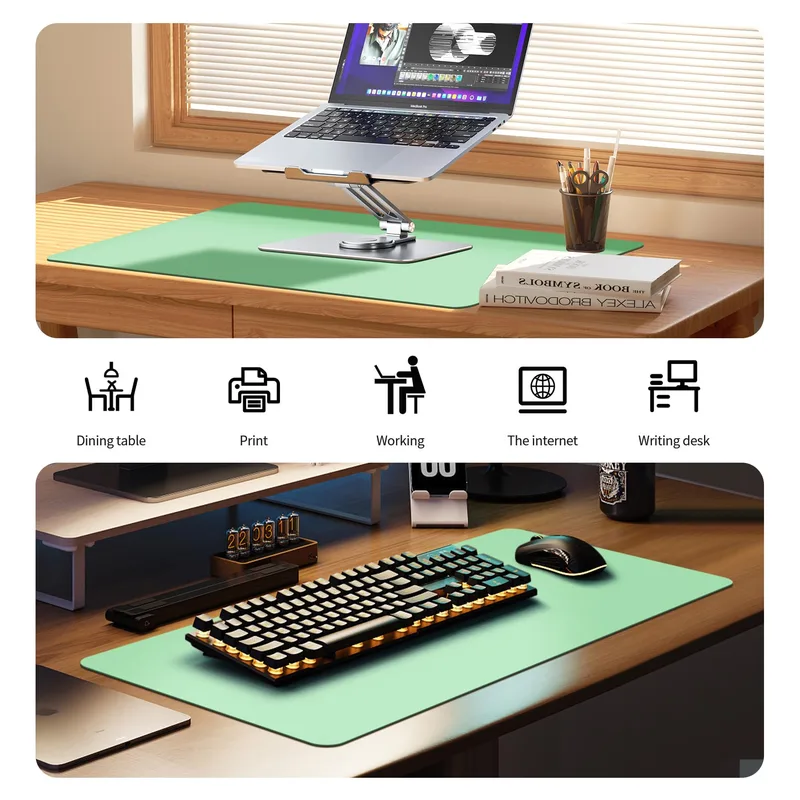
Cloth / Micro-Weave
Cloth desk mats are the most popular choice and for good reason. They provide excellent mouse tracking, soft wrist contact, and are available in a wide range of colors and patterns. Most modern cloth desk mats use a spill-resistant surface treatment that lets you wipe up spills before they soak in.
The Logitech Studio Series and KTRIO both use cloth construction. Cloth mats are the best all-around choice for remote workers who use a mouse heavily throughout the day.
PU Leather
PU leather desk mats offer the easiest cleaning — spills wipe off immediately without any absorption risk. They tend to have a more corporate or executive desk aesthetic and work well in professional home office setups photographed for LinkedIn profiles or visible in client-facing video calls.
The BUBM mat uses PU leather. The trade-off is that leather is firmer under the wrist than cloth and can feel slightly cool. For remote workers whose video call appearances are important, the PU leather look has a clean elegance that cloth can’t quite replicate.
Felt
Felt desk pads have a distinctive premium visual quality that has become popular in designed home office setups. The material is soft and quiet, looks excellent in a variety of colors, and photographs beautifully in video backgrounds.
The limitation is liquid resistance — felt absorbs spills rather than repelling them, making it less practical for desks where you work with drinks nearby. Felt is also a less precise mouse tracking surface. For remote workers who prioritize aesthetics and are careful with liquids, felt is a compelling choice.
The Best Desk Mats for Remote Workers
1. Logitech Desk Mat Studio Series — Editor’s Pick
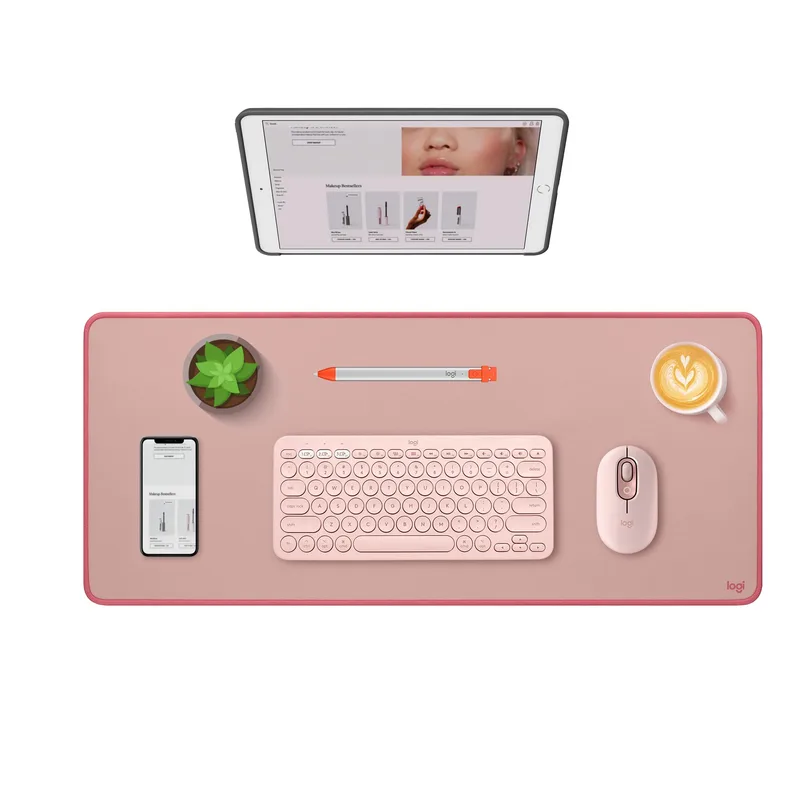
The Logitech Desk Mat Studio Series occupies an appealing position in this comparison: it’s made by a brand that understands desk setups, it looks excellent in video call frames, and the microfiber cloth surface works well for both mouse use and wrist comfort during typing.
At 27.6 x 11.8 inches, it covers a standard keyboard and mouse zone comfortably for most setups. The spill-resistant surface treatment means a coffee splash wipes off without urgency. The flat-stitch anti-fray edges lie perfectly flat and maintain their clean edge appearance over months of use.
The Studio Series is available in three colors — Mid Grey, Lavender, and Darker Rose — designed to complement a modern home office aesthetic. All three look polished in video call frames without being distracting. At $30, it’s priced to be an easy decision.
The main limitation is width: at 27.6 inches, users with wider keyboard and mouse layouts may find it slightly tight. For standard TKL (tenkeyless) or compact keyboards paired with a standard mouse, it works well. Full-size keyboard users should consider a wider option.
2. KTRIO Large Gaming Mouse Pad Desk Mat — Best Budget
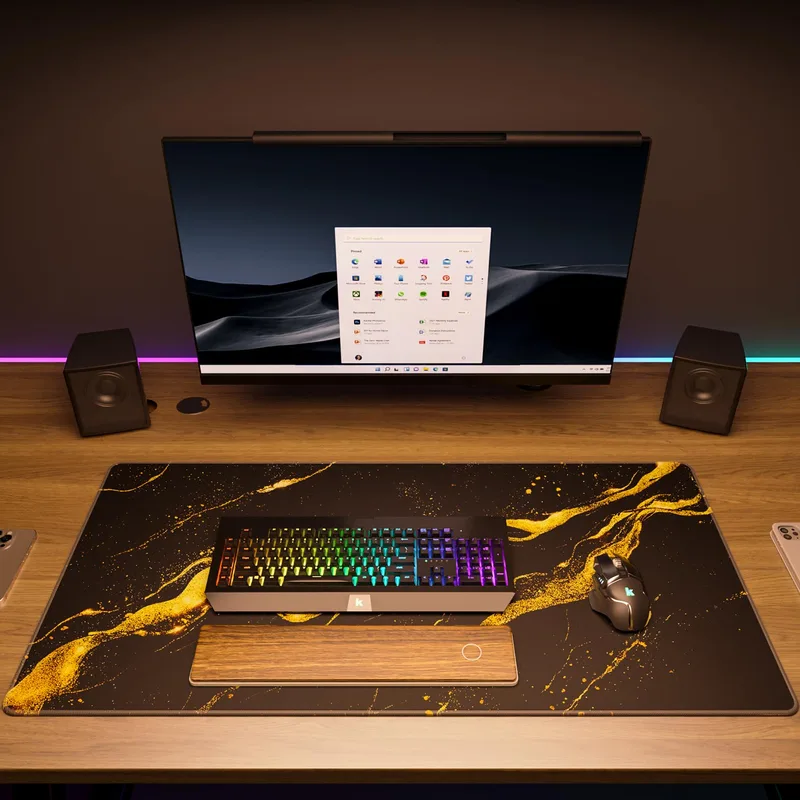
Don’t be misled by “gaming” in the name — the KTRIO desk mat is a practical, neutral choice for any desk. The 31.5 x 11.8 inch surface is wider than the Logitech and covers a full keyboard and mouse setup without cramping. The micro-weave cloth surface provides excellent mouse tracking, and the natural rubber base doesn’t slip regardless of desk material.
At $19, the KTRIO offers more surface area than the Logitech at a lower price. The trade-off is that it’s available primarily in black rather than the design-forward colors of the Logitech. If your desk setup is neutral or black-toned, this is a strong value choice. For anyone setting up a dedicated home office on a budget, starting here is sensible.
3. BUBM Large Desk Mat
The BUBM’s 35.4 x 17 inch PU leather surface is the most practical choice for anyone who works with drinks at their desk. The fully waterproof leather wipes clean immediately with a damp cloth — no spill anxiety, no moisture damage to the mat. The larger footprint also provides more coverage, which helps if your setup extends beyond a standard keyboard-plus-mouse footprint.
The dark blue PU leather has a professional, clean appearance that reads well in video calls. The smooth surface works well for mouse tracking and equally well as a writing and note-taking surface. For remote workers who work with physical notebooks and paper documents alongside their computer, the smooth leather surface is easier to write on than cloth alternatives.
The trade-off versus cloth is wrist comfort: PU leather is firmer and slightly cooler to the touch. For extended typing sessions, cloth is more forgiving. But for desk aesthetics and practical maintenance, the BUBM leather mat is hard to beat.
4. Nordik Large Felt Desk Mat
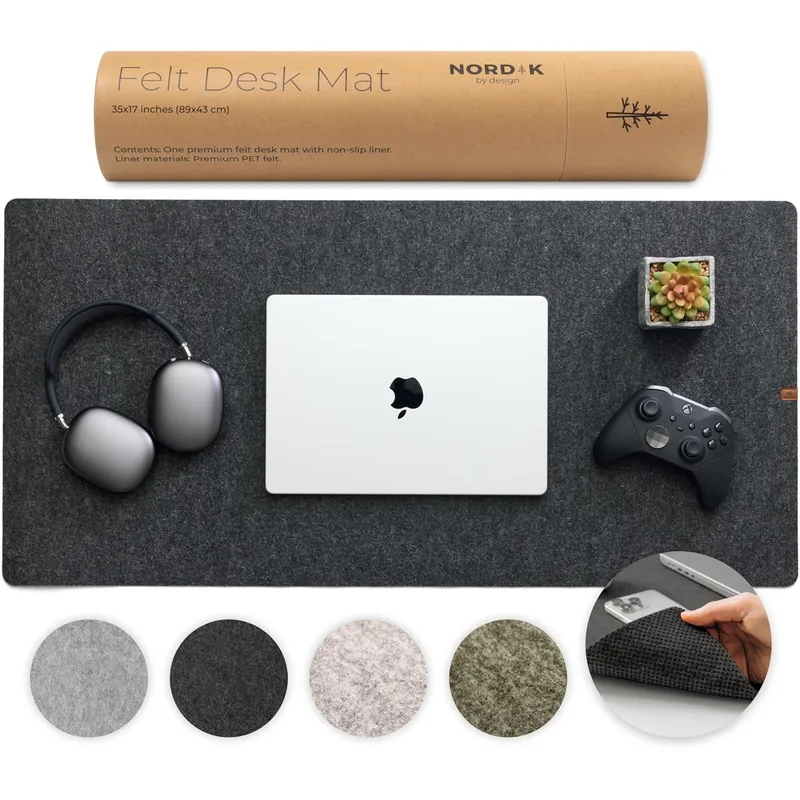
The felt desk pad category has grown significantly over the past few years as more remote workers have invested in the aesthetics of their home office setup. Felt has a distinctive visual quality that photographs and video well — it absorbs light rather than reflecting it, producing a clean, matte surface that doesn’t create visual noise in video call frames.
The Nordik felt mat comes in Charcoal and Dark Gray and measures 35 x 17 inches, providing generous desk coverage for a full keyboard-plus-mouse layout. The precision-cut edges give it a clean profile that works well in minimal setups and home offices where the desk itself is visible on camera.
The practical limitations are real: felt is not water resistant and will absorb a drink spill quickly. For remote workers who are careful about liquids near their desk, this isn’t a significant concern. But for anyone with a coffee-at-the-desk habit, cloth or leather is more forgiving.
5. Gimars Extra Large Desk Mat

For remote workers with wider desks or those who want their entire work surface covered, the Gimars extra large mat at 39.4 x 19.7 inches is the largest option in this comparison. At $22, it delivers the best square-inch-per-dollar value here.
The cloth surface is water resistant and provides good mouse tracking. The extended rubber base covers enough surface area that the mat doesn’t slide during use even on smooth laminate desks. The black color suits most desk setups without conflicting.
At nearly 40 inches wide, this mat extends across a full desk including monitor stand, keyboard, and mouse zones. If your desk is regularly visible in video calls and you want consistent surface coverage across the entire visible area, the Gimars is the most economical way to achieve that.
Comparison Table
| Mat | Size | Material | Water Resistant | Edges | Price | Rating |
|---|---|---|---|---|---|---|
| Logitech Studio Series | 27.6” x 11.8” | Microfiber cloth | Yes | Flat-stitch | Unavailable | 9.0 |
| KTRIO Large | 31.5” x 11.8” | Micro-weave cloth | Yes | Stitched | $9.99 as of Oct 18, 2026 | 8.8 |
| BUBM Large | 35.4” x 17” | PU leather | Yes (waterproof) | Stitched | Unavailable | 8.6 |
| Nordik Felt | 35” x 17” | Felt | No | Precision cut | $24.97 as of Oct 18, 2026 | 8.5 |
| Gimars Extra Large | 39.4” x 19.7” | Extended cloth | Yes | Stitched | Unavailable | 8.3 |
Frequently Asked Questions
What size desk mat do I need for a standard remote work setup?
For a typical setup with a tenkeyless (TKL) or compact keyboard and a standard mouse, a mat that is at least 31 inches wide and 12 inches deep covers everything comfortably. If you use a full-size keyboard with a numpad, aim for 36 inches or wider. If your desk is regularly visible in video calls and you want clean desk coverage across the full visible area, consider a 36–40 inch wide mat. The KTRIO (31.5”) handles most setups; the Gimars (39.4”) covers full-desk scenarios.
Does a desk mat really make a difference for video calls?
It depends on how much of your desk is visible in your video call frame. For cameras positioned at monitor level with a standard webcam field of view, the desk surface in front of the keyboard is typically visible. A clean, uniform desk mat removes scratches, cables, and surface marks from that area of the frame. The difference is most noticeable when the background is otherwise clean — a good desk mat complements a tidy setup; it won’t rescue a cluttered one.
Is PU leather or cloth better for a desk mat?
For remote workers, cloth is generally better for daily use: more comfortable under wrists, slightly better for mouse tracking on most surfaces, and available in more colors. PU leather is better if you frequently have drinks at your desk (completely waterproof, wipes clean instantly) or if you do significant writing on paper alongside computer work (smooth leather surface is easier to write on than cloth). Both look professional in video calls.
How do I clean a desk mat?
Cloth mats: spot clean with a damp cloth and mild soap. Avoid machine washing as it can affect the rubber base adhesion. For heavier cleaning, hand wash carefully and air dry flat. PU leather mats: wipe with a damp cloth — water and most liquids don’t penetrate. Felt mats: spot clean only with minimal moisture — water can cause felt to pill or warp if applied heavily. Let any cleaned area air dry completely before use.
Will a desk mat stop my mouse from slipping during calls when I’m not focused on tracking?
Yes, though this is more about cursor accuracy than physical slipping. A consistent cloth or micro-weave surface gives your mouse sensor a uniform tracking surface, which means cursor movements are accurate and consistent. On bare wood, glass, or uneven laminate, sensors can occasionally skip or mistrack. A high-quality desk mat like the KTRIO micro-weave surface essentially eliminates mouse tracking inconsistencies that you might notice during a casual pointer movement mid-call.
Detailed Reviews
Logitech Desk Mat Studio Series
Pros
- Clean, professional aesthetic that looks polished in video call backgrounds
- Microfiber surface is comfortable under wrists during all-day typing
- Spill-resistant surface wipes clean easily — important for desk drinks
- Flat-stitch edges resist fraying and lie perfectly flat from day one
Cons
- At 27.6 inches, it's narrower than some extended mats — tight fit for full keyboard + mouse
- Cloth material can show dust and minor marks over time in lighter colors
KTRIO Large Gaming Mouse Pad Desk Mat
Pros
- 31.5-inch width comfortably covers keyboard and mouse zone with space to spare
- Superior micro-weave cloth provides smooth, precise mouse tracking
- Natural rubber base grips the desk firmly without creeping
- Under $20 makes it the strongest value in this comparison
Cons
- Black-only color options won't suit everyone's desk aesthetic
- Micro-weave cloth surface shows dust and crumbs more visibly than smooth surfaces
BUBM Large Desk Mat
Pros
- 35 x 17 inch PU leather surface is the largest in this comparison — full desk coverage
- Fully waterproof leather surface cleans with a damp cloth in seconds
- Smooth surface works well as a mouse pad and a writing surface
- Professional dark colors look clean in video call frames
Cons
- PU leather surface is less comfortable under wrists than cloth alternatives for all-day typing
- Leather surface may show scratches over time with heavy use
Nordik Large Felt Desk Mat
Pros
- Premium felt material has a unique visual quality that looks distinctive on camera
- Soft texture is comfortable under wrists for extended typing sessions
- Wide color range suits different desk aesthetics and video call backgrounds
- Large enough for monitor, keyboard, and mouse with room to spare
Cons
- Not water resistant — spills need immediate attention to avoid staining
- Felt surface is less ideal as a precision mouse pad compared to cloth or smooth surfaces
Gimars Extra Large Desk Mat
Pros
- Largest footprint in this comparison at 39 x 19 inches — full desk coverage
- Water resistant cloth surface handles occasional spills
- Anti-slip rubber base covers a large surface area for excellent stability
- Under $25 for a full-desk mat represents strong value per square inch
Cons
- Available in black only
- Very large size may overhang or feel excessive on smaller desks