Affiliate disclosure: SetupRanked earns a commission on qualifying purchases made through links on this page. This does not affect our editorial rankings.
HP and Acer both launched refreshed Chromebook Plus models at CES 2026 with Intel Core Ultra processors, deeper Google AI integration, and a new minimum bar of 8GB RAM and 128GB storage across the certified lineup. The message from manufacturers is clear: Chromebooks are no longer budget-only devices. For remote workers whose entire workflow runs in a browser — Google Workspace, Zoom, Slack, Notion — they are a legitimate productivity platform.
The question of whether a Chromebook makes sense for remote work comes down to your software stack. If you are running Figma, Gmail, Zoom, Notion, Google Docs, and Slack, a Chromebook handles all of it without compromise. If you need Photoshop, AutoCAD, a Windows-only VPN client, or local software that has no web equivalent, a Chromebook is not the right tool.
For the right user, a Chromebook offers advantages that no Windows or Mac laptop at the same price can match: faster boot times, automatic OS updates that never interrupt your workday, long battery life, and a platform that takes very little maintenance overhead. Google’s ChromeOS received significant AI feature updates in early 2026, adding smart summarization and improved Live Translate directly into the OS.
These five picks cover the full spectrum from budget to premium, all Chromebook Plus certified.
Quick Comparison
| Model | Price | Processor | Storage | Screen | Battery |
|---|---|---|---|---|---|
| Acer Chromebook Plus Spin 714 | Unavailable | Core Ultra 5-115U | 256GB SSD | 14” WUXGA | 10 hrs |
| Lenovo Flex 5i Chromebook Plus | $649.99 as of Oct 18, 2026 | Core i3-1315U | 256GB | 14” FHD+ | 10 hrs |
| HP Chromebook Plus x360 14 | Unavailable | Core i3-N305 | 128GB UFS | 14” FHD | 10.5 hrs |
| ASUS Chromebook Plus CX34 | $399.99 as of Oct 18, 2026 | Core i3-1215U | 256GB UFS | 14” FHD | 10 hrs |
| Acer Chromebook Plus 515 | Unavailable | Core i3-1305U | 256GB SSD | 15.6” FHD | 10 hrs |
1. Acer Chromebook Plus Spin 714 — Editor’s Pick
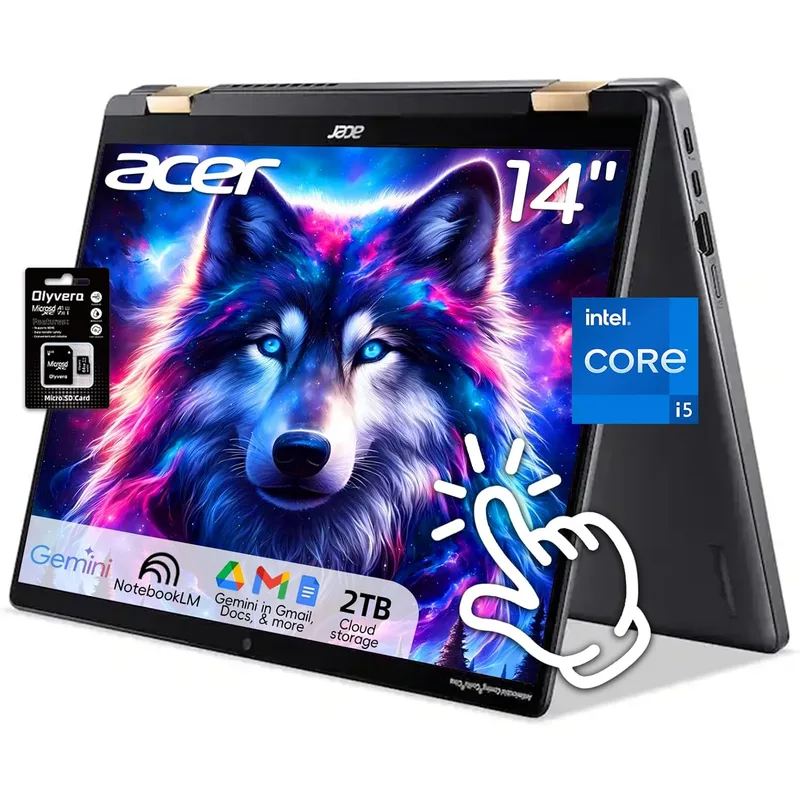
Acer Chromebook Plus Spin 714
Pros
- Intel Core Ultra processor handles multi-tab video calls without slowdown
- Thunderbolt 4 enables 4K external monitors and fast docking
- 2-in-1 design works as a tablet for reference alongside your main display
- Chromebook Plus certified with 6.5+ years of guaranteed OS updates
Cons
- Premium price exceeds entry-level Windows laptops at similar specs
- 8GB RAM ceiling is not user-upgradable
- 256GB storage fills quickly when saving local video or audio files
The Spin 714 is the best Chromebook for remote workers who want a machine that handles real workload pressure. The Intel Core Ultra 5-115U processor is a significant step above the i3 chips in the rest of the lineup — it handles 20-plus browser tabs, active video calls, and Google Meet screen sharing simultaneously without thermal throttling.
Thunderbolt 4 is the practical differentiator at this price. It means you can connect a 4K monitor and charge simultaneously through a single cable, or use a Thunderbolt dock to gain additional ports. Most Chromebooks at lower price points support USB-C but lack Thunderbolt, which limits display resolution and dock compatibility.
The 14” WUXGA (1920x1200) display runs at a 16:10 aspect ratio, giving 10% more vertical screen space than a standard 16:9 1080p panel. In practice, that extra height is noticeable when reading long documents, reviewing spreadsheets, or working with any application that benefits from vertical space.
The 2-in-1 form factor folds flat for use as a reference tablet during calls, which has genuine utility for remote workers who regularly reference material while presenting. The hinge mechanism is solid with no screen wobble at any angle.
The Chromebook Plus certification guarantees OS updates through 2032, which means this device will not become obsolete before it physically wears out. Google AI features — including Live Translate, Magic Eraser in Photos, and AI writing assistance in Docs — are baked into the OS.
Best for: Remote workers who want the most capable Chromebook available and need Thunderbolt 4 compatibility with external monitors and docks.
2. Lenovo IdeaPad Flex 5i Chromebook Plus — Best Value
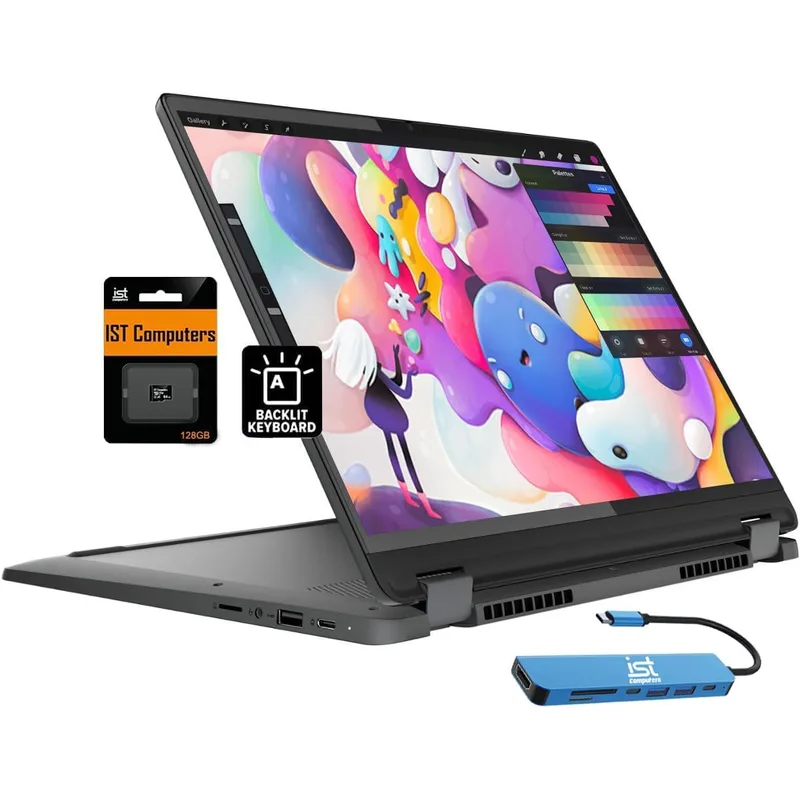
Lenovo IdeaPad Flex 5i Chromebook Plus
Pros
- 256GB storage is generous for a Chromebook at this price
- HDMI port avoids adapter requirements for most desk monitor setups
- 16:10 screen ratio gives more vertical document space than standard 16:9
- Solid keyboard with 1.5mm key travel for all-day typing comfort
Cons
- Processor performance trails Core Ultra alternatives under sustained load
- Build feels slightly less premium than the Acer Spin 714
- FHD webcam performs adequately but struggles in dim home offices
The Flex 5i consistently shows up at $349-$449 — roughly $100-$150 less than the Acer Spin 714 — and delivers near-comparable day-to-day performance for typical remote work workflows. The Core i3-1315U handles standard browser-based work, Google Workspace, and Zoom calls without hesitation.
The HDMI port is a practical advantage. Most budget and mid-range Chromebooks increasingly ship without HDMI, requiring USB-C adapters to connect to external monitors. The Flex 5i avoids that friction, which matters on a device used at a desk daily.
The 14” FHD+ (1920x1200) 16:10 display is one of the best screens available at this price point in the Chromebook category. Colors are accurate, viewing angles are wide, and the vertical aspect ratio advantage is the same as the Acer Spin 714 — more document space than 16:9 alternatives.
256GB of onboard storage is genuinely useful for a Chromebook. The platform supports Android apps, Linux applications, and offline files, all of which add up. Having 256GB rather than 128GB removes the storage constraint as an ongoing concern.
OS updates run until 2032, consistent with Chromebook Plus certification. The 2-in-1 form factor folds to tablet mode, though the Flex 5i is slightly less polished in tablet use than the Spin 714 due to the hinge mechanism.
Best for: Remote workers who want strong performance and a full port selection at mid-range pricing without paying for Thunderbolt 4.
3. HP Chromebook Plus x360 14 — Best for Teams
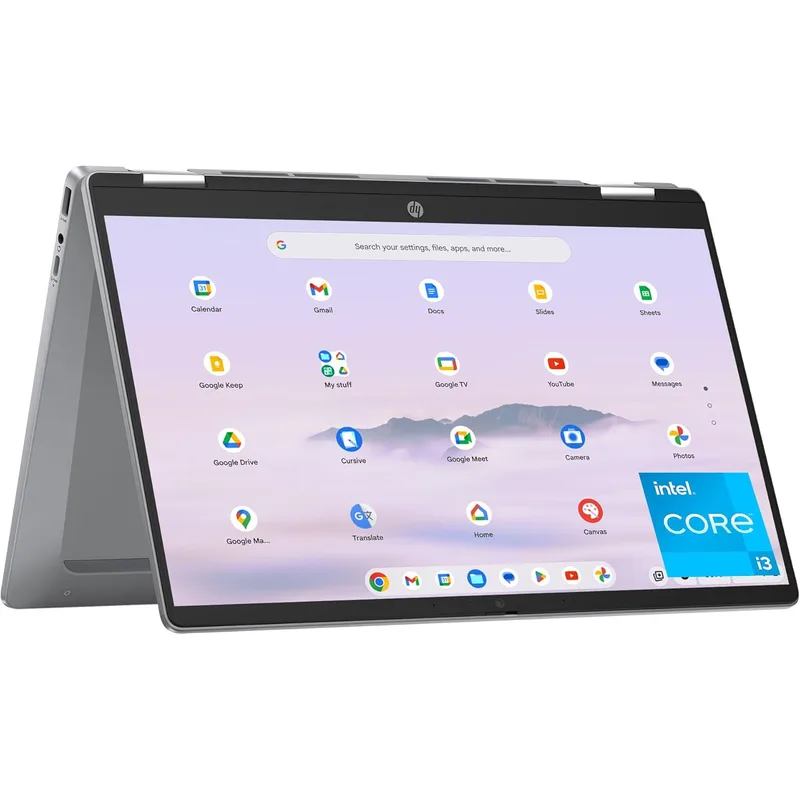
HP Chromebook Plus x360 14
Pros
- Genuine all-day battery — among the best runtimes at this price
- Dual USB-C ports allow simultaneous charging and external monitor connection
- MIL-SPEC durability rating handles commutes and travel
- Strong per-unit value for teams rolling out multiple devices
Cons
- 128GB storage is limited — offline files and downloads fill it quickly
- N305 processor is efficient but slower than Core i3-1315U under load
- No HDMI requires an adapter for most external monitor connections
The HP x360 14 is the right answer for teams deploying Chromebooks across multiple remote workers, or for individuals who prioritize battery life above all else. HP’s N305 processor configuration delivers consistent 10.5-hour battery life in real-world mixed use — browsing, video calls, document work — which exceeds most of the competition at this price.
Two USB-C ports is a meaningful feature. The practical scenario: one USB-C cable connected to an external monitor, the second USB-C cable connected to a power adapter. On devices with a single USB-C port, you choose between charging and monitor connectivity. The x360 14 eliminates that trade-off.
MIL-SPEC durability (MIL-STD-810H) means the machine handles drops, vibration, and temperature changes better than standard consumer laptops. For remote workers who commute or travel, that resistance to physical stress reduces the probability of hardware failure from routine handling.
The 128GB UFS storage is the significant limitation. Remote workers who regularly download files, record meetings, or use Linux apps need to manage storage actively. Google’s 2TB of cloud storage softens this, but relying on cloud storage requires consistent internet connectivity.
The N305 processor is efficient but slower than the Core i3-1315U under sustained load. Intensive Google Meet calls with multiple participants and background blur enabled will show more dropped frames than on the Core i3 alternatives.
Best for: Teams deploying multiple units on a budget, or remote workers who frequently travel and need maximum battery life and durability.
4. ASUS Chromebook Plus CX34 — Best Budget
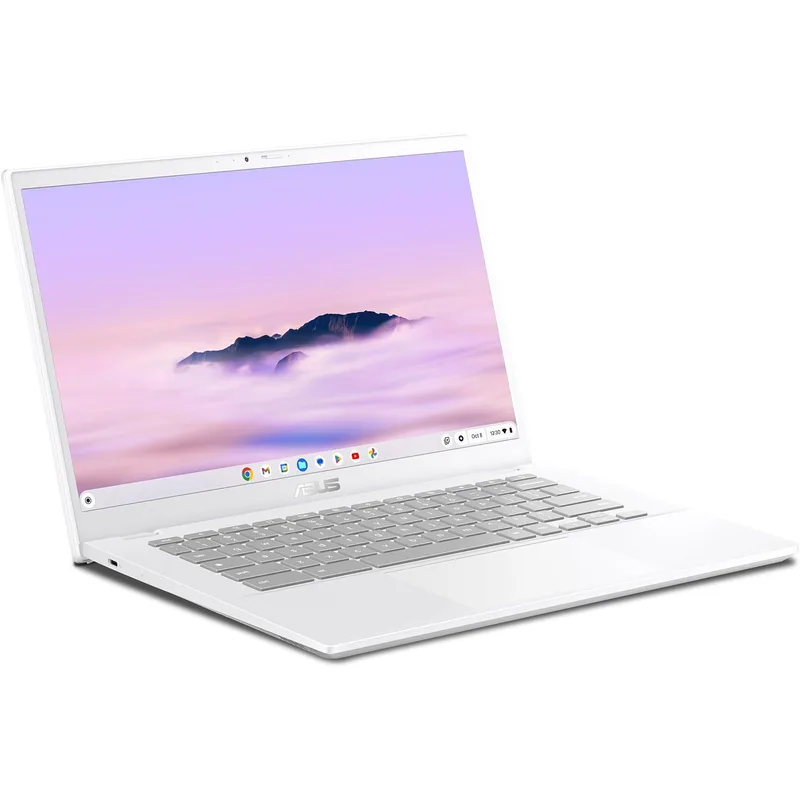
ASUS Chromebook Plus CX34
Pros
- Most competitive pricing among Chromebook Plus certified devices
- HDMI and two USB-A ports cover most desk setups without adapters
- 256GB storage at this price is the most in class
- Google AI features included despite budget positioning
Cons
- Shorter OS support window (until 2030) compared to newer models
- No touchscreen — not usable as a tablet
- Build feels plasticky compared to premium alternatives
The CX34 is the entry point for Chromebook Plus certification — the minimum standard Google requires for AI features, performance guarantees, and extended OS support. At $299-$379, it is the most affordable certified option on this list.
The port selection is the strongest feature relative to price. HDMI and two full-size USB-A ports mean this Chromebook connects to most existing monitor and peripheral setups without any adapters. At this price range, that kind of connectivity is rare.
256GB UFS storage at this price is exceptional. ASUS is offering twice the storage of the HP x360 14 at a similar or lower price point, which resolves the main practical complaint about budget Chromebooks.
The absence of a touchscreen is the clearest compromise. The CX34 is a traditional clamshell laptop with no tablet mode. For remote workers who use a Chromebook purely as a laptop and have no need for stylus input or tablet positioning, this is a non-issue. For those who want the flexibility of a 2-in-1, the CX34 is the wrong choice.
OS support runs until 2030, which is shorter than the 2031-2032 window on competing models. That is still four years of guaranteed updates from today, but buyers planning to keep the machine for five or more years should factor this in.
Best for: Budget-conscious remote workers who want Chromebook Plus features and maximum connectivity at the lowest price.
5. Acer Chromebook Plus 515 — Best Large Screen
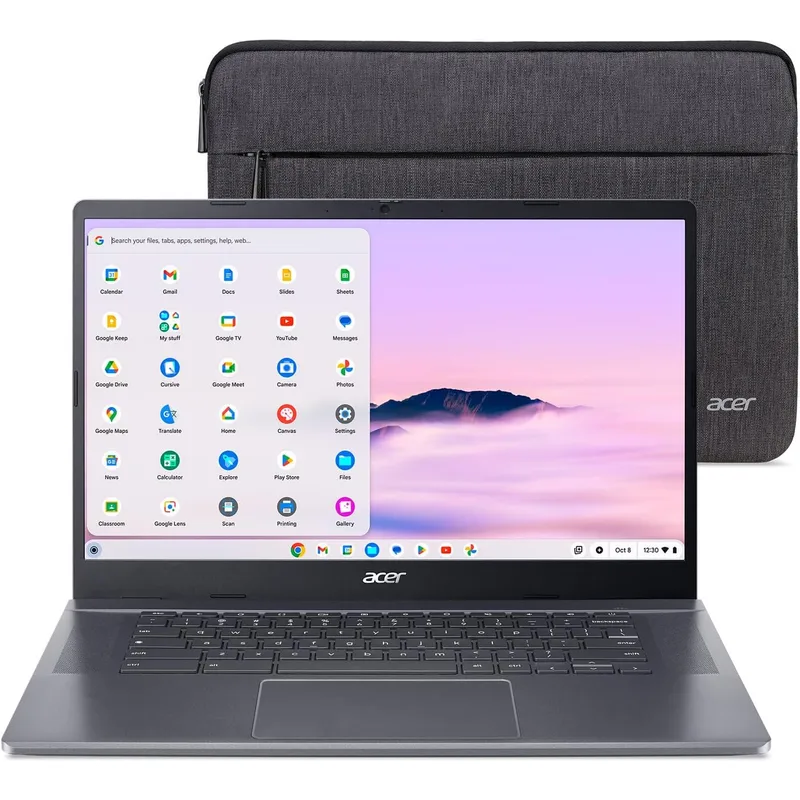
Acer Chromebook Plus 515
Pros
- 15.6" screen is noticeably more comfortable for spreadsheets and multitasking
- Full port selection including HDMI and dual USB-A without any adapters
- 256GB SSD delivers fast read speeds for a Chromebook
- FHD camera produces above-average video call quality
Cons
- 4.0 lbs makes it the heaviest option — not ideal for daily commuting
- Wide 15.6" footprint crowds smaller desk setups
- Less portable than 14" alternatives when working from coffee shops
The 515 is the only 15.6” option on this list, and the screen size advantage is real for remote workers who use their Chromebook as a primary display without an external monitor. Spreadsheets, long documents, and split-window work that feels crowded on a 14” display become noticeably more comfortable on 15.6”.
The port selection matches what you would expect from a desk-oriented machine: HDMI, two USB-A, and USB-C, covering nearly every connection scenario without adapters. The FHD camera is one of the better built-in webcams in the Chromebook category, performing adequately for video calls in decent lighting.
256GB SSD storage and Intel Core i3-1305U performance are consistent with what the rest of the Chromebook Plus lineup delivers in this CPU tier. There is no meaningful performance difference between the 515 and the Flex 5i or CX34 for browser-based remote work.
The weight is the trade-off. At 4.0 lbs, the 515 is noticeably heavier than 14” alternatives. It is a desk machine more than a portable machine. Remote workers who carry their laptop between locations multiple times per week should evaluate whether the screen size advantage justifies the additional weight.
Best for: Remote workers who use their Chromebook primarily at a desk and want the most screen space available without connecting an external monitor.
Buying Guide: What to Look for in a Remote Work Chromebook
Chromebook Plus Certification Matters
The Chromebook Plus label is not marketing — it defines a minimum hardware floor. Chromebook Plus devices require at least 8GB of RAM, 128GB or more of storage, a 1080p or higher display, and a commitment to AI feature access. More importantly, they carry extended OS update guarantees.
Before any other consideration, verify that the Chromebook you are evaluating is Chromebook Plus certified. Base Chromebooks with 4GB RAM and 32GB storage are still widely sold and are not appropriate for remote work.
OS Update Timeline
ChromeOS updates are tied to specific hardware models, not just operating system versions. Google publishes Auto Update Expiration (AUE) dates for every Chromebook. A Chromebook that stops receiving updates becomes a security liability.
All five models on this list have AUE dates of 2030 or later. Avoid buying any Chromebook with an AUE date before 2030.
Google Workspace vs. Microsoft 365
Chromebooks run Google Workspace natively. If your organization uses Google Workspace — Gmail, Docs, Sheets, Meet, Drive — a Chromebook is the most natural fit available. The integration is seamless.
Microsoft 365 runs in the browser on ChromeOS. Word, Excel, and PowerPoint work via Microsoft’s web applications, which cover most functionality. Teams runs natively as a PWA (Progressive Web App). For most remote workers using 365, the web versions are sufficient. If your organization requires specific Windows-only desktop applications, a Chromebook is not the right fit.
Storage and Offline Work
Cloud-first does not mean cloud-only. ChromeOS supports offline access to Google Docs, Sheets, and Slides with automatic syncing when internet is restored. Files App manages local storage. Android apps and Linux applications require local storage allocation.
For remote workers who travel or work in locations with unreliable internet, 256GB of local storage provides meaningful headroom. 128GB is workable but requires active management.
Thunderbolt 4 vs. USB-C
The Acer Spin 714 is the only model on this list with Thunderbolt 4. Standard USB-C ports support display output and charging, but Thunderbolt 4 adds:
- 40Gbps data transfer (vs. 10Gbps USB 3.2)
- Certified 4K@60Hz on a single cable
- Thunderbolt dock compatibility
- Daisy-chaining capability
For remote workers who use a Thunderbolt dock or a 4K monitor with a single-cable connection, Thunderbolt 4 is worth the premium. For those using standard USB-C monitors or connecting peripherals directly, the difference is negligible.
FAQ
Are Chromebooks good for remote work?
For web-first workflows — Google Workspace, Microsoft 365 in the browser, Zoom, Slack, Notion — yes. Chromebooks boot faster than Windows laptops, require zero maintenance, and deliver consistent battery life. They are not suitable for workflows that require Windows-only software, resource-intensive local applications like Photoshop or AutoCAD, or development environments that need more than 8GB of RAM.
How long will a Chromebook last for remote work?
A Chromebook Plus model purchased in 2026 with an AUE date of 2031 or 2032 will receive security updates and new features through that date. The hardware typically outlasts the software support window. Practically, expect 5-6 years of productive use from a Chromebook Plus device.
Can I use a Chromebook with an external monitor?
All five models on this list support external monitors via USB-C. The Acer Spin 714 additionally supports Thunderbolt 4 for certified 4K@60Hz output. The Lenovo Flex 5i and Acer 515 include HDMI ports for direct monitor connection without adapters.
Can I run Microsoft Teams on a Chromebook?
Yes. Microsoft Teams is available as a Progressive Web App (PWA) on ChromeOS and works well for meetings, chat, and file sharing. Screen sharing, background blur, and meeting recording all function correctly in the Teams web application.
What is the difference between a Chromebook and a Chromebook Plus?
Standard Chromebooks can ship with as little as 4GB of RAM and 32GB of storage. Chromebook Plus devices have a minimum of 8GB RAM, 128GB storage, 1080p displays, Google AI features, and longer OS update commitments. For remote work use, the Chromebook Plus standard is the baseline — avoid non-Plus models.
Conclusion
The Acer Chromebook Plus Spin 714 is the top pick. The Intel Core Ultra 5-115U processor, Thunderbolt 4 connectivity, and 16:10 WUXGA display make it the most capable Chromebook available for demanding remote work without stepping into Windows or Mac territory. The price is justified if you need Thunderbolt 4 for a 4K monitor or dock.
For most remote workers, the Lenovo IdeaPad Flex 5i Chromebook Plus at $349-$449 hits the best overall balance. Strong processor, 256GB storage, HDMI port, and a 16:10 display — everything needed for professional remote work without overpaying for features that do not improve day-to-day productivity.
The ASUS Chromebook Plus CX34 at $299-$379 is the value standout — the most ports, the most storage, and full Chromebook Plus certification at the lowest price on the list.
Detailed Reviews
Acer Chromebook Plus Spin 714
Pros
- Intel Core Ultra processor handles multi-tab video calls without slowdown
- Thunderbolt 4 enables 4K external monitors and fast docking
- 2-in-1 design works as a tablet for reference alongside your main display
- Chromebook Plus certified with 6.5+ years of guaranteed OS updates
Cons
- Premium price exceeds entry-level Windows laptops at similar specs
- 8GB RAM ceiling is not user-upgradable
- 256GB storage fills quickly when saving local video or audio files
Lenovo IdeaPad Flex 5i Chromebook Plus
Pros
- 256GB storage is generous for a Chromebook at this price
- HDMI port avoids adapter requirements for most desk monitor setups
- 16:10 screen ratio gives more vertical document space than standard 16:9
- Solid keyboard with 1.5mm key travel for all-day typing comfort
Cons
- Processor performance trails Core Ultra alternatives under sustained load
- Build feels slightly less premium than the Acer Spin 714
- FHD webcam performs adequately but struggles in dim home offices
HP Chromebook Plus x360 14
Pros
- Genuine all-day battery — among the best runtimes at this price
- Dual USB-C ports allow simultaneous charging and external monitor connection
- MIL-SPEC durability rating handles commutes and travel
- Strong per-unit value for teams rolling out multiple devices
Cons
- 128GB storage is limited — offline files and downloads fill it quickly
- N305 processor is efficient but slower than Core i3-1315U under load
- No HDMI requires an adapter for most external monitor connections
ASUS Chromebook Plus CX34
Pros
- Most competitive pricing among Chromebook Plus certified devices
- HDMI and two USB-A ports cover most desk setups without adapters
- 256GB storage at this price is the most in class
- Google AI features included despite budget positioning
Cons
- Shorter OS support window (until 2030) compared to newer models
- No touchscreen — not usable as a tablet
- Build feels plasticky compared to premium alternatives
Acer Chromebook Plus 515
Pros
- 15.6" screen is noticeably more comfortable for spreadsheets and multitasking
- Full port selection including HDMI and dual USB-A without any adapters
- 256GB SSD delivers fast read speeds for a Chromebook
- FHD camera produces above-average video call quality
Cons
- 4.0 lbs makes it the heaviest option — not ideal for daily commuting
- Wide 15.6" footprint crowds smaller desk setups
- Less portable than 14" alternatives when working from coffee shops