| Spec | ASUS ProArt PA279CV | LG 27UP850-W | LG 27UK500-B | ASUS ProArt PA278QV | LG 27GS60QC-B |
|---|---|---|---|---|---|
| Rating | 9.0/10 | 8.7/10 | 7.9/10 | 8.3/10 | 7.8/10 |
| Price | $380 | $398 | $360 | $223 | $170 |
| Size | 27 inches | 27 inches | 27 inches | 27 inches | 27 inches (1000R curved) |
| Resolution | 3840x2160 (4K UHD) | 3840x2160 (4K UHD) | 3840x2160 (4K UHD) | 2560x1440 (QHD) | 2560x1440 (QHD) |
| Panel | IPS | IPS | IPS | IPS | VA |
| Refresh Rate | 60Hz | 60Hz | 60Hz | 75Hz | 180Hz |
| Color Accuracy | 100% sRGB/Rec.709, Delta E < 2, Calman Verified | — | — | 100% sRGB/Rec.709, Delta E < 2, Calman Verified | — |
| USB-C Power Delivery | 65W | 96W | — | — | — |
| Stand | Full tilt, swivel, pivot, height adjustable | Height, tilt, pivot (no swivel) | Tilt only (10-15°), no height adjustment | Full tilt, swivel, pivot, height adjustable | Tilt only |
| Warranty | 3-year limited | 1-year limited | 1-year limited | 3-year limited | 1-year limited |
| Color Coverage | — | 95% DCI-P3 | 98% sRGB, HDR10 | — | — |
| HDR | — | DisplayHDR 400 | — | — | — |
| Connectivity | — | — | 2x HDMI, DisplayPort | DisplayPort, HDMI, USB hub | 2x HDMI, DisplayPort |
| Color | — | — | — | — | HDR10, AMD FreeSync |
| Check Price → | Check Price → | Check Price → | Check Price → | Check Price → |
Prices change daily — tap Check Price for the current Amazon price.
Dell usually wins the “best office monitor” conversation by default, but LG and ASUS are the two brands actually splitting the rest of that market — and in 2026 the line between them is blurrier than it looks. LG Display, the panel manufacturer that’s a separate business from LG’s own monitor line, is now supplying OLED panels to some of ASUS’s newest ROG gaming displays. The two competitors are more intertwined behind the scenes than their marketing suggests. On your desk, though, the two brands still play to distinct strengths: LG leans on color coverage, USB-C charging power, and aggressive pricing, while ASUS’s ProArt line leans on factory-verified calibration and a warranty that’s three times longer.
This comparison covers five monitors — three from LG, two from ASUS — spanning a $170 budget curved display up through a factory-calibrated 4K ProArt panel. Every price and stock status below was checked directly against live Amazon listings before publishing, since both brands rotate SKUs often enough that older model numbers quietly go out of stock.
Quick pick: For factory-calibrated color and the best warranty in this group, the ASUS ProArt PA279CV is the one to buy. For the most USB-C charging power on a 4K panel, the LG 27UP850-W wins. For the tightest budget, the LG 27GS60QC-B undercuts everything else here by over $50.
Quick Picks
| Spec | ASUS ProArt PA279CV | LG 27UP850-W | LG 27UK500-B | ASUS ProArt PA278QV | LG 27GS60QC-B |
|---|---|---|---|---|---|
| Rating | 9.0/10 | 8.7/10 | 7.9/10 | 8.3/10 | 7.8/10 |
| Price | $380 | $398 | $360 | $223 | $170 |
| Size | 27 inches | 27 inches | 27 inches | 27 inches | 27 inches (1000R curved) |
| Resolution | 3840x2160 (4K UHD) | 3840x2160 (4K UHD) | 3840x2160 (4K UHD) | 2560x1440 (QHD) | 2560x1440 (QHD) |
| Panel | IPS | IPS | IPS | IPS | VA |
| Refresh Rate | 60Hz | 60Hz | 60Hz | 75Hz | 180Hz |
| Color Accuracy | 100% sRGB/Rec.709, Delta E < 2, Calman Verified | — | — | 100% sRGB/Rec.709, Delta E < 2, Calman Verified | — |
| USB-C Power Delivery | 65W | 96W | — | — | — |
| Stand | Full tilt, swivel, pivot, height adjustable | Height, tilt, pivot (no swivel) | Tilt only (10-15°), no height adjustment | Full tilt, swivel, pivot, height adjustable | Tilt only |
| Warranty | 3-year limited | 1-year limited | 1-year limited | 3-year limited | 1-year limited |
| Color Coverage | — | 95% DCI-P3 | 98% sRGB, HDR10 | — | — |
| HDR | — | DisplayHDR 400 | — | — | — |
| Connectivity | — | — | 2x HDMI, DisplayPort | DisplayPort, HDMI, USB hub | 2x HDMI, DisplayPort |
| Color | — | — | — | — | HDR10, AMD FreeSync |
| Check Price → | Check Price → | Check Price → | Check Price → | Check Price → |
Prices change daily — tap Check Price for the current Amazon price.
Brand Overview: LG vs ASUS for Home Office
LG’s monitor lineup is built around color breadth, connectivity, and price. Its IPS panels consistently post strong DCI-P3 and sRGB numbers, and LG has pushed USB-C power delivery up to 96W on its higher-end 2026 models — enough to fully charge most laptops, including larger 16-inch machines, through a single cable. LG also covers the extreme budget end with panels like the 27GS60QC-B, a 180Hz curved display priced under $200. The tradeoff is LG’s standard warranty: one year, with no factory calibration certificate on any model in this comparison.
ASUS splits its lineup between the gaming-focused ROG/TUF line and the professional ProArt line, and the ProArt monitors are the ones that matter for a home office. Both ProArt models in this comparison ship Calman Verified, meaning ASUS calibrates them at the factory and backs that calibration with a certificate — you’re not relying on out-of-box luck for accurate color. ASUS also backs its ProArt monitors with a 3-year warranty as standard, three times LG’s coverage window. The cost of that reliability is connectivity: even the pricier PA279CV tops out at 65W USB-C, and the budget PA278QV skips USB-C entirely.
Head-to-Head: Key Criteria for Remote Workers
Color Accuracy
Both ASUS ProArt monitors in this comparison — the PA279CV and PA278QV — ship Calman Verified with a Delta E under 2, meaning colors are accurate the moment you plug them in. That matters if you review design work, marketing assets, or photography during calls, or just want to trust that what you’re seeing on screen matches what a client sees on theirs.
LG’s monitors here are not factory calibrated, but they’re not far behind for general use. The 27UP850-W covers 95% DCI-P3, the 27UK500-B covers 98% sRGB, and the budget 27GS60QC-B rounds out the group with FreeSync and HDR10 rather than a color-accuracy focus. For documents, spreadsheets, and video calls, the difference between LG’s uncalibrated panels and ASUS’s certified ones is close to invisible. For anyone doing even occasional color-sensitive work, the ASUS calibration certificate is the more trustworthy starting point.
Winner: ASUS, on the strength of factory-verified calibration on both ProArt models.
Warranty and Long-Term Support
This is the least close category in the whole comparison. Every ASUS monitor here — the PA279CV and the budget PA278QV alike — carries a 3-year limited warranty as the standard, no-upsell coverage. Every LG monitor in this comparison carries LG’s standard 1-year limited warranty.
A monitor is a multi-year purchase for most remote workers, and a panel defect or backlight issue showing up in year two is a real possibility on any brand. ASUS’s coverage means that risk is on ASUS for three times as long, at no extra cost, even on its $223 budget model.
Winner: ASUS, by a wide margin.
Stand Ergonomics and Build
The two ASUS ProArt monitors both ship with full tilt, swivel, pivot, and height adjustment — even the budget PA278QV. That’s a genuinely professional-grade stand at a $223 price point most competitors don’t match.
LG’s stands vary more by model. The 27UP850-W offers height, tilt, and pivot but skips swivel. The 27UK500-B is tilt-only with no height adjustment at all — a real limitation if the included stand puts the screen too low. The budget 27GS60QC-B is also tilt-only, the least flexible stand of any monitor in this comparison from either brand.
Winner: ASUS, for putting a full-articulation stand on even its cheapest listed model.
Connectivity and USB-C for Remote Work
LG takes this category clearly at the top end. The 27UP850-W delivers 96W over USB-C — enough to fully charge a 16-inch laptop under heavy load while driving a 4K display. That’s the strongest single-cable setup in this comparison from either brand. The budget 27UK500-B and 27GS60QC-B keep things simpler with HDMI and DisplayPort only, no USB-C on either.
ASUS’s ProArt line is more conservative here. The PA279CV caps USB-C power delivery at 65W — enough for a 13 or 14-inch laptop, but a fully-loaded 16-inch MacBook Pro will slowly lose charge under sustained heavy use. The PA278QV skips USB-C entirely, relying on DisplayPort and HDMI plus a separate charger for laptop use.
Winner: LG, especially for anyone charging a larger laptop through the monitor.
Value for Money
At the true budget end, the LG 27GS60QC-B at roughly $170 undercuts every other monitor in this comparison, including the ASUS PA278QV at $223. What you give up is the ASUS’s full-articulation stand, 3-year warranty, and IPS panel — the LG is a VA panel with a tilt-only stand. If refresh rate and price matter more than stand flexibility or warranty length, the LG wins outright; if you want the sturdier long-term buy, the extra $50 for the ASUS is well spent.
At 4K, the ASUS PA279CV at $380 adds factory calibration and a 3-year warranty compared to LG’s $398 27UP850-W and $360 27UK500-B. The LG 27UP850-W justifies its price with 96W USB-C and better color coverage than the budget LG 27UK500-B, which trades USB-C and stand flexibility for the lowest 4K price of the three.
Winner: ASUS PA279CV for outright specs-per-dollar at 4K; LG 27GS60QC-B wins on pure price if you’re comfortable with a VA panel and no stand adjustment.
Individual Reviews
Editor’s Pick: ASUS ProArt PA279CV
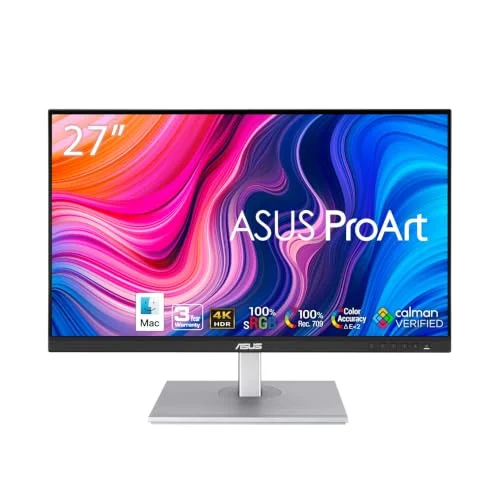
ASUS ProArt PA279CV
Pros
- Factory Calman-verified calibration ships with every unit, so color is accurate out of the box without a hardware calibrator
- Full tilt, swivel, pivot, and height adjustable stand is rare at this price
- 3-year warranty beats LG's standard 1-year coverage across this comparison
- USB-C, DisplayPort, HDMI, and a built-in USB hub cover most desk setups
Cons
- 65W USB-C charges a 13-14 inch laptop fine but a fully-loaded 16-inch MacBook Pro will slowly drain under sustained heavy load
- 60Hz only, and the color gamut is capped at sRGB rather than wide-gamut Adobe RGB
The PA279CV is the closest thing to an all-rounder in this comparison. It’s the only 4K panel here with a factory Calman calibration certificate, and the 3-year warranty removes a real source of anxiety on a monitor you’ll likely keep for four or five years. The 65W USB-C cap is the one number worth watching if your laptop is a 16-inch MacBook Pro or similarly power-hungry machine — it will charge, just not at full speed under the heaviest workloads.
Best LG for Connectivity: LG 27UP850-W
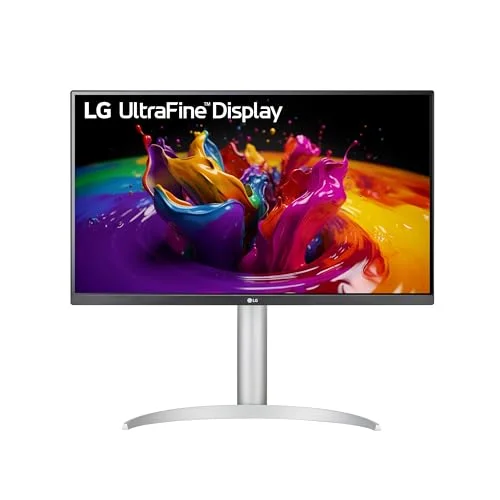
LG 27UP850-W
Pros
- 96W USB-C charges most laptops, including power-hungry 16-inch models, at full speed while driving the display
- 95% DCI-P3 color coverage handles light creative work alongside remote meetings
- Built-in 5W speakers reduce desk clutter
- Height, tilt, and pivot adjustment cover most ergonomic needs
Cons
- No side-to-side swivel, which is limiting in a multi-monitor desk setup
- LG's standard 1-year warranty trails ASUS's 3-year coverage on the ProArt line
If USB-C charging power is the deciding factor, the 27UP850-W’s 96W output covers essentially any laptop on the market today, including larger Windows workstations that struggle to charge on lower-wattage docks. Combined with 95% DCI-P3 color and built-in speakers, it’s a strong single-cable setup for anyone who already has an external dock for other peripherals and doesn’t need LG’s calibration certificate.
Best Budget 4K LG: LG 27UK500-B
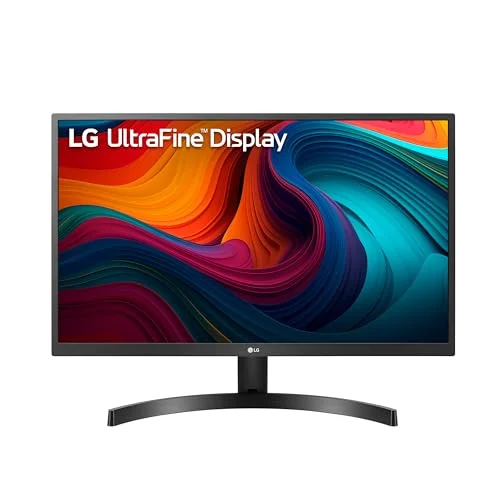
LG 27UK500-B
Pros
- Cheapest 4K panel in this comparison and one of the more affordable 4K IPS monitors from either brand
- 98% sRGB coverage is accurate enough for general office and document work
- VESA mountable if you want to skip the included stand entirely
- HDR10 support adds a modest contrast boost for video content
Cons
- Tilt-only stand with no height adjustment — pair it with a riser or arm if you need to raise the screen
- No USB-C, so a laptop still needs a separate charger and a video adapter
The 27UK500-B is the way into a 4K desktop without paying 4K-premium prices. It skips USB-C and any meaningful stand adjustment — tilt only, no height — but the panel itself delivers sharp 4K detail and 98% sRGB coverage for general office work. Budget for a monitor arm or riser if you need the screen raised to eye level, since the included stand won’t get you there.
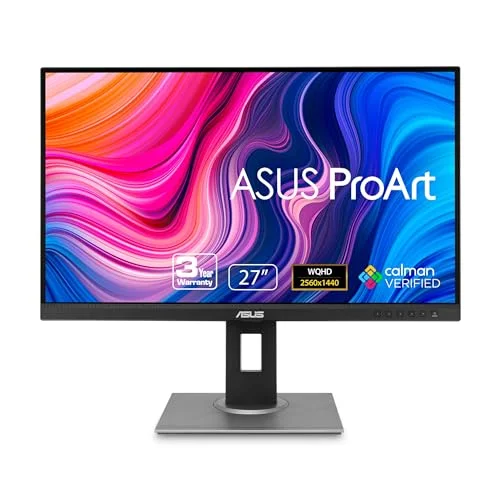
Best Budget ASUS: ASUS ProArt PA278QV
ASUS ProArt PA278QV
Pros
- Same Calman-verified calibration promise as the pricier PA279CV, just at 1440p instead of 4K
- Full-articulation stand at a budget price point most competitors don't match
- 3-year warranty on a sub-$250 monitor is unusual
- 75Hz refresh feels noticeably smoother than 60Hz for everyday scrolling and window dragging
Cons
- No USB-C — you'll need DisplayPort or HDMI plus a separate charging cable for a laptop
- 1440p resolution instead of 4K limits how much you can fit on screen at a comfortable text size
The PA278QV brings ASUS’s full-articulation stand and 3-year warranty down to a $223 price point, with the same calibration promise as the pricier PA279CV. The catch is connectivity — no USB-C means a separate charger for your laptop — and 1440p instead of 4K. For anyone who prioritizes accurate color and a monitor that will still be under warranty in year two and three, it’s a stronger long-term bet than either LG option at a similar price.
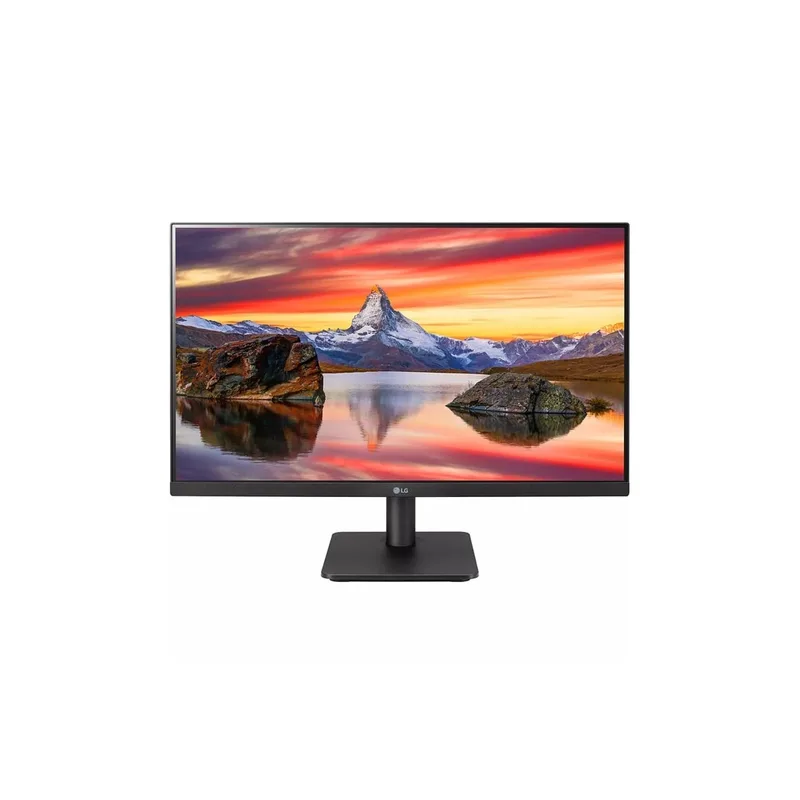
Best Budget LG: LG 27GS60QC-B
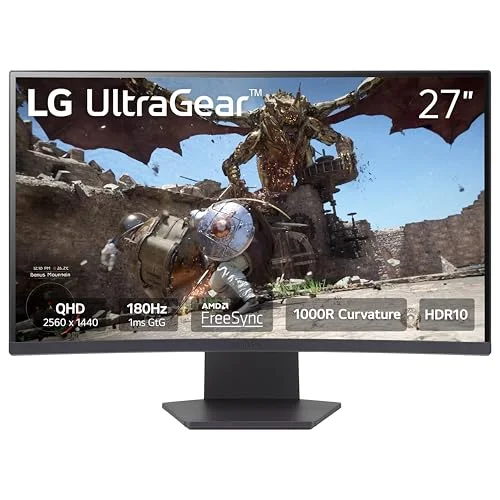
LG 27GS60QC-B
Pros
- Cheapest monitor in this entire comparison at roughly $170
- 180Hz refresh rate feels dramatically smoother for scrolling and dragging windows than any 60-75Hz panel here
- HDR10 and AMD FreeSync included at this price point
- 1000R curve adds a sense of immersion for wide multitasking layouts
Cons
- VA panel has slower pixel response and narrower viewing angles than every IPS panel in this comparison
- Tilt-only stand with no height, swivel, or pivot adjustment
- Tighter 1000R curve takes some adjustment for spreadsheet and document work where straight edges matter
At roughly $170, the 27GS60QC-B is the cheapest monitor in this comparison by a wide margin, and the 180Hz refresh rate makes everyday scrolling and window dragging feel noticeably smoother than any of the 60-75Hz panels above it. It’s a VA panel rather than IPS, so viewing angles and pixel response are a step down, and the tilt-only stand offers no height or swivel adjustment. For a secondary display or a genuinely tight budget, it’s hard to beat on price alone.
Buying Guide: What to Look For
Factory calibration matters if you touch color-sensitive work. ASUS’s Calman Verified certificate on both ProArt models here means the color is measured and documented before it ships. LG’s monitors in this comparison rely on solid but uncalibrated panels — fine for documents and calls, less certain for anything where color accuracy has to be provable.
USB-C wattage should match your laptop, not just your budget. A 65W USB-C monitor charges a lightweight ultrabook fine but won’t keep pace with a fully-loaded 16-inch laptop under sustained load. If you’re running a power-hungry machine, LG’s 96W 27UP850-W is the safer match in this comparison — and it’s the only monitor here with USB-C at all beyond the ASUS PA279CV.
Warranty length compounds over years of daily use. A monitor that runs eight-plus hours a day, five days a week, accumulates wear differently than one used occasionally. ASUS’s 3-year standard warranty on every model here — even the $223 PA278QV — is worth factoring into the total cost of ownership, not just the sticker price.
Verify stock before you commit to a specific model number. Both brands rotate SKUs regularly, and a model that was a top pick six months ago can quietly go out of stock or get replaced by a similar-looking successor with different specs. Check the live Amazon listing, not just a review’s headline spec sheet, before buying.
Stand adjustability affects posture over a full workday. ASUS puts full tilt, swivel, pivot, and height adjustment on both of its monitors here, including the budget model. LG’s stands vary by model, and two of the three LG options in this comparison are tilt-only — worth pairing with a monitor arm or riser if ergonomics matter to you.
Which Monitor Is Right for You?
Choose ASUS ProArt PA279CV if: You want factory-calibrated 4K color and the longest warranty in this comparison, and your laptop isn’t a power-hungry 16-inch model that needs more than 65W to charge under full load.
Choose LG 27UP850-W if: Maximum USB-C charging power matters more than a calibration certificate, and you want built-in speakers and strong DCI-P3 color on a conventional 27-inch 4K panel.
Choose LG 27UK500-B if: You want a 4K desktop at the lowest possible price and don’t need USB-C or a height-adjustable stand.
Choose ASUS ProArt PA278QV if: You want ASUS’s full-articulation stand and 3-year warranty at the lowest price in this comparison, and you don’t need USB-C or 4K resolution.
Choose LG 27GS60QC-B if: Price is the deciding factor above everything else, and you’re fine trading IPS color and a flexible stand for a 180Hz refresh rate at roughly $170.
Overall Winner
For most remote workers comparing these two brands, the ASUS ProArt PA279CV is the stronger overall buy. Factory-verified color calibration, a full-articulation stand, and a 3-year warranty add up to a monitor that’s both more trustworthy on day one and less risky to own for the long haul — all at a price that undercuts LG’s comparable 4K option.
That said, LG isn’t losing this comparison by default. The 27UP850-W’s 96W USB-C output solves a real problem no ASUS model in this lineup addresses, and the 27GS60QC-B undercuts every ASUS option here on raw price. If your priority is charging power or the tightest possible budget, LG is the better fit regardless of ASUS’s calibration and warranty advantages.
FAQ
Is ASUS or LG better for color accuracy?
ASUS wins here for anyone who needs provable accuracy. Both ProArt models in this comparison ship Calman Verified with Delta E under 2, meaning ASUS measures and certifies the calibration before the monitor leaves the factory. LG’s monitors post strong DCI-P3 and sRGB coverage numbers but ship uncalibrated, which is fine for general office use but not something you can point to as documented accuracy.
Which brand has the better warranty?
ASUS, by a wide margin. Every model in this comparison — including the $223 PA278QV — carries a 3-year limited warranty as the standard, no-upsell coverage. LG’s monitors here all carry the standard 1-year limited warranty, a third of ASUS’s coverage window.
Which brand is better for charging a laptop through the monitor?
LG. The 27UP850-W delivers 96W over USB-C, enough to fully charge a power-hungry 16-inch laptop under heavy load. ASUS’s ProArt PA279CV caps out at 65W, which covers lighter laptops but won’t keep a fully-loaded 16-inch MacBook Pro topped up during sustained heavy use, and the budget PA278QV skips USB-C entirely. LG’s own budget models, the 27UK500-B and 27GS60QC-B, also skip USB-C.
Do I need a 4K monitor, or is 1440p enough for remote work?
For most remote work — documents, spreadsheets, video calls, browser tabs — 1440p is sharp enough, and the ASUS PA278QV or LG 27GS60QC-B will feel plenty crisp. 4K is worth the jump if you regularly review detailed images, work with fine print at small sizes, or want more usable screen space without scaling text down to an uncomfortable size.
Why does one of the cheapest monitors in this comparison have a 180Hz refresh rate?
The LG 27GS60QC-B borrows its panel from LG’s gaming-focused UltraGear line, where high refresh rates are standard even at low prices. For remote work, the practical benefit is smoother-feeling scrolling and window dragging rather than anything gaming-specific — a nice bonus at this price, even though the VA panel trades some color and viewing-angle quality for it compared to the IPS panels elsewhere in this comparison.
Detailed Reviews
ASUS ProArt PA279CV
Pros
- Factory Calman-verified calibration ships with every unit, so color is accurate out of the box without a hardware calibrator
- Full tilt, swivel, pivot, and height adjustable stand is rare at this price
- 3-year warranty beats LG's standard 1-year coverage across this comparison
- USB-C, DisplayPort, HDMI, and a built-in USB hub cover most desk setups
Cons
- 65W USB-C charges a 13-14 inch laptop fine but a fully-loaded 16-inch MacBook Pro will slowly drain under sustained heavy load
- 60Hz only, and the color gamut is capped at sRGB rather than wide-gamut Adobe RGB
LG 27UP850-W
Pros
- 96W USB-C charges most laptops, including power-hungry 16-inch models, at full speed while driving the display
- 95% DCI-P3 color coverage handles light creative work alongside remote meetings
- Built-in 5W speakers reduce desk clutter
- Height, tilt, and pivot adjustment cover most ergonomic needs
Cons
- No side-to-side swivel, which is limiting in a multi-monitor desk setup
- LG's standard 1-year warranty trails ASUS's 3-year coverage on the ProArt line
LG 27UK500-B
Pros
- Cheapest 4K panel in this comparison and one of the more affordable 4K IPS monitors from either brand
- 98% sRGB coverage is accurate enough for general office and document work
- VESA mountable if you want to skip the included stand entirely
- HDR10 support adds a modest contrast boost for video content
Cons
- Tilt-only stand with no height adjustment — pair it with a riser or arm if you need to raise the screen
- No USB-C, so a laptop still needs a separate charger and a video adapter
ASUS ProArt PA278QV
Pros
- Same Calman-verified calibration promise as the pricier PA279CV, just at 1440p instead of 4K
- Full-articulation stand at a budget price point most competitors don't match
- 3-year warranty on a sub-$250 monitor is unusual
- 75Hz refresh feels noticeably smoother than 60Hz for everyday scrolling and window dragging
Cons
- No USB-C — you'll need DisplayPort or HDMI plus a separate charging cable for a laptop
- 1440p resolution instead of 4K limits how much you can fit on screen at a comfortable text size
LG 27GS60QC-B
Pros
- Cheapest monitor in this entire comparison at roughly $170
- 180Hz refresh rate feels dramatically smoother for scrolling and dragging windows than any 60-75Hz panel here
- HDR10 and AMD FreeSync included at this price point
- 1000R curve adds a sense of immersion for wide multitasking layouts
Cons
- VA panel has slower pixel response and narrower viewing angles than every IPS panel in this comparison
- Tilt-only stand with no height, swivel, or pivot adjustment
- Tighter 1000R curve takes some adjustment for spreadsheet and document work where straight edges matter