| Spec | Belkin Connect Pro Thunderbolt 4 Dock | Belkin BoostCharge Pro 15W 3-in-1 MagSafe Charging Pad | Anker MagGo 3-in-1 Qi2 15W Foldable Charging Station | Anker Nano 100W 3-Port GaN Charger | Anker Prime 140W 6-in-1 Charging Station | Anker 737 Power Bank (PowerCore 24K, 140W) | Anker 351 Power Strip with 2100J Surge Protection (12 AC) |
|---|---|---|---|---|---|---|---|
| Rating | 8.0/10 | 7.0/10 | 8.5/10 | 9.0/10 | 8.5/10 | 8.0/10 | 8.0/10 |
| Price | $241.03as of Nov 23, 2026 | $144.99as of Nov 23, 2026 | $54.99-$65.99as of Nov 23, 2026 | $34.49as of Nov 23, 2026 | $53.99-$79.99as of Nov 23, 2026 | $93.49-$109.99as of Nov 23, 2026 | $25.49-$28.99as of Nov 23, 2026 |
| Host Connection | Thunderbolt 4 | — | — | — | — | — | — |
| Laptop Charging | 90W Power Delivery | — | — | — | — | — | — |
| Compatibility | Mac and Windows laptops | — | — | — | — | — | — |
| Best For | One-cable desk setup | Apple-only desk or nightstand | Desk plus travel bag | Laptop plus phone from one brick | Compact desk power | — | — |
| Device Slots | — | iPhone, Apple Watch, AirPods | Phone, watch, earbuds | — | — | — | — |
| Phone Charging | — | 15W MagSafe | — | — | — | — | — |
| Certification | — | Apple MFi / MagSafe | — | — | — | — | — |
| Standard | — | — | Qi2, 15W phone charging | — | — | — | — |
| Form Factor | — | — | Foldable, travel friendly | — | — | — | — |
| Total Output | — | — | — | 100W | 140W | — | — |
| Ports | — | — | — | 3 ports | — | 3 ports | — |
| Technology | — | — | — | GaN | — | — | — |
| USB-C Ports | — | — | — | — | 2 | — | — |
| AC Outlets | — | — | — | — | 2 | — | 12 |
| Capacity | — | — | — | — | — | 24,000mAh | — |
| Max Output | — | — | — | — | — | 140W | — |
| Display | — | — | — | — | — | Smart display | — |
| Surge Rating | — | — | — | — | — | — | 2100J |
| USB Charging | — | — | — | — | — | — | 20W |
| Cord Length | — | — | — | — | — | — | 5ft |
| Check Price → | Check Price → | Check Price → | Check Price → | Check Price → | Check Price → | Check Price → |
Prices change daily — tap Check Price for the current Amazon price.
Anker and Belkin both sell the cables, chargers and docks that end up on a home-office desk, and in 2026 both are still shipping new gear. Reports from CES and IFA 2026 mention Belkin’s ConnectAir Wireless HDMI adapter and Anker’s Laptop Charger Pro. They overlap less than their marketing suggests. I did not use any of these products myself. This comparison comes from listing specs, manufacturer claims, and owner feedback.
The short version: Anker wins on watts per dollar, and Belkin wins on Apple-certified accessories and its Thunderbolt dock. Pick by category rather than by brand.
Quick Comparison
| Spec | Belkin Connect Pro Thunderbolt 4 Dock | Belkin BoostCharge Pro 15W 3-in-1 MagSafe Charging Pad | Anker MagGo 3-in-1 Qi2 15W Foldable Charging Station | Anker Nano 100W 3-Port GaN Charger | Anker Prime 140W 6-in-1 Charging Station | Anker 737 Power Bank (PowerCore 24K, 140W) | Anker 351 Power Strip with 2100J Surge Protection (12 AC) |
|---|---|---|---|---|---|---|---|
| Rating | 8.0/10 | 7.0/10 | 8.5/10 | 9.0/10 | 8.5/10 | 8.0/10 | 8.0/10 |
| Price | $241.03as of Nov 23, 2026 | $144.99as of Nov 23, 2026 | $54.99-$65.99as of Nov 23, 2026 | $34.49as of Nov 23, 2026 | $53.99-$79.99as of Nov 23, 2026 | $93.49-$109.99as of Nov 23, 2026 | $25.49-$28.99as of Nov 23, 2026 |
| Host Connection | Thunderbolt 4 | — | — | — | — | — | — |
| Laptop Charging | 90W Power Delivery | — | — | — | — | — | — |
| Compatibility | Mac and Windows laptops | — | — | — | — | — | — |
| Best For | One-cable desk setup | Apple-only desk or nightstand | Desk plus travel bag | Laptop plus phone from one brick | Compact desk power | — | — |
| Device Slots | — | iPhone, Apple Watch, AirPods | Phone, watch, earbuds | — | — | — | — |
| Phone Charging | — | 15W MagSafe | — | — | — | — | — |
| Certification | — | Apple MFi / MagSafe | — | — | — | — | — |
| Standard | — | — | Qi2, 15W phone charging | — | — | — | — |
| Form Factor | — | — | Foldable, travel friendly | — | — | — | — |
| Total Output | — | — | — | 100W | 140W | — | — |
| Ports | — | — | — | 3 ports | — | 3 ports | — |
| Technology | — | — | — | GaN | — | — | — |
| USB-C Ports | — | — | — | — | 2 | — | — |
| AC Outlets | — | — | — | — | 2 | — | 12 |
| Capacity | — | — | — | — | — | 24,000mAh | — |
| Max Output | — | — | — | — | — | 140W | — |
| Display | — | — | — | — | — | Smart display | — |
| Surge Rating | — | — | — | — | — | — | 2100J |
| USB Charging | — | — | — | — | — | — | 20W |
| Cord Length | — | — | — | — | — | — | 5ft |
| Check Price → | Check Price → | Check Price → | Check Price → | Check Price → | Check Price → | Check Price → |
Prices change daily — tap Check Price for the current Amazon price.
Where Each Brand Is Stronger
Anker sells more products at lower prices, and its GaN chargers and power strips are the best value here. Belkin targets Apple users and sells through Apple retail. Its MagSafe pad carries full 15W MFi certification, which owner reports say Anker’s MagGo line lacks.
One caveat: Belkin has had stock gaps on Amazon this autumn. Several Belkin items showed as unavailable in earlier checks and only recently returned in limited quantities. Anker’s Thunderbolt docks, the 777 and 778, currently show as out of stock too. If a dock matters to you, look at the best Thunderbolt 4 docks roundup for alternatives.
Docking: Belkin Connect Pro Thunderbolt 4
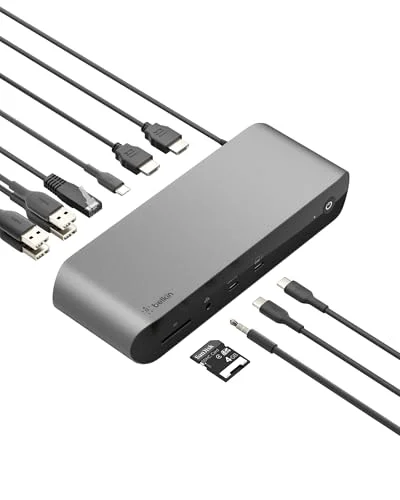
Belkin Connect Pro Thunderbolt 4 Dock
Pros
- Thunderbolt 4 host connection handles dual-display setups over a single cable
- 90W Power Delivery covers most 13 to 16 inch laptops
- Belkin ships a power adapter and Thunderbolt cable in the box per the listing
- Works with both Mac and Windows laptops
Cons
- Priced well above most USB-C hubs
- Stock on Amazon has been scarce for months, so availability can vanish
- 90W is not enough for the hungriest 16 inch workstation laptops under load
The Belkin dock is the only dock in this comparison you can buy right now, and it is a competent one. One Thunderbolt 4 cable gives you laptop charging and your displays. It costs a lot, though. If you only need a few extra ports, a hub from our USB-C hubs for MacBook Air guide is a cheaper route. For the broader dock decision, read how to choose a docking station.
Wireless Charging: Belkin vs Anker
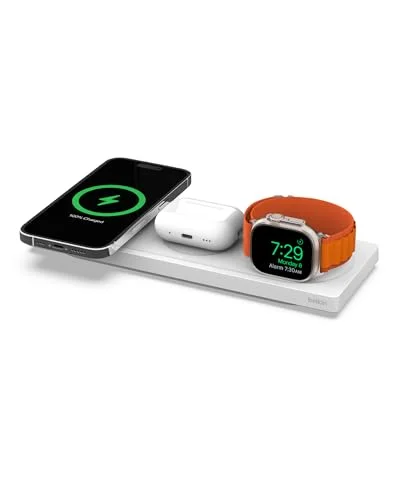
Belkin BoostCharge Pro 15W 3-in-1 MagSafe Charging Pad
Pros
- Officially licensed for full-speed 15W MagSafe charging on iPhone
- Charges phone, watch and earbuds from one footprint
- Apple-style build and finish suits a Mac desk
- Belkin sells through Apple retail, which simplifies returns
Cons
- Costs more than twice what the Anker alternative runs
- Apple-centric, so Android phones gain little
- Stock status shows scarce, so it may sell out
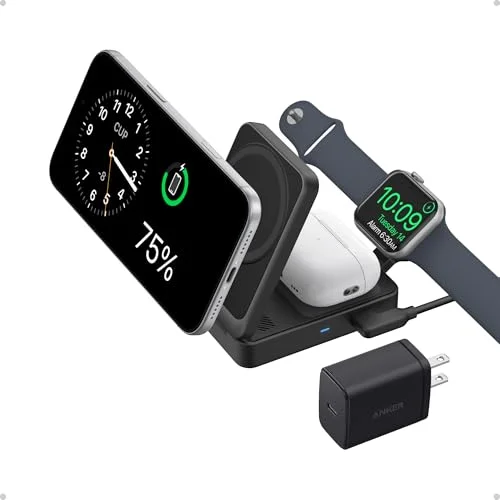
Anker MagGo 3-in-1 Qi2 15W Foldable Charging Station
Pros
- Qi2 certified 15W charging at a fraction of the Belkin price
- Folds flat, so it moves from desk to travel bag
- Magnetic alignment holds recent iPhones in place
- Works with Qi2 Android phones too
Cons
- Reports say it is not MFi-certified like the Belkin pad
- Plastic build feels less premium than Belkin's
- Watch and earbud pads suit Apple devices best
Belkin’s pad is the pick if you want the MFi-certified route and own only Apple gear. The Anker MagGo does the same job on Qi2 for far less and folds for travel. For most desks, I would buy the Anker. More options sit in our wireless chargers for desk roundup.
Wall Chargers and Desk Power: Anker
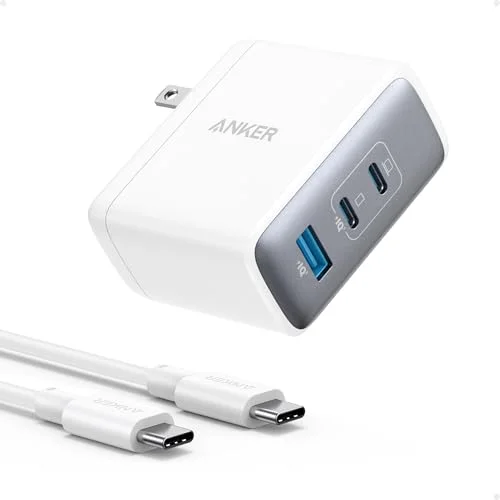
Anker Nano 100W 3-Port GaN Charger
Pros
- 100W covers MacBook Pro and most ultraportable Windows laptops
- Three ports let a laptop, phone and earbuds share one outlet
- GaN keeps the brick compact for travel
- Priced low enough to buy one for the desk and one for the bag
Cons
- Output splits across ports, so a laptop slows when all three are in use
- Cable not the focus of the listing, so buy a good 100W cable separately
- No built-in display or surge protection
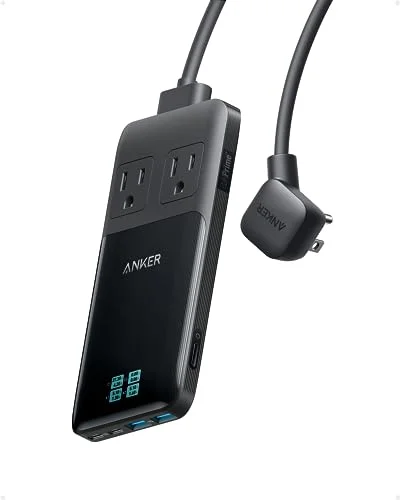
Anker Prime 140W 6-in-1 Charging Station
Pros
- Combines USB-C fast charging and AC outlets in one small unit
- Two USB-C ports can run a laptop and a phone together
- Doubles as a travel power strip
- Fewer bricks cluttering the desk
Cons
- Only two AC outlets, so it replaces a small strip, not a full one
- 140W is shared across all ports
- Price range varies with finish and seller
Belkin has no direct entry here, because the Belkin options available through our stock checks did not match these in price and wattage. The Nano 100W is the easiest recommendation in this article. For alternatives, see the best GaN laptop chargers.
Power Banks and Power Strips
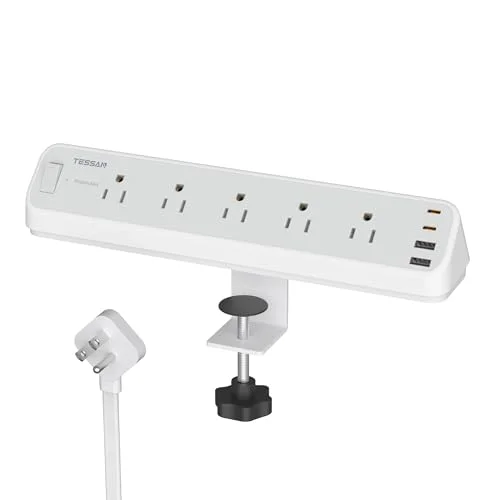
Anker 737 Power Bank (PowerCore 24K, 140W)
Pros
- 140W output can charge a laptop on the go
- Smart display shows real-time power and remaining charge
- 24,000mAh stores enough for several phone charges
- Three ports serve a laptop and two other devices
Cons
- Heavy compared with phone-sized power banks
- Needs a capable cable to reach full wattage
- Older design than Anker's newer Prime battery
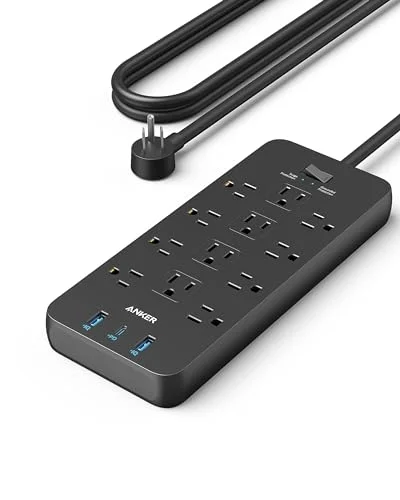
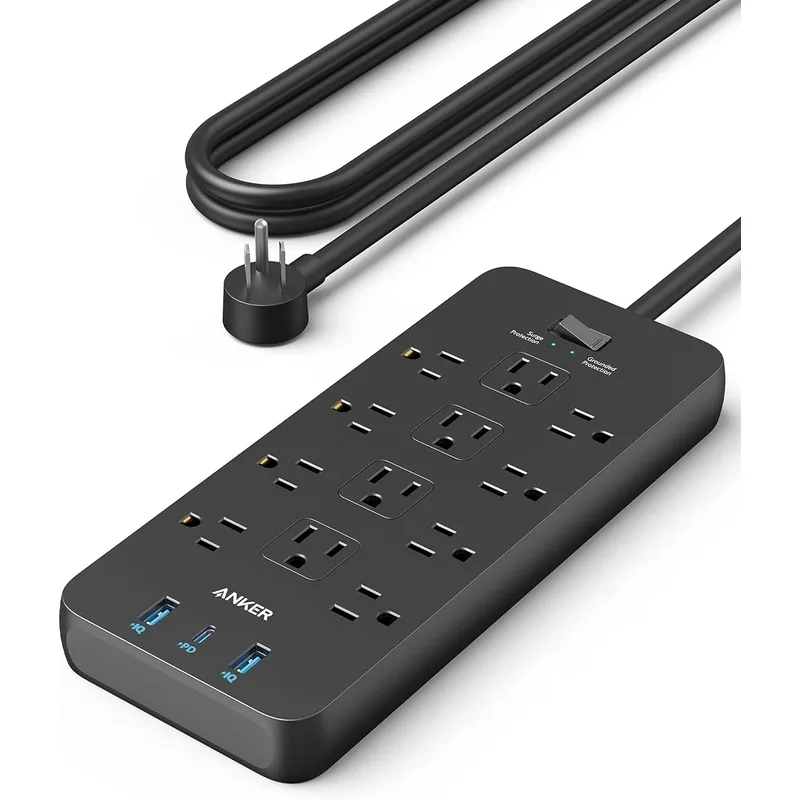
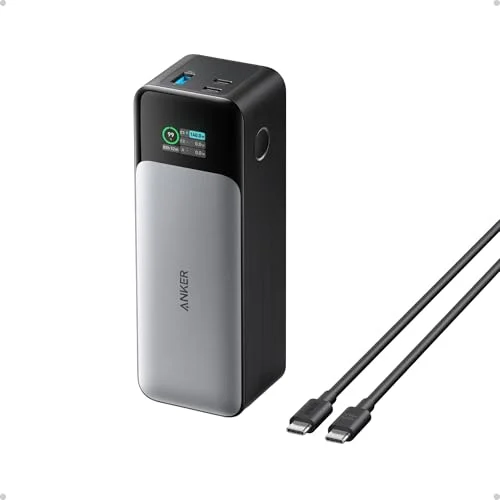
Anker 351 Power Strip with 2100J Surge Protection (12 AC)
Pros
- 12 outlets handle a full desk of monitors, docks and chargers
- 2100J surge rating is solid for the price
- Built-in 20W USB charging for a phone
- Lowest price in this comparison
Cons
- 20W USB is slow for laptops
- 5ft cord may not reach every outlet
- Large, so it needs floor or under-desk space
Belkin’s usual surge strip, the BE112230, shows as out of stock, so the Anker 351 is the one to buy now. For a desk with a laptop, monitors and a dock, compare it against the best power strips for a home office. Power banks are covered in USB-C power banks for remote work.
Buying Guide: How to Choose
- Match wattage to your laptop. Check the charger that came with it. A 65W laptop gets nothing from a 140W brick, but a 100W MacBook Pro needs one.
- Look for certification. MFi certification matters if you want the fastest iPhone charging from a wireless pad. Qi2 is the open standard.
- Count what runs at once. Multi-port output is shared, so add up your devices.
- Pay for the dock, not the brand. A Thunderbolt 4 dock earns its price only if you run two displays or need wired Ethernet.
- Check surge ratings. A rating in joules tells you how much energy a strip can absorb. Higher is better.
FAQ
Is Anker better than Belkin? For wall chargers, power strips and power banks, Anker usually costs less for the same wattage. For Apple-certified wireless charging and Thunderbolt docking, Belkin is a strong choice.
Is the Belkin MagSafe pad worth more than the Anker MagGo? Only if the MFi certification matters to you. Both charge at 15W on supported iPhones in their spec sheets, and the Anker costs far less.
Are Anker chargers safe? Anker has had well-known power bank recalls in the past, so check Anker’s recall page for any model you own. Buy the current models from reputable sellers.
Which brand should I buy for a MacBook? The Anker Nano 100W covers MacBook charging cheaply. Add the Belkin dock if you want one cable for displays and power.
Verdict
Buy Anker for the basics. The Nano 100W and the 351 power strip give you the most for the least. Buy Belkin only for the Thunderbolt 4 dock or if you want MFi-certified wireless charging. My overall pick is the Anker Nano 100W 3-Port GaN Charger.
Detailed Reviews
Belkin Connect Pro Thunderbolt 4 Dock
Pros
- Thunderbolt 4 host connection handles dual-display setups over a single cable
- 90W Power Delivery covers most 13 to 16 inch laptops
- Belkin ships a power adapter and Thunderbolt cable in the box per the listing
- Works with both Mac and Windows laptops
Cons
- Priced well above most USB-C hubs
- Stock on Amazon has been scarce for months, so availability can vanish
- 90W is not enough for the hungriest 16 inch workstation laptops under load
Belkin BoostCharge Pro 15W 3-in-1 MagSafe Charging Pad
Pros
- Officially licensed for full-speed 15W MagSafe charging on iPhone
- Charges phone, watch and earbuds from one footprint
- Apple-style build and finish suits a Mac desk
- Belkin sells through Apple retail, which simplifies returns
Cons
- Costs more than twice what the Anker alternative runs
- Apple-centric, so Android phones gain little
- Stock status shows scarce, so it may sell out
Anker MagGo 3-in-1 Qi2 15W Foldable Charging Station
Pros
- Qi2 certified 15W charging at a fraction of the Belkin price
- Folds flat, so it moves from desk to travel bag
- Magnetic alignment holds recent iPhones in place
- Works with Qi2 Android phones too
Cons
- Reports say it is not MFi-certified like the Belkin pad
- Plastic build feels less premium than Belkin's
- Watch and earbud pads suit Apple devices best
Anker Nano 100W 3-Port GaN Charger
Pros
- 100W covers MacBook Pro and most ultraportable Windows laptops
- Three ports let a laptop, phone and earbuds share one outlet
- GaN keeps the brick compact for travel
- Priced low enough to buy one for the desk and one for the bag
Cons
- Output splits across ports, so a laptop slows when all three are in use
- Cable not the focus of the listing, so buy a good 100W cable separately
- No built-in display or surge protection
Anker Prime 140W 6-in-1 Charging Station
Pros
- Combines USB-C fast charging and AC outlets in one small unit
- Two USB-C ports can run a laptop and a phone together
- Doubles as a travel power strip
- Fewer bricks cluttering the desk
Cons
- Only two AC outlets, so it replaces a small strip, not a full one
- 140W is shared across all ports
- Price range varies with finish and seller
Anker 737 Power Bank (PowerCore 24K, 140W)
Pros
- 140W output can charge a laptop on the go
- Smart display shows real-time power and remaining charge
- 24,000mAh stores enough for several phone charges
- Three ports serve a laptop and two other devices
Cons
- Heavy compared with phone-sized power banks
- Needs a capable cable to reach full wattage
- Older design than Anker's newer Prime battery
Anker 351 Power Strip with 2100J Surge Protection (12 AC)
Pros
- 12 outlets handle a full desk of monitors, docks and chargers
- 2100J surge rating is solid for the price
- Built-in 20W USB charging for a phone
- Lowest price in this comparison
Cons
- 20W USB is slow for laptops
- 5ft cord may not reach every outlet
- Large, so it needs floor or under-desk space