The line between your home network and your employer’s network basically disappeared once remote work went permanent, but most home routers never got the memo. A 2026 push at the FCC to scrutinize insecure small-office and home routers — the same devices that have been quietly recruited into botnets for years — is a reminder that the box blinking in the corner of your living room is now doing double duty as corporate network infrastructure. It’s also handling your smart TV, your kid’s tablet, a video doorbell, and whatever the average home’s 17-plus connected devices add up to these days. None of that traffic is separated from your work laptop unless you’ve set it up that way.
The good news: securing a home office network in 2026 doesn’t require an IT department. It requires picking the right two or three pieces of gear and using them correctly. This guide covers router-level firewalls, mesh systems with real built-in security, a travel router for hotel and coworking Wi-Fi, a hardware key that kills password-only logins, and a way to back up your work files without handing them to a third-party cloud service.
Quick Picks
| Spec | Ubiquiti UniFi Dream Machine Special Edition | NETGEAR Orbi 970 Series Mesh System | TP-Link Deco XE75 Pro | Amazon eero Pro 6E | ASUS RT-AX86U Pro | GL.iNet GL-AXT1800 Slate AX | Synology BeeStation Plus | YubiKey 5C NFC |
|---|---|---|---|---|---|---|---|---|
| Rating | 8.9/10 | 8.6/10 | 8.4/10 | 8.2/10 | 8.5/10 | 8.0/10 | 8.1/10 | 8.7/10 |
| Price | $499 | $799 | $149 | $299 | $169 | $119 | $399 | $55 |
| Model | UDM-SE | — | — | — | — | — | — | — |
| Ports | 8x Gigabit RJ45, 2x 2.5G RJ45, 2x 10G SFP+ | — | — | — | 2.5G WAN/LAN + 4x Gigabit LAN | 1x Gigabit WAN/LAN | — | — |
| Security | Deep packet inspection, IDS/IPS (UniFi Network app) | NETGEAR Armor (built in) | TP-Link HomeShield | eero Secure (subscription add-on) | AiProtection Pro (Trend Micro engine) | — | — | — |
| PoE | Integrated PoE budget for access points and cameras | — | — | — | — | — | — | — |
| VPN | WireGuard, OpenVPN, site-to-site and remote | — | — | — | WireGuard, OpenVPN, IPSec client/server | WireGuard + OpenVPN, client and server | — | — |
| WiFi Standard | — | WiFi 7, quad-band | WiFi 6E, tri-band | WiFi 6E, tri-band | WiFi 6, dual-band (AX5700) | WiFi 6, dual-band, up to 1800 Mbps | — | — |
| Coverage | — | Up to 6,600 sq ft (router + 1 satellite) | Up to 2,900 sq ft (single unit) | Up to 4,000 sq ft (2-pack) | — | — | — | — |
| Speed | — | Up to 27 Gbps combined | — | — | — | — | — | — |
| WAN Port | — | 10 Gig | — | — | — | — | — | — |
| WAN/LAN | — | — | 2.5 Gbps port | — | — | — | — | — |
| Devices Supported | — | — | 150+ | 100+ | — | Up to 120 | — | — |
| Smart Home Hub | — | — | — | Built-in Zigbee | — | — | — | — |
| Subscription | — | — | — | — | None required | — | — | — |
| Size | — | — | — | — | — | Pocket-sized | — | — |
| Storage | — | — | — | — | — | — | 4TB integrated drive | — |
| Backup | — | — | — | — | — | — | Automatic phone, laptop, and desktop backup | — |
| Remote Access | — | — | — | — | — | — | Encrypted via Synology QuickConnect | — |
| Setup | — | — | — | — | — | — | No port forwarding required | — |
| Drive Layout | — | — | — | — | — | — | Single drive, no RAID redundancy | — |
| Connectivity | — | — | — | — | — | — | — | USB-C + NFC |
| Protocols | — | — | — | — | — | — | — | FIDO2/WebAuthn, U2F, PIV smart card, OTP |
| Durability | — | — | — | — | — | — | — | Waterproof, crush-resistant, no battery |
| Compatibility | — | — | — | — | — | — | — | Windows, macOS, Linux, Android, iOS (NFC) |
| Check Price → | Check Price → | Check Price → | Check Price → | Check Price → | Check Price → | Check Price → | Check Price → |
Prices change daily — tap Check Price for the current Amazon price.
The All-in-One Security Gateway: Prosumer-Grade Protection in One Box
For anyone replacing an aging router and willing to spend more for real network segmentation, an all-in-one security gateway does the router, firewall, and switch’s job in a single device.
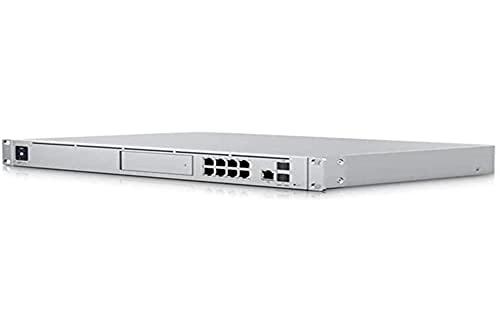
Ubiquiti UniFi Dream Machine Special Edition
Pros
- Deep packet inspection and IDS/IPS run natively in the free UniFi Network app, no added subscription
- Integrated PoE ports power UniFi access points or security cameras directly, no separate injector or switch needed
- Scales into a full UniFi ecosystem — additional access points, switches, cameras — if a home office grows into a small studio or team space
Cons
- $499 is a real jump over a standard router; this is built for people who want prosumer-grade segmentation and camera storage in one box, not a quick upgrade
- Setup and VLAN configuration run through the UniFi Network console, which has a steeper learning curve than a consumer mesh app
The Ubiquiti UniFi Dream Machine SE runs deep packet inspection and IDS/IPS natively through the free UniFi Network app, with no added subscription for the security engine itself. Its integrated PoE ports power access points or security cameras directly, and the built-in switch and dual 10G SFP+ ports mean it can anchor a wired network as your setup grows, not just a Wi-Fi upgrade. It’s the priciest item in this guide at $499, and it fully replaces a consumer router rather than sitting alongside one — the tradeoff for anyone who wants VLAN-level segmentation between work devices, IoT gadgets, and guest traffic without stitching together separate boxes to get there.
Mesh Systems With Security Built In
For anyone starting from scratch or replacing aging Wi-Fi hardware, the mesh systems below build threat detection directly into the router instead of requiring a separate box.
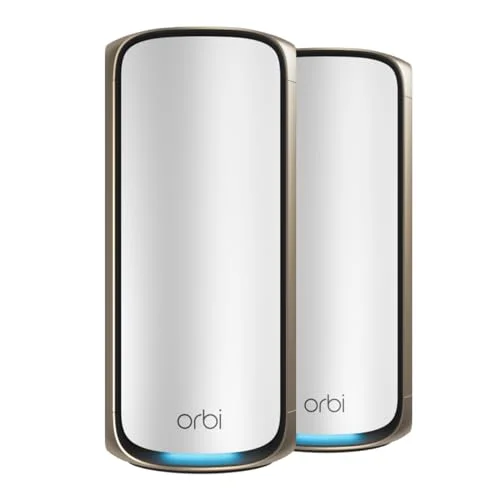
NETGEAR Orbi 970 Series Mesh System
Pros
- NETGEAR Armor bundles real-time threat detection and ad blocking into the base setup, not locked entirely behind a paywall
- Quad-band WiFi 7 keeps the security scanning from bottlenecking network speed even with 15-plus connected devices
- 10 Gig WAN port means the hardware won't be the limiting factor if you upgrade to multi-gig fiber later
Cons
- $799 for a single router-and-satellite pair is a steep buy-in for a one-person home office
- The deeper NETGEAR Armor features — dark web monitoring, detailed device reports — sit behind a paid tier after the free trial
The NETGEAR Orbi 970 Series is the highest-performance option here, built around WiFi 7 and a 10 Gig WAN port for anyone already on or planning multi-gig fiber. NETGEAR Armor handles real-time threat detection and ad blocking as part of the base setup rather than gating everything behind a subscription, though the deeper features — dark web monitoring, granular device reports — do sit behind a paid tier after the trial period. At $799 for a router and one satellite, it’s priced for someone who wants headroom for the next five years, not just a security fix for this year.
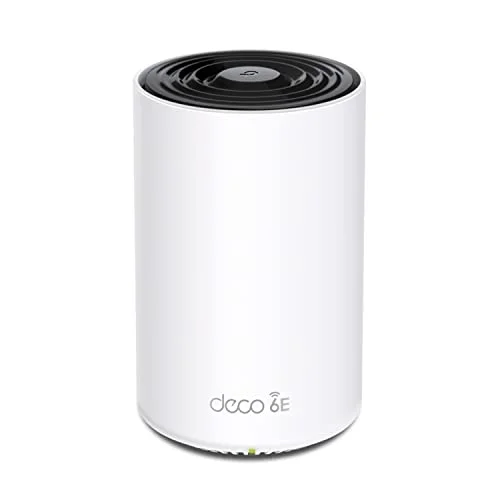
TP-Link Deco XE75 Pro
Pros
- HomeShield's core security scan and malicious-site blocking work without a subscription
- Expandable — add more Deco units later to cover a bigger home without replacing what you already bought
- App-based setup takes minutes and doesn't require any networking background
Cons
- The advanced HomeShield tier — IoT vulnerability scanning, detailed reports — requires a paid subscription
- This single-unit listing covers under 3,000 sq ft; larger homes need the multi-pack version instead
The TP-Link Deco XE75 Pro is the better fit for most home offices. HomeShield’s core protection — malicious site blocking, basic network scanning — works without a subscription, and the system is expandable, so a single unit today can grow into a full mesh later by adding more Deco hardware instead of starting over. Setup through the Deco app takes minutes.
Amazon eero Pro 6E
Pros
- Setup and ongoing management through the eero app is about as simple as mesh Wi-Fi gets
- Built-in Zigbee hub doubles as a smart home controller, which cuts one more standalone device off the network
- Firmware updates apply automatically in the background with no action required
Cons
- Ad-blocking and active threat detection live behind the eero Secure monthly subscription — base security without it is thin
- No dedicated security dashboard on par with the UniFi Network app or HomeShield's free tier
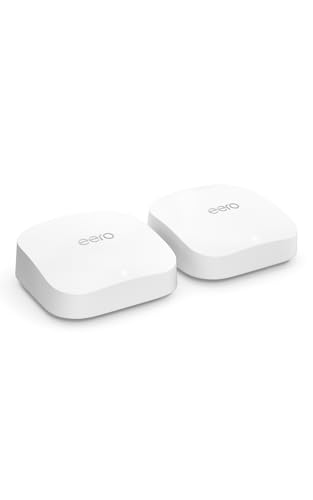
The eero Pro 6E is the pick if you’re already deep in the Amazon ecosystem — Alexa routines, other eero hardware, or an Amazon-managed smart home. The setup experience is the simplest of any router in this guide, and the built-in Zigbee hub removes the need for a separate smart home bridge. The tradeoff is that eero’s real security layer, eero Secure, is a subscription add-on — the free tier gets you solid Wi-Fi, not active threat detection.
The Budget Router That Doesn’t Skip Security
Not every home office needs a full mesh replacement. If your current router still covers your space fine and you just want a security upgrade at a lower price point than the systems above, a single strong router does the job.
ASUS RT-AX86U Pro
Pros
- AiProtection Pro's malicious-site blocking, intrusion prevention, and infected-device quarantine run free for the life of the router
- Native WireGuard support lets you wrap traffic from devices that can't run their own VPN client, like a smart TV or a printer
- AiMesh compatible, so you can add a satellite unit later instead of buying a whole new system
Cons
- A single unit's coverage tops out around a typical house footprint — bigger homes need an AiMesh satellite added on
- The admin interface is more technical than a consumer mesh app and has a real learning curve on first setup
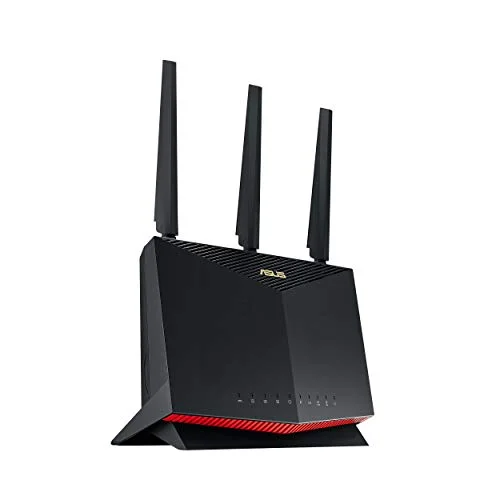
The ASUS RT-AX86U Pro runs AiProtection Pro — a Trend Micro security engine that handles malicious-site blocking, intrusion prevention, and infected-device quarantine — free for the life of the router, no subscription required. It also natively supports WireGuard, which matters for the smart devices on your network that can’t run their own VPN client: point the router’s VPN connection at all of them at once instead of configuring each one individually. At $169, it undercuts every mesh system above while covering the security basics just as well for a typical apartment or house.
On the Road: A Travel Router for Hotel and Coworking Wi-Fi
Home network security only protects you at home. Hybrid and travel-heavy remote workers spend real hours on hotel, airport, and coworking Wi-Fi that nobody is securing on their behalf.
GL.iNet GL-AXT1800 Slate AX
Pros
- Built specifically to run a WireGuard client on hotel, coworking, and airport Wi-Fi, wrapping every connected device in one encrypted tunnel automatically
- Small enough to travel in a laptop bag for hybrid workers who aren't always on the home network
- Separate guest and IoT network profiles keep personal devices isolated from work traffic even on the road
Cons
- The 1800 Mbps ceiling is well below a home mesh system's throughput — this is a travel and hotspot tool, not a home router replacement
- The admin interface leans more DIY than mainstream consumer routers, closer to the UniFi Network app than to eero
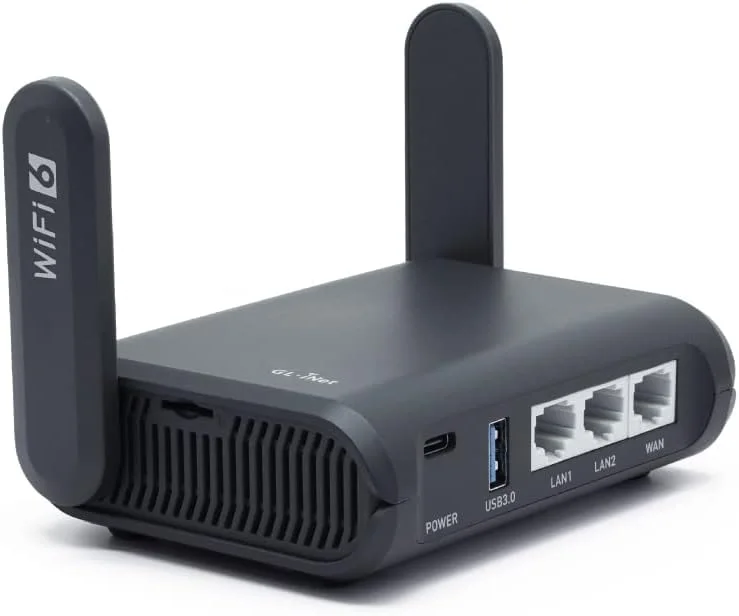
The GL.iNet GL-AXT1800 Slate AX is a pocket-sized router built around exactly this problem. Connect it to whatever public Wi-Fi is available, and it runs a WireGuard VPN client that wraps every device you connect to it — laptop, phone, tablet — in one encrypted tunnel, instead of you having to trust that the hotel network isn’t logging your traffic. It’s not a replacement for your home router; the 1800 Mbps ceiling is well below what a home mesh system pushes. It’s a $119 insurance policy for the hours you’re not on your own network.
Backing Up Work Files Without Handing Them to a Third Party
Network security stops mattering if your work files live entirely on a laptop that gets lost, stolen, or corrupted. A local, encrypted backup closes that gap without routing sensitive files through a general-purpose cloud storage account.
Synology BeeStation Plus
Pros
- Automatic encrypted backup keeps sensitive work files off third-party cloud storage while still reachable remotely
- Setup skips port forwarding and router configuration entirely, which a traditional NAS usually requires
- App-based backup for phones, laptops, and desktops runs on its own schedule with no manual intervention
Cons
- Single-drive design means no RAID redundancy — a drive failure loses the data unless you keep a separate backup
- 4TB fills up faster than expected once photo and video backup from multiple devices is turned on
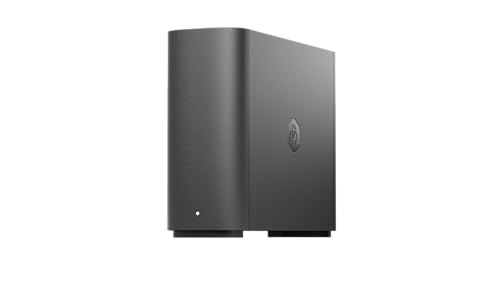
The Synology BeeStation Plus backs up phones, laptops, and desktops automatically to a 4TB drive that sits on your own network, with encrypted remote access through Synology’s QuickConnect service if you need a file while away from home. Setup skips the port forwarding and router configuration that a traditional NAS usually demands — it’s closer to plugging in a smart speaker than setting up a server. The single-drive design is the real limitation: there’s no RAID redundancy, so a drive failure means the data is gone unless you’re also keeping a separate copy somewhere else.
The Cheapest, Highest-Impact Fix: A Hardware Security Key
Everything above protects your network. None of it protects an account if someone gets your password through a phishing email or a data breach on some other site you signed up for years ago.
YubiKey 5C NFC
Pros
- A physical key requirement stops the most common account-takeover method — a phished or leaked password — cold
- Works across every major work account type, from Google and Microsoft 365 to GitHub and most password managers, with no battery to charge
- NFC tap-to-auth on a phone means it isn't tied to a single device's USB port
Cons
- Losing the only registered key without a backup key on file can lock you out of an account until recovery kicks in
- Not every service supports hardware security keys yet, so it can't fully replace an authenticator app for everything
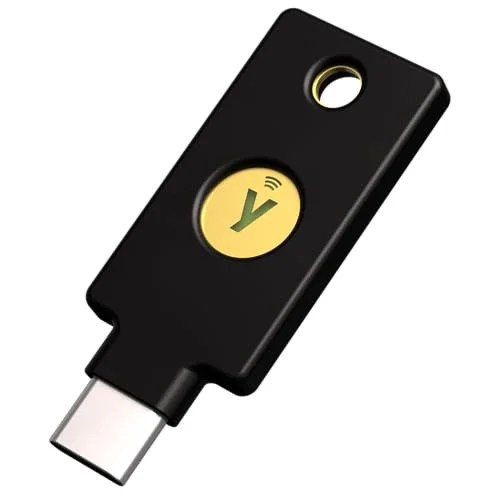
The YubiKey 5C NFC requires the physical key to be present to log in, which stops password-only account takeovers even when the password itself is compromised. It works across Google, Microsoft 365, GitHub, and most password managers, connects over USB-C or NFC, and has no battery to maintain. At $55, it’s the least expensive item on this list and arguably the highest-impact one — most home network breaches start with a compromised login, not a cracked Wi-Fi password.
Buying Guide: What Actually Matters for Home Office Security
Prioritize WireGuard support over OpenVPN-only gear. WireGuard is faster and simpler to audit than OpenVPN while delivering equivalent encryption strength, and it’s become the default recommendation for router-level VPNs in 2026. Every router and firewall in this guide supports it.
Segment your network instead of trusting one flat Wi-Fi network for everything. A guest network or a dedicated IoT VLAN keeps your smart TV, thermostat, and video doorbell from sharing a broadcast domain with your work laptop. Every product above that runs its own router firmware — the ASUS, the TP-Link, the NETGEAR, the GL.iNet — supports this out of the box; it just has to be turned on.
Subscription-free security beats a bigger feature list you’ll never pay for. AiProtection Pro on the ASUS router and IDS/IPS on the UniFi Dream Machine SE both work without a monthly fee. Mesh systems like eero lean harder on paid add-ons for their best security features — read the fine print before assuming a system is “protected” out of the box.
Real intrusion detection is worth paying for even if your router already has “security features.” Most built-in router security is signature-based ad and malware-site blocking. A dedicated gateway like the UniFi Dream Machine SE adds real intrusion detection and VLAN segmentation across every device on the network, not just outbound web requests.
Don’t skip the backup question. Network security keeps attackers out; a local encrypted backup is what saves you if a laptop is lost, stolen, or simply dies with three years of work on it.
FAQ
Do I need an all-in-one gateway like the UniFi Dream Machine SE, or is a mesh system enough?
For most home offices, a mesh system with built-in security like the TP-Link Deco XE75 Pro or a router like the ASUS RT-AX86U Pro covers the basics — threat detection, VPN support, guest networking — without the price or setup complexity of a prosumer gateway. The UniFi Dream Machine SE is worth the jump if you specifically want VLAN-level segmentation, integrated camera storage, or you’re already running other UniFi hardware.
Is WireGuard actually more secure than OpenVPN?
They deliver comparable encryption strength, but WireGuard’s smaller codebase is easier to audit for vulnerabilities, and it runs noticeably faster with less battery and CPU overhead on connected devices. That’s why it’s become the recommended default for home network VPNs in 2026 — most of the routers in this guide, including the budget ASUS pick, support it natively now.
Do I really need a hardware security key if I already use an authenticator app?
An authenticator app is a real improvement over SMS codes, but it can still be phished if you’re tricked into entering a one-time code on a fake login page. A hardware key like the YubiKey requires the physical device to be present and won’t authenticate on a spoofed site, closing that specific gap. Use both where a service allows it — hardware key as the primary method, authenticator app as backup.
Can I use a travel router like the GL.iNet Slate AX as my only home router?
You can, but you’d be giving up throughput — its 1800 Mbps ceiling is well below what a dedicated home mesh system or router pushes, and it’s not built for dozens of simultaneous devices. It’s designed to travel with you and secure hotel or coworking Wi-Fi, not to replace a home network.
What’s the single highest-impact thing I can do this week?
Register a hardware security key on your primary email and password manager accounts. It’s the cheapest item in this guide, takes about ten minutes to set up, and closes the most common real-world attack — a stolen or phished password — regardless of how good your router or firewall is.
Conclusion
If you’re only buying one thing from this list, make it the YubiKey — it’s $55, takes minutes to set up, and blocks the attack that actually happens most often. From there, the ASUS RT-AX86U Pro is the best all-around network upgrade for a typical home office, pairing subscription-free threat detection with native WireGuard support at a price well below the mesh systems here. Step up to the UniFi Dream Machine SE if you want prosumer-grade segmentation and IDS/IPS in one box, add the GL.iNet Slate AX if you travel or work from coworking spaces regularly, and add the Synology BeeStation Plus once you’re ready to stop trusting a single laptop hard drive with years of work files.
Detailed Reviews
Ubiquiti UniFi Dream Machine Special Edition
Pros
- Deep packet inspection and IDS/IPS run natively in the free UniFi Network app, no added subscription
- Integrated PoE ports power UniFi access points or security cameras directly, no separate injector or switch needed
- Scales into a full UniFi ecosystem — additional access points, switches, cameras — if a home office grows into a small studio or team space
Cons
- $499 is a real jump over a standard router; this is built for people who want prosumer-grade segmentation and camera storage in one box, not a quick upgrade
- Setup and VLAN configuration run through the UniFi Network console, which has a steeper learning curve than a consumer mesh app
NETGEAR Orbi 970 Series Mesh System
Pros
- NETGEAR Armor bundles real-time threat detection and ad blocking into the base setup, not locked entirely behind a paywall
- Quad-band WiFi 7 keeps the security scanning from bottlenecking network speed even with 15-plus connected devices
- 10 Gig WAN port means the hardware won't be the limiting factor if you upgrade to multi-gig fiber later
Cons
- $799 for a single router-and-satellite pair is a steep buy-in for a one-person home office
- The deeper NETGEAR Armor features — dark web monitoring, detailed device reports — sit behind a paid tier after the free trial
TP-Link Deco XE75 Pro
Pros
- HomeShield's core security scan and malicious-site blocking work without a subscription
- Expandable — add more Deco units later to cover a bigger home without replacing what you already bought
- App-based setup takes minutes and doesn't require any networking background
Cons
- The advanced HomeShield tier — IoT vulnerability scanning, detailed reports — requires a paid subscription
- This single-unit listing covers under 3,000 sq ft; larger homes need the multi-pack version instead
Amazon eero Pro 6E
Pros
- Setup and ongoing management through the eero app is about as simple as mesh Wi-Fi gets
- Built-in Zigbee hub doubles as a smart home controller, which cuts one more standalone device off the network
- Firmware updates apply automatically in the background with no action required
Cons
- Ad-blocking and active threat detection live behind the eero Secure monthly subscription — base security without it is thin
- No dedicated security dashboard on par with the UniFi Network app or HomeShield's free tier
ASUS RT-AX86U Pro
Pros
- AiProtection Pro's malicious-site blocking, intrusion prevention, and infected-device quarantine run free for the life of the router
- Native WireGuard support lets you wrap traffic from devices that can't run their own VPN client, like a smart TV or a printer
- AiMesh compatible, so you can add a satellite unit later instead of buying a whole new system
Cons
- A single unit's coverage tops out around a typical house footprint — bigger homes need an AiMesh satellite added on
- The admin interface is more technical than a consumer mesh app and has a real learning curve on first setup
GL.iNet GL-AXT1800 Slate AX
Pros
- Built specifically to run a WireGuard client on hotel, coworking, and airport Wi-Fi, wrapping every connected device in one encrypted tunnel automatically
- Small enough to travel in a laptop bag for hybrid workers who aren't always on the home network
- Separate guest and IoT network profiles keep personal devices isolated from work traffic even on the road
Cons
- The 1800 Mbps ceiling is well below a home mesh system's throughput — this is a travel and hotspot tool, not a home router replacement
- The admin interface leans more DIY than mainstream consumer routers, closer to the UniFi Network app than to eero
Synology BeeStation Plus
Pros
- Automatic encrypted backup keeps sensitive work files off third-party cloud storage while still reachable remotely
- Setup skips port forwarding and router configuration entirely, which a traditional NAS usually requires
- App-based backup for phones, laptops, and desktops runs on its own schedule with no manual intervention
Cons
- Single-drive design means no RAID redundancy — a drive failure loses the data unless you keep a separate backup
- 4TB fills up faster than expected once photo and video backup from multiple devices is turned on
YubiKey 5C NFC
Pros
- A physical key requirement stops the most common account-takeover method — a phished or leaked password — cold
- Works across every major work account type, from Google and Microsoft 365 to GitHub and most password managers, with no battery to charge
- NFC tap-to-auth on a phone means it isn't tied to a single device's USB port
Cons
- Losing the only registered key without a backup key on file can lock you out of an account until recovery kicks in
- Not every service supports hardware security keys yet, so it can't fully replace an authenticator app for everything