Affiliate disclosure: SetupRanked earns a commission from qualifying Amazon purchases at no extra cost to you.
The sub-$300 USB-C monitor market shifted decisively in 2026. What used to be a feature found only on $400-$500 office monitors — a single USB-C cable that carries video, data, and laptop charging simultaneously — is now available in 27-inch panels at $149. The Dell S2725QC delivers 4K resolution at 120Hz for around $299. The ViewSonic VX2767U-2K puts 1440p USB-C charging at under $180. Budget no longer means sacrificing the single-cable convenience that makes a home office setup genuinely compact.
The key decision points are power delivery wattage, resolution, and refresh rate. A 65W USB-C port charges a MacBook Air M3 or Dell XPS 13 at full speed. But a 15-inch MacBook Pro or XPS 15 under load needs 90W to avoid slowly draining the battery while working. For creative workflows, factory-calibrated color accuracy matters more than refresh rate. For developers and spreadsheet users, 1440p at 144Hz sharpens every scrolling interaction in ways that 60Hz at any resolution cannot replicate.
This roundup covers five USB-C monitors, all available on Amazon, covering the spectrum from $149 budget picks to the premium end of sub-$300 territory. Every pick here supports at least 65W laptop charging over the display cable.
Comparison
| Spec | Dell 27 Plus 4K USB-C Monitor (S2725QC) | ASUS ProArt PA278CGV | Dell 27 Plus QHD USB-C Monitor (S2725DC) | ViewSonic VX2767U-2K | BenQ GW2786TC |
|---|---|---|---|---|---|
| Rating | 9.2/10 | 9.0/10 | 8.8/10 | 8.3/10 | 8.4/10 |
| Price | $310.60-$342.69as of Oct 18, 2026 | $329.99as of Oct 18, 2026 | $244.99as of Oct 18, 2026 | $218.95as of Oct 18, 2026 | $169.99as of Oct 18, 2026 |
| Panel | IPS, 27-inch | IPS, 27-inch | IPS, 27-inch | IPS, 27-inch | IPS, 27-inch |
| Resolution | 3840×2160 (4K UHD) | 2560×1440 (QHD) | 2560×1440 (QHD) | 2560×1440 (QHD) | 1920×1080 (FHD) |
| Refresh Rate | 120Hz | 75Hz | 144Hz | 60Hz | 100Hz |
| Response Time | 8ms GtG | 5ms GtG | 1ms GtG | 5ms GtG | 5ms GtG |
| USB-C PD | 65W | 90W | 65W | 65W | 65W |
| Color Coverage | 99% sRGB | 100% sRGB, 100% Rec.709, 75% DCI-P3 | — | — | 99% sRGB |
| HDR | DisplayHDR 400 | — | — | HDR10 | — |
| Connectivity | USB-C, HDMI, DisplayPort | — | USB-C, HDMI 2.1, DisplayPort 1.4 | USB-C, HDMI, DisplayPort | — |
| Contrast | 1500:1 | — | — | — | — |
| Stand | Height/Tilt/Swivel/Pivot | Height/Tilt/Swivel/Pivot | Height/Tilt/Swivel/Pivot | — | — |
| Factory Calibration | — | ΔE < 2 | — | — | — |
| Daisy-Chain | — | DisplayPort out | — | — | DisplayPort out |
| USB Hub | — | 4× USB-A 3.2 Gen 1 | — | — | 3× USB-A 3.2 |
| Built-in Speakers | — | — | 2× 3W | — | — |
| AMD FreeSync | — | — | Yes | — | — |
| Eye Comfort | — | — | TÜV Rheinland 4-Star Certified | — | — |
| Bezels | — | — | — | 3-sided ultra-thin frameless | — |
| VESA | — | — | — | 100×100mm | — |
| Eye Care | — | — | — | Eye Care Technology | TÜV Rheinland Certified |
| Ambient Light Sensor | — | — | — | — | Yes (auto-brightness) |
| Check Price → | Check Price → | Check Price → | Check Price → | Check Price → |
Prices change daily — tap Check Price for the current Amazon price.
The Picks
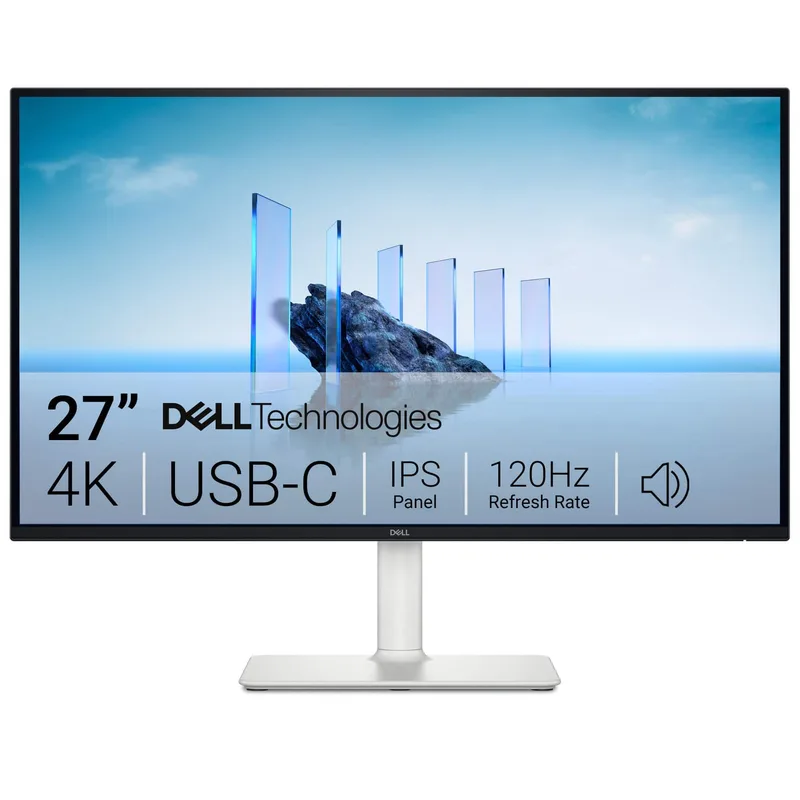
Dell 27 Plus 4K USB-C Monitor (S2725QC)
Pros
- 4K at 120Hz for under $300 is an extraordinary value in 2026 — most competing 4K monitors with fast refresh rates still push past $350, making the S2725QC the clearest example of how far the sub-$300 tier has improved
- USB-C 65W power delivery handles a 13-inch or 14-inch laptop at full speed over a single cable — video, data, and charging in one connection
- 99% sRGB color coverage is well above the 70-80% typical at this price point, meaning color rendition in photos, video calls, and productivity apps looks accurate rather than washed out
- AMD FreeSync Premium, 120Hz, and 8ms response time make this functional for light gaming after work hours without buying a dedicated gaming display
- Full ergonomic stand with height, tilt, swivel, and pivot adjustment included — a feature often reserved for monitors over $350
Cons
- 65W USB-C PD is adequate for most 13–14-inch laptops but insufficient for 16-inch MacBook Pro or high-performance gaming laptops that require 90W–140W to charge at full speed under load
- 8ms GtG response time is noticeably slower than the Dell S2725DC's 1ms — fast-paced gaming will reveal ghosting that a dedicated 144Hz gaming monitor would not show
- No built-in KVM or daisy-chain output — connecting two monitors requires two separate cable runs from the laptop
The Dell S2725QC hits a price point that was not achievable 18 months ago: 4K resolution at 120Hz with USB-C 65W charging for around $279-$299. Most 4K monitors with refresh rates above 60Hz sit at $349-$500. Dell’s aggressive pricing on the S2725QC makes it the easiest recommendation for remote workers who want a single premium monitor that covers productivity, creative work, and casual gaming without buying a second display.
The 99% sRGB coverage is the detail that sets it apart from generic 4K budget panels. Lower-cost 4K monitors often reach 72-80% sRGB, which shows as pale, washed-out colors in photo applications, presentation design, and video calls. The S2725QC’s 99% sRGB renders colors the way they’re meant to look without manual calibration.
The 65W USB-C PD covers the majority of remote work laptops: any MacBook Air, 13-inch or 14-inch MacBook Pro, Dell XPS 13, HP Spectre 13, Lenovo ThinkPad X1 Carbon. It does not fully charge a 16-inch MacBook Pro or 15-inch gaming laptop under heavy load — those machines need 90W-140W. For the ASUS ProArt PA278CGV’s 90W at a similar price point, that’s the alternative to consider.
Buy this if: You want 4K in a single USB-C cable setup and your laptop charges on 65W or less.
Skip this if: Your laptop requires 90W+ to charge at speed, or you need color accuracy beyond 99% sRGB for print or DCI-P3 work.
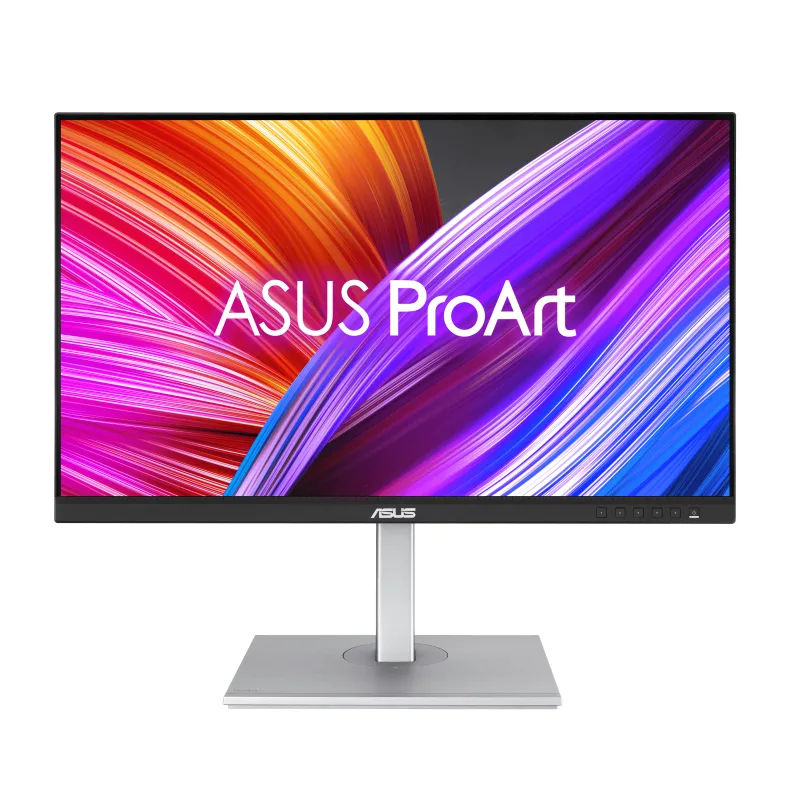
ASUS ProArt PA278CGV
Pros
- USB-C 90W power delivery is the highest in this roundup — charges a 16-inch MacBook Pro, Dell XPS 15, or any high-wattage laptop at full speed while displaying 1440p content, with no secondary charger needed
- Factory calibration to ΔE < 2 with a calibration report included in the box — color-critical workflows like photo editing, graphic design, and video grading produce accurate output without investing in a separate colorimeter
- 100% sRGB and 100% Rec.709 coverage with 75% DCI-P3 makes this the most color-accurate monitor in the roundup for web content and broadcast-standard video delivery
- DisplayPort-out enables daisy-chaining a second monitor from a single laptop USB-C port — two screens, one cable from the laptop
- Four USB-A 3.2 ports downstream turn the monitor into a USB hub — keyboard, mouse, external drive, and webcam all plug into the monitor and connect to the laptop through the single USB-C cable
Cons
- 75Hz refresh rate is the lowest in this roundup — productivity users won't notice, but anyone who edits fast-moving footage or plays competitive games will feel the difference against 120Hz or 144Hz panels
- At $249-$299, this is the second most expensive pick in the roundup — the extra spend over the Dell S2725DC is justified only if 90W charging or color accuracy matter to your workflow
- No HDR certification at this price — the panel's static contrast and peak brightness don't deliver a meaningful HDR viewing experience compared to the Dell S2725QC's DisplayHDR 400 rating
The ASUS ProArt PA278CGV is built around two differentiators: 90W USB-C power delivery and factory-calibrated color accuracy with a ΔE < 2 report. No other monitor in this roundup ships with a calibration certificate, and no other monitor here charges high-wattage laptops at full speed.
The 90W charging matters specifically for 16-inch MacBook Pro users, Dell XPS 15 owners, or anyone running a workstation-class laptop. At 65W, those machines can deplete their battery faster than the charger replenishes it under load. At 90W, the math reverses — the battery holds and charges correctly. For that use case, the $249-$299 price of the PA278CGV is more efficient than buying a 65W monitor and a separate high-wattage USB-C charger.
The factory calibration report covers the sRGB and Rec.709 gamuts with measurements showing color accuracy per the IEC 61966-2-1 standard. Color-accurate work for web, video production, and graphic design benefits from this; casual productivity tasks don’t. The 75Hz refresh rate and absence of HDR certification mean gaming and HDR video aren’t strong suits.
The DisplayPort-out enables daisy-chaining — a second monitor connects from the PA278CGV’s DP out port, not from the laptop. Two monitors, one cable to the laptop. At $249-$299, this is the least expensive daisy-chain-capable USB-C monitor with 90W charging on Amazon.
Buy this if: You have a high-wattage laptop (90W+ requirement), do color-sensitive work, or want daisy-chain dual monitors from one cable.
Skip this if: You prioritize refresh rate over color accuracy — the Dell S2725DC at $229 delivers 144Hz for less money.
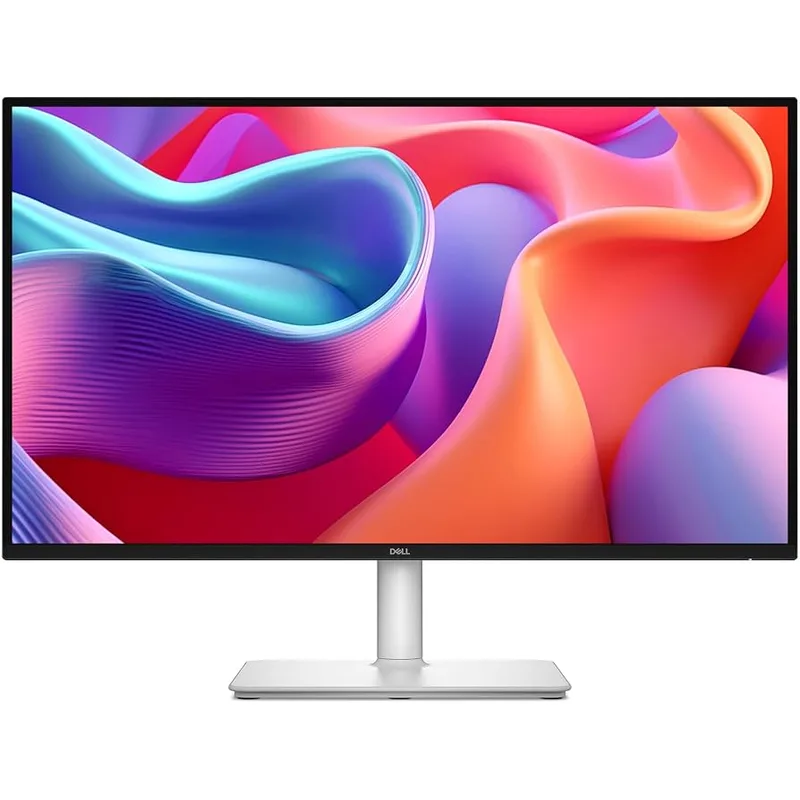
Dell 27 Plus QHD USB-C Monitor (S2725DC)
Pros
- 144Hz at 1ms GtG in a 1440p USB-C monitor under $270 was not achievable in 2024 — this is the refresh rate and response time combination that makes scrolling code, spreadsheets, and fast video content feel different than a 60Hz panel
- HDMI 2.1 port handles 4K@60Hz from a gaming console alongside the USB-C laptop connection — no need to swap cables when switching between work laptop and PS5 or Xbox
- 1ms GtG response time eliminates motion blur in a way that 5ms-8ms panels cannot — text stays crisp during fast scrolling, which matters significantly for developers and data analysts
- TÜV Rheinland 4-Star Eye Comfort certification means reduced flicker and blue light levels are independently verified, not just a self-reported marketing claim
- 65W USB-C PD charges a MacBook Air M3, Dell XPS 13, or similar ultrabook at full speed — single-cable setup works for the most common remote work laptops
Cons
- 65W USB-C PD cannot fully charge 15-inch or 16-inch high-wattage laptops under load — the ASUS ProArt PA278CGV's 90W is a better fit for power users on 16-inch machines
- No daisy-chain DisplayPort output — dual-monitor setups require two separate cable connections from the laptop
- Built-in 3W speakers produce acceptable voice call quality but no real bass; dedicated desktop speakers or a USB soundbar will sound significantly better
The Dell S2725DC is the pick for remote workers who spend most of their time in text-heavy applications and want the smoothest possible experience at 1440p. At 144Hz and 1ms GtG response time, this is a gaming-spec panel that happens to be priced and designed for office work — and the combination shows in everyday tasks in ways that are hard to go back from.
Scrolling through a 500-row spreadsheet, fast-switching between browser tabs, or pulling through long codebases on a 144Hz monitor looks categorically different than 60Hz. The motion resolves cleanly instead of blurring frames. For developers who spend all day in terminals and code editors, the difference is tactile.
The HDMI 2.1 port is a practical bonus. It handles 4K@60Hz from a PlayStation 5 or Xbox Series X on the same monitor that runs the work laptop over USB-C. Two inputs, no dongle or adapter needed — swap from work to console by changing the input source.
USB-C PD at 65W handles ultrabooks comfortably. The dual 3W built-in speakers are adequate for calls without a separate speaker purchase. At $229-$269, the S2725DC is the fastest 1440p USB-C monitor in this roundup by a wide margin.
Buy this if: You prioritize smoothness and motion clarity over resolution tiers — 144Hz 1440p at this price is hard to beat for day-to-day work.
Skip this if: You do color-critical creative work where the ASUS ProArt’s factory calibration and 90W charging justify the price difference.
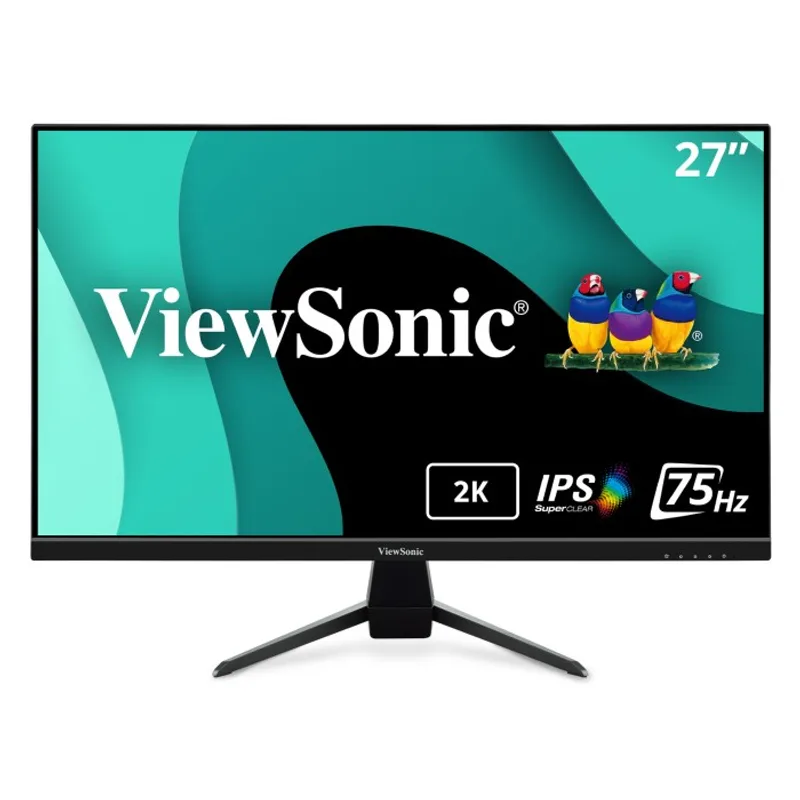
ViewSonic VX2767U-2K
Pros
- 1440p QHD resolution with USB-C 65W charging for under $220 — this is the most affordable single-cable 1440p upgrade available for laptops with a USB-C port, and currently selling below $160 during promotions
- Three-sided frameless design keeps the bezel to a minimum, which makes dual-monitor setups look much cleaner when two VX2767U-2K panels sit side by side
- HDR10 support delivers a wider color range on HDR-encoded content from Netflix, YouTube, or DaVinci Resolve — useful for video review even though this isn't a professional color monitor
- VESA 100×100mm compatible with standard monitor arms — saves significant desk space compared to leaving it on the included stand
- 65W USB-C PD charges a MacBook Air or 13-inch MacBook Pro at full speed over the same cable that carries the display signal
Cons
- 60Hz refresh rate is the slowest in this roundup — the difference versus 100Hz or 144Hz is immediately noticeable in mouse cursor tracking and scrolling smoothness; the Dell S2725DC at $229 offers 144Hz for the same use case
- No built-in speakers — every call or media session requires external speakers or headphones
- No daisy-chain output — a second monitor requires its own separate cable run
- Basic ergonomic stand only offers tilt adjustment — height adjustment requires a VESA arm or monitor riser
The ViewSonic VX2767U-2K is the answer to a specific question: what’s the minimum spend to get a 27-inch 1440p monitor with USB-C laptop charging? At $149-$219, the answer is less than a standalone USB-C charger plus a non-USB-C 1440p monitor combined.
The 1440p resolution at 27 inches gives you 109 pixels per inch — noticeably sharper than 1080p at the same size, and adequate for text-heavy productivity. The three-sided frameless design makes dual-monitor configurations look clean when two panels sit side by side without a thick bezel gap in the center. HDR10 support brings wider color range on HDR streaming content.
The 60Hz limitation is real and noticeable if you’re upgrading from a 90Hz or higher display. For remote workers who primarily read, write, and make video calls, 60Hz is perfectly functional. For anyone who edits video, games after work, or scrolls through long codebases rapidly, the Dell S2725DC at $70-$80 more delivers 144Hz that changes the experience.
There are no built-in speakers and only tilt adjustment on the stand. A VESA monitor arm or riser is recommended to get proper ergonomic height.
Buy this if: Your budget is $150-$220, you need 1440p over 1080p, and a single-cable USB-C connection to your laptop is the primary goal.
Skip this if: You spend more than 6 hours daily at the screen — the Dell S2725DC’s 144Hz at $229 is a better long-term ergonomic investment.

BenQ GW2786TC
Pros
- DisplayPort-out enables daisy-chaining a second monitor directly from this monitor's DP port — one USB-C cable from the laptop to the GW2786TC, a second DP cable from GW2786TC to a second display, and both screens run from one laptop port
- Ambient light sensor automatically adjusts brightness based on room lighting — critical for video calls where background exposure constantly shifts, keeping the screen readable without manual intervention
- 99% sRGB and TÜV Rheinland certification confirm accurate color reproduction and safe blue light levels without relying on heavy aggressive blue light filtering that makes the image yellow
- 65W USB-C PD charges most ultrabooks at full speed over the single display cable — cleaner desk than monitors without power delivery
- At $149-$189, this is the most affordable entry point into USB-C daisy-chain monitor setups — allows a remote worker on a tight budget to build a dual-display configuration without buying a dock
Cons
- 1080p resolution at 27 inches results in noticeable pixel density reduction compared to 1440p panels at the same size — text and fine UI elements look softer, which matters for long-form reading and coding
- 60Hz base refresh rate (the 100Hz requires specific signal input configuration on some laptops) is lower than the Dell S2725DC at 144Hz native
- No height adjustment on the stand — the monitor can tilt but cannot raise or lower without a VESA arm; this is a significant ergonomic limitation for users without an adjustable desk
The BenQ GW2786TC makes a trade — 1080p resolution in exchange for the most complete WFH feature set under $190. Daisy-chain output, ambient light sensor, USB hub, and USB-C 65W charging at a price where most competing monitors skip at least two of those features.
The daisy-chain capability is the headline. A single USB-C cable from your laptop carries video, power, and data to the GW2786TC. A DisplayPort cable from the GW2786TC’s DP output port runs to a second monitor. The result is a two-monitor setup driven by one cable from the laptop — no dock required. For users who need dual displays but can’t justify a $150-$300 USB-C dock, the GW2786TC builds that capability into the monitor itself.
The ambient light sensor adjusts screen brightness automatically based on room illumination. In a home office where natural light changes throughout the day, the display adapts without manual adjustment — a small feature that removes a daily annoyance.
The 1080p resolution at 27 inches produces 82 pixels per inch, which looks noticeably softer than 1440p at the same size. Fine text and detailed UI elements lose crispness. For coding, document-heavy work, or photo editing, the ViewSonic VX2767U-2K or Dell S2725DC will look meaningfully better. The GW2786TC is the better choice when the daisy-chain feature or the lower price matters more than pixel density.
Buy this if: You need two monitors but can’t afford a dock, or your budget is under $190 and daisy-chain support is a priority.
Skip this if: You work in fine-detail text applications where 1080p pixel density at 27 inches will frustrate you within days.
Buying Guide: What to Look For in a USB-C Monitor
Power Delivery Wattage
USB-C monitors charge laptops at different wattages. The number matters more than the feature itself:
- 45W: Charges small ultrabooks and Chromebooks at a slow rate. Insufficient for most MacBooks or Windows laptops under moderate load.
- 65W: Charges a MacBook Air M3, Dell XPS 13, Lenovo ThinkPad X1 Carbon, and similar 13-15-inch ultrabooks at full speed. The most common wattage at this price point.
- 90W: Charges a 16-inch MacBook Pro, Dell XPS 15, or ASUS Zephyrus G14 at full speed under load. Only the ASUS ProArt PA278CGV in this roundup delivers 90W.
Check your laptop’s charger wattage before buying. A MacBook Pro 16-inch ships with a 140W charger. A 65W monitor USB-C port will charge it, but slowly under load.
Resolution vs. Screen Size
At 27 inches:
- 1080p: 82 PPI — soft pixel density, visible at arm’s length
- 1440p: 109 PPI — sharp, comfortable for all-day text work
- 4K: 163 PPI — extremely sharp, but requires good scaling support from your OS
1440p is the sweet spot at 27 inches for most home office monitors. 4K at $279-$299 is now achievable but requires a laptop GPU that can drive 4K at 120Hz over USB-C (most Intel Iris Xe or Apple M-series chips handle this without issue).
Refresh Rate for Work
Refresh rate affects perceived smoothness in everything, not just games:
- 60Hz: Functional. Scrolling and cursor movement feel normal.
- 75-100Hz: Noticeably smoother for everyday tasks.
- 144Hz: Transformative for fast scrolling in code editors and spreadsheets. Hard to go back.
If you spend 8+ hours at the screen, a higher refresh rate reduces subtle eye fatigue from motion blur. The Dell S2725DC at 144Hz for $229-$269 is the best value for this.
Daisy-Chain Support
Daisy-chaining requires a monitor with a DisplayPort-out (upstream) connector. Only the ASUS ProArt PA278CGV and BenQ GW2786TC in this roundup include DP-out for daisy-chaining. This lets you drive two monitors from a single USB-C connection to your laptop — no dock required.
Note: Daisy-chaining requires the laptop’s USB-C port to support DisplayPort Alt Mode. Check your laptop spec sheet.
USB Hub Ports
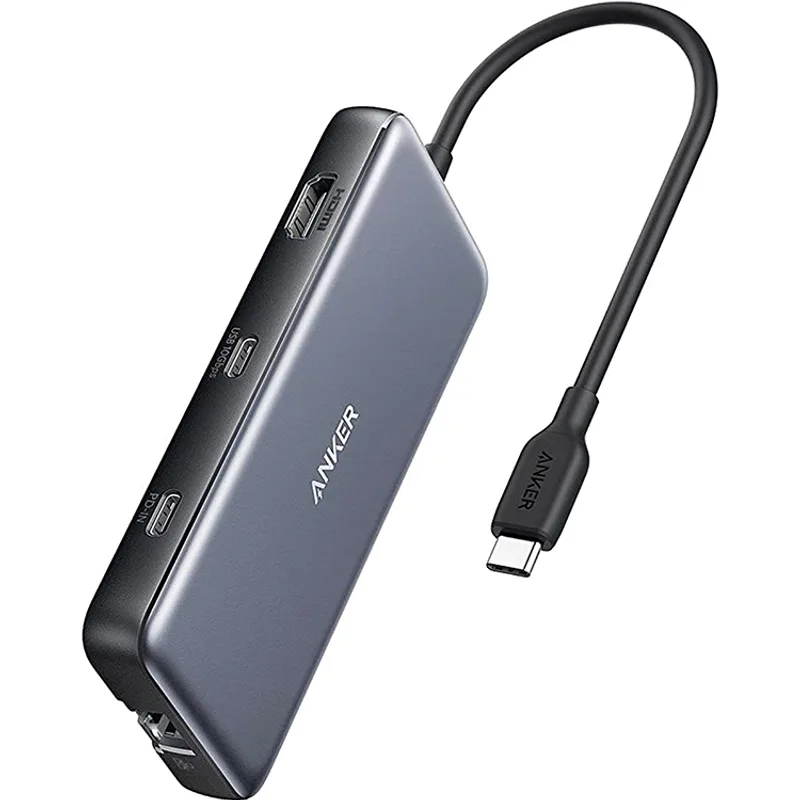
Many USB-C monitors include downstream USB-A ports. This lets your keyboard, mouse, and external drive plug into the monitor and connect through the single USB-C cable to the laptop. The ASUS ProArt PA278CGV has four USB-A 3.2 ports; the BenQ GW2786TC has three. Fewer USB-A ports means less clutter consolidation.
Frequently Asked Questions
Does any monitor under $300 charge a MacBook Pro 16-inch at full speed?
Yes — the ASUS ProArt PA278CGV delivers 90W over USB-C, which matches the minimum required to charge a 16-inch MacBook Pro at full speed while working. The 16-inch MacBook Pro ships with a 140W charger, but 90W is sufficient under typical workloads. Other monitors in this roundup top out at 65W, which charges the 16-inch MBP slowly under CPU/GPU load.
What’s the difference between a USB-C monitor and a Thunderbolt monitor?
USB-C monitors use the USB-C connector and support DisplayPort Alt Mode and USB Power Delivery. Thunderbolt monitors use the same physical connector but require a Thunderbolt 3 or 4 certified port on both the laptop and the monitor. Thunderbolt monitors typically offer higher bandwidth (40Gbps vs. 10Gbps) and daisy-chaining of Thunderbolt devices. The monitors in this roundup are all USB-C (not Thunderbolt), which is compatible with any laptop sporting a USB-C port that supports DisplayPort Alt Mode — including MacBooks, Windows ultrabooks, and most Chromebooks.
Can I use a USB-C monitor with a MacBook Air M3?
Yes. The MacBook Air M3 charges at 35W (single app) or 70W (full speed) from its USB-C port and supports external displays via DisplayPort Alt Mode. A 65W USB-C monitor fully charges the MacBook Air M3 while displaying the external screen. All five monitors in this roundup are compatible.
Will a 60Hz USB-C monitor cause eye strain compared to 90Hz or higher?
The difference is measurable but subjective. Scientific reviews of refresh rate studies suggest most people’s sensitivity to flicker diminishes above 60Hz, but the perceived smoothness of cursor movement and scrolling continues to improve up to at least 144Hz. For work primarily involving reading and writing, 60Hz is tolerable. For developers who scroll rapidly through large codebases, or anyone switching from a 120Hz+ laptop screen, a 60Hz external monitor will feel like a regression. The Dell S2725DC at 144Hz for $229-$269 is the upgrade if this matters.
Does USB-C monitor power delivery work while the laptop is in clamshell mode?
Yes. Connecting a USB-C monitor with charging support to a MacBook while the lid is closed (clamshell mode) provides both display output and laptop charging. You’ll also need a USB-C hub or dock connected to a second port for peripherals (keyboard, mouse, external drive). All five monitors in this roundup support this configuration.
Conclusion
The Dell S2725QC is the best overall USB-C monitor under $300 in 2026: 4K at 120Hz, 99% sRGB, and 65W laptop charging for around $279-$299. There is no better 4K single-cable monitor at this price.
If your laptop requires 90W charging or color accuracy matters to your work, the ASUS ProArt PA278CGV at $249-$299 is the better pick — factory calibrated, daisy-chain capable, and the highest USB-C wattage in the roundup.
For pure 1440p speed, the Dell S2725DC at $229-$269 delivers 144Hz and 1ms response time that changes how the screen feels during everyday use. And if the budget is tight, the ViewSonic VX2767U-2K at $149-$219 puts 1440p USB-C charging on a desk for less than most standalone laptop chargers cost.
All five monitors connect a laptop with a single USB-C cable. The question is which resolution, refresh rate, and wattage combination fits your workflow.
Detailed Reviews
Dell 27 Plus 4K USB-C Monitor (S2725QC)
Pros
- 4K at 120Hz for under $300 is an extraordinary value in 2026 — most competing 4K monitors with fast refresh rates still push past $350, making the S2725QC the clearest example of how far the sub-$300 tier has improved
- USB-C 65W power delivery handles a 13-inch or 14-inch laptop at full speed over a single cable — video, data, and charging in one connection
- 99% sRGB color coverage is well above the 70-80% typical at this price point, meaning color rendition in photos, video calls, and productivity apps looks accurate rather than washed out
- AMD FreeSync Premium, 120Hz, and 8ms response time make this functional for light gaming after work hours without buying a dedicated gaming display
- Full ergonomic stand with height, tilt, swivel, and pivot adjustment included — a feature often reserved for monitors over $350
Cons
- 65W USB-C PD is adequate for most 13–14-inch laptops but insufficient for 16-inch MacBook Pro or high-performance gaming laptops that require 90W–140W to charge at full speed under load
- 8ms GtG response time is noticeably slower than the Dell S2725DC's 1ms — fast-paced gaming will reveal ghosting that a dedicated 144Hz gaming monitor would not show
- No built-in KVM or daisy-chain output — connecting two monitors requires two separate cable runs from the laptop
ASUS ProArt PA278CGV
Pros
- USB-C 90W power delivery is the highest in this roundup — charges a 16-inch MacBook Pro, Dell XPS 15, or any high-wattage laptop at full speed while displaying 1440p content, with no secondary charger needed
- Factory calibration to ΔE < 2 with a calibration report included in the box — color-critical workflows like photo editing, graphic design, and video grading produce accurate output without investing in a separate colorimeter
- 100% sRGB and 100% Rec.709 coverage with 75% DCI-P3 makes this the most color-accurate monitor in the roundup for web content and broadcast-standard video delivery
- DisplayPort-out enables daisy-chaining a second monitor from a single laptop USB-C port — two screens, one cable from the laptop
- Four USB-A 3.2 ports downstream turn the monitor into a USB hub — keyboard, mouse, external drive, and webcam all plug into the monitor and connect to the laptop through the single USB-C cable
Cons
- 75Hz refresh rate is the lowest in this roundup — productivity users won't notice, but anyone who edits fast-moving footage or plays competitive games will feel the difference against 120Hz or 144Hz panels
- At $249-$299, this is the second most expensive pick in the roundup — the extra spend over the Dell S2725DC is justified only if 90W charging or color accuracy matter to your workflow
- No HDR certification at this price — the panel's static contrast and peak brightness don't deliver a meaningful HDR viewing experience compared to the Dell S2725QC's DisplayHDR 400 rating
Dell 27 Plus QHD USB-C Monitor (S2725DC)
Pros
- 144Hz at 1ms GtG in a 1440p USB-C monitor under $270 was not achievable in 2024 — this is the refresh rate and response time combination that makes scrolling code, spreadsheets, and fast video content feel different than a 60Hz panel
- HDMI 2.1 port handles 4K@60Hz from a gaming console alongside the USB-C laptop connection — no need to swap cables when switching between work laptop and PS5 or Xbox
- 1ms GtG response time eliminates motion blur in a way that 5ms-8ms panels cannot — text stays crisp during fast scrolling, which matters significantly for developers and data analysts
- TÜV Rheinland 4-Star Eye Comfort certification means reduced flicker and blue light levels are independently verified, not just a self-reported marketing claim
- 65W USB-C PD charges a MacBook Air M3, Dell XPS 13, or similar ultrabook at full speed — single-cable setup works for the most common remote work laptops
Cons
- 65W USB-C PD cannot fully charge 15-inch or 16-inch high-wattage laptops under load — the ASUS ProArt PA278CGV's 90W is a better fit for power users on 16-inch machines
- No daisy-chain DisplayPort output — dual-monitor setups require two separate cable connections from the laptop
- Built-in 3W speakers produce acceptable voice call quality but no real bass; dedicated desktop speakers or a USB soundbar will sound significantly better
ViewSonic VX2767U-2K
Pros
- 1440p QHD resolution with USB-C 65W charging for under $220 — this is the most affordable single-cable 1440p upgrade available for laptops with a USB-C port, and currently selling below $160 during promotions
- Three-sided frameless design keeps the bezel to a minimum, which makes dual-monitor setups look much cleaner when two VX2767U-2K panels sit side by side
- HDR10 support delivers a wider color range on HDR-encoded content from Netflix, YouTube, or DaVinci Resolve — useful for video review even though this isn't a professional color monitor
- VESA 100×100mm compatible with standard monitor arms — saves significant desk space compared to leaving it on the included stand
- 65W USB-C PD charges a MacBook Air or 13-inch MacBook Pro at full speed over the same cable that carries the display signal
Cons
- 60Hz refresh rate is the slowest in this roundup — the difference versus 100Hz or 144Hz is immediately noticeable in mouse cursor tracking and scrolling smoothness; the Dell S2725DC at $229 offers 144Hz for the same use case
- No built-in speakers — every call or media session requires external speakers or headphones
- No daisy-chain output — a second monitor requires its own separate cable run
- Basic ergonomic stand only offers tilt adjustment — height adjustment requires a VESA arm or monitor riser
BenQ GW2786TC
Pros
- DisplayPort-out enables daisy-chaining a second monitor directly from this monitor's DP port — one USB-C cable from the laptop to the GW2786TC, a second DP cable from GW2786TC to a second display, and both screens run from one laptop port
- Ambient light sensor automatically adjusts brightness based on room lighting — critical for video calls where background exposure constantly shifts, keeping the screen readable without manual intervention
- 99% sRGB and TÜV Rheinland certification confirm accurate color reproduction and safe blue light levels without relying on heavy aggressive blue light filtering that makes the image yellow
- 65W USB-C PD charges most ultrabooks at full speed over the single display cable — cleaner desk than monitors without power delivery
- At $149-$189, this is the most affordable entry point into USB-C daisy-chain monitor setups — allows a remote worker on a tight budget to build a dual-display configuration without buying a dock
Cons
- 1080p resolution at 27 inches results in noticeable pixel density reduction compared to 1440p panels at the same size — text and fine UI elements look softer, which matters for long-form reading and coding
- 60Hz base refresh rate (the 100Hz requires specific signal input configuration on some laptops) is lower than the Dell S2725DC at 144Hz native
- No height adjustment on the stand — the monitor can tilt but cannot raise or lower without a VESA arm; this is a significant ergonomic limitation for users without an adjustable desk