Super ultrawide monitors kept moving in 2026. LG’s 52-inch UltraGear EVO launched in February at $2,599.99, pushing the category even wider than the standard 49-inch, 32:9 format. More relevant for most home offices: Philips added a 240Hz QD-OLED option to its Evnia lineup this year, giving Samsung’s Odyssey OLED G9 its first real competition at a lower price, and Innocn shipped a mini LED super ultrawide with 1,760 dimming zones in June. If you’ve been holding off on a 49-inch monitor because the category felt thin, it isn’t anymore.
The core pitch for this format hasn’t changed: one 49-inch, 5120x1440 panel replaces two side-by-side monitors, with resolution equal to two 1440p screens and no bezel splitting your workspace down the middle. The five monitors below cover the real tradeoffs — OLED contrast versus LCD reliability, gaming-grade refresh rates versus productivity features like KVM switching, and premium panels versus a genuinely good value pick.
Quick pick: The Samsung Odyssey OLED G9 is the best all-around panel here if budget allows. The Philips Evnia 49M2C8900AM gets you the same OLED panel class for less. For KVM switching and multi-PC setups, the Dell UltraSharp U4924DW is the clear choice. And if price is the deciding factor, the Samsung Odyssey G9 QLED delivers 240Hz for a fraction of the OLED cost.
Quick Picks
| Spec | Samsung 49-Inch Odyssey OLED G9 (G95SD) | Philips Evnia 49M2C8900AM | Dell UltraSharp U4924DW | LG 49WQ95C-W UltraWide | Samsung 49-Inch Odyssey G9 (LC49G95TSSNXZA) |
|---|---|---|---|---|---|
| Rating | 9.1/10 | 8.8/10 | 8.9/10 | 8.6/10 | 8.3/10 |
| Price | Unavailable | Unavailable | $1219.90as of Sep 27, 2026 | Unavailable | $1444.99as of Sep 27, 2026 |
| Panel | 2nd-gen QD-OLED | 2nd-gen QD-OLED | IPS Black | Nano IPS | VA (QLED) |
| Resolution | 5120 x 1440 (DQHD) | 5120 x 1440 (DQHD) | 5120 x 1440 (DQHD) | 5120 x 1440 (DQHD) | 5120 x 1440 (DQHD) |
| Refresh Rate | 240Hz, 0.03ms GtG | 240Hz, 0.03ms GtG | 60Hz | 144Hz | 240Hz, 1ms |
| Curvature | 1800R | — | — | — | 1000R |
| Sync | G-Sync Compatible, FreeSync Premium Pro | FreeSync Premium Pro | — | — | G-Sync, FreeSync Premium Pro |
| Ports | USB-C, HDMI 2.1, DisplayPort | HDMI 2.1, DisplayPort 1.4, USB-C, USB hub | USB-C (90W PD), 2.5GbE, HDMI, DisplayPort | USB-C, HDMI 2.1, DisplayPort | DisplayPort, 2x HDMI |
| Warranty | 3-year standard | — | — | — | — |
| HDR | — | HDR400 | — | HDR10, DisplayHDR 400 | HDR1000 |
| Extras | — | Ambiglow bias lighting | Built-in KVM switch | — | — |
| Contrast | — | — | 2,000:1 | — | — |
| Brightness | — | — | 350 nits | — | — |
| Color Coverage | — | — | — | 98% DCI-P3 | — |
| Speakers | — | — | — | 2x 10W built-in | — |
| Check Price → | Check Price → | Check Price → | Check Price → | Check Price → |
Prices change daily — tap Check Price for the current Amazon price.
1. Samsung 49-Inch Odyssey OLED G9 (G95SD) — Best Overall
Samsung 49-Inch Odyssey OLED G9 (G95SD)
Pros
- QD-OLED panel delivers per-pixel black levels and contrast no LCD-based ultrawide on this list can match
- 240Hz refresh rate with 0.03ms response time makes fast motion look genuinely fluid, not just on paper
- Resolution equals two 1440p monitors side by side, so window management and multitasking scale cleanly
- Second-generation QD-OLED subpixel layout reduces the text fringing that hurt earlier OLED ultrawides
Cons
- The most expensive monitor in this roundup by a wide margin, and it regularly drops several hundred dollars during sales — check the live price before buying at list
- OLED carries real burn-in risk with static desktop elements like taskbars and browser toolbars left on-screen for hours
- Port selection is thinner than the Dell and LG picks here — no built-in USB hub beyond the basics
- Physical footprint is large enough that it won't fit every desk depth; measure before ordering
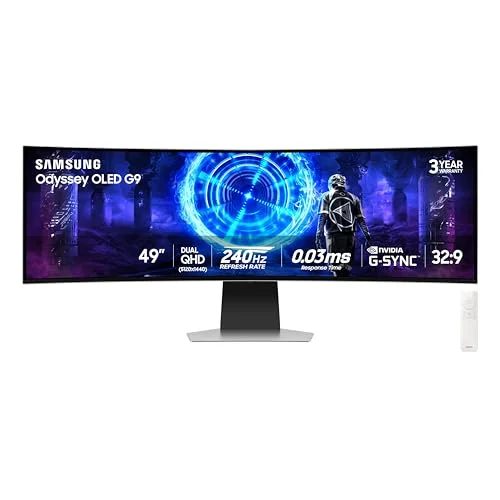
The Odyssey OLED G9 is the panel every other monitor in this roundup gets compared against, and for good reason. Its second-generation QD-OLED panel produces per-pixel black levels and contrast that no VA or IPS panel here can reach, paired with a 240Hz refresh rate and 0.03ms response time that make fast motion look smooth rather than smeared. The DQHD resolution — effectively two 1440p monitors stitched into one curved panel — gives multitasking real room without a bezel in the middle.
The upgraded subpixel layout in this second-generation panel also cuts down on the text fringing that made earlier OLED ultrawides a harder sell for desktop work. It’s still not as crisp as a dedicated IPS panel for dense text, but it’s a clear step up from the first Odyssey OLED G9.
The tradeoffs are the ones you’d expect from OLED: burn-in risk from static elements like taskbars and browser chrome if you leave them on-screen for extended periods, a price that sits well above every other option here, and a port selection that’s thinner than the Dell or Philips picks. This is also a big, heavy monitor — measure your desk depth before ordering.
Who should buy this: Remote workers who want the best available panel technology and don’t mind paying for it or occasionally rotating what’s on-screen.
Who should skip this: Anyone doing static, text-heavy work for 8+ hours a day who’s worried about burn-in, or shopping on a tighter budget.
2. Philips Evnia 49M2C8900AM — Best OLED Value
Philips Evnia 49M2C8900AM
Pros
- Same 240Hz QD-OLED panel class as the pricier Samsung pick, at roughly $400 less
- USB-C input plus a built-in USB hub gives it more connectivity than Samsung's OLED G9
- Ambiglow bias lighting on the back of the panel is a genuinely useful extra for evening desk sessions, not just a gimmick
- Reviewers note it's large enough to run multiple full-size windows side by side before switching to full-screen for gaming or video
Cons
- Color accuracy out of the box has been called inconsistent by reviewers compared to the Samsung Odyssey OLED G9 — plan on calibrating if color-critical work matters
- Same OLED burn-in considerations apply as with any QD-OLED panel used for static desktop work
- Aggressive auto brightness limiter can dim the screen more than expected in bright HDR scenes
- 32:9 aspect ratio support is inconsistent across older games if gaming is part of the use case
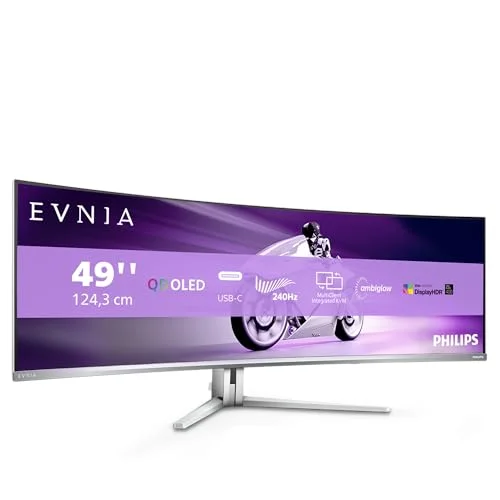
The Evnia 49M2C8900AM is 2026’s answer to Samsung’s OLED pricing: the same class of 240Hz QD-OLED panel, for roughly $400 less. It’s built around a second-generation QD-OLED panel, so you get the same deep blacks and fast response times as the Odyssey OLED G9, plus a built-in USB-C input and USB hub that Samsung’s pick doesn’t offer. Philips’ Ambiglow bias lighting on the back of the panel is a small extra, but it’s a genuinely pleasant one for low-light desk sessions.
Reviewers have flagged inconsistent out-of-box color accuracy compared to the Samsung panel, so if color-critical work is part of your job, budget time for calibration. The auto brightness limiter also dims more aggressively in bright HDR scenes than some competitors, which can be noticeable during video playback.
Burn-in considerations are the same as any QD-OLED panel: fine for gaming and video, worth some caution for static desktop layouts run for hours at a stretch.
Who should buy this: Buyers who want OLED contrast and speed without paying Samsung’s premium.
Who should skip this: Anyone who needs the most accurate color out of the box without calibrating first.
3. Dell UltraSharp U4924DW — Best for Productivity
Dell UltraSharp U4924DW
Pros
- Built-in KVM switch with an auto-detect wizard makes swapping keyboard, mouse, and display between two computers genuinely simple
- 90W USB-C power delivery charges a work laptop over the same cable carrying video and peripherals
- 2,000:1 contrast from the IPS Black panel beats standard IPS ultrawides, without OLED's burn-in tradeoff
- Built-in 2.5GbE network port is a rare inclusion that turns the monitor into a wired network bridge for a laptop with no Ethernet port
Cons
- 60Hz refresh rate is the lowest of any monitor in this roundup — not built for fast gaming
- 350 nits peak brightness is average for the price and noticeably dimmer than the OLED picks here
- Costs more than the LG pick despite the lower refresh rate — you're paying for the KVM, networking, and build quality
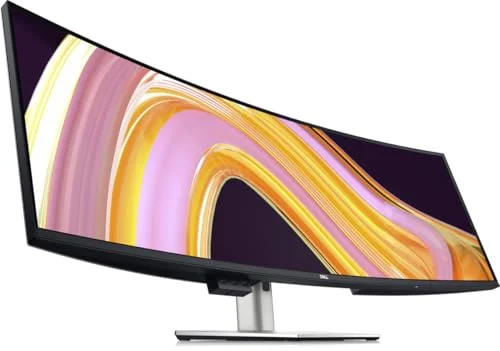
The U4924DW isn’t chasing refresh rate or contrast — it’s built for people who switch between two computers all day. The built-in KVM switch, paired with an auto-detect wizard, makes moving keyboard, mouse, and display control between a work laptop and a personal machine far less painful than manually reconnecting cables. A 2.5GbE Ethernet port built into the monitor is a genuinely rare feature that turns it into a wired network bridge for laptops that dropped their own Ethernet port.
The IPS Black panel’s 2,000:1 contrast ratio beats standard IPS ultrawides without OLED’s burn-in tradeoff, and 90W USB-C power delivery charges a laptop over the same cable handling video and peripherals. The less aggressive curve than the gaming-oriented picks here also reduces image distortion, which matters more for spreadsheet and document work than for movies or games.
What you give up is speed: 60Hz is the lowest refresh rate in this roundup, and 350 nits peak brightness is average rather than impressive. This monitor also costs more than the faster LG pick — you’re paying for the KVM switch, networking, and Dell’s build quality, not raw specs.
Who should buy this: Anyone who regularly switches between two computers or wants a wired network connection built into the monitor.
Who should skip this: Buyers who want a faster refresh rate or plan to use the monitor for gaming.
4. LG 49WQ95C-W UltraWide — Best IPS Panel
LG 49WQ95C-W UltraWide
Pros
- 144Hz refresh rate splits the difference between Dell's 60Hz productivity focus and the 240Hz OLED picks — smoother for everyday use without the OLED price
- 98% DCI-P3 coverage holds up for light photo or video work alongside general remote tasks
- 108.5 PPI keeps text sharp at native resolution with no scaling needed, a common complaint reviewers raise about lower-density ultrawides
- Built-in 10W stereo speakers and an ambient light sensor round out a more complete package than most competitors at this price
Cons
- Vertical resolution stays at 1,440 pixels — noticeably less vertical space than a 4K display, even with all that horizontal width
- Some buyers report quality control issues, including screen flicker and USB port failures within months of purchase — worth registering the warranty immediately
- HDR10 support is certified only to DisplayHDR 400, the lowest HDR tier and a modest upgrade over no HDR at all
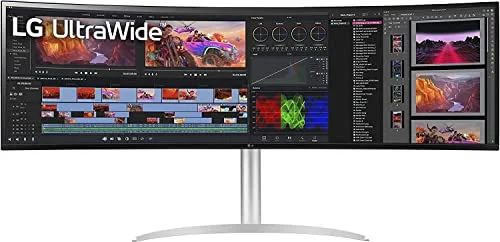
The 49WQ95C-W sits in the middle of this roundup on purpose: a 144Hz Nano IPS panel that’s noticeably smoother than Dell’s 60Hz productivity focus, without the price or burn-in tradeoffs of the OLED picks. At 108.5 pixels per inch, text stays sharp at native resolution with no scaling required — a detail reviewers specifically call out as a weak point on lower-density ultrawides.
98% DCI-P3 coverage holds up well enough for light photo or video editing alongside general remote work, and built-in 10W stereo speakers plus an ambient light sensor round out a more complete package than most monitors at this price. USB-C input covers single-cable laptop connections too.
The main limitation is vertical space: 1,440 pixels tall is less than a 4K display offers, even with all that horizontal width. Some buyers have also reported quality control issues — screen flicker and USB port failures within a few months of purchase — so registering the warranty right away is worth doing. HDR10 support is certified only to the entry-level DisplayHDR 400 tier.
Who should buy this: Remote workers who want a faster-than-60Hz IPS panel without stepping up to OLED pricing.
Who should skip this: Anyone prioritizing maximum vertical screen space or who’s had bad luck with LG’s build quality reports.
5. Samsung 49-Inch Odyssey G9 (LC49G95TSSNXZA) — Best Value
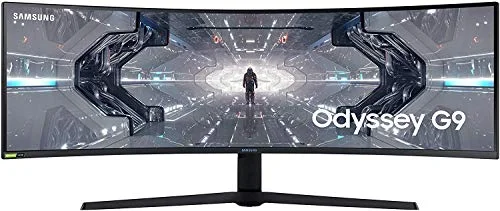
Samsung 49-Inch Odyssey G9 (LC49G95TSSNXZA)
Pros
- 240Hz refresh rate and HDR1000 at roughly a third of the price of the OLED picks in this roundup
- Aggressive 1000R curvature is the tightest curve here, which some remote workers find more immersive for a single-screen dual-monitor replacement
- Frequently discounted well below its original list price — it has sold for around $665 during recent Amazon sales
- Established model with years of price history, making it easy to time a purchase around a known sale pattern
Cons
- VA panel doesn't match the color consistency or viewing angles of the IPS and OLED panels ranked above it
- No USB-C input and a thinner port selection than the Dell or LG picks
- Glossy coating on the curved panel picks up more glare in bright rooms than the matte-finish competitors
The original QLED Odyssey G9 remains the value pick in this category years after launch. It delivers a 240Hz refresh rate and HDR1000 brightness at roughly a third of what the OLED options in this roundup cost, and it’s frequently discounted further — it dropped to around $665 during recent Amazon sales. The 1000R curvature is the tightest curve of any monitor here, which some remote workers find more immersive for a single-panel dual-monitor replacement.
The VA panel doesn’t match the color consistency or viewing angles of the IPS and OLED panels ranked above it, and there’s no USB-C input — connectivity is limited to DisplayPort and HDMI. The glossy curved coating also picks up more glare in bright rooms than the matte finishes on the Dell and LG panels.
For anyone who wants the 49-inch, 240Hz format without an OLED-sized bill, this is still the option to beat.
Who should buy this: Budget-conscious buyers who still want a 240Hz, HDR-capable super ultrawide.
Who should skip this: Anyone who wants USB-C connectivity or the color accuracy of an IPS or OLED panel.
Buying Guide: Choosing a 49-Inch Super Ultrawide
OLED vs. VA vs. IPS
OLED (the Samsung Odyssey OLED G9 and Philips Evnia picks here) delivers the best contrast and response times but carries burn-in risk with static content — better suited to mixed work-and-gaming use than 8-hour days of spreadsheets and browser tabs left open. IPS (the Dell and LG picks) trades some contrast for color consistency, wider viewing angles, and no burn-in concern, making it the safer choice for all-day productivity. VA (the Samsung QLED pick) lands in between: strong contrast and a tight curve at a lower price, with weaker viewing angles than IPS.
Refresh Rate Matters Less for Productivity Than Gaming
If gaming isn’t part of your use case, the 60Hz Dell UltraSharp is not a downgrade — it’s a monitor built around KVM switching and networking instead. The 144Hz-240Hz panels in this roundup matter most if fast motion, whether from games or video content, is a regular part of how you use the screen.
A 49-Inch Panel Replaces Two Monitors, Not Three
Every panel in this roundup runs 5120x1440 resolution — equivalent to two 1440p monitors side by side. That’s the sweet spot for a dual-monitor replacement. If you’re currently running three or more displays, a single 49-inch panel likely won’t replace your full setup.
Check Desk Depth Before Ordering
A curved 49-inch panel is a large, heavy object. Measure your desk’s depth and confirm your monitor arm or included stand can support the weight before ordering — this matters more with a single 49-inch monitor than it does when shopping for a standard 27-inch display.
Consider Ergonomic Furniture Alongside the Upgrade
A 49-inch monitor changes how you sit at your desk — it’s wider, often heavier, and frequently mounted lower than a standard monitor to keep the top edge in a comfortable sightline. If you’re upgrading to one of these panels, it’s a reasonable time to also reassess your chair and desk height; our sister site PostureRanked covers ergonomic chairs and standing desks built for exactly this kind of extended-monitor setup.
FAQ
Is a 49-inch super ultrawide better than a dual-monitor setup? It depends on your workflow. A single 49-inch panel eliminates the bezel gap between two monitors and simplifies cable management to one screen, one stand. A true dual-monitor setup still wins if you want to angle one screen toward you and keep another flat, or if you need more than the equivalent of two 1440p displays’ worth of space.
Will these monitors work well for gaming and productivity both? The Samsung Odyssey OLED G9, Philips Evnia, and Samsung Odyssey G9 QLED are built for both, with 240Hz refresh rates and gaming-oriented sync features. The Dell UltraSharp is productivity-first at 60Hz. The LG 49WQ95C-W’s 144Hz splits the difference reasonably well.
Do I need a powerful GPU to run one of these at full resolution and refresh rate? Driving 5120x1440 at 240Hz takes meaningfully more GPU power than a standard 1440p or 4K monitor, especially in games. For office work, web browsing, and video calls, any recent integrated or discrete GPU handles the resolution fine — refresh rate only becomes a GPU bottleneck under gaming loads.
Is OLED burn-in actually a concern for office work? It’s a real risk with static elements — taskbars, browser tabs, spreadsheet gridlines — left on-screen for extended periods without change. Reviewers generally note it’s not an issue for dynamic content like video or games, and modern QD-OLED panels include some burn-in mitigation, but if your workday is mostly static text, an IPS or VA panel avoids the risk entirely.
Can I mount any of these on a monitor arm instead of using the included stand? Yes, all five monitors in this roundup support VESA mounting, though given the size and weight of a 49-inch curved panel, confirm your specific arm’s weight rating before buying — standard lightweight arms built for 27-inch monitors typically aren’t rated for these.
Conclusion
For most remote workers who can stretch the budget, the Samsung Odyssey OLED G9 is the best panel in this roundup — its QD-OLED contrast and 240Hz speed are simply ahead of everything else here. If that price is out of reach, the Philips Evnia 49M2C8900AM gets you the same panel class for meaningfully less. Anyone who regularly switches between two computers should look at the Dell UltraSharp U4924DW for its KVM switch and built-in networking instead of chasing refresh rate. And if price is the deciding factor, the Samsung Odyssey G9 QLED still delivers a 240Hz, HDR-capable 49-inch panel for a fraction of what the OLED options cost.
Detailed Reviews
Samsung 49-Inch Odyssey OLED G9 (G95SD)
Pros
- QD-OLED panel delivers per-pixel black levels and contrast no LCD-based ultrawide on this list can match
- 240Hz refresh rate with 0.03ms response time makes fast motion look genuinely fluid, not just on paper
- Resolution equals two 1440p monitors side by side, so window management and multitasking scale cleanly
- Second-generation QD-OLED subpixel layout reduces the text fringing that hurt earlier OLED ultrawides
Cons
- The most expensive monitor in this roundup by a wide margin, and it regularly drops several hundred dollars during sales — check the live price before buying at list
- OLED carries real burn-in risk with static desktop elements like taskbars and browser toolbars left on-screen for hours
- Port selection is thinner than the Dell and LG picks here — no built-in USB hub beyond the basics
- Physical footprint is large enough that it won't fit every desk depth; measure before ordering
Philips Evnia 49M2C8900AM
Pros
- Same 240Hz QD-OLED panel class as the pricier Samsung pick, at roughly $400 less
- USB-C input plus a built-in USB hub gives it more connectivity than Samsung's OLED G9
- Ambiglow bias lighting on the back of the panel is a genuinely useful extra for evening desk sessions, not just a gimmick
- Reviewers note it's large enough to run multiple full-size windows side by side before switching to full-screen for gaming or video
Cons
- Color accuracy out of the box has been called inconsistent by reviewers compared to the Samsung Odyssey OLED G9 — plan on calibrating if color-critical work matters
- Same OLED burn-in considerations apply as with any QD-OLED panel used for static desktop work
- Aggressive auto brightness limiter can dim the screen more than expected in bright HDR scenes
- 32:9 aspect ratio support is inconsistent across older games if gaming is part of the use case
Dell UltraSharp U4924DW
Pros
- Built-in KVM switch with an auto-detect wizard makes swapping keyboard, mouse, and display between two computers genuinely simple
- 90W USB-C power delivery charges a work laptop over the same cable carrying video and peripherals
- 2,000:1 contrast from the IPS Black panel beats standard IPS ultrawides, without OLED's burn-in tradeoff
- Built-in 2.5GbE network port is a rare inclusion that turns the monitor into a wired network bridge for a laptop with no Ethernet port
Cons
- 60Hz refresh rate is the lowest of any monitor in this roundup — not built for fast gaming
- 350 nits peak brightness is average for the price and noticeably dimmer than the OLED picks here
- Costs more than the LG pick despite the lower refresh rate — you're paying for the KVM, networking, and build quality
LG 49WQ95C-W UltraWide
Pros
- 144Hz refresh rate splits the difference between Dell's 60Hz productivity focus and the 240Hz OLED picks — smoother for everyday use without the OLED price
- 98% DCI-P3 coverage holds up for light photo or video work alongside general remote tasks
- 108.5 PPI keeps text sharp at native resolution with no scaling needed, a common complaint reviewers raise about lower-density ultrawides
- Built-in 10W stereo speakers and an ambient light sensor round out a more complete package than most competitors at this price
Cons
- Vertical resolution stays at 1,440 pixels — noticeably less vertical space than a 4K display, even with all that horizontal width
- Some buyers report quality control issues, including screen flicker and USB port failures within months of purchase — worth registering the warranty immediately
- HDR10 support is certified only to DisplayHDR 400, the lowest HDR tier and a modest upgrade over no HDR at all
Samsung 49-Inch Odyssey G9 (LC49G95TSSNXZA)
Pros
- 240Hz refresh rate and HDR1000 at roughly a third of the price of the OLED picks in this roundup
- Aggressive 1000R curvature is the tightest curve here, which some remote workers find more immersive for a single-screen dual-monitor replacement
- Frequently discounted well below its original list price — it has sold for around $665 during recent Amazon sales
- Established model with years of price history, making it easy to time a purchase around a known sale pattern
Cons
- VA panel doesn't match the color consistency or viewing angles of the IPS and OLED panels ranked above it
- No USB-C input and a thinner port selection than the Dell or LG picks
- Glossy coating on the curved panel picks up more glare in bright rooms than the matte-finish competitors