Apple’s 2026 Studio Display refresh landed with the same panel and a familiar price tag, which is exactly why the rest of the USB-C monitor market has gotten more interesting for MacBook owners this year. BenQ has spent 2026 refining Mac Color Match on the MA270U so it ships pre-calibrated to MacBook displays out of the box, and Samsung’s ViewFinity S9 has settled in as the matte-screen alternative to Apple’s own nano-texture glass — at a few hundred dollars less. If you’re plugging a MacBook into an external display for most of your workday, there are now real choices at every price point instead of one obvious default.
The common thread across every monitor below is single-cable simplicity: one USB-C or Thunderbolt cable that carries video, charges the laptop, and — on four of the five picks — passes data from connected peripherals back to the Mac. The differences come down to resolution match, color handling, and whether you want the display to double as a webcam and speaker system or just a screen.
Quick pick: The Dell UltraSharp U2725QE is the best all-around pick if you want a Thunderbolt 4 hub and 120Hz for under $650. If Mac-native integration matters more than price, the Apple Studio Display and its Center Stage camera are hard to match. For exact Retina-resolution scaling, the LG UltraFine 5K remains the specialist choice. And the BenQ MA270U is the value pick — Mac color matching and 90W charging for around $557.
Quick Picks
| Spec | Dell UltraSharp U2725QE | Apple Studio Display (Nano-Texture Glass) | LG UltraFine 5K (27MD5KB-B) | Samsung ViewFinity S9 | BenQ MA270U |
|---|---|---|---|---|---|
| Rating | 9.1/10 | 8.9/10 | 8.5/10 | 8.6/10 | 8.4/10 |
| Price | $630.80as of Sep 27, 2026 | $1645.35-$1859.99as of Sep 27, 2026 | Unavailable | Unavailable | $556.98as of Sep 27, 2026 |
| Size | 27 inches | 27 inches | 27 inches | 27 inches | 27 inches |
| Resolution | 3840x2160 (4K UHD) | 5120x2880 (5K Retina) | 5120x2880 (5K Retina) | 5120x2880 (5K) | 3840x2160 (4K UHD) |
| Panel | IPS Black | IPS (Nano-texture glass) | IPS | IPS (Matte) | IPS (Nano Matte) |
| Color Gamut | 99% sRGB | P3 wide color | 99% DCI-P3 | 99% DCI-P3 | 95% P3 |
| Power Delivery | 96W (Thunderbolt 4) | 96W (Thunderbolt) | 94W (Thunderbolt 3) | 90W (Thunderbolt 4) | 90W (USB-C) |
| Refresh Rate | 120Hz | 60Hz | 60Hz | 60Hz | 60Hz |
| Webcam | None (external required) | 12MP Center Stage | None (external required) | 4K SlimFit (detachable) | None (external required) |
| USB Hub | 5x USB-C, 1x USB-A, RJ-45 | — | 3x USB-C downstream | — | — |
| Audio | — | Six-speaker system, three-mic array | — | — | — |
| Smart Features | — | — | — | Tizen OS, AirPlay, streaming apps | — |
| HDR | — | — | — | — | DisplayHDR 400, HDR10 |
| Check Price → | Check Price → | Check Price → | Check Price → | Check Price → |
Prices change daily — tap Check Price for the current Amazon price.
The Picks
1. Dell UltraSharp U2725QE — Best Overall
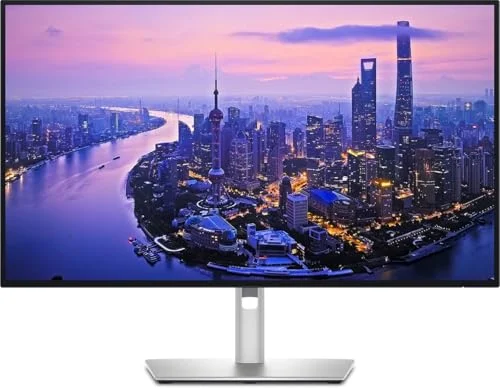
Dell UltraSharp U2725QE
Pros
- Thunderbolt 4 hub with five USB-C ports handles a MacBook Pro's full external display and peripheral needs from a single cable
- IPS Black panel's 3,000:1 contrast ratio is a clear step up from standard IPS for dark-mode macOS and video review
- 96W Power Delivery fully charges MacBook Pro 14-inch and 16-inch under sustained load — no separate charger needed
- 120Hz refresh rate makes macOS window snapping and Mission Control transitions noticeably smoother than 60Hz
- Built-in RJ-45 Ethernet gives a MacBook wired networking without a separate USB-C adapter
Cons
- Thunderbolt 4 bandwidth is only fully realized on Thunderbolt- or USB4-equipped MacBooks — older USB-C-only Macs fall back to USB 3.2 hub speeds
- No Mac-specific color-matching profile or menu bar app — color has to be set manually in System Settings
The U2725QE isn’t marketed as a Mac monitor, but it’s the closest thing to a full dock replacement any MacBook owner can buy. Its Thunderbolt 4 hub includes five USB-C ports — plug in the MacBook to one, an external drive to another, and still have three left for a second display, keyboard, and mouse. The built-in RJ-45 port adds wired Ethernet with zero adapters, which matters for anyone on a video call where WiFi congestion is a real risk.
The IPS Black panel is the spec that separates this from a typical office monitor. A 3,000:1 contrast ratio versus the usual 1,000:1 for IPS panels shows up clearly in macOS dark mode, Xcode, and anything with mixed bright-and-dark content. Combined with 120Hz, everyday tasks like scrolling Safari or dragging windows between Spaces feel noticeably smoother than on the 60Hz panels most MacBook owners are used to.
96W Thunderbolt 4 charging covers a MacBook Pro 14-inch or 16-inch under full load — Apple’s own chargers top out around the same wattage. The one real caveat is that Thunderbolt 4’s full 40Gbps bandwidth only applies on Thunderbolt- or USB4-equipped Macs. Every MacBook Pro since 2016 qualifies, along with MacBook Air on Apple Silicon, but if you’re on an older USB-C-only Mac, the hub ports drop to USB 3.2 speeds.
Who should buy this: MacBook owners who want to eliminate a separate dock and get a genuinely better panel than a stock office monitor, without paying Apple’s premium.
Who should skip this: Anyone specifically shopping for Mac-native color matching or a built-in webcam — this is a excellent general-purpose Thunderbolt monitor, not a Mac-tuned one.
2. Apple Studio Display (Nano-Texture Glass) — Best Mac Integration
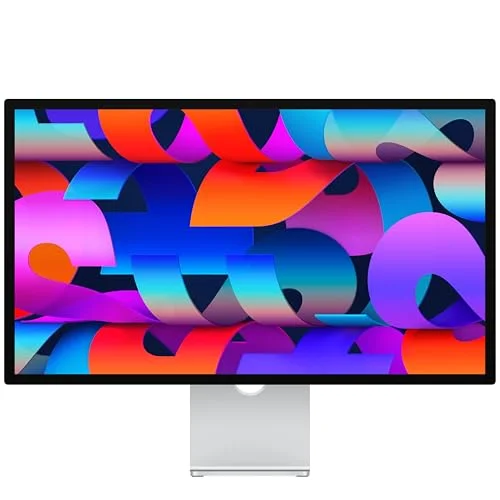
Apple Studio Display (Nano-Texture Glass)
Pros
- 12MP Center Stage camera is the best built-in webcam of any display in this roundup, with auto-framing that keeps you centered on calls
- Six-speaker system with spatial audio removes the need for external desk speakers entirely
- True Tone adjusts white balance to match room lighting, mirroring how a MacBook's own display behaves
- Single Thunderbolt cable charges the MacBook at up to 96W while driving the display — the cleanest possible Mac desk setup
- Nano-texture glass scatters glare without the contrast loss of a typical matte coating
Cons
- $1,876 for the nano-texture model is the highest price in this roundup for a display that's still 60Hz with no local dimming
- Center Stage and other Mac-specific camera features stop working the moment it's connected to a Windows PC
The Studio Display remains the only monitor in this roundup built specifically around macOS, and the 2026 refresh didn’t change the parts that matter: the 12MP Center Stage camera is still the best built-in webcam on any external display, period. It auto-frames as you move, supports Desk View for showing your hands and desk during a call, and performs well even in dim home offices.
The six-speaker audio system — four woofers, two tweeters — genuinely replaces a separate speaker setup, and True Tone means the display’s white balance shifts to match ambient light the same way a MacBook’s built-in screen does. Setup is the simplest of any monitor here: one Thunderbolt cable, and the display both drives external video and charges the laptop at up to 96W.
None of that comes cheap. At $1,876 for the nano-texture glass configuration, this is the most expensive display in the roundup by a wide margin, and the panel itself — 60Hz, no local dimming, no HDR — hasn’t meaningfully changed since the original 2022 launch. You’re paying for the camera, the speakers, and the software integration, not the display technology.
Who should buy this: Mac-only households who want the best available webcam and audio built into the monitor and don’t want to manage a separate camera, mic, or speaker setup.
Who should skip this: Anyone who splits time between a Mac and a Windows machine — Center Stage and the other Mac-specific features simply don’t activate on non-Apple hardware, and at this price that’s a significant amount of unused capability.
3. LG UltraFine 5K (27MD5KB-B) — Best 5K Retina Match
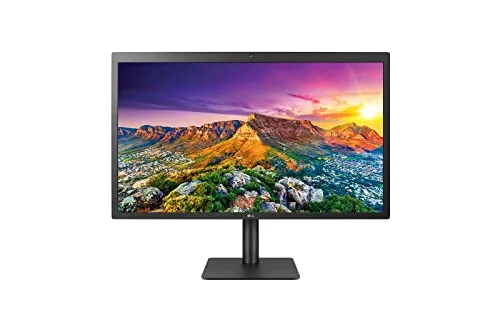
LG UltraFine 5K (27MD5KB-B)
Pros
- 5120x2880 resolution is an exact 2x match for macOS Retina scaling — text and UI render at true Retina sharpness with zero scaling artifacts
- 94W Thunderbolt 3 charges a MacBook Pro 16-inch at full power while driving the display over one cable
- 99% DCI-P3 color gamut makes it a capable secondary display for photo and video review
- Automatically sets up as an extended display and starts charging the moment it connects to a Mac — no manual configuration
- Three downstream USB-C ports handle keyboard, mouse, and external storage directly from the display
Cons
- Plastic-heavy construction with a thick top bezel feels dated next to the Studio Display or Dell's aluminum build
- No physical control buttons — brightness, input, and volume are managed only through connected Mac software, limiting usefulness with non-Mac devices
LG’s UltraFine 5K has been sold as the unofficial companion to MacBook Pro since before the Studio Display existed, and the core reason still holds up: 5120x2880 is exactly double 2560x1440, which means macOS renders its default Retina scaling at true native resolution with no interpolation. Text, icons, and UI elements look as sharp as they do on a MacBook’s own screen — sharper, in most cases, given the larger canvas.
At 94W, Thunderbolt 3 charging comfortably covers even a MacBook Pro 16-inch under sustained load, and the setup process is genuinely plug-and-play: connect the cable and the Mac recognizes it as an extended display and starts charging immediately, no System Settings required. DCI-P3 99% coverage also makes it a reasonable secondary display for photo or video review work, even without factory calibration certificates.
The tradeoffs are mostly about age and materials. The plastic build and thick top bezel look noticeably behind the aluminum-and-glass competition, and there are no physical buttons — every adjustment runs through connected Mac software, which is a real limitation if you ever want to use this display with anything other than a Mac.
Who should buy this: MacBook Pro owners who specifically want native Retina scaling at 5K and don’t mind an older industrial design in exchange for the resolution match.
Who should skip this: Anyone who occasionally connects non-Mac devices, or who prioritizes build quality and physical controls over exact scaling math.
4. Samsung ViewFinity S9 — Best Smart Features
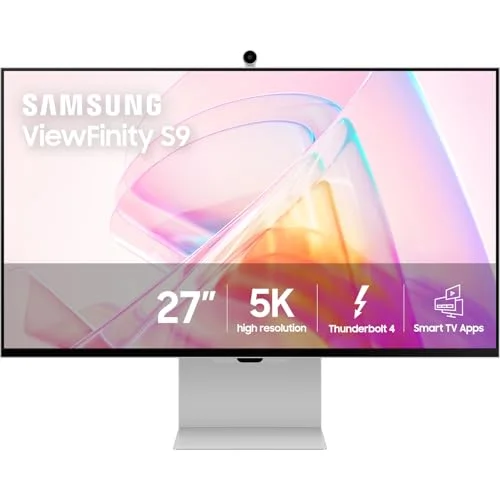
Samsung ViewFinity S9
Pros
- Matte anti-glare coating cuts reflections dramatically better than the glossy panels on the Apple Studio Display and LG UltraFine
- 4K SlimFit webcam included out of the box, plus a Thunderbolt 4 cable that charges a MacBook at up to 90W while driving the display
- AirPlay support lets you mirror an iPhone or iPad to the display wirelessly — none of the other Mac-focused monitors here offer that
- 218 PPI matches Retina-level sharpness for macOS scaling, the same pixel density class as the Studio Display and LG UltraFine
- Tizen smart platform adds streaming apps, useful for a desk that doubles as a casual media screen
Cons
- Tizen's on-screen interface feels sluggish next to simple hardware controls when adjusting basic settings like brightness or input
- Rear-facing port placement makes cable swaps more awkward than the side-access ports on the Dell and BenQ picks
- 60Hz refresh rate with no high-refresh option, the same ceiling as the Apple and LG picks
The ViewFinity S9 is Samsung’s direct answer to the Apple Studio Display, and it wins on a couple of fronts Apple doesn’t compete on. The matte anti-glare coating is a genuinely different experience than the glossy Studio Display or LG UltraFine panels — reflections diffuse rather than bounce back at you, which matters in a home office with windows or overhead lighting. It ships with a detachable 4K webcam and a Thunderbolt 4 cable rated for 90W, enough to charge most MacBook Pro configurations at full speed.
Samsung’s Tizen smart platform is the differentiator that won’t matter to everyone: AirPlay support lets you mirror an iPhone or iPad wirelessly, and built-in streaming apps mean the display can function as a casual TV when you’re off the clock. For a desk that needs to do double duty, that’s a real feature Apple, LG, and BenQ don’t offer.
The tradeoffs show up in the details. Tizen’s on-screen menu system feels slower than it should for basic tasks like changing input or brightness, the ports are rear-facing in a way that makes cable swaps more of a reach than on the Dell or BenQ, and — like every other 5K pick here — it caps out at 60Hz.
Who should buy this: Remote workers who want a matte alternative to Apple’s glass options and would actually use the smart TV and AirPlay features on a desk display.
Who should skip this: Anyone who just wants a clean external monitor without extra software layers — the Dell or LG picks are simpler.
5. BenQ MA270U — Best Value
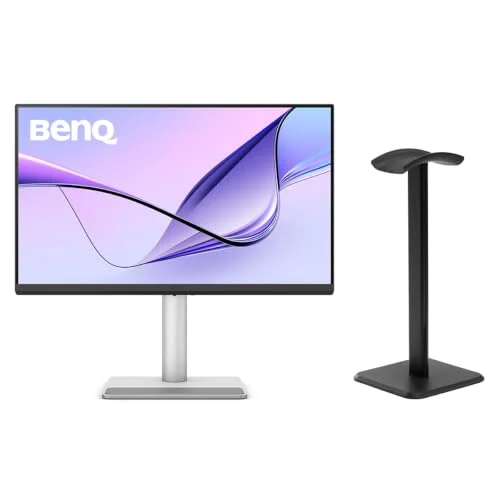
BenQ MA270U
Pros
- Mac Color Match technology calibrates the panel to match MacBook Air and Pro displays out of the box — colors stay consistent moving between laptop and monitor
- 90W USB-C Power Delivery charges a MacBook Pro over the same cable carrying video, at less than a third of the Studio Display's price
- Built-in menu bar control lets you adjust brightness and volume directly from macOS without touching the monitor
- Nano Matte coating with DisplayHDR 400 and 95% P3 coverage delivers accurate, glare-reduced color for the price
- Dual USB-C inputs plus a USB hub cover both a MacBook and a secondary device without an external switch
Cons
- Built-in 3W speakers are noticeably weaker than a MacBook's own speakers — plan on external audio for anything beyond system sounds
- Predominantly plastic construction looks and feels less premium than the Dell or Apple options side by side
- 60Hz refresh rate with no Thunderbolt — bandwidth tops out at standard USB-C video, fine for productivity but not high refresh
The MA270U is BenQ’s answer to a specific gap: Mac owners who want color that actually matches their laptop screen without spending four figures. Mac Color Match calibrates the panel against MacBook Air and Pro displays, and in practice the difference between the two screens side by side is small enough that most people won’t notice a mismatch when dragging a window between them. A built-in menu bar app lets you control brightness and volume from macOS directly, instead of hunting through an on-screen display.
90W USB-C Power Delivery is enough to charge a MacBook Pro over the same cable driving the display, and the Nano Matte coating with DisplayHDR 400 and 95% P3 coverage delivers noticeably better color and glare handling than a typical sub-$600 4K monitor. Dual USB-C inputs mean you can keep a second machine connected and switch between them without unplugging anything.
The compromises are the expected ones at this price: 3W built-in speakers that are a downgrade from the MacBook’s own audio, a mostly plastic chassis that doesn’t hide its price point next to the Dell or Apple picks, and no Thunderbolt — you get standard USB-C video bandwidth, which is plenty for a single 4K display but won’t daisy-chain a second one.
Who should buy this: Budget-conscious MacBook owners who want Mac-tuned color accuracy and real charging power without paying for a hub, a webcam, or a Retina resolution premium.
Who should skip this: Anyone who wants a Thunderbolt hub for multiple peripherals — step up to the Dell U2725QE instead.
What “Made for Mac” Actually Means on a USB-C Monitor
Not every USB-C monitor treats a MacBook the same way, and the label “USB-C” alone doesn’t tell you much.
Native Retina scaling — macOS defaults to specific scaled resolutions built around exact pixel-doubling. A 5K panel at 5120x2880 (Studio Display, LG UltraFine, Samsung ViewFinity S9) renders default Retina scaling with no interpolation. A 4K panel at 3840x2160 (Dell U2725QE, BenQ MA270U) still looks sharp, but macOS is scaling a non-native resolution to hit its default UI size, which is a small but real difference for text-heavy work.
Color matching — Apple’s Studio Display and BenQ’s Mac Color Match (used on the MA270U) are calibrated specifically to align with MacBook display color output. The Dell, LG, and Samsung panels are accurate in general terms — high sRGB or DCI-P3 coverage — but aren’t tuned to match a MacBook’s specific color response the way the Apple and BenQ options are.
Plug-and-charge behavior — Every monitor in this roundup charges a MacBook over the same cable that carries video, but wattage varies: 90–96W (Dell, Apple, Samsung, BenQ) covers a MacBook Pro 16-inch under sustained load, while the LG’s 94W lands in the same range. All five are meaningfully better than the 65W tier that’s common on non-Mac-focused USB-C monitors.
Webcam and audio integration — Only the Apple Studio Display and Samsung ViewFinity S9 include a webcam. Only the Apple includes a full speaker system built for spatial audio. The Dell, LG, and BenQ assume you already have a laptop-mounted or external webcam and speakers handling those roles.
How to Choose
Want the best all-around hub and panel for the money → Dell UltraSharp U2725QE. Thunderbolt 4, 120Hz, IPS Black, under $650.
Want the deepest Mac integration regardless of price → Apple Studio Display. Center Stage camera, spatial audio, True Tone.
Want exact 5K Retina scaling on a MacBook Pro → LG UltraFine 5K. Native 2x scaling, 94W charging, simplest possible setup.
Want a matte screen with smart features built in → Samsung ViewFinity S9. AirPlay, detachable 4K webcam, anti-glare coating.
Want Mac color accuracy on a budget → BenQ MA270U. Mac Color Match, 90W charging, around $557.
FAQ
Q: Do I need a Thunderbolt MacBook to use these monitors? No. Every monitor here works with any USB-C MacBook over standard DisplayPort Alt Mode for video and charging. Thunderbolt (or USB4) unlocks the full hub bandwidth on the Dell U2725QE and faster daisy-chaining on the LG UltraFine 5K, but basic display output and charging work on any USB-C Mac, including MacBook Air.
Q: Will a 5K monitor look sharper than a 4K monitor on a MacBook? At the same 27-inch size, yes, if the resolution matches macOS’s default Retina scaling exactly — which the Studio Display, LG UltraFine 5K, and Samsung ViewFinity S9 all do at 5120x2880. The Dell U2725QE and BenQ MA270U are still sharp 4K panels, but the text-rendering difference is visible in close side-by-side comparisons, particularly for small fonts.
Q: Can these monitors charge a MacBook Air as well as a MacBook Pro? Yes. MacBook Air’s charging needs (30–45W under most workloads) are comfortably covered by every monitor in this roundup, all of which deliver 90W or more. The extra headroom mainly benefits MacBook Pro models under sustained heavy load.
Q: Do I need an external webcam if I buy one of these monitors? Only the Apple Studio Display and Samsung ViewFinity S9 include a built-in camera. If you choose the Dell, LG, or BenQ, plan on using your MacBook’s built-in camera or a separate external webcam for video calls.
Q: Is Mac Color Match or True Tone worth paying extra for? If you regularly move windows between your MacBook’s screen and the external display — editing photos, reviewing video, or doing any color-sensitive work — a matched profile avoids the jarring color shift of switching screens. If the external display is your only screen most of the day, it matters less, since you’re not doing side-by-side comparisons.
Conclusion
For most MacBook owners, the Dell UltraSharp U2725QE is the strongest overall pick — a Thunderbolt 4 hub, a genuinely better panel than the Studio Display, and 120Hz, all for a few hundred dollars less than Apple’s own monitor. If Mac-specific integration is the priority and budget isn’t a constraint, the Apple Studio Display still delivers the best camera and audio of any display here. Buyers who specifically want 5K Retina scaling should look at the LG UltraFine 5K, and anyone who wants Mac-matched color without the four-figure price tag should start with the BenQ MA270U.
Detailed Reviews
Dell UltraSharp U2725QE
Pros
- Thunderbolt 4 hub with five USB-C ports handles a MacBook Pro's full external display and peripheral needs from a single cable
- IPS Black panel's 3,000:1 contrast ratio is a clear step up from standard IPS for dark-mode macOS and video review
- 96W Power Delivery fully charges MacBook Pro 14-inch and 16-inch under sustained load — no separate charger needed
- 120Hz refresh rate makes macOS window snapping and Mission Control transitions noticeably smoother than 60Hz
- Built-in RJ-45 Ethernet gives a MacBook wired networking without a separate USB-C adapter
Cons
- Thunderbolt 4 bandwidth is only fully realized on Thunderbolt- or USB4-equipped MacBooks — older USB-C-only Macs fall back to USB 3.2 hub speeds
- No Mac-specific color-matching profile or menu bar app — color has to be set manually in System Settings
Apple Studio Display (Nano-Texture Glass)
Pros
- 12MP Center Stage camera is the best built-in webcam of any display in this roundup, with auto-framing that keeps you centered on calls
- Six-speaker system with spatial audio removes the need for external desk speakers entirely
- True Tone adjusts white balance to match room lighting, mirroring how a MacBook's own display behaves
- Single Thunderbolt cable charges the MacBook at up to 96W while driving the display — the cleanest possible Mac desk setup
- Nano-texture glass scatters glare without the contrast loss of a typical matte coating
Cons
- $1,876 for the nano-texture model is the highest price in this roundup for a display that's still 60Hz with no local dimming
- Center Stage and other Mac-specific camera features stop working the moment it's connected to a Windows PC
LG UltraFine 5K (27MD5KB-B)
Pros
- 5120x2880 resolution is an exact 2x match for macOS Retina scaling — text and UI render at true Retina sharpness with zero scaling artifacts
- 94W Thunderbolt 3 charges a MacBook Pro 16-inch at full power while driving the display over one cable
- 99% DCI-P3 color gamut makes it a capable secondary display for photo and video review
- Automatically sets up as an extended display and starts charging the moment it connects to a Mac — no manual configuration
- Three downstream USB-C ports handle keyboard, mouse, and external storage directly from the display
Cons
- Plastic-heavy construction with a thick top bezel feels dated next to the Studio Display or Dell's aluminum build
- No physical control buttons — brightness, input, and volume are managed only through connected Mac software, limiting usefulness with non-Mac devices
Samsung ViewFinity S9
Pros
- Matte anti-glare coating cuts reflections dramatically better than the glossy panels on the Apple Studio Display and LG UltraFine
- 4K SlimFit webcam included out of the box, plus a Thunderbolt 4 cable that charges a MacBook at up to 90W while driving the display
- AirPlay support lets you mirror an iPhone or iPad to the display wirelessly — none of the other Mac-focused monitors here offer that
- 218 PPI matches Retina-level sharpness for macOS scaling, the same pixel density class as the Studio Display and LG UltraFine
- Tizen smart platform adds streaming apps, useful for a desk that doubles as a casual media screen
Cons
- Tizen's on-screen interface feels sluggish next to simple hardware controls when adjusting basic settings like brightness or input
- Rear-facing port placement makes cable swaps more awkward than the side-access ports on the Dell and BenQ picks
- 60Hz refresh rate with no high-refresh option, the same ceiling as the Apple and LG picks
BenQ MA270U
Pros
- Mac Color Match technology calibrates the panel to match MacBook Air and Pro displays out of the box — colors stay consistent moving between laptop and monitor
- 90W USB-C Power Delivery charges a MacBook Pro over the same cable carrying video, at less than a third of the Studio Display's price
- Built-in menu bar control lets you adjust brightness and volume directly from macOS without touching the monitor
- Nano Matte coating with DisplayHDR 400 and 95% P3 coverage delivers accurate, glare-reduced color for the price
- Dual USB-C inputs plus a USB hub cover both a MacBook and a secondary device without an external switch
Cons
- Built-in 3W speakers are noticeably weaker than a MacBook's own speakers — plan on external audio for anything beyond system sounds
- Predominantly plastic construction looks and feels less premium than the Dell or Apple options side by side
- 60Hz refresh rate with no Thunderbolt — bandwidth tops out at standard USB-C video, fine for productivity but not high refresh