Samsung confirmed in 2026 that it’s evaluating built-in Privacy Display technology for monitors — the same screen-blackout tech it shipped on the Galaxy S26 Ultra — but said it comes down to whether the cost makes sense for desktop panels. Until that lands, a physical privacy filter is still the only way to keep your screen unreadable to anyone beside you, and the market has been shifting away from permanent adhesive mounts toward removable magnetic and slide-tab designs that don’t leave residue behind.
That matters more than it used to. Open floor plans, coworking desks, and video calls where your screen is visible in the background all create the same problem: sensitive data — client info, financial dashboards, unreleased work — visible to whoever’s within eyeshot or on camera. A privacy filter solves it at the hardware level, no software or settings required.
This roundup covers five monitor privacy screens across the sizes and mount types remote workers actually buy: standard 24- and 27-inch options, a 34-inch ultrawide filter, adhesive-free slide tabs versus Kensington’s magnetic strip, and one budget pick if you just need basic coverage.
Quick pick: The 3M PF270W9B is the best all-around 27-inch filter — the same blackout technology 3M built this category on. If you want to remove and reattach the filter daily without touching bezel tabs, the Kensington MagPro 24” magnetic strip is faster to live with. Running a 34-inch ultrawide, get the Kensington 34” 21:9 filter — one of the few options actually cut for that aspect ratio. On a budget, the 3M PF240W9B delivers the same technology at 24 inches for under $65.
Quick Picks
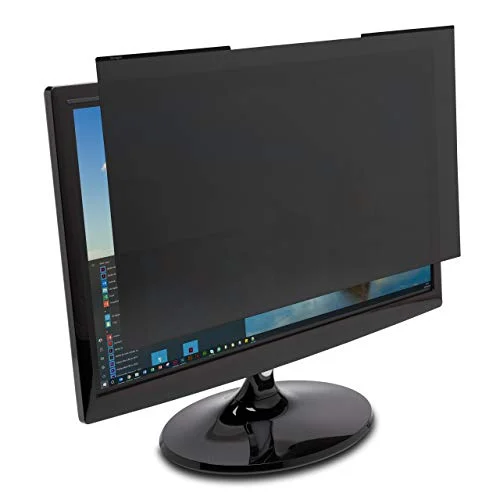
| Spec | 3M Privacy Filter for 27in Widescreen Monitor (PF270W9B) | Kensington MagPro 24in Monitor Privacy Screen with Magnetic Strip (K58357WW) | Kensington Monitor Screen Privacy Filter, 34in 21:9 Ultrawide | 3M Privacy Filter for 24in Widescreen Monitor (PF240W9B) | Fellowes PrivaScreen Privacy Filter for 27.0in Widescreen Monitor (4815001) |
|---|---|---|---|---|---|
| Rating | 9.0/10 | 8.6/10 | 8.4/10 | 8.3/10 | 7.8/10 |
| Price | $68.48as of Sep 27, 2026 | $108.99as of Sep 27, 2026 | $259.38as of Sep 27, 2026 | $56.58as of Sep 27, 2026 | $136.82as of Sep 27, 2026 |
| Fit | 27" widescreen, 16:9 (23 9/16 x 13 1/4 in active area) | 24" widescreen, 16:9, slim-bezel monitors | 34" ultrawide, 21:9 | 24" widescreen, 16:9 | 27" widescreen, 16:9 |
| Viewing Angle Protection | 60° blackout outside direct view | ±30° blackout | 2-way blackout outside direct view | 60° blackout outside direct view | Blackout outside direct viewing angle |
| Mount | Slide-on tabs, no adhesive | Magnetic strip, tool-free | Removable, no adhesive | Slide-on tabs, no adhesive | Attach tabs, no adhesive |
| Surface | Reversible glossy / anti-glare matte | Reversible matte / glossy | — | Reversible glossy / anti-glare matte | Anti-reflective, glare-reducing |
| Blue Light Reduction | Yes, without visible color shift | Up to 22% | Yes, via anti-glare coating | Yes, without visible color shift | — |
| Durability | Rated for hundreds of cleanings | — | — | — | — |
| Included | — | Cleaning cloth and protective case | — | — | — |
| Compatibility | — | — | LG, ViewSonic, Samsung, BenQ ultrawide panels | — | — |
| Extras | — | — | — | — | Fingerprint and scratch protection |
| Check Price → | Check Price → | Check Price → | Check Price → | Check Price → |
Prices change daily — tap Check Price for the current Amazon price.
1. 3M Privacy Filter for 27in Widescreen Monitor (PF270W9B) — Best Overall
3M Privacy Filter for 27in Widescreen Monitor (PF270W9B)
Pros
- 60-degree blackout viewing angle uses the same micro-louvre technology 3M built this category around — anyone beside you sees a dark screen
- Reversible surface: glossy for maximum clarity at your desk, or flip to matte to cut glare in a bright open office
- Reduces blue light emission without the visible color shift some cheaper filters introduce
- 3M rates it to withstand hundreds of cleanings without degrading, which matters for a filter you wipe down daily
- Tool-free slide-on tabs mount to the bezel — no adhesive residue if you ever remove it for good
Cons
- 3M's own testing on its standard 'black' filter line shows roughly a 25% brightness cut versus an unfiltered screen — plan to raise your monitor's brightness setting to compensate
- Bezel-clip mounting takes a few extra seconds to remove for a video call or color-critical task versus a magnetic strip
- At $70.78, it costs more than a no-name filter, though it's still priced below the Kensington magnetic option below
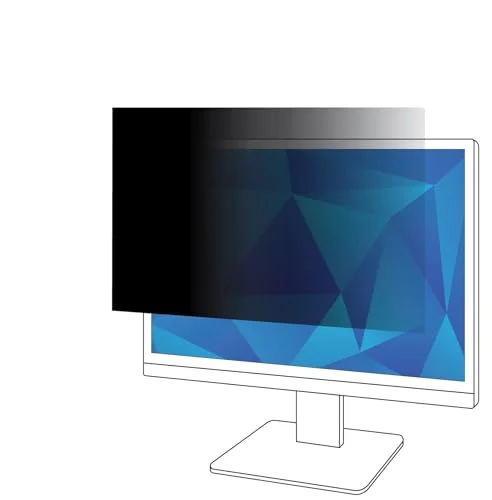
3M essentially invented the monitor privacy filter category, and the PF270W9B is the clearest example of why its filters are still the default recommendation. The 60-degree blackout viewing angle is built on 3M’s micro-louvre film — a layer of microscopic vertical blinds embedded in the filter that physically blocks light from reaching any eye positioned outside a narrow cone directly in front of the screen. Someone sitting beside you, or walking past your desk, sees a black rectangle. You see your normal screen.
The reversible surface is a genuinely useful detail. Flip it to the glossy side for the sharpest image at your desk, or flip to the anti-glare matte side if you’re near a window or under harsh fluorescent lighting — both surfaces keep the same privacy performance, so the choice is purely about your room.
The tradeoff every 3M “black” filter in this roundup shares is brightness. 3M’s own published testing on this filter line shows a real reduction — on the order of 25% dimmer than an unfiltered screen — because the same micro-louvre structure that blocks side-angle light also blocks some of the light heading straight at you. Bumping your monitor’s brightness setting up a notch or two after installing it fixes this in practice, but it’s worth knowing before you buy, not after.
Mounting is tool-free slide tabs that clip onto the monitor bezel — no adhesive, so there’s no residue if you ever remove it permanently. It’s a slower removal than a magnetic strip, which matters if you take the filter off for video calls where clarity matters more than privacy.
Best for: Remote workers who want the most established, best-tested privacy filter on the market and don’t mind a few extra seconds to remove it.
2. Kensington MagPro 24in Monitor Privacy Screen with Magnetic Strip (K58357WW) — Best Magnetic / Easiest Install
Kensington MagPro 24in Monitor Privacy Screen with Magnetic Strip (K58357WW)
Pros
- Magnetic strip snaps into place in seconds and lifts off just as fast — no adhesive, no aligning bezel clips
- Cuts blue light by up to 22% on top of the standard privacy filtering, per Kensington's spec sheet
- Reversible matte/glossy surface adapts to room lighting the same way 3M's filters do
- Ships with a cleaning cloth and a protective case, making it easy to store when removed for calls
- Thin enough that it doesn't add noticeable bulk to a slim-bezel monitor's profile
Cons
- Some buyers report the magnetic strip's hold weakening over time, occasionally letting the panel shift or detach
- Built specifically for slim-bezel monitors — thicker or older monitor bezels may not seat the magnetic strip securely
- At $108.99, it costs roughly 50% more than 3M's comparable 24-inch slide-tab filter below
The MagPro’s entire pitch is speed: a magnetic strip runs along the top edge, and the filter snaps into place in seconds with no bezel-clip alignment required. Pulling it off for a call or a color-sensitive task is just as fast — lift and set aside. If you’re the kind of person who’ll actually remove a privacy filter for meetings rather than leaving it on permanently, the magnetic mount is the difference between doing that daily and never bothering.
Kensington’s spec sheet claims up to 22% blue light reduction on top of the standard ±30° blackout privacy effect, and the filter ships with a cleaning cloth and a protective case — small details that make it easier to store when it’s off the monitor rather than tossed in a drawer.
The real-world tradeoff is reliability of the magnetic hold. Some buyers report the strip losing grip strength after months of daily attach/remove cycles, letting the panel shift or drop off. It’s also built specifically for slim-bezel monitors, so a thicker or older monitor bezel may not give the magnetic strip enough contact to hold securely — check your bezel width before ordering. At $108.99, it’s also the priciest 24-inch option here, roughly 50% more than 3M’s slide-tab equivalent.
Best for: Anyone who wants to actually remove their privacy filter regularly rather than leaving it mounted permanently.
3. Kensington Monitor Screen Privacy Filter, 34in 21:9 Ultrawide — Best for Ultrawide Monitors
Kensington Monitor Screen Privacy Filter, 34in 21:9 Ultrawide
Pros
- One of the only widely stocked privacy filters actually sized for a 21:9 ultrawide panel — most competitors, including every other filter in this roundup, are cut for standard 16:9 monitors
- 2-way removable design means no adhesive residue if you take it off or switch monitors later
- Anti-glare coating reduces blue light and reflection on top of the core privacy function
- Kensington lists direct compatibility with LG, ViewSonic, Samsung, and BenQ ultrawide models, covering most 34-inch panels remote workers actually buy
- Covers the full width of a 34-inch curved or flat ultrawide without needing to tile two smaller filters together
Cons
- At $259.38, it's by far the most expensive filter in this roundup — ultrawide privacy film is a lower-volume product and priced accordingly
- Kensington doesn't publish the same degree-specific viewing-angle spec that 3M does, so the exact blackout cutoff is less precisely documented
- Sizing is unforgiving on a 34-inch curved panel — measure your exact screen dimensions rather than relying on the diagonal size alone
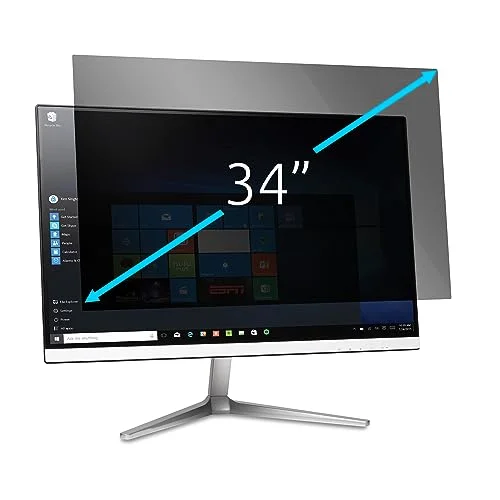
Ultrawide monitors have become a standard remote-work upgrade, and most privacy filter lineups simply don’t make a version for them — nearly every filter on the market, including the rest of this roundup, is cut for a 16:9 standard widescreen. Kensington’s 34-inch 21:9 filter is one of the few options actually sized for the aspect ratio, with listed compatibility across LG, ViewSonic, Samsung, and BenQ ultrawide panels.
The core mechanism is the same 2-way blackout privacy effect as every filter here, with an added anti-glare coating that also cuts blue light. It’s removable rather than adhesive, so there’s no residue if you swap monitors or remove it later, and it covers the full 34-inch width in one piece rather than requiring two smaller filters taped together.
The tradeoffs are real. At $259.38, it costs more than every other filter in this roundup combined against the cheapest pick — ultrawide privacy film is a lower-volume product, and it’s priced like one. Kensington also doesn’t publish the same specific viewing-angle degree rating that 3M does, so you’re trusting the “2-way blackout” description rather than a documented cutoff. And because 34-inch panels are often curved, measure your exact screen dimensions before ordering rather than relying on the diagonal size alone.
Best for: Remote workers running a 34-inch ultrawide monitor who can’t find a 16:9-cut filter that fits.
4. 3M Privacy Filter for 24in Widescreen Monitor (PF240W9B) — Best Budget
3M Privacy Filter for 24in Widescreen Monitor (PF240W9B)
Pros
- Cheapest way to get 3M's 60-degree blackout privacy technology in this roundup, at $60.95
- Same reversible gloss/matte surface and blue light reduction as the pricier 27-inch 3M filter
- 24-inch remains the most common monitor size for home offices, so compatibility is rarely an issue
- Slide-on tabs mean no adhesive residue if you swap monitors later
- 3M's multi-hundred-cleaning durability rating carries over from the larger sizes
Cons
- Same roughly 25% brightness cut as every other 3M filter here — the budget price doesn't come with a lighter tradeoff
- Tab mounting isn't as fast to remove day-to-day as Kensington's magnetic strip
- 16:9 only — it won't fit older 16:10 24-inch monitors, so check your aspect ratio before buying
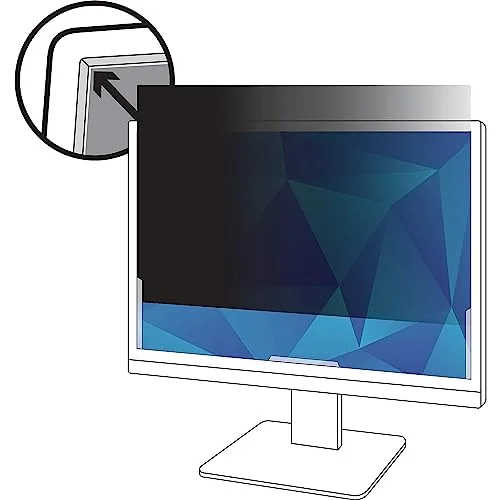
The PF240W9B is the cheapest way into 3M’s blackout technology in this roundup, and it doesn’t cut corners to get there — it’s the same 60-degree micro-louvre privacy film, the same reversible glossy/matte surface, and the same blue light reduction as the 27-inch 3M filter, just sized for the most common monitor dimension in home offices.
That makes it the easy default recommendation if you’re not sure which size or mount type to buy: 24-inch monitors are still the baseline for most desk setups, and at $60.95 it undercuts every other filter in this roundup on price.
The tradeoffs are the same ones that apply across every 3M filter here — a real brightness reduction you’ll want to compensate for in your monitor settings, and slide-tab mounting that’s slower to remove than a magnetic strip. It’s also strictly 16:9, so it won’t fit an older 16:10 24-inch monitor; measure your screen’s actual aspect ratio, not just the diagonal size, before ordering.
Best for: Budget-conscious buyers with a standard 24-inch 16:9 monitor who want proven privacy technology without paying for a magnetic mount or a larger panel.
5. Fellowes PrivaScreen Privacy Filter for 27.0in Widescreen Monitor (4815001) — Best for Glare-Heavy Rooms
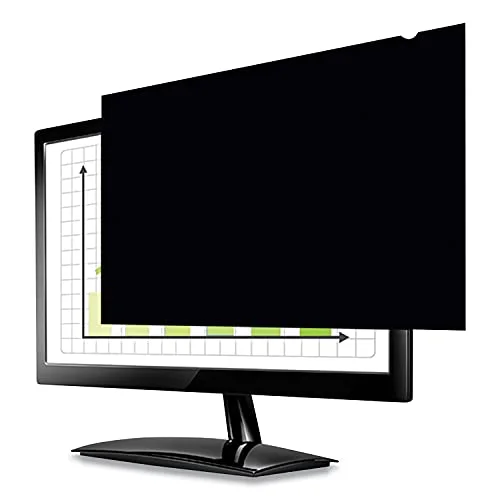
Fellowes PrivaScreen Privacy Filter for 27.0in Widescreen Monitor (4815001)
Pros
- Anti-reflective coating specifically targets glare, useful under overhead fluorescent lighting in a bright open-plan office
- Blacks out the screen image from side angles while staying clear head-on, the same core mechanism as the 3M filters
- Attach tabs go on and come off without adhesive
- Adds fingerprint and scratch protection on top of the privacy filtering
- A widely stocked alternative to 3M or Kensington if either is out of stock
Cons
- At $164.94, it's priced above the 3M 27-inch equivalent despite being a less established name in privacy optics
- Fellowes doesn't publish a specific brightness-loss percentage the way 3M does, so it's harder to know what to expect out of the box
- Attach tabs, not magnetic, so daily removal for video calls is slower than the Kensington pick
Fellowes has been in the privacy filter business almost as long as 3M, and the PrivaScreen line’s differentiator is an anti-reflective coating tuned specifically for glare rather than just brightness or color neutrality. In a bright open-plan office with overhead fluorescent panels or a desk facing a window, that coating cuts more visible reflection than a standard matte finish does — worth considering if glare, not just privacy, is your actual daily annoyance.
The core mechanism is the same as every other filter in this roundup: the screen blacks out when viewed from the side and stays clear head-on. Fellowes adds fingerprint and scratch resistance on top, and the attach tabs mount without adhesive, same as the 3M filters.
Two things hold it back from a higher rank. First, at $164.94 it’s currently priced above the 3M 27-inch equivalent, despite Fellowes being the less dominant name in this specific category. Second, Fellowes doesn’t publish a brightness-loss percentage the way 3M does, so you’re buying without the same level of documented expectation-setting — reasonable to assume a similar dimming effect to any micro-louvre-style filter, but it’s not stated outright. It’s a reasonable pick if 3M or Kensington are out of stock, or if anti-reflective glare control specifically is your priority.
Best for: Remote workers in a bright, glare-heavy room who want anti-reflective coating prioritized over the lowest price or fastest mount.
Buying Guide: How to Choose a Monitor Privacy Screen
Viewing angle protection
Most quality privacy filters advertise a viewing angle cutoff — commonly 60 degrees total (30 degrees to each side) for 3M’s line, or ±30 degrees for Kensington’s. The number describes how far off-center someone needs to stand before the screen goes black to them. A tighter angle means stronger privacy but also means you have less freedom to shift your own viewing position without the image starting to darken.
Brightness tradeoff
Every filter in this roundup that uses micro-louvre privacy film reduces screen brightness to some degree — commonly cited around 25% for 3M’s standard “black” filter line versus an unfiltered display. This isn’t a defect; it’s the physical cost of blocking light at an angle. Plan to raise your monitor’s brightness setting after installing a filter, and if your monitor already runs dim, factor that in before buying.
Mount type: magnetic vs. slide tabs vs. adhesive
- Magnetic strip (Kensington): Fastest daily attach/remove, ideal if you plan to take the filter off regularly for calls or color work. Some reports of the magnetic hold weakening over time.
- Slide-on tabs (3M): No adhesive, tool-free, but a few seconds slower to remove than magnetic. The most common mount across the category.
- Adhesive: Increasingly rare in 2026 as the market shifts toward removable options — avoid it if you expect to change monitors or remove the filter later, since it can leave residue.
Size and aspect ratio
Privacy filters are sized to a specific diagonal measurement and aspect ratio, not a general “fits most” range. A 24-inch 16:9 filter will not properly cover a 24-inch 16:10 monitor. Measure your screen’s actual diagonal and confirm the aspect ratio before ordering — the return process for a filter that doesn’t fit is more hassle than double-checking the spec first.
Matte vs. glossy surface
Reversible filters let you pick per room. Glossy preserves the sharpest, most color-accurate image and is the right choice at a desk without direct glare sources. Matte trades a small amount of clarity for meaningfully less reflection under overhead lighting or near a window — the Fellowes pick in this roundup leans hardest into anti-reflective performance specifically.
Frequently Asked Questions
Do privacy screens actually reduce screen brightness?
Yes. Every micro-louvre-style privacy filter, including all four 3M filters in this roundup, blocks some direct light along with the side-angle light it’s designed to filter out. 3M’s own published testing on its standard filter line shows a reduction on the order of 25%. Raising your monitor’s brightness setting after installing a filter is standard practice, not a workaround for a defect.
Should I remove my privacy filter for video calls?
Not necessarily, but it’s worth testing. A well-installed filter shouldn’t visibly affect how you look on camera, since the camera sits roughly in your direct line of sight where the filter stays clear. If you do want to remove it for calls — for example, to maximize brightness in a dim room — a magnetic mount like the Kensington MagPro makes that a two-second task instead of unclipping bezel tabs.
Is a magnetic privacy screen better than a slide-tab one?
It depends on how often you plan to remove it. Magnetic mounts like the Kensington MagPro are faster to attach and remove daily, which matters if you take the filter off for calls or color-sensitive work. Slide tabs, used across the 3M lineup, are just as secure once installed and don’t rely on magnet strength holding up over years of use — some buyers report magnetic strips weakening over time.
Will a privacy screen work on a curved monitor?
None of the five filters in this roundup are designed for curved panels — all are flat-panel filters intended for standard flat widescreen monitors. Curved-monitor privacy filters exist from specialty manufacturers, but selection and sizing options are far more limited than the flat-panel market covered here. Check your monitor’s curvature spec before ordering any privacy filter.
Do I need a privacy screen if I work from a coworking space or open office?
If your screen faces a walkway, a shared table, or another desk within eyeshot, yes — a physical filter is the only way to guarantee client data, financial information, or unreleased work stays unreadable to anyone who glances over. It also covers a case screen-lock timers don’t: someone reading your screen in real time while you’re actively working, not just when you step away.
Conclusion
For most remote workers, the 3M Privacy Filter for 27in Widescreen Monitor (PF270W9B) is the right default: proven blackout technology, a reversible surface for any room lighting, and a price that sits below both the Kensington and Fellowes alternatives in this roundup.
If you’ll actually take the filter on and off regularly — for calls, for color-sensitive work, or just because you share a monitor — pay the premium for the Kensington MagPro’s magnetic mount. It’s the only filter here that makes daily removal genuinely convenient.
Running a 34-inch ultrawide display, the Kensington 34” 21:9 filter is the practical choice — there’s little competition for that aspect ratio. And if budget is the deciding factor, the 3M PF240W9B delivers the identical blackout technology as the pricier 3M filter, just sized for a 24-inch screen.
Detailed Reviews
3M Privacy Filter for 27in Widescreen Monitor (PF270W9B)
Pros
- 60-degree blackout viewing angle uses the same micro-louvre technology 3M built this category around — anyone beside you sees a dark screen
- Reversible surface: glossy for maximum clarity at your desk, or flip to matte to cut glare in a bright open office
- Reduces blue light emission without the visible color shift some cheaper filters introduce
- 3M rates it to withstand hundreds of cleanings without degrading, which matters for a filter you wipe down daily
- Tool-free slide-on tabs mount to the bezel — no adhesive residue if you ever remove it for good
Cons
- 3M's own testing on its standard 'black' filter line shows roughly a 25% brightness cut versus an unfiltered screen — plan to raise your monitor's brightness setting to compensate
- Bezel-clip mounting takes a few extra seconds to remove for a video call or color-critical task versus a magnetic strip
- At $70.78, it costs more than a no-name filter, though it's still priced below the Kensington magnetic option below
Kensington MagPro 24in Monitor Privacy Screen with Magnetic Strip (K58357WW)
Pros
- Magnetic strip snaps into place in seconds and lifts off just as fast — no adhesive, no aligning bezel clips
- Cuts blue light by up to 22% on top of the standard privacy filtering, per Kensington's spec sheet
- Reversible matte/glossy surface adapts to room lighting the same way 3M's filters do
- Ships with a cleaning cloth and a protective case, making it easy to store when removed for calls
- Thin enough that it doesn't add noticeable bulk to a slim-bezel monitor's profile
Cons
- Some buyers report the magnetic strip's hold weakening over time, occasionally letting the panel shift or detach
- Built specifically for slim-bezel monitors — thicker or older monitor bezels may not seat the magnetic strip securely
- At $108.99, it costs roughly 50% more than 3M's comparable 24-inch slide-tab filter below
Kensington Monitor Screen Privacy Filter, 34in 21:9 Ultrawide
Pros
- One of the only widely stocked privacy filters actually sized for a 21:9 ultrawide panel — most competitors, including every other filter in this roundup, are cut for standard 16:9 monitors
- 2-way removable design means no adhesive residue if you take it off or switch monitors later
- Anti-glare coating reduces blue light and reflection on top of the core privacy function
- Kensington lists direct compatibility with LG, ViewSonic, Samsung, and BenQ ultrawide models, covering most 34-inch panels remote workers actually buy
- Covers the full width of a 34-inch curved or flat ultrawide without needing to tile two smaller filters together
Cons
- At $259.38, it's by far the most expensive filter in this roundup — ultrawide privacy film is a lower-volume product and priced accordingly
- Kensington doesn't publish the same degree-specific viewing-angle spec that 3M does, so the exact blackout cutoff is less precisely documented
- Sizing is unforgiving on a 34-inch curved panel — measure your exact screen dimensions rather than relying on the diagonal size alone
3M Privacy Filter for 24in Widescreen Monitor (PF240W9B)
Pros
- Cheapest way to get 3M's 60-degree blackout privacy technology in this roundup, at $60.95
- Same reversible gloss/matte surface and blue light reduction as the pricier 27-inch 3M filter
- 24-inch remains the most common monitor size for home offices, so compatibility is rarely an issue
- Slide-on tabs mean no adhesive residue if you swap monitors later
- 3M's multi-hundred-cleaning durability rating carries over from the larger sizes
Cons
- Same roughly 25% brightness cut as every other 3M filter here — the budget price doesn't come with a lighter tradeoff
- Tab mounting isn't as fast to remove day-to-day as Kensington's magnetic strip
- 16:9 only — it won't fit older 16:10 24-inch monitors, so check your aspect ratio before buying
Fellowes PrivaScreen Privacy Filter for 27.0in Widescreen Monitor (4815001)
Pros
- Anti-reflective coating specifically targets glare, useful under overhead fluorescent lighting in a bright open-plan office
- Blacks out the screen image from side angles while staying clear head-on, the same core mechanism as the 3M filters
- Attach tabs go on and come off without adhesive
- Adds fingerprint and scratch protection on top of the privacy filtering
- A widely stocked alternative to 3M or Kensington if either is out of stock
Cons
- At $164.94, it's priced above the 3M 27-inch equivalent despite being a less established name in privacy optics
- Fellowes doesn't publish a specific brightness-loss percentage the way 3M does, so it's harder to know what to expect out of the box
- Attach tabs, not magnetic, so daily removal for video calls is slower than the Kensington pick