A genuine 4K monitor under $200 has been a hard find for most of the last few years — most retailers push buyers toward 1440p at this price and save true 4K for the $300+ tier. That’s shifting. In September 2026, Samsung’s ViewFinity S7 hit an all-time-low price of $199.99 on Amazon, and Sceptre’s budget 4K lineup has held steady in the $170-200 range for months. If you’ve been waiting for real 4K to become affordable, the entry point is finally here — you just have to know which models are worth it and which ones cut too many corners to get there.
The tradeoff at this price is consistent across every option below: you get a sharp 4K IPS panel, but the stand usually only tilts, refresh rate tops out at 60-70Hz, and USB-C or a built-in hub is rare. None of that is a dealbreaker for remote work — it matters for gaming and fast-motion content, not for reading documents or joining video calls.
Quick pick: For most home offices, the Sceptre U275W-UPT is the safest buy — it’s been a reliable, well-reviewed sub-$200 4K monitor for years. If price is the deciding factor, the ViewSonic VA2756-4K-MHD gets you real 4K for around $130. And if you want the freshest deal available right now, the Samsung ViewFinity S7 just hit its lowest price ever.
Quick Picks
| Spec | Sceptre U275W-UPT 27-Inch 4K Monitor | Samsung ViewFinity S7 (S70H) 27-Inch 4K Monitor | ViewSonic VA2756-4K-MHD 27-Inch 4K Monitor | AOC U2790VQ 27-Inch 4K Monitor | ViewSonic VX2776-4K-MHDU 27-Inch 4K Monitor | Philips 278E1A 27-Inch 4K Monitor | HUANUO Single Monitor Arm |
|---|---|---|---|---|---|---|---|
| Rating | 8.7/10 | 8.6/10 | 8.3/10 | 8.0/10 | 8.2/10 | 8.4/10 | 8.5/10 |
| Price | $199.97as of Sep 27, 2026 | $189.99as of Sep 27, 2026 | $229.99as of Sep 27, 2026 | Unavailable | $230.00-$279.93as of Sep 27, 2026 | Unavailable | Unavailable |
| Panel | IPS | IPS | IPS | IPS | IPS | IPS | — |
| Resolution | 3840 x 2160 (4K UHD) | 3840 x 2160 (4K UHD) | 3840 x 2160 (4K UHD) | 3840 x 2160 (4K UHD) | 3840 x 2160 (4K UHD) | 3840 x 2160 (4K UHD) | — |
| Size | 27 inches | 27 inches | 27 inches | 27 inches | 27 inches | 27 inches | — |
| Refresh Rate | Up to 70Hz | 60Hz, 5ms | 60Hz | 60Hz, 5ms | — | 60Hz, 4ms | — |
| Ports | 2x HDMI, 1x DisplayPort | HDMI, DisplayPort | HDMI, DisplayPort | — | — | — | — |
| Color Coverage | 99% sRGB | — | — | 108% sRGB, 1 billion+ colors | — | 109% sRGB | — |
| Speakers | Built-in | — | — | — | Dual built-in | Built-in | — |
| HDR | — | HDR10 | — | — | HDR10 content support | — | — |
| Bezels | — | — | Ultra-thin | — | Thin | — | — |
| Design | — | — | — | Frameless | — | — | — |
| USB-C | — | — | — | — | 65W power delivery | — | — |
| Brightness | — | — | — | — | 350 nits | — | — |
| Warranty | — | — | — | — | — | 4-year advance replacement | — |
| Type | — | — | — | — | — | — | Full-motion gas spring arm |
| VESA | — | — | — | — | — | — | 75x75mm, 100x100mm |
| Weight Capacity | — | — | — | — | — | — | Up to 19.8 lbs |
| Mount | — | — | — | — | — | — | C-clamp or grommet base |
| Screen Range | — | — | — | — | — | — | 13-34 inches |
| Check Price → | Check Price → | Check Price → | Check Price → | Check Price → | Check Price → | Check Price → |
Prices change daily — tap Check Price for the current Amazon price.
1. Sceptre U275W-UPT 27-Inch 4K Monitor — Best Overall
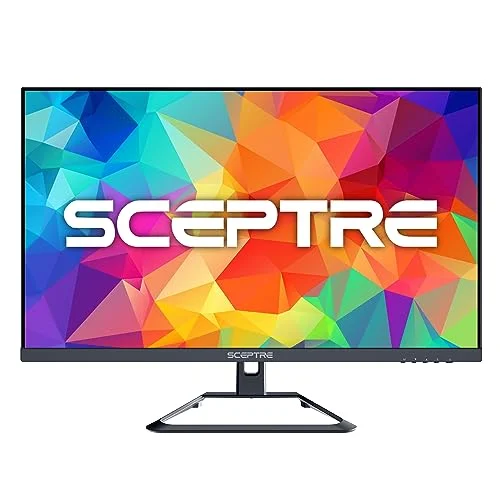
Sceptre U275W-UPT 27-Inch 4K Monitor
Pros
- True 4K UHD that regularly sells in the $170-190 range, among the lowest sustained prices for a real 4K panel on Amazon
- 70Hz refresh rate is noticeably smoother for scrolling and dragging windows than the 60Hz cap on most budget 4K monitors
- 99% sRGB coverage keeps everyday colors accurate for browsing, spreadsheets, and video calls
- Built-in speakers give you a functional monitor out of the box without buying external speakers
Cons
- Stand only tilts — no height, swivel, or pivot adjustment, so budget for a riser or monitor arm separately
- Built-in speakers are thin and work better as a backup than a primary listening source
- Accessory bundle is bare-bones — check which cables are included before ordering
The Sceptre U275W-UPT has been the default recommendation for sub-$200 4K for a while now, and the reason is consistency: it’s a genuine 3840 x 2160 IPS panel that sells in the $170-190 range far more often than it doesn’t. The 70Hz refresh rate is a small but real upgrade over the 60Hz cap most budget 4K monitors are stuck at — window dragging and page scrolling feel a step smoother, even if it’s nowhere near a gaming-grade refresh rate.
99% sRGB coverage means everyday content — browser windows, spreadsheets, video calls — looks accurate without any calibration. Built-in speakers mean you can plug in and go without adding a separate audio setup, though don’t expect them to replace a real speaker or headset for calls.
The compromise is the stand: it tilts, and that’s the extent of the adjustment. If your desk setup needs the screen higher, lower, or rotated, plan on adding a monitor arm or riser.
Who should buy this: Remote workers who want the safest, most proven sub-$200 4K option.
Who should skip this: Anyone who needs height or swivel adjustment built into the stand.
2. Samsung ViewFinity S7 (S70H) 27-Inch 4K Monitor — Editor’s Pick
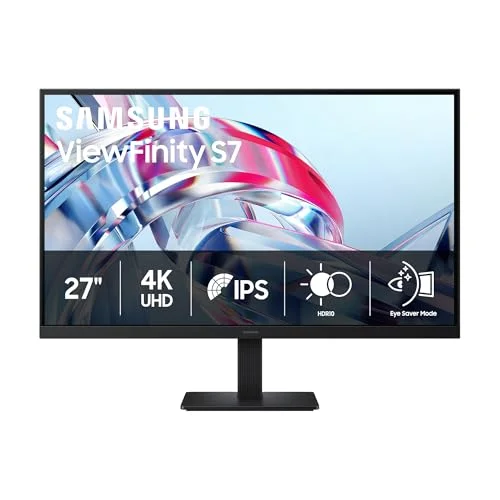
Samsung ViewFinity S7 (S70H) 27-Inch 4K Monitor
Pros
- HDR10 support adds noticeably more contrast in supported content than the non-HDR budget options in this roundup
- Hit an all-time-low price of $199.99 on Amazon in September 2026, the freshest deal of any monitor here
- Eye Saver Mode and flicker-free backlighting genuinely help during full workdays in front of the screen
- Easy-set stand assembles without tools in a couple minutes
Cons
- 60Hz refresh rate, not the 70Hz the Sceptre pick in this roundup offers, so scrolling feels marginally less smooth
- Stand tilts only — no height adjustment out of the box
- The $199 price is deal-dependent and lists higher during non-sale periods, so check current pricing before buying
The ViewFinity S7 earns Editor’s Pick on the strength of two things: it’s the freshest deal in this roundup, and it’s the only monitor here with HDR10 support. Samsung dropped this panel to $199.99 on Amazon in September 2026, an all-time low that puts it right at the edge of this roundup’s budget instead of comfortably above it, which is where it usually sits.
HDR10 won’t transform your spreadsheet, but for anyone who watches HDR video content or wants more contrast headroom in supported apps, it’s a real feature the other budget picks here don’t have. Eye Saver Mode and flicker-free backlighting are the kind of unglamorous features that matter more the longer you sit in front of a screen — both are present and functional here.
Refresh rate caps at 60Hz, a step behind the Sceptre’s 70Hz, and the stand is tilt-only like the rest of this list. The bigger caveat is the price itself: $199.99 is a sale price, not the standing MSRP, so confirm the current listing before assuming you’ll get that number.
Who should buy this: Buyers who want HDR10 and are checking Amazon at the right moment to catch the current deal.
Who should skip this: Anyone who wants the 70Hz smoothness of the Sceptre pick, or who’s shopping outside a sale window.
3. ViewSonic VA2756-4K-MHD 27-Inch 4K Monitor — Best Budget
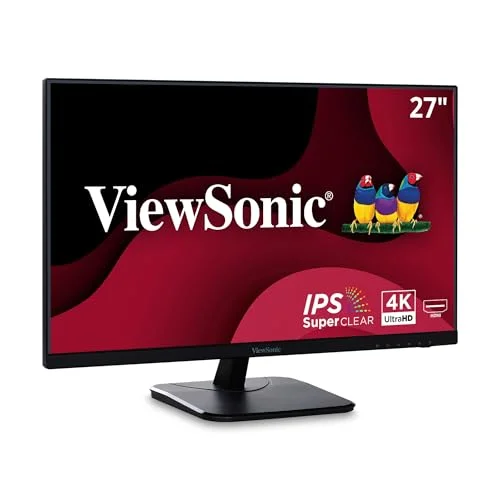
ViewSonic VA2756-4K-MHD 27-Inch 4K Monitor
Pros
- Cheapest genuine 4K monitor in this roundup, often selling under $130
- Ultra-thin bezels give a clean look on a dual-monitor desk
- IPS panel at this price still delivers wide viewing angles most TN-based budget panels can't match
- VESA-mountable if you're skipping the included stand for a monitor arm
Cons
- No USB-C or built-in USB hub of any kind — plan on connecting peripherals directly to your laptop
- Fixed-tilt stand with no height adjustment
- ViewSonic makes fewer color-accuracy claims here than the pricier picks — fine for text and browsing, not color-critical work
If the goal is simply “real 4K, lowest possible price,” the VA2756-4K-MHD is the answer. It regularly sells for around $130, a genuine discount against every other panel in this roundup, and it doesn’t achieve that price by dropping down to a lesser panel type — it’s still IPS, with the wide viewing angles that come with it.
The ultra-thin bezels are a nice detail for anyone running this next to a second monitor; the seam between screens stays minimal. It’s VESA-mountable too, so pairing it with an arm like the HUANUO pick below is straightforward if you don’t want to rely on the included stand.
What you give up at this price is connectivity and stand flexibility. There’s no USB-C and no built-in hub, so peripherals connect straight to your laptop or a separate hub. The stand tilts only, same as most of this list.
Who should buy this: Anyone prioritizing price above all else who still wants a real 4K panel.
Who should skip this: Buyers who want USB-C connectivity or a built-in USB hub — neither is here.
4. AOC U2790VQ 27-Inch 4K Monitor — Best Color Coverage
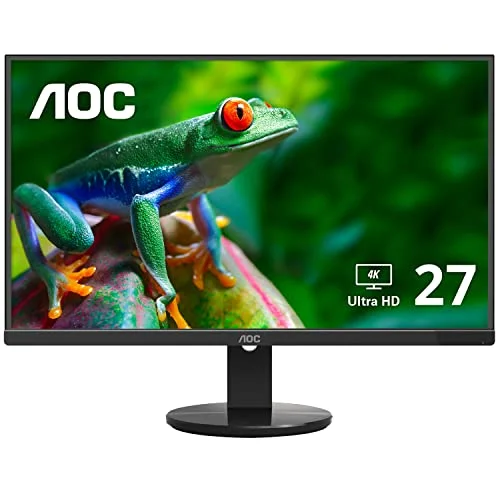
AOC U2790VQ 27-Inch 4K Monitor
Pros
- 108% sRGB coverage is the widest color claim of any monitor in this roundup
- Frameless design looks clean in a dual-monitor setup
- VESA mount compatible for anyone moving straight to a monitor arm
- Long price history on Amazon makes deal timing predictable if you're not buying today
Cons
- Older industrial design than the newer Sceptre and Samsung panels here, with fewer modern refinements
- No built-in speakers
- Price fluctuates between roughly $180-230, so it isn't always under $200 — check the live price before ordering
The U2790VQ has been on the market longer than the Sceptre or Samsung picks here, and its standout spec hasn’t been matched by anything else in this roundup: 108% sRGB coverage and a claimed 1 billion+ colors. For anyone doing light photo review or design work alongside general remote tasks, that extra color range is a genuine upside a plain budget panel doesn’t offer.
The frameless design keeps the look clean, and VESA compatibility means it drops onto a monitor arm without issue. Because it’s an established model, its price history is well documented, which makes it easier to time a purchase around a sale if you’re not buying today.
The tradeoffs are age and features: the design is a step behind the newer Sceptre and Samsung panels, there are no built-in speakers, and the price swings more than the others here — anywhere from about $180 to $230 depending on the week.
Who should buy this: Buyers who care about color range more than refresh rate or built-in speakers.
Who should skip this: Anyone who wants a newer design or guaranteed under-$200 pricing without checking first.
Also Worth Considering
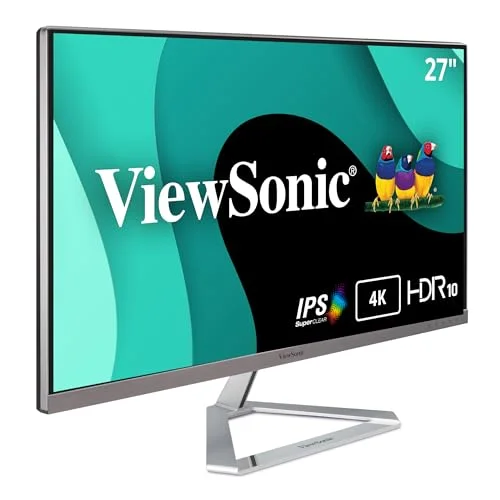
ViewSonic VX2776-4K-MHDU 27-Inch 4K Monitor
Pros
- 65W USB-C power delivery is the only single-cable charging option in this roundup — none of the sub-$200 picks have it
- HDR10 content support plus 350-nit brightness gives noticeably more headroom than the standard-dynamic-range budget picks
- Dual built-in speakers and thin bezels round out a more premium-feeling package
- USB-C alone typically adds $80-100 to a 4K monitor's price, so this isn't overpriced for what it includes
Cons
- At $329, this is well outside the strict under-$200 target — it's here for buyers who specifically want USB-C charging
- Costs more than double the cheapest pick in this roundup for the USB-C and HDR10 upgrade alone
- Confirm your laptop actually needs 65W before paying the premium — many ultrabooks charge fine on far less
The ViewSonic VX2776-4K-MHDU is the one monitor here priced well outside the strict under-$200 target, typically landing around $329. It earns a spot because it covers a gap none of the four ranked picks fill: 65W USB-C power delivery for single-cable laptop charging, plus HDR10 content support and 350-nit brightness. If single-cable charging matters more than staying under $200, this is the upgrade path.
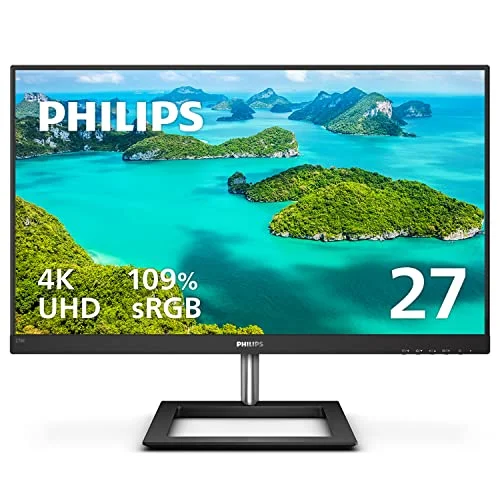
Philips 278E1A 27-Inch 4K Monitor
Pros
- 109% sRGB coverage is the widest color claim of any monitor in this entire roundup, budget or not
- 4-year advance replacement warranty beats the standard 1-3 years on every other pick here
- Frameless design and built-in speakers round out a more complete package
- Regularly drops to its $229 low, which is close enough to $200 to be worth the stretch for the warranty alone
Cons
- At $229, it's the one pick in this roundup that runs over the $200 target — budget accordingly
- Stand adjustment is limited like the rest of this list, tilt only
- 60Hz refresh rate, no faster than the cheaper Samsung or AOC options
The Philips 278E1A is the other monitor here that runs over $200, typically landing around $229. It earns a spot anyway because of two things nothing else in this roundup matches: 109% sRGB coverage and a 4-year advance replacement warranty, versus the 1-3 years standard elsewhere. If a slightly stretched budget gets you real peace of mind on the warranty, it’s worth the extra $30.
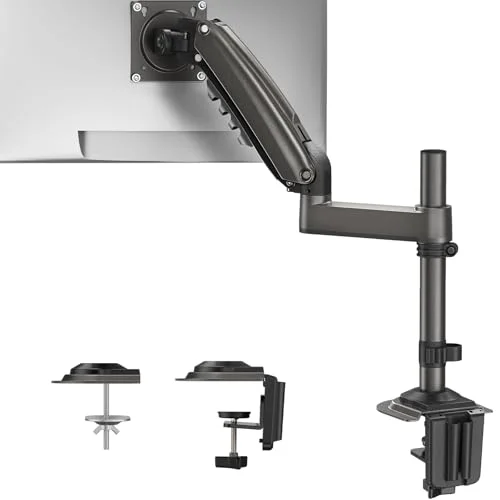
HUANUO Single Monitor Arm
Pros
- Adds the height, tilt, and swivel adjustment that none of the monitors above include with their stock stands
- Rated up to 19.8 lbs, enough for any 27-inch 4K monitor in this roundup
- C-clamp or grommet base covers most desk edge thicknesses
- Costs a fraction of what a height-adjustable monitor sells for on its own
Cons
- Adds real setup time and needs clearance at the back of your desk for the clamp
- Not rated for monitors heavier than 19.8 lbs — check your monitor's weight first
- Requires a VESA mounting pattern on the monitor; screens without one need an adapter plate
Every ranked monitor in this roundup ships with a tilt-only stand, which is the single most common complaint about budget 4K monitors. The HUANUO Single Monitor Arm fixes that for about $35 — full height, tilt, and swivel adjustment, rated up to 19.8 lbs, which covers every panel above. If you’re buying one of these monitors and know the stock stand won’t cut it, add this to the cart at the same time.
Buying Guide: What to Expect From a Sub-$200 4K Monitor
Refresh Rate Tops Out Around 60-70Hz
None of these monitors are built for fast gaming — 60Hz is standard, and 70Hz (the Sceptre pick) is the ceiling among the ranked, strictly-under-$200 options. For remote work, browsing, and video calls, that’s not a limitation. It only matters if fast motion or competitive gaming is part of your use case.
The Stand Is the First Thing to Compromise
Every ranked monitor in this roundup ships with a tilt-only stand — no height adjustment, no swivel, no pivot. That’s the tradeoff manufacturers make to hit this price point. If ergonomic adjustability matters to you, plan for a monitor arm or riser as a companion purchase rather than expecting the included stand to cover it.
USB-C Charging Means Moving Up in Price
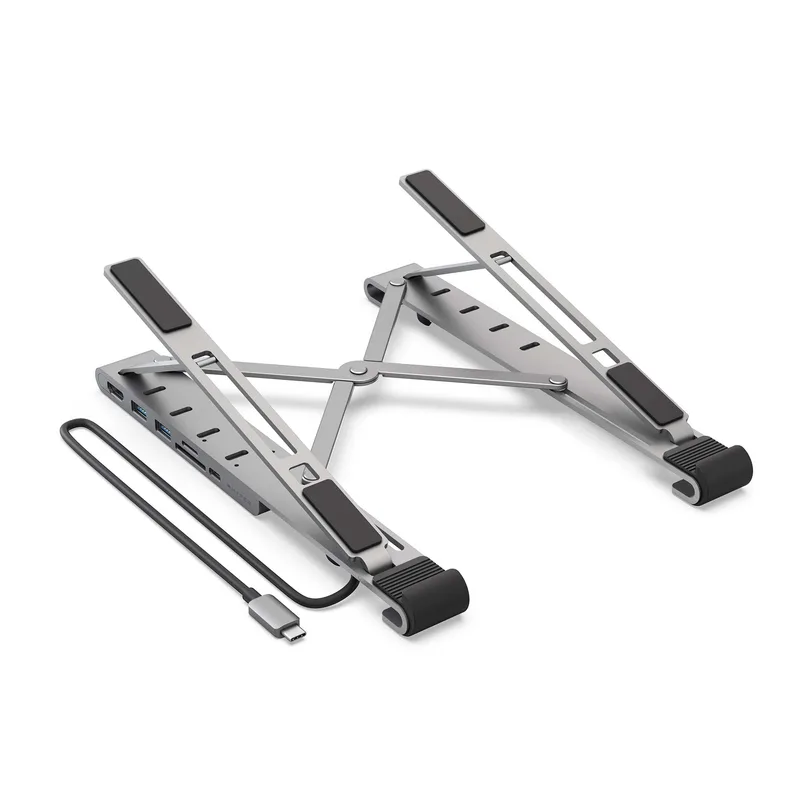
Every strictly-under-$200 monitor in this roundup connects over HDMI or DisplayPort only — none include USB-C power delivery or a multi-port hub. That’s the reliable dividing line: USB-C with real power delivery pushes a 4K monitor’s price up $80-100, which is why the ViewSonic VX2776-4K-MHDU in “Also Worth Considering” lands around $329 instead of under $200. If single-cable laptop charging matters more than price, that’s the upgrade path.
Check the Live Price Before Ordering
Budget 4K monitor pricing swings more than most categories — the AOC U2790VQ alone has ranged from about $180 to $230 in recent months, and the Samsung ViewFinity S7’s $199.99 price is a sale, not a fixed MSRP. Confirm the current Amazon listing price before assuming any figure in this article still applies.
FAQ
Is a 4K monitor under $200 actually worth buying, or should I just get 1440p instead? If your priority is sharp text and multiple windows side by side, a genuine 4K panel like the Sceptre or ViewSonic picks here delivers that at a price that didn’t reliably exist a couple of years ago. If you specifically want higher refresh rates for gaming, a 1440p monitor in this price range will outperform any 4K option on that one metric.
Why do all of these monitors have tilt-only stands? Manufacturers cut stand mechanics first to hit a sub-$200 price on a 4K panel. Adding height, swivel, and pivot adjustment costs more than the panel savings allow at this tier. The fix is a separate monitor arm, like the HUANUO pick in this roundup, rather than expecting the stock stand to flex.
Can I run two of these monitors for a dual-4K setup? Yes, as long as your laptop or desktop GPU can drive two 4K displays — check your machine’s specs first, since older integrated graphics can struggle with dual 4K at once. All four ranked monitors here are VESA-mountable if you want to pair them with dual monitor arms.
Do any of these support HDR? Among the four ranked, strictly-under-$200 picks, only the Samsung ViewFinity S7 supports HDR10. The ViewSonic VX2776-4K-MHDU in “Also Worth Considering” also supports HDR10, but at roughly $329. Everything else here is a standard dynamic range panel — fine for office work and video calls, but without the expanded contrast HDR content is built for.
Should I wait for prices to drop further, or buy now? Budget 4K pricing has been trending down steadily through 2026, but it also fluctuates week to week — the Samsung ViewFinity S7’s current $199.99 price is already near its all-time low. If a listing hits a price you’re comfortable with, it’s reasonable to buy rather than wait for a hypothetical further drop.
Conclusion
For most remote workers, the Sceptre U275W-UPT is the safest place to start — it’s a proven, consistently available sub-$200 4K monitor with a 70Hz refresh rate that most competitors at this price don’t match. If the absolute lowest price matters most, the ViewSonic VA2756-4K-MHD gets you real 4K for around $130. And if you’re shopping right now, the Samsung ViewFinity S7 at its current $199.99 all-time low is the single best value in this roundup — just verify the price hasn’t reset before you check out. Whichever you pick, budget for a monitor arm if the stock tilt-only stand won’t work for your desk.
Detailed Reviews
Sceptre U275W-UPT 27-Inch 4K Monitor
Pros
- True 4K UHD that regularly sells in the $170-190 range, among the lowest sustained prices for a real 4K panel on Amazon
- 70Hz refresh rate is noticeably smoother for scrolling and dragging windows than the 60Hz cap on most budget 4K monitors
- 99% sRGB coverage keeps everyday colors accurate for browsing, spreadsheets, and video calls
- Built-in speakers give you a functional monitor out of the box without buying external speakers
Cons
- Stand only tilts — no height, swivel, or pivot adjustment, so budget for a riser or monitor arm separately
- Built-in speakers are thin and work better as a backup than a primary listening source
- Accessory bundle is bare-bones — check which cables are included before ordering
Samsung ViewFinity S7 (S70H) 27-Inch 4K Monitor
Pros
- HDR10 support adds noticeably more contrast in supported content than the non-HDR budget options in this roundup
- Hit an all-time-low price of $199.99 on Amazon in September 2026, the freshest deal of any monitor here
- Eye Saver Mode and flicker-free backlighting genuinely help during full workdays in front of the screen
- Easy-set stand assembles without tools in a couple minutes
Cons
- 60Hz refresh rate, not the 70Hz the Sceptre pick in this roundup offers, so scrolling feels marginally less smooth
- Stand tilts only — no height adjustment out of the box
- The $199 price is deal-dependent and lists higher during non-sale periods, so check current pricing before buying
ViewSonic VA2756-4K-MHD 27-Inch 4K Monitor
Pros
- Cheapest genuine 4K monitor in this roundup, often selling under $130
- Ultra-thin bezels give a clean look on a dual-monitor desk
- IPS panel at this price still delivers wide viewing angles most TN-based budget panels can't match
- VESA-mountable if you're skipping the included stand for a monitor arm
Cons
- No USB-C or built-in USB hub of any kind — plan on connecting peripherals directly to your laptop
- Fixed-tilt stand with no height adjustment
- ViewSonic makes fewer color-accuracy claims here than the pricier picks — fine for text and browsing, not color-critical work
AOC U2790VQ 27-Inch 4K Monitor
Pros
- 108% sRGB coverage is the widest color claim of any monitor in this roundup
- Frameless design looks clean in a dual-monitor setup
- VESA mount compatible for anyone moving straight to a monitor arm
- Long price history on Amazon makes deal timing predictable if you're not buying today
Cons
- Older industrial design than the newer Sceptre and Samsung panels here, with fewer modern refinements
- No built-in speakers
- Price fluctuates between roughly $180-230, so it isn't always under $200 — check the live price before ordering
ViewSonic VX2776-4K-MHDU 27-Inch 4K Monitor
Pros
- 65W USB-C power delivery is the only single-cable charging option in this roundup — none of the sub-$200 picks have it
- HDR10 content support plus 350-nit brightness gives noticeably more headroom than the standard-dynamic-range budget picks
- Dual built-in speakers and thin bezels round out a more premium-feeling package
- USB-C alone typically adds $80-100 to a 4K monitor's price, so this isn't overpriced for what it includes
Cons
- At $329, this is well outside the strict under-$200 target — it's here for buyers who specifically want USB-C charging
- Costs more than double the cheapest pick in this roundup for the USB-C and HDR10 upgrade alone
- Confirm your laptop actually needs 65W before paying the premium — many ultrabooks charge fine on far less
Philips 278E1A 27-Inch 4K Monitor
Pros
- 109% sRGB coverage is the widest color claim of any monitor in this entire roundup, budget or not
- 4-year advance replacement warranty beats the standard 1-3 years on every other pick here
- Frameless design and built-in speakers round out a more complete package
- Regularly drops to its $229 low, which is close enough to $200 to be worth the stretch for the warranty alone
Cons
- At $229, it's the one pick in this roundup that runs over the $200 target — budget accordingly
- Stand adjustment is limited like the rest of this list, tilt only
- 60Hz refresh rate, no faster than the cheaper Samsung or AOC options
HUANUO Single Monitor Arm
Pros
- Adds the height, tilt, and swivel adjustment that none of the monitors above include with their stock stands
- Rated up to 19.8 lbs, enough for any 27-inch 4K monitor in this roundup
- C-clamp or grommet base covers most desk edge thicknesses
- Costs a fraction of what a height-adjustable monitor sells for on its own
Cons
- Adds real setup time and needs clearance at the back of your desk for the clamp
- Not rated for monitors heavier than 19.8 lbs — check your monitor's weight first
- Requires a VESA mounting pattern on the monitor; screens without one need an adapter plate