| Spec | WD My Passport 4TB | Seagate One Touch 4TB | WD Elements Desktop 8TB | Seagate Expansion Desktop 8TB | WD My Passport SSD 1TB | Seagate One Touch SSD 1TB |
|---|---|---|---|---|---|---|
| Rating | 8.5/10 | 8.3/10 | 8.8/10 | 8.6/10 | 8.7/10 | 8.5/10 |
| Price | $254.99as of Oct 18, 2026 | Unavailable | $337.27-$399.99as of Oct 18, 2026 | $217.09-$332.99as of Oct 18, 2026 | $250.63as of Oct 18, 2026 | Unavailable |
| Capacity | 4TB | 4TB | 8TB | 8TB | 1TB | 1TB |
| Interface | USB 3.2 Gen 1 (USB-C + USB-A) | USB 3.0 (USB-A cable included) | USB 3.0 | USB 3.0 | USB 3.2 Gen 2 (USB-C) | USB 3.2 Gen 2 (USB-C) |
| Transfer Speed | Up to 130 MB/s | Up to 120 MB/s | Up to 180 MB/s | Up to 190 MB/s | — | — |
| Dimensions | 4.33" x 2.99" x 0.65" | 4.37" x 2.76" x 0.63" | 4.92" x 6.73" x 1.46" | 5.12" x 7.09" x 1.61" | 2.94" x 2.19" x 0.46" | 3.94" x 1.68" x 0.31" |
| Weight | 5.3 oz | 4.3 oz | 1.5 lbs | 1.87 lbs | 1.76 oz | 1.94 oz |
| Compatibility | Windows, Mac, Chromebook, Gaming Consoles, Mobile | Windows, Mac | Windows, Mac (reformatting required for Mac) | Windows, Mac, Xbox, PlayStation | — | — |
| Security | Password protection, 256-bit AES hardware encryption | — | — | — | Password protection, 256-bit AES hardware encryption | — |
| Warranty | 3 years | 2 years | 2 years | 2 years | 5 years | 5 years |
| Bundled Software | — | MylioCreate (1 yr), Adobe CC Photography (4 mo), Rescue Data Recovery (2 yrs) | — | — | — | — |
| Power | — | — | AC adapter required | AC adapter required | — | — |
| Bundled Service | — | — | — | Rescue Data Recovery Services included | — | — |
| Sequential Read | — | — | — | — | Up to 1,050 MB/s | Up to 1,030 MB/s |
| Sequential Write | — | — | — | — | Up to 1,000 MB/s | Up to 1,000 MB/s |
| Drop Resistance | — | — | — | — | 2 meters | — |
| Bundled Services | — | — | — | — | — | Rescue Data Recovery (2 yrs), Mylio Photo+ (6 mo), Dropbox Backup (6 mo) |
| Check Price → | Check Price → | Check Price → | Check Price → | Check Price → | Check Price → |
Prices change daily — tap Check Price for the current Amazon price.
AI data centers consumed 2026’s entire hard drive supply. WD CEO Irving Tan and Seagate CEO William Mosley both confirmed earlier this year that their companies are completely sold out of HDD production through the end of 2026, with hyperscaler contracts extending through 2027 and 2028. Consumer hard drive prices have jumped an average of 46% since September 2025. External SSDs face a separate NAND flash shortage that has pushed portable SSD prices 50–100% above 2026 levels.
That market reality makes the WD vs Seagate decision matter more than it did two years ago. You’re spending significantly more on external storage now — so buying the wrong brand, the wrong lineup, or the wrong capacity tier is an expensive mistake. Here’s how both brands compare across every product category a remote worker actually needs.
Quick Comparison
| Product | Type | Capacity | Speed | Price | Best For |
|---|---|---|---|---|---|
| WD My Passport | Portable HDD | 4TB | 130 MB/s | $129–$159 | Portable backup, USB-C laptops |
| Seagate One Touch | Portable HDD | 4TB | 120 MB/s | $119–$149 | Budget portable, creators |
| WD Elements Desktop | Desktop HDD | 8TB | 180 MB/s | $337.27-$399.99 as of Oct 18, 2026 | Home office backup, Windows |
| Seagate Expansion Desktop | Desktop HDD | 8TB | 190 MB/s | $217.09-$332.99 as of Oct 18, 2026 | Budget desktop, Xbox/PS |
| WD My Passport SSD | Portable SSD | 1TB | 1,050 MB/s | $254.99 as of Oct 18, 2026 | Fast portable, video work |
| Seagate One Touch SSD | Portable SSD | 1TB | 1,030 MB/s | Unavailable | Fast portable, bundles |
Portable HDDs: WD My Passport 4TB vs Seagate One Touch 4TB
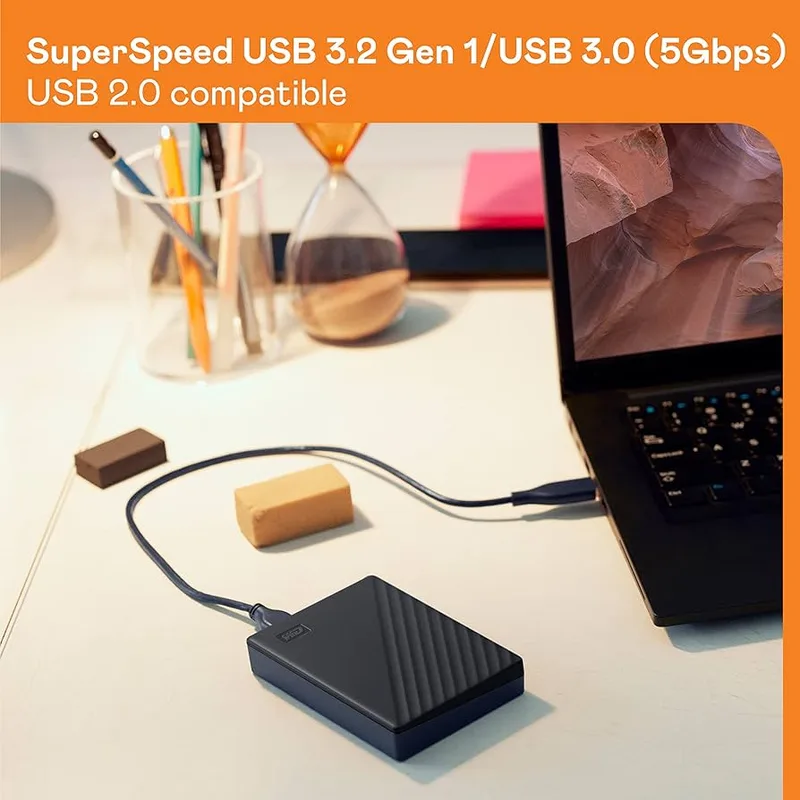
For remote workers who need backup storage that travels between home and office — or sits in a laptop bag for disaster recovery — these are the two default portable HDDs from each brand.
WD My Passport 4TB — Editor Pick
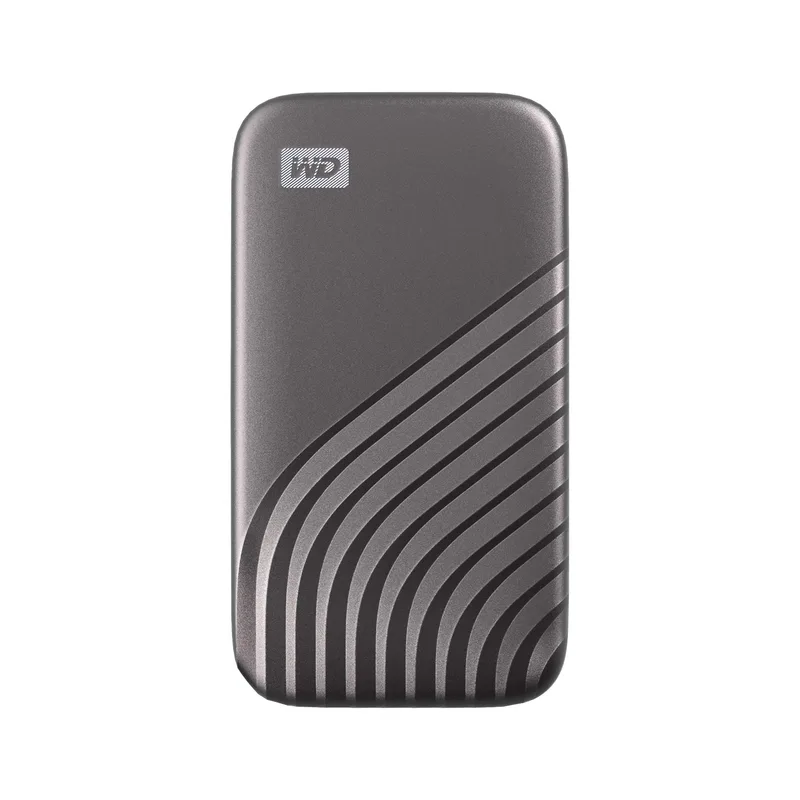
WD My Passport 4TB
Pros
- USB-C and USB-A compatibility means it works with new MacBooks, Windows laptops, and Chromebooks without an adapter
- 256-bit AES hardware encryption built in — password-protect the drive from the WD Discovery app without third-party tools
- 3-year warranty is a full year longer than Seagate's One Touch — meaningful for a drive storing irreplaceable backup data
- Compact footprint makes it easy to throw in a laptop bag; smaller profile than most 4TB portable HDDs
- WD backup software included for scheduled automatic backups — basic but reliable for weekly remote work backup routines
Cons
- Transfer speeds cap around 120–130 MB/s — expected for spinning HDD, but far slower than any portable SSD
- WD Discovery app is functional but feels dated — interface hasn't been significantly updated in years
The My Passport’s advantage over the One Touch comes down to two concrete differences: USB-C compatibility and a longer warranty. The current generation ships with a USB-C cable that also supports USB-A via included adapter — you can plug it directly into a MacBook Air or USB-C-only Windows laptop without hunting for a dongle. The Seagate One Touch ships with USB-A only.
The 3-year warranty is the other differentiator. A backup drive that fails at month 26 is a different outcome than one covered through month 36. For drives storing irreplaceable project files, the extra year matters.
Based on owner reports across Amazon and third-party review aggregators, the My Passport line shows consistent reliability over 3+ years of regular use — most reported failures occur in the first 30 days, which warranty covers immediately.
Verdict: Choose the WD My Passport if USB-C compatibility or warranty length are priorities for your workflow.
Seagate One Touch 4TB — Best Value
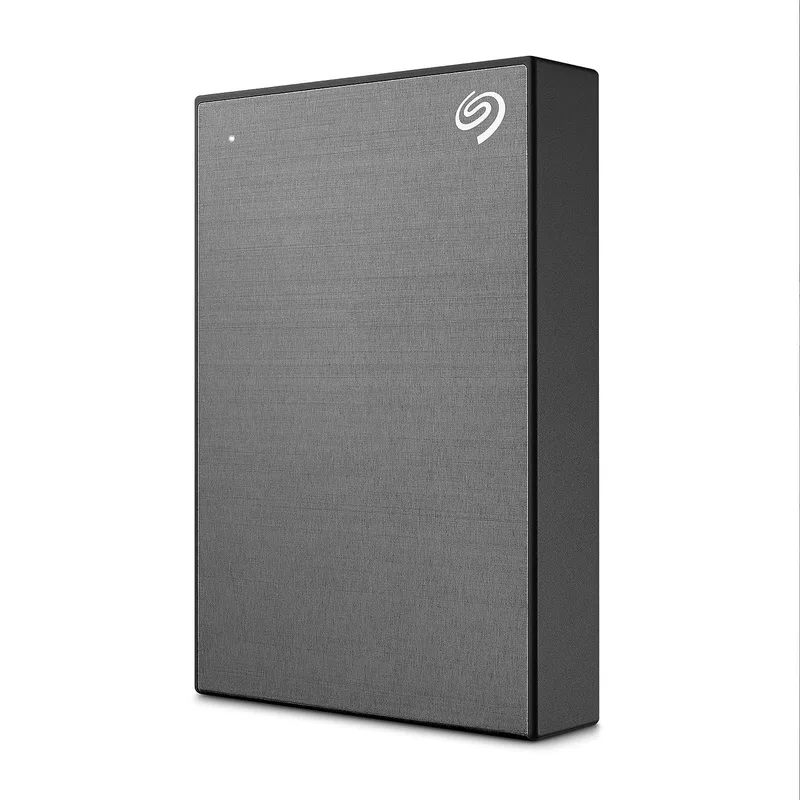
Seagate One Touch 4TB
Pros
- Priced $10–$20 less than the WD My Passport at most retailers — meaningful at elevated 2026 HDD prices
- 2-year Rescue Data Recovery Services is a real differentiator — Seagate will attempt clean-room data recovery if the drive fails within warranty
- MylioCreate (1-year) and Adobe Creative Cloud Photography (4 months) add genuine value for photographers and content creators
- Lighter at 4.3 oz vs WD's 5.3 oz — noticeable in a daily bag carry
- Available in multiple colors if desk aesthetics matter
Cons
- 2-year warranty vs WD's 3-year coverage — shorter protection window for a backup drive
- No built-in hardware encryption on the standard model — software-only via Seagate Toolkit, which is less secure than AES hardware encryption
- USB-A cable only — requires an adapter on USB-C-only laptops like current MacBook models
The One Touch costs $10–$20 less than the My Passport at comparable capacities and bundles meaningful extras: the 2-year Rescue Data Recovery Services is the real draw. If your drive fails within the warranty window, Seagate will attempt professional clean-room data recovery — a service that costs $300–$1,500+ when purchased independently.
The 4-month Adobe Creative Cloud Photography Plan and MylioCreate 1-year subscription add value for remote workers handling photo or video content. If you’d be paying for those subscriptions anyway, the One Touch becomes effectively cheaper than its list price suggests.
The tradeoffs: Seagate’s 2-year warranty is a year shorter than WD’s, and the standard One Touch lacks hardware-level AES encryption (software-only via Seagate Toolkit).
Verdict: Choose the Seagate One Touch if the Rescue Data Recovery coverage appeals to you, or if the creative software bundles have direct value for your work.
Desktop HDDs: WD Elements vs Seagate Expansion
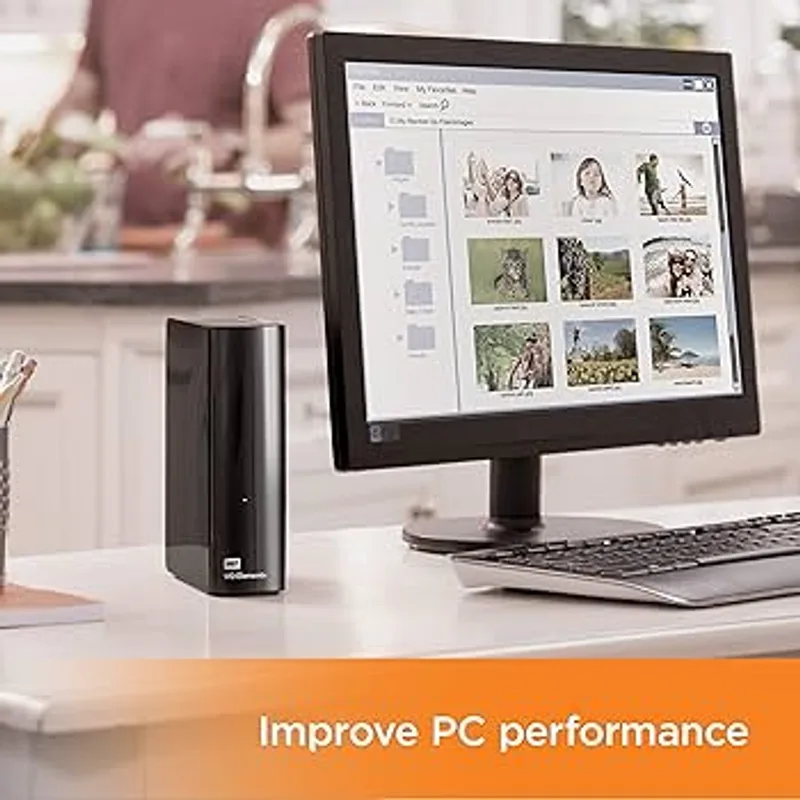
For desk-based backup storage — a drive that stays plugged in and handles full system image backups, media libraries, or large project archives — desktop HDDs at 8TB offer the best price-per-TB of anything in this comparison. The 2026 HDD shortage has pushed prices up, but desktop HDDs remain far cheaper per terabyte than portable drives or SSDs.
WD Elements Desktop 8TB — Best Desktop HDD
WD Elements Desktop 8TB
Pros
- Best price-per-TB of any product in this roundup at $22–$27/TB — 8TB at $179–$219 is hard to beat in the current HDD market
- Internal WD Blue drive runs cool and quiet based on consistent long-term owner reports — no fan noise, low heat output
- Plug-and-play on Windows — no driver installation or software required for basic file storage
- 180 MB/s transfer speed is fast enough for scheduled overnight backup jobs
- Compact footprint for a desktop HDD — fits behind a monitor without dominating the desk
Cons
- Requires an AC power adapter — less flexible than bus-powered portable drives
- No bundled backup scheduling software — requires Windows Backup, Time Machine, or a third-party solution
- Ships NTFS-formatted — Mac users must reformat to APFS or exFAT before use
The WD Elements Desktop is the simplest product in this roundup. No software bundle, no encryption, no extra features — just an 8TB NTFS drive that Windows recognizes immediately on first plug-in. That simplicity is its strength. Remote workers running Windows Backup, Backblaze Personal Backup, or similar third-party tools don’t need WD’s software cluttering the system tray.
At $179–$219 for 8TB, the Elements Desktop delivers $22–$27 per terabyte — the best per-TB value of any product in this comparison. The internal WD Blue drive runs cool and quiet based on consistent owner reports from users who monitor system temperatures; it’s not going to add audible noise to a quiet home office.
Mac users need to reformat to APFS or exFAT before Time Machine backup works — a five-minute process, but worth knowing in advance.
Verdict: WD Elements Desktop is the better pick for Windows users who want reliable, quiet backup storage at the lowest per-TB cost.
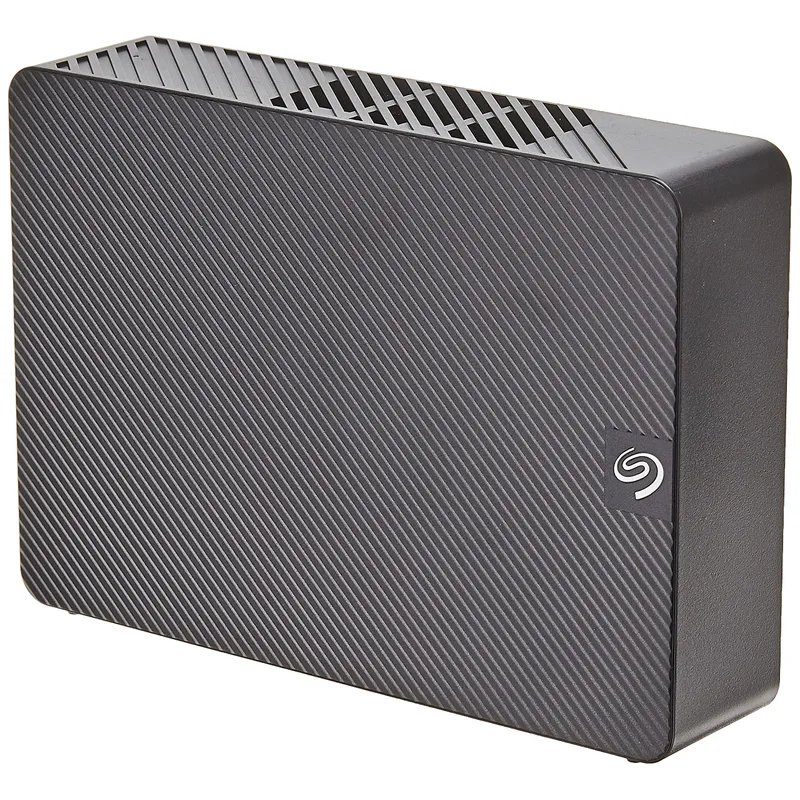
Seagate Expansion Desktop 8TB — Best Budget Desktop
Seagate Expansion Desktop 8TB
Pros
- Starting price $10–$20 lower than WD Elements Desktop at most retailers
- Rescue Data Recovery Services included — if the drive fails, Seagate attempts to recover your files at no additional cost
- Compatible with Xbox and PlayStation out of the box for home office setups that double as gaming spaces
- 190 MB/s rated sequential transfer speed vs WD Elements' 180 MB/s — slightly faster for large file moves
- Available in capacities up to 22TB as storage needs grow
Cons
- Larger and heavier than WD Elements at 1.87 lbs vs 1.5 lbs — bigger footprint on a desk
- Ships NTFS-formatted — same Mac reformatting requirement as WD Elements
- No bundled backup scheduling software beyond Rescue Data Recovery services
The Seagate Expansion Desktop starts around $10–$20 cheaper than the WD Elements and includes Rescue Data Recovery Services — the same coverage bundled with the portable One Touch. For an 8TB drive holding years of project files and system backups, the data recovery service has disproportionate value if something goes wrong.
Seagate rates the Expansion Desktop at 190 MB/s sequential transfer vs WD Elements’ 180 MB/s — a 6% difference that only shows up when moving very large files. In nightly backup scenarios where you queue a job and walk away, it’s irrelevant.
The Expansion Desktop is physically larger and heavier at 1.87 lbs vs WD Elements’ 1.5 lbs — if desk space is limited, the WD wins on footprint.
Verdict: Choose the Seagate Expansion if Rescue Data Recovery coverage is worth more than the WD’s smaller size. Choose WD Elements for the more compact design and plug-and-play simplicity.
External SSDs: WD My Passport SSD vs Seagate One Touch SSD
External SSDs cost 6–8x more per terabyte than HDDs at current 2026 prices, with the NAND flash shortage amplifying that gap. For most remote work backup use cases, an HDD delivers far better value. SSDs make sense when transfer speed directly affects productivity: video editors moving large project folders, photographers syncing RAW libraries during shoots, or developers running virtual machines from external storage.
WD My Passport SSD 1TB — Fastest WD
WD My Passport SSD 1TB
Pros
- 1,050 MB/s read speed — roughly 8x faster than a portable HDD for large file transfers
- 2-meter drop resistance means it survives bag drops and desk falls without data loss
- 256-bit AES hardware encryption with password protection keeps sensitive client data secure if the drive is lost or stolen
- 5-year warranty is among the longest offered in the portable SSD category
- At 1.76 oz, lighter than the Seagate One Touch SSD and small enough to fit in a shirt pocket
Cons
- 1TB at $149–$189 is expensive per-TB compared to portable HDDs — the 2026 NAND shortage has pushed prices above historical norms
- USB-C cable only — older docking stations and laptops with USB-A ports require an adapter
The WD My Passport SSD delivers NVMe-class performance at 1,050 MB/s read speed — transferring 50GB of footage takes under a minute, compared to 6–7 minutes on a portable HDD. For creative professionals who bill by the hour, that time difference compounds quickly.
The 2-meter drop resistance makes it the more rugged choice between the two SSDs compared here. Hardware-level AES encryption with password protection via WD Discovery keeps sensitive client files secure if the drive is lost or stolen — a meaningful advantage over the software-only encryption approach from some competitors.
At $149–$189 for 1TB, it’s expensive relative to HDDs. That same budget buys 6–8TB of portable HDD storage. The choice is speed vs capacity.
Verdict: WD My Passport SSD is the better external SSD for remote workers who need rugged protection and built-in hardware encryption.
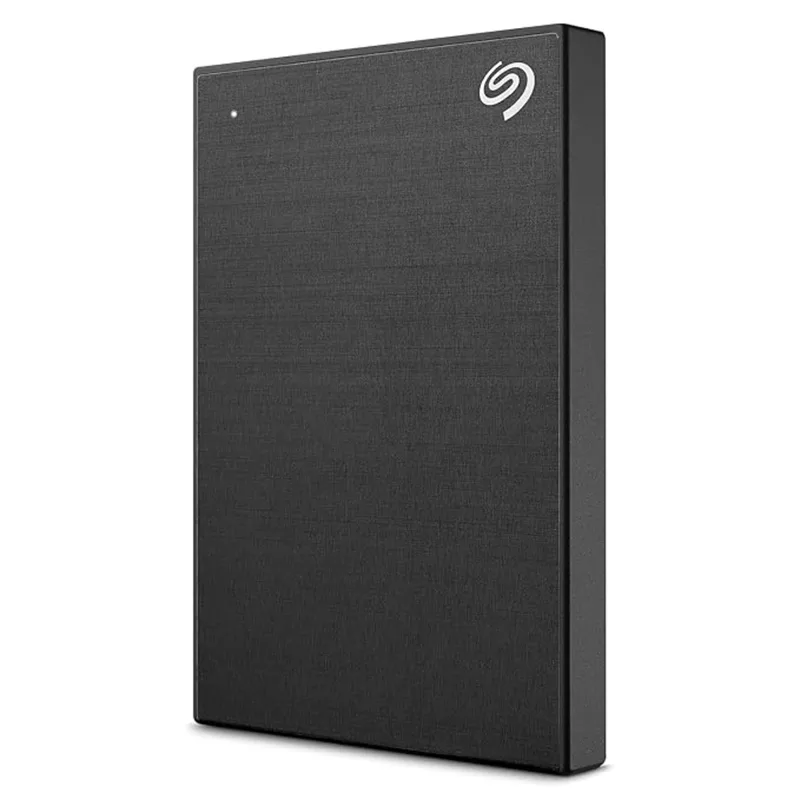
Seagate One Touch SSD 1TB
Seagate One Touch SSD 1TB
Pros
- 1,030 MB/s read speed matches WD's SSD tier for all practical transfer workloads
- Rescue Data Recovery (2 years) plus Mylio Photo+ and Dropbox Backup subscriptions add real short-term value
- Slim card-like profile is thinner than the WD My Passport SSD — fits easily in any laptop bag pocket
- 5-year warranty matches WD My Passport SSD coverage
- Available in Black, Silver, and Blue
Cons
- No hardware-level AES encryption — security relies on Seagate Toolkit software encryption, which is less robust than WD's built-in hardware encryption
- Bundle subscriptions are time-limited perks — the drive's value proposition weakens once they expire
- 1.94 oz is slightly heavier than the WD My Passport SSD at 1.76 oz
The Seagate One Touch SSD matches WD’s performance tier at 1,030 MB/s read speed — within 2% of the My Passport SSD in practical transfers. It brings Rescue Data Recovery (2 years), Mylio Photo+ (6 months), and Dropbox Backup (6 months) from the same product family as the portable HDD lineup.
The slim card-like profile is thinner than the WD My Passport SSD — useful for users carrying multiple drives in a laptop bag simultaneously.
At $99–$119, it’s now significantly cheaper than the WD My Passport SSD. The subscription bundle (Rescue Data Recovery, Mylio Photo+, Dropbox Backup) adds genuine value if those services match your workflow, and the lower price makes this a compelling pick for budget-conscious buyers who don’t require hardware-level AES encryption.
Verdict: The Seagate One Touch SSD is the better value at current prices; the WD My Passport SSD remains the better choice if hardware AES encryption and 5-year warranty are priorities.
WD vs Seagate: Brand Comparison
Reliability
Consumer-focused reliability data for external drives is limited compared to enterprise-grade studies. Backblaze publishes failure rate statistics that are widely cited, but those cover datacenter-grade drives running in conditions nothing like a home office — the findings don’t translate directly to consumer portable drives.
For consumer external drives, the most reliable signal comes from long-term owner reports and return rates. WD’s My Passport line has maintained consistent owner satisfaction across multiple product generations. Seagate’s One Touch is comparable — the higher enterprise failure rates Seagate faced in older Backblaze data involved different drive architectures than what’s in consumer portables.
For backup drives storing irreplaceable data, the structural reliability edge goes to WD via the longer warranty.
Warranty
| Brand | Portable HDD | Desktop HDD | External SSD | Data Recovery |
|---|---|---|---|---|
| WD | 3 years | 2 years | 5 years | Not included standard |
| Seagate | 2 years | 2 years | 5 years | Rescue Services (2 yrs, bundled) |
WD wins on portable HDD warranty length. Seagate wins on data recovery coverage — Rescue Services is a meaningful inclusion for drives containing critical backups.
Software
WD’s desktop software (WD Discovery, WD Backup) handles scheduled backups and drive encryption management. It’s reliable without being polished. Seagate’s equivalent (Seagate Toolkit) offers similar functionality with the addition of the creative subscriptions bundled with One Touch models.
For most remote workers, neither software bundle is the reason to choose a brand — both integrate cleanly with macOS Time Machine and Windows Backup if you prefer native OS tools.
Price-Per-TB (May 2026)
| Product | Capacity | Price Range | Per-TB Cost |
|---|---|---|---|
| WD My Passport 4TB | 4TB | $254.99 as of Oct 18, 2026 | $32–$40/TB |
| Seagate One Touch 4TB | 4TB | Unavailable | $30–$37/TB |
| WD Elements Desktop 8TB | 8TB | $337.27-$399.99 as of Oct 18, 2026 | $22–$27/TB |
| Seagate Expansion Desktop 8TB | 8TB | $217.09-$332.99 as of Oct 18, 2026 | $21–$25/TB |
| WD My Passport SSD 1TB | 1TB | $250.63 as of Oct 18, 2026 | $149–$189/TB |
| Seagate One Touch SSD 1TB | 1TB | Unavailable | $99–$119/TB |
Desktop HDDs win on price-per-TB by a wide margin. SSDs cost 6–8x more per terabyte at current 2026 prices. For pure backup storage where read speed doesn’t affect your workflow, the desktop HDD is the economically rational choice.
Buying Guide
You carry drives daily: Get a portable HDD — WD My Passport or Seagate One Touch. Bus-powered, lightweight, no power adapter needed. 4TB covers most active project archives.
You run a home office backup station: Get a desktop HDD — WD Elements or Seagate Expansion at 8TB. The best per-TB cost available in 2026. Set it up with a scheduled backup tool and leave it running.
Speed matters more than cost: Get a portable SSD — WD My Passport SSD or Seagate One Touch SSD. The 8x speed improvement over portable HDDs is worthwhile for video work, development, and large daily file operations.
You prioritize warranty length: Choose WD. The 3-year My Passport HDD warranty beats Seagate’s 2-year One Touch coverage.
You prioritize data recovery protection: Choose Seagate. Rescue Data Recovery Services is bundled with One Touch and Expansion Desktop models — a professional clean-room recovery service that costs $300+ as a standalone purchase.
Raw per-TB value is the only metric: Seagate Expansion Desktop 8TB at $169–$199 wins. Both brands offer competitive desktop HDD pricing, but Seagate edges WD by $10–$20 at the starting price.
FAQ
Which brand is more reliable — WD or Seagate? For consumer external drives, both are reliable. Enterprise failure rate studies like Backblaze’s annual reports cover datacenter drives, not consumer portables — those findings don’t directly apply. For backup drives, WD’s longer 3-year warranty on portable models is the more concrete reliability indicator.
What’s the difference between WD My Passport and WD Elements? The My Passport is a portable bus-powered drive — no wall plug needed, travels easily. The Elements Desktop requires an AC adapter and is designed for desk use. The Elements delivers much better price-per-TB at higher capacities (8TB, 12TB, 18TB+) and is the better choice for stationary home office backup.
Are external SSD prices still high in 2026? Yes. The NAND flash shortage driven by AI data center demand has kept portable SSD prices significantly above 2026 levels. For backup use cases where speed isn’t critical — scheduled nightly backups, archive storage — a portable or desktop HDD delivers 6–8x more storage per dollar than an SSD at current prices.
Does Seagate’s Rescue Data Recovery actually work? Seagate’s Rescue Data Recovery Service is a legitimate professional clean-room data recovery operation. It covers logical failures, accidental deletion, and certain physical failures within the 2-year coverage window. It’s not a guarantee — severe platter damage isn’t always recoverable — but it’s substantially more valuable than no recovery option. WD does not include a comparable service with most consumer drives.
Should Mac users buy a different drive than Windows users? Both WD and Seagate drives ship NTFS-formatted for Windows. Mac users need to reformat to APFS (Mac-only) or exFAT (cross-platform) before backup software works correctly — a five-minute process. WD also offers My Passport for Mac models pre-formatted for macOS if you want to skip that step. Seagate doesn’t have a dedicated Mac-formatted line at this capacity.
Conclusion: Which Brand Wins in 2026?
Neither WD nor Seagate dominates across every category — the answer depends on what you value most.
Portable HDDs: WD My Passport wins on warranty (3 years vs 2) and USB-C compatibility. Seagate One Touch wins on price and data recovery coverage. Both are capable drives.
Desktop HDDs: WD Elements Desktop wins on compact size and plug-and-play simplicity. Seagate Expansion Desktop wins on starting price and Rescue Data Recovery inclusion. The per-TB cost difference between them is $1–$3/TB at 8TB.
External SSDs: Seagate One Touch SSD wins on current street price at $99–$119 vs WD My Passport SSD’s $149–$189. Choose WD if hardware AES encryption and the longer 5-year warranty are must-haves.
Overall recommendation for backup-focused remote workers: The WD Elements Desktop 8TB is the best stationary backup drive in this comparison — best per-TB value, quiet operation, plug-and-play setup. For portable backup, the WD My Passport 4TB earns the edge on warranty and USB-C compatibility. If Seagate’s Rescue Data Recovery service is more valuable to you than extra warranty time, either the Seagate One Touch 4TB or Seagate Expansion Desktop 8TB is a strong alternative.
Check current pricing at both Amazon and Best Buy before buying — both WD and Seagate run periodic promotions that can bring prices $20–$40 below list.
Detailed Reviews
WD My Passport 4TB
Pros
- USB-C and USB-A compatibility means it works with new MacBooks, Windows laptops, and Chromebooks without an adapter
- 256-bit AES hardware encryption built in — password-protect the drive from the WD Discovery app without third-party tools
- 3-year warranty is a full year longer than Seagate's One Touch — meaningful for a drive storing irreplaceable backup data
- Compact footprint makes it easy to throw in a laptop bag; smaller profile than most 4TB portable HDDs
- WD backup software included for scheduled automatic backups — basic but reliable for weekly remote work backup routines
Cons
- Transfer speeds cap around 120–130 MB/s — expected for spinning HDD, but far slower than any portable SSD
- WD Discovery app is functional but feels dated — interface hasn't been significantly updated in years
Seagate One Touch 4TB
Pros
- Priced $10–$20 less than the WD My Passport at most retailers — meaningful at elevated 2026 HDD prices
- 2-year Rescue Data Recovery Services is a real differentiator — Seagate will attempt clean-room data recovery if the drive fails within warranty
- MylioCreate (1-year) and Adobe Creative Cloud Photography (4 months) add genuine value for photographers and content creators
- Lighter at 4.3 oz vs WD's 5.3 oz — noticeable in a daily bag carry
- Available in multiple colors if desk aesthetics matter
Cons
- 2-year warranty vs WD's 3-year coverage — shorter protection window for a backup drive
- No built-in hardware encryption on the standard model — software-only via Seagate Toolkit, which is less secure than AES hardware encryption
- USB-A cable only — requires an adapter on USB-C-only laptops like current MacBook models
WD Elements Desktop 8TB
Pros
- Best price-per-TB of any product in this roundup at $22–$27/TB — 8TB at $179–$219 is hard to beat in the current HDD market
- Internal WD Blue drive runs cool and quiet based on consistent long-term owner reports — no fan noise, low heat output
- Plug-and-play on Windows — no driver installation or software required for basic file storage
- 180 MB/s transfer speed is fast enough for scheduled overnight backup jobs
- Compact footprint for a desktop HDD — fits behind a monitor without dominating the desk
Cons
- Requires an AC power adapter — less flexible than bus-powered portable drives
- No bundled backup scheduling software — requires Windows Backup, Time Machine, or a third-party solution
- Ships NTFS-formatted — Mac users must reformat to APFS or exFAT before use
Seagate Expansion Desktop 8TB
Pros
- Starting price $10–$20 lower than WD Elements Desktop at most retailers
- Rescue Data Recovery Services included — if the drive fails, Seagate attempts to recover your files at no additional cost
- Compatible with Xbox and PlayStation out of the box for home office setups that double as gaming spaces
- 190 MB/s rated sequential transfer speed vs WD Elements' 180 MB/s — slightly faster for large file moves
- Available in capacities up to 22TB as storage needs grow
Cons
- Larger and heavier than WD Elements at 1.87 lbs vs 1.5 lbs — bigger footprint on a desk
- Ships NTFS-formatted — same Mac reformatting requirement as WD Elements
- No bundled backup scheduling software beyond Rescue Data Recovery services
WD My Passport SSD 1TB
Pros
- 1,050 MB/s read speed — roughly 8x faster than a portable HDD for large file transfers
- 2-meter drop resistance means it survives bag drops and desk falls without data loss
- 256-bit AES hardware encryption with password protection keeps sensitive client data secure if the drive is lost or stolen
- 5-year warranty is among the longest offered in the portable SSD category
- At 1.76 oz, lighter than the Seagate One Touch SSD and small enough to fit in a shirt pocket
Cons
- 1TB at $149–$189 is expensive per-TB compared to portable HDDs — the 2026 NAND shortage has pushed prices above historical norms
- USB-C cable only — older docking stations and laptops with USB-A ports require an adapter
Seagate One Touch SSD 1TB
Pros
- 1,030 MB/s read speed matches WD's SSD tier for all practical transfer workloads
- Rescue Data Recovery (2 years) plus Mylio Photo+ and Dropbox Backup subscriptions add real short-term value
- Slim card-like profile is thinner than the WD My Passport SSD — fits easily in any laptop bag pocket
- 5-year warranty matches WD My Passport SSD coverage
- Available in Black, Silver, and Blue
Cons
- No hardware-level AES encryption — security relies on Seagate Toolkit software encryption, which is less robust than WD's built-in hardware encryption
- Bundle subscriptions are time-limited perks — the drive's value proposition weakens once they expire
- 1.94 oz is slightly heavier than the WD My Passport SSD at 1.76 oz