| Spec | Logitech Brio 4K | Logitech MX Brio | Elgato Facecam 4K | Sony ZV-E10 | Sony ZV-E10 II |
|---|---|---|---|---|---|
| Rating | 7.8/10 | 8.5/10 | 8.6/10 | 8.3/10 | 9.0/10 |
| Price | $84.99-$119.99as of Oct 18, 2026 | $154.69-$169.99as of Oct 18, 2026 | $176.99as of Oct 18, 2026 | $557.00-$798.00as of Oct 18, 2026 | $929.00-$1198.00as of Oct 18, 2026 |
| Resolution | 4K Ultra HD (3840×2160) / 1080p / 720p | 4K Ultra HD / 1080p | 4K (3840×2160) / 1080p | — | — |
| Frame Rate | 4K@30fps, 1080p@60fps, 720p@90fps | 4K@30fps, 1080p@60fps | 4K@60fps, 1080p@60fps | — | — |
| Field of View | 65°, 78°, or 90° (adjustable) | 65°, 78°, or 90° (adjustable) | 82° wide angle | — | — |
| Autofocus | Yes | AI-assisted autofocus | — | — | — |
| Microphone | Dual omni-directional with noise cancellation | Dual omni-directional with AI noise reduction | None (external mic required) | 3-capsule directional mic array | 3-capsule directional mic array |
| Windows Hello | Yes (IR sensor) | — | — | — | — |
| Connection | USB-A / USB-C | USB-C | USB-C | — | — |
| HDR | Yes | — | — | — | — |
| Show Mode | — | Yes (overhead document capture) | — | — | — |
| Privacy Shutter | — | Yes | — | — | — |
| Sensor | — | — | Sony STARVIS 2 | 24.2MP APS-C Exmor CMOS | 26MP APS-C Exmor R BSI CMOS |
| Focus | — | — | Fixed focus with adjustable focus area | — | — |
| Video Output | — | — | Uncompressed | — | — |
| Video | — | — | — | 4K@30fps (oversampled), 1080p@120fps | 4K@60fps, 1080p@120fps |
| Lens Mount | — | — | — | Sony E-mount (interchangeable) | Sony E-mount (interchangeable) |
| Webcam Mode | — | — | — | Via Sony Imaging Edge Webcam (USB) | Native UVC via USB-C (no extra software) |
| Stabilization | — | — | — | Electronic (Active Mode) | 5-axis electronic + Active Mode |
| Weight | — | — | — | 343g body only | ~344g body only |
| Battery | — | — | — | NP-FW50 (~80 min continuous video) | — |
| AI Tracking | — | — | — | — | Yes (improved with 2026 firmware) |
| Check Price → | Check Price → | Check Price → | Check Price → | Check Price → |
Prices change daily — tap Check Price for the current Amazon price.
The question comes up constantly in remote work communities in 2026: is a mirrorless camera actually better than a premium webcam for video calls, or is it overkill? The answer depends almost entirely on how you plan to use the setup and what else you need the camera for.
This comparison covers the two most-asked-about options — the Sony ZV-E10 line and the Logitech Brio 4K — plus the other webcams and cameras worth considering at each price point. The short version: for pure video calls, a $130-$200 webcam handles the job well. For content creators who also do calls, spending $999+ on a mirrorless camera makes sense because it serves both purposes.
Quick Comparison
| Logitech Brio 4K | Logitech MX Brio | Elgato Facecam 4K | Sony ZV-E10 | Sony ZV-E10 II | |
|---|---|---|---|---|---|
| Price | $130-$150 | $170-$199 | $159-$179 | $499-$549 | $999-$1,099 |
| 4K Resolution | Yes (30fps) | Yes (30fps) | Yes (60fps) | Yes (30fps) | Yes (60fps) |
| Setup complexity | Plug-and-play | Plug-and-play | Plug-and-play | Software required | Plug-and-play |
| Built-in mic | Yes | Yes | No | Yes | Yes |
| Bokeh/background blur | Software only | Software only | Software only | Optical (real) | Optical (real) |
| Interchangeable lenses | No | No | No | Yes | Yes |
| Windows Hello | Yes | No | No | No | No |
| AI framing | No | Yes | No | No | Yes |
| Best for | Business calls | Modern setups | Streaming | Creators | Premium creators |
The Plug-and-Play Classic: Logitech Brio 4K
Logitech Brio 4K
Pros
- Windows Hello IR face recognition works natively — no PIN needed on lock screen
- Three adjustable field-of-view options (65°/78°/90°) cover solo calls and desk-wide views
- Still the most compatible webcam across Teams, Zoom, Google Meet, and every video platform
- HDR handling prevents blowout on bright backgrounds like windows
Cons
- Launched in 2017 — no AI framing, no show mode, no modern software suite
- 4K maxes at 30fps which can look slightly stilted during rapid movement
- The original USB-A version has a dated cable that snags on modern USB-C-only setups
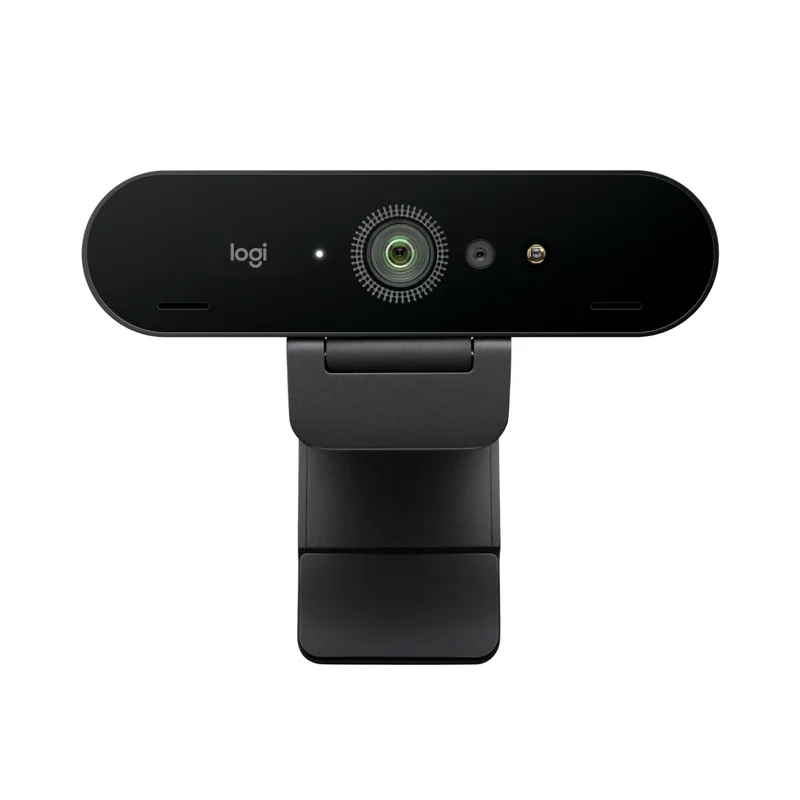
The Brio 4K launched in 2017 and is still the most widely deployed 4K webcam in enterprise environments. The reason it persists isn’t nostalgia — it’s Windows Hello. The IR sensor handles biometric face login natively, which matters in offices with Windows 11 security policies. No other webcam at this price combines 4K video with functional IR face unlock.
The three adjustable field-of-view presets (65°, 78°, 90°) handle different desk setups without software adjustments. The 78° default is well-calibrated for a typical arm’s-length desk setup; the 90° wide mode is useful if two people share a desk on the same call.
The honest limitation: the Brio 4K is 2017 hardware. No AI framing. No show mode. The image processing pipeline has been surpassed by both the MX Brio and the Elgato Facecam 4K. The sensor still performs well in good light, but in dim home offices at night, the newer options pull ahead noticeably. If Windows Hello is not a requirement, the MX Brio is the better 2026 purchase.
The Modern Upgrade: Logitech MX Brio
Logitech MX Brio
Pros
- Show Mode flips the view for document and whiteboard presentations without any external hardware
- AI autofocus tracks face reliably even when you lean back or reach off-screen
- USB-C cable and modern driver stack integrate cleanly with MacOS Sequoia and Windows 11
- Built-in privacy shutter is physical — no worrying about software-level bypass
Cons
- No Windows Hello IR sensor — the Brio 4K still wins here for office login workflows
- 4K@30fps ceiling applies to video calls — not a limitation in practice but worth noting
- Logitech's Logi Tune app is required to unlock AI framing and show mode features
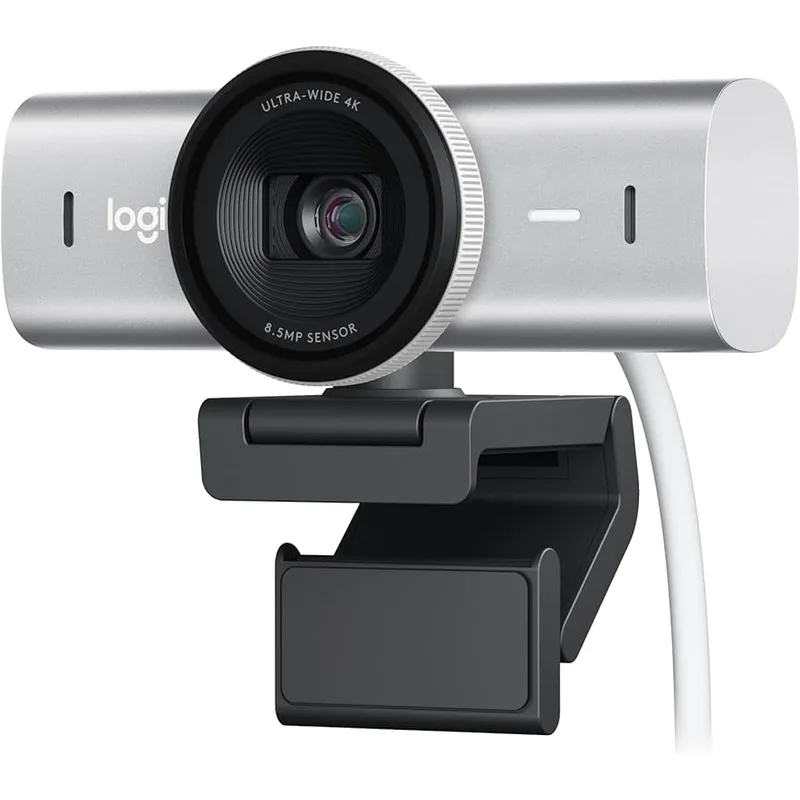
The MX Brio is what the Brio 4K would be if Logitech built it today. The same adjustable field-of-view presets, better sensor processing, USB-C cable, and a physical privacy shutter — plus two features that make a genuine difference: Show Mode and AI autofocus.
Show Mode rotates the camera view downward to capture documents, keyboards, or physical objects on the desk. For teachers, trainers, or anyone who demonstrates physical items during calls, this eliminates the need for a separate document camera. It’s not a feature you use every day, but it solves a real friction point when you need it.
AI autofocus is more reliable than the Brio 4K’s standard autofocus in practice. The tracking stays locked when you lean back to think, turn to look at something off-screen, or move around the frame. Owner reports on Amazon consistently note fewer “soft focus” incidents during important calls.
The trade-off against the Brio 4K is specifically Windows Hello — the MX Brio has no IR sensor for face login. If your company requires Windows Hello for screen unlock, the Brio 4K remains the default choice.
The Premium Webcam: Elgato Facecam 4K
Elgato Facecam 4K
Pros
- 4K@60fps at this price point is unmatched in the webcam category — delivers noticeably smoother video
- Sony STARVIS 2 sensor performance in low light is meaningfully better than the Brio 4K's older sensor
- Uncompressed video output eliminates codec artifacts on high-contrast scenes
- DSLR-style manual exposure, white balance, and focus controls via Camera Hub software
Cons
- No built-in microphone — requires a separate USB mic or headset for audio
- Fixed focus design means no autofocus tracking if you move around the frame
- Camera Hub software is required for manual controls — basic webcam mode works without it but limits customization
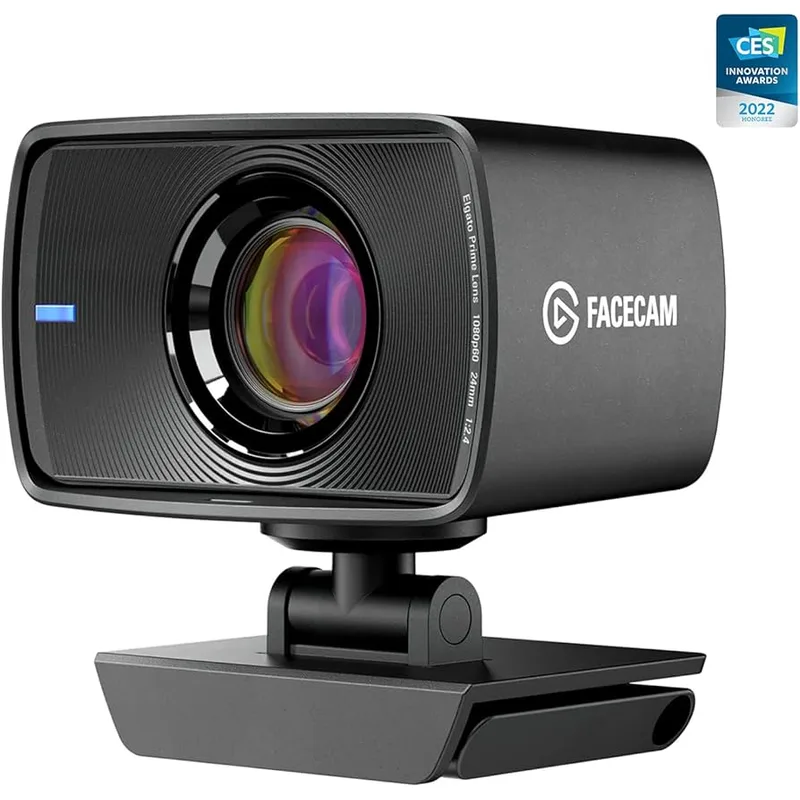
The Elgato Facecam 4K is the option for people who want the best possible webcam image without buying a mirrorless camera. The Sony STARVIS 2 sensor performs better in low light than either Logitech option, and the 4K@60fps output is the smoothest frame rate available in a plug-and-play webcam in 2026. It hit its lowest price ($160) in early 2026.
The DSLR-style manual controls are the differentiating feature for streaming use. Exposure, white balance, shutter speed, and focus area can all be dialed in through Elgato’s Camera Hub software. For streamers who have specific lighting setups, this level of control gets closer to what a camera operator would do manually.
The significant limitation: no built-in microphone. The Facecam 4K is designed to pair with an external USB mic or headset. If you’re building a streaming rig with a dedicated mic, this is not a problem. If you want a single plug-in-and-go device, the Brio 4K or MX Brio are more convenient.
The fixed focus design also means the Facecam 4K won’t track you if you frequently step away from your desk during calls. It’s built for a stationary, controlled environment, not a dynamic home office.
The Entry Camera: Sony ZV-E10
Sony ZV-E10
Pros
- APS-C sensor produces bokeh that no webcam can replicate at any price point
- Interchangeable E-mount lenses open up a wide range of focal lengths and apertures
- Oversampled 4K from a 24MP sensor delivers sharper, cleaner footage than any fixed-lens webcam
- Dual-use: also a full vlogging and photo camera when not on a call
Cons
- Requires Sony Imaging Edge Webcam software to use over USB — adds friction to the setup
- Body-only price assumes you already own an E-mount lens — add $200+ for the kit 16-50mm
- Battery life is ~80 minutes continuous; needs dummy battery adapter or USB power bank for full-day calls
- No in-body image stabilization — handheld footage is shakier than on ZV-E10 II
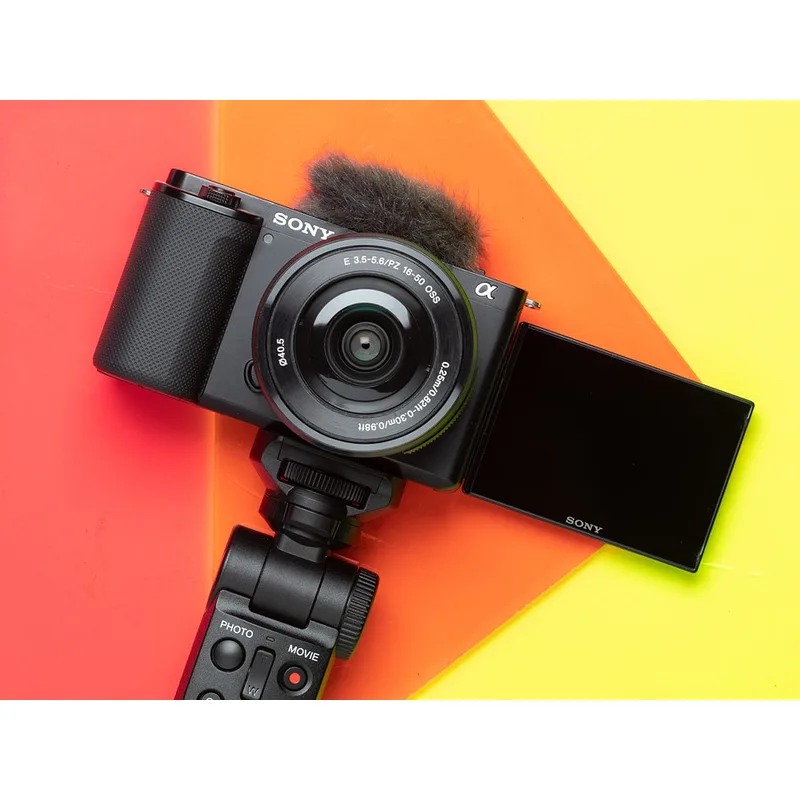
The original ZV-E10 is the starting point for adding real optical background blur to video calls. The APS-C sensor is physically much larger than any webcam sensor — the size difference is what creates the subject isolation and shallow depth-of-field that webcams simulate in software. Software background blur always has edge artifacts around hair and glasses. Optical bokeh from a real lens does not.
To use it as a webcam, you install Sony’s free Imaging Edge Webcam software, connect via USB-C, and Zoom, Teams, and Meet recognize it as a camera input. The process is a one-time setup that takes about 15 minutes. After that, it works reliably.
The practical costs beyond the body price: you need a lens. The Sony E PZ 16-50mm kit lens (~$200 if purchased separately) is the practical starting point. Budget $700-$750 total for the ZV-E10 body plus a serviceable lens. You also need a USB power solution for all-day calls — the NP-FW50 battery runs about 80 minutes, so a dummy battery with USB power adapter or a USB power bank is a worthwhile $20-30 addition.
With the ZV-E10 II now available at $999, the original ZV-E10 occupies the budget camera entry point. For someone already in the Sony E-mount ecosystem with existing lenses, the ZV-E10 body alone at $499-$549 makes strong economic sense.
The Premium Camera: Sony ZV-E10 II
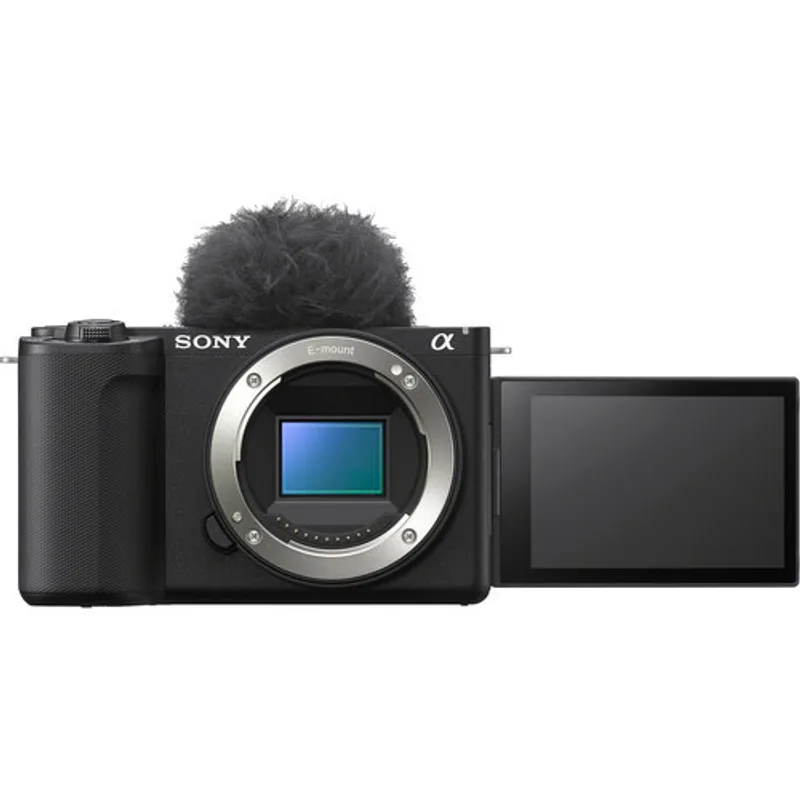
Sony ZV-E10 II
Pros
- Native UVC webcam mode connects over USB-C without any extra software — plug in and Zoom recognizes it immediately
- BSI (back-side illuminated) sensor captures significantly more light in dim rooms than the ZV-E10's front-illuminated sensor
- 4K@60fps matches the Elgato Facecam 4K on frame rate while delivering vastly better depth-of-field and bokeh
- 2026 firmware upgrade improved AI subject tracking substantially — subject lock stays tight through rapid movement
- Dual-use investment: a professional vlogging and photography camera that also doubles as your best webcam
Cons
- Body-only pricing at $999-$1,099 — add $200+ for a kit lens, making the full kit $1,199-$1,299
- Overkill for anyone who primarily wants a video call upgrade without content creation use
- Battery life requires planning for all-day calls — USB-C power passthrough works but monitor heat during extended sessions
The ZV-E10 II is the version Sony built with video calls in mind from the start. The most important upgrade over the original: native UVC webcam mode over USB-C. Connect the cable, open Zoom, select it as the camera input. No software installation required. This eliminates the main friction point that made the original ZV-E10 a tougher recommendation for non-technical users.
The BSI (back-side illuminated) sensor is a meaningful upgrade in dim rooms. BSI sensors capture more light per pixel because the wiring layers are moved to the back of the chip rather than sitting in front of the photodiodes. In a dim home office with one window and overhead lighting, the ZV-E10 II produces noticeably cleaner, less noisy video than the original ZV-E10.
Sony pushed a significant paid firmware upgrade for the ZV-E10 II in 2026 that improved AI subject tracking. The improved tracking is more relevant for vlogging than video calls, but it also means the autofocus system stays locked on your face reliably during calls where you move around.
The math only works if you also use the camera for content creation. At $999 for the body and $200+ for a kit lens, the total $1,200+ investment is not justified by video calls alone. If you’re a YouTuber, course creator, or freelancer who shoots video content regularly, the ZV-E10 II is a dual-purpose tool that earns its cost.
Webcam vs Camera: How to Decide
Choose a webcam if:
- Video calls are your primary or only use case
- You want plug-in and forget reliability — no software, no batteries, no lens decisions
- Budget is under $200
- You work in a well-lit environment
- Your company requires Windows Hello face unlock (Brio 4K specifically)
Choose a camera if:
- You create video content — YouTube, course videos, streaming — and need the camera for both calls and recording
- Background blur quality matters to you (optical bokeh vs software simulation is a visible difference)
- You already own Sony E-mount lenses
- You’re willing to invest in setup time and ongoing management (batteries, firmware, occasional troubleshooting)
The total cost picture for cameras:
| Option | Body | Lens | Power Solution | Total |
|---|---|---|---|---|
| Sony ZV-E10 | $499-$549 | +$200 kit lens | +$25 USB adapter | ~$725-$775 |
| Sony ZV-E10 II | $999-$1,099 | +$200 kit lens | +$25 USB adapter | ~$1,225-$1,325 |
| Logitech MX Brio | $170-$199 | — | — | $170-$199 |
The camera setups cost 4-7x more than the best webcam. For most remote workers who primarily do video calls, the difference in perceived video quality by call participants is smaller than the cost difference suggests — especially since most video conferencing platforms compress the stream anyway.
FAQ
Does the Sony ZV-E10 work as a webcam without extra hardware?
Yes, but you need Sony’s free Imaging Edge Webcam software installed on your computer. Connect the ZV-E10 via USB-C, set the camera to PC Remote mode, and it appears as a camera input in Zoom, Teams, and Meet. The ZV-E10 II skips this step — it works as a native UVC webcam without any software.
Can Zoom and Teams tell the difference between a camera and a webcam?
The platforms treat them identically — both appear as video input devices. The difference shows up on your participants’ screens in call quality. A mirrorless camera with a fast lens ($1.8–2.8 aperture) produces noticeably shallower depth of field and better low-light performance than any webcam sensor. A well-lit scene with the MX Brio or Facecam 4K looks excellent and is indistinguishable from a camera setup to most viewers.
Does the Logitech Brio 4K still make sense to buy in 2026?
Yes, specifically for two scenarios: Windows Hello face unlock is required, or the price drops below $120 on sale. For pure video call quality without those constraints, the MX Brio is the better buy in 2026 with a modern sensor, USB-C cable, and show mode.
What lens should I buy with the Sony ZV-E10 or ZV-E10 II?
The Sony E PZ 16-50mm f/3.5-5.6 kit lens is the starting point and handles video calls at any distance from the camera. For video calls specifically, a 35mm f/1.8 or 50mm f/1.8 prime gives better background separation. The Sony 35mm f/1.8 OSS (check Amazon) is the go-to recommendation for a one-lens camera call setup.
What do I need for all-day video calls with the ZV-E10?
The NP-FW50 battery lasts roughly 80 minutes on continuous video output. For all-day calls, buy a dummy battery with USB-C power adapter — these run $15-$25 and power the camera continuously from a wall outlet or USB port. Skip this accessory and you’ll be recharging batteries between calls.
The Verdict
For most remote workers: The Logitech MX Brio at $170-$199 is the best call upgrade in 2026. It’s plug-and-play, produces excellent 4K video in mixed lighting, and the AI autofocus tracks reliably during calls. If Windows Hello is required, the Brio 4K at $130-$150 remains the correct choice.
For streamers who want the best webcam quality without a camera: The Elgato Facecam 4K at $159-$179 delivers 4K@60fps with a Sony STARVIS 2 sensor — pair it with a dedicated USB mic and it’s the highest-quality webcam setup available short of a mirrorless camera.
For content creators: The Sony ZV-E10 II is the correct investment if you need both a top-tier webcam and a camera for YouTube, course creation, or freelance video work. The native USB webcam mode, BSI sensor, and 4K@60fps combine with genuine lens interchangeability to justify the cost when the camera serves double duty.
Detailed Reviews
Logitech Brio 4K
Pros
- Windows Hello IR face recognition works natively — no PIN needed on lock screen
- Three adjustable field-of-view options (65°/78°/90°) cover solo calls and desk-wide views
- Still the most compatible webcam across Teams, Zoom, Google Meet, and every video platform
- HDR handling prevents blowout on bright backgrounds like windows
Cons
- Launched in 2017 — no AI framing, no show mode, no modern software suite
- 4K maxes at 30fps which can look slightly stilted during rapid movement
- The original USB-A version has a dated cable that snags on modern USB-C-only setups
Logitech MX Brio
Pros
- Show Mode flips the view for document and whiteboard presentations without any external hardware
- AI autofocus tracks face reliably even when you lean back or reach off-screen
- USB-C cable and modern driver stack integrate cleanly with MacOS Sequoia and Windows 11
- Built-in privacy shutter is physical — no worrying about software-level bypass
Cons
- No Windows Hello IR sensor — the Brio 4K still wins here for office login workflows
- 4K@30fps ceiling applies to video calls — not a limitation in practice but worth noting
- Logitech's Logi Tune app is required to unlock AI framing and show mode features
Elgato Facecam 4K
Pros
- 4K@60fps at this price point is unmatched in the webcam category — delivers noticeably smoother video
- Sony STARVIS 2 sensor performance in low light is meaningfully better than the Brio 4K's older sensor
- Uncompressed video output eliminates codec artifacts on high-contrast scenes
- DSLR-style manual exposure, white balance, and focus controls via Camera Hub software
Cons
- No built-in microphone — requires a separate USB mic or headset for audio
- Fixed focus design means no autofocus tracking if you move around the frame
- Camera Hub software is required for manual controls — basic webcam mode works without it but limits customization
Sony ZV-E10
Pros
- APS-C sensor produces bokeh that no webcam can replicate at any price point
- Interchangeable E-mount lenses open up a wide range of focal lengths and apertures
- Oversampled 4K from a 24MP sensor delivers sharper, cleaner footage than any fixed-lens webcam
- Dual-use: also a full vlogging and photo camera when not on a call
Cons
- Requires Sony Imaging Edge Webcam software to use over USB — adds friction to the setup
- Body-only price assumes you already own an E-mount lens — add $200+ for the kit 16-50mm
- Battery life is ~80 minutes continuous; needs dummy battery adapter or USB power bank for full-day calls
- No in-body image stabilization — handheld footage is shakier than on ZV-E10 II
Sony ZV-E10 II
Pros
- Native UVC webcam mode connects over USB-C without any extra software — plug in and Zoom recognizes it immediately
- BSI (back-side illuminated) sensor captures significantly more light in dim rooms than the ZV-E10's front-illuminated sensor
- 4K@60fps matches the Elgato Facecam 4K on frame rate while delivering vastly better depth-of-field and bokeh
- 2026 firmware upgrade improved AI subject tracking substantially — subject lock stays tight through rapid movement
- Dual-use investment: a professional vlogging and photography camera that also doubles as your best webcam
Cons
- Body-only pricing at $999-$1,099 — add $200+ for a kit lens, making the full kit $1,199-$1,299
- Overkill for anyone who primarily wants a video call upgrade without content creation use
- Battery life requires planning for all-day calls — USB-C power passthrough works but monitor heat during extended sessions