USB microphone sales have continued climbing into 2026, with remote work and content creation driving demand for compact, plug-and-play audio solutions. A TechTimes roundup from April 2026 noted that USB condensers now account for the majority of home recording setups — and at under $100, the Rode NT-USB Mini sits at the center of that market.
This review covers the NT-USB Mini in full: audio quality, desk stand usability, headphone monitoring, and where it fits against the Blue Snowball iCE and HyperX SoloCast. Short version — the NT-USB Mini is the best compact USB mic under $100 for remote work in 2026, and it isn’t particularly close.
Who Should Buy the Rode NT-USB Mini
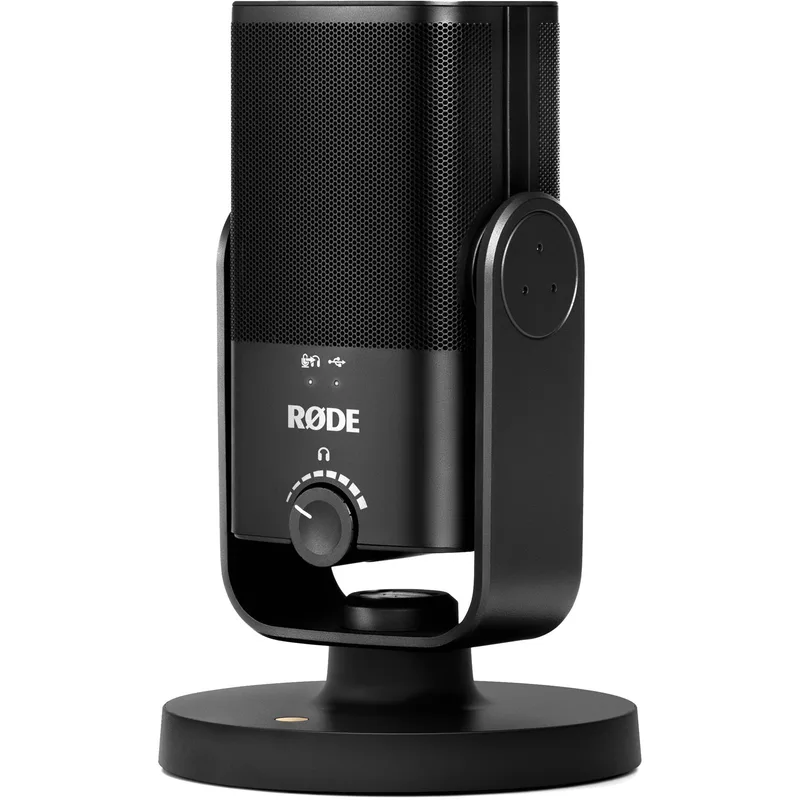
The NT-USB Mini is built for one scenario: a remote worker or content creator who needs professional-grade audio in a minimal footprint, without a cluttered desk setup.
If your video calls currently sound hollow or echoey, or you’re still using a laptop microphone for Teams and Zoom, the NT-USB Mini will be an audible improvement. If you’re building a podcast or streaming setup and don’t want to spend $150–$300 on a Shure MV7+ or Blue Yeti X, the NT-USB Mini covers what matters at a fraction of the price.
It’s also the correct choice if desk space is limited. The integrated stand and built-in pop filter mean the mic is functional right out of the box — no boom arm, no external pop filter, no extra clutter.
Quick Comparison
| Mic | Type | Sample Rate | Headphone Out | Tap Mute | Price |
|---|---|---|---|---|---|
| Rode NT-USB Mini | Condenser | 24-bit / 48kHz | Yes | No | $97.85-$103.00 as of Oct 18, 2026 |
| HyperX SoloCast | Condenser | 24-bit / 96kHz | No | Yes | Unavailable |
| Blue Snowball iCE | Condenser | 16-bit / 44.1kHz | No | No | Unavailable |
Rode NT-USB Mini: Full Review
Audio Quality
The NT-USB Mini records at 24-bit / 48kHz using Rode’s own condenser capsule — the same capsule design lineage that runs through the full NT-USB series. The result is a smooth, warm midrange with natural-sounding voice reproduction that holds up on Zoom calls, podcast recordings, and voice-over work.
Owner reports and reviewer comparisons consistently describe the NT-USB Mini as having a “mid-forward” character: it flatters voice clearly without the harshness some budget condensers add to upper-midrange frequencies. The extended frequency response (20Hz–20kHz) captures full voice detail, though at this size and price, bass extension and high-frequency air are more moderate than on larger-capsule condensers like the Blue Yeti X.
For conference calls, the cardioid pattern does meaningful work — it focuses pickup on the speaker in front of the mic and reduces what gets captured from behind and to the sides. In a quiet room or a room with soft furnishings, this translates to clear, professional-sounding audio. In a live, reverberant space (hardwood floors, bare walls), it picks up room sound like any condenser.
Design and Stand
The NT-USB Mini’s physical design is its sharpest differentiator at this price. The integrated pivoting stand keeps the capsule elevated and positioned correctly without any additional hardware. The built-in pop filter reduces plosive sounds — the hard “p” and “b” consonants that create bursts on uncovered condensers.
The mic body is compact enough to sit beside a keyboard without encroaching on workspace. At 0.32 kg, it doesn’t pull over or shift position during use. The USB-C cable routes cleanly to any modern laptop or desktop USB-C port.
One practical limitation: the integrated stand positions the capsule at a fixed height — roughly 3–4 inches off the desk. For users who prefer closer mic placement (4–6 inches from mouth is optimal for most condensers), the stand works. For users who want to mount on a boom arm, the mic body has a standard 3/8” thread adapter compatible with most boom arm mounts, but the adapter isn’t included.
Headphone Monitoring
The 3.5mm headphone jack on the NT-USB Mini’s base provides zero-latency monitoring — you hear your voice directly from the mic’s output without the delay that software monitoring creates. For anyone who has dealt with the disorienting echo of hearing their own voice delayed by 50–100ms in a DAW or Zoom settings panel, this matters.
The monitoring volume is controlled via the headphone output level in the Rode Connect software or through your system’s audio settings. There’s no physical knob on the mic body for headphone gain — this is the NT-USB Mini’s main ergonomic tradeoff compared to the full NT-USB, which includes a dedicated headphone volume knob.
Rode Connect Software
Rode Connect is a free mixing and monitoring app that works with the NT-USB Mini on both macOS and Windows. It provides basic EQ control, a noise gate, and compressor settings. For remote work, the noise gate in Rode Connect is the most practical feature — it applies a threshold below which ambient noise is suppressed without affecting voice.
Setup is straightforward: install Rode Connect, select the NT-USB Mini as the input device, and configure the noise gate threshold. The software routes cleanly to Zoom, Teams, Google Meet, and OBS without driver conflicts.
The Alternatives
Blue Snowball iCE ($39–$49)
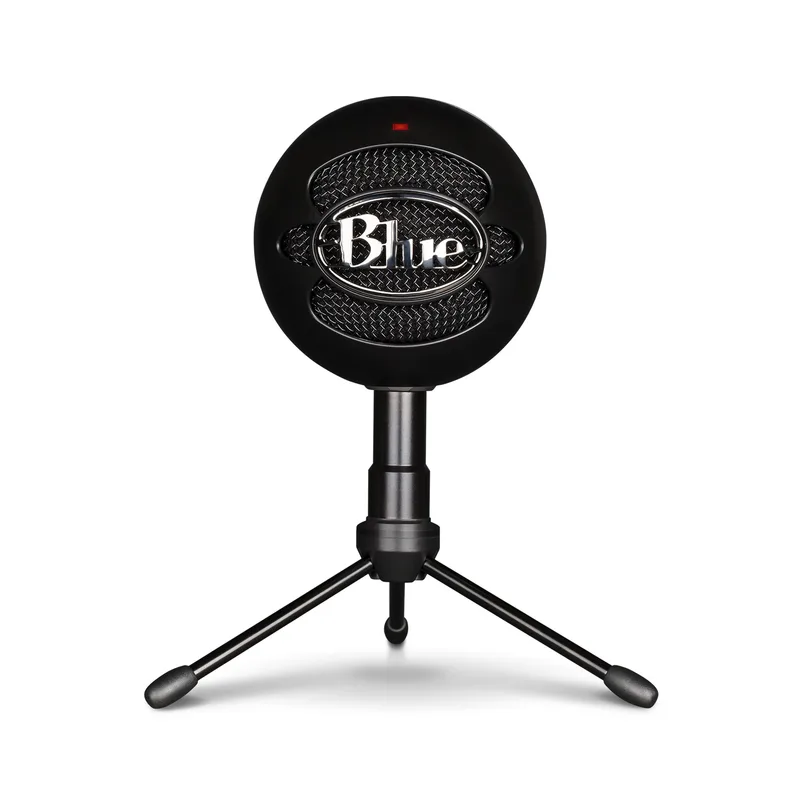
The Blue Snowball iCE is the entry-level benchmark for USB condenser microphones. At $39–$49, it’s the cheapest option on this list, and for calls-only use it functions adequately.
The practical gaps versus the NT-USB Mini are significant: no headphone monitoring, 44.1kHz / 16-bit recording (audibly lower quality), no built-in pop filter, and an older USB-A connector. For someone doing regular video calls who needs the cheapest possible upgrade from a laptop mic, the Snowball iCE is a passable starting point. For anyone who will use their mic for podcasting, streaming, or regular recordings, the NT-USB Mini’s $40–$50 premium is justified.
HyperX SoloCast ($49–$59)
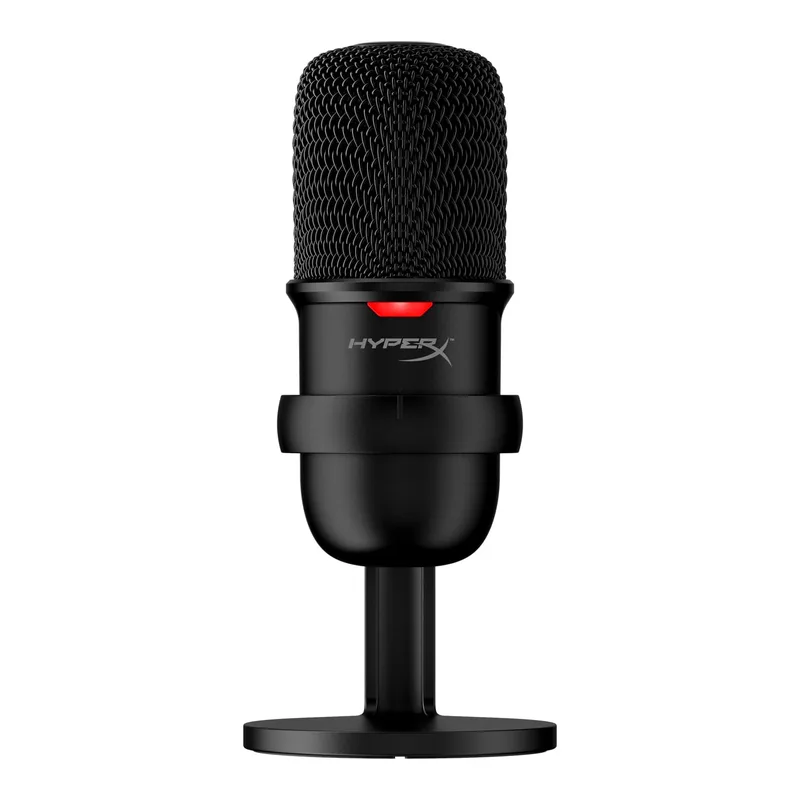
The HyperX SoloCast sits between the Snowball iCE and the NT-USB Mini in both price and performance. Its 24-bit / 96kHz recording spec is technically higher than the NT-USB Mini’s 48kHz — though the practical audible difference in daily use is minimal. The tap-to-mute sensor with LED is genuinely useful for video calls.
What the SoloCast lacks relative to the NT-USB Mini: no headphone monitoring, no companion software with a noise gate, USB-A instead of USB-C, and no built-in pop filter. For a remote worker, the NT-USB Mini’s headphone monitoring and Rode Connect software are meaningful advantages. The SoloCast makes more sense for a gaming or streaming setup where tap-to-mute takes priority and headphone monitoring isn’t needed.
Buying Guide
Do You Need Headphone Monitoring?
If you record voiceovers, podcast segments, or any audio where hearing yourself in real time helps you adjust microphone distance and volume, zero-latency monitoring is valuable. The NT-USB Mini is the only mic on this list with that feature. If your use is purely video calls where you’re already hearing yourself through the call’s return audio, monitoring matters less.
Condenser Mic in a Noisy Room
All three mics on this list are condenser types. Condenser capsules are more sensitive than dynamic mics, which means they capture more room sound. In a typical home office with soft furnishings (carpet, couch, bookshelves), this isn’t a significant problem. In a live room with hard surfaces (tile, bare wood, large windows), background noise and room echo will be audible.
If your recording environment is consistently noisy, a dynamic mic like the Shure MV7 (around $136–$149) is a better structural solution than any condenser at this price point.
What About Rode’s Other USB Mics?
Rode makes the NT-USB+ at $169–$199 — a larger-capsule condenser with an onboard gain knob, dual headphone volume controls, and a wider frequency response. If you’re doing music recording or professional podcast production, the NT-USB+ is the step up. For remote work and casual content creation, the NT-USB Mini’s output quality is sufficient, and the size and price advantage are real.
FAQ
Is the Rode NT-USB Mini worth it at $89–$99 in 2026?
For remote work and casual recording, yes. The audio quality is meaningfully better than budget alternatives, the USB-C connection is modern, headphone monitoring is included, and the built-in stand and pop filter eliminate extra purchases. The $40–$50 premium over the Blue Snowball iCE buys a noticeable quality jump.
Does the Rode NT-USB Mini work with Zoom and Microsoft Teams?
Yes. It’s plug-and-play on both macOS and Windows — no driver installation required. It shows up as an audio input device automatically. Rode Connect is optional but adds useful noise gate and compression controls that benefit video call audio.
Can I use the Rode NT-USB Mini with a boom arm?
The mic body has a standard 3/8” thread insert that fits most boom arm mounts. The integrated stand detaches or can simply be folded out of the way when the mic is arm-mounted. A 3/8” adapter is not included in the box, but they’re widely available for a few dollars.
What’s the difference between the NT-USB Mini and the NT-USB+?
The NT-USB Mini ($89–$99) is compact, USB-C only, with software-based gain control. The NT-USB+ ($169–$199) adds a physical gain knob, dual headphone outputs with independent volume controls, and a larger capsule with wider dynamic range. For music recording and professional podcast work, the NT-USB+ is worth the premium. For remote work calls and casual voiceovers, the NT-USB Mini’s output quality is more than sufficient.
Does the NT-USB Mini pick up keyboard noise?
It depends on your keyboard and room. The cardioid pattern rejects sound from behind and the sides, which helps if you’re speaking directly into the mic from the front. Mechanical keyboards at close range will still register in recordings. Placing the mic slightly above and angled down toward your mouth — rather than flat on the desk pointed at the ceiling — reduces keyboard pickup.
Conclusion
The Rode NT-USB Mini is the cleanest answer to “best compact USB mic under $100 for remote work in 2026.” It records at 24-bit / 48kHz with a warm condenser capsule, includes zero-latency headphone monitoring, uses USB-C, and ships with an integrated stand and pop filter that mean no extra purchases needed.
The HyperX SoloCast at $49–$59 is the right choice if tap-to-mute matters more than headphone monitoring — gaming and streaming setups benefit from that tradeoff. The Blue Snowball iCE at $39–$49 is the absolute entry point, suited for users who need a functional mic upgrade on a tight budget.
For consistent remote work audio quality in a small desk footprint, the NT-USB Mini is the pick.
Detailed Reviews
Rode NT-USB Mini
Pros
- Built-in pop filter and compact pivoting stand eliminate the need for any extra accessories out of the box
- USB-C connectivity works natively with current MacBooks, Windows laptops, and tablets without adapters
- Zero-latency headphone monitoring lets you hear yourself in real time — critical for catching recording issues live
- Extremely compact footprint takes almost no desk space; at 0.71 lbs it's light enough to pack for travel
- Warm condenser sound with a smooth midrange that flatters voice recordings and video calls
Cons
- Condenser capsule picks up room reflections and background noise — needs a reasonably quiet space
- No onboard gain control; you adjust input level in your OS or DAW, not on the mic
- Integrated stand sits low by default; mounting on a boom arm requires a standard 3/8" adapter (not included)
Blue Snowball iCE
Pros
- Lowest price of any decent USB condenser — under $50 makes entry-level recording accessible
- USB-A plug works without adapters on older laptops and desktops
- Durable plastic construction holds up to daily use
- Widely compatible — plug-and-play on Windows, macOS, and Linux
Cons
- No headphone monitoring at any price level is a significant omission
- 44.1kHz / 16-bit recording quality shows its age compared to current alternatives
- No built-in pop filter; plosives require either technique adjustment or an add-on filter
- Cardioid-only with no software companion app for EQ or effects
HyperX SoloCast
Pros
- 24-bit / 96kHz recording spec is better than the Blue Snowball iCE's 44.1kHz / 16-bit output
- Tap-to-mute with LED indicator is practical for video calls — no hunting for a software mute button
- Lighter and more compact than the Snowball; the tiltable stand adjusts easily
- Competitively priced at $49–$59 for the audio output it delivers
Cons
- No headphone monitoring; you can't hear yourself through the mic
- USB-A connector lacks the modern compatibility of USB-C
- No companion software for EQ, compression, or noise reduction
- Cardioid pattern with no polar pattern flexibility