| Spec | MacBook Air 13-inch M5 (16GB/512GB) | MacBook Air 15-inch M5 (16GB/512GB) | MacBook Pro 14-inch M5 (16GB/512GB) |
|---|---|---|---|
| Rating | 9.2/10 | 9.0/10 | 9.3/10 |
| Price | $1193.20-$1256.00as of Oct 18, 2026 | $1298.60-$1399.00as of Oct 18, 2026 | Unavailable |
| Processor | Apple M5, 10-core CPU (4P+6E), 8-core GPU | Apple M5, 10-core CPU (4P+6E), 10-core GPU | Apple M5, 10-core CPU (4P+6E), 10-core GPU |
| RAM | 16GB unified memory (configurable to 32GB) | 16GB unified memory (configurable to 32GB) | 16GB unified memory (configurable to 64GB via M5 Pro/Max) |
| Storage | 512GB SSD (configurable to 4TB) | 512GB SSD (configurable to 4TB) | 512GB SSD (configurable to 4TB) |
| Display | 13.6" Liquid Retina, 2560×1664, 500 nits | 15.3" Liquid Retina, 2880×1864, 500 nits | 14.2" Liquid Retina XDR, 3024×1964, 1600 nits peak |
| Battery | Up to 18 hours | Up to 18 hours | Up to 22 hours |
| Weight | 2.7 lbs (1.24 kg) | 3.3 lbs (1.51 kg) | 3.5 lbs (1.55 kg) |
| Ports | 2× Thunderbolt 4, MagSafe 3, 3.5mm headphone | 2× Thunderbolt 4, MagSafe 3, 3.5mm headphone | 3× Thunderbolt 4, MagSafe 3, HDMI 2.1, SDXC, 3.5mm headphone |
| Webcam | 12MP Center Stage | 12MP Center Stage | 12MP Center Stage |
| Cooling | Fanless (passive) | Fanless (passive) | Active (fan) |
| WiFi | Wi-Fi 7 | Wi-Fi 7 | Wi-Fi 7 |
| Check Price → | Check Price → | Check Price → |
Prices change daily — tap Check Price for the current Amazon price.
Apple released the M5 MacBook Air on March 11, 2026, and it immediately complicated the purchase decision. The new Air brings a 12MP Center Stage webcam for the first time — previously exclusive to the MacBook Pro — along with Wi-Fi 7, a 512GB base storage tier, and the M5 chip’s 30–35% CPU performance uplift over M4. At $1,099 for the 13-inch, you now get a MacBook Pro-quality webcam in the Air form factor, which removes one of the clearest reasons to step up to the Pro.
The question isn’t “Air or Pro” in a vacuum — it’s whether the specific things the MacBook Pro adds are worth $350 or more to you. This comparison breaks it down across the specs that matter most for remote work.
Quick Comparison
| Model | Battery | Ports | Fan | Display | Weight | Price |
|---|---|---|---|---|---|---|
| Air M5 13-inch | 18h | 2× TB4, MagSafe | Silent | 13.6” Retina | 2.7 lbs | $1193.20-$1256.00 as of Oct 18, 2026 |
| Air M5 15-inch | 18h | 2× TB4, MagSafe | Silent | 15.3” Retina | 3.3 lbs | $1298.60-$1399.00 as of Oct 18, 2026 |
| Pro 14-inch M5 | 22h | 3× TB4, HDMI, SD, MagSafe | Active fan | 14.2” Retina XDR | 3.5 lbs | Unavailable |
MacBook Air 13-inch M5 (16GB/512GB)
Pros
- Completely silent — no fan means zero noise on calls or in quiet environments
- 18-hour battery covers the longest travel days with headroom to spare
- 2.7 lbs makes it the lightest laptop in this comparison by a significant margin
- New 12MP Center Stage webcam is a major upgrade from the M4 Air's 1080p camera
- $1,049-$1,099 is the entry point to the entire M5 Mac ecosystem
Cons
- Only two Thunderbolt ports — managing a dock, external display, and drive requires planning
- No HDMI or SD card slot — connecting to a monitor often needs an adapter or dock
- 13.6-inch screen feels cramped for multi-window work without a second display
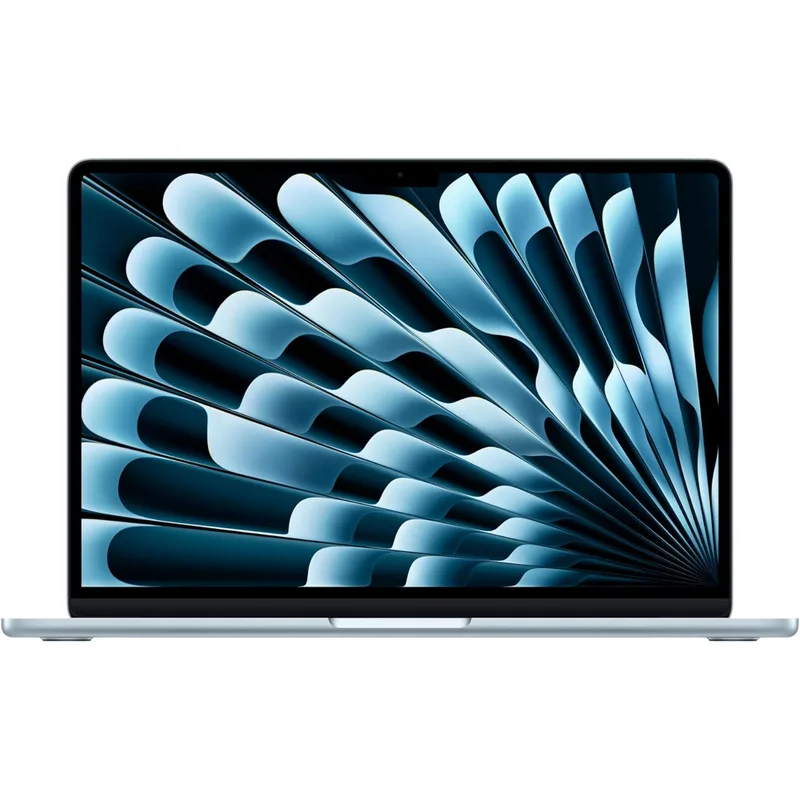
The M5 MacBook Air 13-inch is the strongest value in the Mac lineup right now. Apple’s decision to include a 12MP Center Stage camera — previously a MacBook Pro exclusive — makes this a complete remote work machine straight out of the box. The automatic subject tracking means you stay centered during meetings without adjusting your laptop position, which matters if you move around during calls.
The fanless design isn’t a gimmick. It means zero noise under any condition — no fan ramping up during a screen share, no audible difference between reading email and compiling code for a few minutes. For remote workers on frequent calls, this is a real quality-of-life advantage that gets overlooked in spec comparisons.
Battery life at up to 18 hours is accurate under mixed productivity conditions. Real-world usage across email, browser, Slack, and video calls typically lands in the 12–15 hour range, which reliably covers a full workday plus an evening session. Charging is not a daily chore.
The main limitation is ports. Two Thunderbolt 4 ports, both on the left, means connecting to a dock and a direct display simultaneously requires careful planning. Most remote workers resolve this with a USB-C dock, which the Thunderbolt 4 port handles efficiently. But the lack of HDMI means plugging into a conference room projector requires carrying an adapter.
Best for: Remote workers who travel frequently, are primarily on calls, and want the lightest option that handles all standard workflows without compromise.

MacBook Air 15-inch M5 (16GB/512GB)
Pros
- 15.3-inch display is genuinely usable for multi-window productivity without an external monitor
- Still fanless and silent — same passive cooling advantage as the 13-inch
- Same 18-hour battery life despite the larger screen — no efficiency penalty
- 10-core GPU (vs 8-core on the 13-inch base) benefits graphics and video work
- $200 premium over the 13-inch is modest for the display size increase
Cons
- 3.3 lbs starts to feel heavy on extended travel days compared to the 13-inch
- Still only two Thunderbolt ports — same connectivity limitation as the 13-inch
- At $1,249-$1,299, the MacBook Pro 14 starts to enter consideration for some buyers
The 15-inch Air shares everything with the 13-inch — same M5 chip, same fanless design, same 18-hour battery — with a 15.3-inch display that’s large enough to comfortably run two browser windows side by side without an external monitor. The GPU steps up from 8-core to 10-core on the base configuration, which provides a modest benefit for video calls with virtual backgrounds and light photo editing.
For remote workers who primarily work from a home desk, the 15-inch Air’s screen size often eliminates the daily need for an external monitor. That changes the setup economics: if the larger screen avoids a $300 monitor purchase, the $200 premium over the 13-inch pays back quickly.
The weight difference between the 13-inch Air (2.7 lbs) and 15-inch Air (3.3 lbs) becomes noticeable on travel days with a full backpack. If your setup is mostly desk-based with occasional travel, the 15-inch is the better daily driver. If you’re frequently in transit, the 13-inch’s half-pound advantage matters.
The port situation is identical to the 13-inch — two Thunderbolt 4 ports only. The Air 15-inch does not add HDMI or SD card regardless of size.
Best for: Home-office-primary remote workers who want a capable screen without buying an external monitor, and can accept the additional weight on travel days.
MacBook Pro 14-inch M5 (16GB/512GB)
Pros
- Three Thunderbolt 4 ports plus HDMI and SD card slot — connects a full desk without any adapter
- Liquid Retina XDR hits 1600 nits peak with ProMotion 120Hz — the best MacBook display
- 22-hour battery edges out the Air's 18 hours under equivalent workloads
- Active cooling sustains maximum performance during long video exports or heavy compilation
- Can be configured up to M5 Pro or M5 Max for professional-grade workloads
Cons
- Fan does occasionally spin up on heavy tasks — not silent like the MacBook Air
- 3.5 lbs is heavier than the 15-inch Air — the port selection is the trade-off for the weight
- 16GB base RAM is the same as the Air — the real Pro advantage emerges only in Pro/Max configs
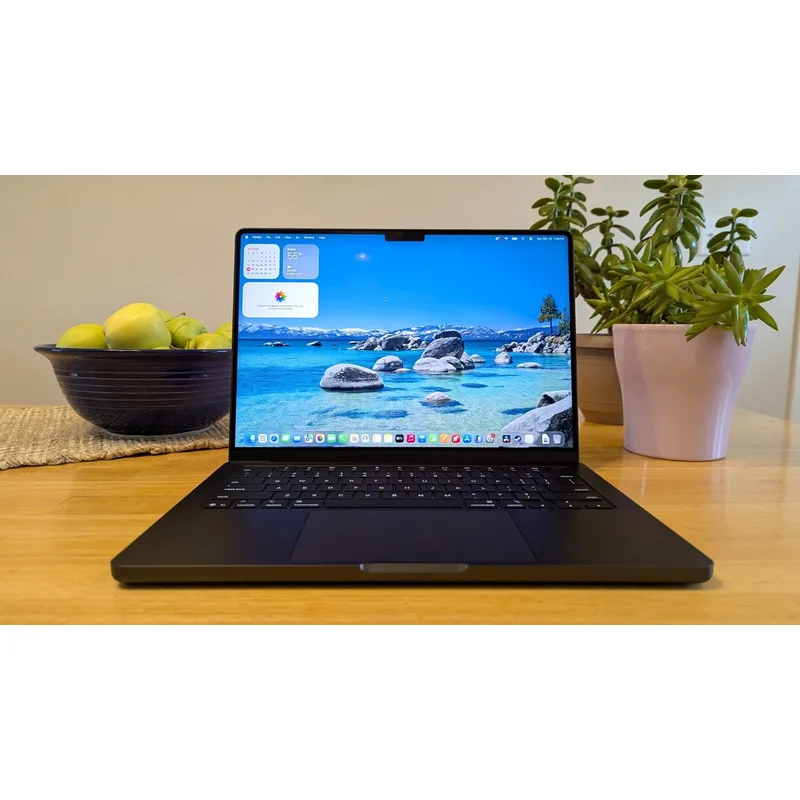
The MacBook Pro 14-inch M5 is differentiated from the Air in three specific ways: port selection, display quality, and sustained performance. For remote workers who need any one of these three, the Pro is worth the premium. For those who don’t, the Air’s silent operation and lighter build are harder to justify paying past.
The port selection is the most practical differentiator for home office use. Three Thunderbolt 4 ports across both sides, plus HDMI 2.1, an SD card slot, and MagSafe means you can connect a monitor via HDMI, a Thunderbolt dock, and charge simultaneously without any adapters. For a permanent desk setup, this is a meaningful simplification over the Air’s two-port arrangement.
The Liquid Retina XDR display at 1600 nits peak brightness with ProMotion 120Hz adaptive refresh is better than the Air’s 500-nit Liquid Retina. The difference is visible in bright rooms and when displaying high-contrast HDR content. For most remote work — documents, browser, video calls — the Air’s display is entirely adequate. For anyone who does color work, the XDR panel justifies the upgrade.
The fan does spin up under sustained load. During a long Zoom call while a background export runs, the fan becomes audible. It’s not disruptive at normal desk distances, but it’s not silent. Remote workers in shared quiet spaces will notice the difference from the Air.
The 22-hour battery estimate is achievable under light use and video playback. Under mixed productivity loads, 16–18 hours is typical — still exceptional, and meaningfully better than the Air’s real-world numbers.
Best for: Remote workers with permanent desk setups who value the full port selection, anyone who regularly connects to HDMI displays or uses SD cards, and professionals who anticipate configuring up to M5 Pro or M5 Max.
Head-to-Head: Key Categories for Remote Workers
Silence on Calls
MacBook Air wins. Both 13-inch and 15-inch Air models are fanless — no mechanical components that generate noise. The MacBook Pro’s active cooling is quiet by laptop standards, but it is audible. If you work in shared spaces, libraries, or bedrooms where a fan spin-up would be noticeable, the Air is the right choice.
Port Selection
MacBook Pro wins decisively. Three Thunderbolt 4 ports, HDMI 2.1, SDXC, and MagSafe on the Pro versus two Thunderbolt 4 and MagSafe on either Air. For home office use with a permanent monitor, the Pro connects a full desk setup without any adapters. The Air works fine with a single good USB-C dock, but the Pro simplifies cable management.
Battery Life
MacBook Pro edges the Air. 22 hours claimed (Pro) vs 18 hours claimed (Air). In real-world mixed use, the gap narrows: expect 16–18 hours from the Pro and 12–15 hours from the Air under typical remote work conditions. Both outlast any other laptop category. The Air is more than sufficient for any single workday — the Pro offers an extra buffer for back-to-back days without charging.
Video Call Quality
Tied in 2026. The M5 MacBook Air receives the 12MP Center Stage camera for the first time, matching the MacBook Pro. Both deliver excellent call quality with subject tracking. This was a clear Pro differentiator in previous generations — it is no longer a reason to choose Pro over Air.
Display
MacBook Pro wins for high-end work. The Liquid Retina XDR at 1600 nits with ProMotion 120Hz is visibly better than the Air’s 500-nit Liquid Retina. For color-accurate creative work, the Pro display matters. For typical office tasks, email, and video calls, the Air’s display is excellent — the difference is meaningful primarily to designers, editors, and video producers.
Weight and Portability
MacBook Air 13-inch wins. At 2.7 lbs, the 13-inch Air is the most portable Mac in this comparison. The 15-inch Air at 3.3 lbs and the Pro at 3.5 lbs are both heavier, with the Pro carrying the full desk-port trade-off in its chassis. For frequent travelers, the 0.8-lb difference between the Air 13-inch and the Pro is noticeable over a work week.
Price
MacBook Air wins. The 13-inch Air at $1,049–$1,099 is $400–$500 less than the MacBook Pro 14-inch base configuration. The 15-inch Air at $1,249–$1,299 is still $150–$300 less than the Pro. For remote workers whose work doesn’t demand the Pro’s specific advantages, the Air delivers 90% of the experience at a meaningfully lower price.
Buying Guide
Buy the MacBook Air 13-inch M5 if:
- You travel frequently and weight matters
- You work in quiet environments where fan noise would be disruptive
- Your budget is under $1,200
- You use a USB-C dock for your home desk setup
Buy the MacBook Air 15-inch M5 if:
- Your desk is home-office-primary and you want to skip an external monitor
- You don’t travel more than a few days per month
- The $200 premium over the 13-inch is worth a larger working screen
Buy the MacBook Pro 14-inch M5 if:
- Your desk needs HDMI, SDXC, and multiple Thunderbolt connections simultaneously
- Display accuracy matters for color work
- You plan to configure M5 Pro or M5 Max for demanding creative workflows
- You want the best MacBook battery life available
Skip the Pro and get the Air if:
- Your work is primarily email, browser, Slack, and video calls
- You use a single external monitor connected via USB-C or a dock
- You work on calls in shared or quiet spaces
- You don’t need the SD card or HDMI port on a regular basis
FAQ
Is 16GB of RAM enough for remote work on an M5 Mac?
For the majority of remote work — email, browser with 20–30 tabs, Slack, Zoom, and light document editing — 16GB of M5 unified memory is sufficient. Apple’s unified memory architecture is shared efficiently between CPU and GPU, making 16GB perform closer to 24GB on conventional RAM systems. Where 16GB becomes limiting: Docker containers with multiple services running, Xcode with large projects open, or video editing with proxy media. If your work involves any of these, 24GB is a worthwhile upgrade.
Does the MacBook Air overheat under heavy load?
The Air throttles performance under sustained heavy workloads to manage heat without a fan. For tasks like long video renders or extended code compilation, performance decreases over time compared to the MacBook Pro’s active cooling. For typical remote work — calls, browser, communication apps, writing — the Air never hits the kind of sustained load that triggers thermal throttling. It’s only relevant for workloads that max out CPU/GPU for 20+ minutes continuously.
Can the MacBook Air drive two external monitors?
The MacBook Air M5 supports one external display at a time. The MacBook Pro 14-inch supports two external displays simultaneously via its Thunderbolt and HDMI ports. If dual-monitor desk setup is important, the MacBook Pro is the clear choice — the Air’s display limit is a genuine architectural constraint, not a configuration option.
Do I need a dock with the MacBook Air?
For a home desk setup, most remote workers benefit from a USB-C dock with the MacBook Air. A dock converts the Air’s two Thunderbolt ports into a hub for monitor output, USB-A peripherals, Ethernet, and additional USB-C connections — all from a single cable to the laptop. The CalDigit TS4 or Anker 777 Thunderbolt dock are common pairings. The cost of a good dock ($150–$300) is worth factoring into the total budget when comparing Air vs Pro pricing.
Which M5 Mac is best for Zoom and Teams calls all day?
Both the Air and Pro perform identically on video calls — same M5 chip, same 12MP Center Stage camera starting with M5. The Air has a practical advantage: it’s completely silent, so there’s no fan noise picked up by the microphone or audible to you during calls. For all-day call schedules, the Air’s fanless design is a real comfort advantage.
Conclusion
For most remote workers in 2026, the MacBook Air M5 13-inch is the right call. Apple closed the most important gap — the webcam — with the M5 generation, so the Air now delivers the same call quality as the Pro. The silence, the weight, and the price make it the better fit for workers who travel, work on calls, or simply don’t need the Pro’s port array.
The 15-inch Air is the right upgrade if your desk is home-office-primary and you want to avoid an external monitor purchase. The larger display at no cooling penalty and the same 18-hour battery make it the best value in the Mac lineup for desk-centric workers.
The MacBook Pro 14-inch M5 earns its price if your desk demands HDMI, multiple Thunderbolt connections simultaneously, and you want the XDR display — or if you plan to configure up to the M5 Pro for professional creative or development workloads. It’s the better machine. For most remote workers, it’s more machine than the work demands.
Start with the MacBook Air M5 13-inch on Amazon at $1,049–$1,099. If you regularly need HDMI or an SD card at your desk, step up to the MacBook Pro 14 M5.
Detailed Reviews
MacBook Air 13-inch M5 (16GB/512GB)
Pros
- Completely silent — no fan means zero noise on calls or in quiet environments
- 18-hour battery covers the longest travel days with headroom to spare
- 2.7 lbs makes it the lightest laptop in this comparison by a significant margin
- New 12MP Center Stage webcam is a major upgrade from the M4 Air's 1080p camera
- $1,049-$1,099 is the entry point to the entire M5 Mac ecosystem
Cons
- Only two Thunderbolt ports — managing a dock, external display, and drive requires planning
- No HDMI or SD card slot — connecting to a monitor often needs an adapter or dock
- 13.6-inch screen feels cramped for multi-window work without a second display
MacBook Air 15-inch M5 (16GB/512GB)
Pros
- 15.3-inch display is genuinely usable for multi-window productivity without an external monitor
- Still fanless and silent — same passive cooling advantage as the 13-inch
- Same 18-hour battery life despite the larger screen — no efficiency penalty
- 10-core GPU (vs 8-core on the 13-inch base) benefits graphics and video work
- $200 premium over the 13-inch is modest for the display size increase
Cons
- 3.3 lbs starts to feel heavy on extended travel days compared to the 13-inch
- Still only two Thunderbolt ports — same connectivity limitation as the 13-inch
- At $1,249-$1,299, the MacBook Pro 14 starts to enter consideration for some buyers
MacBook Pro 14-inch M5 (16GB/512GB)
Pros
- Three Thunderbolt 4 ports plus HDMI and SD card slot — connects a full desk without any adapter
- Liquid Retina XDR hits 1600 nits peak with ProMotion 120Hz — the best MacBook display
- 22-hour battery edges out the Air's 18 hours under equivalent workloads
- Active cooling sustains maximum performance during long video exports or heavy compilation
- Can be configured up to M5 Pro or M5 Max for professional-grade workloads
Cons
- Fan does occasionally spin up on heavy tasks — not silent like the MacBook Air
- 3.5 lbs is heavier than the 15-inch Air — the port selection is the trade-off for the weight
- 16GB base RAM is the same as the Air — the real Pro advantage emerges only in Pro/Max configs