| Spec | Apple Mac Mini M4 | Beelink SER8 Ryzen 7 8845HS | Minisforum UM890 Pro | ASUS NUC 14 Pro | Apple Mac Mini M4 Pro |
|---|---|---|---|---|---|
| Rating | 9.2/10 | 8.7/10 | 8.8/10 | 8.5/10 | 9.5/10 |
| Price | $919.00-$991.24as of Oct 18, 2026 | Unavailable | $989.00as of Oct 18, 2026 | $1059.99as of Oct 18, 2026 | Unavailable |
| CPU | Apple M4 (10-core CPU, 10-core GPU) | AMD Ryzen 7 8845HS (8C/16T, up to 5.1GHz) | AMD Ryzen 9 8945HS (8C/16T, up to 5.2GHz) | Intel Core Ultra 7 155H (16C/22T, up to 4.8GHz) | Apple M4 Pro (12-core CPU, 16-core GPU) |
| RAM | 16GB unified memory | 32GB DDR5 5600MHz (user-upgradeable) | 32GB DDR5 5600MHz (user-upgradeable) | 16GB DDR5 (expandable to 48GB) | 24GB unified memory |
| Storage | 512GB SSD | 1TB NVMe PCIe 4.0 (user-upgradeable) | 1TB NVMe PCIe 4.0 (user-upgradeable) | 1TB NVMe PCIe 4.0 | 512GB SSD |
| Ports | 3× Thunderbolt 4, 2× USB-A, HDMI 2.1, 2× USB-C (front), 2.5G Ethernet | 1× USB4, 2× USB-A 3.2, 1× USB-C, 2× HDMI, 1× DP, 2.5G LAN | 2× USB4, 1× HDMI 2.1, 1× DP 1.4, 4× USB-A 3.2, dual 2.5G LAN | 2× Thunderbolt 4 (front), 2× HDMI 2.1, 1× USB-C 3.2, 2× USB-A 3.2, RJ45 | 3× Thunderbolt 5, 2× USB-A, HDMI 2.1, 2× USB-C (front), 2.5G Ethernet |
| Size | 5" × 5" × 2" | 5" × 5" × 1.7" | 5.1" × 5.1" × 2.1" | 4.5" × 4.5" × 1.8" (slim chassis) | 5" × 5" × 2" |
| OS | macOS Sequoia | — | — | — | macOS Sequoia |
| GPU | — | AMD Radeon 780M (12 CUs) | AMD Radeon 780M | Intel Arc integrated | — |
| Check Price → | Check Price → | Check Price → | Check Price → | Check Price → |
Prices change daily — tap Check Price for the current Amazon price.
Intel sold its NUC business to ASUS in mid-2023, but the compact desktop market never missed a beat. At CES 2026, ASUS unveiled the NUC 16 Pro with Intel’s latest Panther Lake processors, and MSI launched the Cubi NUC AI+ 3MG in May 2026 — the most capable NUC-class machines yet. On the other side, Apple’s Mac Mini M4 remains one of the most efficient compact desktops available — now starting at $799 after Apple retired the 256GB base model in May 2026, with 512GB storage now standard. Two very different philosophies, one very common question from home office buyers: which one actually makes sense?
Quick Comparison
| Mac Mini M4 | Beelink SER8 | Minisforum UM890 Pro | ASUS NUC 14 Pro | Mac Mini M4 Pro | |
|---|---|---|---|---|---|
| Price | $799 | $499 | $699 | $999 | $1,279 |
| CPU | Apple M4 | Ryzen 7 8845HS | Ryzen 9 8945HS | Core Ultra 7 155H | Apple M4 Pro |
| RAM | 16GB | 32GB | 32GB | 16GB | 24GB |
| Storage | 512GB | 1TB | 1TB | 1TB | 512GB |
| Thunderbolt | TB4 × 3 | None (USB4) | None (USB4) | TB4 × 2 | TB5 × 3 |
| RAM Upgradeable | No | Yes | Yes | Yes | No |
| OS | macOS | Windows 11 | Windows 11 | Windows 11 | macOS |
| Fan Noise | Silent | Moderate | Noticeable | Quiet | Silent |
The Mac Mini M4 — Silent, Fast, and Now 512GB Standard
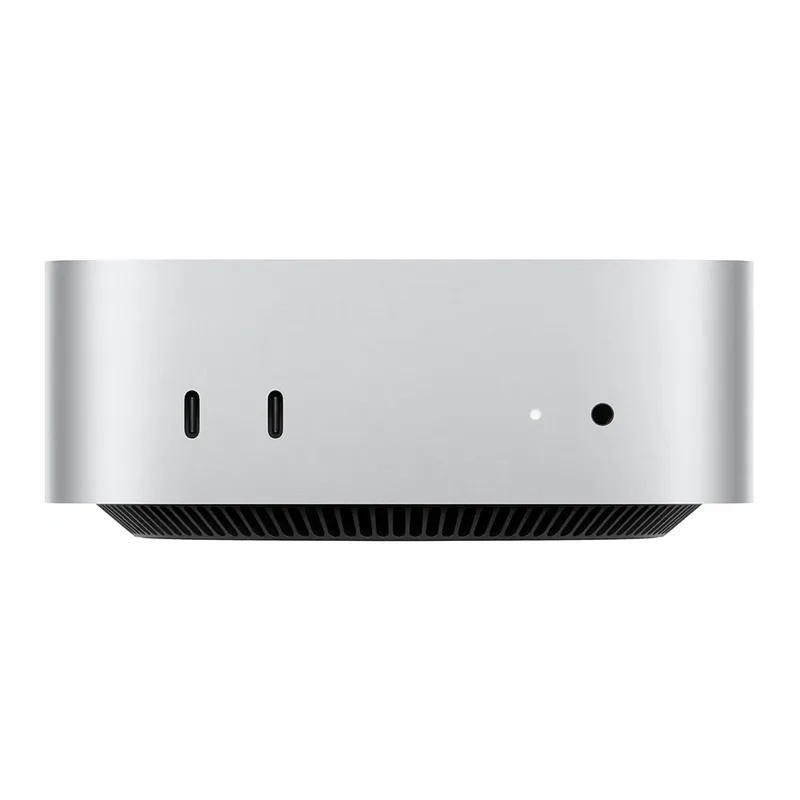
Apple Mac Mini M4
Pros
- Best single-core and per-watt performance in its price class
- Completely silent under typical office workloads
- Apple Intelligence features built in for AI-assisted productivity
- Compact and well-built aluminum chassis
- 512GB storage now standard after Apple retired the 256GB base model
Cons
- Locked to macOS — no flexibility for Windows-only tools
- RAM is not user-upgradeable after purchase
- At $799 the value gap vs. Windows rivals has narrowed
Apple redesigned the Mac Mini for the M4 generation, adding two front-facing USB-C ports and shrinking the chassis further. The M4 chip’s efficiency means real-world noise is effectively zero — confirmed in owner reports across forums where remote workers praise its silence on video calls.
Performance-wise, the M4’s 10-core CPU outpaces the Intel Core i7 desktop chips this form factor replaced, while drawing far less power. The integrated GPU handles 4K video playback, color-accurate image editing, and multi-monitor setups without strain. For writers, developers, and analysts who work primarily in a browser, terminal, Slack, and Office — this is all the machine needed.
Apple discontinued the 256GB/$599 base model in May 2026 due to supply constraints and surging demand. The current entry model ships with 512GB of fast NVMe storage and retails at $799 — still a strong performance-per-dollar machine for macOS users, though the $300 gap over the Windows competition has widened compared to the original $499 launch price.
Beelink SER8 — Windows Value That Mac Mini Can’t Match
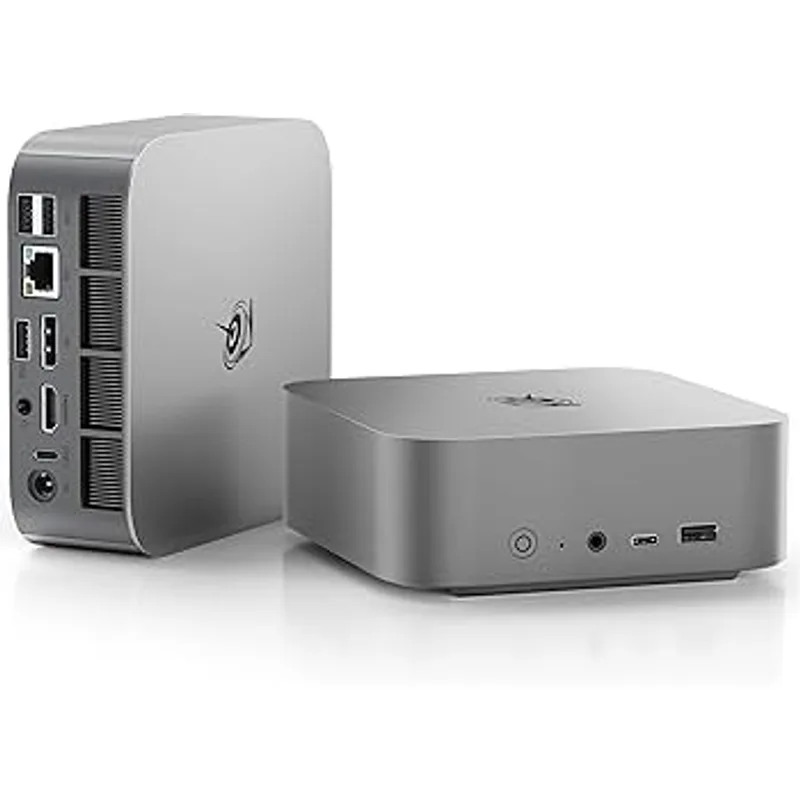
Beelink SER8 Ryzen 7 8845HS
Pros
- 32GB DDR5 RAM included — double what the Mac Mini M4 base ships with
- 1TB storage included at the same price as Mac Mini's 256GB
- RAM and SSD are fully user-upgradeable
- AMD Radeon 780M handles light creative work and 4K playback
Cons
- Fan is audible under sustained CPU load
- No Thunderbolt 4 — only USB4 at reduced bandwidth
- Build quality and support below Apple or ASUS
The Beelink SER8 offers a compelling alternative for Windows users: at $499 — $300 less than the current Mac Mini M4 — you get 32GB DDR5 RAM (double the Mac Mini’s 16GB) and 1TB of NVMe storage (double the Mac Mini’s 512GB). The AMD Ryzen 7 8845HS is no pushover either — it handles sustained workloads and outperforms the Mac Mini M4 in some multi-threaded benchmarks according to user-reported results on r/minipc.
The practical trade-offs: the fan runs audibly under sustained CPU load, the build quality uses more plastic than the Mac Mini or ASUS NUC, and there’s no Thunderbolt 4. USB4 handles fast external drives and displays but lacks the certified TB4 ecosystem.
For Windows users who need maximum RAM and storage at $499 and don’t have a Thunderbolt dock investment, the SER8 is the clear value pick. RAM and SSD slots are accessible, so upgrading later is straightforward.
Minisforum UM890 Pro — AMD Performance, Mid-Range Price
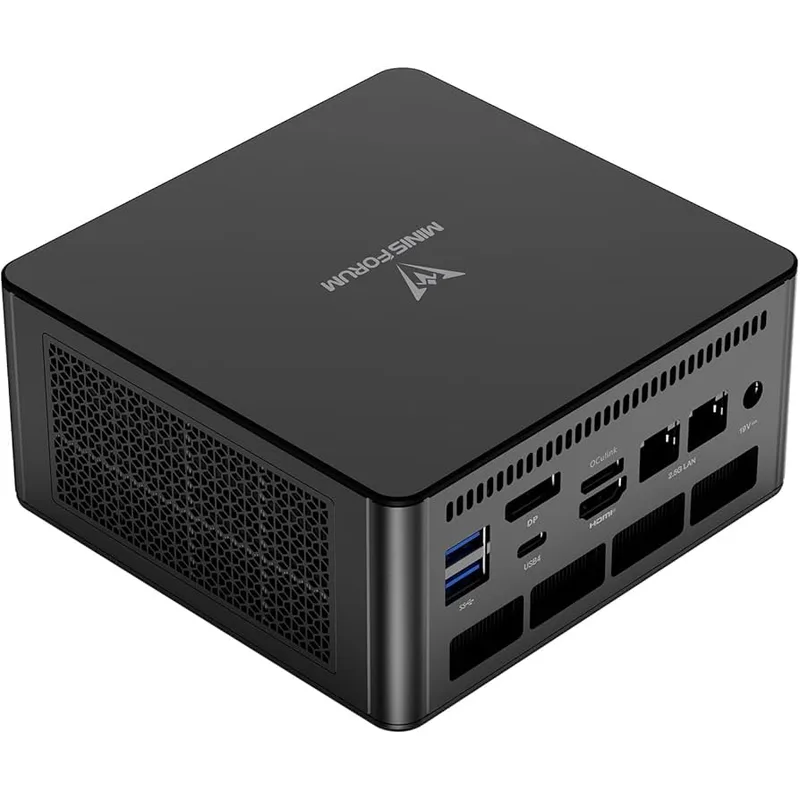
Minisforum UM890 Pro
Pros
- Ryzen 9 8945HS CPU excels at multi-threaded work like video rendering and compiling
- Dual 2.5G LAN is rare at this price — ideal for file servers and NAS transfers
- Two USB4 ports enable fast external storage and display connections
- 32GB RAM and 1TB storage included as standard
Cons
- Fan noise is more noticeable than ASUS NUC or Mac Mini under load
- No Thunderbolt 4 certification
- Minisforum's brand support less established than Apple or ASUS
The UM890 Pro targets the gap between budget Beelink machines and premium ASUS hardware. The Ryzen 9 8945HS has 8 high-performance cores that compete with Intel’s Core Ultra 9 at a lower price, and it ships with the same 32GB/1TB configuration as the SER8 but at a higher TDP ceiling — meaning less throttling under sustained workloads.
The dual 2.5G LAN is a standout feature. Owners using it as a media server, running Docker containers, or connecting to a NAS appreciate having two dedicated high-speed network connections without a switch. The two USB4 ports also give more flexibility than the SER8’s single USB4 port.
The fan runs louder than expected under load, and the brand’s warranty service is less mature than Apple or ASUS. But for $699, the combination of CPU performance, RAM, storage, and network capability is hard to find elsewhere.
ASUS NUC 14 Pro — Thunderbolt 4, Premium Windows
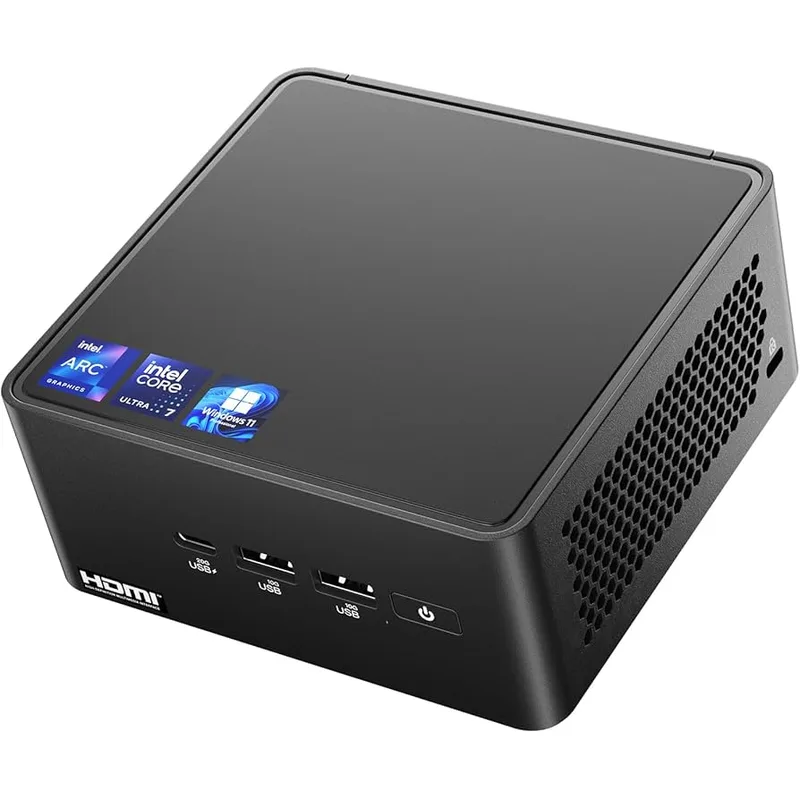
ASUS NUC 14 Pro
Pros
- Thunderbolt 4 on both front ports — connects docks, high-speed storage, 8K displays
- Supports 4 simultaneous displays via HDMI + Thunderbolt
- Expandable RAM up to 48GB DDR5
- Premium slim chassis with enterprise-grade ASUS warranty
Cons
- Expensive at $999 for 16GB RAM when Windows alternatives offer 32GB for half the price
- Intel Arc iGPU trails AMD Radeon 780M in most graphics benchmarks
- No USB4 speed advantage despite the premium price tag
The ASUS NUC 14 Pro is the closest thing to a Mac Mini for Windows users who need Thunderbolt 4. Both front ports support TB4, meaning a single cable can connect a Thunderbolt dock, drive two 4K displays, deliver 100W power, and transfer files at 40Gbps. That’s a real productivity advantage for anyone already invested in a Thunderbolt dock or high-speed external storage.
The Core Ultra 7 155H handles Office, Zoom, and demanding developer environments without breaking a sweat. The slim chassis supports 4 simultaneous displays — useful for traders, stock analysts, or anyone running a dense multi-screen setup.
The problem is value. At $999, it ships with only 16GB DDR5 — the same as the Mac Mini M4 base at $499. Windows NUC buyers who need 32GB are looking at a significant premium over the SER8 or UM890 Pro. Intel Arc’s integrated graphics also trails the Radeon 780M in most benchmarks.
ASUS’s enterprise warranty and the Thunderbolt 4 certification justify the price for specific use cases. For general home office use, the value case is harder to make.
Apple Mac Mini M4 Pro — Best Compact Desktop Money Can Buy
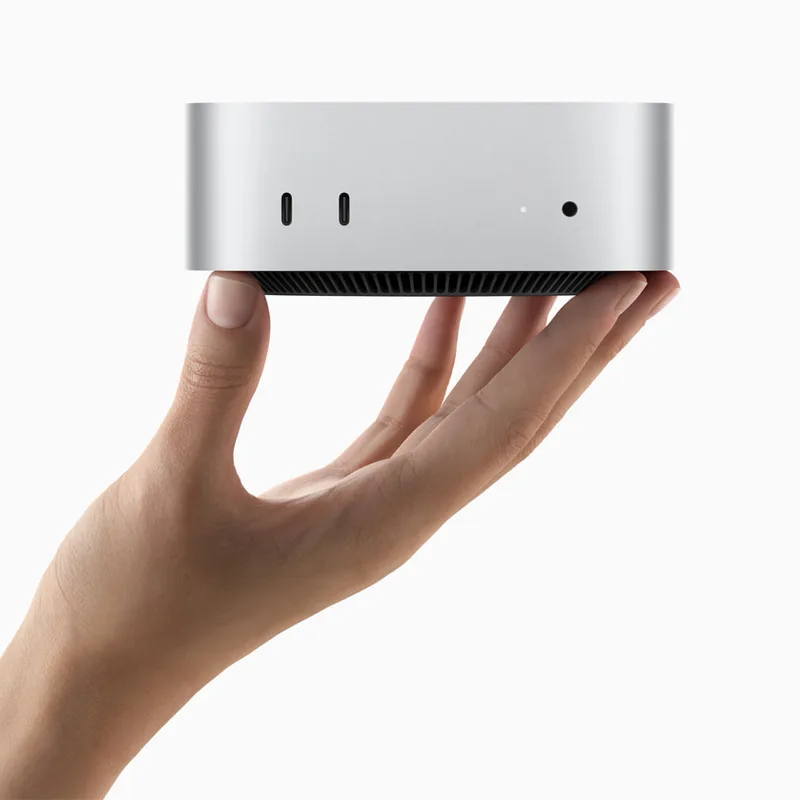
Apple Mac Mini M4 Pro
Pros
- M4 Pro chip delivers workstation-class performance in complete silence
- Thunderbolt 5 supports 8K displays and 120GB/s external storage
- Handles sustained loads (video encoding, large datasets) without throttling
- Apple Intelligence on the most powerful compact Mac ever shipped
Cons
- Locked to macOS ecosystem
- At $1,279, it exceeds most home office budgets
- RAM and storage cannot be upgraded after purchase
The Mac Mini M4 Pro is in a different tier. The M4 Pro chip’s 12-core CPU and 16-core GPU outperform every Windows mini PC in this comparison in single-core and sustained performance benchmarks. The three Thunderbolt 5 ports (upgraded from TB4 in the base M4) support 8K displays and future-proof the machine for years of peripherals.
Owner reports consistently note zero audible fan noise even during demanding video exports, large Xcode builds, and data processing. That’s a combination no Windows mini PC currently matches — absolute silence with workstation-class throughput.
At $1,279, it competes with mid-range Windows workstations rather than consumer mini PCs. For macOS power users — video editors, software developers, designers — it remains the most capable option in this form factor.
Head-to-Head: What Matters for Home Office
Performance
For single-core tasks (web, Office, Zoom, terminals), the M4 chips lead. For multi-threaded work (video encoding, compilation, virtual machines), the Ryzen 9 8945HS in the UM890 Pro competes closely with the M4 base and pulls ahead of the Core Ultra 7 in the NUC 14 Pro. The M4 Pro leads everything in sustained performance.
Ports and Connectivity
Mac Mini M4 wins for Thunderbolt 4 density at $499 — three TB4 ports beats the NUC 14 Pro’s two at double the price. The ASUS NUC 14 Pro’s Thunderbolt advantage over the Beelink and Minisforum is real but priced at a steep premium. Windows buyers who need TB4 have limited options at a fair price.
Noise
Apple’s M4 chips are silent. Period. The ASUS NUC 14 Pro is quiet. The Beelink SER8 is audible during bursts. The Minisforum UM890 Pro is the loudest of the group under sustained load. For calls in open home offices, the Mac Minis and NUC 14 Pro have a real advantage.
Value
The Beelink SER8 at $499 now sits $300 below the Mac Mini M4 at $799, offering 32GB RAM and 1TB storage vs. the Mac Mini’s 16GB and 512GB. For raw hardware specs, the SER8 wins. For performance efficiency and ecosystem quality, the Mac Mini wins. The Minisforum UM890 Pro offers strong performance at $699. The NUC 14 Pro and Mac Mini M4 Pro are premium options with specific justifications.
Buying Guide: Which Should You Buy?
Buy the Mac Mini M4 if: You’re already in the Apple ecosystem, use macOS apps daily, or need the best performance-per-watt and silence matters. At $799 with 512GB storage it’s no longer the price-leader it once was, but it remains the strongest compact Mac for most home office workers who aren’t locked to Windows.
Buy the Beelink SER8 if: You need Windows, want the most RAM and storage for $500, and your workflows don’t require Thunderbolt. Best for developers, IT professionals, and power users on a Windows budget.
Buy the Minisforum UM890 Pro if: You run VMs, Docker containers, or media server workloads that benefit from a faster multi-core CPU and dual 2.5G networking. The step up from the SER8 makes sense for heavy multitaskers.
Buy the ASUS NUC 14 Pro if: You have a Thunderbolt 4 dock and peripherals already invested and need Windows. The Thunderbolt ecosystem benefit is real, but it only makes sense if you’re using it.
Buy the Mac Mini M4 Pro if: You do professional video editing, large-scale development, or data processing and need the best compact workstation available. No Windows alternative matches its sustained performance and silence combination.
FAQ
Is Intel still making NUC computers? No. Intel sold the NUC product line to ASUS in 2023. ASUS now develops and sells NUC hardware under its own brand. The ASUS NUC 14 Pro, NUC 15 Pro, and the newly announced NUC 16 Pro (with Intel Panther Lake, announced at CES 2026) continue the NUC lineage. Other brands like MSI, with its Cubi NUC AI+ 3MG launched in May 2026, also use Intel NUC designs.
Can a Mac Mini replace a Windows NUC for remote work? For most home office tasks — email, video calls, coding, writing, design — yes. The Mac Mini M4 handles these workflows faster and more efficiently than any similarly priced Windows mini PC. The exception is when your job requires Windows-specific software (certain enterprise tools, CAD applications, or IT environments) that won’t run on macOS or virtualization.
Which mini PC is best for running virtual machines? Windows mini PCs with user-upgradeable RAM have an advantage here. The Beelink SER8 and Minisforum UM890 Pro can be upgraded to 64GB DDR5, giving VMs dedicated memory headroom. The Mac Mini’s sealed unified memory limits VM configurations to whatever Apple pre-configures at checkout.
Does the Mac Mini M4 support multiple monitors? Yes. The Mac Mini M4 supports up to three external displays: two via Thunderbolt 4 and one via HDMI 2.1. The Mac Mini M4 Pro with Thunderbolt 5 supports up to four external displays. Most Windows mini PCs in this comparison support 3–4 displays via a combination of HDMI, DisplayPort, and USB4/Thunderbolt.
Is the Beelink SER8 reliable for all-day office work? Based on extensive owner feedback on forums like r/minipc and Amazon reviews, the SER8 8845HS handles continuous office workloads reliably. The fan noise is its biggest practical complaint — it’s audible during CPU bursts but settles during lighter tasks. For Zoom-heavy days in a quiet room, the Mac Mini or ASUS NUC 14 Pro are quieter choices.
Conclusion
For macOS users in 2026, the Apple Mac Mini M4 remains the strongest compact desktop — best single-core performance, complete silence, and a tight ecosystem. At $799 with 512GB storage standard, it’s still competitive, though the value gap vs. Windows rivals has narrowed since Apple retired the $499 base model in May 2026.
For Windows users — or anyone budget-conscious — the Beelink SER8 at $499 is now the strongest value pick in this comparison. It’s $300 less than the Mac Mini, ships with 32GB DDR5 and 1TB, and handles all typical home office workloads. Step up to the Minisforum UM890 Pro at $699 for heavier multi-threaded workloads or network-intensive setups.
The ASUS NUC 14 Pro earns its place for Windows users who need Thunderbolt 4 and trust ASUS’s enterprise support. The Mac Mini M4 Pro is the right answer for professionals who need the most powerful compact workstation available and are committed to macOS.
Detailed Reviews
Apple Mac Mini M4
Pros
- Best single-core and per-watt performance in its price class
- Completely silent under typical office workloads
- Apple Intelligence features built in for AI-assisted productivity
- Compact and well-built aluminum chassis
- 512GB storage now standard after Apple retired the 256GB base model
Cons
- Locked to macOS — no flexibility for Windows-only tools
- RAM is not user-upgradeable after purchase
- At $799 the value gap vs. Windows rivals has narrowed
Beelink SER8 Ryzen 7 8845HS
Pros
- 32GB DDR5 RAM included — double what the Mac Mini M4 base ships with
- 1TB storage included at the same price as Mac Mini's 256GB
- RAM and SSD are fully user-upgradeable
- AMD Radeon 780M handles light creative work and 4K playback
Cons
- Fan is audible under sustained CPU load
- No Thunderbolt 4 — only USB4 at reduced bandwidth
- Build quality and support below Apple or ASUS
Minisforum UM890 Pro
Pros
- Ryzen 9 8945HS CPU excels at multi-threaded work like video rendering and compiling
- Dual 2.5G LAN is rare at this price — ideal for file servers and NAS transfers
- Two USB4 ports enable fast external storage and display connections
- 32GB RAM and 1TB storage included as standard
Cons
- Fan noise is more noticeable than ASUS NUC or Mac Mini under load
- No Thunderbolt 4 certification
- Minisforum's brand support less established than Apple or ASUS
ASUS NUC 14 Pro
Pros
- Thunderbolt 4 on both front ports — connects docks, high-speed storage, 8K displays
- Supports 4 simultaneous displays via HDMI + Thunderbolt
- Expandable RAM up to 48GB DDR5
- Premium slim chassis with enterprise-grade ASUS warranty
Cons
- Expensive at $999 for 16GB RAM when Windows alternatives offer 32GB for half the price
- Intel Arc iGPU trails AMD Radeon 780M in most graphics benchmarks
- No USB4 speed advantage despite the premium price tag
Apple Mac Mini M4 Pro
Pros
- M4 Pro chip delivers workstation-class performance in complete silence
- Thunderbolt 5 supports 8K displays and 120GB/s external storage
- Handles sustained loads (video encoding, large datasets) without throttling
- Apple Intelligence on the most powerful compact Mac ever shipped
Cons
- Locked to macOS ecosystem
- At $1,279, it exceeds most home office budgets
- RAM and storage cannot be upgraded after purchase