The IRS simplified method for home office deductions has not changed in years — it’s still $5 per square foot, capped at 300 square feet, for a maximum $1,500 annual deduction. For a self-employed freelancer working from a 150-square-foot dedicated room, that’s $750 back at tax time. More importantly, every desk, chair, monitor, and webcam purchased exclusively for work can be deducted separately — dollar for dollar — regardless of which home office method you use.
This guide covers who qualifies, how to calculate the space deduction, what equipment counts, and how to document everything if you get audited. This is not tax advice — consult a CPA or tax professional for your specific situation.
Who Can Actually Claim the Home Office Deduction
The IRS home office deduction is available to self-employed individuals, freelancers, independent contractors, and small business owners. If you receive a W-2 from an employer — even if you work from home every day — you cannot claim the home office deduction on your federal return under current law. The Tax Cuts and Jobs Act of 2017 eliminated the employee home office deduction through 2025, and that provision remains in effect for 2026.
Self-employed workers who file Schedule C, Schedule F, or a business partnership return are eligible. Remote employees who work 100% from home but receive a W-2 should check their state return — several states (including California, New York, and New Jersey) allow employee home office deductions on the state return even after the federal suspension.
The Exclusive Use Test — The Most Misunderstood Rule
The IRS requires that your home office space be used regularly and exclusively for business. This is the rule that trips up most people.
What exclusive use means in practice:
- A dedicated room used only for work: qualifies
- A desk in a guest bedroom that also has a bed and personal items: generally does not qualify
- A sectioned-off portion of a living room with a clear visual boundary: may qualify if used exclusively for work — document it carefully
- A garage converted to a home office: qualifies if used exclusively and regularly for business
The exclusive use test applies to the space, not the equipment. Your monitor, keyboard, and webcam are deductible as business equipment even if the room they’re in doesn’t qualify for the space deduction.
The daycare exception: Family daycare providers have a modified exclusive use test — spaces used for daycare during business hours can qualify for a prorated deduction even if they serve personal purposes outside of business hours.
Simplified Method vs Regular Method
| Simplified Method | Regular Method | |
|---|---|---|
| Rate | $5 per sq ft (max 300 sq ft) | Actual home expenses × office % |
| Max deduction | $1,500/year | No fixed cap |
| What’s included | All home expenses (flat rate) | Mortgage interest, rent, utilities, insurance, repairs |
| Depreciation | Not allowed | Can depreciate home (creates future tax complexity) |
| Calculation complexity | Very simple | Requires tracking all home expenses |
| Best for | Small offices, renters in lower-cost areas | Large offices, high mortgage/rent payments |
Example — simplified method: You have a 200 sq ft dedicated home office. Deduction = 200 × $5 = $1,000.
Example — regular method: Your home is 2,000 sq ft. Your home office is 200 sq ft (10%). Your annual mortgage interest + utilities + insurance + repairs totals $24,000. Deduction = $24,000 × 10% = $2,400.
In high-cost cities, the regular method often wins. In lower-cost areas or for small offices, the simplified method is usually faster and produces a comparable result. You can switch methods each year to take whichever is larger.
Equipment Deductions: What Counts
Business equipment deductions are separate from the home office space deduction. If you use a piece of equipment more than 50% for business, a portion equal to the business-use percentage is deductible. If you use it 100% for business, the full cost is deductible.
Equipment deductions work in two ways:
- Section 179 expensing: Deduct the full cost in the year of purchase (most common for smaller purchases)
- Depreciation (MACRS): Spread the deduction over 5 years for computers and 7 years for office furniture
For most solo freelancers buying a desk, chair, or webcam under $2,500, Section 179 expensing makes more sense — you get the full deduction upfront rather than spreading it out.
Furniture and Ergonomics
Office desks and chairs are deductible as business furniture when used exclusively or primarily for work. The IRS classifies furniture under a 7-year depreciation schedule under MACRS, or you can expense the full amount immediately under Section 179.
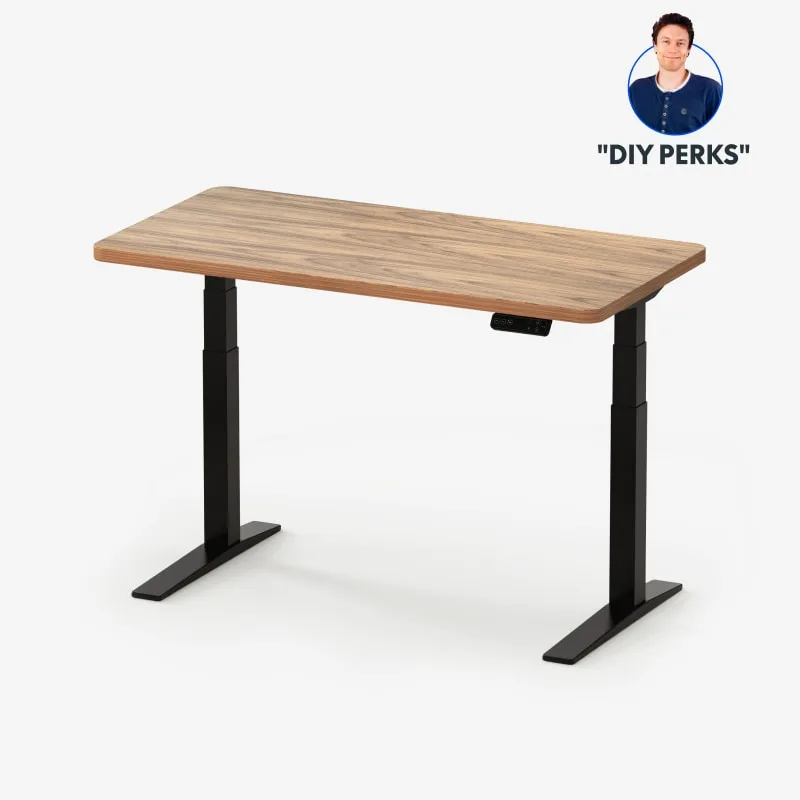
FlexiSpot E7 Pro Standing Desk (48x30)
Pros
- 3-stage dual motor delivers smooth, virtually silent transitions from sitting to standing height
- Seamless one-piece tabletop eliminates the center seam found on most budget standing desks
- 5-year frame warranty gives you a long useful life — important when depreciating over time
- 4 programmable memory presets let you switch between sitting and standing heights without re-adjusting
Cons
- Premium price puts it above entry-level standing desks — requires upfront investment to recoup via deduction
- Heavy at 68 lbs — moving and reassembling if you change rooms is a multi-person job
A standing desk like the FlexiSpot E7 Pro qualifies as deductible office furniture. Priced at $349–$449, this is a meaningful deduction in the year of purchase under Section 179. Keep the purchase receipt and note the exclusive business use in your records.
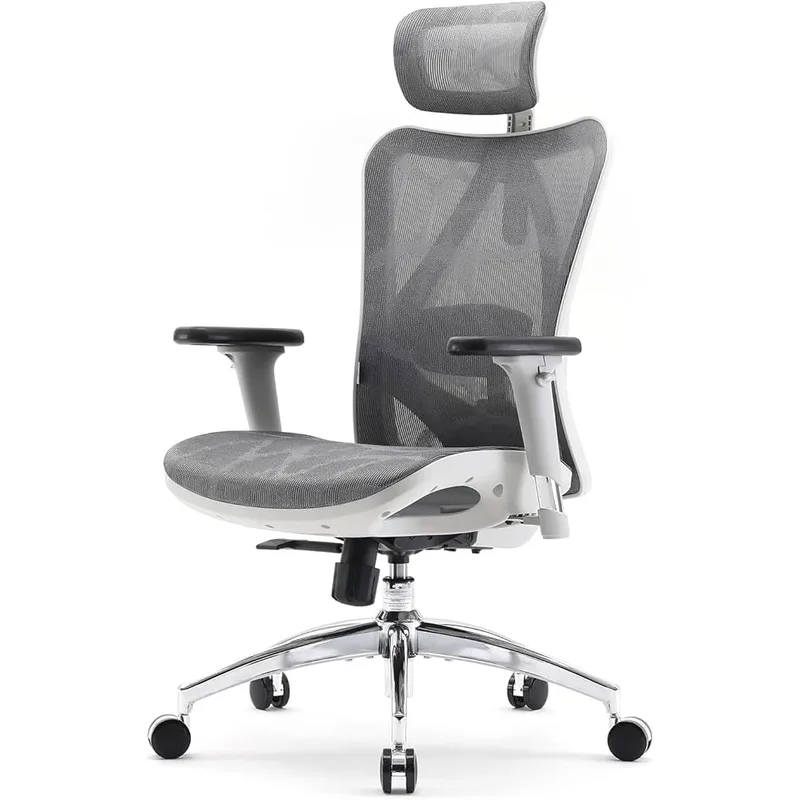
SIHOO M57 Ergonomic Mesh Chair
Pros
- Breathable mesh back prevents the heat buildup that makes foam-padded chairs uncomfortable for all-day work sessions
- 3D armrests adjust in three axes — critical for reducing shoulder and wrist strain over an 8-hour day
- Adjustable lumbar support targets the lower back directly, unlike fixed-height lumbar pads on budget alternatives
- 330 lb weight capacity with reinforced aluminum base — more durable than plastic-base competitors at this price
Cons
- Assembly takes 30–45 minutes with basic tools — not as quick to unbox as some cheaper chairs
- Seat cushion is firmer than padded alternatives — may need a seat cushion accessory if you prefer soft seating
- Headrest angle adjustment range is limited compared to chairs above $300
An ergonomic office chair is deductible under the same furniture category. The SIHOO M57 at $189–$239 represents solid value — both in terms of daily comfort and as a deductible asset with a 3-year warranty to back the investment.
Computer Equipment and Peripherals
Computers, monitors, webcams, docking stations, keyboards, and mice fall under a 5-year depreciation schedule as listed property. Most freelancers use Section 179 to deduct the full purchase price in year one.
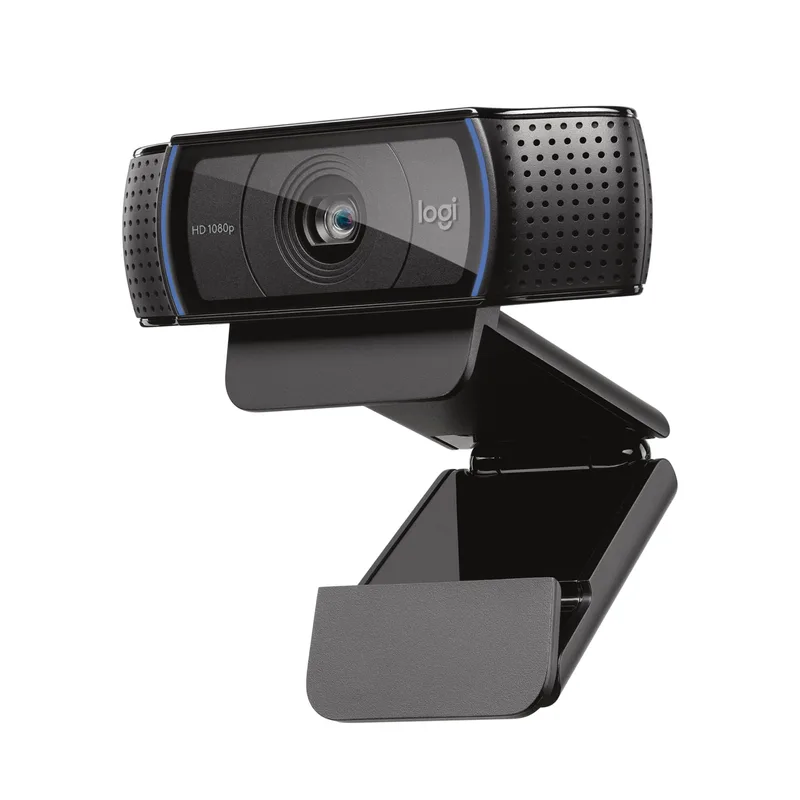
Logitech C920x HD Pro Webcam
Pros
- Full HD 1080p at 30fps is sufficient for Zoom, Teams, and Google Meet at any quality setting
- Automatic light correction adjusts for backlighting — performs well in front of a window without a ring light
- Works with Nintendo Switch 2's GameChat mode — covers both professional and personal use cases
- Dual mics provide acceptable audio backup if your primary mic fails mid-call
Cons
- 30fps cap means no 60fps or 4K support — step up to the Logitech Brio 4K if 4K is a business requirement
- USB-A only — requires an adapter on newer MacBooks and laptops with only USB-C ports
- Fixed clip mount — not compatible with standard tripod threads without a third-party adapter
A webcam like the Logitech C920x at $55–$69 is 100% deductible if used exclusively for business video calls. At this price, the Section 179 deduction is essentially the same as just getting the cost back at your effective tax rate.
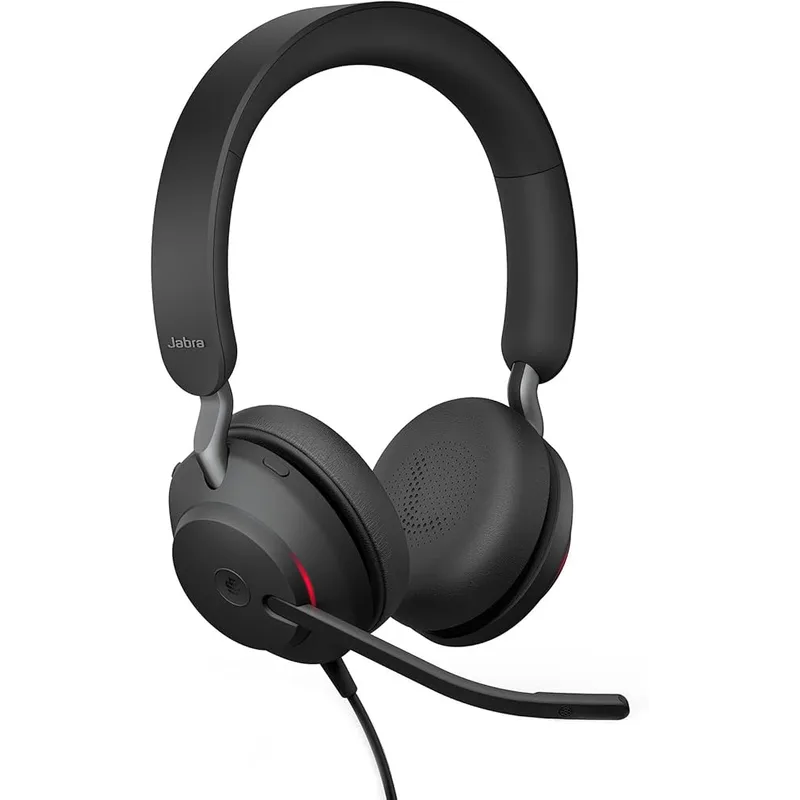
Jabra Evolve2 40 SE Wired Headset (2026, UC)
Pros
- 3-microphone call technology filters background noise on the sending end — callers hear your voice, not your HVAC
- Both USB-C and USB-A cables included in the box — works immediately on any laptop without hunting for adapters
- UC certification means it works across Zoom, Teams, Meet, Webex, and every other major platform without driver issues
- Memory foam ear cushions reduce fatigue on calls over 4+ hours compared to standard leatherette-only pads
Cons
- Wired only — no Bluetooth option at this price point. Consider Jabra Evolve2 55 for wireless
- No active noise cancellation on the listening end — passive isolation only from the ear cups
Business headsets are explicitly deductible as computer peripherals or communication equipment. The Jabra Evolve2 40 SE at $120–$149 is a solid buy for remote workers who rely on call quality — and at this price, the tax deduction makes the real cost closer to $80–$110 depending on your bracket.
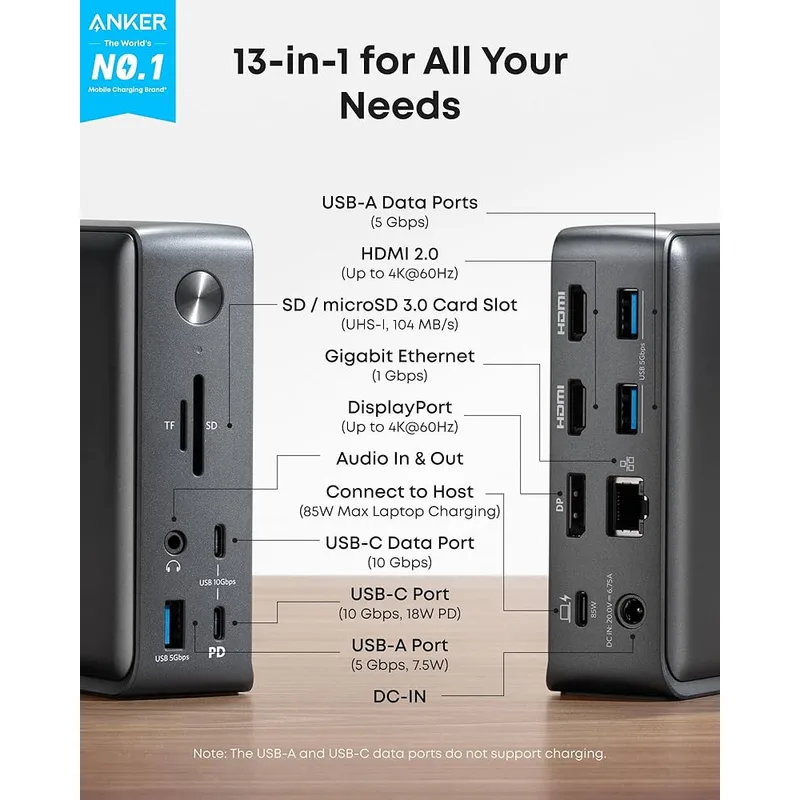
Anker PowerExpand 13-in-1 USB-C Dock
Pros
- Single cable from laptop to dock connects 13 peripherals simultaneously — eliminates the nest of cables most home offices accumulate
- 85W power delivery charges most laptops at full speed, eliminating the need to keep the original charger plugged in
- Triple display support (2×HDMI + 1×DP) covers even ambitious dual-monitor plus laptop setups
- Gigabit ethernet bypasses WiFi entirely for video calls — consistent, low-latency connection
Cons
- No Thunderbolt 3/4 support — bandwidth is limited to USB-C gen 2 (10 Gbps), so it is not the right choice for Thunderbolt-exclusive features
- Runs warm during sustained triple-display + charging use — place it in open air rather than enclosed in a cable tray
- Older product with no USB4 support — if future-proofing matters, consider the Anker 575 or CalDigit TS4
A USB-C docking station like the Anker PowerExpand 13-in-1 at $149–$179 connects your laptop to monitors, ethernet, and peripherals with a single cable. As computer equipment, it’s fully deductible under Section 179 if used exclusively for work.
Internet and Phone Deductions
Your home internet bill is partially deductible based on the percentage used for business. There’s no IRS formula for this — you document a reasonable business-use percentage. A freelancer who works 8 hours a day and streams Netflix in the evenings might claim 50–60% business use. A household where the internet is shared equally between business and personal use might claim 30–40%.
Keep monthly internet bills and document your claimed percentage in a short memo in your records: “Internet is 60% business use based on an average 9-hour work day vs 6-hour personal evening use.”
Cell phone: The same logic applies. Document the percentage of calls and data used for business. The IRS accepts percentages based on call logs, not exact data measurements.
Landline or dedicated work line: A second phone line used exclusively for business is 100% deductible.
What You Cannot Deduct
- Meals eaten at home during work: No deduction for home-cooked lunches
- Home furniture used for both personal and business purposes: A sofa in your office that you watch TV on does not qualify
- Commute costs: There is no commute when you work from home — no deduction applies
- Equipment over the 50% business-use threshold but below 100%: You can only deduct the business-use portion (e.g., a laptop used 70% for business, 30% for personal use: deduct 70% of the cost)
- Capital improvements to your home: Renovating a room to be a home office may qualify under the regular method as a depreciable expense, but is not a simple deduction — this requires careful documentation and likely professional guidance
State-Level Differences
Several states have rules that differ from the federal return:
- California, New York, New Jersey: Allow employee home office deductions on the state return even though federal W-2 employees cannot claim them federally. Verify current year rules with a state CPA.
- States with no income tax (Texas, Florida, Nevada, Washington, Wyoming, South Dakota, Alaska): Home office deductions are not relevant for state purposes.
- Most other states: Follow the federal framework — self-employed workers can deduct; employees cannot.
If you’re self-employed and paying both state and federal income tax, the same deductions generally flow through to both returns via Schedule C, though some states have modifications.
Record-Keeping Requirements
The IRS expects you to be able to document any deduction if audited. For home office deductions:
Space deduction:
- A floor plan or sketch showing the office dimensions relative to the total home
- Square footage of the office and the total home
- Proof that the space is used exclusively for work (no personal items, photographs help)
Equipment deductions:
- Purchase receipts or credit card statements showing date and amount
- A written log or memo noting business-use purpose (e.g., “webcam purchased for client video calls — 100% business use”)
- If the equipment is used for both business and personal use, document the percentage and your methodology
Internet/phone:
- Monthly bills showing the service charge
- A written memo documenting the business-use percentage and rationale
Store these records for at least 3 years from the filing date (the standard IRS audit window). If you under-reported income by more than 25%, keep them for 6 years.
FAQ
Can I deduct a monitor if I also use it for personal streaming after hours?
Yes, but only the business-use percentage. If you use the monitor 70% for work and 30% for personal use, deduct 70% of the purchase price. Document the percentage with a brief written memo in your records.
Does my home office have to be a separate room?
No, but a separate room makes the exclusive use test much easier to satisfy. A clearly defined and dedicated workspace in a larger room can qualify, but you must be able to demonstrate that the specific area is used only for business — a tape line on the floor or a room divider can help establish the boundary.
Can I deduct both the home office space deduction and equipment?
Yes. The space deduction (simplified or regular method) and equipment deductions are calculated separately. The space deduction covers the portion of your home’s operating costs; equipment deductions are taken separately under Section 179 or MACRS depreciation.
I’m an employee who works remotely full-time. Can I deduct anything?
On your federal return, W-2 employees cannot claim the home office deduction. Check your state return — California, New York, and New Jersey are notable exceptions. You may also be able to ask your employer to reimburse equipment purchases through an accountable plan, which is tax-free reimbursement rather than a deduction.
What happens if I sell my home after claiming home office deductions?
If you used the regular method and claimed depreciation, you’ll owe depreciation recapture tax when you sell. The simplified method avoids this entirely — another reason some taxpayers prefer it even when the regular method would produce a larger current-year deduction.
Bottom Line
Self-employed remote workers have meaningful deductions available in 2026 — but only if the workspace meets the exclusive use test and equipment was purchased for business purposes. The simplified method ($5/sq ft, max $1,500) is the fastest calculation for most small offices. Section 179 lets you deduct the full cost of a desk, chair, webcam, and docking station in the year you buy them.
The equipment deductions are where the real money is for most remote workers. A $450 standing desk, $239 chair, $179 dock, $149 headset, and $69 webcam add up to $1,086 in potential deductions — at a 25% effective tax rate, that’s roughly $271 back in your pocket from a $1,086 equipment outlay.
Keep your receipts, document business use, and run the numbers with a tax professional before filing.
Detailed Reviews
FlexiSpot E7 Pro Standing Desk (48x30)
Pros
- 3-stage dual motor delivers smooth, virtually silent transitions from sitting to standing height
- Seamless one-piece tabletop eliminates the center seam found on most budget standing desks
- 5-year frame warranty gives you a long useful life — important when depreciating over time
- 4 programmable memory presets let you switch between sitting and standing heights without re-adjusting
Cons
- Premium price puts it above entry-level standing desks — requires upfront investment to recoup via deduction
- Heavy at 68 lbs — moving and reassembling if you change rooms is a multi-person job
SIHOO M57 Ergonomic Mesh Chair
Pros
- Breathable mesh back prevents the heat buildup that makes foam-padded chairs uncomfortable for all-day work sessions
- 3D armrests adjust in three axes — critical for reducing shoulder and wrist strain over an 8-hour day
- Adjustable lumbar support targets the lower back directly, unlike fixed-height lumbar pads on budget alternatives
- 330 lb weight capacity with reinforced aluminum base — more durable than plastic-base competitors at this price
Cons
- Assembly takes 30–45 minutes with basic tools — not as quick to unbox as some cheaper chairs
- Seat cushion is firmer than padded alternatives — may need a seat cushion accessory if you prefer soft seating
- Headrest angle adjustment range is limited compared to chairs above $300
Logitech C920x HD Pro Webcam
Pros
- Full HD 1080p at 30fps is sufficient for Zoom, Teams, and Google Meet at any quality setting
- Automatic light correction adjusts for backlighting — performs well in front of a window without a ring light
- Works with Nintendo Switch 2's GameChat mode — covers both professional and personal use cases
- Dual mics provide acceptable audio backup if your primary mic fails mid-call
Cons
- 30fps cap means no 60fps or 4K support — step up to the Logitech Brio 4K if 4K is a business requirement
- USB-A only — requires an adapter on newer MacBooks and laptops with only USB-C ports
- Fixed clip mount — not compatible with standard tripod threads without a third-party adapter
Jabra Evolve2 40 SE Wired Headset (2026, UC)
Pros
- 3-microphone call technology filters background noise on the sending end — callers hear your voice, not your HVAC
- Both USB-C and USB-A cables included in the box — works immediately on any laptop without hunting for adapters
- UC certification means it works across Zoom, Teams, Meet, Webex, and every other major platform without driver issues
- Memory foam ear cushions reduce fatigue on calls over 4+ hours compared to standard leatherette-only pads
Cons
- Wired only — no Bluetooth option at this price point. Consider Jabra Evolve2 55 for wireless
- No active noise cancellation on the listening end — passive isolation only from the ear cups
Anker PowerExpand 13-in-1 USB-C Dock
Pros
- Single cable from laptop to dock connects 13 peripherals simultaneously — eliminates the nest of cables most home offices accumulate
- 85W power delivery charges most laptops at full speed, eliminating the need to keep the original charger plugged in
- Triple display support (2×HDMI + 1×DP) covers even ambitious dual-monitor plus laptop setups
- Gigabit ethernet bypasses WiFi entirely for video calls — consistent, low-latency connection
Cons
- No Thunderbolt 3/4 support — bandwidth is limited to USB-C gen 2 (10 Gbps), so it is not the right choice for Thunderbolt-exclusive features
- Runs warm during sustained triple-display + charging use — place it in open air rather than enclosed in a cable tray
- Older product with no USB4 support — if future-proofing matters, consider the Anker 575 or CalDigit TS4