Your colleagues aren’t going to remember your background or your lighting. They will remember if your audio was bad. Muffled voices, persistent echo, background noise bleeding through every sentence — these are the things that make people dread meetings with you. Not your camera quality. Your mic.
The fix is not expensive. A $99 USB microphone transforms call quality more than a $400 webcam upgrade ever will. Add a rug under your desk, close the door, and you have solved 80% of home office audio problems before buying anything.
Quick picks: For most remote workers, the Blue Yeti ($99) is the straightforward answer — versatile, proven, and widely compatible. Tight on desk space? The Rode NT-USB Mini matches its call quality in half the footprint. On calls most of the day? Go straight to the Jabra Evolve2 40 SE headset and skip the separate mic entirely.
Why Audio Matters More Than Video on Calls
Your face on a video call is a social signal. It shows engagement. Your voice is the actual information channel. When audio degrades, understanding degrades — and everyone else on the call has to work harder to follow you.
That extra cognitive effort adds up across a long meeting day. People experience degraded audio as a speaker problem, not a technology problem. They don’t think “bad connection.” They think “hard to follow.” The audio quality of your connection shapes how credible and present you appear to colleagues and clients.
A built-in laptop mic handles occasional calls in a quiet room. For anyone on video calls more than a couple of hours per week, it is not sufficient.
The Three Components That Matter
Home office audio has three layers, and all three need attention:
1. Input (microphone): Captures your voice. A directional cardioid microphone is the single biggest upgrade most remote workers can make.
2. Output (headphones or headset): Delivers other participants’ voices. Also prevents acoustic feedback — headphones stop your microphone from picking up your speakers and sending it back to participants as echo.
3. Room acoustics: The physical space your microphone operates in. Hard surfaces create echo. Soft surfaces absorb it. Most people skip this step entirely, and it costs them more clarity than they realize.
Microphone Picks by Tier
Blue Snowball iCE — Starter
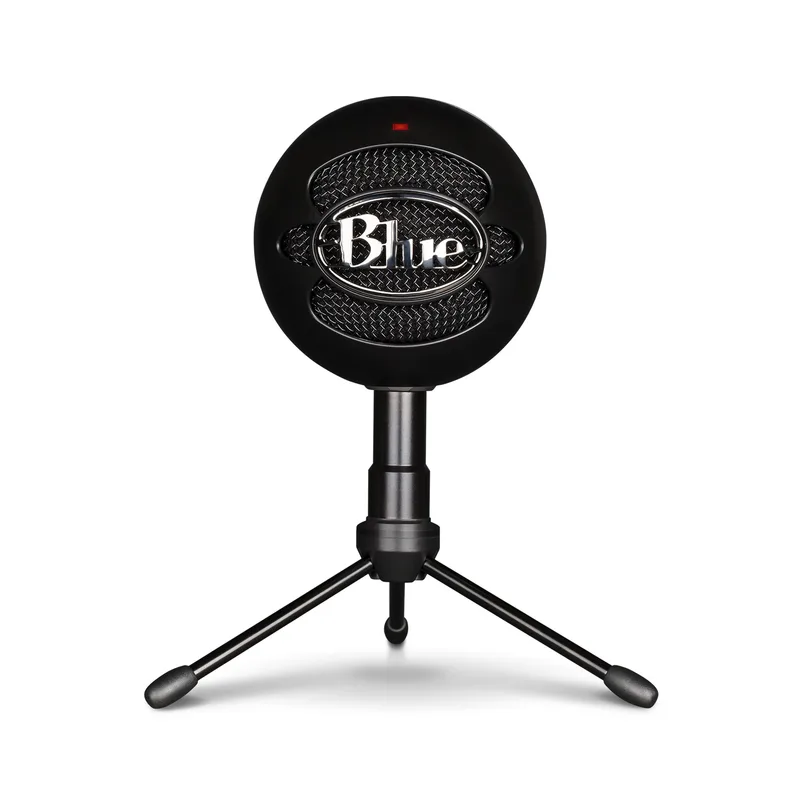
The cheapest meaningful upgrade from a built-in laptop mic. At $30–$35, the Snowball iCE is cardioid — it captures from the front and rejects sound from the sides and rear. Plug it in and it works, no software or configuration required.
The limitations are real: no headphone monitoring, no mute button, and 16-bit audio that trails behind USB-C alternatives at the same price. But for remote workers who want a no-fuss entry-level improvement, it covers the basics.
Best for: Light call schedules and minimal desk budgets. Skip if you type on a loud mechanical keyboard (no noise gate) or need to mute quickly during calls.
Rode NT-USB Mini — Compact Premium
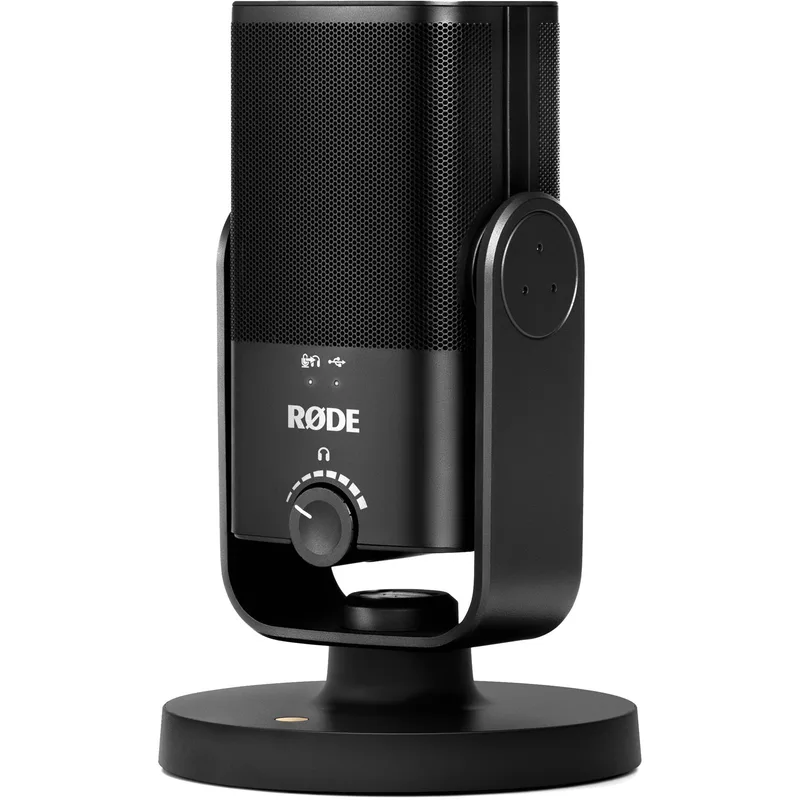
Smaller than most desk mics, warmer-sounding than most options at $99. The NT-USB Mini uses a 24-bit capsule that produces audio that sounds more natural and less processed than 16-bit USB-A options. USB-C connection, built-in mute, and zero-latency headphone monitoring — all at $99.
It’s cardioid-only, so there’s no polar pattern flexibility. For call work — which is mostly solo voice — that’s not a real limitation.
Best for: Compact desk setups and workers who want the best-sounding mic at $100 without the Blue Yeti’s footprint. Skip if you need multi-pattern recording flexibility.
Blue Yeti USB Microphone — Most Versatile
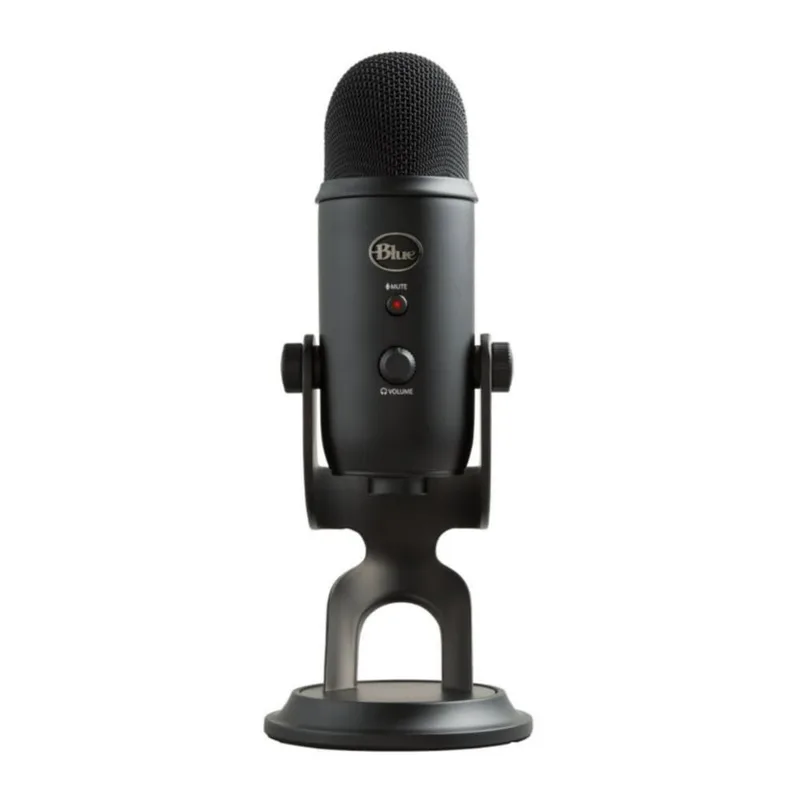
The standard recommendation for a reason. Four polar patterns (cardioid, omnidirectional, bidirectional, stereo) give it flexibility well beyond calls. The physical mute button with LED indicator is genuinely useful — you can cut your mic instantly without searching for a keyboard shortcut. Zero-latency headphone monitoring lets you hear your own voice in real time, which helps with pacing and volume on longer calls.
At $99, it sits between the budget and premium tiers and outperforms expectations. Main drawback: it is bulky. Takes up more desk space than it needs to, and picks up keyboard vibrations without a separate shock mount.
Best for: Remote workers who also record content, host podcasts, or want one mic that handles every use case. Skip if desk space is limited — the Rode NT-USB Mini covers the same call quality in a smaller package.
Elgato Wave:3 — Best for Creators
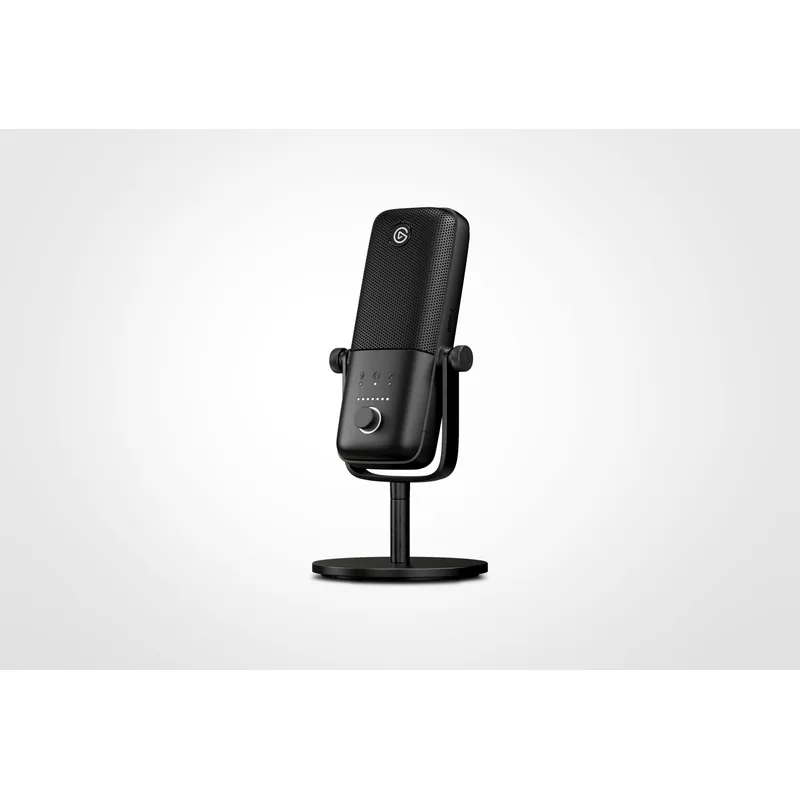
The Wave:3 earns its spot through Clipguard — a dual-capsule design that prevents audio clipping when you raise your voice unexpectedly on a call. Many condensers distort during sudden loud moments (a laugh, an emphatic point). The Wave:3 handles these cleanly.
At 96kHz/24-bit, it records the highest-quality audio on this list. The capacitive touch mute pad is completely silent — other participants never hear the click of a physical button. Wave Link software enables multi-source mixing without any additional hardware, useful if you run music or sound effects alongside calls.
Best for: Streamers, content creators, and remote workers who also record video or podcast content. Skip if you want maximum simplicity — the Wave Link software ecosystem is a bonus, not a necessity.
Shure MV7+ — Professional
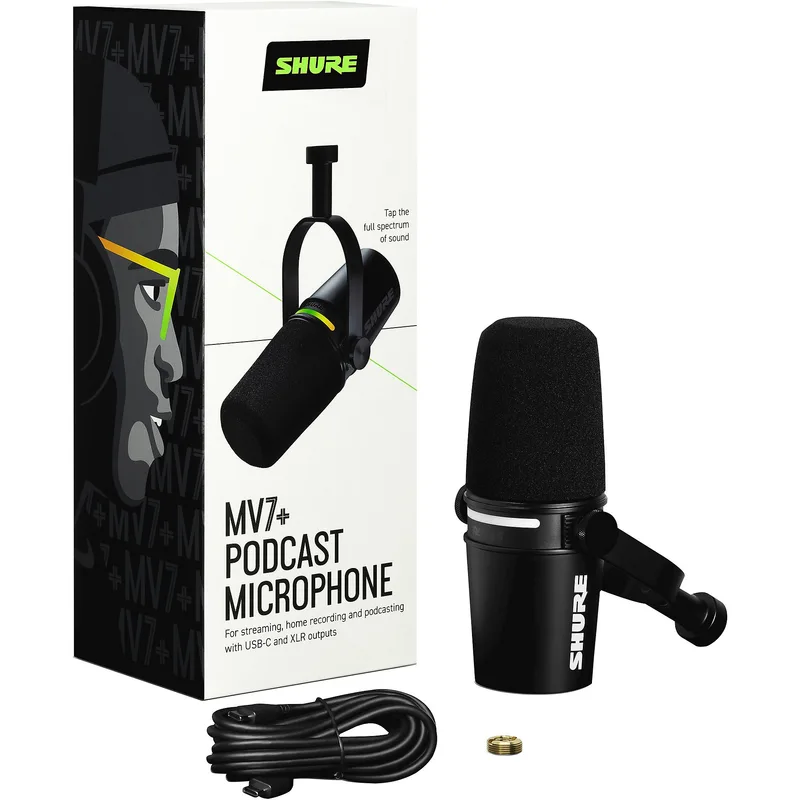
The MV7+ is a dynamic microphone, not a condenser — it only picks up what is close and loud (your voice) and naturally rejects ambient room noise. Untreated rooms, hard floors, background noise from open windows? The MV7+ handles these better than any condenser on this list.
The dual USB-C and XLR outputs mean you can start with simple USB connection and upgrade to a dedicated audio interface later without replacing the microphone. Auto Level Mode adjusts your gain automatically when your speaking volume varies. Built-in denoiser and digital pop filter reduce the processing load on your computer.
At $279, it is a significant investment. But if you spend most of your workday on calls or produce content regularly, it delivers broadcast-quality audio that is clearly different from any USB condenser.
Best for: Heavy call users, professionals who need broadcast-quality audio, and anyone with challenging room acoustics. Skip if you’re on calls occasionally — the quality gap over a $99 condenser isn’t worth $180 for light use.
Headsets: The All-in-One Option
Jabra Evolve2 40 SE
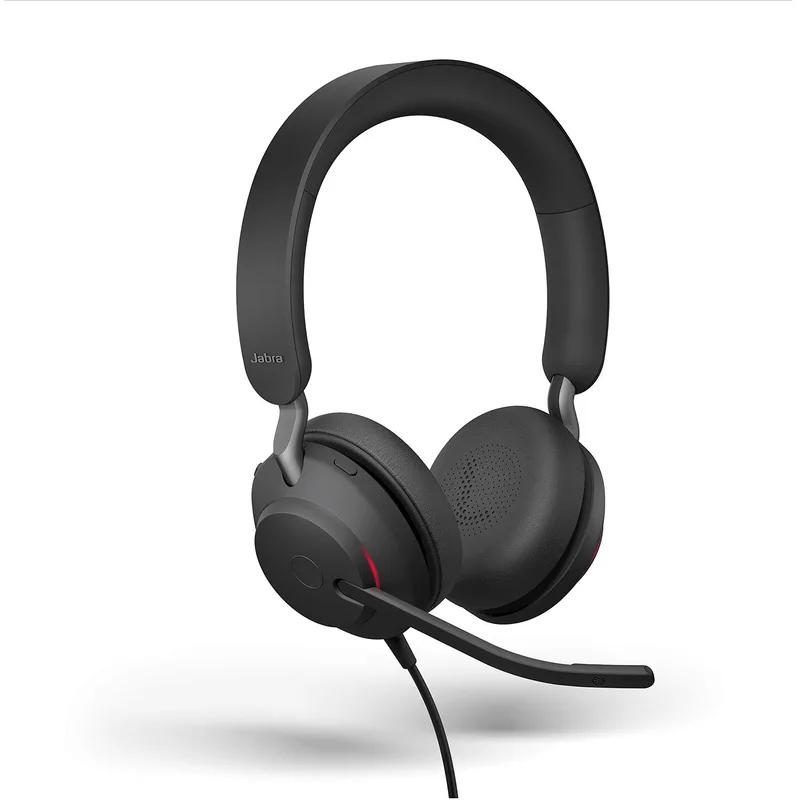
For anyone on calls most of the workday, a dedicated headset beats a separate microphone-and-headphone combination on several fronts. The boom arm positions the mic 4–6 inches from your mouth — a much shorter signal path than a desk mic, which means more direct voice and less room noise in the pickup. The three-microphone array actively separates your voice from background sound.
The Evolve2 40 SE (2026 version) is the practical choice in Jabra’s professional lineup — less expensive than the wireless Evolve2 65, with the same call-focused microphone design. Memory foam cushions designed for all-day use. Certified for Microsoft Teams and UC platforms out of the box, no setup required.
The trade-off: you’re wearing headphones all day. Some people don’t notice. Others find over-ear headsets uncomfortable by the afternoon. If you’re in that second group, a desk mic with open-back headphones or speakers is worth the extra components.
Best for: Remote workers on calls five or more hours per day, especially in shared or noisy home environments. Skip if you prefer an open listening setup or already own quality headphones.
Comparison Table
| Product | Price | Type | Sample Rate | Connection | Best For |
|---|---|---|---|---|---|
| Blue Snowball iCE | Unavailable | Condenser | 44.1kHz/16-bit | USB-A | Budget entry |
| Blue Yeti | $94.99-$99.99 as of Oct 18, 2026 | Condenser | 48kHz/16-bit | USB-A | Versatility |
| Rode NT-USB Mini | $97.85-$103.00 as of Oct 18, 2026 | Condenser | 48kHz/24-bit | USB-C | Compact quality |
| Elgato Wave:3 | Unavailable | Condenser | 96kHz/24-bit | USB-C | Creator use |
| Shure MV7+ | $269.77-$299.00 as of Oct 18, 2026 | Dynamic | 48kHz/24-bit | USB-C + XLR | Pro quality |
| Jabra Evolve2 40 SE | $123.93-$153.52 as of Oct 18, 2026 | Headset | — | USB-C/A | All-day calls |
Room Acoustics: Cheap Fixes That Work
Room acoustics affect audio quality more than most people expect. An untreated room with hard floors and bare walls makes any microphone sound like it was recorded in a stairwell, regardless of how much it cost.
The highest-impact changes, in order of cost:
Close the door. Reduces ambient bleed-in immediately. Free.
Put down a rug. Hard floors are large, flat, and fully reflective. A rug under your desk absorbs floor reflections and typically makes the biggest single acoustic difference in a home office.
Fill a bookshelf. Books scatter sound rather than reflecting it directly. A packed bookshelf on the wall behind or beside your desk provides effective diffusion without spending anything.
Add curtains. Windows are highly reflective. Heavy curtains — positioned behind your webcam so they show on camera — absorb both window reflections and wall echo simultaneously.
Move the mic closer. Six to twelve inches from your mouth is ideal for condenser mics. Three to six inches for dynamic mics like the Shure MV7+. Shortening this distance dramatically increases your voice signal relative to room noise. Most people position their desk mic too far away and then compensate by boosting gain, which makes room noise worse.
If you’ve done all of the above and still hear reverb, acoustic foam panels ($30–$80 for a starter pack) mounted at the first reflection points — directly behind you and at monitor height on each side — make a clear difference. For a cleaner look, fabric-wrapped fiberglass panels are more effective than foam and look professional on camera backgrounds.
Buying Guide: What to Prioritize
Mic type and your room. Condenser microphones are detailed and sensitive — they sound excellent in treated rooms and show every flaw in untreated ones. Dynamic microphones are more forgiving of imperfect acoustics because they only capture sound that’s close and loud. If your space has hard floors, lots of echo, or noise from adjacent rooms, lean toward a dynamic mic like the Shure MV7+.
Use cardioid for calls. If your microphone has multiple polar patterns, set it to cardioid for calls. Omnidirectional picks up everything in the room. Cardioid focuses on your voice from the front and rejects what’s behind and beside you.
USB-C vs USB-A. Most new mics are moving to USB-C. In 2026, prefer USB-C for forward compatibility with MacBooks and laptops that are dropping USB-A ports. The Rode NT-USB Mini, Elgato Wave:3, and Shure MV7+ all use USB-C.
Headset or separate mic? On calls four or more hours per day, a dedicated headset is purpose-built for this. The boom arm proximity and all-day comfort design make a real difference at that usage level. For mixed use (calls plus content recording), a desk mic gives more flexibility.
Software noise suppression. Every major platform includes AI-based noise suppression. It handles consistent ambient noise (HVAC hum, distant traffic) well, and sudden irregular sounds (dogs, doors) less well. Third-party tools like Krisp run on top of any platform and handle difficult environments more reliably. These work best as a supplement to good hardware, not a substitute for it.
Configuring Audio in Zoom, Teams, and Google Meet
Zoom: Settings → Audio. Select your external microphone from the dropdown. Set input level so the meter reaches roughly 70% during normal speech. Enable Suppress background noise at High or Auto. Enable Suppress intermittent background noise. Run the mic test before important calls.
Microsoft Teams: Settings → Devices. Select your microphone. Teams applies noise suppression automatically. For finer control during a live call, go to More → Device settings → Noise suppression.
Google Meet: Access audio settings via the three-dot menu → Settings during a call. Ensure your system audio input is set to your external microphone before joining — Meet reads system defaults, not in-app selection.
FAQ
Do I need an external microphone for remote work?
If you’re on calls more than two hours per week, yes. The difference between a built-in laptop mic and a $30–$50 USB condenser is immediately audible to everyone else on the call. It is one of the most cost-effective professional upgrades available for remote workers.
What’s wrong with using AirPods for calls?
AirPods and most true wireless earbuds switch to a lower-quality Bluetooth codec (HSP/HFP) during calls to enable two-way audio. Microphone quality drops noticeably compared to listening mode. Fine for casual calls. Not the right choice for frequent professional use where call clarity matters.
How do I fix echo on my calls?
Echo heard by other participants means your microphone is picking up your speakers. The fastest fix: switch to headphones or a headset. If you prefer speakers, use a directional cardioid mic positioned away from the speakers, keep the mic close to your mouth, and lower speaker volume. Software echo cancellation in Zoom and Teams helps when the signal is not severe.
What is a noise gate and do I need one?
A noise gate automatically mutes your mic when you stop speaking. It removes keyboard noise, HVAC hum, and ambient room sound during pauses in conversation. Krisp includes a configurable noise gate. Most remote workers don’t need to buy dedicated hardware — software solutions handle this adequately.
USB or XLR microphone — which should I start with?
Start with USB. A quality USB mic (Blue Yeti, Rode NT-USB Mini, or the Shure MV7+ in USB mode) delivers excellent call quality with no additional hardware or setup complexity. XLR requires a separate audio interface, which adds cost, a physical device to your desk, and a learning curve. The Shure MV7+ is the right compromise if you want the upgrade path — USB-C now, XLR when you’re ready.
How close should my microphone be to my mouth?
Six to twelve inches for condenser mics. Three to six inches for dynamic mics. Closer placement means more direct voice signal relative to room noise — the most overlooked variable in home office audio quality. Most people position their desk mic too far away and then wonder why the audio sounds thin or echoes.
Conclusion
For most remote workers, the path is direct: Rode NT-USB Mini or Blue Yeti at $99, positioned 8–10 inches from your mouth, rug under the desk, door closed. That handles 90% of home office audio issues without overthinking it.
On calls all day? The Jabra Evolve2 40 SE simplifies everything — one device, all-day comfort, certified for Teams and UC platforms, no separate gear to manage.
For broadcast-quality audio in any room, the Shure MV7+ is the professional answer. Its dynamic capsule handles imperfect rooms better than any condenser here, and the USB-C plus XLR outputs give you room to grow. Worth the investment if your work keeps you on calls or in front of a camera most of the day.
Bad audio costs you credibility quietly. Good audio earns it just as quietly. It’s worth getting right.
Detailed Reviews
Blue Snowball iCE
Pros
- Plug-and-play — no drivers or software required
- Compact spherical design fits on any desk without dominating space
- Genuine cardioid pickup rejects sound from sides and rear
- Noticeable step up from any built-in laptop microphone
Cons
- No physical mute button or headphone monitoring
- 16-bit audio trails behind USB-C alternatives at the same price
- No gain control on the unit itself
Blue Yeti USB Microphone
Pros
- Four polar patterns cover calls, podcasting, and group recording
- Physical mute button with LED indicator for instant silencing
- Zero-latency headphone monitoring — hear your voice in real time
- Works natively on macOS and Windows without installing drivers
Cons
- Large footprint takes up more desk real estate than compact options
- Picks up keyboard vibrations without an optional shock mount
- USB-A connector on an aging standard
Rode NT-USB Mini
Pros
- Compact footprint — notably smaller than the Blue Yeti
- 24-bit audio sounds warmer and more natural than 16-bit alternatives
- USB-C connection for modern MacBooks and laptops
- Built-in mute and headphone monitoring at the $99 price point
Cons
- Cardioid-only — no flexibility for multi-pattern use cases
- Gain adjustment is software-only, not on the unit
- Condenser capsule is less forgiving in very reverberant rooms
Elgato Wave:3
Pros
- Clipguard prevents audio distortion during sudden loud moments on calls
- 96kHz/24-bit delivers the highest recording quality on this list
- Silent capacitive touch mute — no click audible to call participants
- Wave Link software enables multi-source mixing without an interface
Cons
- Wave Link software is Windows/Mac desktop only
- Narrower low-end frequency response starting at 70Hz
- Capacitive mute can be triggered accidentally
Shure MV7+
Pros
- Dynamic capsule handles untreated rooms better than any condenser
- USB-C and XLR outputs — start simple, upgrade to an interface later
- Auto Level Mode adjusts gain automatically for consistent call volume
- Built-in denoiser and digital pop filter reduce software processing load
- LED touch panel for quick mute and gain control
Cons
- Most expensive USB mic option on this list
- Dynamic capsule requires speaking louder or placing mic closer
- Heavier than condenser alternatives
Jabra Evolve2 40 SE
Pros
- Three-microphone array delivers cleaner voice pickup than a single-element desk mic
- Boom arm positions mic 4–6 inches from mouth for strong direct signal
- Memory foam cushions designed for all-day comfort
- Certified for Microsoft Teams and UC platforms with zero configuration
Cons
- Wired only — no Bluetooth at this price point
- Over-ear design can become warm during extended summer use
- Higher upfront cost than basic USB headset options