Affiliate disclosure: SetupRanked earns a commission from qualifying Amazon purchases at no extra cost to you.
Dell launched the U2725QE at CES 2025 with Thunderbolt 4, 120Hz, and a 3000:1 IPS Black panel — and immediately made the question of whether to buy its predecessor more complicated. The U2723QE still holds its own on paper: same IPS Black panel technology, built-in Gigabit Ethernet, 90W USB-C PD, KVM switch, and five USB-A ports, all at $430–$530. That’s $150–$200 less than the newer model. For remote workers who don’t need 120Hz or Thunderbolt 4, the value case is real.
This review covers the U2723QE in depth, with direct comparisons to the U2725QE (the upgrade path) and the LG 27UP850K-W (the budget alternative at $319–$379).
Who Should Consider the Dell U2723QE
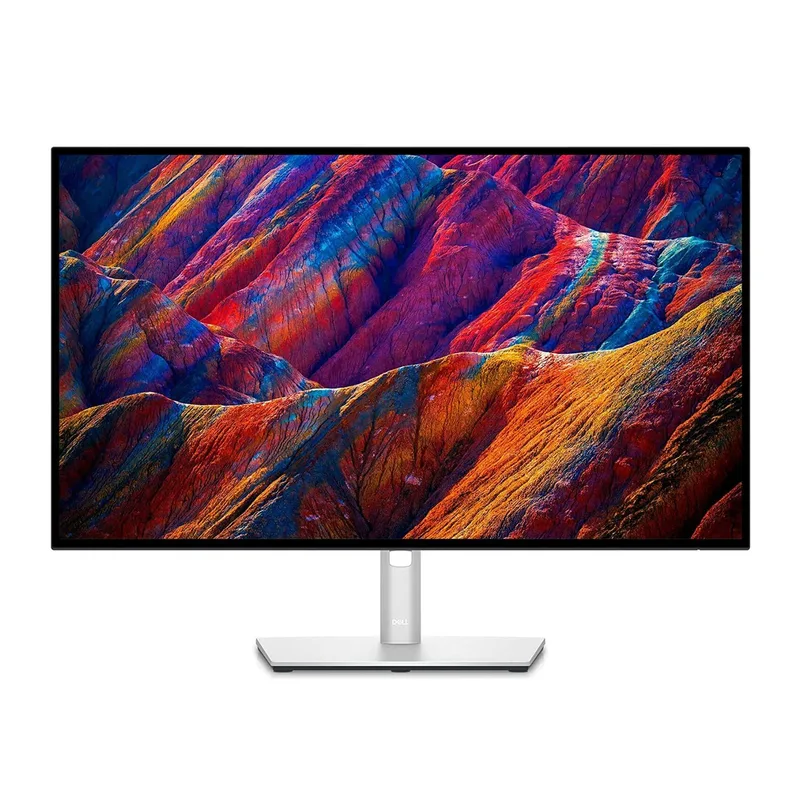
The U2723QE was designed around a specific remote work pattern: one monitor that also replaces the dock. Single-cable USB-C connects a laptop, delivers 90W of charge, carries 4K video, and routes through the monitor’s full USB hub. Add a keyboard, mouse, webcam, and wired Ethernet — all connected to the monitor, not the laptop. The laptop sits on a stand. The desk is clean.
That setup works because the U2723QE’s port layout is genuinely complete. Built-in Gigabit Ethernet alone removes one dongle and one variable from the network equation. The KVM switch adds the ability to share that keyboard and mouse between a work laptop and a personal machine. For anyone running two computers on the same desk — which describes a significant share of remote workers — that’s a meaningful daily convenience.
The IPS Black panel adds the color depth that standard office IPS panels don’t provide. At 2000:1 contrast, dark mode UI, dark-themed code editors, and shadow detail in photos look substantively better than on 1000:1 displays. For color-critical work, the 98% DCI-P3 and 90% Adobe RGB coverage mean photo editing and design work done on this monitor is accurate enough to trust without a separate colorimeter.
The case against the U2723QE in 2026 is its 60Hz refresh rate. Competing monitors at similar pricing have moved to 120Hz, and once you’ve used 120Hz for scrolling and window management, 60Hz feels sluggish. If your workflow involves any visual work where motion clarity matters, the U2725QE’s 120Hz is worth the premium.
Quick Comparison
| Monitor | Panel | Refresh Rate | Contrast | USB-C PD | Ethernet | KVM | Price |
|---|---|---|---|---|---|---|---|
| Dell U2723QE | IPS Black | 60Hz | 2000:1 | 90W | Yes | Yes | $512.34-$689.00 as of Oct 18, 2026 |
| Dell U2725QE | IPS Black | 120Hz | 3000:1 | 140W (TB4) | Yes | Yes | $649.99 as of Oct 18, 2026 |
| LG 27UP850K-W | Nano IPS | 60Hz | 1000:1 | 90W | No | No | $267.80-$349.99 as of Oct 18, 2026 |
| Spec | Dell UltraSharp U2723QE | Dell UltraSharp U2725QE | LG 27UP850K-W |
|---|---|---|---|
| Rating | 8.8/10 | 9.2/10 | 8.2/10 |
| Price | $512.34-$689.00as of Oct 18, 2026 | $649.99as of Oct 18, 2026 | $267.80-$349.99as of Oct 18, 2026 |
| Panel | 27-inch IPS Black | 27-inch IPS Black | 27-inch Nano IPS |
| Resolution | 3840x2160 (4K) | 3840x2160 (4K) | 3840x2160 (4K) |
| Refresh Rate | 60Hz | 120Hz | 60Hz |
| Contrast | 2000:1 | 3000:1 | 1000:1 |
| Brightness | 400 nits | 600 nits (HDR peak) | 400 nits |
| Color Coverage | 100% sRGB, 98% DCI-P3, 90% Adobe RGB | 98% DCI-P3 | 95% DCI-P3, 99% sRGB |
| USB-C PD | 90W | 140W (Thunderbolt 4) | 90W |
| Thunderbolt | No (USB-C only) | Yes (TB4, 40Gbps) | No |
| Ethernet | Gigabit RJ45 built-in | Gigabit RJ45 built-in | No |
| KVM Switch | Yes | Yes | No |
| Check Price → | Check Price → | Check Price → |
Prices change daily — tap Check Price for the current Amazon price.
Dell UltraSharp U2723QE
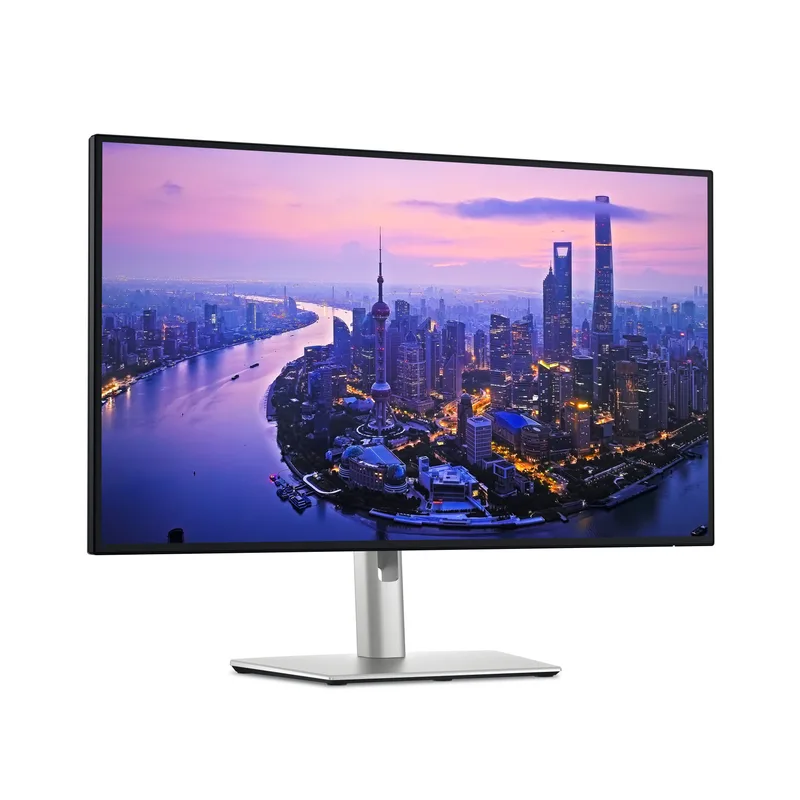
Dell UltraSharp U2723QE
Pros
- IPS Black panel delivers 2000:1 contrast — deep blacks for a work monitor without paying for OLED
- Built-in Gigabit Ethernet eliminates the USB Ethernet adapter from your desk
- 5x USB-A 3.2 Gen 2 ports plus 2x USB-C downstream form one of the most complete hub setups at this screen size
- 90W USB-C PD covers MacBook Pro 14-inch and most Windows ultrabooks over a single cable
- KVM switch lets you share one keyboard and mouse across two computers without a separate switch box
- DisplayPort daisy-chaining lets you add a second 4K monitor from the monitor's downstream DP port
Cons
- 60Hz refresh rate shows the age of the design — the successor U2725QE runs at 120Hz
- No Thunderbolt 4 — USB-C 3.2 limits data transfer speeds compared to newer TB4 alternatives
- At $430–$530, the gap to the U2725QE ($650–$700) has narrowed enough to make the decision less obvious
Panel Quality and Color Accuracy
The IPS Black panel is the U2723QE’s most important distinguishing feature. Standard IPS panels — including the LG’s Nano IPS — deliver around 1000:1 contrast. IPS Black doubles that to 2000:1, producing dark backgrounds that register as genuinely dark rather than the washed-out grey of typical office displays.
In practice, this shows up most clearly in dark-mode applications. Dark-theme VS Code, Notion dark mode, and dark-themed terminals look substantially different on 2000:1 vs 1000:1. For developers and writers who spend most of the day in dark UI environments, this is a visible and daily improvement.
Color accuracy is professional-grade. Based on owner reports and third-party reviewer measurements, out-of-box Delta E averages well below 2 on sRGB content. The 98% DCI-P3 coverage handles photography, graphic design, and web design work accurately. The 90% Adobe RGB coverage extends into print production territory — not a full professional print monitor, but accurate enough for designers who handle occasional print output.
At 400 nits brightness, the display handles window-facing setups without glare compromise. The matte anti-glare coating reduces harsh reflections without introducing the grey-coating haze that cheaper matte panels add.
Connectivity Hub
This is the U2723QE’s headline feature and the reason it commands a premium over simpler 4K monitors. The port layout:
- 1x USB-C (DP Alt Mode, 90W PD) — primary laptop connection
- 1x USB-C downstream (15W PD) — for phones and small devices
- 1x USB-C upstream (KVM) — connects second computer
- 5x USB-A 3.2 Gen 2 (10Gbps) — keyboard, mouse, webcam, storage, headset
- 1x HDMI 2.0 input
- 1x DisplayPort 1.4 input
- 1x DisplayPort 1.4 output (daisy chain)
- 1x Gigabit Ethernet (RJ45)
- 1x 3.5mm audio line-out
The single USB-C cable from a laptop connects everything: 4K display, 90W charge, all USB peripherals, and wired network. That replaces a dock for most users. For MacBook users running a single external display, the setup is genuinely one cable in, everything else managed by the monitor.
The 90W power delivery covers MacBook Pro 14-inch and 16-inch in normal workloads, though the Pro 16-inch may draw slightly more than 90W under peak CPU and GPU load simultaneously. For Windows ultrabooks, 90W is sufficient for all but the highest-TDP configurations.
Ergonomics and Stand
The stand covers tilt (-5° to 21°), swivel (±45°), pivot (portrait rotation), and height adjustment (up to 130mm). The pivot function is genuine — the monitor rotates 90° for portrait orientation, useful for document review, long-form writing, or vertical coding. The stand is solid with no wobble at any height position, which matters for keyboards on the desk creating minor desk movement.
VESA 100x100mm mounting is available if you prefer an arm.
Dell UltraSharp U2725QE
Dell UltraSharp U2725QE
Pros
- 120Hz refresh rate makes scrolling, window management, and UI animations noticeably smoother
- Thunderbolt 4 at 140W powers high-performance laptops including MacBook Pro 16-inch under full load
- 3000:1 contrast ratio on the updated IPS Black panel — 50% deeper blacks than the U2723QE
- DisplayHDR 600 certification delivers meaningful HDR for video playback on a work monitor
- KVM switch, Gigabit Ethernet, and daisy-chain all carry over from the U2723QE
Cons
- At $650–$700, it's a $150–$200 premium over the U2723QE at current pricing
- No hardware color calibration report included — relies on software calibration profiles
- Thunderbolt 4 peripheral ecosystem costs more than standard USB-C accessories
The U2725QE launched in February 2026 at $700 and represents the complete version of what the U2723QE started. The jump to 120Hz is the most immediately noticeable improvement — cursor movement, window dragging, and browser scrolling all feel sharper. Thunderbolt 4 at 140W powers the largest MacBook Pro configurations without any throttling concern.
The panel upgrade pushes contrast to 3000:1 — a 50% improvement over the U2723QE’s already-strong 2000:1. For anyone who uses the monitor for video content or extended dark-mode work, the deeper blacks are visible side by side.
At $150–$200 more than the U2723QE at current pricing, the U2725QE is the right choice if 120Hz matters to your workflow, if you use a high-TDP laptop that needs more than 90W, or if you want the most current hardware. For users whose workload is stationary documents, spreadsheets, and video calls — where 60Hz vs 120Hz makes no visible difference — the U2723QE’s lower price is harder to argue against.
LG 27UP850K-W
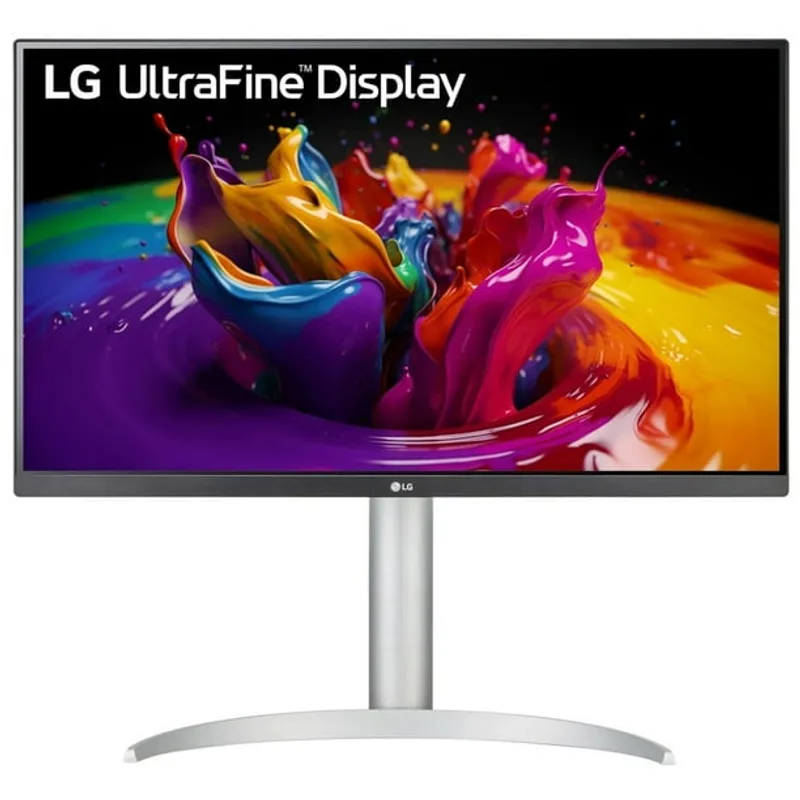
LG 27UP850K-W
Pros
- Consistently $100–$200 less than the Dell U2723QE at street pricing
- 90W USB-C PD covers MacBook Air and Pro 14-inch over one cable
- Full ergonomic stand with tilt, height, pivot, and swivel adjustment
- Built-in speakers handle basic calls without adding a separate speaker
Cons
- Standard IPS panel at 1000:1 contrast — noticeably less punch on dark backgrounds vs IPS Black
- No Gigabit Ethernet — requires a USB adapter or separate dock for wired network
- No KVM switch — managing two computers requires a separate switch box or USB hub
- 95% DCI-P3 falls short of the Dell's 98% — visible in color-critical photo and design work
The LG 27UP850K-W provides a clean 4K home office display at $319–$379 — a realistic $100–$150 less than the U2723QE at current street pricing. The 90W USB-C PD handles the same single-cable laptop connection, and the ergonomic stand matches the Dell’s full range of adjustments.
The trade-offs are real. The Nano IPS panel’s 1000:1 contrast is half the Dell’s 2000:1, and it’s visible in dark content and dark-mode UI. There’s no built-in Ethernet — adding a USB Ethernet adapter costs $15–$30 and adds cable management to a desk that already has cables. There’s no KVM switch, which matters if you run two computers.
For users who don’t need wired Ethernet, don’t run two computers, and work primarily in bright-UI environments like Google Docs, spreadsheets, and browser windows, the LG delivers accurate 4K at a more accessible price. The 95% DCI-P3 is sufficient for most creative work.
Buying Guide
Choose the U2723QE if: You want an all-in-one dock-and-monitor setup, need Gigabit Ethernet built in, or run two computers on the same desk and want KVM. The IPS Black panel is a visible upgrade over standard IPS at a price that makes sense.
Choose the U2725QE if: Your laptop draws more than 90W, you notice 60Hz in daily use, or you want the latest Dell platform with Thunderbolt 4 and a meaningfully improved panel. The $150–$200 premium is justified for most power users.
Choose the LG 27UP850K-W if: Budget is the primary constraint, you already have wired Ethernet through other means, and you run one computer at this desk. The standard IPS panel at 1000:1 contrast is sufficient for most productivity and web work.
Skip 27-inch 4K if: You sit more than 30 inches from the screen. At typical viewing distances, 27-inch 4K at 163 PPI is sharper than any scaling mode can display — consider a 32-inch model if you sit farther back.
Frequently Asked Questions
Does the Dell U2723QE work as a standalone dock for MacBook Pro?
For MacBook Pro 14-inch and most 16-inch configurations, yes. The 90W USB-C PD handles display, power, and hub duties over a single cable. Under sustained maximum CPU and GPU load simultaneously, a Pro 16-inch can pull more than 90W and charge slower than with its native 140W adapter. For the majority of office workloads, 90W is sufficient. The U2725QE’s 140W Thunderbolt 4 removes this concern entirely.
Does the U2723QE KVM switch require software?
No. The KVM switch is hardware-level. Connect two computers — one via the primary USB-C and one via the upstream USB-C — and toggle between them through the monitor’s on-screen display menu. No software driver required. The keyboard and mouse connected to the monitor’s USB-A ports switch between both computers.
Can the U2723QE daisy-chain a second 4K monitor?
Yes, via the downstream DisplayPort 1.4 output. Both monitors can run at 4K 60Hz simultaneously when connected to a compatible source. On Windows, this works with any DisplayPort MST-compatible GPU. On macOS, compatibility depends on the MacBook chip — Apple Silicon M1/M2/M3 Pro and higher support multiple external displays via USB-C daisy-chaining.
Is the U2723QE still worth buying in 2026 with the U2725QE available?
For users who don’t need 120Hz or Thunderbolt 4, yes. The U2723QE’s IPS Black panel, built-in Ethernet, 90W USB-C PD, and KVM switch are the same features remote workers value most — and it costs $150–$200 less than its successor. The gap has narrowed enough that if you’re buying new and price is flexible, the U2725QE is worth considering. But the U2723QE at $430–$530 is not a compromise pick; it’s a strong monitor at a fair price.
Does the U2723QE work well with Windows laptops?
Yes. USB-C with DisplayPort Alt Mode is a standard protocol — the U2723QE works with any laptop that has a USB-C or Thunderbolt port with DP Alt Mode. Dell, Lenovo ThinkPad, HP, and ASUS ZenBook all connect without drivers. The 90W PD covers most Windows ultrabooks and many mid-range business laptops.
Conclusion
The Dell UltraSharp U2723QE is the best single-cable office monitor you can buy at $430–$530. IPS Black at 2000:1 contrast, built-in Gigabit Ethernet, a five-port USB-A hub, 90W USB-C PD, KVM switch, and DisplayPort daisy-chain in one display — that’s a dock and monitor combined at a price that standalone docks approach without the display.
The honest 2026 context: the Dell U2725QE at $650–$700 is the better long-term purchase for users who need 120Hz, 140W PD for larger laptops, or the stronger 3000:1 panel. If those specs matter to your workflow, the extra $150–$200 is justified.
For most remote workers — those running one or two computers, working in standard office apps and video calls, and wanting clean cable management — the U2723QE is the pick. It’s still the monitor that does the most without requiring anything else.
Detailed Reviews
Dell UltraSharp U2723QE
Pros
- IPS Black panel delivers 2000:1 contrast — deep blacks for a work monitor without paying for OLED
- Built-in Gigabit Ethernet eliminates the USB Ethernet adapter from your desk
- 5x USB-A 3.2 Gen 2 ports plus 2x USB-C downstream form one of the most complete hub setups at this screen size
- 90W USB-C PD covers MacBook Pro 14-inch and most Windows ultrabooks over a single cable
- KVM switch lets you share one keyboard and mouse across two computers without a separate switch box
- DisplayPort daisy-chaining lets you add a second 4K monitor from the monitor's downstream DP port
Cons
- 60Hz refresh rate shows the age of the design — the successor U2725QE runs at 120Hz
- No Thunderbolt 4 — USB-C 3.2 limits data transfer speeds compared to newer TB4 alternatives
- At $430–$530, the gap to the U2725QE ($650–$700) has narrowed enough to make the decision less obvious
Dell UltraSharp U2725QE
Pros
- 120Hz refresh rate makes scrolling, window management, and UI animations noticeably smoother
- Thunderbolt 4 at 140W powers high-performance laptops including MacBook Pro 16-inch under full load
- 3000:1 contrast ratio on the updated IPS Black panel — 50% deeper blacks than the U2723QE
- DisplayHDR 600 certification delivers meaningful HDR for video playback on a work monitor
- KVM switch, Gigabit Ethernet, and daisy-chain all carry over from the U2723QE
Cons
- At $650–$700, it's a $150–$200 premium over the U2723QE at current pricing
- No hardware color calibration report included — relies on software calibration profiles
- Thunderbolt 4 peripheral ecosystem costs more than standard USB-C accessories
LG 27UP850K-W
Pros
- Consistently $100–$200 less than the Dell U2723QE at street pricing
- 90W USB-C PD covers MacBook Air and Pro 14-inch over one cable
- Full ergonomic stand with tilt, height, pivot, and swivel adjustment
- Built-in speakers handle basic calls without adding a separate speaker
Cons
- Standard IPS panel at 1000:1 contrast — noticeably less punch on dark backgrounds vs IPS Black
- No Gigabit Ethernet — requires a USB adapter or separate dock for wired network
- No KVM switch — managing two computers requires a separate switch box or USB hub
- 95% DCI-P3 falls short of the Dell's 98% — visible in color-critical photo and design work