The Verdict First
The Dell S2722QC is a well-built 4K IPS monitor with excellent USB-C convenience and one of the best ergonomic stands in its class. For a remote worker who needs a single-cable laptop connection and accurate-enough colors for daily productivity, it has been a solid choice.
The problem in 2026: Dell’s own S2725QC now offers 120Hz, higher 1,500:1 contrast, and improved 5W speakers at the same or lower price. The S2722QC only makes sense if you find it significantly discounted — under $280 puts it in genuinely good value territory. At $350+, you’re paying a premium for an older model.
Rating: 7.5/10 — Reliable and well-designed, undercut by its successor.
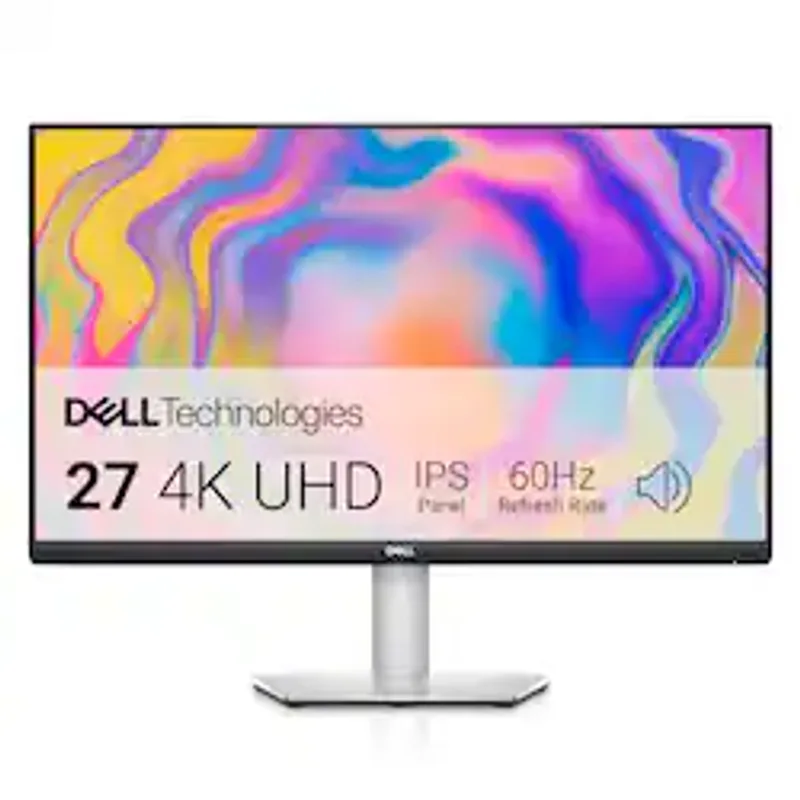
Dell S2722QC 27-Inch 4K USB-C Monitor
Pros
- Single-cable USB-C connection routes 4K video plus 65W charging through one port — zero adapter clutter for MacBook, Dell XPS, or ThinkPad users
- Full ergonomic stand with 110mm height, ±30° swivel, ±90° pivot is genuinely rare at this price tier — most monitors at this cost force you to add a $30–$60 arm to get proper positioning
- 99% sRGB color coverage is accurate enough for document work, photo review, and color-sensitive spreadsheets without profiling or calibration
- 163 PPI at 27 inches delivers noticeably sharper text than any 1080p alternative — fonts render cleanly even at 100% scaling on Windows
Cons
- 60Hz refresh rate feels genuinely outdated in 2026 — scrolling text and browser animations look choppy compared to 120Hz alternatives at the same street price
- 1,000:1 IPS contrast ratio washes out dark content — backgrounds aren't black, they're dark gray, which is obvious in dim lighting
- At its current price of $349–$369, the newer Dell S2725QC undercuts it with 120Hz, 1,500:1 contrast, and 5W speakers — the S2722QC only makes sense on heavy discount
Who This Monitor Is For
The S2722QC targets laptop users who want a clean one-cable desk setup. Plug in a single USB-C cable, and your MacBook, XPS, or ThinkPad gets a 4K display plus 65W of charging power. No separate power brick on your desk, no DisplayPort adapter dangling.
That audience is real, and the S2722QC serves it well — or did, until the S2725QC arrived with meaningfully better specs at competitive pricing. The S2722QC still makes sense for:
- Buyers who find it on clearance for $250–$280
- Offices that need VESA-mounted displays on existing arms
- Users coming from 1080p monitors who prioritize sharpness over refresh rate
It’s a worse deal for anyone who scrolls heavily, watches video on their work monitor, or is buying new at current street prices.
Display Quality
Sharpness and Color
At 27 inches with a 3840×2160 panel, the S2722QC hits 163 pixels per inch. Text is sharp enough that Windows 100% scaling is comfortable — no squinting, no need to bump DPI settings. This is the most immediate upgrade over 1080p monitors at this size.
Color accuracy sits at 99% sRGB coverage. According to independent measurements, the panel delivers accurate grays and neutrals without calibration. Saturation tracking is reliable for document-heavy work, Figma, Canva, or basic photo review. It’s not a content creation display — the limited color gamut (no DCI-P3 coverage worth noting) rules it out for serious photo or video editing — but for the typical remote work stack, it’s more than accurate enough.
Contrast and Brightness
This is where the S2722QC shows its age. The 1,000:1 contrast ratio is standard IPS territory, meaning dark content looks washed out. Video calls in a dim room, dark-mode code editors, and anything that benefits from deep blacks will expose the gray-black issue. The S2725QC’s 1,500:1 ratio is noticeably better in direct comparison.
Brightness tops out at 350 nits. That’s sufficient for indoor office environments, including desks near windows. It won’t combat direct sunlight glare, but the matte coating handles indirect reflections well enough that bright-room usability isn’t a significant problem.
Refresh Rate Reality Check
60Hz was acceptable when this monitor launched. In 2026, most competing monitors at $300+ run at 120Hz or higher. The difference is immediately noticeable when scrolling long documents or switching between browser tabs — motion looks sluggish by comparison. For remote workers who spend hours in browsers, the 60Hz ceiling is the S2722QC’s biggest practical limitation.
Connectivity and Ergonomics
Ports
The S2722QC’s port selection is functional:
- USB-C: Single port with DP Alt mode and 65W Power Delivery
- HDMI: 2× HDMI 2.0 (for desktop PCs or dual-source setups)
- USB 3.0: 2× downstream, useful for keyboard/mouse or a USB-A dongle
- Audio: 3.5mm line-out
The absence of a second USB-C port means you can’t daisy-chain or use USB-C as both a data hub and laptop connection simultaneously. For a simple laptop dock scenario, the single port is sufficient. For more complex setups, you may want a separate dock.
The 2× 3W integrated speakers are adequate for video calls — clear enough for Zoom audio, but not loud or full enough to replace external speakers for music or longer calls in a noisy environment. They’re better than no speakers, which is what many competing monitors at this price tier offer.
Stand
The stand is the S2722QC’s most underrated feature. Full height adjustment (110mm), ±30° swivel, ±90° portrait pivot, and -5°/+21° tilt — all included. Competing monitors at this price from LG and AOC often ship with fixed or tilt-only stands. Dell’s ergonomic stand means most users can skip a monitor arm entirely.
VESA compatibility (100×100mm) is present if you prefer an arm. Cable management routing is built into the stand.
Dell S2722QC vs Dell S2725QC
The S2725QC is the direct successor and the most important comparison in 2026.
| Feature | S2722QC | S2725QC |
|---|---|---|
| Resolution | 4K (3840×2160) | 4K (3840×2160) |
| Refresh Rate | 60Hz | 120Hz |
| Contrast Ratio | 1,000:1 | 1,500:1 |
| USB-C PD | 65W | 65W |
| Speakers | 2× 3W | 2× 5W |
| Street Price (2026) | ~$349–$369 | ~$299–$349 |
The S2725QC is a strict upgrade: better refresh rate, better contrast, better speakers, and in many cases cheaper. The S2722QC is only worth buying at a meaningful discount — clearance pricing in the $240–$280 range makes it competitive against budget 4K alternatives. At full price, the S2725QC wins on every relevant spec.
Buying Guide: What to Check Before You Buy
USB-C Power Delivery wattage matters. The S2722QC supplies 65W, which covers most 13-inch and 14-inch laptops at full charging speed. High-performance 15-inch laptops (M3 Pro MacBook, Dell XPS 15) may charge slowly or rely on a separate adapter under heavy load.
Check your laptop’s USB-C compatibility. The display requires USB-C with DisplayPort Alt Mode. iPhones and some older Android phones won’t output video through USB-C. MacBook Air (M1 and later), MacBook Pro (2019+), Dell XPS, ThinkPad Carbon X1, and HP Spectre are all confirmed compatible.
60Hz at 27-inch 4K requires decent GPU. Running 4K at 60Hz through USB-C is within reach of integrated graphics on Apple Silicon and recent Intel Iris Xe. Older integrated graphics (Intel UHD 620) may struggle; check your laptop’s display output specs before purchasing.
FAQ
Is the Dell S2722QC still worth buying in 2026? Only if you find it at significant discount — under $280 makes it a solid value for a 4K IPS with a full ergonomic stand. At $350 or higher, the newer Dell S2725QC offers 120Hz, better contrast, and better speakers at the same or lower price.
Does the Dell S2722QC work with MacBook Pro? Yes. The USB-C port supports DP Alt Mode with 65W Power Delivery. MacBook Air M1/M2/M3 and MacBook Pro M1/M2/M3 connect via a single cable for both video and charging. MacBook Pro M3 Pro and M3 Max users may want a separate charger for sustained heavy workloads.
Can you run the Dell S2722QC at 4K 60Hz through USB-C? Yes, that’s the intended use case. The USB-C port delivers full 3840×2160 resolution at 60Hz plus 65W charging over a single cable. HDMI 2.0 inputs also support 4K 60Hz if you’re connecting a desktop.
How does the stand compare to budget alternatives? Better than most. The 110mm height range, full swivel and pivot, and ±30° swivel are all included. Budget monitors at this price tier from AOC and ViewSonic often ship with tilt-only stands, requiring a $30–$60 arm purchase for ergonomic positioning. Dell’s included stand is a genuine differentiator.
Does the S2722QC support HDR? It supports HDR10 input, but the panel’s 350-nit brightness and 1,000:1 contrast ratio can’t deliver meaningful HDR performance. HDR mode is technically present but adds little real-world benefit. Disable it and use standard SDR mode for consistent color accuracy.
Conclusion
The Dell S2722QC remains a well-designed 4K monitor with a strong stand, reliable color accuracy, and genuine USB-C convenience. It earned its reputation as a go-to laptop monitor when it launched.
In 2026, though, the value calculation has shifted. The S2725QC delivers 120Hz, 1,500:1 contrast, and louder speakers at the same or lower street price. The S2722QC makes sense on sale — if you spot it under $280, it’s still a capable pick. At current full pricing of $349–$369, the S2725QC is the smarter buy.
Bottom line: Wait for a sale, or buy the S2725QC instead.
Detailed Reviews
Dell S2722QC 27-Inch 4K USB-C Monitor
Pros
- Single-cable USB-C connection routes 4K video plus 65W charging through one port — zero adapter clutter for MacBook, Dell XPS, or ThinkPad users
- Full ergonomic stand with 110mm height, ±30° swivel, ±90° pivot is genuinely rare at this price tier — most monitors at this cost force you to add a $30–$60 arm to get proper positioning
- 99% sRGB color coverage is accurate enough for document work, photo review, and color-sensitive spreadsheets without profiling or calibration
- 163 PPI at 27 inches delivers noticeably sharper text than any 1080p alternative — fonts render cleanly even at 100% scaling on Windows
Cons
- 60Hz refresh rate feels genuinely outdated in 2026 — scrolling text and browser animations look choppy compared to 120Hz alternatives at the same street price
- 1,000:1 IPS contrast ratio washes out dark content — backgrounds aren't black, they're dark gray, which is obvious in dim lighting
- At its current price of $349–$369, the newer Dell S2725QC undercuts it with 120Hz, 1,500:1 contrast, and 5W speakers — the S2722QC only makes sense on heavy discount