Disclosure: SetupRanked earns a commission on purchases made through links in this article at no extra cost to you.
CES 2026 in January brought a wave of foldable and rollable laptop concepts, but the remote workers asking questions on r/remotework and in LinkedIn communities aren’t waiting for flexible displays. They’re asking which available Windows laptop survives a full day of back-to-back Zoom calls, doesn’t overheat during screen share, and has a keyboard worth typing on for eight hours. This guide covers the five best answers to that question in 2026.
Quick pick: For most remote workers, the Lenovo ThinkPad X1 Carbon Gen 13 is the right answer — best keyboard, lightest weight, OLED display. Need all-day battery without a charger? Take the Microsoft Surface Laptop 7 instead (note: Microsoft raised Surface prices in April 2026 — factor that in). On a tighter budget, the ASUS Zenbook 14 OLED delivers an OLED screen for under $1,100.
Windows laptops for remote work split into two camps: ultra-portable 14-inch business machines built for commuters and travelers, and 16-inch options for people who work primarily at home and want more screen real estate without a dedicated desktop. Both categories are covered below.
Comparison
| Spec | Lenovo ThinkPad X1 Carbon Gen 13 | Microsoft Surface Laptop 7 | HP EliteBook 840 G11 | ASUS Zenbook 14 OLED 2025 | Dell XPS 16 2026 |
|---|---|---|---|---|---|
| Rating | 9.5/10 | 9.0/10 | 8.8/10 | 8.5/10 | 8.4/10 |
| Price | $1599.99-$2129.00as of Oct 18, 2026 | Unavailable | $1670.00as of Oct 18, 2026 | $855.00-$1319.00as of Oct 18, 2026 | $1,749-$2,199 |
| Processor | Intel Core Ultra 7 258V | Qualcomm Snapdragon X Plus (10-core) | Intel Core Ultra 7 155U (vPro) | Intel Core Ultra 7 255H (16-core) | Intel Core Ultra 7 355 (Series 3) |
| Display | 14" 2.8K OLED (2880×1800), 120Hz | 13.8" HDR Touchscreen (2304×1536), 120Hz | 14" WUXGA IPS (1920×1200), 400 nits | 14" WUXGA OLED (1920×1200), 60Hz, 550 nits | 16.0" WUXGA IPS (1920×1200), 120Hz (3.2K OLED available) |
| RAM | 32GB LPDDR5X | 16GB | 32GB DDR5 | 16GB LPDDR5 | 32GB LPDDR5x |
| Storage | 512GB NVMe SSD | 1TB SSD | 512GB SSD | 1TB SSD | 1TB NVMe SSD |
| Webcam | 1080p FHD IR camera | 1080p FHD camera | 5MP IR camera with privacy shutter | 1080p FHD camera | 1080p FHD IR camera |
| Battery | Rated 15hr, ~9hr real-world | Rated 20+ hours, ~15hr real-world | Rated 12hr, ~9hr real-world | Rated 14hr, ~8hr real-world | Rated 12hr, ~8hr real-world |
| Weight | 2.17 lbs (982g) | 2.96 lbs (1.34kg) | 2.88 lbs (1.31kg) | 2.87 lbs (1.30kg) | 3.65 lbs (1.66kg) |
| Ports | 2× Thunderbolt 4, 2× USB-A, HDMI 2.1, headphone jack | 2× USB-C (USB 3.2), 1× USB-A, Surface Connect, headphone jack | 2× Thunderbolt 4, 2× USB-A, HDMI 2.0, SD card, headphone jack | 1× Thunderbolt 4, 1× USB-C (USB 3.2), 2× USB-A, HDMI 2.1, headphone jack | 3× USB4 (40Gbps, Thunderbolt 4), headphone jack |
| Wireless | Wi-Fi 7, Bluetooth 5.4 | Wi-Fi 7, Bluetooth 5.4 | Wi-Fi 6E, Bluetooth 5.3 | Wi-Fi 7, Bluetooth 5.3 | Wi-Fi 7, Bluetooth 5.4 |
| OS | Windows 11 Pro | Windows 11 Home (Copilot+ PC) | Windows 11 Pro | Windows 11 Home | Windows 11 Home |
| Check Price → | Check Price → | Check Price → | Check Price → | Check Price at Dell |
Prices change daily — tap Check Price for the current Amazon price.
What to Look For in a Windows Laptop for Remote Work
Battery life is the first filter. A laptop that dies at 4pm forces you to hunt for an outlet or stay desk-bound all day. Real-world figures are typically 30–40% below manufacturer claims under video call conditions. Any laptop claiming under 10 hours rated life is a risk for mobile workers.
RAM minimum is 16GB in 2026. Browser-heavy workflows with Zoom, Slack, Microsoft 365, and background cloud sync comfortably fill 16GB. For developers, engineers, or anyone running Docker or local AI tools, 32GB is a meaningful upgrade — not just a spec box to check.
Keyboard quality directly affects productivity. Remote workers spend more time typing than any other input activity. ThinkPad keyboards remain the reference standard. Surface keyboards are excellent. The HP EliteBook falls close behind. The ASUS and Dell keyboards are good but step down from the premium tier.
Webcam quality matters more than it did two years ago. In 2026, video calls are a primary work channel, not a secondary one. A 720p webcam on a $1,300+ laptop is a genuine flaw. An IR camera for Windows Hello face unlock saves real time every time you unlock your machine.
Port selection determines dock dependency. A laptop with two USB-C-only ports needs a dock. If your home office has a dock already, this is fine. If you’re equipping a remote team and don’t want per-person dock costs, prioritize laptops with native USB-A, HDMI, and SD card slots.
The Best Windows Laptops for Remote Work in 2026
1. Lenovo ThinkPad X1 Carbon Gen 13 — Best Overall
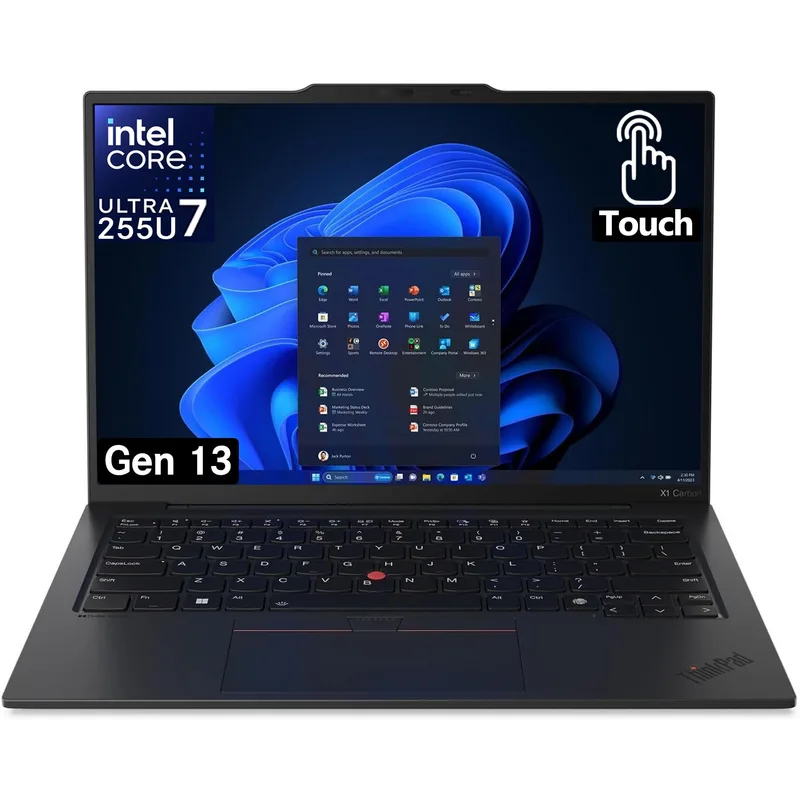
Lenovo ThinkPad X1 Carbon Gen 13
Pros
- The lightest 14-inch business laptop in its class at 2.17 lbs — lighter than a 13-inch MacBook Air but with a larger screen and full-size ports, which matters when you carry this machine to and from co-working spaces daily
- Keyboard is consistently ranked best-in-class across every professional laptop review — the key travel, tactile feedback, and layout match the premium ThinkPad feel that business users specifically choose this brand for, with a dedicated row of function keys and a physical webcam privacy shutter
- 2.8K OLED panel at 120Hz delivers noticeably sharper text and deeper contrast than IPS alternatives at this size — reading long documents and reviewing spreadsheets for hours is measurably more comfortable than on any LCD panel
- Wi-Fi 7 support means backward-compatible connectivity and future-proof performance as home office routers upgrade — handles simultaneous 4K video calls, cloud sync, and file transfers without the 6GHz congestion issues affecting older Wi-Fi 6E devices
- vPro optional configurations give IT administrators remote management and hardware-level security — the base SKU still includes a fingerprint reader, IR camera for Windows Hello face unlock, and a physical camera shutter standard
- Intel Arc graphics handles light creative work, 4K video playback, and dual external 4K displays via Thunderbolt 4 — not a GPU workstation, but sufficient for everything a remote knowledge worker does in a typical day
Cons
- Starting at $1,799 on sale and $1,999 at MSRP, this is the most expensive laptop in this roundup — the premium is real and justified by build quality and keyboard, but it's hard to recommend if you're equipping an entire remote team on a budget
- 512GB base storage fills up faster than expected when storing local copies of large cloud-synced project folders — plan to use cloud storage aggressively or step up to a 1TB configuration, which pushes the price above $2,199
- 1080p webcam produces adequate video quality for Zoom and Teams calls but lacks the sharpness of the 5MP cameras on some HP EliteBook competitors — acceptable but not the best webcam in this category
The ThinkPad X1 Carbon Gen 13 is the logical answer to “what’s the best Windows laptop for serious remote work?” It weighs 2.17 lbs — lighter than a MacBook Air with a larger screen — runs Intel’s latest Core Ultra 7 258V with Intel Arc graphics, and ships with a 2.8K OLED display that makes an 8-hour workday measurably easier on the eyes.
The keyboard is the primary reason experienced remote workers choose ThinkPad over every alternative. Key travel, resistance, and layout haven’t been compromised in the pursuit of thinness the way competing ultrabooks have. The physical trackpoint and dedicated function row remain, and the webcam privacy shutter is a physical mechanism — no software toggle required.
Battery life under real-world conditions lands around 9 hours of mixed remote work (video calls, browser, Office). That’s enough for a full workday without a charger. Dual Thunderbolt 4 ports handle external displays, docking stations, and fast storage simultaneously.
The price is the primary objection. MSRP sits at $1,999, though sales regularly bring the OLED 32GB configuration down to $1,799. That’s still the most expensive laptop in this roundup, but the keyboard, weight, OLED display, and Wi-Fi 7 combination justifies it for individual buyers who use a laptop daily for years.
Who should buy this: Frequent travelers, commuters, and serious professionals who type all day and want the best keyboard available in a Windows laptop. Who should skip: Teams buying at scale, or anyone who can’t justify $1,800+.
2. Microsoft Surface Laptop 7 — Best Battery Life
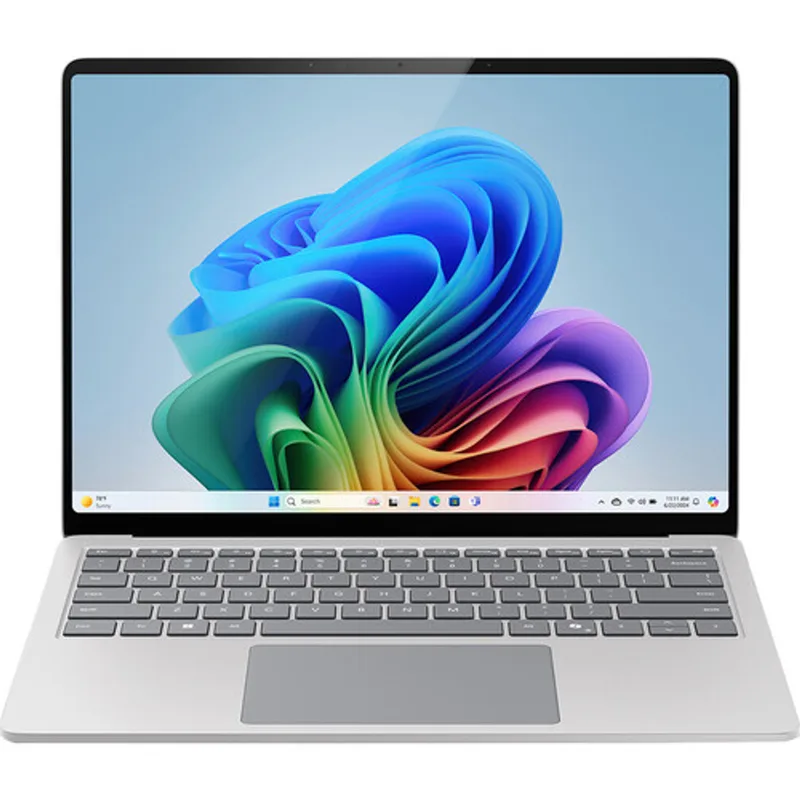
Microsoft Surface Laptop 7
Pros
- Real-world battery life of 14–16 hours is the longest of any Windows laptop in this roundup — works through a full day of video calls, browser-heavy research, and document editing without reaching for a charger, which is the single most-cited pain point for remote workers who move between locations
- Copilot+ PC designation unlocks AI-powered Windows features including Recall (searchable screen history), live captions with real-time translation during calls, and Cocreator in Paint — these features run entirely on-device without cloud latency or data leaving your machine
- 13.8-inch PixelSense touchscreen with 3:2 aspect ratio gives more vertical screen space than 16:9 laptops of the same diagonal measurement — the extra height is immediately useful for reading documents, writing emails, and viewing spreadsheets without constant scrolling
- Snapdragon X Plus delivers strong performance-per-watt that keeps the chassis fanless during typical remote work tasks — no fan noise during video calls means your microphone picks up less ambient sound from the laptop itself
- The 120Hz display refreshes smoothly during scrolling and transitions, making it feel more responsive than 60Hz business laptops even when running the same software
Cons
- Microsoft raised Surface prices significantly in April 2026 due to RAM and component cost increases — the Surface Laptop 7 now starts at $1,499 for the base 512GB config, a major jump from its original 2024 launch price, making it less competitive against MacBook Air and other alternatives at the same tier
- ARM architecture (Snapdragon X Plus) means a small number of older Windows applications don't run natively and require emulation — most mainstream software (Microsoft 365, Slack, Chrome, Zoom, Teams) runs fine, but specialized tools should be tested before committing
- Port selection is limited: two USB-C ports and one USB-A mean a docking station is nearly mandatory for a full home office setup — this is a real daily-use constraint for workers who regularly connect peripherals
- 16GB RAM is adequate for typical remote work but less than the 32GB available on the ThinkPad X1 Carbon and HP EliteBook — heavy multitaskers with many browser tabs and applications open simultaneously may notice the ceiling
The Surface Laptop 7 runs Qualcomm’s Snapdragon X Plus, and the battery life it delivers is not comparable to Intel-based alternatives — it’s in a different category. Real-world testing consistently shows 14–16 hours of mixed workloads, which means a full day plus evening work before needing power.
One important update for 2026: Microsoft raised Surface prices significantly in April, citing rising RAM and component costs. The Surface Laptop 7 now starts at $1,499 for the base 512GB configuration — a major increase from its original 2026 launch price. The 1TB config covered in this roundup runs $1,599–$1,699. That’s a meaningful shift that changes the value calculation compared to earlier in this product’s life, and makes the MacBook Air a closer competitor on price.
The 13.8-inch PixelSense Flow touchscreen uses a 3:2 aspect ratio that gives more vertical height than 16:9 panels of similar diagonal size. For reading long documents, reviewing code, or writing email, the extra height reduces scrolling. The 120Hz refresh rate makes the display feel more responsive than 60Hz business laptops.
Copilot+ PC status enables Windows AI features that run on-device: live translation in calls, on-device search through your screen history via Recall, and intelligent image generation. These run without cloud latency or data leaving the machine, which matters for privacy-conscious remote workers.
The ARM architecture caveat is real but manageable for most remote workers. Microsoft 365, Chrome, Zoom, Teams, Slack, VS Code, and most mainstream productivity tools have native ARM builds or run acceptably under emulation. Specialized tools — certain legacy enterprise apps, some development frameworks — may not. Test your specific software stack before committing.
Who should buy this: Remote workers who prioritize all-day battery above everything else, and anyone already deep in the Microsoft ecosystem. Who should skip: Workers with legacy Windows software requirements, or those who find the April 2026 price hike pushes it over budget.
3. HP EliteBook 840 G11 — Best for Enterprise
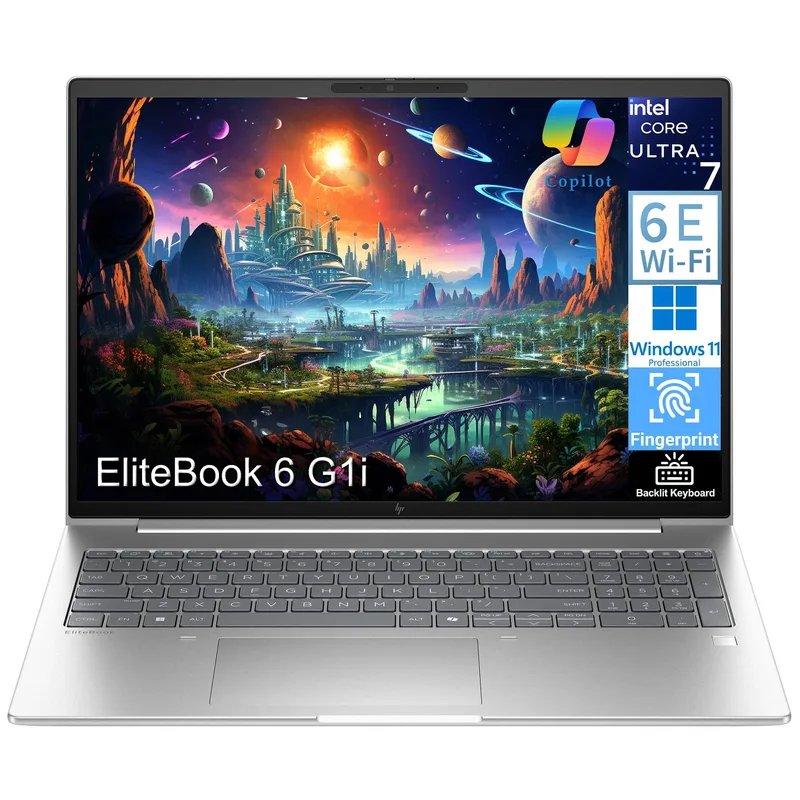
HP EliteBook 840 G11
Pros
- 5MP webcam is the sharpest of any laptop in this roundup — the higher resolution produces noticeably cleaner video on Zoom and Teams calls, and the IR component enables reliable Windows Hello face unlock even in variable home office lighting conditions
- vPro Technology enables Intel AMT (Active Management Technology) for IT departments to remotely diagnose, repair, and manage the laptop out-of-band — critical for companies deploying fleets of laptops to remote employees who may not have in-office IT support access
- MIL-STD 810H certification covers shock, vibration, altitude, humidity, and extreme temperatures — the EliteBook survives the kind of bag drops, temperature swings, and humid home environments that non-ruggedized laptops frequently fail after 2–3 years
- 32GB DDR5 RAM handles demanding workloads: multiple Zoom calls, screen sharing, browser with 30+ tabs, Slack, local IDE, and background file sync simultaneously without perceptible slowdown
- Full port array including SD card reader, HDMI 2.0, and two USB-A ports reduces dependence on a dock — the only laptop in this roundup that connects to most peripherals without adapters
- HP Wolf Security platform provides hardware-enforced endpoint protection that runs below the OS level — valuable for remote workers handling sensitive client data or working in regulated industries like finance, healthcare, or legal
Cons
- 1920×1200 IPS display is sharp and well-calibrated but lacks the OLED contrast and color depth of the ThinkPad X1 Carbon or ASUS Zenbook 14 — color-critical work looks noticeably different side-by-side
- Wi-Fi 6E rather than Wi-Fi 7 puts it behind the ThinkPad and Surface Laptop 7 in wireless future-proofing, though the practical difference is minimal until Wi-Fi 7 routers become more common in 2026
- 512GB base storage fills quickly for workers storing large project files locally — the 1TB upgrade is recommended but adds to an already high starting price
The EliteBook 840 G11 exists for a specific buyer: remote workers in corporate environments where IT manages laptops remotely, endpoint security is a compliance requirement, and hardware durability is measured in years of daily travel.
The 5MP webcam is the best in this roundup and one of the best on any Windows laptop at any price. It produces noticeably sharper video on Zoom and Teams than the 1080p cameras on competing business laptops. The IR component enables fast Windows Hello face unlock across a range of lighting conditions — bright window, dim office, late evening — that cheaper IR cameras fail in.
vPro Technology with Intel AMT allows IT departments to remotely access and manage the laptop below the OS level — useful for zero-touch provisioning, remote BIOS updates, and recovering machines that have crashed. For individual remote workers outside IT-managed environments, this feature is invisible but not a reason to avoid the laptop.
MIL-STD 810H certification is not marketing — it covers 12 test categories including shock, vibration, altitude, humidity, and extreme temperature cycling. The EliteBook is designed to survive the physical realities of daily professional use: bag drops, airport security bins, home offices with variable temperature and humidity.
The port selection is the most complete of any laptop in this roundup: Thunderbolt 4 × 2, USB-A × 2, HDMI 2.0, SD card reader, and headphone jack. Connecting to a standard home office setup — external monitor, USB-A mouse, SD card from a camera — requires zero adapters.
Who should buy this: Enterprise remote workers, IT-managed teams, and anyone who handles sensitive client data in regulated industries. Who should skip: Individual buyers without IT department needs who would rather spend $200 less on the Zenbook.
4. ASUS Zenbook 14 OLED 2025 — Best Value
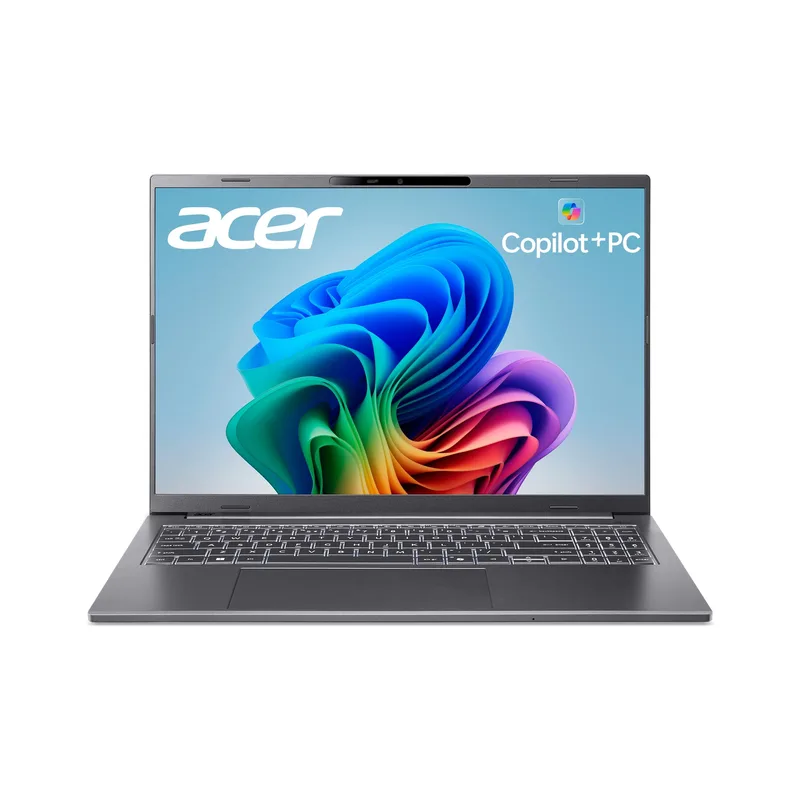
ASUS Zenbook 14 OLED 2025
Pros
- OLED display at under $1,100 is the biggest value differentiator in this price tier — the panel produces genuine blacks, high contrast, and wide color gamut that makes the IPS screens on more expensive business laptops look washed out by comparison
- Intel Core Ultra 7 255H with 16 cores (6 performance + 8 efficiency + 2 low-power) handles demanding workloads including video editing, local AI model inference, and compiling code faster than the low-power 155U in the HP EliteBook
- 1TB SSD at this price point eliminates the storage compromise that forces buyers to pay upgrade premiums on competitive models — enough space for a full local project library, virtual machines, and media assets without constant archiving
- Wi-Fi 7 connectivity at under $1,100 is rare in this laptop category, enabling faster throughput on supported routers and reduced interference in dense apartment buildings
- HDMI 2.1 output supports 4K@144Hz external monitors, meaning video production and gaming setups connect at full quality without the frame-rate limitations of HDMI 2.0 ports found on most business laptops
Cons
- 16GB RAM is a meaningful limitation at this price point — the HP EliteBook and ThinkPad X1 Carbon both offer 32GB, and heavy multitaskers will hit ceiling performance faster on the Zenbook
- 60Hz OLED refresh rate is noticeably smoother than 60Hz IPS but still behind the 120Hz displays on the Surface Laptop 7 and ThinkPad X1 Carbon during fast scrolling and cursor movement
- Build quality uses more plastic than the all-metal ThinkPad or Surface Laptop 7 — the chassis feels solid but lacks the premium tactile density of the top-tier options
- Single Thunderbolt 4 port limits docking station flexibility — requires careful selection of docking hardware compared to the dual Thunderbolt 4 ports on the HP EliteBook and ThinkPad
The ASUS Zenbook 14 OLED undercuts the ThinkPad X1 Carbon by $700–$1,100 while delivering an OLED display that the more expensive HP EliteBook doesn’t offer. For remote workers who spend the majority of their time reading and writing — and who don’t need enterprise IT management features — this is the most efficient use of a laptop budget in 2026.
Prices have dropped since launch. The 1TB config (ASIN B0FMF9F2JP) now lands in the $899–$1,099 range depending on retailer and timing, with the 512GB version seeing sub-$700 deals at Best Buy. That puts an OLED laptop meaningfully below $1,000 — a threshold that used to require significant compromise.
The Intel Core Ultra 7 255H with 16 cores handles demanding workloads faster than the low-power 155U in the HP EliteBook. Video encoding, running Docker containers, compiling code, and local AI inference all benefit from the higher thermal envelope of the H-series chip. The tradeoff is more fan noise under sustained load and slightly shorter battery life — ~8 hours vs ~9 hours for the ThinkPad.
The OLED panel at 550 nits produces deep blacks and saturated color that makes the IPS screens on more expensive business laptops look visually flat in direct comparison. For anyone spending 8 hours a day reading documents, reviewing designs, or writing, the difference is perceptible and meaningful.
At under $1,100 with 1TB storage and Wi-Fi 7, the Zenbook 14 OLED delivers strong hardware credentials. The main tradeoffs versus the premium options are 16GB RAM (vs 32GB on the ThinkPad and EliteBook), 60Hz refresh rate, and a single Thunderbolt 4 port instead of two.
Who should buy this: Remote workers who want OLED quality without the premium price tag. Who should skip: Developers and analysts who routinely run memory-heavy workloads — 16GB will feel limiting within a year.
5. Dell XPS 16 2026 — Best Large Screen
Dell XPS 16 2026
Pros
- 16-inch display gives significantly more working space than the 14-inch options — writing, coding, or managing spreadsheets without a second monitor is genuinely productive at this size, reducing dock dependency in hotels and client offices
- Lighter than the laptop it replaces: at 3.65 lbs the XPS 16 is noticeably less heavy than the old XPS 15 9530 (4.22 lbs) — the weight difference is real when you're carrying this machine in a backpack between locations
- Intel Core Ultra 7 355 (Series 3, Arrow Lake H) delivers strong performance for demanding remote work workflows — compiling code, running local AI tools, video editing, and handling dozens of browser tabs simultaneously without thermal throttling
- All three ports are USB4 (40Gbps, Thunderbolt 4 compatible) — every port delivers full bandwidth for high-speed external SSDs, docking stations, and 4K displays at the same speed, unlike laptops that mix fast and slow USB-C ports
- Wi-Fi 7 and Bluetooth 5.4 as standard — a full wireless upgrade over the discontinued XPS 15 9530 which shipped with Wi-Fi 6 only
- 3.2K OLED display option available at higher configurations delivers premium viewing quality at 16 inches — meaningful for anyone doing extended reading or design review work
Cons
- No USB-A ports anywhere on the chassis — connecting traditional peripherals (USB-A mice, flash drives, docking stations) requires a USB-C hub or adapter, which adds cost and desk clutter to an already premium-priced machine
- No discrete GPU option — the integrated Intel Arc B390 handles typical remote work and light creative tasks but lacks dedicated graphics acceleration for heavier video encoding or GPU-accelerated workloads
- Starting at $1,749, this is the priciest laptop in this roundup — the large screen and premium build justify it for dedicated home office users, but the value-per-dollar calculation is harder than the ThinkPad at similar price points
- Only three ports total (no HDMI, no SD card) means a dock or hub is not optional for workers who connect monitors and peripherals directly — factor in $50–$150 for a USB-C hub when budgeting
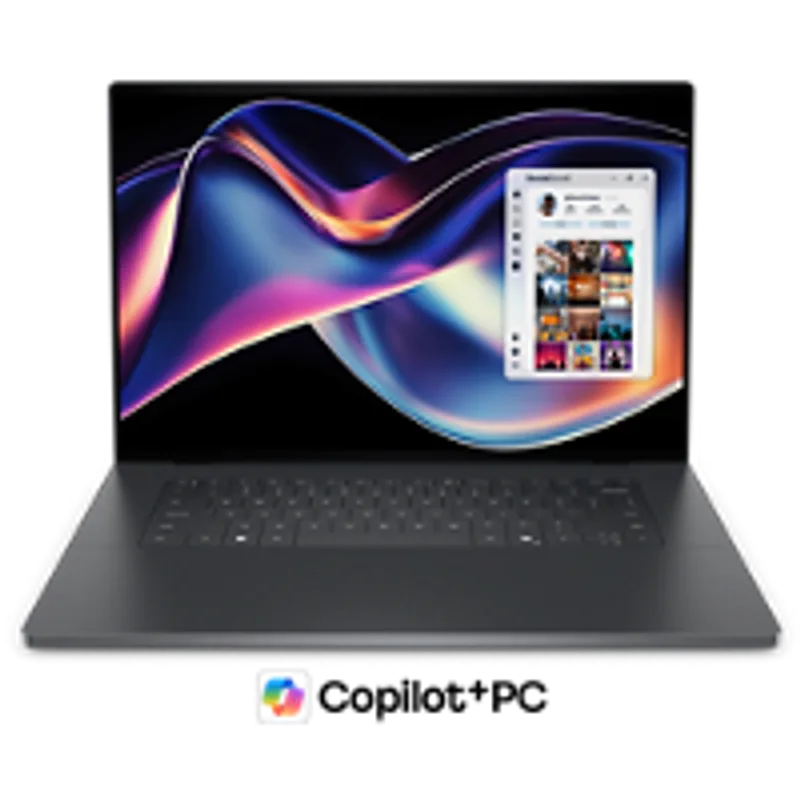
Dell discontinued the XPS 15 size for 2026, replacing it with the XPS 16 DA16260 — a thinner, lighter large-screen laptop running Intel’s Core Ultra Series 3 (Arrow Lake H). At 3.65 lbs, it’s noticeably lighter than the old XPS 15 9530 it replaces (4.22 lbs) while offering a larger 16-inch display.
The 16-inch screen is the main reason to choose this machine. Working without a second monitor — in a hotel room, a client office, or a co-working space — is genuinely productive at this size. For developers and writers who keep a lot of windows open, the extra real estate reduces the constant alt-tabbing that makes 14-inch laptops feel cramped.
The Intel Core Ultra 7 355 delivers strong performance for demanding remote workflows. All three USB4 ports run at full 40Gbps bandwidth — unlike many laptops where some USB-C ports are slower than others, every port on the XPS 16 supports docks, fast external storage, and 4K displays at full speed. Wi-Fi 7 is standard.
Dell dropped the discrete GPU option for 2026, moving to integrated Intel Arc B390. For most remote workers — video calls, Office, browser, light photo editing — this is invisible. For workers doing GPU-heavy rendering or AI model inference locally, it’s a real step back from the old XPS 15’s dedicated graphics.
The bigger limitation for remote work is ports: zero USB-A across a chassis with only three total connectors (all USB4, plus a headphone jack). No HDMI, no SD card. A USB-C hub or docking station is not optional — it’s mandatory for any traditional peripheral setup. Factor in $50–$150 for hub hardware when budgeting.
Who should buy this: Home office workers who want maximum screen real estate, rarely travel, and already have a docking station. Who should skip: Commuters who need USB-A peripherals without adapters, or anyone who needs discrete GPU performance.
Buying Guide
Best for Travel and Commuting
Choose the Lenovo ThinkPad X1 Carbon Gen 13 or Microsoft Surface Laptop 7. The ThinkPad at 2.17 lbs is the lightest; the Surface Laptop 7 has the longest battery life. Both fit easily in backpacks without adding meaningful weight, and both survive a full day without a charger. Note the Surface’s April 2026 price increase before committing.
Best for Corporate IT Environments
The HP EliteBook 840 G11 is the correct choice if your organization uses Microsoft Intune, endpoint security platforms, or remote management for laptops. vPro, MIL-STD 810H, Wolf Security, and the full port array are all tuned for enterprise deployment at a price that has held steady around $1,299–$1,499.
Best for Budget-Conscious Buyers
The ASUS Zenbook 14 OLED delivers an OLED display, 1TB storage, and strong performance in the $899–$1,099 range. The tradeoffs — 16GB RAM, 60Hz screen, single Thunderbolt 4 — are real but acceptable for most remote workers who aren’t running developer toolchains or heavy creative workloads.
Best for Home Office Primary Machine
The Dell XPS 16 2026 works best as a stationary home office machine connected to a dock. The large screen, Intel Series 3 performance, and full-bandwidth USB4 ports make it the best large-format option in this roundup for desk-bound workers. Budget for a hub or dock from day one.
RAM: 16GB vs 32GB
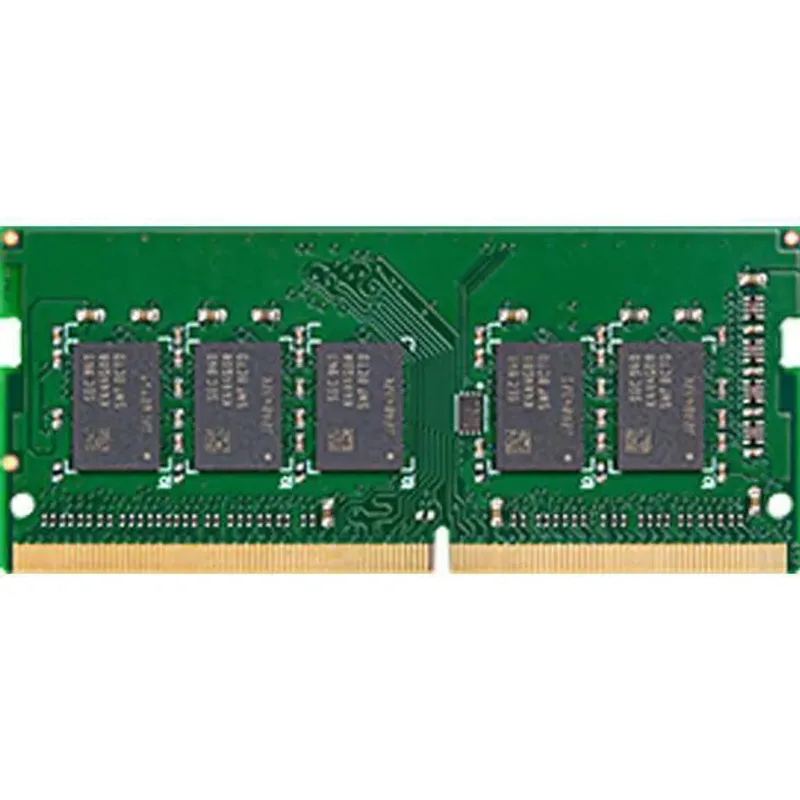
16GB is sufficient for standard remote work: Microsoft 365, browser with 10–15 tabs, Slack, Zoom, and background sync. 32GB is recommended for developers, data analysts, workers who run virtual machines, or anyone who routinely has 30+ browser tabs open. The ThinkPad X1 Carbon and HP EliteBook both ship 32GB as the base configuration — a notable advantage over the 16GB-base Surface Laptop 7 and Zenbook.
Windows 11 Pro vs Home
Windows 11 Pro adds BitLocker encryption, Remote Desktop hosting, Hyper-V virtualization, and Group Policy management. If your company requires BitLocker, or you need to connect remotely to this machine from another device, Pro is required. The ThinkPad and EliteBook ship with Pro; the Surface Laptop 7 and Zenbook ship with Home, though a Pro license upgrade is available through Microsoft directly.
FAQ
Do Windows ARM laptops like the Surface Laptop 7 run all software?
Most mainstream remote work software — Microsoft 365, Chrome, Zoom, Teams, Slack, VS Code, and hundreds of other common tools — either has native ARM builds or runs via x64 emulation with minimal performance penalty. That gap has narrowed significantly in recent years. The exceptions are some specialized enterprise applications, certain legacy software, and virtualization tools that require x64. Test your specific tools before switching.
Is 16GB RAM enough for remote work in 2026?
For typical remote work — browser, Office, video calls, Slack — 16GB is functional. The strain shows when browser tabs compound: 20–30 open tabs alongside Zoom, Slack, and background sync will start paging on 16GB. If your workflow stays disciplined and you close tabs regularly, 16GB is manageable. For developers or analysts who keep many tools open simultaneously, 32GB eliminates a real performance bottleneck.
What’s the minimum webcam quality for professional video calls?
1080p is the current professional standard. Built-in 720p cameras produce visible grain and lack sharpness that colleagues notice on high-resolution displays. If buying a laptop with a 720p webcam, budget $80–$150 for an external webcam upgrade. The HP EliteBook 840 G11’s 5MP camera is the best built-in option in this roundup for video call quality.
Do I need a docking station with a Windows laptop?
It depends on your home office setup. If you connect to an external monitor, keyboard, mouse, and other peripherals daily, a dock simplifies that to one cable. Laptops with limited ports (two USB-C only) make a dock nearly mandatory. The HP EliteBook 840 G11 with its full port array is the best option for workers who want to avoid a dock entirely. The Dell XPS 16 2026 requires a hub or dock due to its USB-A-free design.
Should I buy a Copilot+ PC for remote work?
Copilot+ PCs (Surface Laptop 7 qualifies) unlock AI features that run on-device: Recall for searchable screen history, live translation in calls, and intelligent image tools. These features are useful but not essential for standard remote work in 2026. The more compelling reason to choose a Copilot+ device is the ARM chip’s exceptional battery efficiency — the Surface Laptop 7’s 15-hour real-world battery life is a direct result of the Snapdragon X Plus architecture. Factor in the April 2026 price increase when evaluating the overall value.
Why did Dell discontinue the XPS 15?
Dell eliminated the XPS 15 size from its 2026 lineup, replacing it with the XPS 16 (DA16260) and XPS 14. The XPS 15 9530 — which used a 13th-gen Intel chip and Wi-Fi 6 — is now end-of-life and should not be purchased new. The XPS 16 2026 runs Intel’s newer Core Ultra Series 3 and adds Wi-Fi 7, though it dropped the discrete GPU and USB-A ports in the process.
Conclusion
The Lenovo ThinkPad X1 Carbon Gen 13 is the best Windows laptop for remote work in 2026 for anyone who can justify the price. Sales around $1,799 for the OLED 32GB configuration make it more accessible than MSRP suggests. The keyboard, weight, OLED display, and Wi-Fi 7 combination remains unmatched.
If battery life and portability are the primary requirements, the Microsoft Surface Laptop 7 delivers real-world runtime that no Intel laptop in this price range approaches — just account for the April 2026 price hike before assuming the old $1,099 starting price.
For enterprise deployments and corporate IT environments, the HP EliteBook 840 G11 is the correct choice — the 5MP webcam, vPro, MIL-STD 810H, and full port array serve a specific professional context at a price that has held steady.
For the best hardware-per-dollar ratio, the ASUS Zenbook 14 OLED is the clear winner under $1,100 — the OLED display alone justifies the purchase for anyone spending long workdays reading and writing.
And for home office workers who want maximum screen real estate with a dock already in place, the Dell XPS 16 2026 is the large-screen choice to replace the discontinued XPS 15 — lighter, faster, and with full-bandwidth USB4 across all three ports.
Detailed Reviews
Lenovo ThinkPad X1 Carbon Gen 13
Pros
- The lightest 14-inch business laptop in its class at 2.17 lbs — lighter than a 13-inch MacBook Air but with a larger screen and full-size ports, which matters when you carry this machine to and from co-working spaces daily
- Keyboard is consistently ranked best-in-class across every professional laptop review — the key travel, tactile feedback, and layout match the premium ThinkPad feel that business users specifically choose this brand for, with a dedicated row of function keys and a physical webcam privacy shutter
- 2.8K OLED panel at 120Hz delivers noticeably sharper text and deeper contrast than IPS alternatives at this size — reading long documents and reviewing spreadsheets for hours is measurably more comfortable than on any LCD panel
- Wi-Fi 7 support means backward-compatible connectivity and future-proof performance as home office routers upgrade — handles simultaneous 4K video calls, cloud sync, and file transfers without the 6GHz congestion issues affecting older Wi-Fi 6E devices
- vPro optional configurations give IT administrators remote management and hardware-level security — the base SKU still includes a fingerprint reader, IR camera for Windows Hello face unlock, and a physical camera shutter standard
- Intel Arc graphics handles light creative work, 4K video playback, and dual external 4K displays via Thunderbolt 4 — not a GPU workstation, but sufficient for everything a remote knowledge worker does in a typical day
Cons
- Starting at $1,799 on sale and $1,999 at MSRP, this is the most expensive laptop in this roundup — the premium is real and justified by build quality and keyboard, but it's hard to recommend if you're equipping an entire remote team on a budget
- 512GB base storage fills up faster than expected when storing local copies of large cloud-synced project folders — plan to use cloud storage aggressively or step up to a 1TB configuration, which pushes the price above $2,199
- 1080p webcam produces adequate video quality for Zoom and Teams calls but lacks the sharpness of the 5MP cameras on some HP EliteBook competitors — acceptable but not the best webcam in this category
Microsoft Surface Laptop 7
Pros
- Real-world battery life of 14–16 hours is the longest of any Windows laptop in this roundup — works through a full day of video calls, browser-heavy research, and document editing without reaching for a charger, which is the single most-cited pain point for remote workers who move between locations
- Copilot+ PC designation unlocks AI-powered Windows features including Recall (searchable screen history), live captions with real-time translation during calls, and Cocreator in Paint — these features run entirely on-device without cloud latency or data leaving your machine
- 13.8-inch PixelSense touchscreen with 3:2 aspect ratio gives more vertical screen space than 16:9 laptops of the same diagonal measurement — the extra height is immediately useful for reading documents, writing emails, and viewing spreadsheets without constant scrolling
- Snapdragon X Plus delivers strong performance-per-watt that keeps the chassis fanless during typical remote work tasks — no fan noise during video calls means your microphone picks up less ambient sound from the laptop itself
- The 120Hz display refreshes smoothly during scrolling and transitions, making it feel more responsive than 60Hz business laptops even when running the same software
Cons
- Microsoft raised Surface prices significantly in April 2026 due to RAM and component cost increases — the Surface Laptop 7 now starts at $1,499 for the base 512GB config, a major jump from its original 2024 launch price, making it less competitive against MacBook Air and other alternatives at the same tier
- ARM architecture (Snapdragon X Plus) means a small number of older Windows applications don't run natively and require emulation — most mainstream software (Microsoft 365, Slack, Chrome, Zoom, Teams) runs fine, but specialized tools should be tested before committing
- Port selection is limited: two USB-C ports and one USB-A mean a docking station is nearly mandatory for a full home office setup — this is a real daily-use constraint for workers who regularly connect peripherals
- 16GB RAM is adequate for typical remote work but less than the 32GB available on the ThinkPad X1 Carbon and HP EliteBook — heavy multitaskers with many browser tabs and applications open simultaneously may notice the ceiling
HP EliteBook 840 G11
Pros
- 5MP webcam is the sharpest of any laptop in this roundup — the higher resolution produces noticeably cleaner video on Zoom and Teams calls, and the IR component enables reliable Windows Hello face unlock even in variable home office lighting conditions
- vPro Technology enables Intel AMT (Active Management Technology) for IT departments to remotely diagnose, repair, and manage the laptop out-of-band — critical for companies deploying fleets of laptops to remote employees who may not have in-office IT support access
- MIL-STD 810H certification covers shock, vibration, altitude, humidity, and extreme temperatures — the EliteBook survives the kind of bag drops, temperature swings, and humid home environments that non-ruggedized laptops frequently fail after 2–3 years
- 32GB DDR5 RAM handles demanding workloads: multiple Zoom calls, screen sharing, browser with 30+ tabs, Slack, local IDE, and background file sync simultaneously without perceptible slowdown
- Full port array including SD card reader, HDMI 2.0, and two USB-A ports reduces dependence on a dock — the only laptop in this roundup that connects to most peripherals without adapters
- HP Wolf Security platform provides hardware-enforced endpoint protection that runs below the OS level — valuable for remote workers handling sensitive client data or working in regulated industries like finance, healthcare, or legal
Cons
- 1920×1200 IPS display is sharp and well-calibrated but lacks the OLED contrast and color depth of the ThinkPad X1 Carbon or ASUS Zenbook 14 — color-critical work looks noticeably different side-by-side
- Wi-Fi 6E rather than Wi-Fi 7 puts it behind the ThinkPad and Surface Laptop 7 in wireless future-proofing, though the practical difference is minimal until Wi-Fi 7 routers become more common in 2026
- 512GB base storage fills quickly for workers storing large project files locally — the 1TB upgrade is recommended but adds to an already high starting price
ASUS Zenbook 14 OLED 2025
Pros
- OLED display at under $1,100 is the biggest value differentiator in this price tier — the panel produces genuine blacks, high contrast, and wide color gamut that makes the IPS screens on more expensive business laptops look washed out by comparison
- Intel Core Ultra 7 255H with 16 cores (6 performance + 8 efficiency + 2 low-power) handles demanding workloads including video editing, local AI model inference, and compiling code faster than the low-power 155U in the HP EliteBook
- 1TB SSD at this price point eliminates the storage compromise that forces buyers to pay upgrade premiums on competitive models — enough space for a full local project library, virtual machines, and media assets without constant archiving
- Wi-Fi 7 connectivity at under $1,100 is rare in this laptop category, enabling faster throughput on supported routers and reduced interference in dense apartment buildings
- HDMI 2.1 output supports 4K@144Hz external monitors, meaning video production and gaming setups connect at full quality without the frame-rate limitations of HDMI 2.0 ports found on most business laptops
Cons
- 16GB RAM is a meaningful limitation at this price point — the HP EliteBook and ThinkPad X1 Carbon both offer 32GB, and heavy multitaskers will hit ceiling performance faster on the Zenbook
- 60Hz OLED refresh rate is noticeably smoother than 60Hz IPS but still behind the 120Hz displays on the Surface Laptop 7 and ThinkPad X1 Carbon during fast scrolling and cursor movement
- Build quality uses more plastic than the all-metal ThinkPad or Surface Laptop 7 — the chassis feels solid but lacks the premium tactile density of the top-tier options
- Single Thunderbolt 4 port limits docking station flexibility — requires careful selection of docking hardware compared to the dual Thunderbolt 4 ports on the HP EliteBook and ThinkPad
Dell XPS 16 2026
Pros
- 16-inch display gives significantly more working space than the 14-inch options — writing, coding, or managing spreadsheets without a second monitor is genuinely productive at this size, reducing dock dependency in hotels and client offices
- Lighter than the laptop it replaces: at 3.65 lbs the XPS 16 is noticeably less heavy than the old XPS 15 9530 (4.22 lbs) — the weight difference is real when you're carrying this machine in a backpack between locations
- Intel Core Ultra 7 355 (Series 3, Arrow Lake H) delivers strong performance for demanding remote work workflows — compiling code, running local AI tools, video editing, and handling dozens of browser tabs simultaneously without thermal throttling
- All three ports are USB4 (40Gbps, Thunderbolt 4 compatible) — every port delivers full bandwidth for high-speed external SSDs, docking stations, and 4K displays at the same speed, unlike laptops that mix fast and slow USB-C ports
- Wi-Fi 7 and Bluetooth 5.4 as standard — a full wireless upgrade over the discontinued XPS 15 9530 which shipped with Wi-Fi 6 only
- 3.2K OLED display option available at higher configurations delivers premium viewing quality at 16 inches — meaningful for anyone doing extended reading or design review work
Cons
- No USB-A ports anywhere on the chassis — connecting traditional peripherals (USB-A mice, flash drives, docking stations) requires a USB-C hub or adapter, which adds cost and desk clutter to an already premium-priced machine
- No discrete GPU option — the integrated Intel Arc B390 handles typical remote work and light creative tasks but lacks dedicated graphics acceleration for heavier video encoding or GPU-accelerated workloads
- Starting at $1,749, this is the priciest laptop in this roundup — the large screen and premium build justify it for dedicated home office users, but the value-per-dollar calculation is harder than the ThinkPad at similar price points
- Only three ports total (no HDMI, no SD card) means a dock or hub is not optional for workers who connect monitors and peripherals directly — factor in $50–$150 for a USB-C hub when budgeting