Elgato released the Wave:3 MK.2 in early 2026 with USB-C, onboard DSP, and a new Clipguard 2.0 system — the latest sign that video conferencing gear is getting seriously good at accessible price points. Meanwhile, AI-powered framing and noise suppression have trickled down from $500+ conference cameras into webcams under $100. You don’t need a broadcast setup to look and sound professional on calls anymore. A $250–300 budget covers everything: a solid webcam, a USB microphone that makes your voice intelligible, and a light source that stops you from looking like a silhouette.
This guide covers the six best individual components across three categories — webcams, microphones, and lighting — and shows exactly how to combine them into complete kits at three different budgets.
Quick Comparison
| Spec | Logitech Brio 305 | HyperX SoloCast | Elgato Key Light Neo | Elgato Wave:3 | UBeesize 12" Ring Light | Elgato Facecam |
|---|---|---|---|---|---|---|
| Rating | 8.8/10 | 8.6/10 | 8.7/10 | 9.0/10 | 8.2/10 | 9.1/10 |
| Price | $28.99-$54.99as of Oct 18, 2026 | Unavailable | Unavailable | Unavailable | $25.13-$32.39as of Oct 18, 2026 | $109.99-$119.00as of Oct 18, 2026 |
| Resolution | 1080p @ 30fps, 720p @ 60fps | — | — | — | — | 1080p @ 60fps |
| Field of View | 78° diagonal (adjustable) | — | — | — | — | 82° diagonal (fixed) |
| Connection | USB-C | USB-C | — | USB (Micro-USB) | — | USB-C |
| Auto Light Correction | Yes | — | — | — | — | — |
| Privacy Shutter | Yes | — | — | — | — | — |
| Microphone | Mono noise-reducing | — | — | — | — | None — external required |
| Compatibility | Zoom, Teams, Meet | — | — | — | — | — |
| Dimensions | 3.38 x 1.57 x 2.39 in | — | — | — | — | — |
| Type | — | USB condenser | — | USB condenser | — | — |
| Polar Pattern | — | Cardioid | — | Cardioid | — | — |
| Frequency Response | — | 20Hz – 20kHz | — | 70Hz – 20kHz | — | — |
| Bit Depth | — | 24-bit | — | 24-bit | — | — |
| Sample Rate | — | 96kHz | — | 96kHz | — | — |
| Mute Control | — | Tap-to-mute with LED ring indicator | — | — | — | — |
| Stand | — | Adjustable desktop tripod (included) | — | — | — | — |
| Lumens | — | — | Up to 700 lumens | — | — | — |
| Color Temperature | — | — | 2900K – 7000K | — | — | — |
| CRI | — | — | 94 | — | — | — |
| Mount | — | — | Adjustable monitor clip | — | — | — |
| Control | — | — | Manual dial or Wi-Fi app | — | — | — |
| Power | — | — | USB-C (plug-in, no battery) | — | USB-powered | — |
| Flicker | — | — | Flicker-free LED panel | — | — | — |
| Diffusion | — | — | Multi-layer diffusion | — | — | — |
| Anti-Distortion | — | — | — | Clipguard dual-capsule | — | — |
| Software | — | — | — | Wave Link virtual mixer (free) | — | Elgato Camera Hub |
| Diameter | — | — | — | — | 12 inches (outer ring) | — |
| LED Count | — | — | — | — | 180 LEDs | — |
| Color Temperatures | — | — | — | — | 3 settings (warm / natural / cool) | — |
| Brightness | — | — | — | — | 10 levels per color | — |
| Stand Height | — | — | — | — | Adjustable up to 50 inches | — |
| Phone Holder | — | — | — | — | 360° rotation (included) | — |
| Tilt | — | — | — | — | Adjustable tilt and rotation | — |
| Sensor | — | — | — | — | — | Sony STARVIS CMOS |
| Focus | — | — | — | — | — | Fixed (optimized for indoor distances) |
| Light Correction | — | — | — | — | — | Advanced indoor scene optimization |
| Check Price → | Check Price → | Check Price → | Check Price → | Check Price → | Check Price → |
Prices change daily — tap Check Price for the current Amazon price.
The Three-Kit Framework
Before the individual product reviews, here’s how to think about the $300 budget:
Your audio matters more than your video. A clear microphone on an average webcam sounds better to participants than a great webcam with echo-filled laptop audio. Allocate at least $50 to a dedicated mic in any kit you build.
Lighting is the biggest visual upgrade. A $40 ring light turns a 1080p webcam into something that looks twice as expensive. Spending $200 on a 4K webcam in a dark room wastes money.
Kit combinations at a glance:
| Kit | Webcam | Mic | Light | Approx. Total |
|---|---|---|---|---|
| Starter Kit | Logitech Brio 305 | HyperX SoloCast | UBeesize Ring Light | ~$160 |
| Balanced Kit | Logitech Brio 305 | Elgato Wave:3 | Elgato Key Light Neo | ~$220 |
| Pro Kit | Elgato Facecam | Elgato Wave:3 | Elgato Key Light Neo | ~$295 |
1. Logitech Brio 305 — Best Overall Webcam
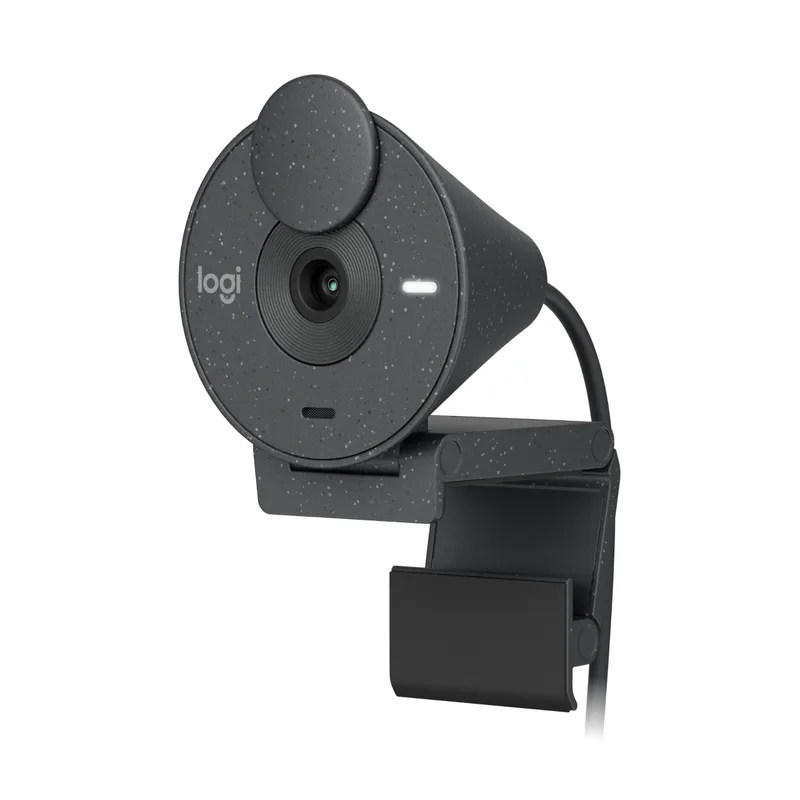
Logitech Brio 305
Pros
- USB-C connection works plug-and-play on MacBooks, Dell, and HP laptops without adapters
- Privacy shutter slides over the lens when not in use — no software needed to cut the camera
- Auto light correction handles most home office lighting conditions without manual tweaking
- Built-in noise-reducing mic handles quick calls when you don't have a dedicated mic plugged in
- Lightweight clip design mounts securely on monitors of all thicknesses without wobble
Cons
- Single mic capsule captures noticeably less depth than a dedicated USB microphone on longer calls
- 30fps cap at 1080p means motion appears slightly less smooth than premium 60fps webcams
The Brio 305 is Logitech’s business-focused take on a $70 webcam, and it shows. The USB-C cable, physical privacy shutter, and auto light correction put it meaningfully above budget webcams at a similar price. For remote workers who join four to six video calls per day, the built-in mono mic handles impromptu quick calls adequately — though for regular scheduled meetings, the SoloCast or Wave:3 adds immediate vocal clarity.
The 78° field of view captures your face and immediate workspace without pulling in the background ceiling. At 30fps/1080p it’s not as fluid as the Facecam, but for standard Microsoft Teams and Zoom calls, participants rarely notice.
If your current setup is a laptop webcam in a dim room, adding this plus a ring light transforms how you appear on calls immediately.
2. HyperX SoloCast — Best Budget Mic
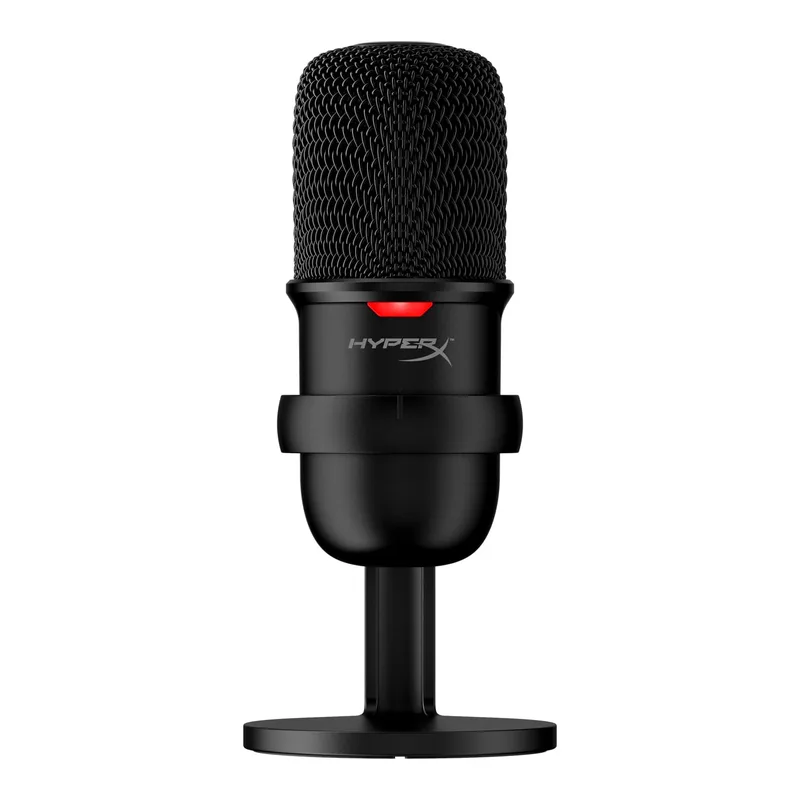
HyperX SoloCast
Pros
- Tap-to-mute sensor with LED indicator lets you silence yourself instantly without hunting for software controls
- 24-bit/96kHz capture delivers vocal clarity that stops participants from asking you to repeat yourself
- Cardioid pattern rejects keyboard clicks and room noise from the sides and rear
- Compact tripod stand takes up minimal desk space and adjusts the microphone angle easily
- USB-C cable included — works with modern laptops without a USB-A adapter
Cons
- No onboard headphone monitoring — you can't hear yourself in real-time without separate software
- Loud mechanical keyboards placed directly behind the mic can still bleed into recordings
The SoloCast is the standard recommendation for remote workers who want dedicated microphone quality without paying for studio features they don’t need. The cardioid pickup pattern handles most home office environments — it rejects ambient noise from behind and to the sides, so air conditioning, traffic, and ambient room sound mostly disappear from your audio.
The tap-to-mute LED ring is a standout feature at this price. Pressing the top of the mic mutes immediately with a visible red indicator — no fumbling for the software mute during an active conversation.
At 24-bit/96kHz, the SoloCast captures more dynamic range and frequency detail than laptop microphones operating at 16-bit/44kHz. Participants hear a fuller, more natural voice with the physical depth that narrow-band laptop mics flatten out.
3. Elgato Key Light Neo — Best Desk Light
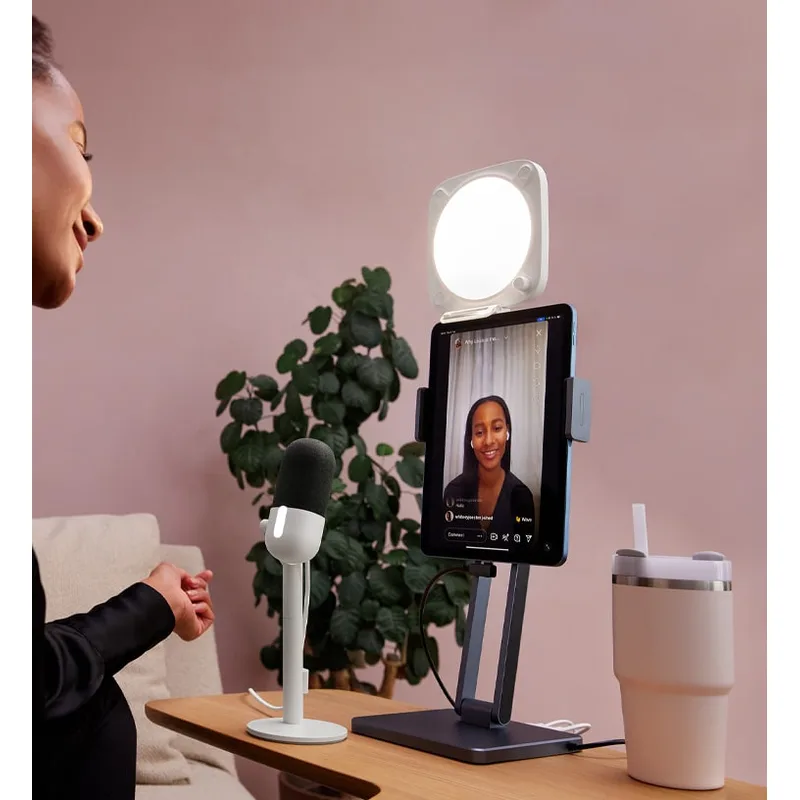
Elgato Key Light Neo
Pros
- Monitor clip positions the light directly at face level with no tripod wasted on desk space
- Wi-Fi app control lets you adjust brightness and color temperature from your phone mid-call
- Flicker-free LED panel eliminates the strobing that makes you look like you're under fluorescent lights
- CRI 94 renders skin tones accurately — cameras see your face as natural rather than washed out
- At sale prices around $50, it's one of the most cost-effective visible call improvements available
Cons
- 700 lumens won't overpower bright ambient window light — works best with windows behind your monitor
- Wi-Fi setup requires the Elgato app and takes a few minutes longer than a plug-and-use ring light
The Key Light Neo launched as Elgato’s most accessible key light, and at its regular sale price it competes directly with ring lights while delivering a more professional, flattering result. Monitor-mounted panel lights illuminate the face with diffused, even light rather than the concentrated center-hot output of ring lights. The result looks less like a ring light and more like natural window lighting.
CRI 94 means the light renders color accurately. Cameras calibrate their white balance to this light and produce natural skin tones rather than the orange warmth or blue cast that cheaper LEDs create. The Wi-Fi control via the Elgato app lets you dim down for afternoon light without reaching for the stand.
The monitor clip works on most displays between 10mm and 30mm thick. It positions the light at the exact same height as the camera, which is the most flattering angle for most faces.
4. Elgato Wave:3 — Best Mid-Range Mic
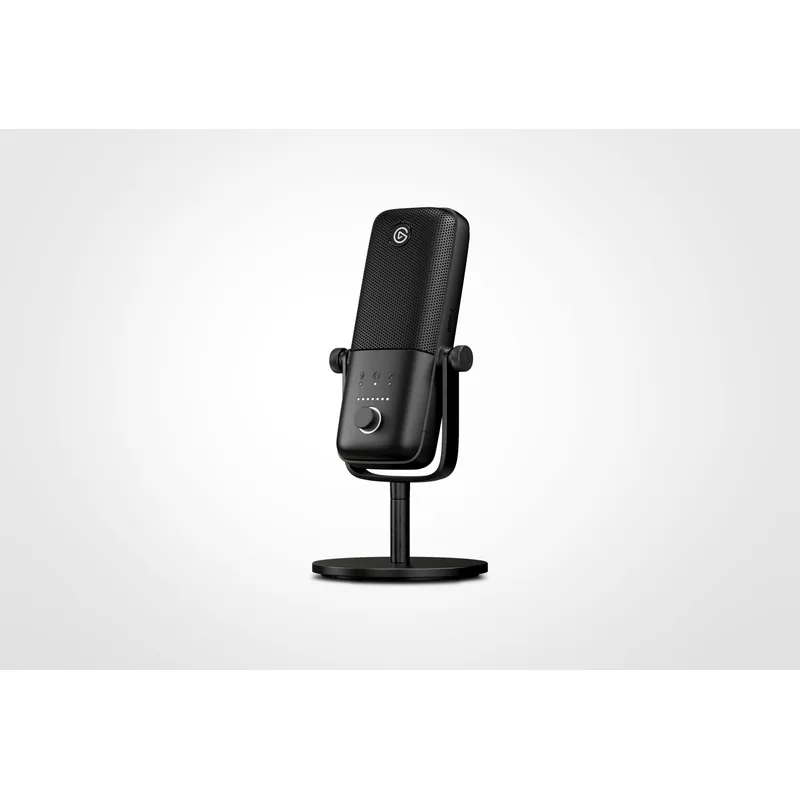
Elgato Wave:3
Pros
- Clipguard dual-capsule system prevents audio clipping when you raise your voice — critical on professional calls
- Wave Link software acts as a free virtual audio mixer for controlling mic levels without third-party apps
- Large capacitor dial on the front controls headphone monitoring volume with satisfying physical precision
- Built-in headphone jack for zero-latency monitoring — hear exactly what call participants hear from your end
- Metal body with a weighted base stays put when you reach across the desk
Cons
- Uses Micro-USB cable rather than USB-C — an outdated connector on an otherwise modern product
- Larger footprint than the SoloCast requires more desk real estate, though the stand is very stable
The Wave:3 is the established workhorse USB condenser for remote professionals who join calls where audio quality is noticed. The Clipguard system uses a second internal capsule to catch audio that the primary capsule would clip — meaning if you speak loudly, raise your voice in emphasis, or have a particularly resonant voice, the recording stays clean without distortion.
Wave Link, the included virtual mixer software, creates separate audio channels for your voice, system audio, and application sounds. During screen shares and presentations, you control exactly what participants hear. It’s a free feature that would cost money through third-party audio routing apps.
Note on the 2026 upgrade: Elgato released the Wave:3 MK.2 in 2026 with USB-C, Clipguard 2.0, and onboard DSP processing. At approximately $150–$170, it adds meaningful improvements. If you’re building a kit with the Pro tier budget, the MK.2 is worth the premium over the original Wave:3 at sale pricing.
The original Wave:3 still sounds excellent. The Micro-USB connector is an annoyance but not a dealbreaker for a stationary desk setup.
5. UBeesize 12” Ring Light — Best Budget Light
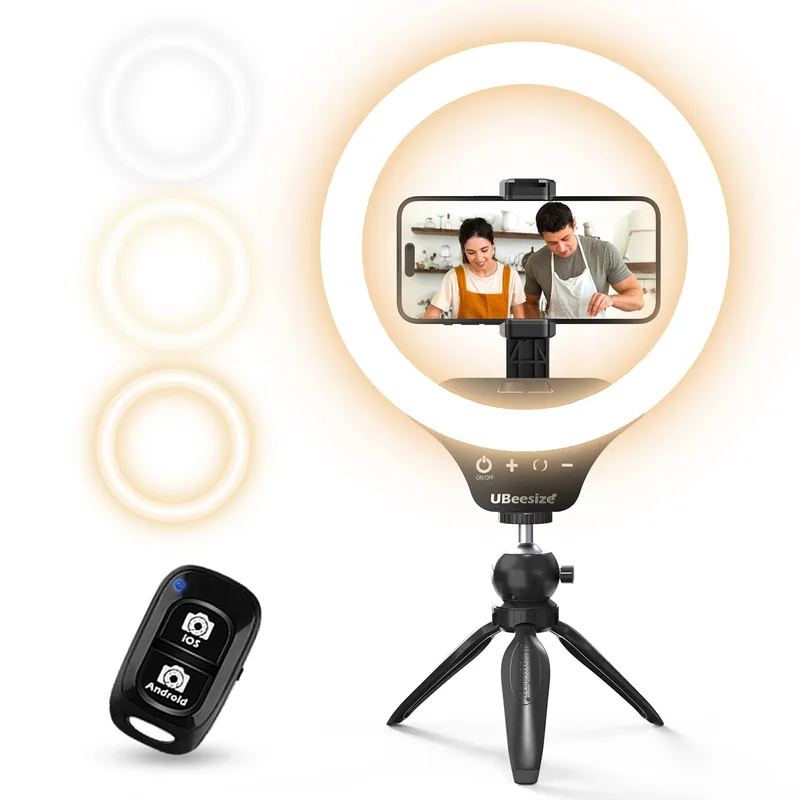
UBeesize 12" Ring Light
Pros
- Three color temperatures match warm incandescent or cool daylight rooms without looking mismatched on camera
- 180-LED array provides even illumination for 1080p calls with minimal harsh shadows
- Flexible tripod stand adjusts from table height to eye level and positions anywhere in the workspace
- USB-powered from any port, hub, or adapter — no separate power brick required
- Tens of thousands of Amazon reviews confirm consistent brightness and long-term durability
Cons
- Ring shape creates circular catchlights in the eyes — noticeable in close-up video, though normal for video calls
- Tripod stand takes up floor or desk space; not suited to cramped single-monitor setups
Ring lights are the most immediate visual upgrade in video call quality. This UBeesize 12-inch model pairs a capable LED ring with a 50-inch extendable tripod stand at a price that leaves room in the budget for better audio. Three color temperatures mean you can warm up the light to match incandescent lamps in the background or cool it down to match natural daylight from a window.
Position the ring at eye level directly behind your monitor for the most natural look. The phone holder is designed for content creators but works as a secondary camera mount or tablet holder during calls.
The ring light shape does create circular catchlights in eyes — visible if you’re on a 4K webcam on a high-resolution display. For 1080p calls at typical viewing sizes, it reads as lively, bright eyes rather than a distracting artifact.
For any kit under $200, this is the right light pick. Save the Elgato Key Light Neo for setups where you’re investing in the full Balanced or Pro kit.
6. Elgato Facecam — Best Pro Webcam
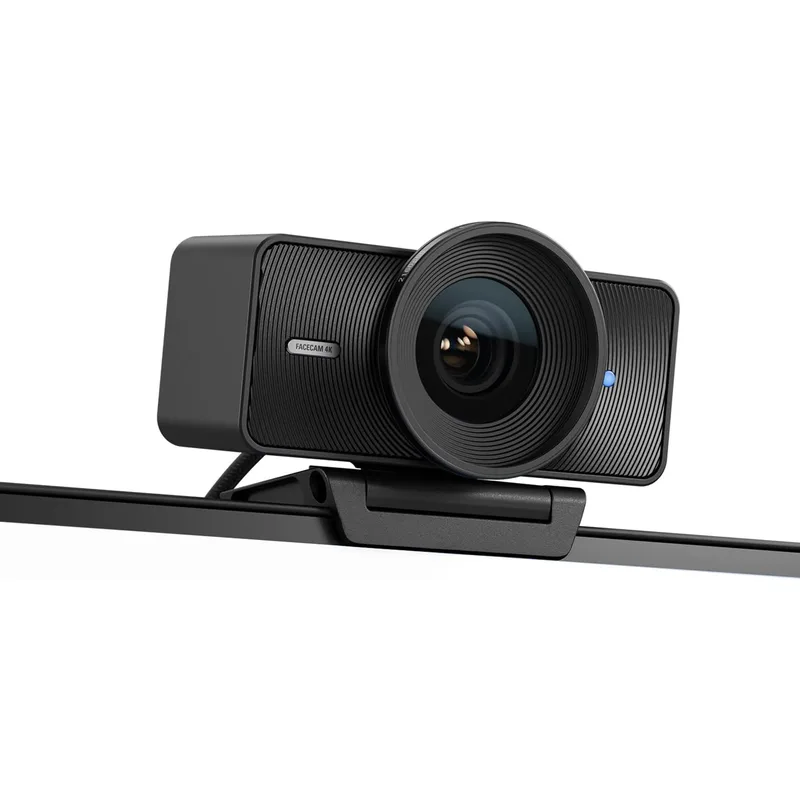
Elgato Facecam
Pros
- Sony STARVIS sensor captures significantly more detail in low light — late evening calls look sharp, not grainy
- 1080p60 produces smooth, fluid motion in video rather than the choppy look of most 30fps webcams
- DSLR-style manual controls in Camera Hub let you lock exact exposure, white balance, and sharpness settings
- Onboard settings memory stores your preferences — plug into any computer and your image profile follows
- Fixed focus eliminates autofocus hunting and "breathing" when you shift position during a call
Cons
- No built-in microphone — a dedicated audio source is required, which adds cost to the total kit
- Fixed focus lens won't sharpen objects held close to the camera — not suited for document sharing demos
The Facecam uses a Sony STARVIS sensor — the same class used in cameras designed for security and surveillance low-light performance. On video calls, this translates to substantially more detail and less grain than standard 1/4-inch webcam sensors at the same light level. An evening Zoom call in a lamp-lit room looks clean rather than noisy.
The 1080p60 output is the other defining feature. At 60 frames per second, motion in your video is fluid rather than the stuttery 30fps look most webcams deliver. Head movements, gestures, and natural conversation look more lifelike and less like a compressed video stream.
Camera Hub gives DSLR-style manual controls: exposure, sharpness, white balance, zoom crop, and anti-distortion. Set these once for your specific room and lighting, and the settings follow the camera via onboard memory to any computer you plug into.
The absence of a built-in microphone is deliberate — Elgato assumes that anyone spending $150+ on a webcam wants separate audio. That’s the correct call for a kit-based setup.
The Facecam fits the Pro Kit alongside the Wave:3 and Key Light Neo for a total around $295 using current sale prices. It’s the right combination for remote workers on video-heavy days, content creators who want daily-driver streaming quality, and anyone who’s tired of participants commenting on their audio or video.
Buying Guide: Building Your Kit
Prioritize in This Order
1. Microphone first. Bad audio is more distracting than bad video. People tolerate slightly blurry video; choppy, echoey audio derails conversations. The HyperX SoloCast at $49–$59 is the highest-impact first purchase for most setups.
2. Lighting second. The UBeesize ring light or Key Light Neo immediately improves how your current webcam renders your image. Backlighting (window behind you) makes even a $200 webcam look bad. Controlled front lighting makes a $70 webcam look professional.
3. Webcam last. If your lighting is good and your mic is dedicated, your laptop webcam may be acceptable for another few months. The Brio 305 is the right upgrade when you’re ready.
Webcam Resolution: 1080p Is Still the Standard
4K webcams exist, but most video conferencing platforms transmit at 1080p maximum. The Elgato Facecam Pro (a separate, higher-end model above the Facecam) outputs true 4K, but the bandwidth and CPU cost means most corporate Zoom calls display it at 1080p anyway. Spend any 4K premium on audio and lighting instead.
USB-C vs. USB-A
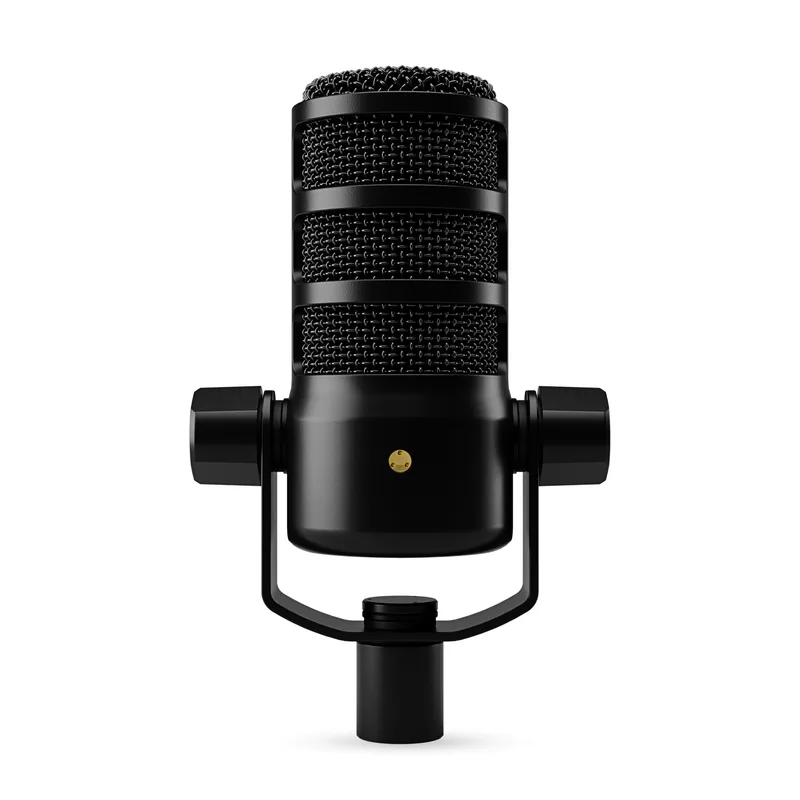
All the products in this guide use USB-C connections or USB-A to USB-C cables. If your laptop has only USB-C ports, verify the included cable or bring an adapter. Most business laptops have at least one USB-A port.
Software Requirements
| Product | Required Software | Optional Software |
|---|---|---|
| Logitech Brio 305 | None (plug-and-play) | Logi Tune |
| HyperX SoloCast | None | NGENUITY |
| Elgato Key Light Neo | None (manual) | Elgato Control Center |
| Elgato Wave:3 | None | Wave Link (free, recommended) |
| UBeesize Ring Light | None | — |
| Elgato Facecam | None | Camera Hub (free, recommended) |
Do You Need a Pop Filter or Shock Mount?
For video calls, no. The SoloCast and Wave:3 are designed for desk use and handle typical speaking voices without plosive artifacts. Pop filters matter for close-mic podcast recording, not 12-inch conversational microphone distances.
FAQ
Can I build a complete kit under $150?
Yes. The Logitech Brio 305 ($70–80) + HyperX SoloCast ($49–59) + UBeesize ring light ($35–45) totals approximately $155–185. This is the Starter Kit recommendation and represents a massive upgrade from a standard laptop setup.
Should I buy the Elgato Wave:3 MK.2 or the original Wave:3?
The MK.2 adds USB-C, improved Clipguard 2.0, and onboard DSP at approximately $150–170. The original Wave:3 at $99–130 (frequently on sale) sounds excellent and the Micro-USB cable is the only real disadvantage. For most remote workers on calls, the original is the better value. The MK.2 is worth it if you do any streaming or podcast recording alongside your calls.
Does the Elgato Facecam have autofocus?
No. The Facecam uses fixed focus optimized for typical webcam distances (approximately 24–60 inches from the lens). If you hold documents or objects near the camera, they won’t sharpen automatically. For standard video calls where you stay in your chair, fixed focus is actually more stable — no hunting or breathing artifacts mid-call.
Is the Elgato Key Light Neo better than a ring light?
For pure video calls, yes — the panel light produces more flattering, even illumination without the ring-shaped catchlight reflection. For content creators who regularly film close-up, the ring catchlight is actually a preferred aesthetic. The Key Light Neo is the call quality upgrade; the UBeesize ring light is the best value if the $40 vs. $50–90 price difference matters.
What platform is this gear compatible with?
All products in this roundup work plug-and-play with Zoom, Microsoft Teams, Google Meet, Slack, Webex, and any browser-based video conferencing tool. They require no proprietary software to function as webcam, microphone, or audio input sources.
Conclusion
The Balanced Kit is where most remote workers should land: Logitech Brio 305 + Elgato Wave:3 + Elgato Key Light Neo for approximately $220–270 depending on sale timing. The Brio 305 covers video quality, the Wave:3 handles call audio with room to grow into streaming and recording, and the Key Light Neo provides flattering, controllable illumination without cluttering the desk.
If audio quality on calls is your only pain point, start with just the HyperX SoloCast at $49–59. It’s the single most impactful per-dollar upgrade for most people joining calls on a laptop microphone.
The Pro Kit — Elgato Facecam + Elgato Wave:3 + Elgato Key Light Neo — comes in around $295 at current prices and delivers broadcast-quality video presence on daily calls. It’s overkill for weekly team standups and exactly right for client-facing roles, executive meetings, and anyone who gets paid to appear on camera.
Detailed Reviews
Logitech Brio 305
Pros
- USB-C connection works plug-and-play on MacBooks, Dell, and HP laptops without adapters
- Privacy shutter slides over the lens when not in use — no software needed to cut the camera
- Auto light correction handles most home office lighting conditions without manual tweaking
- Built-in noise-reducing mic handles quick calls when you don't have a dedicated mic plugged in
- Lightweight clip design mounts securely on monitors of all thicknesses without wobble
Cons
- Single mic capsule captures noticeably less depth than a dedicated USB microphone on longer calls
- 30fps cap at 1080p means motion appears slightly less smooth than premium 60fps webcams
HyperX SoloCast
Pros
- Tap-to-mute sensor with LED indicator lets you silence yourself instantly without hunting for software controls
- 24-bit/96kHz capture delivers vocal clarity that stops participants from asking you to repeat yourself
- Cardioid pattern rejects keyboard clicks and room noise from the sides and rear
- Compact tripod stand takes up minimal desk space and adjusts the microphone angle easily
- USB-C cable included — works with modern laptops without a USB-A adapter
Cons
- No onboard headphone monitoring — you can't hear yourself in real-time without separate software
- Loud mechanical keyboards placed directly behind the mic can still bleed into recordings
Elgato Key Light Neo
Pros
- Monitor clip positions the light directly at face level with no tripod wasted on desk space
- Wi-Fi app control lets you adjust brightness and color temperature from your phone mid-call
- Flicker-free LED panel eliminates the strobing that makes you look like you're under fluorescent lights
- CRI 94 renders skin tones accurately — cameras see your face as natural rather than washed out
- At sale prices around $50, it's one of the most cost-effective visible call improvements available
Cons
- 700 lumens won't overpower bright ambient window light — works best with windows behind your monitor
- Wi-Fi setup requires the Elgato app and takes a few minutes longer than a plug-and-use ring light
Elgato Wave:3
Pros
- Clipguard dual-capsule system prevents audio clipping when you raise your voice — critical on professional calls
- Wave Link software acts as a free virtual audio mixer for controlling mic levels without third-party apps
- Large capacitor dial on the front controls headphone monitoring volume with satisfying physical precision
- Built-in headphone jack for zero-latency monitoring — hear exactly what call participants hear from your end
- Metal body with a weighted base stays put when you reach across the desk
Cons
- Uses Micro-USB cable rather than USB-C — an outdated connector on an otherwise modern product
- Larger footprint than the SoloCast requires more desk real estate, though the stand is very stable
UBeesize 12" Ring Light
Pros
- Three color temperatures match warm incandescent or cool daylight rooms without looking mismatched on camera
- 180-LED array provides even illumination for 1080p calls with minimal harsh shadows
- Flexible tripod stand adjusts from table height to eye level and positions anywhere in the workspace
- USB-powered from any port, hub, or adapter — no separate power brick required
- Tens of thousands of Amazon reviews confirm consistent brightness and long-term durability
Cons
- Ring shape creates circular catchlights in the eyes — noticeable in close-up video, though normal for video calls
- Tripod stand takes up floor or desk space; not suited to cramped single-monitor setups
Elgato Facecam
Pros
- Sony STARVIS sensor captures significantly more detail in low light — late evening calls look sharp, not grainy
- 1080p60 produces smooth, fluid motion in video rather than the choppy look of most 30fps webcams
- DSLR-style manual controls in Camera Hub let you lock exact exposure, white balance, and sharpness settings
- Onboard settings memory stores your preferences — plug into any computer and your image profile follows
- Fixed focus eliminates autofocus hunting and "breathing" when you shift position during a call
Cons
- No built-in microphone — a dedicated audio source is required, which adds cost to the total kit
- Fixed focus lens won't sharpen objects held close to the camera — not suited for document sharing demos